• Recent
    • Unsolved
    • Tags
    • Popular
    • Users
    • Groups
    • Search
    • Register
    • Login
    1. Home
    2. JJ Fullmer
    3. Posts
    • Profile
    • Following 5
    • Followers 4
    • Topics 55
    • Posts 955
    • Groups 3

    Posts

    Recent Best Controversial
    • RE: Move partitions on GPT layouts - need people to test

      @sebastian-roth

      Windows 8.1

      Image captured and deployed with new init
      Did deploy test from larger 128 GB source VM and it had no problem deploying to 60 GB VM

      d1.partitions

      label: gpt
      label-id: 68156B04-B4FE-40EF-96CC-747C33F75E54
      device: /dev/nvme0n1
      unit: sectors
      first-lba: 34
      last-lba: 268435422
      sector-size: 512
      
      /dev/nvme0n1p1 : start=        2048, size=      614400, type=DE94BBA4-06D1-4D40-A16A-BFD50179D6AC, uuid=6D92B4A9-E0B4-4DED-8C4C-E271AA36B06F, name="Basic data partition", attrs="RequiredPartition GUID:63"
      /dev/nvme0n1p2 : start=      616448, size=      204800, type=C12A7328-F81F-11D2-BA4B-00A0C93EC93B, uuid=2410B705-A7CB-4CE5-A393-8B3919C909D1, name="EFI system partition", attrs="GUID:63"
      /dev/nvme0n1p3 : start=      821248, size=      262144, type=E3C9E316-0B5C-4DB8-817D-F92DF00215AE, uuid=58F556FE-7D3B-44EA-A846-C0848DB743CB, name="Microsoft reserved partition", attrs="GUID:63"
      /dev/nvme0n1p4 : start=     1083392, size=   267350016, type=EBD0A0A2-B9E5-4433-87C0-68B6B72699C7, uuid=364F4B4F-4D49-4955-A5EB-9CDE151EEBF7, name="Basic data partition"
      

      d1.minimum.partitions

      label: gpt
      label-id: 68156B04-B4FE-40EF-96CC-747C33F75E54
      device: /dev/nvme0n1
      unit: sectors
      first-lba: 34
      last-lba: 268435422
      sector-size: 512
      
      /dev/nvme0n1p1 : start=        2048, size=      614400, type=DE94BBA4-06D1-4D40-A16A-BFD50179D6AC, uuid=6D92B4A9-E0B4-4DED-8C4C-E271AA36B06F, name="Basic data partition", attrs="RequiredPartition GUID:63"
      /dev/nvme0n1p2 : start=      616448, size=      204800, type=C12A7328-F81F-11D2-BA4B-00A0C93EC93B, uuid=2410B705-A7CB-4CE5-A393-8B3919C909D1, name="EFI system partition", attrs="GUID:63"
      /dev/nvme0n1p3 : start=      821248, size=      262144, type=E3C9E316-0B5C-4DB8-817D-F92DF00215AE, uuid=58F556FE-7D3B-44EA-A846-C0848DB743CB, name="Microsoft reserved partition", attrs="GUID:63"
      /dev/nvme0n1p4 : start=     1083392, size=    17806622, type=EBD0A0A2-B9E5-4433-87C0-68B6B72699C7, uuid=364F4B4F-4D49-4955-A5EB-9CDE151EEBF7, name="Basic data partition"
      
      posted in General
      JJ FullmerJ
      JJ Fullmer
    • RE: Move partitions on GPT layouts - need people to test

      @sebastian-roth I’m working on a windows 8.1 w/update image (since windows 7 isn’t supported anymore)
      Will let you know the results

      posted in General
      JJ FullmerJ
      JJ Fullmer
    • RE: Move partitions on GPT layouts - need people to test

      @sebastian-roth Do we also need to do some testing with this init on older versions of windows to be sure it doesn’t break anything there?
      And Other OS’s too? Like maybe at least 1 linux distro

      posted in General
      JJ FullmerJ
      JJ Fullmer
    • RE: Move partitions on GPT layouts - need people to test

      @sebastian-roth

      The smaller to larger worked fine as well.
      here are all the d1.partition and d1.minimum.partitions I have (will update this post tomorrow with the recaptured first image) so it’s all in one spot

      1909 image

      for reference of old windows partition table
      This was NOT created with the new init, included this for comparison.

      d1.partitions

      label: gpt
      label-id: 68156B04-B4FE-40EF-96CC-747C33F75E54
      device: /dev/sda
      unit: sectors
      first-lba: 34
      last-lba: 134217694
      sector-size: 512
      
      /dev/sda1 : start=        2048, size=     1083392, type=DE94BBA4-06D1-4D40-A16A-BFD50179D6AC, uuid=75A55945-9352-4F30-A330-67878EC28FA1, name="Basic data partition", attrs="RequiredPartition GUID:63"
      /dev/sda2 : start=     1085440, size=      202752, type=C12A7328-F81F-11D2-BA4B-00A0C93EC93B, uuid=D1336408-C5B3-446F-BE78-725587F7224D, name="EFI system partition", attrs="GUID:63"
      /dev/sda3 : start=     1288192, size=       32768, type=E3C9E316-0B5C-4DB8-817D-F92DF00215AE, uuid=C9F8E03C-928A-4233-9837-49CE510E39B0, name="Microsoft reserved partition", attrs="GUID:63"
      /dev/sda4 : start=     1320960, size=   132894720, type=EBD0A0A2-B9E5-4433-87C0-68B6B72699C7, uuid=D7729B0D-A7B4-4E1F-A9F5-F06FAAAE6141, name="Basic data partition"
      

      d1.minimum.partitions

      label: gpt
      label-id: 68156B04-B4FE-40EF-96CC-747C33F75E54
      device: /dev/sda
      unit: sectors
      first-lba: 34
      last-lba: 134217694
      sector-size: 512
      
      /dev/sda1 : start=        2048, size=     1083392, type=DE94BBA4-06D1-4D40-A16A-BFD50179D6AC, uuid=75A55945-9352-4F30-A330-67878EC28FA1, name="Basic data partition", attrs="RequiredPartition GUID:63"
      /dev/sda2 : start=     1085440, size=      202752, type=C12A7328-F81F-11D2-BA4B-00A0C93EC93B, uuid=D1336408-C5B3-446F-BE78-725587F7224D, name="EFI system partition", attrs="GUID:63"
      /dev/sda3 : start=     1288192, size=       32768, type=E3C9E316-0B5C-4DB8-817D-F92DF00215AE, uuid=C9F8E03C-928A-4233-9837-49CE510E39B0, name="Microsoft reserved partition", attrs="GUID:63"
      /dev/sda4 : start=     1320960, size=    45462454, type=EBD0A0A2-B9E5-4433-87C0-68B6B72699C7, uuid=D7729B0D-A7B4-4E1F-A9F5-F06FAAAE6141, name="Basic data partition"
      

      20H2 smaller image

      partitions of image from 60 GB VM

      d1.partitions

      label: gpt
      label-id: 68156B04-B4FE-40EF-96CC-747C33F75E54
      device: /dev/nvme0n1
      unit: sectors
      first-lba: 34
      last-lba: 125829086
      sector-size: 512
      
      /dev/nvme0n1p1 : start=        2048, size=      204800, type=C12A7328-F81F-11D2-BA4B-00A0C93EC93B, uuid=2C465DF5-10FD-4883-B323-423E3D10FB2E, name="EFI system partition", attrs="GUID:63"
      /dev/nvme0n1p2 : start=      206848, size=       32768, type=E3C9E316-0B5C-4DB8-817D-F92DF00215AE, uuid=7AFE394E-47A0-43FE-A06E-7AFD7286E200, name="Microsoft reserved partition", attrs="GUID:63"
      /dev/nvme0n1p3 : start=      239616, size=   124567040, type=EBD0A0A2-B9E5-4433-87C0-68B6B72699C7, uuid=4A0FF43A-6E31-4AC9-8446-073E07C63AA8, name="Basic data partition"
      /dev/nvme0n1p4 : start=   124806656, size=     1021952, type=DE94BBA4-06D1-4D40-A16A-BFD50179D6AC, uuid=AEF97419-7B7D-4EC5-8C19-FF8C0217A965, attrs="RequiredPartition GUID:63"

      

      d1.minimum.partitions

      label: gpt
      label-id: 68156B04-B4FE-40EF-96CC-747C33F75E54
      device: /dev/nvme0n1
      unit: sectors
      first-lba: 34
      last-lba: 125829086
      sector-size: 512
      
      /dev/nvme0n1p1 : start=        2048, size=      204800, type=C12A7328-F81F-11D2-BA4B-00A0C93EC93B, uuid=2C465DF5-10FD-4883-B323-423E3D10FB2E, name="EFI system partition", attrs="GUID:63"
      /dev/nvme0n1p2 : start=      206848, size=       32768, type=E3C9E316-0B5C-4DB8-817D-F92DF00215AE, uuid=7AFE394E-47A0-43FE-A06E-7AFD7286E200, name="Microsoft reserved partition", attrs="GUID:63"
      /dev/nvme0n1p3 : start=      239616, size=    21331078, type=EBD0A0A2-B9E5-4433-87C0-68B6B72699C7, uuid=4A0FF43A-6E31-4AC9-8446-073E07C63AA8, name="Basic data partition"
      /dev/nvme0n1p4 : start=    21571584, size=     1021952, type=DE94BBA4-06D1-4D40-A16A-BFD50179D6AC, uuid=AEF97419-7B7D-4EC5-8C19-FF8C0217A965, attrs="RequiredPartition GUID:63"
      

      20H2 Larger image

      Partitions of image from 128 GB VM

      d1.partitions

      label: gpt
      label-id: 68156B04-B4FE-40EF-96CC-747C33F75E54
      device: /dev/nvme0n1
      unit: sectors
      first-lba: 34
      last-lba: 268435422
      sector-size: 512
      
      /dev/nvme0n1p1 : start=        2048, size=      204800, type=C12A7328-F81F-11D2-BA4B-00A0C93EC93B, uuid=2C465DF5-10FD-4883-B323-423E3D10FB2E, name="EFI system partition", attrs="GUID:63"
      /dev/nvme0n1p2 : start=      206848, size=       32768, type=E3C9E316-0B5C-4DB8-817D-F92DF00215AE, uuid=7AFE394E-47A0-43FE-A06E-7AFD7286E200, name="Microsoft reserved partition", attrs="GUID:63"
      /dev/nvme0n1p3 : start=      239616, size=   267173376, type=EBD0A0A2-B9E5-4433-87C0-68B6B72699C7, uuid=4A0FF43A-6E31-4AC9-8446-073E07C63AA8, name="Basic data partition"
      /dev/nvme0n1p4 : start=   267412992, size=     1021952, type=DE94BBA4-06D1-4D40-A16A-BFD50179D6AC, uuid=AEF97419-7B7D-4EC5-8C19-FF8C0217A965, attrs="RequiredPartition GUID:63"
      

      d1.minimum.partitions

      label: gpt
      label-id: 68156B04-B4FE-40EF-96CC-747C33F75E54
      device: /dev/nvme0n1
      unit: sectors
      first-lba: 34
      last-lba: 268435422
      sector-size: 512
      
      /dev/nvme0n1p1 : start=        2048, size=      204800, type=C12A7328-F81F-11D2-BA4B-00A0C93EC93B, uuid=2C465DF5-10FD-4883-B323-423E3D10FB2E, name="EFI system partition", attrs="GUID:63"
      /dev/nvme0n1p2 : start=      206848, size=       32768, type=E3C9E316-0B5C-4DB8-817D-F92DF00215AE, uuid=7AFE394E-47A0-43FE-A06E-7AFD7286E200, name="Microsoft reserved partition", attrs="GUID:63"
      /dev/nvme0n1p3 : start=      239616, size=    21351120, type=EBD0A0A2-B9E5-4433-87C0-68B6B72699C7, uuid=4A0FF43A-6E31-4AC9-8446-073E07C63AA8, name="Basic data partition"
      /dev/nvme0n1p4 : start=    21592064, size=     1021952, type=DE94BBA4-06D1-4D40-A16A-BFD50179D6AC, uuid=AEF97419-7B7D-4EC5-8C19-FF8C0217A965, attrs="RequiredPartition GUID:63"
      
      posted in General
      JJ FullmerJ
      JJ Fullmer
    • RE: Move partitions on GPT layouts - need people to test

      @sebastian-roth I did not see this before I overwrote the test image, so I don’t have the d1.minimum.partitions, but I still can for the 60 GB image if you want that just to see what the init wrote. I can re-capture the larger vm after I finish the test for smaller to larger and get that for you, I’ll just post it tomorrow.

      The 10 GB was the fog gui, everything expanded as it should in windows.

      posted in General
      JJ FullmerJ
      JJ Fullmer
    • RE: Move partitions on GPT layouts - need people to test

      @sebastian-roth I’m doing tests using just vms, so it’s possible that physical hardware could respond differently.
      Here are my results.

      I created an image successfully from a 128 GB VM, it was 10 GB in size after being resized (all I did was enter audit mode after installing windows and then captured)

      I deployed it to a VM with a 60GB drive and had no issues.

      I did confirm that the new init was used at boot for both. There was a bunch of extra output that happened to fast to catch on the capture before the gparted screens showed up, but everything worked fine.

      Here is my d1.partitions

      label: gpt
      label-id: 68156B04-B4FE-40EF-96CC-747C33F75E54
      device: /dev/nvme0n1
      unit: sectors
      first-lba: 34
      last-lba: 268435422
      sector-size: 512
      
      /dev/nvme0n1p1 : start=        2048, size=      204800, type=C12A7328-F81F-11D2-BA4B-00A0C93EC93B, uuid=2C465DF5-10FD-4883-B323-423E3D10FB2E, name="EFI system partition", attrs="GUID:63"
      /dev/nvme0n1p2 : start=      206848, size=       32768, type=E3C9E316-0B5C-4DB8-817D-F92DF00215AE, uuid=7AFE394E-47A0-43FE-A06E-7AFD7286E200, name="Microsoft reserved partition", attrs="GUID:63"
      /dev/nvme0n1p3 : start=      239616, size=   267168294, type=EBD0A0A2-B9E5-4433-87C0-68B6B72699C7, uuid=4A0FF43A-6E31-4AC9-8446-073E07C63AA8, name="Basic data partition"
      /dev/nvme0n1p4 : start=   267409408, size=     1021952, type=DE94BBA4-06D1-4D40-A16A-BFD50179D6AC, uuid=AEF97419-7B7D-4EC5-8C19-FF8C0217A965, attrs="RequiredPartition GUID:63"
      

      Just to be safe, I will also test this in reverse with the init, Going to capture the 60 GB image and deploy it to the 128 GB VM, especially since that’s what I usually do.

      Also, just for reference, here is the d1.partitions from our 1909 image. It looks like windows started putting the data partition at partition 3 instead of 4, kinda weird, that would make expanding disks for the main data drive more difficult, I wonder what the reasoning for that is.

      [root@arrowfog Base-Stable]# cat d1.partitions
      label: gpt
      label-id: 68156B04-B4FE-40EF-96CC-747C33F75E54
      device: /dev/sda
      unit: sectors
      first-lba: 34
      last-lba: 134217694
      sector-size: 512
      
      /dev/sda1 : start=        2048, size=     1083392, type=DE94BBA4-06D1-4D40-A16A-BFD50179D6AC, uuid=75A55945-9352-4F30-A330-67878EC28FA1, name="Basic data partition", attrs="RequiredPartition GUID:63"
      /dev/sda2 : start=     1085440, size=      202752, type=C12A7328-F81F-11D2-BA4B-00A0C93EC93B, uuid=D1336408-C5B3-446F-BE78-725587F7224D, name="EFI system partition", attrs="GUID:63"
      /dev/sda3 : start=     1288192, size=       32768, type=E3C9E316-0B5C-4DB8-817D-F92DF00215AE, uuid=C9F8E03C-928A-4233-9837-49CE510E39B0, name="Microsoft reserved partition", attrs="GUID:63"
      /dev/sda4 : start=     1320960, size=   132894720, type=EBD0A0A2-B9E5-4433-87C0-68B6B72699C7, uuid=D7729B0D-A7B4-4E1F-A9F5-F06FAAAE6141, name="Basic data partition"
      
      posted in General
      JJ FullmerJ
      JJ Fullmer
    • RE: Move partitions on GPT layouts - need people to test

      @Sebastian-Roth I just re-read through this as I’m starting work on our 20H2 image.
      We actually purposely make our base image from a smaller disk already of around 64 GB and it usually shrinks down to around 20 GB when captured. Then we deploy to things with larger drives.

      So just to be clear, I need to create the image from a new VM or physical machine that has a larger drive? i.e. expand the drive to something like 256 or 512 and then capture (where it will resize down to the usual 20ish GB or probably less for this test cause I’ll just install windows and that’s it) and then deploy to something with a 64 or 128 sized drive where it will resize.

      Why are people creating images from things with drives larger than what they are deploying to?

      Or is this testing a different type of image?

      posted in General
      JJ FullmerJ
      JJ Fullmer
    • RE: Lenovo L13 yoga 'Maybe the usb cable is bad' error when trying to register

      @george1421 I was also now able to use this lenovo usb-c adapter to pxe boot other non-lenovo devices I previously wasn’t able to.
      So bonus points for that.
      This is on the 5.6 rt3 kernel

      posted in Hardware Compatibility
      JJ FullmerJ
      JJ Fullmer
    • RE: Lenovo L13 yoga 'Maybe the usb cable is bad' error when trying to register

      @george1421 The weird keyboard issue still occurs in the debug session where I can’t do shift+page up/down scrolling. But the adapter is working to be imaged otherwise. So it does work for imaging, just may be getting the wrong keyboard layout on this lenovo l390 yoga keyboard. Not sure it’s worth diggging into.

      posted in Hardware Compatibility
      JJ FullmerJ
      JJ Fullmer
    • RE: Lenovo L13 yoga 'Maybe the usb cable is bad' error when trying to register

      @george1421 Well I’m doing it anyway, especially after it was so weird with the keyboard the first time, I figure it’s worth testing. I’m doing a debug test on one of these models with that usb-c adapter now

      posted in Hardware Compatibility
      JJ FullmerJ
      JJ Fullmer
    • RE: Move partitions on GPT layouts - need people to test

      @sebastian-roth I hope to be building our 20H2 image the start of next year. So I can do some testing along with that for sure on this then.

      posted in General
      JJ FullmerJ
      JJ Fullmer
    • RE: Lenovo L13 yoga 'Maybe the usb cable is bad' error when trying to register

      @george1421 Things got crazy last week, but I have 2 of these I intend to image by Wednesday, so I should have some tests results for this before I’m away for the holiday.

      posted in Hardware Compatibility
      JJ FullmerJ
      JJ Fullmer
    • RE: Lenovo L13 yoga 'Maybe the usb cable is bad' error when trying to register

      @george1421 I need to get this machine into production so I can’t test this right now. But I can image one of the other’s we have tomorrow and see if this kernel does the trick.

      posted in Hardware Compatibility
      JJ FullmerJ
      JJ Fullmer
    • RE: Lenovo L13 yoga 'Maybe the usb cable is bad' error when trying to register

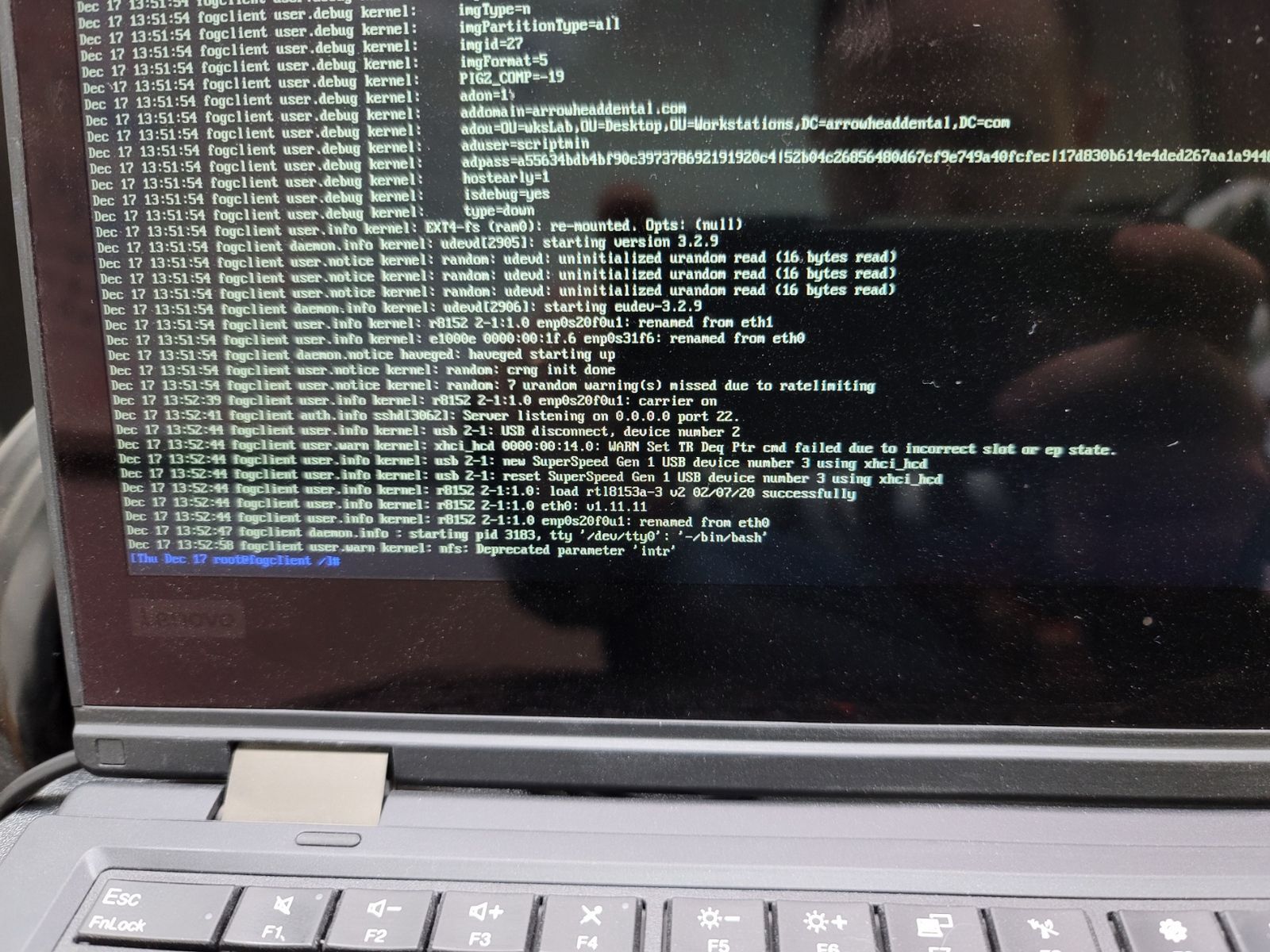
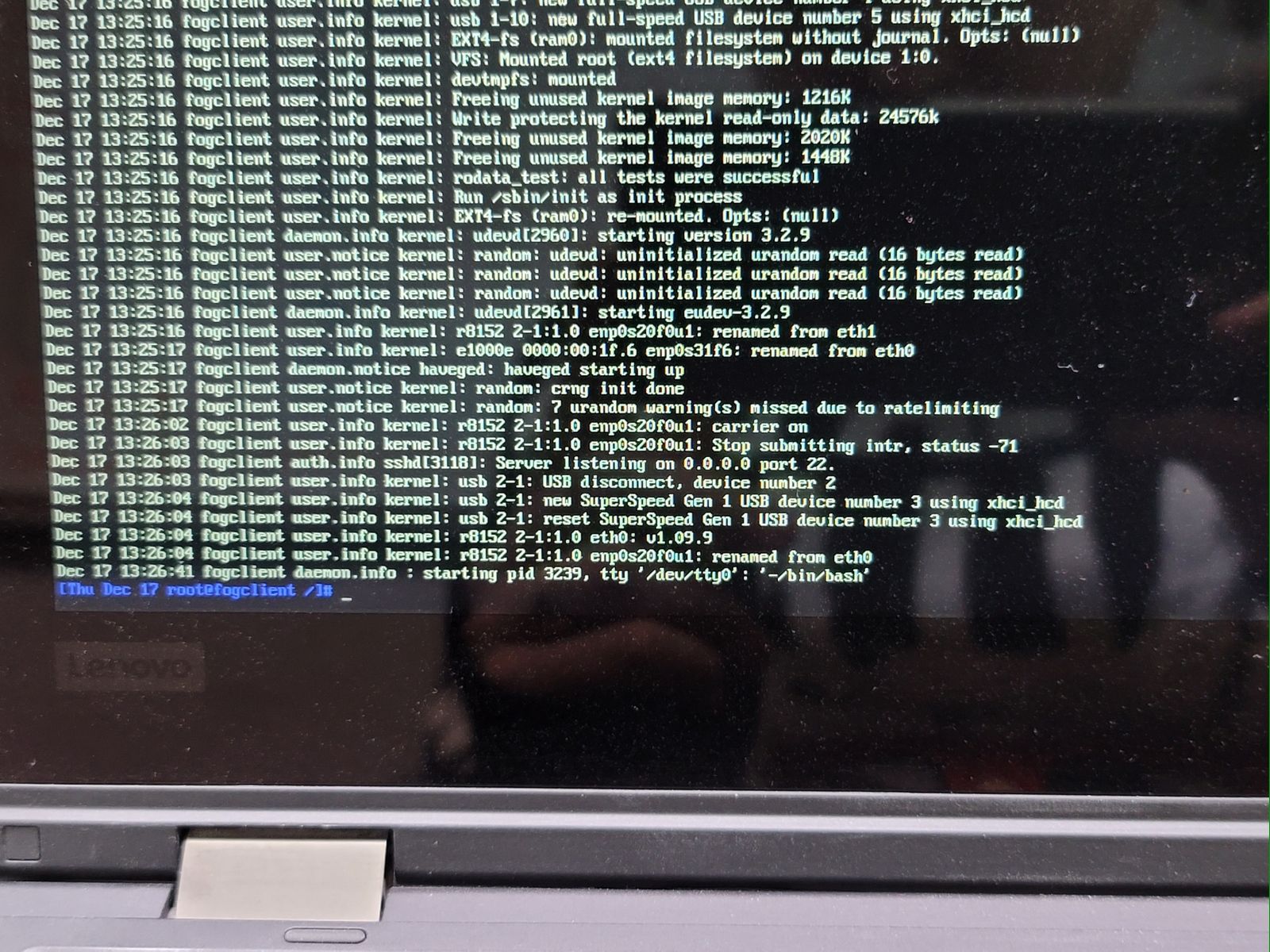
      @george1421 It did not. I gave the bzImage5618RT3 a go and that one is working. The keyboard is also working as expected. So there’s something else in 5.9.3 that is causing an issue with this machine.
      Did you change anything else other than this driver and firmware for this kernel? Would it be safe to try using this one as default for all hosts? Or is there something else in there that might cause pause?

      posted in Hardware Compatibility
      JJ FullmerJ
      JJ Fullmer
    • RE: Lenovo L13 yoga 'Maybe the usb cable is bad' error when trying to register

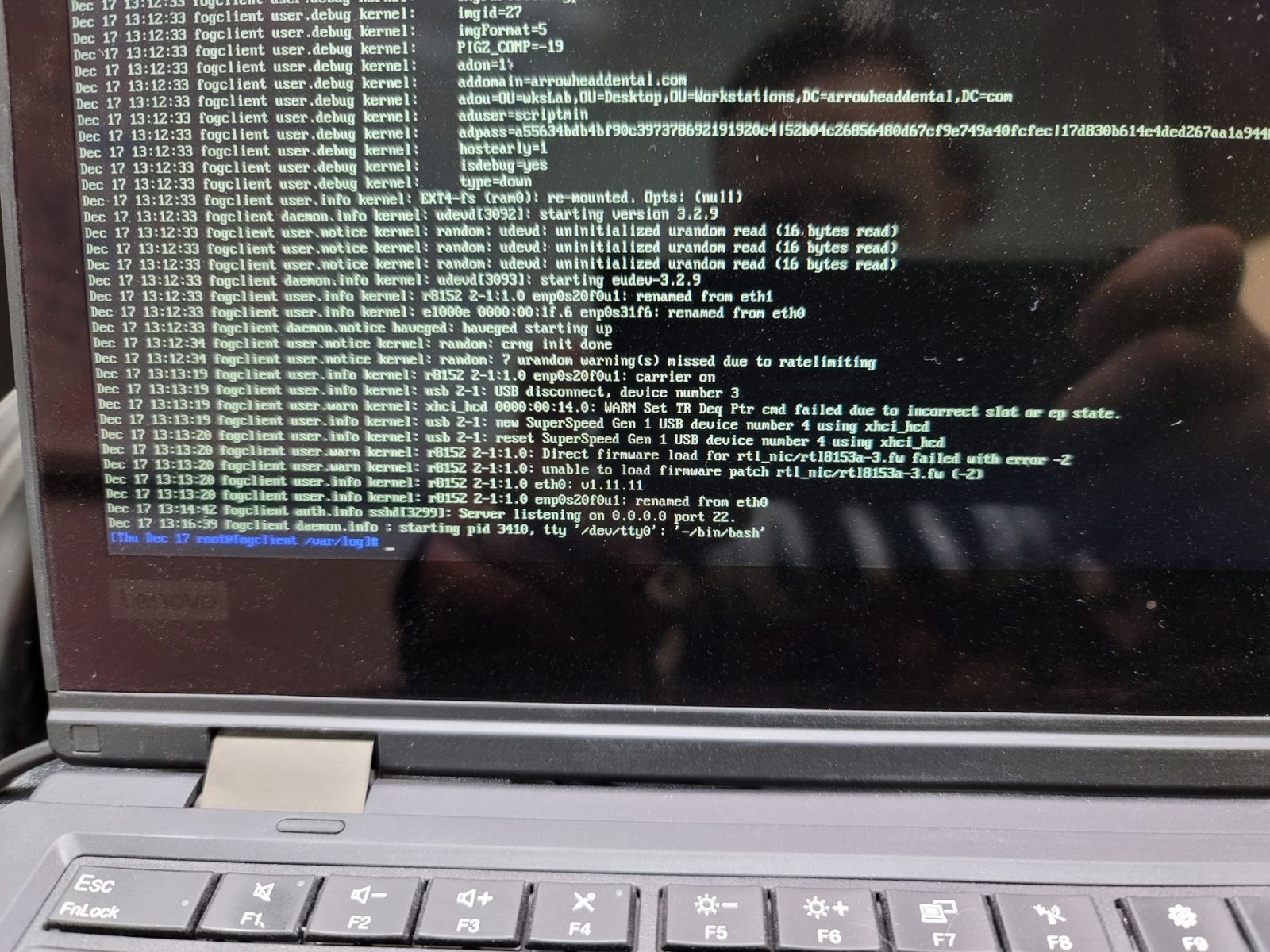
      @george1421 So it didn’t get the the firmware load error, is says that was fine but still no ip address.

      What’s also odd is it seemed to change the laptop’s keyboard behavior, I could no longer use Shift+PgUp/down to scroll through the output. It acted as if pgup was just up.

      593.jpg

      This one did load into FOS without any errors at least, just didn’t actually connect to the network. I haven’t tried messing with the mac address pass through yet.
      Gonna give the 5618RT3 a try
      Then I’ll try the one from a year ago if needed

      posted in Hardware Compatibility
      JJ FullmerJ
      JJ Fullmer
    • RE: Lenovo L13 yoga 'Maybe the usb cable is bad' error when trying to register

      @george1421 I found the last time we did this
      https://forums.fogproject.org/topic/13905/issue-with-netcard-of-dock-gen2-of-lenovo-l390/22?_=1608147371899

      I am actually imaging one of the l390’s at the moment (the l13 is the successor to the L390). But I’m pretty sure the problem is related to just the usb-c adapter. I’ll try the 2 you just made, starting with 5.9.3

      posted in Hardware Compatibility
      JJ FullmerJ
      JJ Fullmer
    • RE: Lenovo L13 yoga 'Maybe the usb cable is bad' error when trying to register

      @george1421 I was just reviewing some internal documentation on this dongle and it looks like we’ve gone down this road once before. I have notes about a custom kernel for this adapter where the realtek driver was modified to work with the microsoft usb-c ethernet adapter. Time to search through some old posts.

      posted in Hardware Compatibility
      JJ FullmerJ
      JJ Fullmer
    • RE: Lenovo L13 yoga 'Maybe the usb cable is bad' error when trying to register

      Here is kernel 4.19.146
      This time it acted like it was going to work but never got an ip address.

      kernel4-errors.jpg

      I’m going to try something that shouldn’t work now. This laptop has a feature to do mac address pass through which I have enabled so that the usb-c ethernet can be used for imaging on different devices without needing to remove it from fog hosts. I’m going to try disabling that and I’ll use my default 5.6.18 kernel. I can’t imagine this will change anything, but might as well try everything.

      posted in Hardware Compatibility
      JJ FullmerJ
      JJ Fullmer
    • RE: Lenovo L13 yoga 'Maybe the usb cable is bad' error when trying to register

      @george1421 I’m now trying the 4.19.146 64bit kernel from tom via the fog web gui kernel update page

      posted in Hardware Compatibility
      JJ FullmerJ
      JJ Fullmer
    • RE: Lenovo L13 yoga 'Maybe the usb cable is bad' error when trying to register

      @george1421
      Here’s the 5.6.18 kernel debug messages, slightly different, but not that different.

      normal-kernel-errors.jpg

      posted in Hardware Compatibility
      JJ FullmerJ
      JJ Fullmer
    • 1
    • 2
    • 12
    • 13
    • 14
    • 15
    • 16
    • 47
    • 48
    • 14 / 48