Upgraded from FOG 1.5.9 to 1.5.10.1903 and having issues
-
@Tom-Elliott Fog server has not been working since this entire thread was created… it’s not working.
So far the database has refused to update and the web management console is 100% unavailable since the only thing it does is prompt me to update the database.Tried the manual update with
sudo curl -X POST -H “X-Fog-Install-Token: 14dbb4a059bc201b2bf585b625087f92f4b5f8fd6dc70de8a0bef17845f00321” -d “schemaupdate=1” “http://10.46.10.40/fog/management/index.php?node=schema”but it responded with
{“error”:“Unable to update schema”,“title”,“Schema Update Fail”}Here’s some data you requested earlier

-
@Strahd Try another git pull please then try install again?
-
@Tom-Elliott ok here we go again
git pull
sudo ./installfog.sh -y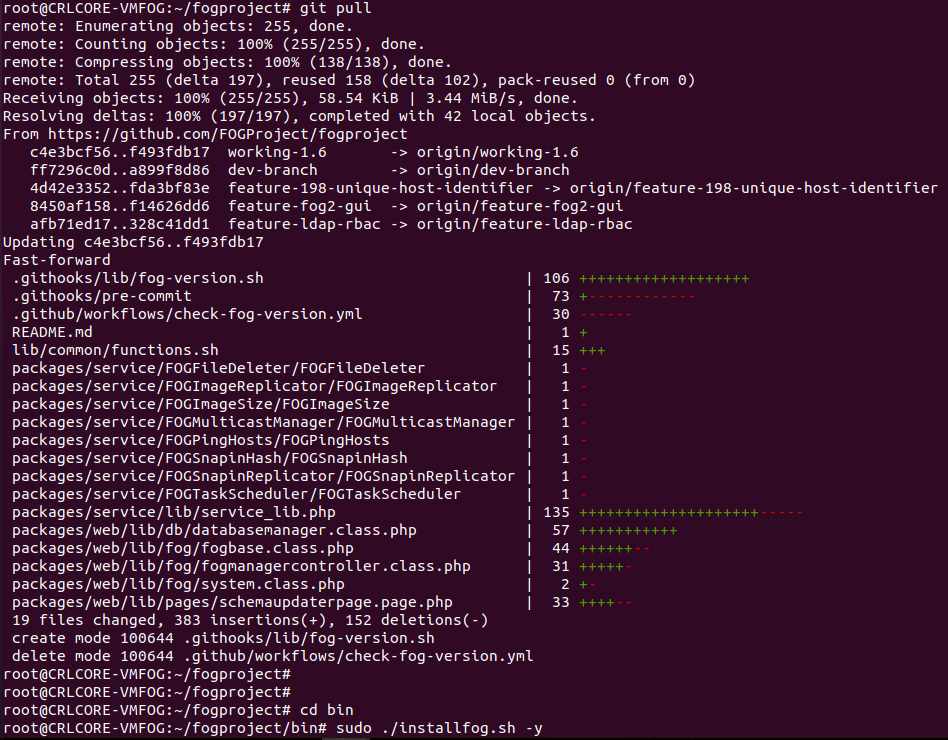
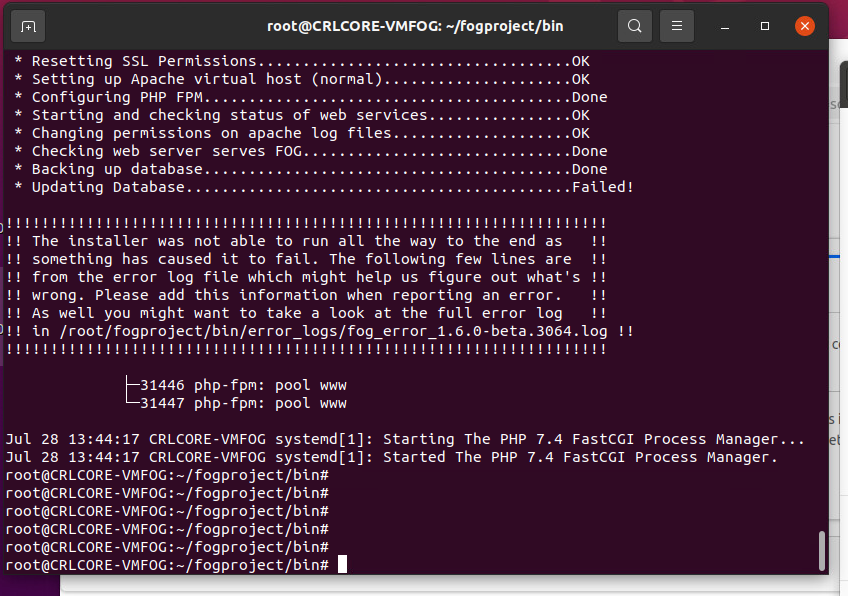
I read somewhere in another post that having a simple password on my account can cause DB problems, should we look into that? My password on this system is very simple, it’s never needed to be complex.
-
@Strahd I would try updating PHP to 8.3, @Tom-Elliott managed to test it and it worked with 7.4 but I’d still suggest updating your PHP for best results and best security practice. I found (though didn’t test) a guide online right quick https://php.watch/articles/php-8.3-install-upgrade-on-debian-ubuntu#php83-ubuntu-quick there are many others out there.
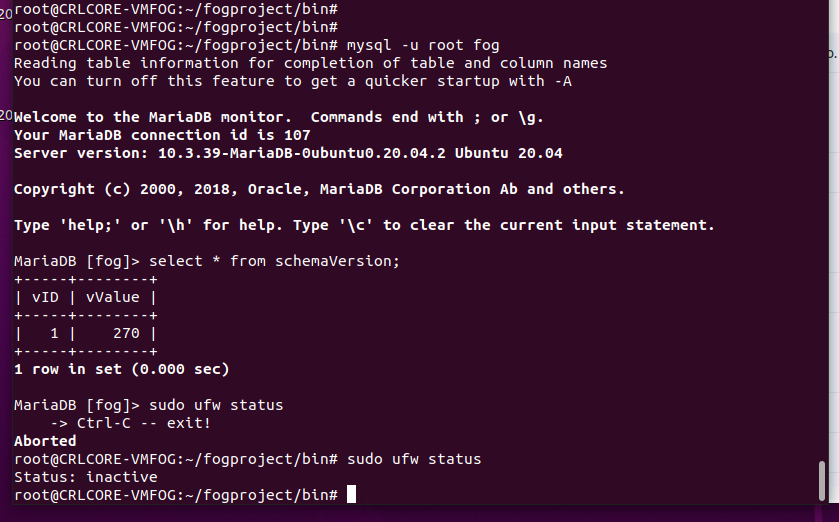
I would also go in the database and see what your schema version is
mysql -u root fog
select * from schemaVersion;
318 is the latest I believe, if yours says 318 and is stuck in a loop, maybe you can try forcing it down and then trying the schema update again. i.e.
mysql u root fog
update schemaVersion set vValue=317 where vID=1;
Then open your fog server, it will redirect you to update the schema, and see if it takes then.
Also any time you’re attempting an install and it fails, if you could grab and share the error log it mentions i.e.
/root/fogproject/bin/error_logs/fog_error_1.6.0-beta. 3064. logthat would be very helpful.There’s something specific to your instance that we need to find and fix. Maybe you have a firewall running
sudo ufw status? -
@JJ-Fullmer My version is 270. Do you still want me to try updating PHP to 8.3?
-
@Tom-Elliott Guys… I’m out of time. School starts soon and I need to image 34 desktops and maybe around 10 laptops. Since my fog update can’t get past the database update, is there an easy way I can just delete the entire database and have the fog installer create a fresh one? I don’t mind losing the data since the whole fog system is basically inaccessable anyway. Thanks for your time.
-
@Strahd At the least I’d suggest downloading an export of your hosts/images:
From there you can delete the database or rebuidl from scratch by:
mysql -u rootIf you have a password on your db I don’t know it but use the -p and you’ll be prompted to enter it.DROP DATABASE fog;Will delete everything.
From there, I still highly recommend you delete the /opt/fog/.fogsettings
Then rerun the installer.
I’m still going to say use working-1.6 as the testbed.
I hate that you’re having issues and I assure you I’m unable to replicate the problem you’re currently having which makes trying to fix your specific case impossible of course.
Hope this helps.
I’d still (at the least) get a full backup of your DB just in case something goes horribly wrong.
-
@Strahd Have you been able to make progress?