• Recent
    • Unsolved
    • Tags
    • Popular
    • Users
    • Groups
    • Search
    • Register
    • Login

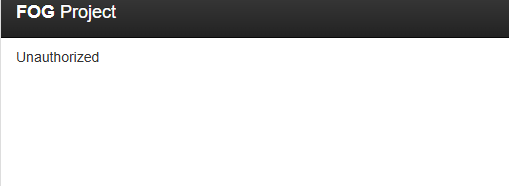
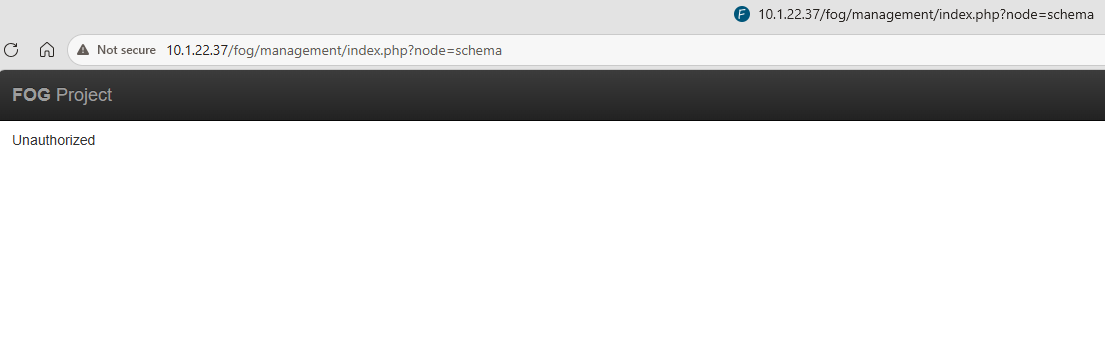
    Unauthorized error

    Scheduled Pinned Locked Moved Solved FOG Problems
    14 Posts 3 Posters 33 Views
    Loading More Posts
    • Oldest to Newest
    • Newest to Oldest
    • Most Votes
    Reply
    • Reply as topic
    Log in to reply
    This topic has been deleted. Only users with topic management privileges can see it.
    • J
      Jab98
      last edited by Jab98

      Just posting more info

      This is the only 403 response that shows when I get to the page that says Unauthorized
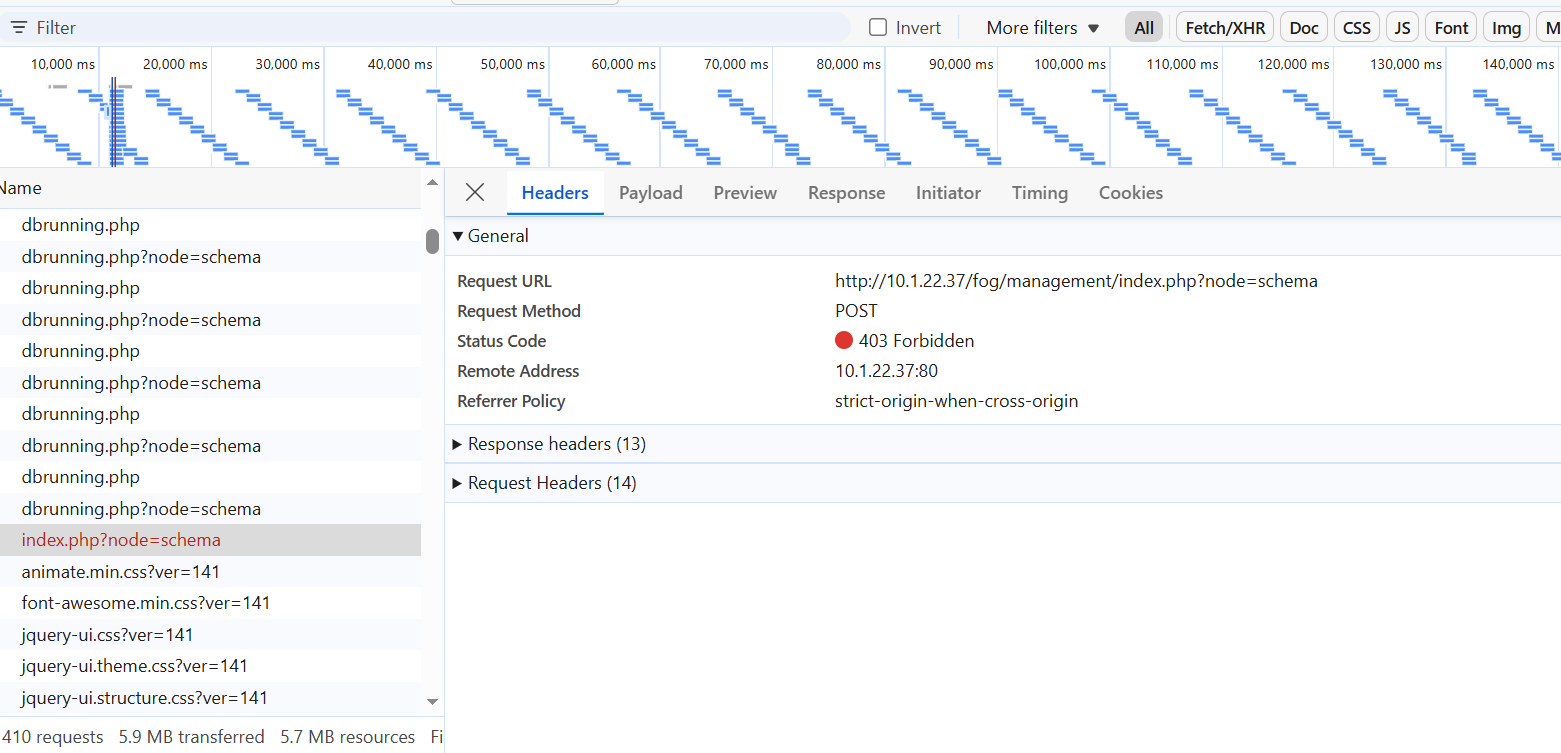
      56d8711f-82c0-451d-813a-5f81f010c65e-image.png

      1 Reply Last reply Reply Quote 0
      • Tom ElliottT
        Tom Elliott @Jamaal
        last edited by

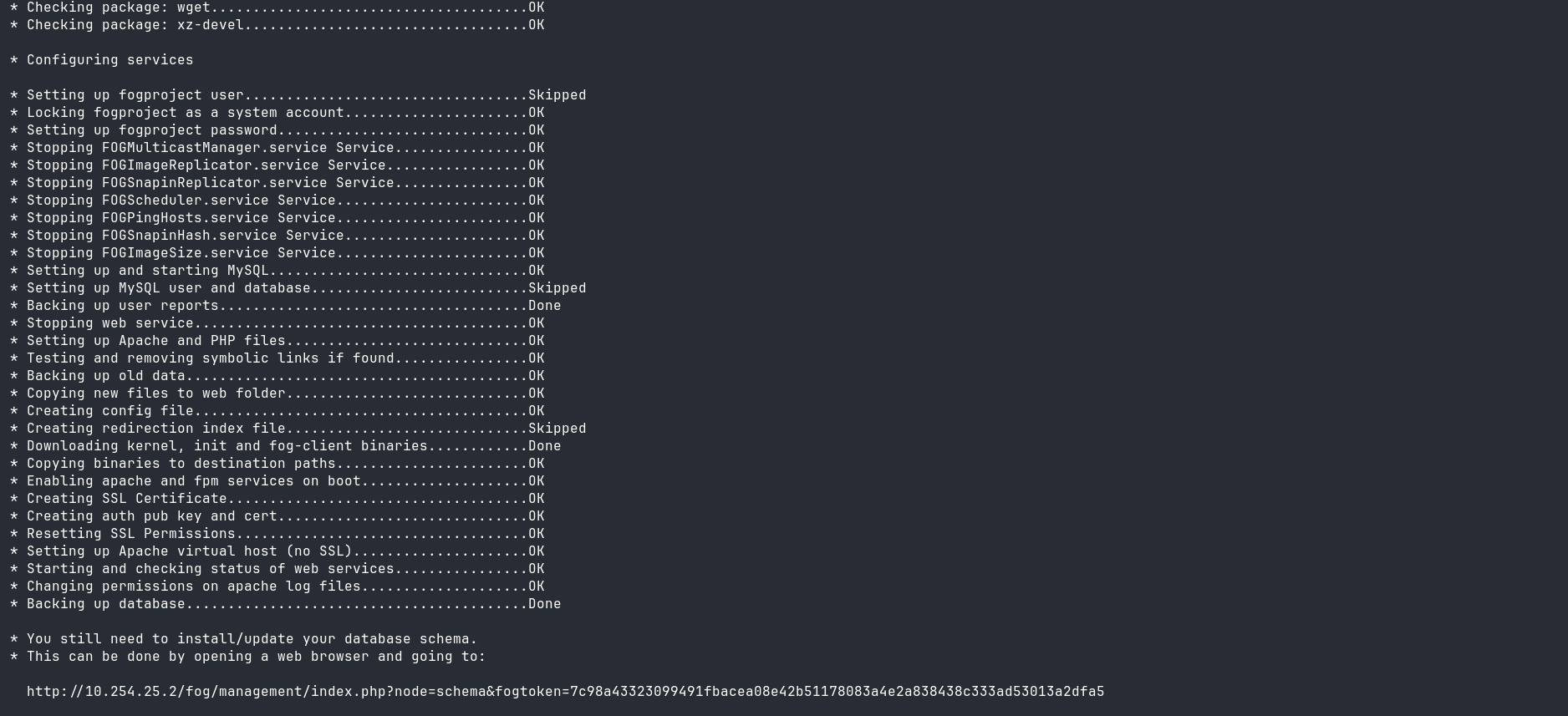
        @Jamaal What’s the url that is displayed for you to goto for that on the output of the command telling you where to go?

        It should contain a tokenization embedded for you to goto.

        Please help us build the FOG community with everyone involved. It's not just about coding - way more we need people to test things, update documentation and most importantly work on uniting the community of people enjoying and working on FOG! Get in contact with me (chat bubble in the top right corner) if you want to join in.

        Web GUI issue? Please check apache error (debian/ubuntu: /var/log/apache2/error.log, centos/fedora/rhel: /var/log/httpd/error_log) and php-fpm log (/var/log/php*-fpm.log)

        Please support FOG if you like it: https://wiki.fogproject.org/wiki/index.php/Support_FOG

        J 1 Reply Last reply Reply Quote 0
        • Tom ElliottT
          Tom Elliott @Jamaal
          last edited by

          @Jamaal 82524c38-57e8-4702-becf-7963c79a6327-image.png

          That token is generated on every run so you seeing what I see doesn’t matter, but it should showup like what you’re seeing here.

          Please help us build the FOG community with everyone involved. It's not just about coding - way more we need people to test things, update documentation and most importantly work on uniting the community of people enjoying and working on FOG! Get in contact with me (chat bubble in the top right corner) if you want to join in.

          Web GUI issue? Please check apache error (debian/ubuntu: /var/log/apache2/error.log, centos/fedora/rhel: /var/log/httpd/error_log) and php-fpm log (/var/log/php*-fpm.log)

          Please support FOG if you like it: https://wiki.fogproject.org/wiki/index.php/Support_FOG

          1 Reply Last reply Reply Quote 0
          • Tom ElliottT
            Tom Elliott @Jab98
            last edited by

            @Jab98 Please see the message to Jamaal as well.

            Yes a security based change was added recently because anyone could force the updates and could export the db without any type of authorization.

            Please help us build the FOG community with everyone involved. It's not just about coding - way more we need people to test things, update documentation and most importantly work on uniting the community of people enjoying and working on FOG! Get in contact with me (chat bubble in the top right corner) if you want to join in.

            Web GUI issue? Please check apache error (debian/ubuntu: /var/log/apache2/error.log, centos/fedora/rhel: /var/log/httpd/error_log) and php-fpm log (/var/log/php*-fpm.log)

            Please support FOG if you like it: https://wiki.fogproject.org/wiki/index.php/Support_FOG

            1 Reply Last reply Reply Quote 0
            • J
              Jamaal @Tom Elliott
              last edited by

              This post is deleted!
              Tom ElliottT 1 Reply Last reply Reply Quote 0
              • Tom ElliottT
                Tom Elliott @Jamaal
                last edited by

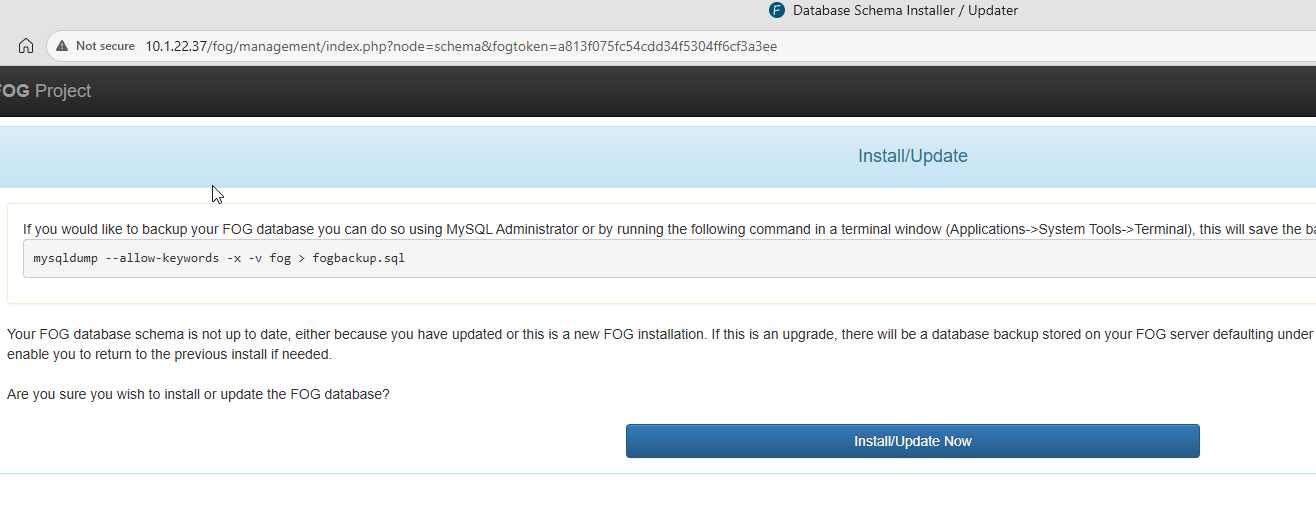
                @Jamaal So if you go to that URL and click the button to install, you should be successful.

                Please help us build the FOG community with everyone involved. It's not just about coding - way more we need people to test things, update documentation and most importantly work on uniting the community of people enjoying and working on FOG! Get in contact with me (chat bubble in the top right corner) if you want to join in.

                Web GUI issue? Please check apache error (debian/ubuntu: /var/log/apache2/error.log, centos/fedora/rhel: /var/log/httpd/error_log) and php-fpm log (/var/log/php*-fpm.log)

                Please support FOG if you like it: https://wiki.fogproject.org/wiki/index.php/Support_FOG

                J 1 Reply Last reply Reply Quote 0
                • J
                  Jab98 @Tom Elliott
                  last edited by

                  @Tom-Elliott

                  Hey Tom,

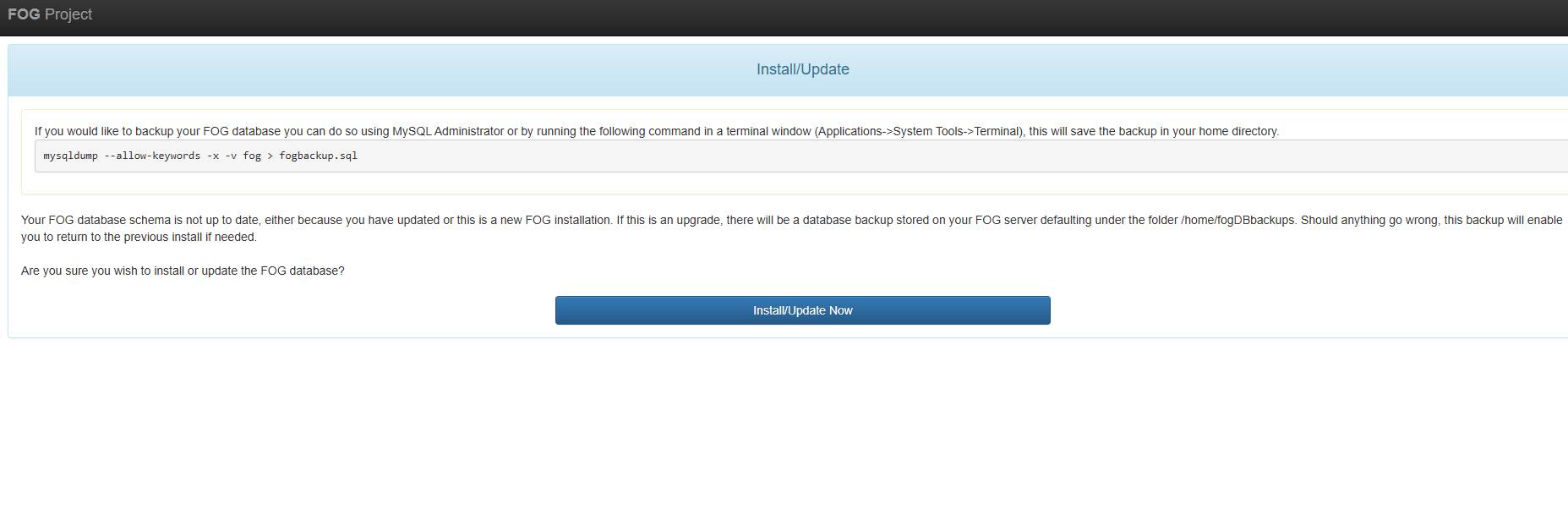
                  The URL the installer generates is >
                  http://10.1.22.37/fog/management/index.php?node=schema&fogtoken=a813f075fc54cdd34f5304ff6cf3a3ee
                  3c66b186-b77f-4793-b587-478a92170403-image.png

                  7822b285-75fc-4453-b879-6d81ab38802d-image.png

                  1 Reply Last reply Reply Quote 0
                  • J
                    Jab98 @Jamaal
                    last edited by Jab98

                    @Jamaal
                    @Tom-Elliott

                    Okay I got past this just by re-running the FOG installer.

                    It generated a new tokenized URL and this one worked fine!

                    The new token had way more characters than the first one it printed, not sure if that means anything

                    http://10.1.22.37/fog/management/index.php?node=schema&fogtoken=b407da4f77d7d94c25ca554a49090dafe1d5705ca3b25af267b6313972a10bc6

                    1 Reply Last reply Reply Quote 0
                    • Tom ElliottT Tom Elliott has marked this topic as solved
                    • Tom ElliottT
                      Tom Elliott @Jamaal
                      last edited by

                      @Jamaal @Jab98

                      If you’re doing upgrades (if you trust the base defaults of a fresh install)

                      You can also run the sudo ./installfog.sh with the -y argument and it will “just do all the work” so you don’t have to do the "open a browser -> click the button -> return to the installer, press enter.

                      Just trying to help. By no means is this a requirement (of course) but it may help in the future, and this method would also perform the update of the core database elements automatically for you. (This was a part of the addition of the token too. - To make the upgrade process more autonomous and secure.)

                      Please help us build the FOG community with everyone involved. It's not just about coding - way more we need people to test things, update documentation and most importantly work on uniting the community of people enjoying and working on FOG! Get in contact with me (chat bubble in the top right corner) if you want to join in.

                      Web GUI issue? Please check apache error (debian/ubuntu: /var/log/apache2/error.log, centos/fedora/rhel: /var/log/httpd/error_log) and php-fpm log (/var/log/php*-fpm.log)

                      Please support FOG if you like it: https://wiki.fogproject.org/wiki/index.php/Support_FOG

                      J 1 Reply Last reply Reply Quote 0
                      • J
                        Jamaal @Tom Elliott
                        last edited by

                        @Tom-Elliott said in Unauthorized error:

                        @Jamaal @Jab98

                        If you’re doing upgrades (if you trust the base defaults of a fresh install)

                        You can also run the sudo ./installfog.sh with the -y argument and it will “just do all the work” so you don’t have to do the "open a browser -> click the button -> return to the installer, press enter.

                        Just trying to help. By no means is this a requirement (of course) but it may help in the future, and this method would also perform the update of the core database elements automatically for you. (This was a part of the addition of the token too. - To make the upgrade process more autonomous and secure.)

                        Thanks Tom, that worked with the auto install, but will it keep the database secure as you guys are implementing with the token? Or do I need to do extra steps on making it secure after doing the -y switch?

                        Tom ElliottT 1 Reply Last reply Reply Quote 0
                        • Tom ElliottT
                          Tom Elliott @Jamaal
                          last edited by

                          @Jamaal I’m not sure I follow? The database isn’t insecure, it was being able to download the database, or force an upgrade without authorization that was the piece being secured, nothing about the normal day to day operation of the database changed.

                          Please help us build the FOG community with everyone involved. It's not just about coding - way more we need people to test things, update documentation and most importantly work on uniting the community of people enjoying and working on FOG! Get in contact with me (chat bubble in the top right corner) if you want to join in.

                          Web GUI issue? Please check apache error (debian/ubuntu: /var/log/apache2/error.log, centos/fedora/rhel: /var/log/httpd/error_log) and php-fpm log (/var/log/php*-fpm.log)

                          Please support FOG if you like it: https://wiki.fogproject.org/wiki/index.php/Support_FOG

                          1 Reply Last reply Reply Quote 0
                          • 1 / 1
                          • First post
                            Last post

                          146

                          Online

                          12.7k

                          Users

                          17.6k

                          Topics

                          156.6k

                          Posts
                          Copyright © 2012-2026 FOG Project