EFI Stub Errors on XCP-ng Virtual Machine Attempting 'Perform Full Host Registration and Inventory'
-
Hello!
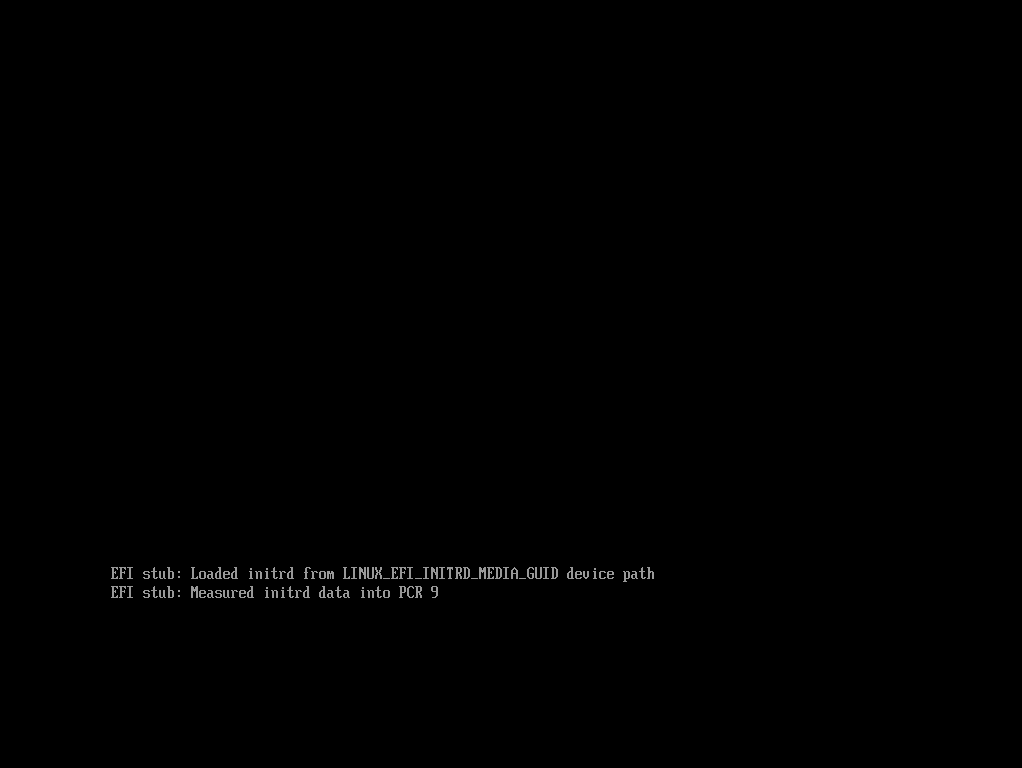
I’m trying to capture a Windows 11 base image from an XCP-ng VM. The VM will boot to the FOG menu, and I can select the desired option (Full host registration), but after loading bzImage and init.xz, the VM hangs onEFI stub: Loaded initrd from LINUX_EFI_INITRD_MEDIA_GUID device path EFI stub: Measured initrd data into PCR 9I’ve tried a list of different kernel versions:
- 5.15.93
- 5.15.98
- 6.1.22
- 6.1.89
- 6.6.49
- 6.6.69
- 6.12.25
- 6.12.35
- The experimental kernel listed here: https://github.com/FOGProject/fos/issues/108
None have allowed the VM to get any further. What else should I be trying?
Other devices are able to image successfully. We deploy laptops to staff and students, and all are imaging as expected.
System info:
FOG server is running AlmaLinux 9.5, in a VM that was migrated from ESXi to XCP-ng.
FOG version is 1.5.10.15
XCP-ng hosts are Dell PowerEdge R630. 2x Intel Xeon E5-2660v3, 128GB RAM
Windows 11 VM has 2 CPUs, 4GB RAM, 64GB diskThanks for your time!
-
I have a windows 11 golden VM residing on an xcp-ng 8.3 host, I am able to boot into the fog menus and upload images(although sometimes the console window blanks out after 3-4 minutes so I use snapshots and brute force to get it to complete).
Try adding this to your host kernel arguments: xen_emul_unplug=unmodified nomodeset vga=788
Also use the intel nic option not realtek. I am not using a custom kernel for my VM, just the latest same as any other machine.
UEFI bios mode on the VM(required for TPM).
-
@BPSTravis
Sorry for the slow response. Apparently I didn’t have email alerts set up yet, and I’m only at this job in the middle of the week, so just seeing your reply this morning.I manually added the host and tried the host kernel arguments you suggested. This did not make a difference. I also tried with just xen_emul_umplug=unmodified and this did not work either.
I switched to the Intel NIC option, this did not make a difference.
UEFI BIOS mode was set already.
-
@JCS-RVK Hi I have a kernel that should work for XCP-ng. If you don’t mind giving it a try and let me know if it works for you please.
You will need to download and set it up manually but here are the instructions.On your FOG server, run this command to download the test kernel
wget https://github.com/rluzuriaga/fos/releases/download/EXPERIMENTAL_XCP_1/bzImage
That will download it to whatever directory you are currently on.Rename the file and move it to the correct location like this:
sudo mv bzImage /var/www/fog/service/ipxe/bzImage_XCPThen you need to change the permissions and ownership of that file:
sudo chmod 644 /var/www/fog/service/ipxe/bzImage_XCPRed Had based server:
sudo chown fogproject:apache /var/www/fog/service/ipxe/bzImage_XCPDebian based server:
sudo chown fogproject:www-data /var/www/fog/service/ipxe/bzImage_XCPThen add
bzImage_XCPto the Host Kernel line in the XCP-ng host on the FOG web.
Also, remove all the host kernel arguments. -
@rodluz Thanks for the detailed instructions - that was quite helpful in getting your kernel installed and set up.
Unfortunately it didn’t work for me. I got stuck at the same point. Screenshot attached. I also tried adding the host kernel arguments back with the experimental kernel and that didn’t change it either. Anything else I should try?
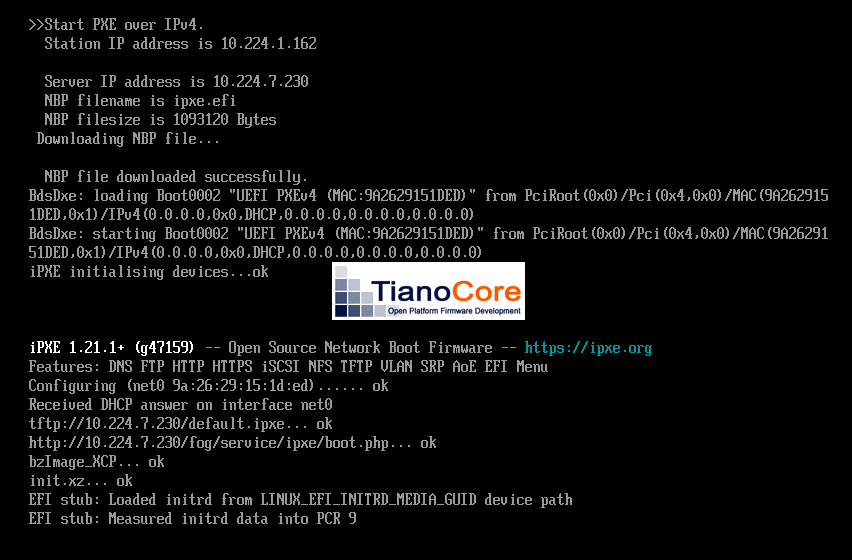
-
@JCS-RVK Would you be willing to disable your TPM on the XCP-ng device and see if that helps?
-
@Tom-Elliott As I couldn’t find a way to disable the TPM without deleting it, I cloned the VM just in case removing the TPM screwed up my Windows install, and added the clone to FOG with the same settings as the original (rodluz’s experimental kernel, same image associated, no kernel arguments, etc).
The cloned VM still hangs at
EFI stub: Measured initrd data into PCR 9. -
@JCS-RVK said in EFI Stub Errors on XCP-ng Virtual Machine Attempting 'Perform Full Host Registration and Inventory':
EFI stub: Measured initrd data into PCR 9.
Do you have
nomodesetas a kernel argument set somewhere?Maybe on the Host kernel args or Global Kernel Args?
-
@JCS-RVK https://www.reddit.com/r/Ubuntu/comments/1jc7bzj/install_hangs_after_efi_stub_measured_initrd_data/
I’m using this link, I know it’s a thirdparty link but wanted to show my thoughts here.
Based on what I’m seeing -> it would seem to me that the output is working just fine, but sending to a different Video output port than the expected one when the machine boots.
Since it’s waiting on input, the machine appears to be “Hung” but it’s not really, so maybe (without making any other changes) If you’re able connect a monitor (or maybe multiple monitors) to all the Video ports on the machine and see which one is directing video to.
yes, I know this can be clumsy becuase one video card might have multiple output ports.
I hate this issue because it never seems to have a solution, but maybe that’s because there (technically speaking) wasn’t anything wrong. The kernel has decided to send the output somewhere else.
-
@Tom-Elliott Just checked, no kernel args set at either host or global levels.
As for your theory about video output going somewhere else, I’m struggling to think of a way to test it as this instance is a virtual machine with no physical display outputs. I did toggle off the VGA setting in the VM advanced settings in XCP, which didn’t make a difference. Once the VM reached the point where it hangs (or appears to), I switched that setting back on, and off, and back on, hoping for a change but nothing happened.
I’ve got the VM set in a capture task now that I’ve manually registered it, and the task never fires according to my FOG web GUI, which makes me think the VM is actually hanging instead of just redirecting display output somewhere else. I tried forcing the task to start, and nothing changed.
-
@JCS-RVK Roger thank you.
I know @BPSTravis was able to test with XCP and this particular kernel, so if you’d be willing to maybe share the VM Configuration less any ‘secret’ data?
-
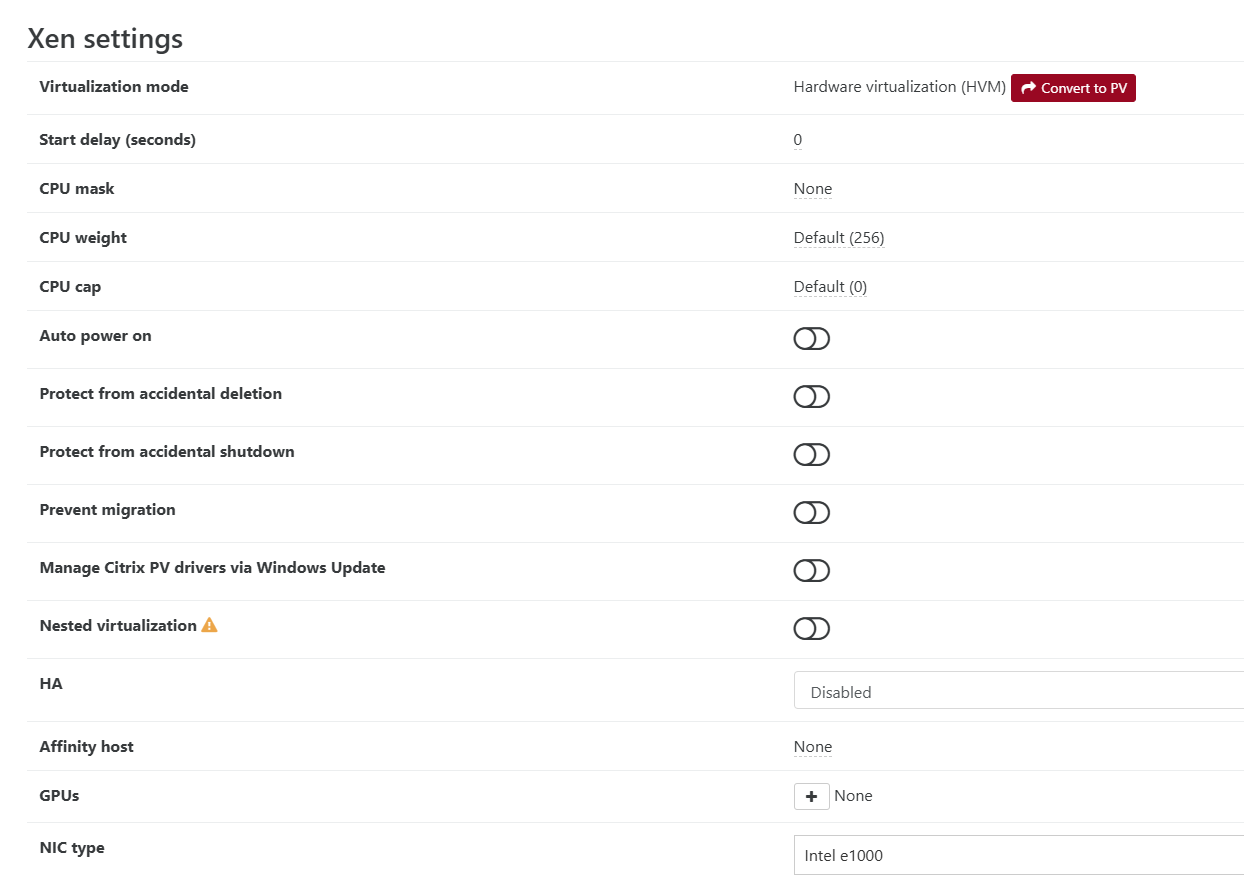
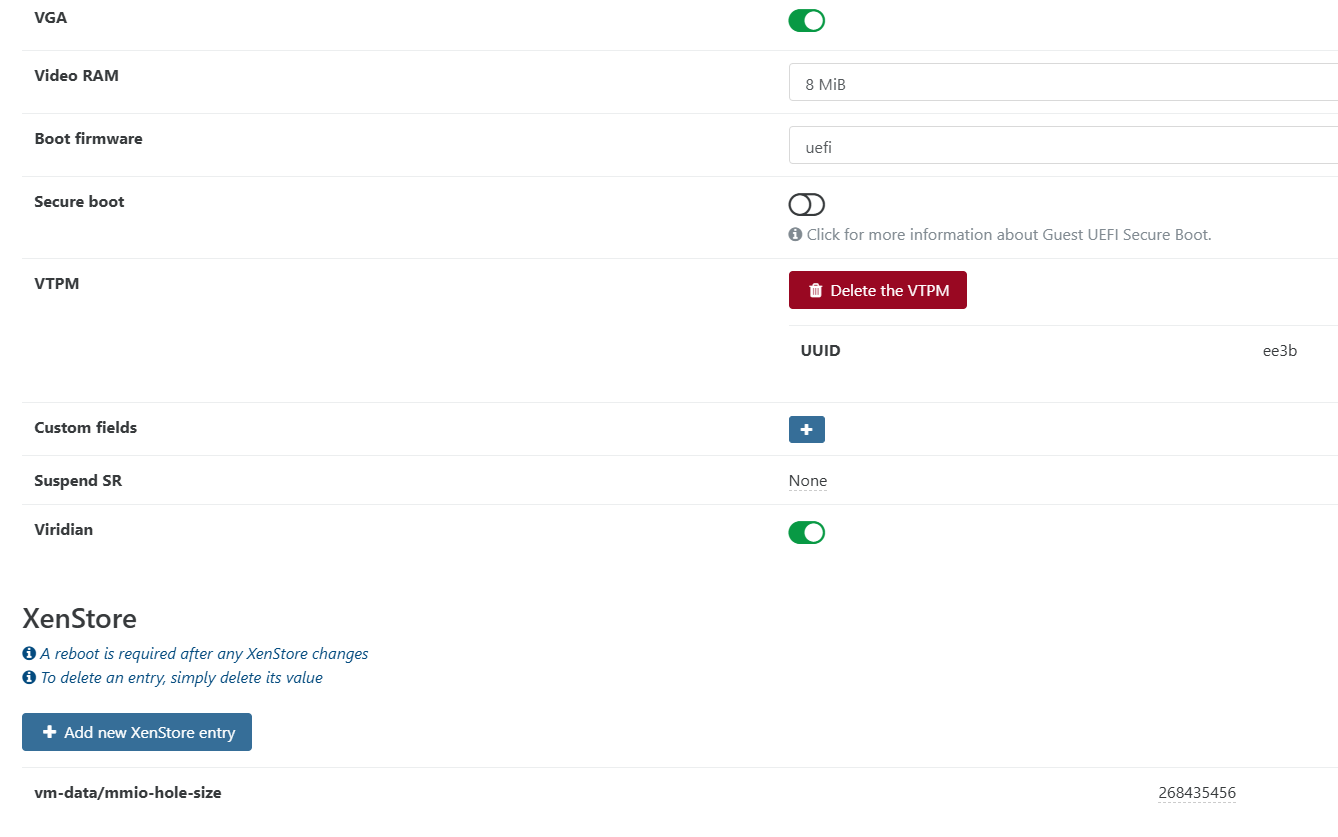
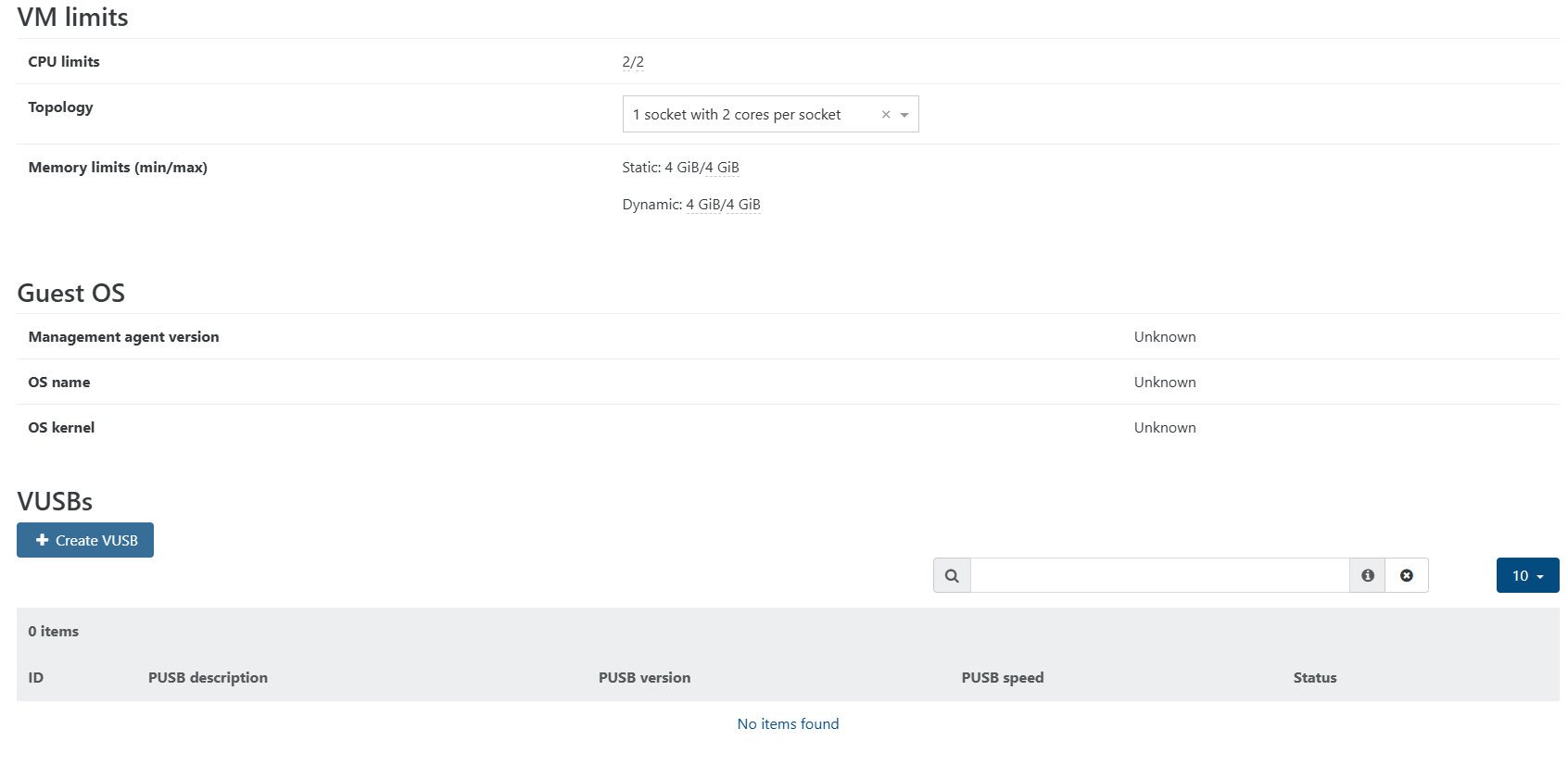
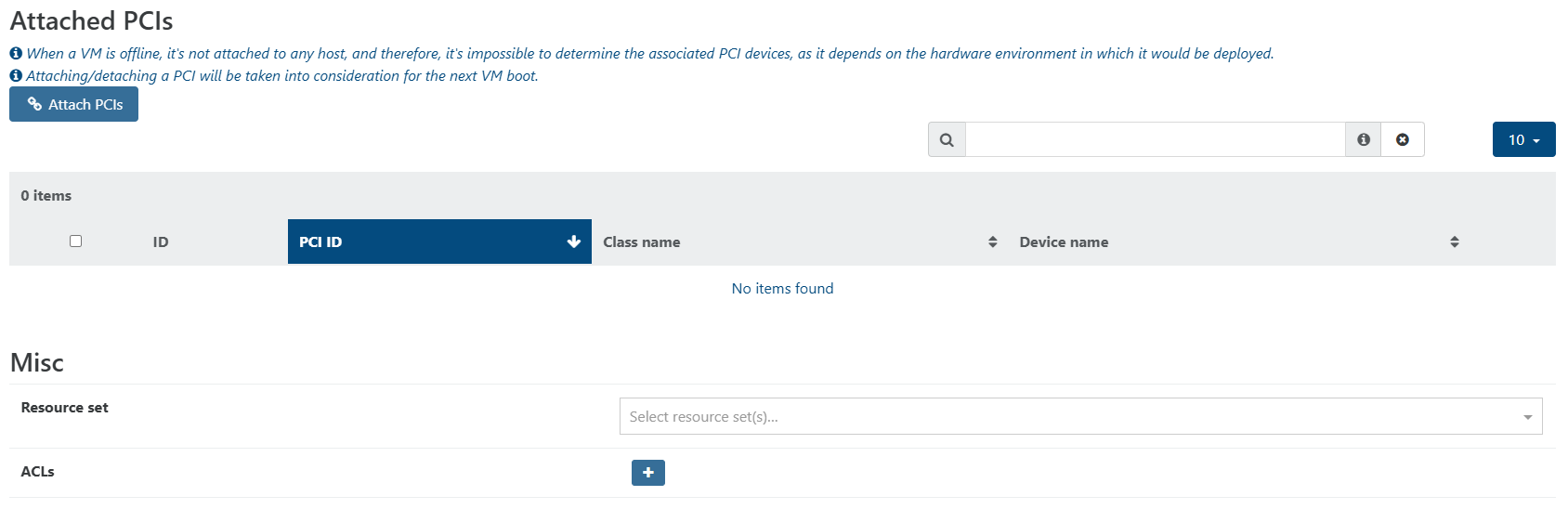
@Tom-Elliott @BPSTravis Not much to hide, see attached screenshots as I couldn’t find a way to export the config as an XML. I removed the MAC address from the network screenshot, and note the disk shows disconnected because the VM was shutdown while taking screenshots. Disk resides on an NFS share alongside my other VMs.
The only difference between this VM and the clone I made was removing the VTPM on the clone.


-
@JCS-RVK Based on the limited information I see:
VGA RAM on yours is 8MiB vs 16MiB (doubt this would be the issue):
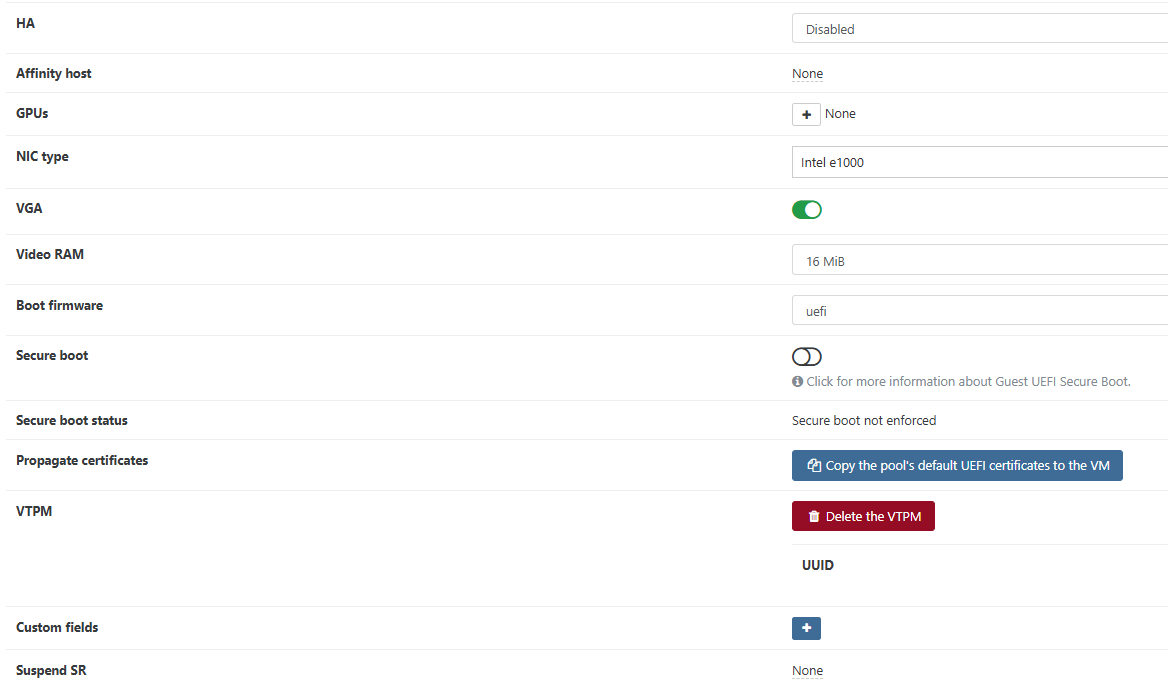
Of other note is the “Secure boot -> Propogate Certificates” which seems to be missing on yours?
Also His VM has 8 cpu limits and memory is much higher (4/16 vs 4/4 on yours):
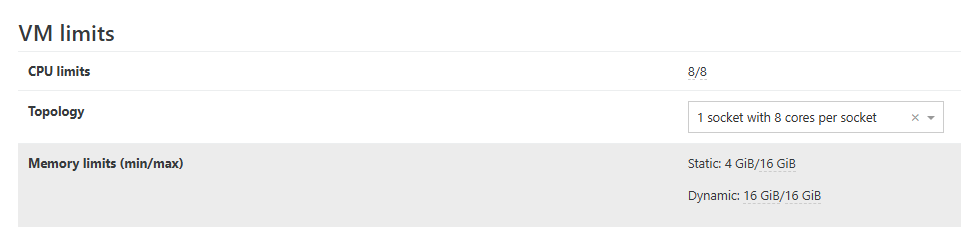
I’m not saying these are the definitive causes of the problem you’re seeing, rather just pointing out the differences I’m seeing at a glance.
Why one side works, vs the other, I don’t know (using this XCP-ng specific kernel of course)
-
@Tom-Elliott I must’ve propagated the pool certificates to the VM already. I looked at my cloned VM and that prompts to propagate certificates. On the clone I matched the settings you called out (Video RAM, CPU, and RAM) and nothing changed.
-
@JCS-RVK Okay so I don’t see why this kernel wouldn’t work for you with those settings. Only difference I can think of may be the initrd version that is being loaded. I know that @BPSTravis is using the latest released version so it wouldn’t hurt to update yours too.
I also see that you are running an older version of FOG. You could upgrade to the latest stable release and that will also download the latest initrd.
You could also download it manually if you don’t want to update FOG:
On your FOG server, run this command to download the latest initrd
wget https://github.com/FOGProject/fos/releases/download/20260306/init.xzMove it to the correct location like this:
sudo mv init.xz /var/www/fog/service/ipxe/Then you need to change the permissions and ownership of that file:
sudo chmod 644 /var/www/fog/service/ipxe/init.xzRed Had based server:
sudo chown fogproject:apache /var/www/fog/service/ipxe/init.xzDebian based server:
sudo chown fogproject:www-data /var/www/fog/service/ipxe/init.xz -
@rodluz I tried a manual installation of the updated init.xz as outlined in your instructions, and there was no change. I also upgraded my FOG server and reinstalled your experimental XCP bzImage from earlier in this thread but did not see any change in VM behavior after doing so.
Out of curiosity, @BPSTravis, what hardware are you running XCP-ng on? I know it’s virtualized, but maybe there’s some CPU feature I have disabled in BIOS on my XCP hosts or something like that?
Also, thanks for your patience. I’m only available to work on this once or twice in the middle of the week as I’m part-time with this organization.
-
Turning off Viridian in the VM settings solves this for me.
Viridian is used to pass details about the machine to the host OS. My understanding is that this is for Windows and I’ve seen it cause Linux VMs to hang on boot. Since this is related to hardware, it’s possible that having the setting on is benign in some cases but not in others.
-
@pillbox1234567 Thanks for the suggestion. I turned Viridian off on the cloned VM, and it did not make a difference.
Interesting note that you’ve seen it cause boot issues on certain Linux VMs. I have not experienced that behavior yet but will keep an eye out for it.
