• Recent
    • Unsolved
    • Tags
    • Popular
    • Users
    • Groups
    • Search
    • Register
    • Login
    1. Home
    2. JCS-RVK
    J
    • Profile
    • Following 0
    • Followers 0
    • Topics 2
    • Posts 11
    • Groups 0

    JCS-RVK

    @JCS-RVK

    0
    Reputation
    1
    Profile views
    11
    Posts
    0
    Followers
    0
    Following
    Joined
    Last Online

    JCS-RVK Unfollow Follow

    Latest posts made by JCS-RVK

    • RE: Deploy 512 Image to 4K Drive - Sector Size Issue

      @Tom-Elliott
      Pretty sure it’s a 4K native. I did wonder if that was going to be the case, as when I was ‘converting’ the partition files, one of them (p3, I think) didn’t cleanly divide by 8.

      Guess I’ll rebuild on one of the G11 devices instead of a VM and go from there. Don’t think VMware Workstation will do 4Kn virtual disks.

      Thanks!

      posted in Hardware Compatibility
      J
      JCS-RVK
    • Deploy 512 Image to 4K Drive - Sector Size Issue

      Hi all,
      I’m struggling to get an image captured from a 512-byte sector size disk to deploy to a 4K sector size disk. I’ve read through a variety of forum posts and have not had much luck yet. Wondering if anyone has other suggestions for things to try?

      FOG Version 1.5.10
      Image captured as Single Disk - Resizable

      This image was created on a VM in VMware Workstation Pro. It has been deployed successfully to the following devices:
      HP Pro x360 Fortis 11 inch G9
      HP Fortis Flip G1i 11
      It will not deploy to the following:
      HP Pro x360 Fortis 11 inch G11

      The G11 series devices have a 4k sector size, whereas the G9 and G1i have 512 sector size.

      I have modified the values in d1.partitions, d1.minimum.partitions and d1.shrunken.partitions by dividing by 8, which did not get the image to deploy. I eventually copied d1.mbr from another image that did deploy to the G11 series last summer which got the new image to partially deploy but threw an error during partition 4 deployment (WinRE) and the Windows instance won’t boot - it throws a BSOD for UMOUNTABLE_BOOT_VOLUME (0xED).

      W11-25H2-Base (captured image, 512 sectors)
      d1.partitions

      label: gpt
      label-id: 86F191F2-2CAE-480E-B10E-A0DD33576DD0
      device: /dev/nvme0n1
      unit: sectors
      first-lba: 34
      last-lba: 134217694
      sector-size: 512
      
      /dev/nvme0n1p1 : start=        2048, size=      409600, type=C12A7328-F81F-11D2-BA4B-00A0C93EC93B, uuid=9F86984D-60A5-4836-B346-F8AC8E17AA4F, name="Basic data partition", attrs="GUID:63"
      /dev/nvme0n1p2 : start=      411648, size=       32768, type=E3C9E316-0B5C-4DB8-817D-F92DF00215AE, uuid=8434A6C2-7386-41F4-9176-96B9B391C711, name="Microsoft reserved partition", attrs="GUID:63"
      /dev/nvme0n1p3 : start=      444416, size=   132143104, type=EBD0A0A2-B9E5-4433-87C0-68B6B72699C7, uuid=B6295B36-726D-4F69-A568-10750A329149, name="Basic data partition"
      /dev/nvme0n1p4 : start=   132587520, size=     1626112, type=DE94BBA4-06D1-4D40-A16A-BFD50179D6AC, uuid=736D6E93-5F7D-4CF2-B6C0-48B55A4F9943, attrs="RequiredPartition GUID:63"
      

      d1.minimum.partitions

      label: gpt
      label-id: 86F191F2-2CAE-480E-B10E-A0DD33576DD0
      device: /dev/nvme0n1
      unit: sectors
      first-lba: 34
      last-lba: 134217694
      sector-size: 512
      
      /dev/nvme0n1p1 : start=        2048, size=      409600, type=C12A7328-F81F-11D2-BA4B-00A0C93EC93B, uuid=9F86984D-60A5-4836-B346-F8AC8E17AA4F, name="Basic data partition", attrs="GUID:63"
      /dev/nvme0n1p2 : start=      411648, size=       32768, type=E3C9E316-0B5C-4DB8-817D-F92DF00215AE, uuid=8434A6C2-7386-41F4-9176-96B9B391C711, name="Microsoft reserved partition", attrs="GUID:63"
      /dev/nvme0n1p3 : start=      444416, size=    34036750, type=EBD0A0A2-B9E5-4433-87C0-68B6B72699C7, uuid=B6295B36-726D-4F69-A568-10750A329149, name="Basic data partition"
      /dev/nvme0n1p4 : start=    34481664, size=     1626112, type=DE94BBA4-06D1-4D40-A16A-BFD50179D6AC, uuid=736D6E93-5F7D-4CF2-B6C0-48B55A4F9943, attrs="RequiredPartition GUID:63"
      

      d1.shrunken.partitions

      label: gpt
      label-id: 86F191F2-2CAE-480E-B10E-A0DD33576DD0
      device: /dev/nvme0n1
      unit: sectors
      first-lba: 34
      last-lba: 134217694
      sector-size: 512
      
      /dev/nvme0n1p1 : start=        2048, size=      409600, type=C12A7328-F81F-11D2-BA4B-00A0C93EC93B, uuid=9F86984D-60A5-4836-B346-F8AC8E17AA4F, name="Basic data partition", attrs="GUID:63"
      /dev/nvme0n1p2 : start=      411648, size=       32768, type=E3C9E316-0B5C-4DB8-817D-F92DF00215AE, uuid=8434A6C2-7386-41F4-9176-96B9B391C711, name="Microsoft reserved partition", attrs="GUID:63"
      /dev/nvme0n1p3 : start=      444416, size=    34036750, type=EBD0A0A2-B9E5-4433-87C0-68B6B72699C7, uuid=B6295B36-726D-4F69-A568-10750A329149, name="Basic data partition"
      /dev/nvme0n1p4 : start=   132587520, size=     1626112, type=DE94BBA4-06D1-4D40-A16A-BFD50179D6AC, uuid=736D6E93-5F7D-4CF2-B6C0-48B55A4F9943, attrs="RequiredPartition GUID:63"
      

      W11-25H2-Base-4k (I copied the image for testing purposes)
      d1.partitions

      label: gpt
      label-id: 86F191F2-2CAE-480E-B10E-A0DD33576DD0
      device: /dev/nvme0n1
      unit: sectors
      first-lba: 6
      last-lba: 31246330
      sector-size: 4096
      
      /dev/nvme0n1p1 : start=        256, size=      51200, type=C12A7328-F81F-11D2-BA4B-00A0C93EC93B, uuid=9F86984D-60A5-4836-B346-F8AC8E17AA4F, name="Basic data partition", attrs="GUID:63"
      /dev/nvme0n1p2 : start=      51456, size=       4096, type=E3C9E316-0B5C-4DB8-817D-F92DF00215AE, uuid=8434A6C2-7386-41F4-9176-96B9B391C711, name="Microsoft reserved partition", attrs="GUID:63"
      /dev/nvme0n1p3 : start=      55552, size=   16517888, type=EBD0A0A2-B9E5-4433-87C0-68B6B72699C7, uuid=B6295B36-726D-4F69-A568-10750A329149, name="Basic data partition"
      /dev/nvme0n1p4 : start=   16573440, size=     203264, type=DE94BBA4-06D1-4D40-A16A-BFD50179D6AC, uuid=736D6E93-5F7D-4CF2-B6C0-48B55A4F9943, attrs="RequiredPartition GUID:63"
      

      d1.minimum.partitions

      label: gpt
      label-id: 86F191F2-2CAE-480E-B10E-A0DD33576DD0
      device: /dev/nvme0n1
      unit: sectors
      first-lba: 6
      last-lba: 31246330
      sector-size: 4096
      
      /dev/nvme0n1p1 : start=        256, size=      51200, type=C12A7328-F81F-11D2-BA4B-00A0C93EC93B, uuid=9F86984D-60A5-4836-B346-F8AC8E17AA4F, name="Basic data partition", attrs="GUID:63"
      /dev/nvme0n1p2 : start=      51456, size=       4096, type=E3C9E316-0B5C-4DB8-817D-F92DF00215AE, uuid=8434A6C2-7386-41F4-9176-96B9B391C711, name="Microsoft reserved partition", attrs="GUID:63"
      /dev/nvme0n1p3 : start=      55552, size=    4254594, type=EBD0A0A2-B9E5-4433-87C0-68B6B72699C7, uuid=B6295B36-726D-4F69-A568-10750A329149, name="Basic data partition"
      /dev/nvme0n1p4 : start=    4310208, size=     203264, type=DE94BBA4-06D1-4D40-A16A-BFD50179D6AC, uuid=736D6E93-5F7D-4CF2-B6C0-48B55A4F9943, attrs="RequiredPartition GUID:63"

      

      d1.shrunken.partitions

      label: gpt
      label-id: 86F191F2-2CAE-480E-B10E-A0DD33576DD0
      device: /dev/nvme0n1
      unit: sectors
      first-lba: 6
      last-lba: 31246330
      sector-size: 4096
      
      /dev/nvme0n1p1 : start=        256, size=      51200, type=C12A7328-F81F-11D2-BA4B-00A0C93EC93B, uuid=9F86984D-60A5-4836-B346-F8AC8E17AA4F, name="Basic data partition", attrs="GUID:63"
      /dev/nvme0n1p2 : start=      51456, size=       4096, type=E3C9E316-0B5C-4DB8-817D-F92DF00215AE, uuid=8434A6C2-7386-41F4-9176-96B9B391C711, name="Microsoft reserved partition", attrs="GUID:63"
      /dev/nvme0n1p3 : start=      55552, size=    4254594, type=EBD0A0A2-B9E5-4433-87C0-68B6B72699C7, uuid=B6295B36-726D-4F69-A568-10750A329149, name="Basic data partition"
      /dev/nvme0n1p4 : start=   16573440, size=     203264, type=DE94BBA4-06D1-4D40-A16A-BFD50179D6AC, uuid=736D6E93-5F7D-4CF2-B6C0-48B55A4F9943, attrs="RequiredPartition GUID:63"

      
      posted in Hardware Compatibility
      J
      JCS-RVK
    • RE: EFI Stub Errors on XCP-ng Virtual Machine Attempting 'Perform Full Host Registration and Inventory'

      @pillbox1234567 Thanks for the suggestion. I turned Viridian off on the cloned VM, and it did not make a difference.

      Interesting note that you’ve seen it cause boot issues on certain Linux VMs. I have not experienced that behavior yet but will keep an eye out for it.

      posted in FOG Problems
      J
      JCS-RVK
    • RE: EFI Stub Errors on XCP-ng Virtual Machine Attempting 'Perform Full Host Registration and Inventory'

      @rodluz I tried a manual installation of the updated init.xz as outlined in your instructions, and there was no change. I also upgraded my FOG server and reinstalled your experimental XCP bzImage from earlier in this thread but did not see any change in VM behavior after doing so.

      Out of curiosity, @BPSTravis, what hardware are you running XCP-ng on? I know it’s virtualized, but maybe there’s some CPU feature I have disabled in BIOS on my XCP hosts or something like that?

      Also, thanks for your patience. I’m only available to work on this once or twice in the middle of the week as I’m part-time with this organization.

      posted in FOG Problems
      J
      JCS-RVK
    • RE: EFI Stub Errors on XCP-ng Virtual Machine Attempting 'Perform Full Host Registration and Inventory'

      @Tom-Elliott I must’ve propagated the pool certificates to the VM already. I looked at my cloned VM and that prompts to propagate certificates. On the clone I matched the settings you called out (Video RAM, CPU, and RAM) and nothing changed.

      posted in FOG Problems
      J
      JCS-RVK
    • RE: EFI Stub Errors on XCP-ng Virtual Machine Attempting 'Perform Full Host Registration and Inventory'

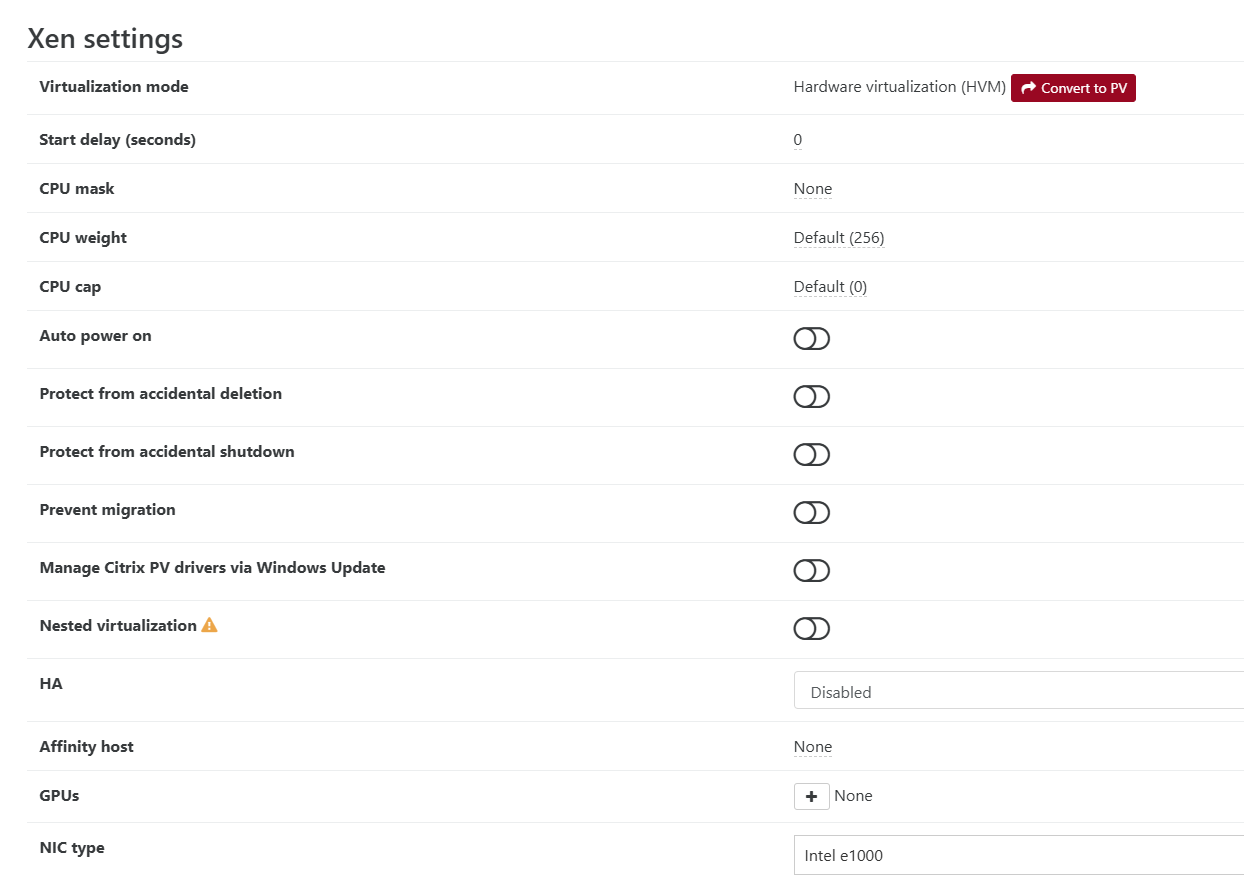
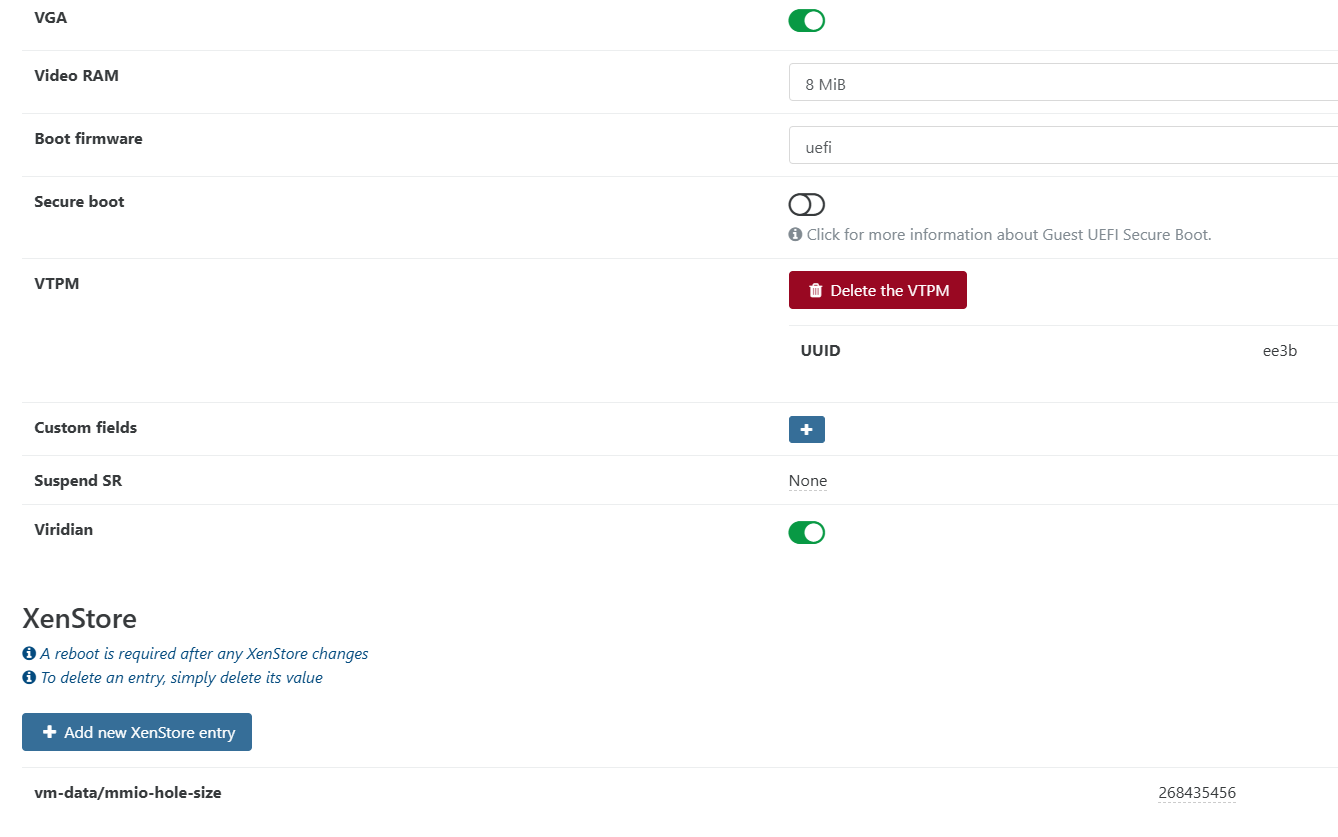
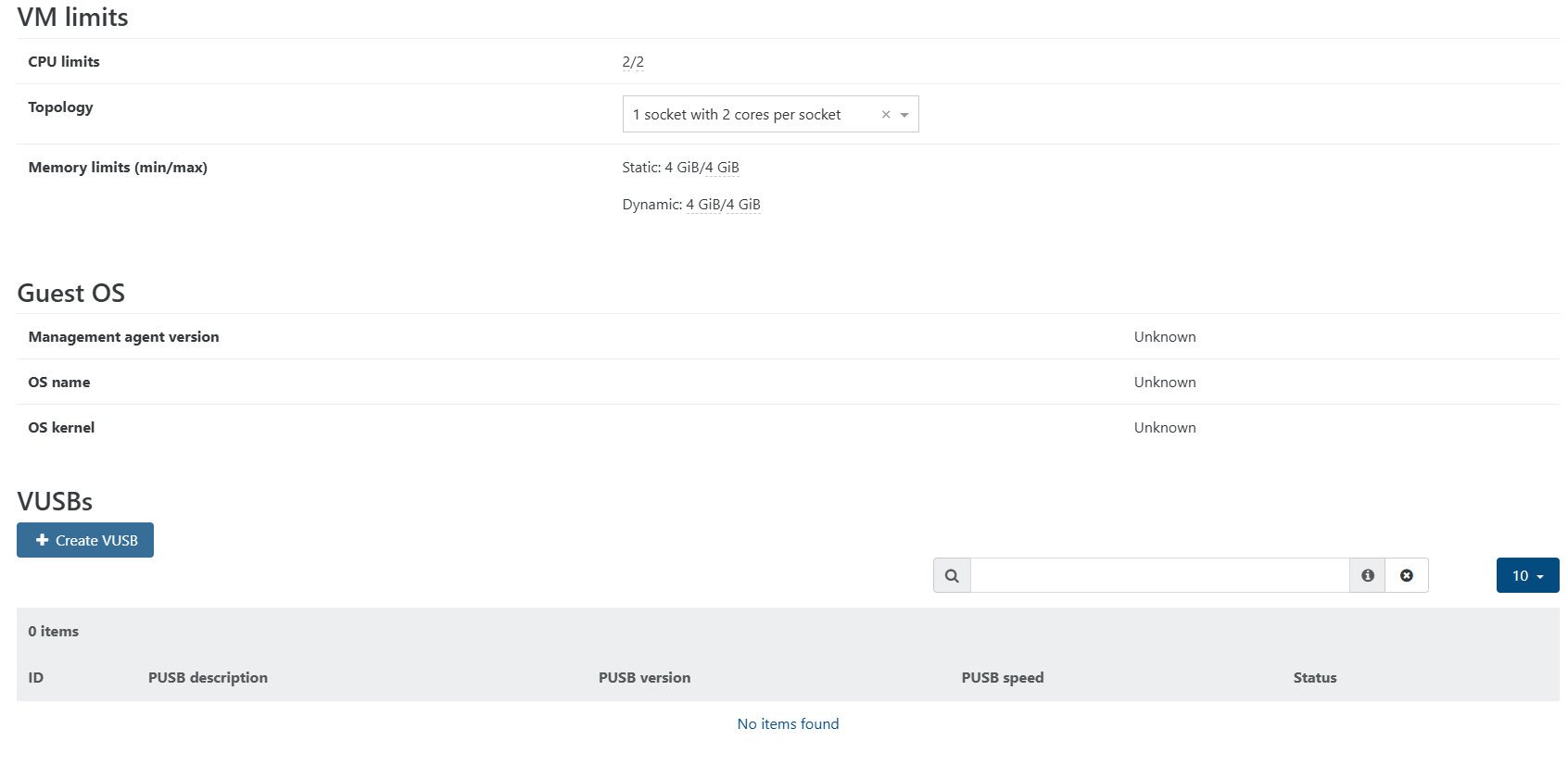
      @Tom-Elliott @BPSTravis Not much to hide, see attached screenshots as I couldn’t find a way to export the config as an XML. I removed the MAC address from the network screenshot, and note the disk shows disconnected because the VM was shutdown while taking screenshots. Disk resides on an NFS share alongside my other VMs.

      The only difference between this VM and the clone I made was removing the VTPM on the clone.

      Screenshot 2026-04-01 085512.png Screenshot 2026-04-01 085535.png Screenshot 2026-04-01 085552.png Screenshot 2026-04-01 085610.png Screenshot 2026-04-01 085641.png Screenshot 2026-04-01 085657.png

      posted in FOG Problems
      J
      JCS-RVK
    • RE: EFI Stub Errors on XCP-ng Virtual Machine Attempting 'Perform Full Host Registration and Inventory'

      @Tom-Elliott Just checked, no kernel args set at either host or global levels.

      As for your theory about video output going somewhere else, I’m struggling to think of a way to test it as this instance is a virtual machine with no physical display outputs. I did toggle off the VGA setting in the VM advanced settings in XCP, which didn’t make a difference. Once the VM reached the point where it hangs (or appears to), I switched that setting back on, and off, and back on, hoping for a change but nothing happened.

      I’ve got the VM set in a capture task now that I’ve manually registered it, and the task never fires according to my FOG web GUI, which makes me think the VM is actually hanging instead of just redirecting display output somewhere else. I tried forcing the task to start, and nothing changed.

      posted in FOG Problems
      J
      JCS-RVK
    • RE: EFI Stub Errors on XCP-ng Virtual Machine Attempting 'Perform Full Host Registration and Inventory'

      @Tom-Elliott As I couldn’t find a way to disable the TPM without deleting it, I cloned the VM just in case removing the TPM screwed up my Windows install, and added the clone to FOG with the same settings as the original (rodluz’s experimental kernel, same image associated, no kernel arguments, etc).

      The cloned VM still hangs at EFI stub: Measured initrd data into PCR 9.

      posted in FOG Problems
      J
      JCS-RVK
    • RE: EFI Stub Errors on XCP-ng Virtual Machine Attempting 'Perform Full Host Registration and Inventory'

      @rodluz Thanks for the detailed instructions - that was quite helpful in getting your kernel installed and set up.

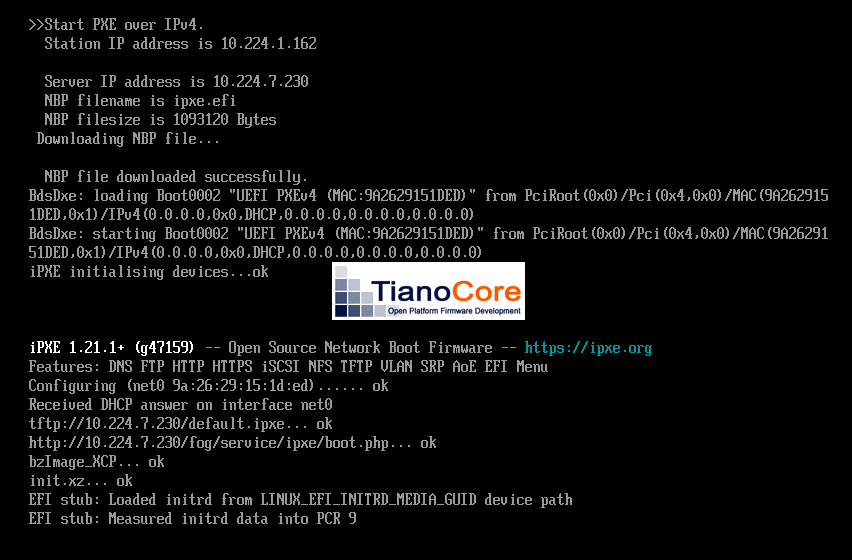
      Unfortunately it didn’t work for me. I got stuck at the same point. Screenshot attached. I also tried adding the host kernel arguments back with the experimental kernel and that didn’t change it either. Anything else I should try?

      Screenshot 2026-04-01 073148.png

      posted in FOG Problems
      J
      JCS-RVK
    • RE: EFI Stub Errors on XCP-ng Virtual Machine Attempting 'Perform Full Host Registration and Inventory'

      @BPSTravis
      Sorry for the slow response. Apparently I didn’t have email alerts set up yet, and I’m only at this job in the middle of the week, so just seeing your reply this morning.

      I manually added the host and tried the host kernel arguments you suggested. This did not make a difference. I also tried with just xen_emul_umplug=unmodified and this did not work either.

      I switched to the Intel NIC option, this did not make a difference.

      UEFI BIOS mode was set already.

      posted in FOG Problems
      J
      JCS-RVK