@Tom-Elliott I was able to switch to the dev-branch and didn’t encounter that issue on the capture.
T
Posts
-
RE: Failed to update/create image logposted in FOG Problems
-
RE: Failed to update/create image logposted in FOG Problems
@Tom-Elliott We are only allowed to run stable builds of FOSS. Does anyone have any plans of back porting that fix to the stable build?
-
Failed to update/create image logposted in FOG Problems
I just installed FOG v1.5.10.1751 on debian 13 and im getting an “Failed to update/create image log” error when trying to capture a windows image. What can i do to resolve this?
-
RE: OptiPlex 5480 All-in-Oneposted in Hardware Compatibility
@sebastian-roth You correct, I just used the file of that new kernel and it worked.
-
RE: OptiPlex 5480 All-in-Oneposted in Hardware Compatibility
@sebastian-roth I didn’t want to overwrite the kernel that we are using by default for all computers. So i downloaded the newer Kernel, 5.10.19 and just specified that kernel in the host machine.
-
RE: OptiPlex 5480 All-in-Oneposted in Hardware Compatibility
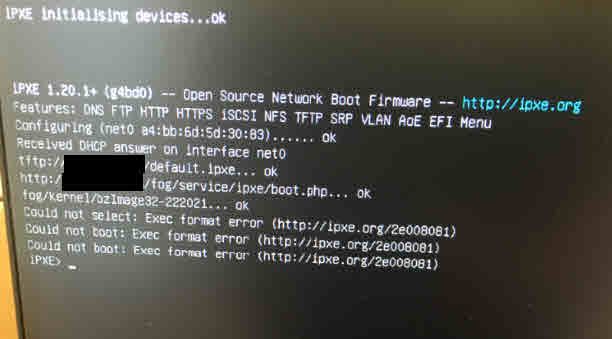
@sebastian-roth I just tried both the 32 and 64 versions of that newer Kernel, 5.10.19 here is the error i get with both
-
RE: OptiPlex 5480 All-in-Oneposted in Hardware Compatibility
@sebastian-roth Sure. I will give that a try and report back
-
RE: OptiPlex 5480 All-in-Oneposted in Hardware Compatibility
@sebastian-roth @Sebastian-Roth Hi i had to pivot away from this for a bit but now I can pick this up again. Please the log you requested
-
RE: OptiPlex 5480 All-in-Oneposted in Hardware Compatibility
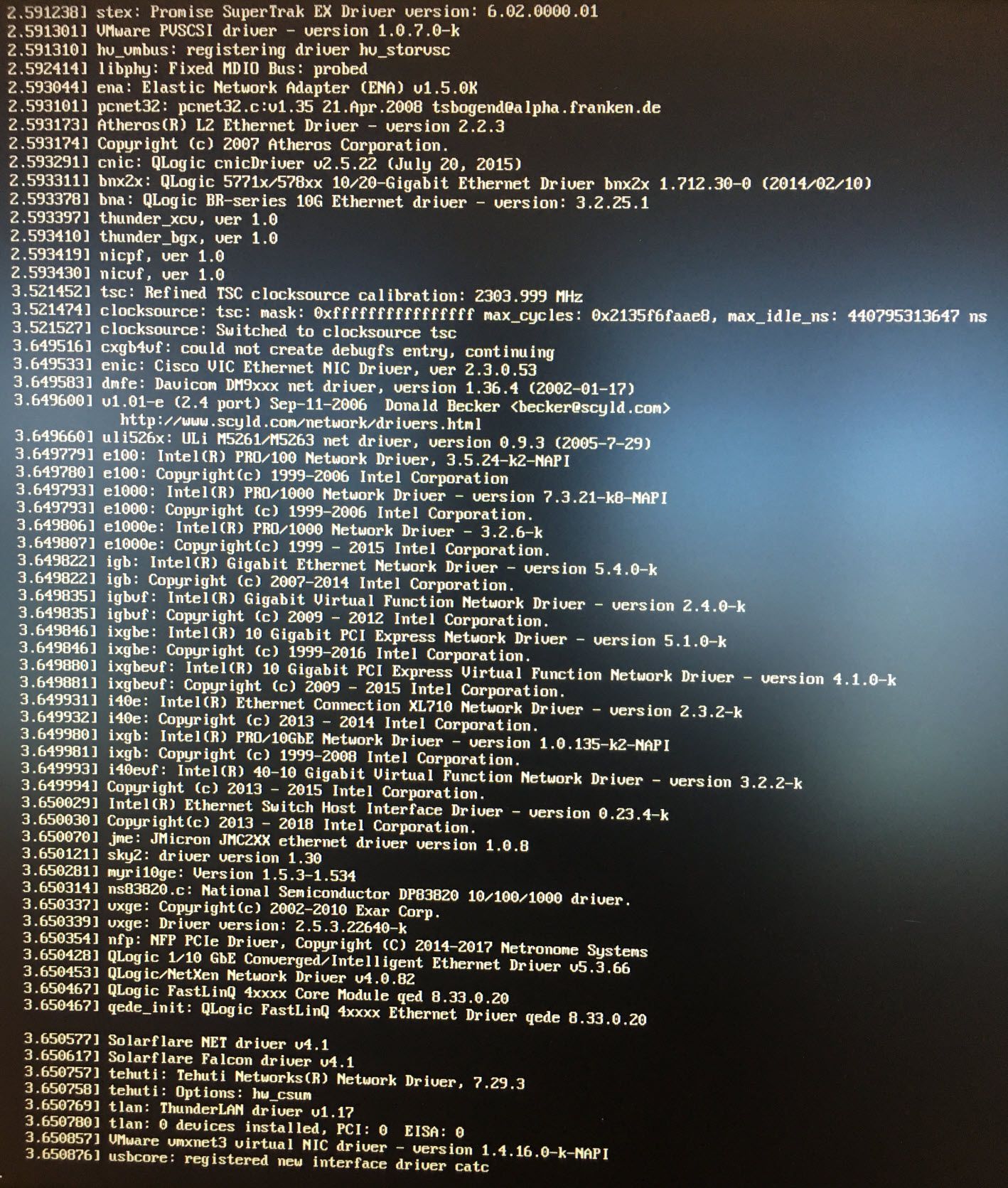
@george1421 okay that worked but i didn’t see any error that said “failed to find”
This section has some network information, does this help?
-
RE: OptiPlex 5480 All-in-Oneposted in Hardware Compatibility
@george1421
I followed those instructions but i just see a blank screen with a box that says standard input -
OptiPlex 5480 All-in-Oneposted in Hardware Compatibility
FOG version 1.5.9
I’m trying to image a set of dell all in one 5480’s and i can’t see to find a kernel that is compatible with the NIC.
I’m getting an No network interfaces found, your kernel is most probably missing the correct driver!
Which kernel should i be using to image these?
-
RE: Dell 7000 series laptops pxe bootingposted in Hardware Compatibility
@george1421 I found that part# 470-abnd
Dell Adapter - USB 3.0 to Ethernet PXE Boot worked to get these 7410’s going with the imaging process. -
RE: Dell 7000 series laptops pxe bootingposted in Hardware Compatibility
@george1421 Okay i have it, what’s a secure way to get it to you?
-
RE: Dell 7000 series laptops pxe bootingposted in Hardware Compatibility
@george1421 Do you need a single pcap or one that captures every port that’s called out that tcpdump command?
-
RE: Dell 7000 series laptops pxe bootingposted in Hardware Compatibility
@george1421 Okay i must have missed that link the first time. I’ll give that a try and post the results
-
RE: Dell 7000 series laptops pxe bootingposted in Hardware Compatibility
@george1421 said in Dell 7000 series laptops pxe booting:
@The-Dealman Again, lets get a pcap to see what its being told.
Also secure boot is off?
Yes secure boot is off.
For the pcap, are these instructions accurate? https://wiki.fogproject.org/wiki/index.php?title=TCPDump
-
RE: Dell 7000 series laptops pxe bootingposted in Hardware Compatibility
@george1421 Yes i changed the boot file ipxe.efi if you want i can post a video of what i saw.
-
RE: Dell 7000 series laptops pxe bootingposted in Hardware Compatibility
@george1421 said in Dell 7000 series laptops pxe booting:
On the computer that bios boots using undionly.kpxe can you switch that computer over to uefi mode and pxe boot with ipxe.efi?
On the optiplex 3010 when i try the uefi network boot it just goes to black screen the kicks back to the One-Time Boot Menu.
-
RE: Dell 7000 series laptops pxe bootingposted in Hardware Compatibility
@george1421 said in Dell 7000 series laptops pxe booting:
On the computer that bios boots using undionly.kpxe can you switch that computer over to uefi mode and pxe boot with ipxe.efi?
I’ll try that now. It’s a optiplex 3010