@Tom-Elliott All good the last update fixed the issue!

Posts
-
RE: FOG ubuntu image fails to update databaseposted in FOG Problems
-
RE: FOG ubuntu image fails to update databaseposted in FOG Problems
@JGeear Would a Greater than(>) character in the password cause this use?
-
RE: FOG ubuntu image fails to update databaseposted in FOG Problems
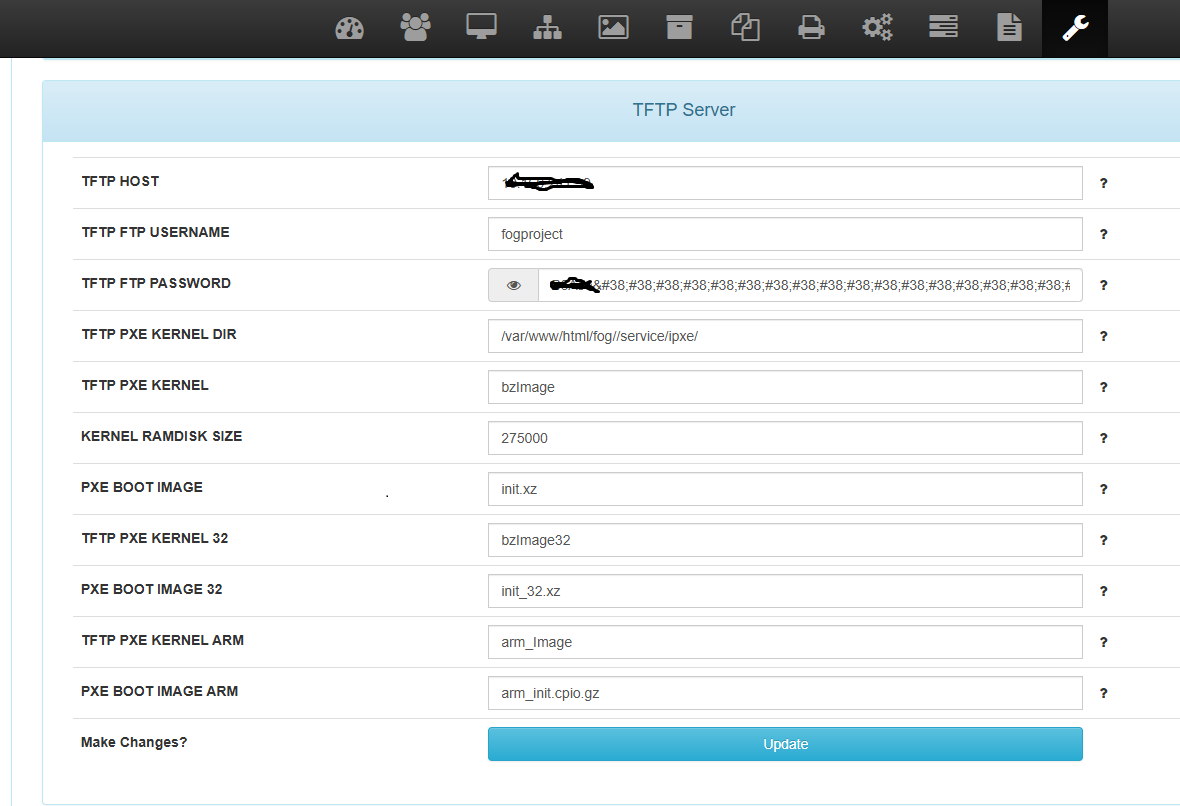
@Tom-Elliott There was no updates to the Storage node until March 3, when I discovered the issue with the image capture. The password was correct. There was just a bunch of &;#38…;#62; characters in the middle of the password. Once I removed the characters and resaved the password, it worked. Note, when I try to fix the password under TFTP server. The characters return.
-
RE: FOG ubuntu image fails to update databaseposted in FOG Problems
@JGeear Updating the password of the storage node fixed the issue. Still I would like to know how these passwords were changed??
-
RE: FOG ubuntu image fails to update databaseposted in FOG Problems
@JGeear It appears there is a issue with the UI after all. I tried updating the password there are extra characters added.

-
RE: FOG ubuntu image fails to update databaseposted in FOG Problems
@Tom-Elliott Okay what changed? It was working fine until a few weeks ago.

-
RE: FOG ubuntu image fails to update databaseposted in FOG Problems
@Redbob I did notice the file /var/www/fog/lib/fog/Config.class.php had different password than the GUI and the /.fogsettings file. modifying this file had no effect.
-
RE: FOG ubuntu image fails to update databaseposted in FOG Problems
@Redbob Yeah, I verified the passwords in the GUI as well as the /.fogsettings file and they are identical. I was able to transfer files via FTP using the username and password. Note, I am able to capture Windows images, it’s this Ubuntu image that’s causing the grief.
-
FOG ubuntu image fails to update databaseposted in FOG Problems
Hi, I am running the latest dev-branch FOG version 1.5.10.1792 on a Ubuntu 24.04 machine. I have not had any issues creating Windows images. I just tried an ubuntu image!
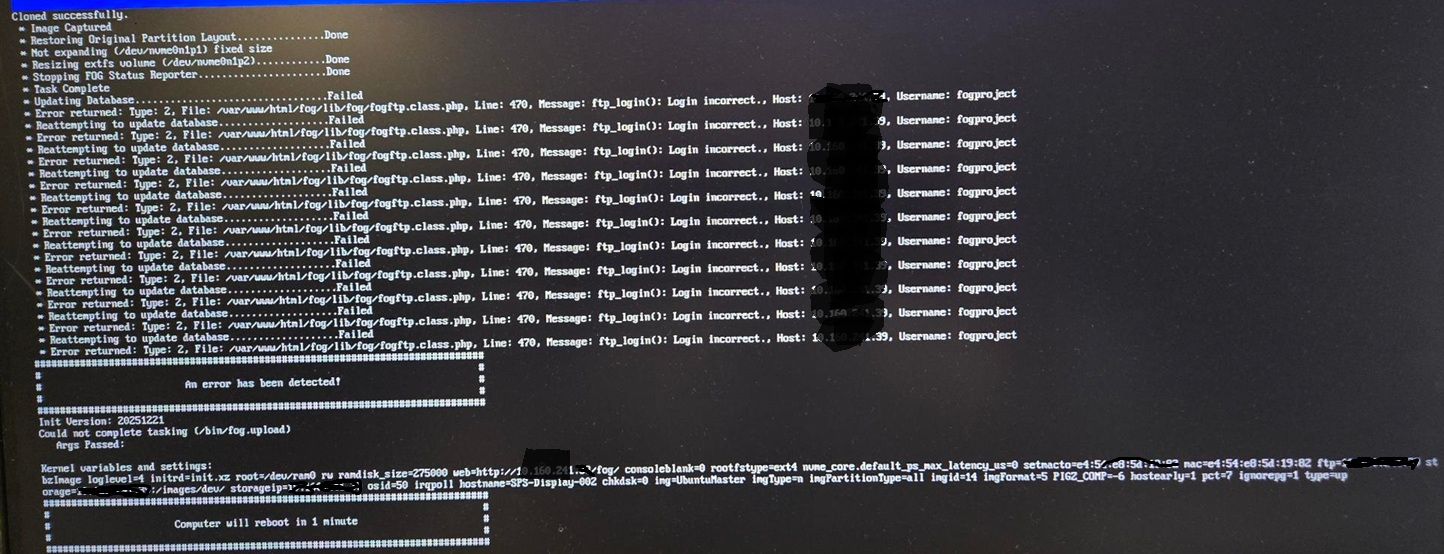
I am now receiving an FTP login incorrect. I have checked the FOG settings and the passwords match and I can transfer files to the server via FTP. -
RE: FOG Update errorsposted in Linux Problems
@Tom-Elliott Awesome that worked I was able to complete the update. I did receive a error unable to update database. Apache error log.
[Wed Aug 07 16:02:42.370052 2024] [proxy_fcgi:error] [pid 207214] [client 10.160.241.168:57856] AH01071: Got error 'PHP message: PHP Parse error: syntax error, unexpected token "<<" in /var/www/fog/lib/fog/system.class.php on line 56' [Wed Aug 07 16:02:45.486205 2024] [proxy_fcgi:error] [pid 207210] [client 10.160.241.168:57855] AH01071: Got error 'PHP message: PHP Parse error: syntax error, unexpected token "<<" in /var/www/fog/lib/fog/system.class.php on line 56'``` -
RE: FOG Update errorsposted in Linux Problems
@Fog_Newb
I receive the following messages trying to do a dev-branch and git pull.
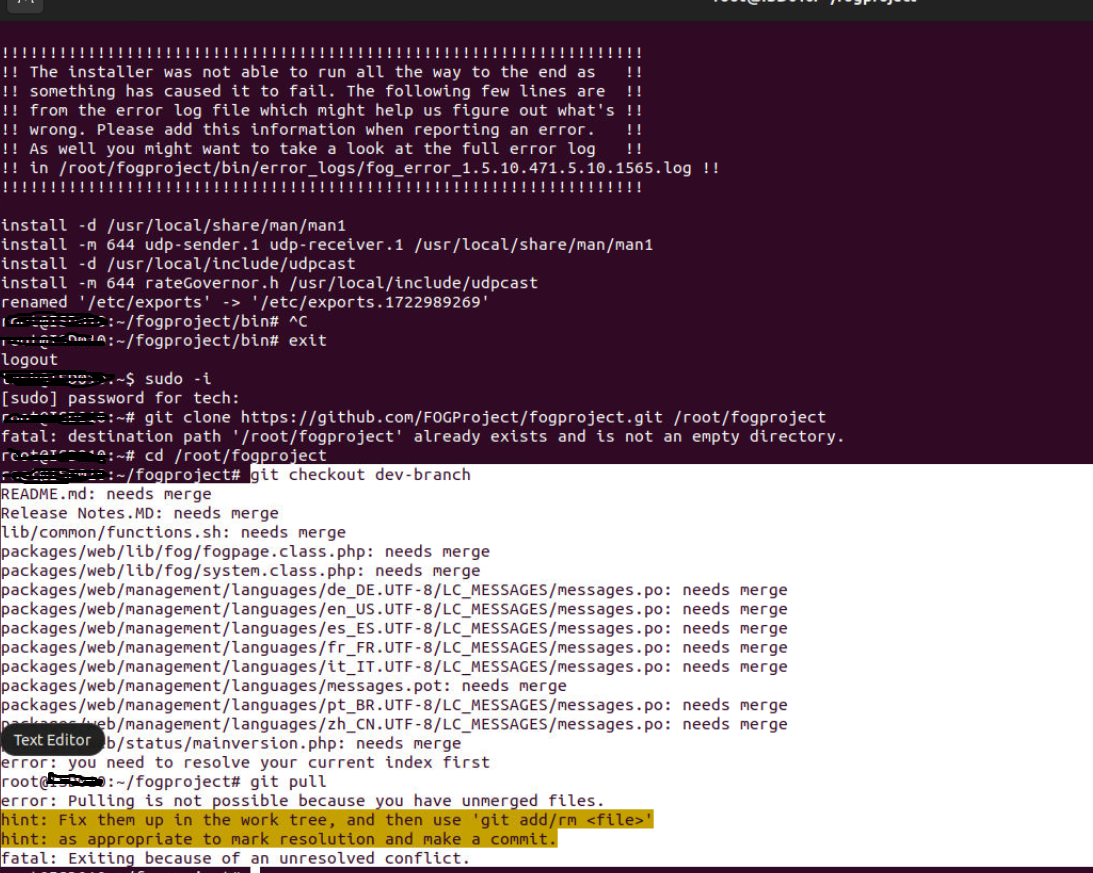
-
FOG Update errorsposted in Linux Problems
I had install errors updating my Trunk version on Ubuntu 20.04 LTS. I updated Ubuntu to 22.04 LTS. Now I am receiving a GIT conflict on the git pull a install script error
-
Image USB driveposted in FOG Problems
I have Dell OptiPlex 3070’s that we UEFI PXE Boot with a USB stick. The FOG server is running on Ubuntu 16.04 and the FOG version is 1.5.9.59. The Dell BIOS is set to RAID by default and when we try to image a PC it tries to image the USB drive and fails. The work around is to switch the SATA settings to AHCI. We are then able to image the PC and save the USB drive from being corrupted and repaired with Diskpart.
-
RE: Moving FOG's /images files off the root partition 2017 editionposted in Tutorials
@george1421 said in Moving FOG's /images files off the root partition 2017 edition:
touch /opt/fog/snapin.chk
Tutorial worked like a charm! The is some minor errors as follows:
The following line needs bind bind 0 0 added
/opt/fog/snapins /opt/fogdisk/snapins bind bind 0 0and the Snapin test file needs to be in the right directory!
touch /opt/fog/snapins/snapin.chk -
RE: Maybe the USB cable is badposted in Hardware Compatibility
@JGeear
I purchased a Dell USB 3.0 to Ethernet adapter with PXE boot. It worked perfectly! -
RE: Maybe the USB cable is badposted in Hardware Compatibility
This worked as well and still displayed the messages.