@Tom-Elliott That would be great!

Posts
-
RE: FOG User Tracking -Searchposted in FOG Problems
@Tom-Elliott I changed it to 512, but my php.ini is set to 1024.
-
RE: FOG User Tracking -Searchposted in FOG Problems
@Tom-Elliott said in FOG User Tracking -Search:
/var/log/php-fpm/www-error.log
[06-Dec-2019 14:21:28 UTC] PHP Fatal error: Allowed memory size of 268435456 bytes exhausted (tried to allocate 8192 bytes) in /var/www/html/fog/lib/db/pdodb.class.php on line 622Thanks.
-
RE: FOG User Tracking -Searchposted in FOG Problems
@Daniel-Miller
Sorry, I should know better.
Centos 7.7
Fog Version: 1.5.7.56
approximately 400 users give or take. -
RE: Bandwidth graph colors?posted in General
@Sebastian-Roth I think it would great if there was a color picker right under the checkbox for graph enabled inside the node settings.
-
FOG User Tracking -Searchposted in FOG Problems

When running a user report I get an HTTP Error 500.
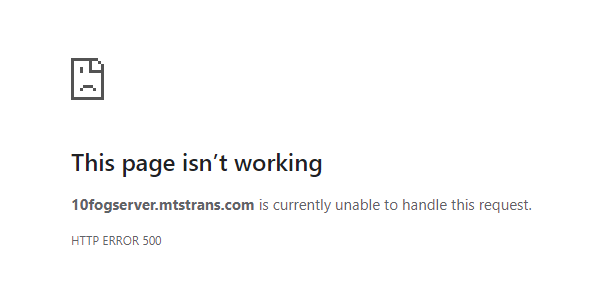
nothing in /var/log/httpd/error_log
/var/log/httpd/access_log:
192.168.10.170 - - [05/Dec/2019:16:38:28 -0500] "POST /fog/management/index.php?node=report&sub=file&f=dXNlciB0cmFja2luZw%3D%3D HTTP/1.1" 500 - "http://10fogserver.mtstrans.com/fog/management/index.php?node=report&sub=file&f=dXNlciB0cmFja2luZw==" "Mozilla/5.0 (Windows NT 10.0; Win64; x64) AppleWebKit/537.36 (KHTML, like Gecko) Chrome/78.0.3904.108 Safari/537.36" -
RE: FOG Service and interventionsposted in FOG Problems
@sgoodman Is the server set to Delayed auto?
-
RE: Because? and who? change Sequence boot UEFI?posted in Windows Problems
@Gilberto-Ferraz
Try this running this PowerShell script as a snapin. What it does is moves the first non-windows boot selection to the top, in your case it will move “IP4 Intel Ethernet Connection I217-LM” to the top of the boot order.
Works for me…
-
Bandwidth graph colors?posted in General
How would I go about changing the colors of the graphs?

as you can see above they are all pretty much all shades of blue. -
RE: Image capturing: Updating Database...Failedposted in FOG Problems
I had a similar problem but I found that it was my max connections.
mysql -e"show status like '%used_connections%'"
+----------------------+-------+
| Variable_name        | Value |
+----------------------+-------+
| Max_used_connections | 224   |
+----------------------+-------+
mysql -e"SHOW VARIABLES LIKE '%max_connections%'" +-----------------------+-------+ | Variable_name | Value | +-----------------------+-------+ | extra_max_connections | 1 | | max_connections | 1000 | +-----------------------+-------+Mariadb max_connections default Value: 151
I increased mine to 1000 and my DB connection issues seem to have gone away. -
RE: FOG does not copy NVRAM/EFI Bootorderposted in FOG Problems
I know this isn’t a very good fix but It works for me…
Windows boot manager always gets added to the top of the list in boot order, I found this powershell script here:This PowerShell script moves the first non windows entry to the top of the list.
# This script looks for the first non-Windows Boot Manager entry in the UEFI/GPT boot order and moves it to the top # For preventing newly installed Windows from hijacking the top boot order spot on my UEFI/GPT image testing VMs # by mmseng # https://github.com/mmseng/bcdedit-revert-uefi-gpt-boot-order # Notes: # - There's very little point in using this on regular production machines being deployed. Its main use is for machines being repeatedly imaged, or might be useful for lab machines. # - AFAICT bcdedit provideds no way to pull the friendly names of the devices in the overall UEFI boot order list. Therefore, this script only moves the first entry it identifies in the list which is NOT "{bootmgr}" (a.k.a. "Windows Boot Manager"). It's up to the user to make sure the boot order will exist in a state where the desired result is achieved. # - In my case, my test UEFI VMs initially have the boot order of 1) "EFI Network", 2) whatever else. When Windows is installed with GPT partitioning, it changes the boot order to 1) "Windows Boot Manager", 2) "EFI Network", 3) whatever else. In that state, this script can be used to change the boot order to 1) "EFI Network", 2) "Windows Boot Manager", 3) whatever else. # - This functionality relies on the completely undocumented feature of bcdedit to modify the "{fwbootmgr}" GPT entry, which contains the overall list of UEFI boot devices. # - AFAICT bcdedit is really only designed to edit Windows' own "{bootmgr}" entry which represents one of the "boot devices" in the overall UEFI list. # - Here are some sources: # - https://www.cnet.com/forums/discussions/bugged-bcdedit-349276/ # - https://docs.microsoft.com/en-us/windows-hardware/manufacture/desktop/bcd-system-store-settings-for-uefi # - https://www.boyans.net/DownloadVisualBCD.html # - https://serverfault.com/questions/813695/how-do-i-stop-windows-10-install-from-modifying-bios-boot-settings # - https://serverfault.com/questions/714337/changing-uefi-boot-order-from-windows # Read current boot order echo "Reading current boot order..." $bcdOutput = cmd /c bcdedit /enum "{fwbootmgr}" echo $bcdOutput # Kill as many of the stupid characters as possible echo "Removing extraneous characters from boot order output..." $bcdOutput = $bcdOutput -replace '\s+','' $bcdOutput = $bcdOutput -replace '`t','' $bcdOutput = $bcdOutput -replace '`n','' $bcdOutput = $bcdOutput -replace '`r','' $bcdOutput = $bcdOutput.trim() $bcdOutput = $bcdOutput.trimEnd() $bcdOutput = $bcdOutput.trimStart() $bcdOutput = $bcdOutput -replace ' ','' echo $bcdOutput # Define a reliable regex to capture the UUIDs of non-Windows Boot Manager devices in the boot order list # This is difficult because apparently Powershell interprets regex is a fairly non-standard way (.NET regex flavor) # https://docs.microsoft.com/en-us/dotnet/standard/base-types/regular-expressions # Even then, .NET regex testers I used didn't match the behavior of what I got out of various Powershell commands that accept regex strings # However this seems to work, even though I can't replicate the results in any regex testers $regex = [regex]'^{([\-a-z0-9]+)+}' echo "Defined regex as: $regex" # Save matches echo "Save strings matching regex..." $foundMatches = $bcdOutput -match $regex # Grab first match # If Windows Boot Manager (a.k.a. "{bootmgr}" was the first in the list, this should be the second # Which means it was probably the first before Windows hijacked the first spot # Which means it was probably my "EFI Network" boot device $secondBootEntry = $foundMatches[0] echo "First match: $secondBootEntry" # Move it to the first spot echo "Running this command:" echo "cmd /c bcdedit $bcdParams /set `"{fwbootmgr}`" displayorder $secondBootEntry /addfirst" cmd /c bcdedit $bcdParams /set "{fwbootmgr}" displayorder $secondBootEntry /addfirst``` -
RE: snapin hash does not match on storage node (1.5.7.55)posted in FOG Problems
I noticed that the fog version after the upgrade was not showing:
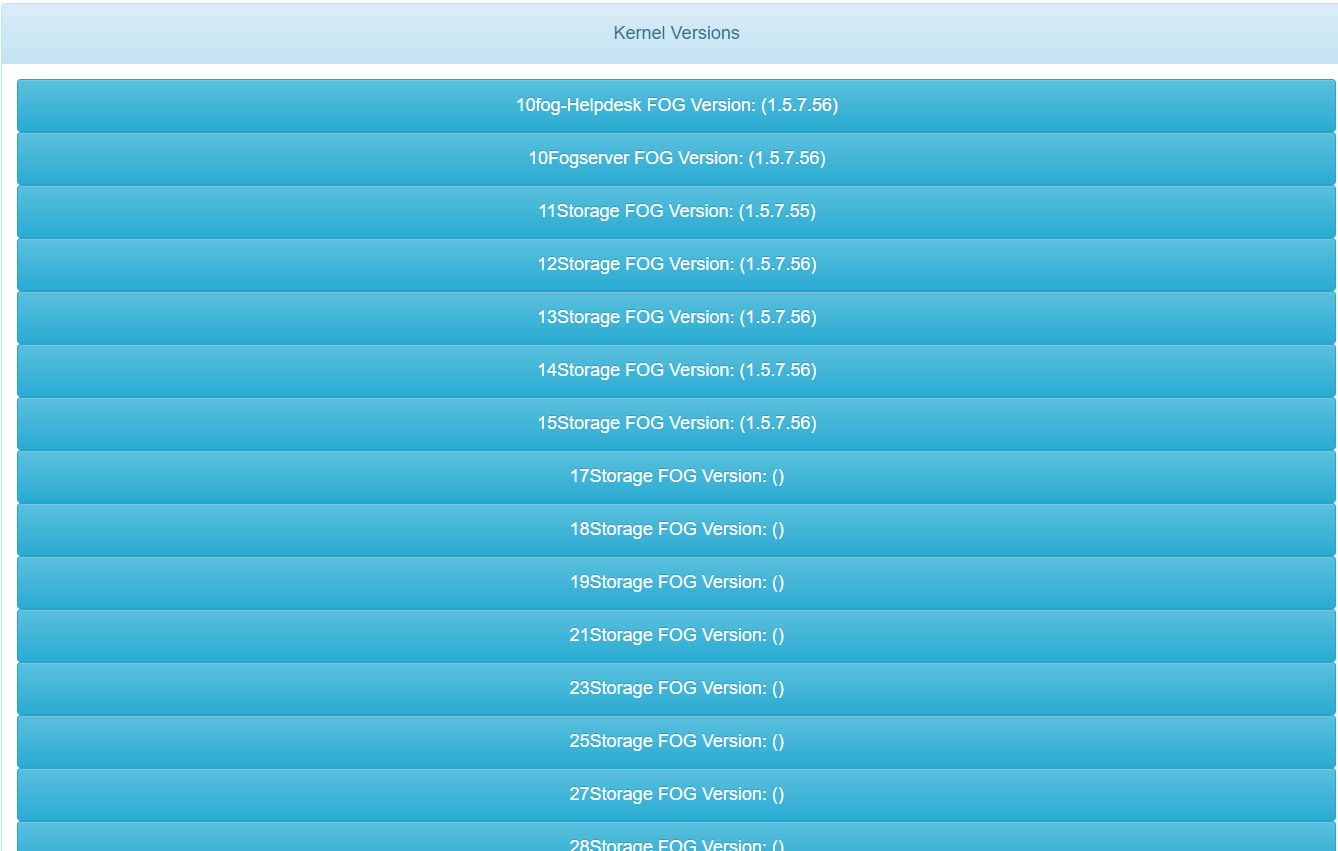
After I manually changed the fogstorage password in MySQL the versions started populating for the storage nodes that were upgraded but not for the storage nodes that were not upgraded.
is it possible that the upgrade corrupted the fogstorage MySQL password in the database on upgade or was it the mysql dump that was generated by Configuration Save> Export Database in the fog gui?The more I think about it it would have to be the MySQL dump… I installed fog on a new Centos 8 build and imported the database after installing fog.
snapins are now downloading with the correct file sizes.
Thank you everyone for helping me with this issue!
-
RE: snapin hash does not match on storage node (1.5.7.55)posted in FOG Problems
@Sebastian-Roth
the contents of the file read:"A valid database connection could not be made" -
RE: snapin hash does not match on storage node (1.5.7.55)posted in FOG Problems
Here is the access_log:
10.13.100.144 - - [02/Dec/2019:16:38:13 -0500] "GET /fog/management/other/ssl/srvpublic.crt HTTP/1.1" 200 1749 "-" "-" 10.13.100.144 - - [02/Dec/2019:16:38:13 -0500] "POST /fog/management/index.php?sub=requestClientInfo&authorize&newService HTTP/1.1" 200 326 "-" "-" 10.13.100.144 - - [02/Dec/2019:16:38:14 -0500] "GET /fog/management/index.php?sub=requestClientInfo&configure&newService&json HTTP/1.1" 200 322 "-" "-" 10.13.100.144 - - [02/Dec/2019:16:38:14 -0500] "GET /fog/management/index.php?sub=requestClientInfo&mac=00:0C:29:62:EB:A0&newService&json HTTP/1.1" 200 10697 "-" "-" 10.13.100.144 - - [02/Dec/2019:16:38:14 -0500] "GET /fog/service/getversion.php?clientver&newService&json HTTP/1.1" 200 7 "-" "-" 10.13.100.144 - - [02/Dec/2019:16:38:15 -0500] "GET /fog/service/getversion.php?newService&json HTTP/1.1" 200 8 "-" "-" 10.13.100.144 - - [02/Dec/2019:16:38:16 -0500] "GET /fog/service/snapins.checkin.php?taskid=9546&exitcode=-1&mac=00:0C:29:62:EB:A0&newService&json HTTP/1.1" 200 73 "-" "-" 10.13.100.144 - - [02/Dec/2019:16:38:16 -0500] "GET /fog/service/usertracking.report.php?action=login&user=13WIN10-IT%5Cgp1001&mac=00:0C:29:62:EB:A0&newService&json HTTP/1.1" 200 105 "-" "-"``` -
RE: snapin hash does not match on storage node (1.5.7.55)posted in FOG Problems
@EduardoTSeoane said in snapin hash does not match on storage node (1.5.7.55):
@Greg-Plamondon
Have you try to execute the file manually?
Have you compared the size?
Maybe the download is not correct.After doing some more investigating I found that the file sizes are indeed not the same. I was getting the information 2nd hand. I checked the "C:\Program Files(x86)\FOG\tmp folder for the snapin and it is only 1kb in size.
Sorry for the confusion.
 image url)
 -
RE: snapin hash does not match on storage node (1.5.7.55)posted in FOG Problems
@Sebastian-Roth said in snapin hash does not match on storage node (1.5.7.55):
Get-FileHash
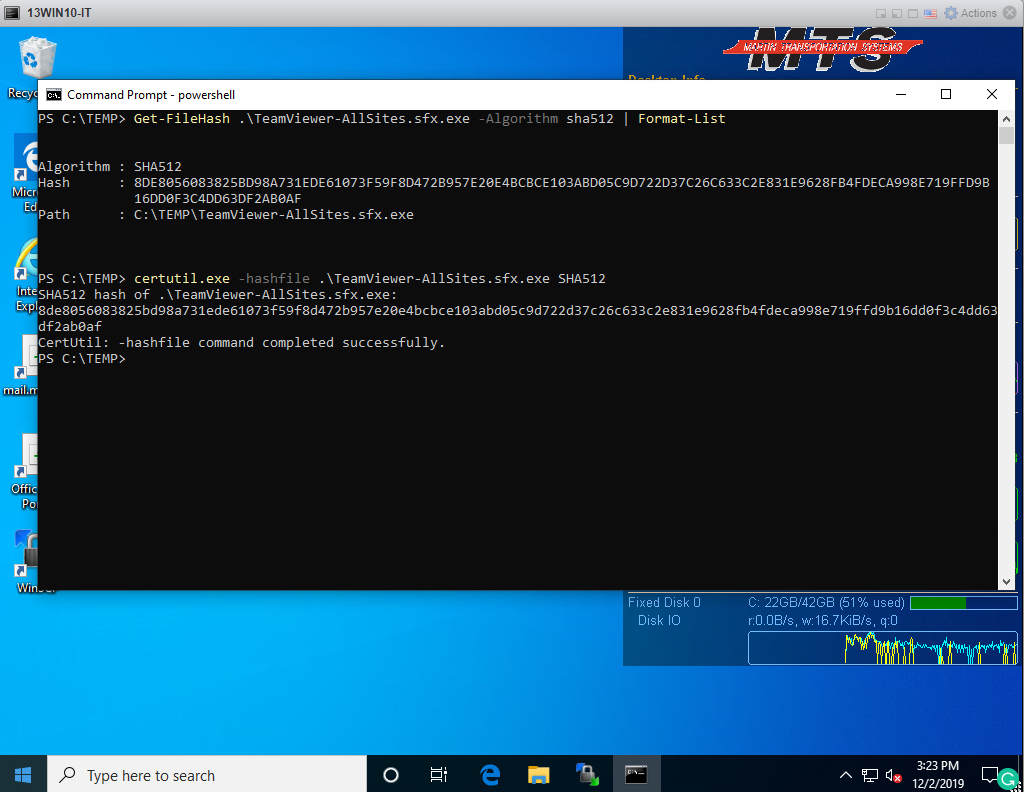
I did as you asked and used Winscp to download the file from the storage node and ran Get-FileHash and CertUtil
-
RE: snapin hash does not match on storage node (1.5.7.55)posted in FOG Problems
@Greg-Plamondon said in snapin hash does not match on storage node (1.5.7.55):
@Sebastian-Roth said in snapin hash does not match on storage node (1.5.7.55):
@Greg-Plamondon When did you upload/update that snapin last? Possibly the FOGSnapinHash service just didn’t update the hash sum in the database yet.
Are alll your nodes using the same FOG version?
the nodes that are working are on Version: 1.5.7.4Sorry I was wrong on the storage nodes that were not upgraded to 1.5.7.5 working correctly. They all seem to be having the same issue.
If I set the location of the host to the Fogserver instead of the storage node it works as it should. But this is not acceptable as the files are being pulled across the wan.
-
RE: snapin hash does not match on storage node (1.5.7.55)posted in FOG Problems
@Sebastian-Roth said in snapin hash does not match on storage node (1.5.7.55):
@Greg-Plamondon When did you upload/update that snapin last? Possibly the FOGSnapinHash service just didn’t update the hash sum in the database yet.
Are alll your nodes using the same FOG version?
the nodes that are working are on Version: 1.5.7.4 -
RE: snapin hash does not match on storage node (1.5.7.55)posted in FOG Problems
@EduardoTSeoane I can execute the file manually and it installs fine. The file size is a match.