Task 0
-
@Tom-Elliot
Unfortunately, I had to get the PCs up and running right away, so I wasn’t able to work through everything on the list. For now, I’ve cloned them without multicast. Next week, I’ll get back to you—I’ll test the rest then.
–public-web-cert.
root@fog:~# openssl s_client -connect fog.mm.htlwien10.at:443 -servername fog.mm .htlwien10.at </dev/null 2>/dev/null | grep -E ‘^ *[0-9]+ s:|^ +i:’0 s:CN=fog.mm.htlwien10.at, O=FOG Project, OU=FOG Web UI
i:CN=FOG Web CA, O=FOG Project, OU=FOG Web UI
root@fog:~#Power management.

SERIAL Number from SSD
I had another PC that wouldn’t clone because of an error when entering the SSD’s serial number…
The number BNE7N774610407R8O ends with an “O” and contains a “0” in the number. Unfortunately, the second SSD was listed in Inventory Static, and I had determined the number of the relevant ssd usinglsblk -o SERIAL. There my mistake happend


-
@Tom-Elliott
Hi
I don’t know enough about certificates. I tried to use ChatGPT to implement your answer—and this is what came out:This is important The original instructions you received essentially say: “Your server is using a certificate that was not issued by FOG.” That doesn’t match your current configuration. Your current web certificate was clearly issued by the FOG Web CA. Therefore, I wouldn’t create a symlink to any `fullchain.pem` file right now. We also have no indication so far that you’re using an external ACME certificate at all. What’s likely happening I suspect that the message you’re getting during the upgrade is related to the FOG PKI or the internal trust chain, and not to the fact that you’re using a Let’s Encrypt certificate. It’s interesting to note that your current Apache configuration uses: SSLCertificateFile /opt/fog/pki/web/leaf/.webLeaf.pem SSLCertificateKeyFile /opt/fog/pki/web/leaf/.webLeaf.key . The older configuration also included: SSLCertificateChainFile /opt/fog/snapins/ssl/CA/.fogCA.pem The current configuration does not have an SSLCertificateChainFile line. That might be relevant.That’s where I stopped…
-
@Tom-Elliott
Multicast

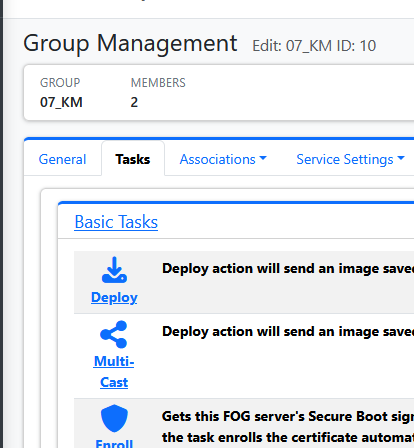
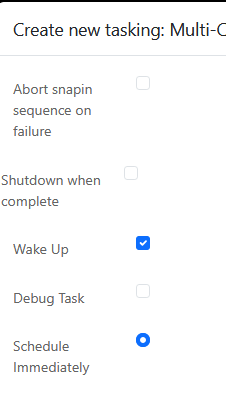
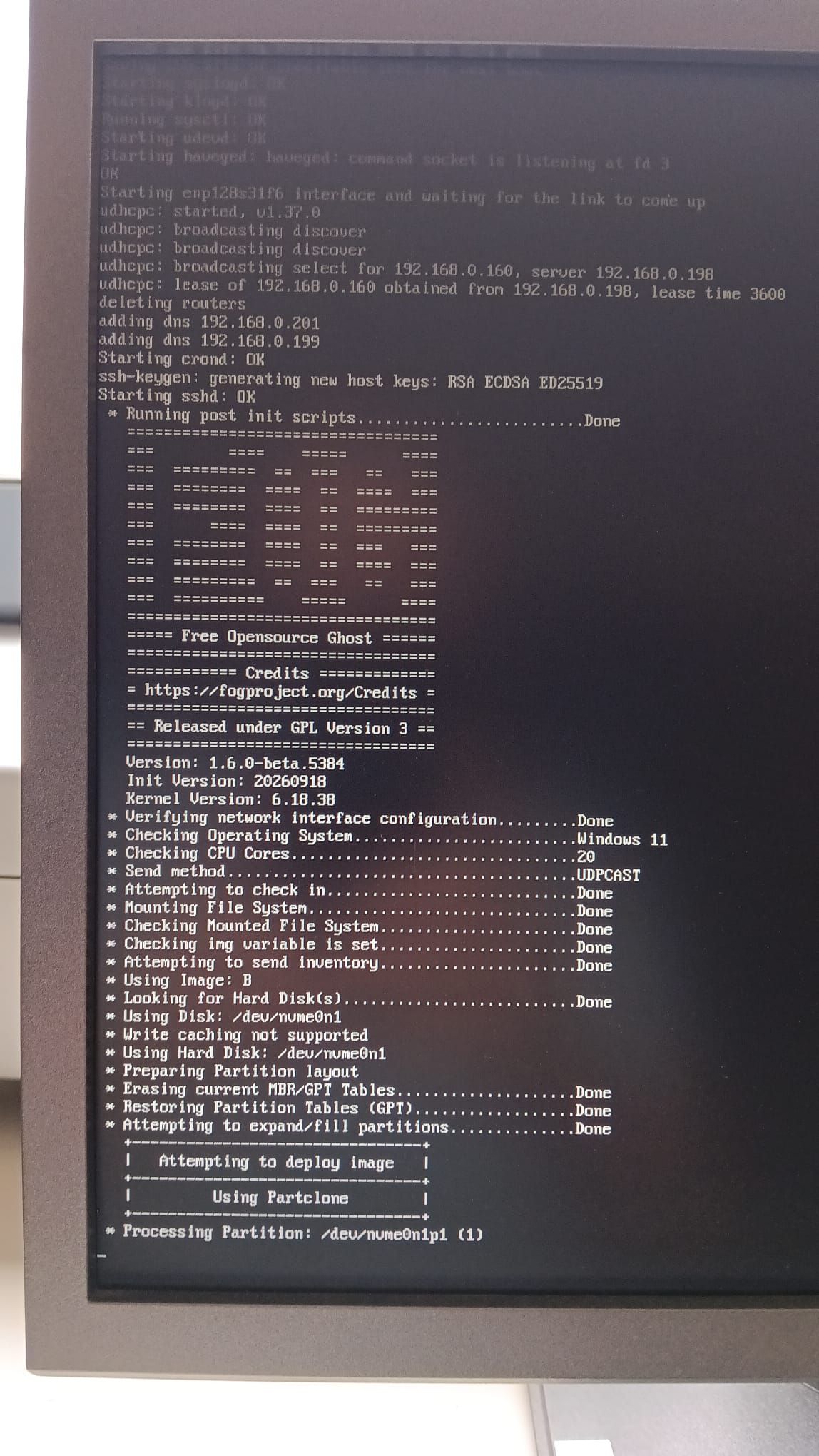
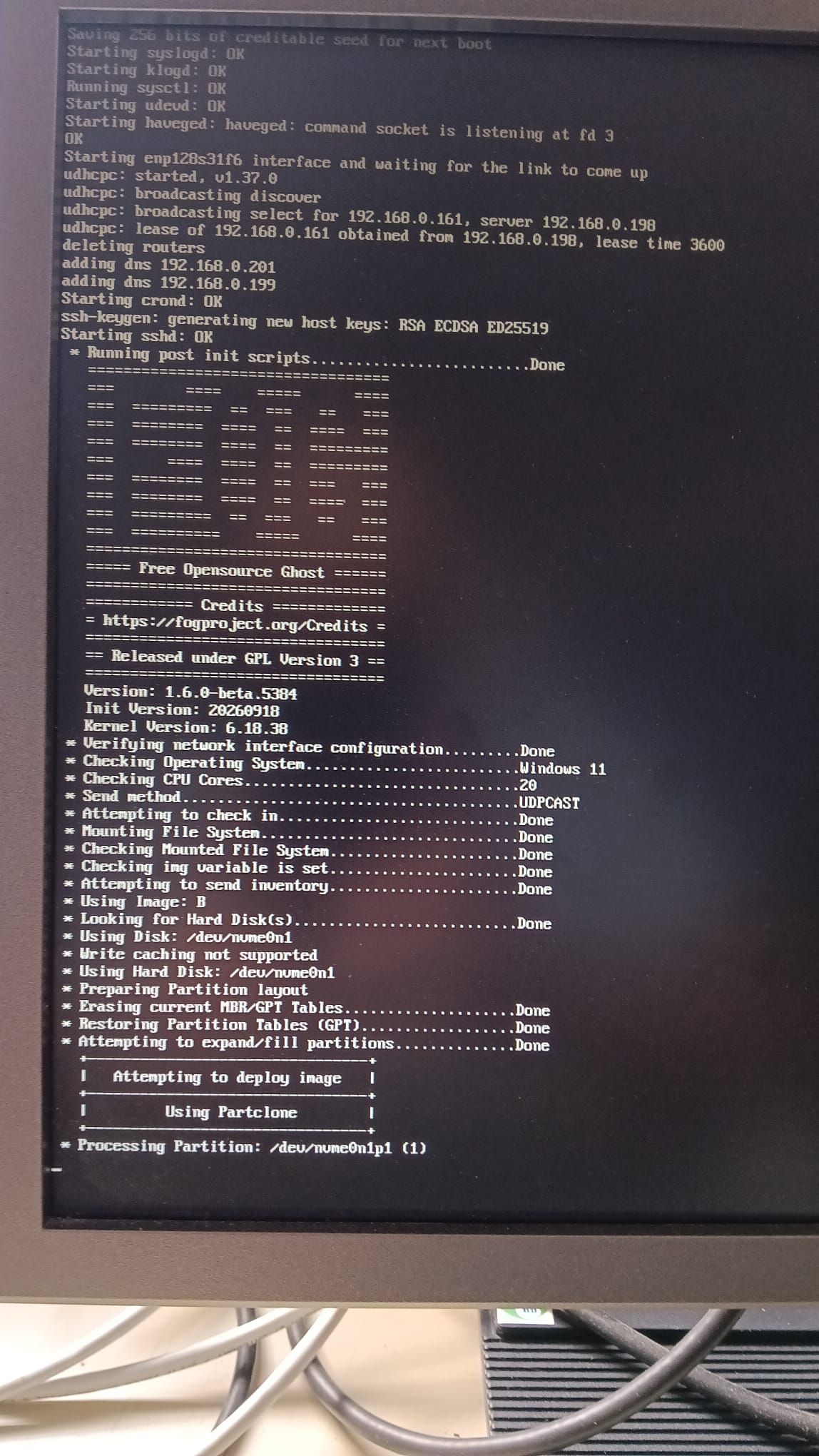
root@fog:~/FOG_SERVER_Updates_durchführen# tail -n 40 /opt/fog/log/multicast.log
[09-08-26 9:49:42 pm]  * No new tasks found
[09-08-26 9:49:52 pm]  * No new tasks found
[09-08-26 9:50:02 pm]  * No new tasks found
[09-08-26 9:50:12 pm]  * No new tasks found
[09-08-26 9:50:22 pm]  * No new tasks found
[09-08-26 9:50:32 pm]  * No new tasks found
[09-08-26 9:50:42 pm]  * No new tasks found
[09-08-26 9:50:52 pm]  * No new tasks found
[09-08-26 9:51:02 pm]  * No new tasks found
[09-08-26 9:51:12 pm]  * No new tasks found
[09-08-26 9:51:22 pm]  * No new tasks found
[09-08-26 9:51:32 pm]  * No new tasks found
[09-08-26 9:51:42 pm]  * No new tasks found
[09-08-26 9:51:52 pm]  * No new tasks found
[09-08-26 9:52:02 pm]  * No new tasks found
[09-08-26 9:52:12 pm]  * No new tasks found
[09-08-26 9:56:33 pm] ===== FOG 1.5.10.2473 -- MulticastManager starting =====
[09-08-26 9:56:33 pm] Interface Ready with IP Address: 10.10.3.196
[09-08-26 9:56:33 pm] Interface Ready with IP Address: 127.0.0.1
[09-08-26 9:56:33 pm] Interface Ready with IP Address: 127.0.1.1
[09-08-26 9:56:33 pm] Interface Ready with IP Address: 192.168.0.196
[09-08-26 9:56:33 pm]  * Starting MulticastManager Service
[09-08-26 9:56:33 pm]  * Checking for new items every 10 seconds
[09-08-26 9:56:33 pm]  * Starting service loop
[09-08-26 10:00:14 pm] ===== FOG 1.5.10.2473 -- MulticastManager starting =====
[09-08-26 10:00:14 pm] Interface Ready with IP Address: 10.10.3.196
[09-08-26 10:00:14 pm] Interface Ready with IP Address: 127.0.0.1
[09-08-26 10:00:14 pm] Interface Ready with IP Address: 127.0.1.1
[09-08-26 10:00:14 pm] Interface Ready with IP Address: 192.168.0.196
[09-08-26 10:00:14 pm]  * Starting MulticastManager Service
[09-08-26 10:00:14 pm]  * Checking for new items every 10 seconds
[09-08-26 10:00:14 pm]  * Starting service loop
[09-08-26 10:08:36 pm] ===== FOG 1.5.10.2473 -- MulticastManager starting =====
[09-08-26 10:08:36 pm] Interface Ready with IP Address: 10.10.3.196
[09-08-26 10:08:36 pm] Interface Ready with IP Address: 127.0.0.1
[09-08-26 10:08:36 pm] Interface Ready with IP Address: 127.0.1.1
[09-08-26 10:08:36 pm] Interface Ready with IP Address: 192.168.0.196
[09-08-26 10:08:36 pm]  * Starting MulticastManager Service
[09-08-26 10:08:36 pm]  * Checking for new items every 10 seconds
[09-08-26 10:08:36 pm]  * Starting service loop
root@fog:~/FOG_SERVER_Updates_durchführen#
I use two network cards—the “192” network is the one with the PCs, and the “10” network contains only servers and my backup servers …
-
@kratkale 09-08-26 seems to me that the FOGMulticastManager service isn’t started or died somewhere.
Can you run:
sudo systemctl restart FOGMulticastManager
sleep 5
sudo systemctl -l status FOGMulticastManager
On a separate window it might be helpful to see your php-fpm www-error logs (see my footer to see where to find that information)
-
@Tom-Elliott said in Task 0:
systemctl -l status FOGMulticastManager
root@fog:~# systemctl -l status FOGMulticastManager
● FOGMulticastManager.service - FOGMulticastManager
     Loaded: loaded (/usr/lib/systemd/system/FOGMulticastManager.service; enabl>
     Active: activating (auto-restart) (Result: exit-code) since Thu 2026-09-24>
 Invocation: 492c9b19a1cf4b3aa088147dbfb9573d
    Process: 3399372 ExecStart=/usr/bin/env php /opt/fog/service/FOGMulticastMa>
   Main PID: 3399372 (code=exited, status=255/EXCEPTION)
   Mem peak: 11M
        CPU: 110ms

Sep 24 13:27:28 fog env[3399406]: FOG autoloader: "FOGCore" is a core class and>
Sep 24 13:27:28 fog env[3399406]: PHP Fatal error:  Uncaught Error: Class "FOGC>
Sep 24 13:27:28 fog env[3399406]: Stack trace:
Sep 24 13:27:28 fog env[3399406]: #0 /opt/fog/service/FOGMulticastManager/FOGMu>
Sep 24 13:27:28 fog env[3399406]: #1 {main}
Sep 24 13:27:28 fog env[3399406]:   thrown in /opt/fog/service/lib/service_lib.>
Sep 24 13:27:28 fog systemd[1]: FOGMulticastManager.service: Main process exite>
Sep 24 13:27:28 fog systemd[1]: FOGMulticastManager.service: Failed with result>
Sep 24 13:27:29 fog systemd[1]: FOGMulticastManager.service: Scheduled restart >
Sep 24 13:27:29 fog systemd[1]: Started FOGMulticastManager.service - FOGMultic>
lines 1-19/19 (END)...skipping...
● FOGMulticastManager.service - FOGMulticastManager
     Loaded: loaded (/usr/lib/systemd/system/FOGMulticastManager.service; enabled; preset: enabled)
     Active: activating (auto-restart) (Result: exit-code) since Thu 2026-09-24 13:27:26 CEST; 279ms ago
 Invocation: 492c9b19a1cf4b3aa088147dbfb9573d
    Process: 3399372 ExecStart=/usr/bin/env php /opt/fog/service/FOGMulticastManager/FOGMulticastManager (code=exited, status=255/EXCEPTION)
   Main PID: 3399372 (code=exited, status=255/EXCEPTION)
   Mem peak: 11M
        CPU: 110ms

Sep 24 13:27:28 fog env[3399406]: FOG autoloader: "FOGCore" is a core class and core is no longer aliased into the global namespace. Use FOG\Base\FOGCore -- either as a `use` import or fully qualified. See ADR 0013.
Sep 24 13:27:28 fog env[3399406]: PHP Fatal error:  Uncaught Error: Class "FOGCore" not found in /opt/fog/service/lib/service_lib.php:62
Sep 24 13:27:28 fog env[3399406]: Stack trace:
Sep 24 13:27:28 fog env[3399406]: #0 /opt/fog/service/FOGMulticastManager/FOGMulticastManager(24): require()
Sep 24 13:27:28 fog env[3399406]: #1 {main}
Sep 24 13:27:28 fog env[3399406]:   thrown in /opt/fog/service/lib/service_lib.php on line 62
Sep 24 13:27:28 fog systemd[1]: FOGMulticastManager.service: Main process exited, code=exited, status=255/EXCEPTION
Sep 24 13:27:28 fog systemd[1]: FOGMulticastManager.service: Failed with result 'exit-code'.
Sep 24 13:27:29 fog systemd[1]: FOGMulticastManager.service: Scheduled restart job, restart counter is at 11.
Sep 24 13:27:29 fog systemd[1]: Started FOGMulticastManager.service - FOGMulticastManager.
root@fog:~# tail /var/log/php*-fpm.log [24-Sep-2026 12:14:14] NOTICE: [pool www] child 3259939 exited with code 0 after 8438.624140 seconds from start [24-Sep-2026 12:14:14] NOTICE: [pool www] child 3351823 started [24-Sep-2026 12:14:18] NOTICE: [pool www] child 3260061 exited with code 0 after 8432.972562 seconds from start [24-Sep-2026 12:14:18] NOTICE: [pool www] child 3351887 started [24-Sep-2026 12:14:29] NOTICE: [pool www] child 3260439 exited with code 0 after 8408.483139 seconds from start [24-Sep-2026 12:14:29] NOTICE: [pool www] child 3352010 started [24-Sep-2026 13:17:35] NOTICE: [pool www] child 3300912 exited with code 0 after 8461.325294 seconds from start [24-Sep-2026 13:17:35] NOTICE: [pool www] child 3392980 started [24-Sep-2026 13:19:31] NOTICE: [pool www] child 3302049 exited with code 0 after 8470.012033 seconds from start [24-Sep-2026 13:19:31] NOTICE: [pool www] child 3394228 started root@fog:~# -
@kratkale Thank you, that log shows the cause.
Your web files are new, but the service files in /opt/fog/service are old. The new web code does not provide the name “FOGCore” that the old service code uses. So every FOG service stops at start, not only the multicast manager.
Why: on each upgrade, the installer stopped at the certificate error before the schema step. It had already copied the web files, but it had not yet copied the service files.
Both problems are now fixed in 1.6.0-beta.5396. The installer now accepts your FOG Web CA certificate. It also copies the service files immediately after the web files, so a failed step cannot leave them behind again.
Please update to 1.6.0-beta.5396 or newer and run the installer again. It must finish without the “TLS verification failed” message. Then run:
sudo systemctl restart FOGMulticastManager
sleep 5
sudo systemctl -l status FOGMulticastManager
It must show “active (running)”. Then queue the multicast task, and post the output of
tail -n 40 /opt/fog/log/multicast.logif it does not start. -
* Setting up fogproject user..................................Skipped
 * Setting up MySQL user and database..........................Skipped
 * Creating redirection index file.............................Skipped
 * Installing Secure Boot signing helper........................./lib/common/functions.sh: Zeile 14181: /etc/sudoers.d/fog-secureboot.tmp: Datei oder Verzeichnis nicht gefunden
 Refusing to install an invalid sudoers rule; the web Kernel
   Update page will download unsigned kernels. See /srv/daten/setup/20260602_wechsel_auf_fog_dev/fogproject/bin/error_logs/fog_error_1.6.0-beta.5396.log.
 * Detected a web certificate managed outside FOG:
     /opt/fog/pki/web/leaf/.webLeaf.pem does not chain to this server's own CA
 * FOG will keep managing this vhost, but will not re-issue or
   re-key that certificate. Undo by pointing
   /opt/fog/pki/web/leaf/.webLeaf.pem back inside /etc/fog/pki/web.
 * Web certificate is externally managed (PKI_web_cert_publicly_trusted=yes) -- leaving it in place.
   Re-issue it yourself if you changed --hostname/--extra-server-name,
   or the certificate will not cover the new name.
 * Granting access to fogstorage database user.................Skipped
 * Setting up and starting DHCP Server.........................Skipped
* A sample Kea DHCP config for a dedicated/external DHCP server was
 | written to: /var/www/fog/kea-dhcp4.conf.fog-sample
 | Copy it to your DHCP server as /etc/kea/kea-dhcp4.conf and adjust the
 | subnet/pool/routers/domain-name-servers to match that network.
 | next-server is already set to this FOG server (192.168.0.196).
* autoexec/ is gone: every EFI binary in the TFTP root reads
   autoexec.ipxe now, so the duplicate tree served no purpose.
 * 10secdelay/ keeps its BIOS builds and has lost its EFI ones. On
   EFI the delay is installfog.sh --boot-delay, which writes a sleep
   into autoexec.ipxe; an EMBED-marked .efi sitting next to a root
   autoexec.ipxe panics the client it boots.
 * If any DHCP server hands out a boot filename starting "autoexec/",
   drop that prefix -- autoexec/snponly.efi becomes snponly.efi. If one
   names 10secdelay/<something>.efi, point it at the same file without
   the 10secdelay/ prefix and set --boot-delay instead.
 * Installing node certificate signing helper..................../lib/common/functions.sh: Zeile 5952: /etc/sudoers.d/fog-pki.tmp: Datei oder Verzeichnis nicht gefunden
Failed
 * Refusing to install an invalid sudoers rule; storage nodes will
   keep generating their own self-signed certificates.
 * Installing the certificate management helper................../lib/common/functions.sh: Zeile 6104: /etc/sudoers.d/fog-pki-admin.tmp: Datei oder Verzeichnis nicht gefunden
Failed
 * Refusing to install an invalid sudoers rule; the Certificates
   page will show the chain but will not be able to change it.
root@fog:~# systemctl restart FOGMulticastManager
root@fog:~# systemctl -l status FOGMulticastManager
● FOGMulticastManager.service - FOGMulticastManager
     Loaded: loaded (/usr/lib/systemd/system/FOGMulticastManager.service; enabled; preset: enabled)
     Active: active (running) since Thu 2026-09-24 23:35:57 CEST; 29s ago
 Invocation: 0552def147314d8f8ec439d6e6eeb128
   Main PID: 3797027 (php)
      Tasks: 2 (limit: 4594)
     Memory: 17.1M (peak: 18.7M)
        CPU: 247ms
     CGroup: /system.slice/FOGMulticastManager.service
             ├─3797027 php /opt/fog/service/FOGMulticastManager/FOGMulticastManager
             └─3797028 php /opt/fog/service/FOGMulticastManager/FOGMulticastManager

Sep 24 23:35:57 fog systemd[1]: Started FOGMulticastManager.service - FOGMulticastManager.
root@fog:~#
Multicast test tomorrow
-
@Tom-Elliott
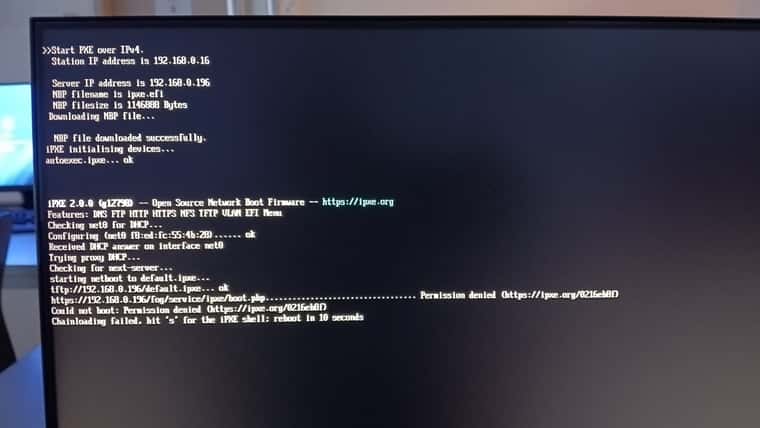
The PCs won’t boot anymore—I had to switch them all back from PXE boot to booting from the hard drive
Thank goodness I got to school early enough…
-
@kratkale The PXE failure has one cause, and a re-run of the installer fixes it.
On 2026-09-09 you ran the installer with --public-web-cert. The installer saved that setting. It is wrong for your server: your web certificate comes from FOG’s own CA, not from a public CA. Until yesterday, every upgrade stopped before the boot files. Yesterday the upgrade finished, and it applied the saved setting: iPXE now loads boot.php over HTTPS. iPXE cannot verify FOG’s own CA, so it stops with “Permission denied”.
The sudoers errors have a second cause: the sudo package is not installed on your server. Those errors do not stop PXE boot.
Update to 1.6.0-beta.5398 or newer. Then run this on the FOG server, from your fogproject/bin directory:
./installfog.sh -y --no-public-web-cert5398 installs sudo itself.
Then check the boot file:
grep chain /tftpboot/default.ipxeThe line must start with
chain http://192.168.0.196/. If it showshttps://, post the output. Boot one PC before you switch the others back to PXE.The “Detected a web certificate managed outside FOG” message was wrong. 5398 fixes it. It does not affect PXE boot.
5398 also warns if --public-web-cert is set on a certificate from FOG’s own CA.
-
This run will mint a new FOG PKI CA. A CA's name constraints are fixed at the moment it's issued -- widening them later means re-issuing it (rm -rf the CA directory, then re-run). Extra hostnames for this server, space-separated (3 min, blank = none): > Internal domain, e.g. example.local (3 min, blank = none): > * Creating FOG Secure Boot CA.................................Failed * Cannot issue 'FOG Secure Boot CA': the Root CA private key is not on this server (only /opt/fog/snapins/ssl/CA/.fogCA.pem is present). * That is the correct state for an offline root, but issuing a new intermediate needs it. Restore it to: /etc/fog/pki/root/ca/.fogCA.key re-run the installer, then move it back to your vault. Failed! !!!!!!!!!!!!!!!!!!!!!!!!!!!!!!!!!!!!!!!!!!!!!!!!!!!!!!!!!!!!!!!!!!! !! The installer was not able to run all the way to the end as !! !! something has caused it to fail. The following few lines are !! !! from the error log file which might help us figure out what's !! !! wrong. Please add this information when reporting an error. !! !! As well you might want to take a look at the full error log !! !! in /srv/daten/setup/20260602_wechsel_auf_fog_dev/fogproject/bin/error_logs/fog_error_1.6.0-beta.5401.log !! !!!!!!!!!!!!!!!!!!!!!!!!!!!!!!!!!!!!!!!!!!!!!!!!!!!!!!!!!!!!!!!!!!! "EXP_20260918-165800" Attribut "fogsum" von /var/www/fog//service/ipxe/arm_init.cpio.gz auf einen 64-Byte-Wert gesetzt: e7ea9e7d10cc8e0adcf0b000f30db26ef9fb332e100766a5d65b904a03e38f27 '/srv/daten/setup/20260602_wechsel_auf_fog_dev/fogproject/tmp/FOGService.msi' -> '/var/www/fog//client/FOGService.msi' '/srv/daten/setup/20260602_wechsel_auf_fog_dev/fogproject/tmp/SmartInstaller.exe' -> '/var/www/fog//client/SmartInstaller.exe' * This install did not finish, and the checkout has moved since the | last one that did. To put the code back where it was and re-run: | | git -C /srv/daten/setup/20260602_wechsel_auf_fog_dev/fogproject checkout --detach 47067fc7d8a083049cccde47f84af691e7b38ee9 | cd /srv/daten/setup/20260602_wechsel_auf_fog_dev/fogproject/bin && ./installfog.sh | | bin/revertupdate.sh does the same checkout for you, and it can be run | later -- this message appears only now, the script reads the same record. | | Nothing has been reverted for you. Your customizations were already | restored by this run -- see docs/SUPPORTED_CUSTOMIZATIONS.md -- and | bin/restorekernel.sh --list will show the kernel sets kept for you. root@fog:~# -
@kratkale Two separate things. The first gets your PCs booting today.
PXE boot, now. The installer stopped before it rewrote the boot file, so the file still says https. Change it by hand:
sed -i 's#^chain https://#chain http://#' /tftpboot/default.ipxe
grep chain /tftpboot/default.ipxe
The line must now start with
chain http://192.168.0.196/. Boot one PC to test it. The next complete installer run writes this file again, with http.The installer failure. Your certificates were not changed. The installer stopped before it created anything. The Secure Boot signing files that your settings name are not on disk, so it tried to create new ones. That needs the private key of your FOG root CA, and the key is not at /etc/fog/pki/root/ca/.fogCA.key. Your root certificate is still there, so your FOG clients are not affected.
Please do not delete anything, and do not run the installer with --recreate-CA. That replaces the CA that all your FOG clients trust.
Please post the output of these commands. They show only file names and paths, no key contents:
ls -la /etc/fog/pki /etc/fog/pki/root/ca /etc/fog/pki/secureboot /etc/fog/pki/secureboot/ca /etc/fog/pki/secureboot/leaf /opt/fog/snapins/ssl/CA
ls -ld /opt/fog/pki
grep -E '^PKI_(root|sb)_' /opt/fog/.fogsettings
find / -xdev -name '.fogCA.key' 2>/dev/null
