Task 0
-
@Tom-Elliott
Multicast is not working!
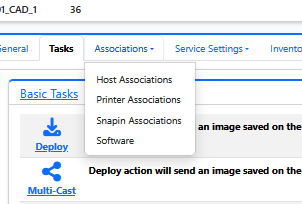
I’m not able to assing the host image with groups
-
@Tom-Elliott
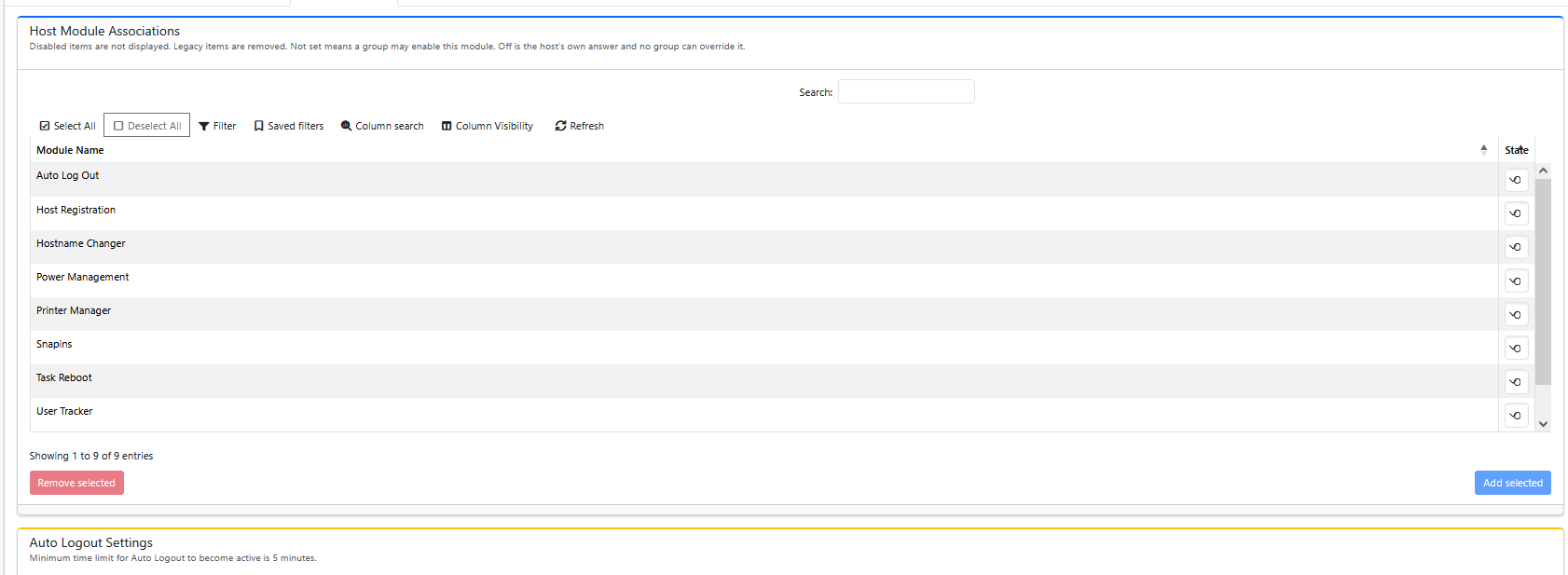
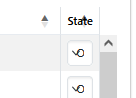
this icon is not self-explanatory
-
@Tom-Elliott
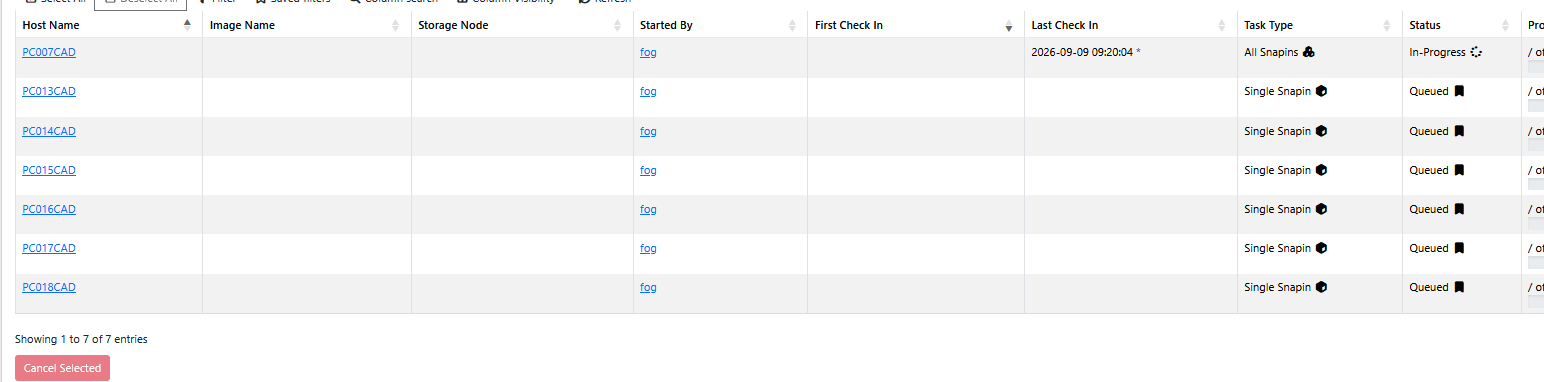
The task type is “Single Task” – > displayed as “All Snap-Ins”

-
@kratkale One thing at a time:
Correct, Groups no longer are “En-mass host updaters” they’re envelopes for Printers, Snapins, Software, Agent/Client stuffs.
You can mass update/edit hosts from the Hosts list. Groups are more similar to “Tags” represented on the Host list (you can filter down to specific or multiple groups, to mass update those things. https://docs.fogproject.org/en/latest/1.6/management/web/groups/
Column headers are now resizable, I can try to have it update the column headers to make sense, but your “Icon” is a down looking caret meaning it’s a select box, not an Icon. hte ‘O’ likely means On. if you make the column to the right smaller, you’ll see what I mean.
As such, headers can be moved however you see fit. They can also be resized (and those changes are persistent for your user.
You say multi-cast does not work? Can you elaborate please? What is making you believe that multicast is not working?
You can set multicast task from the Host list just like you could from a group. So unless the group you chose to test this with, none of the hosts associated had an image assigned, or there were different images assigned, I’m unsure what you mean.
You say tasks show as “All Snapins”, is this after the machine has imaged? Or are you saying Single Snapin Task is showing as “All Snapins Task”? I understand if there’s a language barrier or something but need to ensure I understand.
The key piece that I’m noticing, however, is the issue you did bring forward for this thread is, well, fixed isn’t it?
-
@Tom-Elliott
all hosts are waiting - all host are ready multitasking is not starting.First Test with the complete room 36PC’s
Second Test with 6 PC’s -
@Tom-Elliott
Goups -> List all Groups -> 01_CAD_1 -> Tasks -> Multi Cast
Abort … []
Shutdown … []
WAKE UP [x]
Debug … []
SCHEDULE IMMEDIATELY … [x]
[Create]
Displayed in
Task ->
Aktive Tasks (ervery PC)
Active Multicast Task (Group Entry) -
@Tom-Elliott
I dont use snapins asingned to PC’s
There was always a problem about Time, Restart, Update,
Unpredictable effects; something different with every $MS update
When cloning is realy finished I manually send a Snapin Teacher PC to the group Teacher PC and student to stundent. -
@Tom-Elliott
OK I’ve groups e.g. CAD 1 (a room with 36 PC’s) I want now to bring out a new image there.
I’ve now to
Host -> List All Hosts - > Select by Hand the 36 PC’s out of 64 / or take Column search and enter CAD1 - > Mass editThat is the new way?
-
@kratkale You were right on all three counts, and I was wrong to push back. Thank you for staying with it — your report turned up three genuine bugs, all of which are now fixed.
Multicast was completely dead on 1.6, not just from a group. Nothing you did was wrong. A schema step I added on 2026-08-29 converted a batch of columns from
0toNULL, andmulticastSessions.msStatewas one of them. The FOGMulticastManager daemon looks for sessions whose state is in a list of numbers, andNULLmatches no list — so every multicast session you created sat there forever and the sender was never started. That is exactly the “all hosts are waiting, nothing starts” you described. It affected the host list and the group path identically, which is why my “try it from the host list” suggestion would not have helped.If you want to confirm it on your own server before and after, watch the log while you queue a task:
tail -f /opt/fog/log/multicast.logBroken, it prints
* No new tasks foundevery ten seconds forever, even with a session queued. Working, it picks the session up and starts talking about the image. You don’t need a client booted to see the difference.The fix also repairs sessions already stranded in your database — the upgrade sets any that still belong to a live task back to queued, and cancels the rest so they don’t sit in the list.
“Single Snapin” showing as “All Snapins” was a real bug too. Tasking one snapin on a host that had no task running inserted the row typed as All Snapins and named “Multiple Snapin – orig Single”. The task itself ran correctly — only the snapin you picked was ever queued — but it read wrong in Active Tasks, in the task list’s Task Type column, and in the history. A guard that used to protect that code path went missing back in 2018. The same request made for several hosts at once went down a different path that was always correct, which is why you saw both labels for what you thought was the same action.
The “O” — I was wrong twice there.
First, I said it likely means On. It doesn’t necessarily: “On”, “Off” and “Not set” all truncate to a single character in that width, so “O” could be On or Off and you can’t tell which. On the host I checked, the “O” was Off.
Second, I told you to make the column to the right smaller. There is no column to its right — State is the last one, and the last column has no drag handle of its own. You’d have had to shrink Module Name, on its left. Sorry for sending you the wrong way.
The underlying cause was mine: the select box is styled to fill 100% of its cell, which means the cell has no natural width of its own, so the column collapsed to the width of the word “State” and then got locked at that size. It now sizes itself to fit its longest option, so you’ll see the whole word without touching anything.
On the “0” task from your first post — a task row pointing at a snapin that no longer exists. Those can no longer be created, and the upgrade sweeps out any left over, so it should be gone once you’re current.
Two things that are working as intended, not bugs:
Groups grant, they don’t copy. A group is now an envelope: put a host in a group that has a snapin or a printer and the host gets it, take the host out and it loses it. Nothing is written onto the host, which is why the group no longer offers to set an image on its members.
To set an image on a lot of hosts at once, use Host Management → List All Hosts, filter or search the list down to the ones you want, tick them, and use the mass-edit controls at the bottom — image is one of the fields there. For your 36-of-64 case, the per-column search boxes plus select-all-on-filtered is the fast way to pick them. If you make those 36 a group, that group also shows up as a filterable column, so next time it’s one click.
Where the fixes are: the multicast and snapin-labeling fixes are in
1.6.0-beta.5325and newer. The State column fix is queued behind it and will be in the next build after that. Please update and let me know what version you land on and whether multicast starts for you — and if it doesn’t, post themulticast.logoutput from the ten seconds after you queue the task. -
@Tom-Elliott
OK—let’s try again
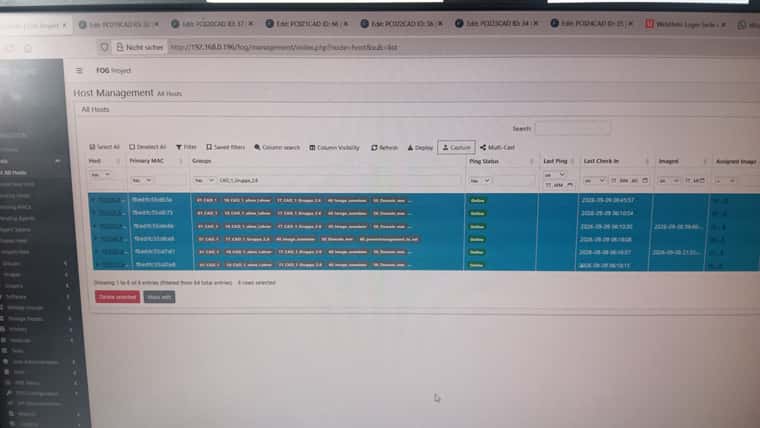
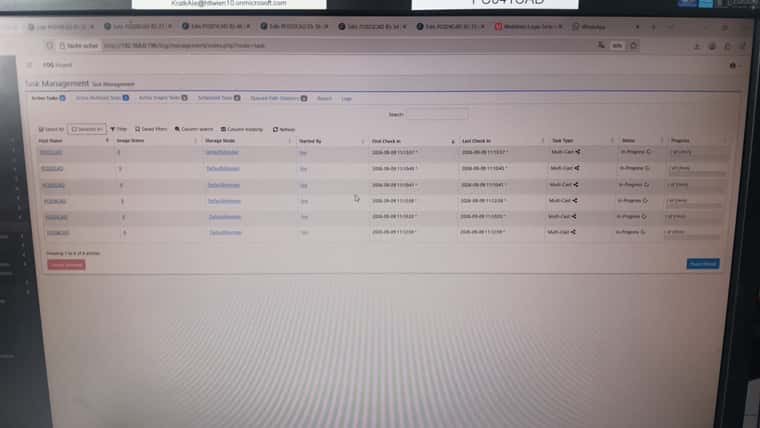
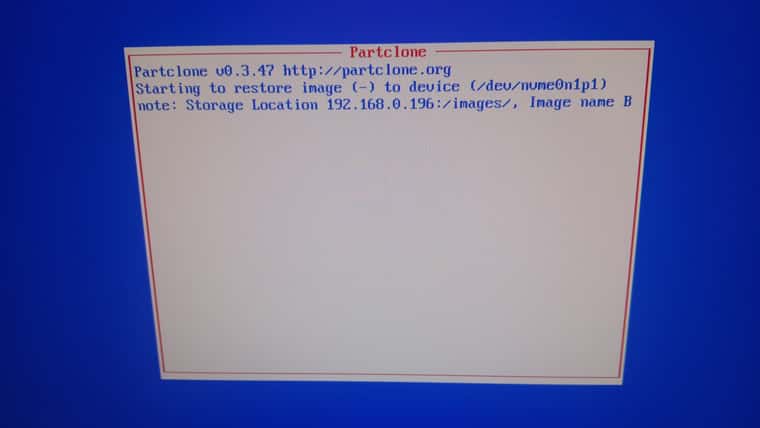
Hosts -> List All Hosts -> Groups contains “CAD_1_Group_2.6” -> Select All -> Multicast

-
-
@Tom-Elliott
The web server IS serving FOG at:
https://fog.mm.htlwien10.at/fog/management/index.php?node=schema
but this host cannot verify the certificate it presents.TLS verification failed (curl 60). The page rendered when verification was skipped,
so this is a trust problem and not a broken site – the
install continues.Likely causes:
- the certificate is managed outside FOG (acme.sh, certbot)
and FOG has not been pointed at it: make
/opt/fog/pki/web/leaf/.webLeaf.pem resolve to your
certificate (a symlink is enough)
- the served chain does not terminate in the anchor FOG
resolved (/opt/fog/snapins/ssl//CA/.fogCA.pem)Note the schema deploy verifies strictly and will NOT
continue past this – it carries an install token.-
Backing up database…Failed
We were not able to backup the current database!
Reason: curl exited 60 requesting https://fog.mm.htlwien10.at/fog/maintenance/backup_db.php: curl: (60) SSL certificate problem: unable to get local issuer certificate
More details here: https://curl.se/docs/sslcerts.html
curl failed to verify the legitimacy of the server and therefore could
Proceeding means this upgrade has no pre-upgrade dump to restore from. Press [Enter] to proceed anyway, or Ctrl+C to stop the installer. -
-
@Tom-Elliott
multicast is not working …
Please note the installation errors … -
@kratkale That’s not a bug and it’s not stopping you — press Enter and the upgrade will finish.
What it’s telling you: your server presents a certificate that FOG didn’t issue (a real one for
fog.mm.htlwien10.at, from acme.sh/certbot or your school’s CA). During an upgrade the installer makes a few HTTPS calls to itself, and it verifies those against FOG’s own CA. Your certificate doesn’t chain to FOG’s CA, so those calls fail. The only thing you actually lose is the automatic pre-upgrade database dump.So take a dump of the
fogdatabase yourself first, with mysqldump or from phpMyAdmin — whichever you normally use. Then press Enter and let the installer run.To stop this happening on every upgrade, point FOG at the certificate you are actually serving. Symlink both halves of your ACME pair into FOG’s leaf directory:
/opt/fog/pki/web/leaf/.webLeaf.pem  ->  your fullchain file
/opt/fog/pki/web/leaf/.webLeaf.key  ->  its matching private file
FOG checks whether those resolve outside its own PKI directory. Once they do, it treats the certificate as externally managed: it stops regenerating it, and it stops replacing your system trust store when it calls itself — so verification just works. Running the installer with
--public-web-certdeclares the same thing up front.Once you are through you will be on
1.6.0-beta.5332or newer, which carries the multicast, snapin-labeling and State column fixes. Let me know whether multicast starts for you. -
multicast ist not working …
-
@Tom-Elliott said in Task 0:
Running the installer with --public-web-cert declares the same thing up front.Feature does not work:


-
@Tom-Elliott
Scheduled Power Management Task is not working
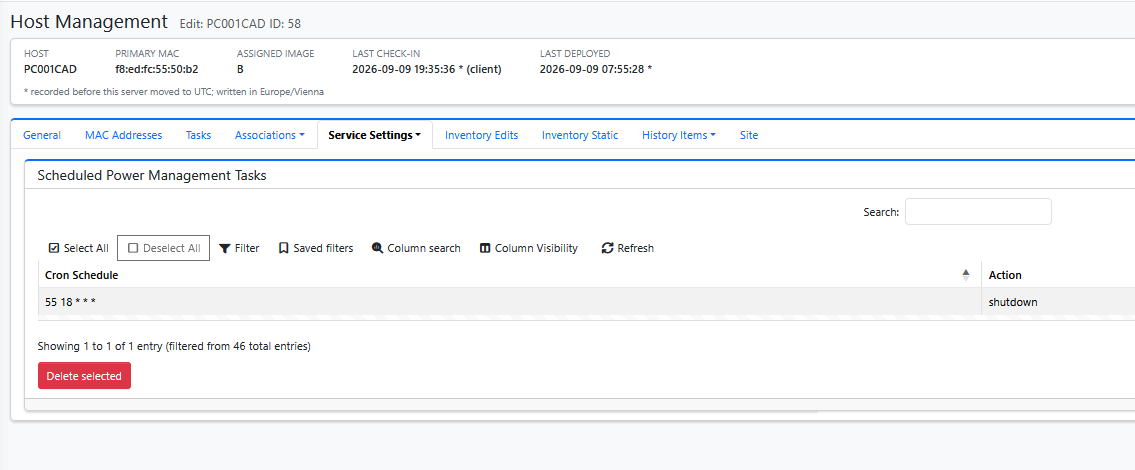
Maybe it’s a Windows bug; I’ve often had to shut down not just once, but two or three times with 24H2 LTS.
But none of the 36 + 25 student computers are shutting down.
-
@Tom-Elliott Manually deploying a Snapin after cloning does not work—you must first manually restart the system. There is no Fog log even before the restart. The Fog Client was run using C:\Windows\Setup\Scripts\SetupComplete.cmd
-
@Tom-Elliott
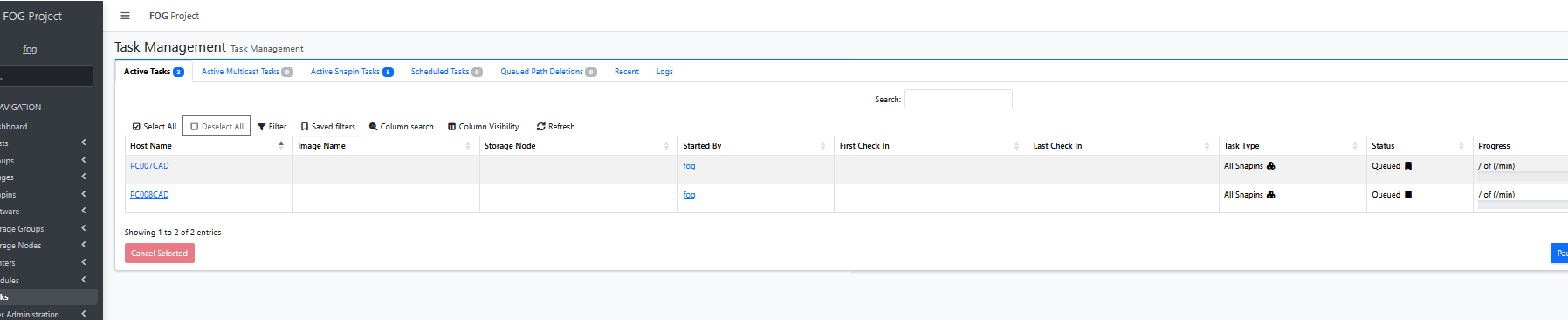
Here, too, I’m just launching a simple snap-in—it would be cool if it also showed which snap-in it is. As I mentioned before, due to timing issues, I stopped automatically deploying snap-ins—they often didn’t work properly, even though they worked in the Command Prompt. From this, I concluded that there’s a timing issue between Windows Update… and the snap-ins. That’s why I’ve always preferred to do this manually. -
Multicast. The version number does not show what fails. Queue a multicast task, start the clients, then post:
- the output of
tail -n 40 /opt/fog/log/multicast.log - a photo of one client screen
–public-web-cert. Correction to my last reply: this flag helps only when your web server sends a complete, publicly trusted chain. The flag removes FOG’s own CA from the check, and curl then uses the system trust store. That check also failed. So the system store cannot verify the chain your web server sends. Run this on the FOG server and post the output:
openssl s_client -connect fog.mm.htlwien10.at:443 -servername fog.mm.htlwien10.at </dev/null 2>/dev/null | grep -E '^ *[0-9]+ s:|^ +i:'It shows who issued the certificate and which certificates the server sends.
Power management. The server sends the schedule in the same format as 1.5. The FOG Client runs it on the PC, at 18:55 PC time. Check that Power Management is enabled in FOG Configuration > Service Configuration and on the host. Then post
C:\fog.logfrom one PC. The lines that start withPowerManagementshow whether the client got the schedule.Snapin after cloning. No
C:\fog.logmeans the FOG Client service has not run yet. The server only queues the snapin. The client starts it. Addnet start FOGServiceafter the client install line inSetupComplete.cmd.All Snapins. FOG shows All Snapins when a host has more than one snapin queued. The Active Snapin Tasks tab lists each snapin by name. The “/ of (/min)” text in the Progress column is a display bug. It is fixed in 1.6.0-beta.5346.
- the output of
