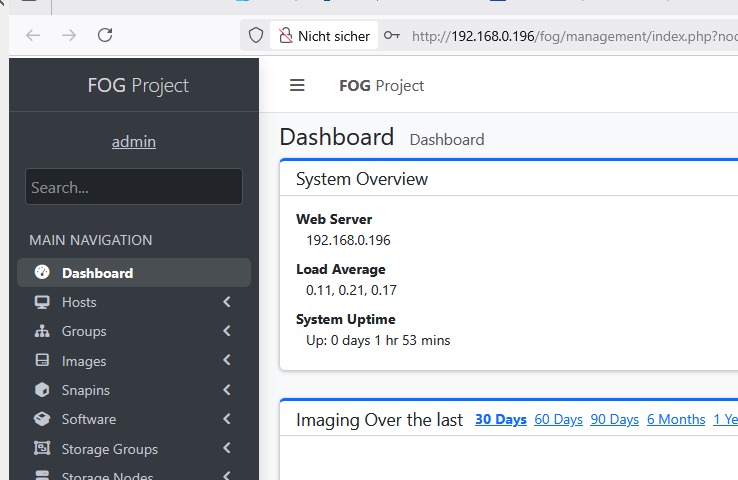
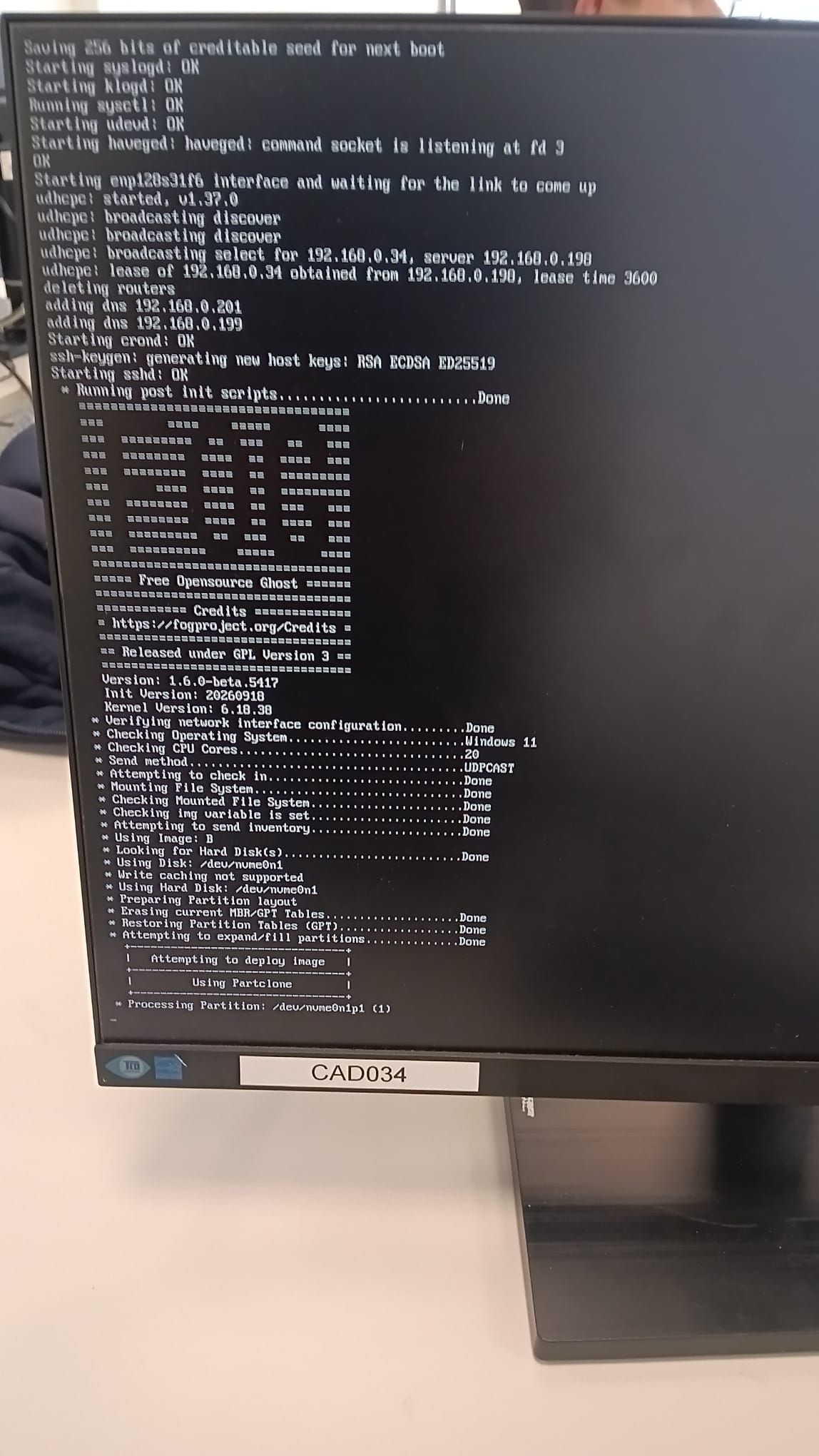
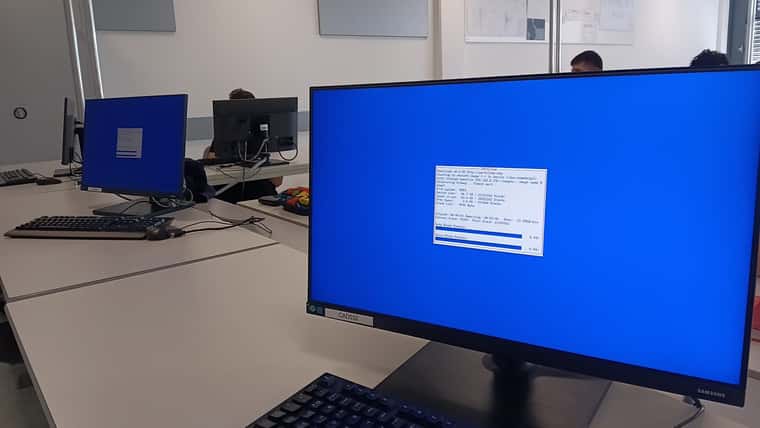
Task 0
-
@Tom-Elliott said in Task 0:
Both listings must show real files: .fogCA.key in the first, .webLeaf.pem and .webLeaf.key in the second.
root@fog:~# cp -an /opt/fog/service/etc/pki/. /etc/fog/pki/ [ -d /opt/fog/service/etc/customizations ] && cp -an /opt/fog/service/etc/customizations /etc/fog/ ls -la /etc/fog/pki/root/ca /etc/fog/pki/web/leaf /etc/fog/pki/root/ca: insgesamt 12 drwx--x--x 2 root root 4096 8. Sep 22:07 . drwxr-xr-x 3 root root 4096 8. Sep 22:17 .. -r-------- 1 root root 3272 2. Mai 13:31 .fogCA.key lrwxrwxrwx 1 root root 34 25. Sep 16:38 .fogCA.pem -> /opt/fog/snapins/ssl/CA/.fogCA.pem /etc/fog/pki/web/leaf: insgesamt 36 drwx--x--x 2 root root 4096 24. Sep 23:27 . drwxr-xr-x 4 root root 4096 8. Sep 21:56 .. -rwxr-xr-x 1 root root 2147 24. Sep 23:27 .webChain.pem -rwxr-xr-x 1 root root 4156 24. Sep 23:27 .webFullChain.pem -rwxr-xr-x 1 root root 1769 8. Sep 21:56 .webLeaf.csr -rwx--x--x 1 root root 3272 8. Sep 21:56 .webLeaf.key -rwxr-xr-x 1 root root 2009 8. Sep 21:56 .webLeaf.pem -rwxr-xr-x 1 root root 45 8. Sep 21:56 .webLeaf.sans root@fog:~# -
@Tom-Elliott said in Task 0:
[ -f /etc/apache2/sites-available/001-fog.conf.orig ] && cp /etc/apache2/sites-available/001-fog.conf.orig /etc/apache2/sites-available/001-fog.conf
root@fog:~# [ -f /etc/apache2/sites-available/001-fog.conf.orig ] && cp /etc/apache2/sites-available/001-fog.conf.orig /etc/apache2/sites-available/001-fog.conf root@fog:~# -
@Tom-Elliott said in Task 0:
apachectl configtest && systemctl restart apache2
./installfog.sh -y --no-public-web-cert
grep chain /tftpboot/default.ipxeroot@fog:~# apachectl configtest && systemctl restart apache2 ./installfog.sh -y --no-public-web-cert grep chain /tftpboot/default.ipxe Syntax OK -bash: ./installfog.sh: Datei oder Verzeichnis nicht gefunden chain http://192.168.0.196/fog/service/ipxe/boot.php##params root@fog:~#I’ll now run the installfog in the correct dir
-
@Tom-Elliott said in Task 0:
./installfog.sh -y --no-public-web-cert
root@fog:~/FOG_SERVER_Updates_durchführen# ./301_updaten_working-1.6 IPFire muss FOG durchlassen! Bereits auf 'working-1.6' Ihr Branch ist auf demselben Stand wie 'origin/working-1.6'. remote: Enumerating objects: 136, done. remote: Counting objects: 100% (65/65), done. remote: Compressing objects: 100% (38/38), done. remote: Total 136 (delta 36), reused 45 (delta 27), pack-reused 71 (from 1) Empfange Objekte: 100% (136/136), 797.82 KiB | 8.49 MiB/s, fertig. Löse Unterschiede auf: 100% (69/69), abgeschlossen mit 11 lokalen Objekten. Von https://github.com/fogproject/fogproject 7bcae674c..ff62c1f17 working-1.6 -> origin/working-1.6 efc921957..e98fdd6cb dev-branch -> origin/dev-branch * [neuer Branch] fix/etc-fog-symlink-orphans-pki -> origin/fix/etc-fog-symlink-orphans-pki * [neuer Branch] rc-1.6.0 -> origin/rc-1.6.0 * [neues Tag] 1.6.0-RC-1 -> 1.6.0-RC-1 Aktualisiere 7bcae674c..ff62c1f17 Fast-forward .githooks/lib/fog-version.sh | 36 +++++++++++++++++++++++++++++------- bin/bootstrap.sh | 24 +++++++++++++++++++++--- bin/updatefog.sh | 12 ++++++++++++ lib/common/functions.sh | 111 ++++++++++++++++++++++++++++++++++++++++++++++++++++++++++++++++++++++++++++++++++++++++++++++++++++----------- packages/web/src/Base/FOGPage.php | 19 ++++++++++++------- tests/bootstrap-installer.test.sh | 5 +++++ tests/external-cert-detection.test.sh | 37 +++++++++++++++++++++++++++++++++++++ tests/fog-version-release-tag.test.sh | 36 +++++++++++++++++++++++++++++++++++- tests/rc-channel-resolution.test.sh | 18 ++++++++++++++++++ tests/svc-bashrc-silent-for-sftp.test.sh | 68 ++++++++++++++++++++++++++++++++++++++++++++++++++++++++++++++++++++ 10 files changed, 337 insertions(+), 29 deletions(-) create mode 100644 tests/svc-bashrc-silent-for-sftp.test.sh Weiter mit beliebiger Taste ^C root@fog:~/FOG_SERVER_Updates_durchführen# ./303_fog_installieren Installing LSB_Release as needed * Attempting to get release information.......................Done ================================== === ==== ===== ==== === ========= == === == === === ======== ==== == ==== === === ======== ==== == ========= === ==== ==== == ========= === ======== ==== == === === === ======== ==== == ==== === === ========= == === == === === ========== ===== ==== ================================== ===== Free Opensource Ghost ====== ================================== ============ Credits ============= = https://fogproject.org/Credits = ================================== == Released under GPL Version 3 == ================================== Version: 1.6.0-beta.5417 Installer/Updater * Found FOG Settings from previous install at: /opt/fog/.fogsettings * Performing upgrade using these settings Starting Debian based Installation ###################################################################### # FOG now has everything it needs for this setup, but please # # understand that this script will overwrite any setting you may # # have setup for services like DHCP, apache, pxe, tftp, and NFS. # ###################################################################### # It is not recommended that you install this on a production system # # as this script modifies many of your system settings. # ###################################################################### # This script should be run by the root user. # # It will prepend the running with sudo if root is not set # ###################################################################### # Please see our wiki for more information at: # ###################################################################### # https://wiki.fogproject.org/wiki/index.php # ###################################################################### * Here are the settings FOG will use: * Base Linux: Debian * Detected Linux Distribution: Debian GNU/Linux * Interface: eno1 * Server IP Address: 192.168.0.196 * Server Subnet Mask: 255.255.0.0 * Hostname: fog.mm.htlwien10.at * Installation Type: Normal Server * Internationalization: No * Image Storage Location: /images * Using FOG DHCP: No * DHCP will NOT be setup but you must setup your | current DHCP server to use FOG for PXE services. * On a Linux DHCP server you must set: next-server and filename * On a Windows DHCP server you must set options 066 and 067 * Option 066/next-server is the IP of the FOG Server: (e.g. 192.168.0.196) * Option 067/filename is the bootfile, per client architecture: | BIOS / legacy undionly.kkpxe | 32-bit UEFI i386-efi/snponly.efi | 64-bit UEFI secureboot/snponly-shimx64.efi | ARM64 UEFI secureboot/arm64-efi/snponly-shimaa64.efi * The secureboot/ files are the signed chain. They boot the same | whether Secure Boot is enabled or not, so they are the right | answer for every 64-bit UEFI client, not just the ones enforcing | it. There is no signed 32-bit chain -- those clients must have | Secure Boot disabled to netboot at all. | See https://docs.fogproject.org/en/latest/secure-boot-netboot * Send OS Name, OS Version, and FOG Version: Yes * Web protocol: https * Netboot (PXE) protocol: https * Force HTTP->HTTPS redirect: No * Web certificate chains to a public root: No * Rebuild iPXE with your CA: No * Installation Started * Testing internet connection.................................Done * Adjusting repository (can take a long time for cleanup).....OK * Preparing Package Manager...................................OK * Reading package state.......................................OK * Packages to be installed: apache2 attr bc build-essential cpp curl efitools g++ gawk gcc gcc-aarch64-linux-gnu genisoimage git gzip htmldoc isolinux jq lftp libapache2-mod-php libc6 libcurl4t64 liblzma-dev m4 mariadb-client mariadb-server net-tools nfs-kernel-server openssh-server php php-bcmath php-cli php-curl php-fpm php-gd php-json php-ldap php-mbstring php-mysql php-ssh2 sbsigntool sudo tar tftpd-hpa tftp-hpa unzip vsftpd wget zlib1g * Skipping package: apache2.................................(Already Installed) * Skipping package: attr....................................(Already Installed) * Skipping package: bc......................................(Already Installed) * Skipping package: build-essential.........................(Already Installed) * Skipping package: cpp.....................................(Already Installed) * Skipping package: curl....................................(Already Installed) * Skipping package: efitools................................(Already Installed) * Skipping package: g++.....................................(Already Installed) * Skipping package: gawk....................................(Already Installed) * Skipping package: gcc.....................................(Already Installed) * Skipping package: gcc-aarch64-linux-gnu...................(Already Installed) * Skipping package: genisoimage.............................(Already Installed) * Skipping package: git.....................................(Already Installed) * Skipping package: gzip....................................(Already Installed) * Skipping package: htmldoc.................................(Already Installed) * Skipping package: isolinux................................(Already Installed) * Skipping package: jq......................................(Already Installed) * Skipping package: lftp....................................(Already Installed) * Skipping package: libapache2-mod-php......................(Already Installed) * Skipping package: libc6...................................(Already Installed) * Skipping package: libcurl4t64.............................(Already Installed) * Skipping package: liblzma-dev.............................(Already Installed) * Skipping package: m4......................................(Already Installed) * Skipping package: mariadb-client..........................(Already Installed) * Skipping package: mariadb-server..........................(Already Installed) * Skipping package: net-tools...............................(Already Installed) * Skipping package: nfs-kernel-server.......................(Already Installed) * Skipping package: openssh-server..........................(Already Installed) * Skipping package: php.....................................(Already Installed) * Skipping package: php-bcmath..............................(Already Installed) * Skipping package: php-cli.................................(Already Installed) * Skipping package: php-curl................................(Already Installed) * Skipping package: php-fpm.................................(Already Installed) * Skipping package: php-gd..................................(Already Installed) * Skipping package: php-json................................(Already Installed) * Skipping package: php-ldap................................(Already Installed) * Skipping package: php-mbstring............................(Already Installed) * Skipping package: php-mysql...............................(Already Installed) * Skipping package: php-ssh2................................(Already Installed) * Skipping package: sbsigntool..............................(Already Installed) * Skipping package: sudo....................................(Already Installed) * Skipping package: tar.....................................(Already Installed) * Skipping package: tftpd-hpa...............................(Already Installed) * Skipping package: tftp-hpa................................(Already Installed) * Skipping package: unzip...................................(Already Installed) * Skipping package: vsftpd..................................(Already Installed) * Skipping package: wget....................................(Already Installed) * Skipping package: zlib1g..................................(Already Installed) * Updating packages as needed.................................OK * Confirming package installation * Checking package: apache2...................................OK * Checking package: attr......................................OK * Checking package: bc........................................OK * Checking package: build-essential...........................OK * Checking package: cpp.......................................OK * Checking package: curl......................................OK * Checking package: efitools..................................OK * Checking package: g++.......................................OK * Checking package: gawk......................................OK * Checking package: gcc.......................................OK * Checking package: gcc-aarch64-linux-gnu.....................OK * Checking package: genisoimage...............................OK * Checking package: git.......................................OK * Checking package: gzip......................................OK * Checking package: htmldoc...................................OK * Checking package: isolinux..................................OK * Checking package: jq........................................OK * Checking package: lftp......................................OK * Checking package: libapache2-mod-php........................OK * Checking package: libc6.....................................OK * Checking package: libcurl4t64...............................OK * Checking package: liblzma-dev...............................OK * Checking package: m4........................................OK * Checking package: mariadb-client............................OK * Checking package: mariadb-server............................OK * Checking package: net-tools.................................OK * Checking package: nfs-kernel-server.........................OK * Checking package: openssh-server............................OK * Checking package: php.......................................OK * Checking package: php-bcmath................................OK * Checking package: php-cli...................................OK * Checking package: php-curl..................................OK * Checking package: php-fpm...................................OK * Checking package: php-gd....................................OK * Checking package: php-json..................................OK * Checking package: php-ldap..................................OK * Checking package: php-mbstring..............................OK * Checking package: php-mysql.................................OK * Checking package: php-ssh2..................................OK * Checking package: sbsigntool................................OK * Checking package: sudo......................................OK * Checking package: tar.......................................OK * Checking package: tftpd-hpa.................................OK * Checking package: tftp-hpa..................................OK * Checking package: unzip.....................................OK * Checking package: vsftpd....................................OK * Checking package: wget......................................OK * Checking package: zlib1g....................................OK * Configuring services * Setting up fogproject user..................................Skipped * Locking fogproject as a system account......................OK * Setting up fogproject password..............................OK * Stopping FOGMulticastManager.service Service................OK * Stopping FOGImageReplicator.service Service.................OK * Stopping FOGSnapinReplicator.service Service................OK * Stopping FOGScheduler.service Service.......................OK * Stopping FOGPingHosts.service Service.......................OK * Stopping FOGSnapinHash.service Service......................OK * Stopping FOGImageSize.service Service.......................OK * Stopping FOGFileDeleter.service Service.....................OK * Stopping FOGPluginRunner.service Service....................OK * Stopping FOGRetentionRunner.service Service.................OK * Stopping FOGAgentReleaseSync.service Service................OK * Setting up and starting MySQL...............................OK * Testing connection to database..............................OK * Setting up MySQL user and database..........................Skipped * Backing up user reports.....................................Done * Backing up customizations...................................OK * Downloading plugins (v1.6.24)...............................OK * Stopping web service........................................OK * Setting up Apache and PHP files.............................OK * Testing and removing symbolic links if found................OK * Backing up old data.........................................OK * Copying new files to web folder.............................OK * Dropping the stale class file lists.........................OK * Creating config file........................................OK * Creating paths file.........................................OK * Creating redirection index file.............................Skipped * Downloading kernel, init and fog-client binaries............Done * Copying binaries to destination paths.......................OK * Signing FOS kernels and Memtest86+ for Secure Boot..........Done * Installing Secure Boot signing helper.......................Done * Publishing Secure Boot enrollment kit.......................Done * Publishing Secure Boot variable updates.....................Done * Enabling apache2 and fpm services on boot...................OK * Publishing client communication certificate.................OK * Creating auth pub key and cert..............................OK * Resetting SSL Permissions...................................OK * Setting up Apache virtual host (normal).....................OK * Testing Apache configuration................................OK * Configuring PHP FPM.........................................Done * Starting and checking status of web services................OK * Changing permissions on apache log files....................OK * Setting up FOG Services.....................................OK * Creating FOG plugin runner log directory....................OK * Creating FOG retention runner log directory.................OK * Creating FOG agent release sync log directory...............OK * Creating FOS report log directory...........................OK * Creating FOG fault log directory............................OK * Setting FOG service master log ownership....................OK * Creating FOG cache directory................................OK * Creating FOG agent directory................................OK * Creating FOG agent versions directory.......................OK * Creating FOG session directory..............................OK * Creating FOG plugin directory...............................OK * Checking web server serves FOG..............................Done * Backing up database.........................................Done * Updating Database...........................................OK * Verifying database schema...................................Done * Update fogstorage database password.........................OK * Granting access to fogstorage database user.................Skipped * Setting up storage..........................................OK * Downloading iPXE Secure Boot binaries (v2.0.0-fog.8)........OK * Setting up and starting DHCP Server.........................Skipped * A sample Kea DHCP config for a dedicated/external DHCP server was | written to: /var/www/fog/kea-dhcp4.conf.fog-sample | Copy it to your DHCP server as /etc/kea/kea-dhcp4.conf and adjust the | subnet/pool/routers/domain-name-servers to match that network. | next-server is already set to this FOG server (192.168.0.196). * Downloading iPXE binaries (v2.0.0-fog.8)....................OK * Removing iPXE paths retired in v2.0.0-fog.8.................Done * autoexec/ is gone: every EFI binary in the TFTP root reads autoexec.ipxe now, so the duplicate tree served no purpose. * 10secdelay/ keeps its BIOS builds and has lost its EFI ones. On EFI the delay is installfog.sh --boot-delay, which writes a sleep into autoexec.ipxe; an EMBED-marked .efi sitting next to a root autoexec.ipxe panics the client it boots. * If any DHCP server hands out a boot filename starting "autoexec/", drop that prefix -- autoexec/snponly.efi becomes snponly.efi. If one names 10secdelay/<something>.efi, point it at the same file without the 10secdelay/ prefix and set --boot-delay instead. * Configuring default iPXE file...............................OK * Setting up and starting TFTP Server.........................OK * Restoring customizations....................................OK * Signing rEFInd for Secure Boot..............................Done * Signing iPXE binaries for Secure Boot.......................Done (15) * Publishing local ESP boot archives..........................Done (3) * Setting up and starting VSFTP Server........................OK * Setting up FOG Snapins......................................OK * Restricting private key access..............................OK ################################################################### # The CA private key for this server is on this server, readable # # only by root: # # /etc/fog/pki/root/ca/.fogCA.key # # # # That protects it from a compromise of the web application, but # # not from a compromise of the machine. To move it to a vault: # # /opt/fog/bin/fog-offline-ca-key /mnt/vault # # # # Day to day nothing needs it. Restore it only to issue a new # # intermediate, or a certificate for a new storage node. # # # # The Secure Boot CA private key is also on this server, # # readable only by root: # # /etc/fog/pki/secureboot/ca/.fogSBCA.key # # # # Restore it to issue a new Secure Boot intermediate, or a # # new signing leaf. To move it to a vault: # # /opt/fog/bin/fog-offline-ca-key /mnt/vault --zone secureboot # ################################################################### * Installing node certificate signing helper..................Done * Installing the certificate management helper................Done * Trusting the FOG CA on this server..........................Done * Setting up UDPCast..........................................OK * Configuring UDPCast.........................................OK * Building UDPCast............................................OK * Installing UDPCast..........................................OK * Installing FOG System Scripts...............................OK * Configuring FOG System Services * Setting permissions on FOGMulticastManager.service script...OK * Enabling FOGMulticastManager.service Service................OK * Setting permissions on FOGImageReplicator.service script....OK * Enabling FOGImageReplicator.service Service.................OK * Setting permissions on FOGSnapinReplicator.service script...OK * Enabling FOGSnapinReplicator.service Service................OK * Setting permissions on FOGScheduler.service script..........OK * Enabling FOGScheduler.service Service.......................OK * Setting permissions on FOGPingHosts.service script..........OK * Enabling FOGPingHosts.service Service.......................OK * Setting permissions on FOGSnapinHash.service script.........OK * Enabling FOGSnapinHash.service Service......................OK * Setting permissions on FOGImageSize.service script..........OK * Enabling FOGImageSize.service Service.......................OK * Setting permissions on FOGFileDeleter.service script........OK * Enabling FOGFileDeleter.service Service.....................OK * Setting permissions on FOGPluginRunner.service script.......OK * Enabling FOGPluginRunner.service Service....................OK * Setting permissions on FOGRetentionRunner.service script....OK * Enabling FOGRetentionRunner.service Service.................OK * Setting permissions on FOGAgentReleaseSync.service script...OK * Enabling FOGAgentReleaseSync.service Service................OK * Starting FOGMulticastManager.service Service................OK * Starting FOGImageReplicator.service Service.................OK * Starting FOGSnapinReplicator.service Service................OK * Starting FOGScheduler.service Service.......................OK * Starting FOGPingHosts.service Service.......................OK * Starting FOGSnapinHash.service Service......................OK * Starting FOGImageSize.service Service.......................OK * Starting FOGFileDeleter.service Service.....................OK * Starting FOGPluginRunner.service Service....................OK * Starting FOGRetentionRunner.service Service.................OK * Starting FOGAgentReleaseSync.service Service................OK * Setting up NFS configuration file...........................OK * Setting up exports file.....................................OK * Setting up and starting RPCBind.............................OK * Setting up and starting NFS Server..........................OK * Linking FOG Service config /etc.............................OK * Recording FOG base path.....................................OK * Installing FOG utilities....................................OK * Ensuring node username and passwords match..................Done * Recording fog_git_path/update channel/extra server names....OK * Setting up FOG External Reporting...........................Done * Netboot (PXE) is using HTTP, not HTTPS. Your web UI and API are HTTPS; only iPXE's own fetches are not. iPXE validates TLS strictly and cannot be told to trust a private CA, so an HTTPS netboot against one simply fails. HTTP here is the same exposure a default install has always had, on a pre-boot network. * Secure Boot binaries ARE staged on this server, in every mode. That used to be skipped on any HTTPS install. To enroll a machine, boot it and choose 'Enroll Secure Boot Key' from the FOG menu. * To move netboot onto HTTPS, tell FOG which is true: --public-web-cert your certificate chains to a public root (needs an FQDN, not an IP) --rebuild-ipxe-with-my-ca rebuild iPXE with your CA embedded (slow, and its MOK must be enrolled before a client can netboot) Or force it outright with --netboot-proto https. * Setup complete You can now login to the FOG Management Portal using the information listed below. The login information is only if this is the first install. This can be done by opening a web browser and going to: https://fog.mm.htlwien10.at/fog/management https://192.168.0.196/fog/management Either works -- the certificate covers the address as well as the name, so neither is a name mismatch. The address needs no DNS; the name it is issued for is fog.mm.htlwien10.at. Default User Information Username: fog Password: password root@fog:~# -
@kratkale That run is clean. Every step finished, the sudoers and certificate errors are gone, and all FOG services started.
The summary near the top says “Netboot (PXE) protocol: https”. That line is wrong: it showed the setting from the previous run. The end of the run is correct: netboot uses HTTP. I am fixing the summary line in the installer.
Please check these, in this order:
grep chain /tftpboot/default.ipxe
systemctl is-active FOGMulticastManagerThe first line must start with chain http://192.168.0.196/. The second must say active. Then PXE boot one PC. If it reaches the FOG menu, switch the other PCs back to PXE and try the multicast task again. If a step fails, post the output of that step only.
-
Yay—multicast is working with 2 PCs—now just the snap-ins…
-
@kratkale Good, thank you for confirming.
If a snap-in does not run, open a new topic for it, and post these three things there:
- the snap-in task status from the web UI (Tasks, Active Tasks)
- whether the PC runs the FOG Client or the FOG Agent
- the client log from that PC: C:\fog.log for the FOG Client
Your certificates are the original ones, restored from the old directory. The clients do not need to trust a new CA.
-
@Tom-Elliott

The snap-ins work—the image is displayed on the old computer, but not on the two new ones. -
@kratkale I’m not sure what problem you’re trying to solve.
if those 2 machines don’t have a valid image associated, what are you expecting to see for the 'Image Name"? In my head this is expected.
-
@Tom-Elliott
These are the two machines that were just cloned!I deployed the Snap-in three times:
the two newly cloned machines and one old machine to see if any certificate issues arise with the old computers. All of them were assigned Image B.The computer, which has not yet been cloned, did not process the snap-in.

------------------------------------------------------------------------------
--------------------------------Authentication--------------------------------
------------------------------------------------------------------------------
 28.09.2026 07:38:56 Client-Info Version: 0.13.0
 28.09.2026 07:38:56 Client-Info OS:      Windows
 28.09.2026 07:38:56 Middleware::Authentication Waiting for authentication timeout to pass
 28.09.2026 07:40:56 Middleware::Communication Download: http://192.168.0.196/fog/management/other/ssl/srvpublic.crt
 28.09.2026 07:40:58 Middleware::Communication ERROR: Could not download file
 28.09.2026 07:40:58 Middleware::Communication ERROR: Die Verbindung mit dem Remoteserver kann nicht hergestellt werden.

 28.09.2026 07:40:58 Client-Info ERROR: Failed to authenticate, will not run Module Looper.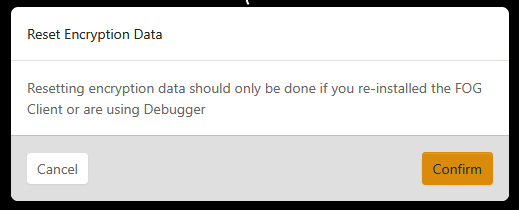
Resetting the encryption settings, deleting the snap-in that wasn’t running, and restarting it didn’t help…Rebooting of the pc helped