• Recent
    • Unsolved
    • Tags
    • Popular
    • Users
    • Groups
    • Search
    • Register
    • Login

    Windows 11 | 65x HP Z2 Tower G1i | UPDATE -

    Scheduled Pinned Locked Moved Unsolved FOG Problems
    117 Posts 3 Posters 5.7k Views
    Loading More Posts
    • Oldest to Newest
    • Newest to Oldest
    • Most Votes
    Reply
    • Reply as topic
    Log in to reply
    This topic has been deleted. Only users with topic management privileges can see it.
    • Tom ElliottT
      Tom Elliott @kratkale
      last edited by

      @kratkale If you update the the latest verison of working-1.6, does this error go away?

      Please help us build the FOG community with everyone involved. It's not just about coding - way more we need people to test things, update documentation and most importantly work on uniting the community of people enjoying and working on FOG! Get in contact with me (chat bubble in the top right corner) if you want to join in.

      Web GUI issue? Please check apache error (debian/ubuntu: /var/log/apache2/error.log, centos/fedora/rhel: /var/log/httpd/error_log) and php-fpm log (/var/log/php*-fpm.log)

      Please support FOG if you like it: https://wiki.fogproject.org/wiki/index.php/Support_FOG

      1 Reply Last reply Reply Quote 0
      • K
        kratkale @Tom Elliott
        last edited by

        @Tom-Elliott
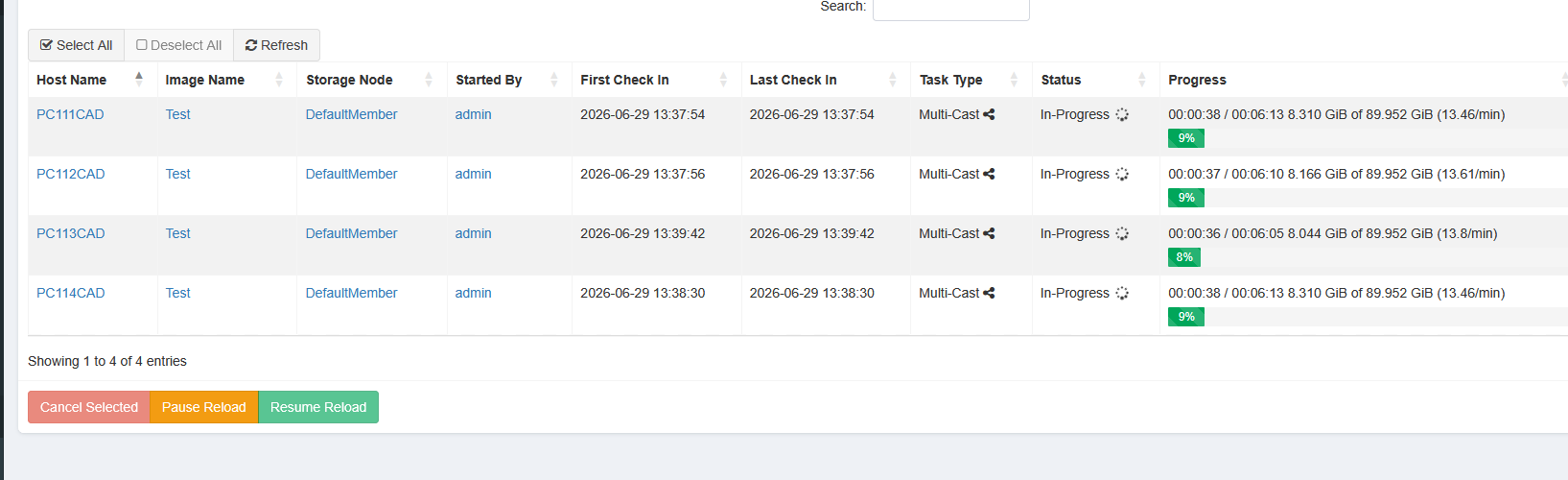
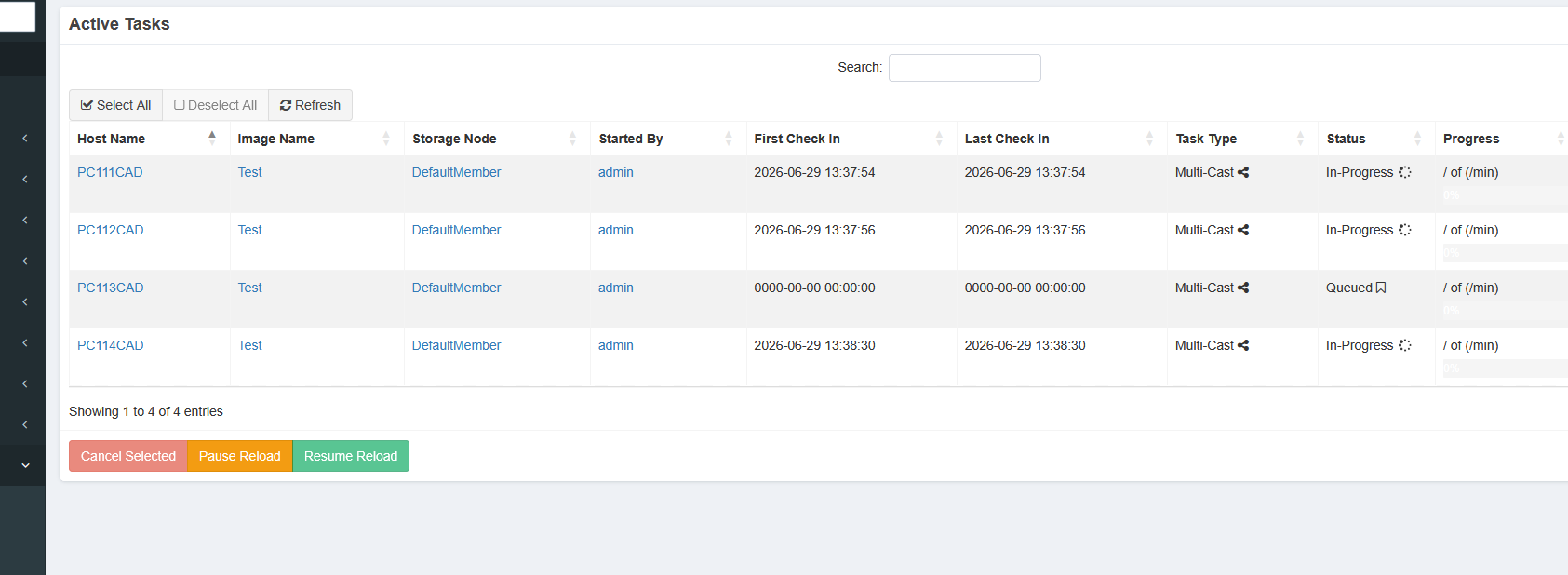
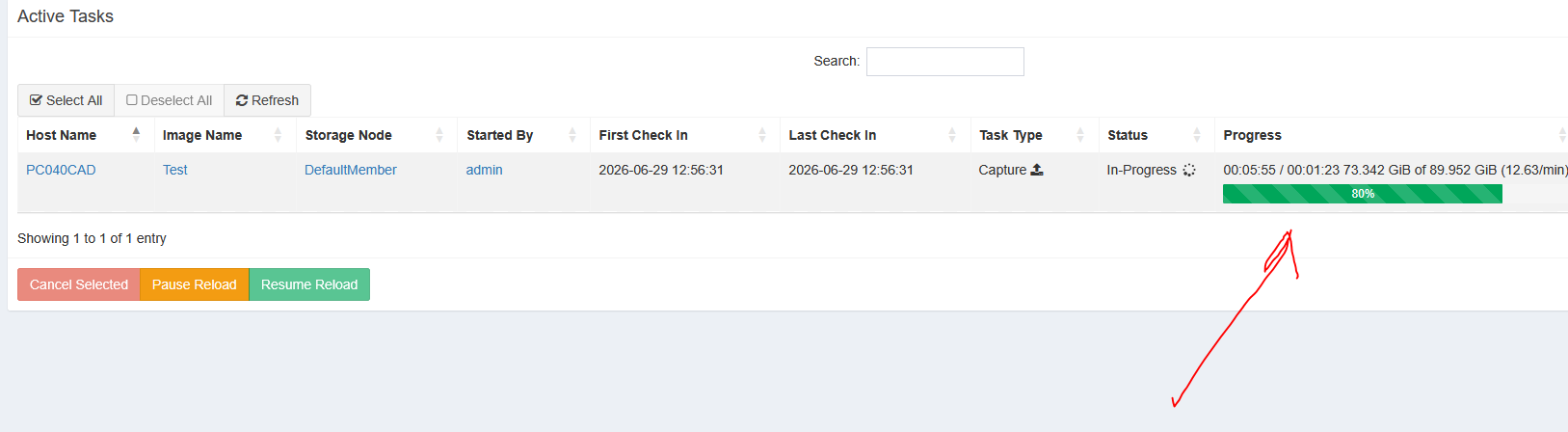
        This bar is missing in multicast Task
        7731b7b5-54d5-49fb-aa01-b7f690bf9f1a-grafik.png

        Tom ElliottT 1 Reply Last reply Reply Quote 0
        • K
          kratkale @Tom Elliott
          last edited by

          @Tom-Elliott
          it works the single Cast with PC115CAD - it was tho old 0O problem 🙂 thanks

          No errors with database and so on - like it was in multicast - reported …
          fog client will now be installed after cloning - first try

          1 Reply Last reply Reply Quote 0
          • Tom ElliottT
            Tom Elliott @kratkale
            last edited by

            @kratkale f584f912-47b2-4e95-aa96-ae12de5474b4-image.png

            I’m using a simulation but I’m still seeing percent for mutlicast tasks.

            Please help us build the FOG community with everyone involved. It's not just about coding - way more we need people to test things, update documentation and most importantly work on uniting the community of people enjoying and working on FOG! Get in contact with me (chat bubble in the top right corner) if you want to join in.

            Web GUI issue? Please check apache error (debian/ubuntu: /var/log/apache2/error.log, centos/fedora/rhel: /var/log/httpd/error_log) and php-fpm log (/var/log/php*-fpm.log)

            Please support FOG if you like it: https://wiki.fogproject.org/wiki/index.php/Support_FOG

            K 1 Reply Last reply Reply Quote 0
            • K
              kratkale @Tom Elliott
              last edited by kratkale

              @Tom-Elliott
              e7495430-65b2-4218-94d4-b2afe3446709-grafik.png
              95420828-9576-4625-ac21-15e46e642833-grafik.png

              Now there is the bar …

              93a21420-3eb5-46f4-a51b-05c28da73d66-grafik.png

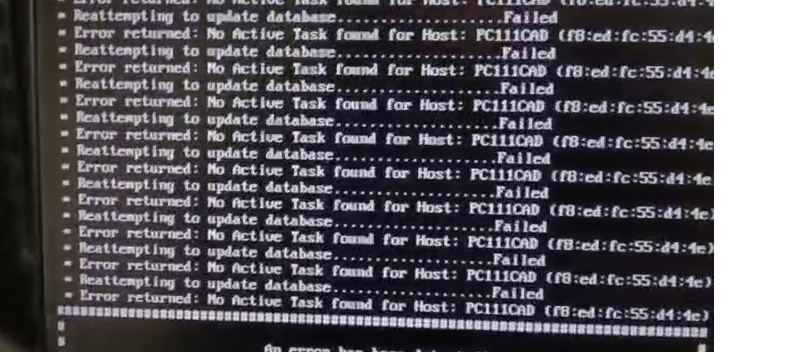
              Error after multicast session:
              37bd0c83-b561-4723-b32f-186b324f58d7-grafik.png

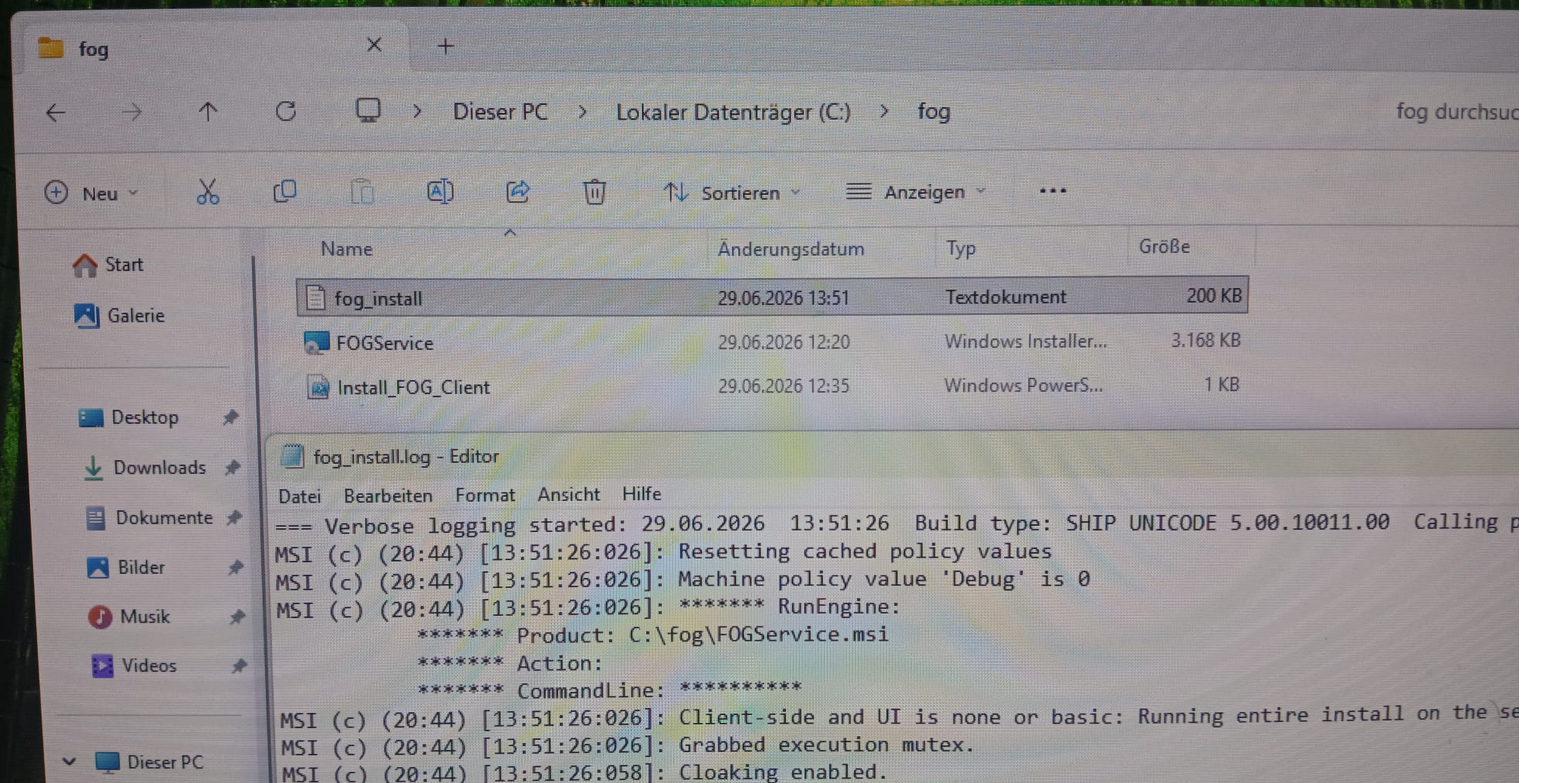
              Installation of fog client worked
              a5be46d7-23d2-49c8-92e9-46ec243606a2-grafik.png

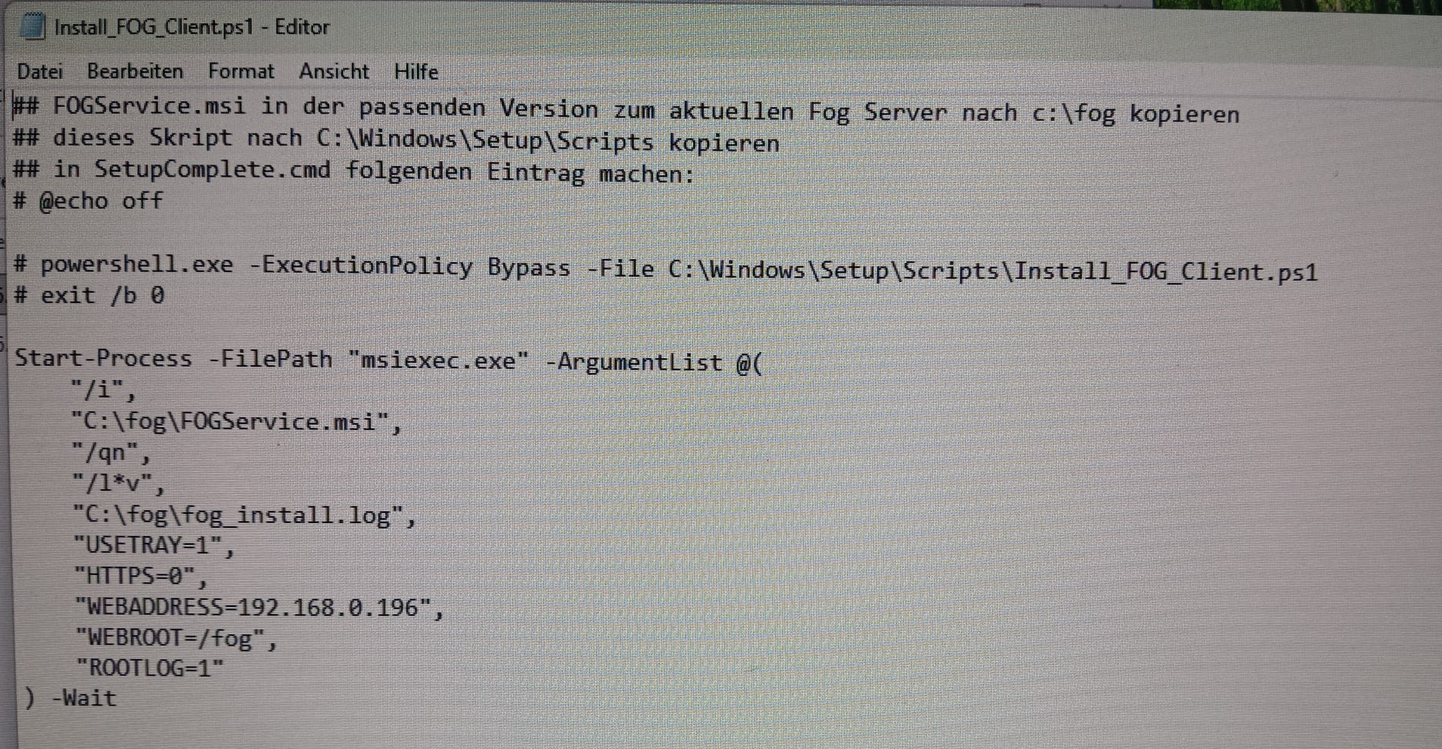
              Here the used script:
              0ebf08c0-80e1-431c-9ef1-7b4a2c6bec60-grafik.png

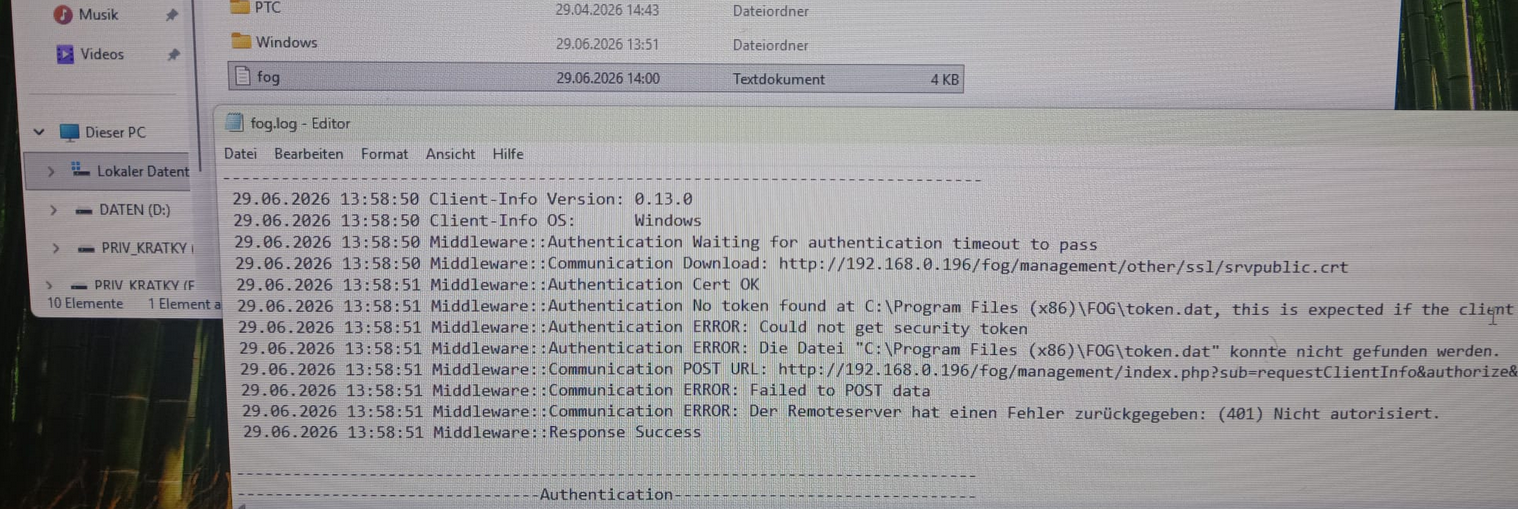
              Still Problem with security token
              5f78fe25-0646-4e90-87c7-f304c832a3db-grafik.png

              Reset Encryption Data for PC111CAD
              working

              Tomorrow I’ll reset Encryption Data during the cloning process …

              Tom ElliottT 2 Replies Last reply Reply Quote 0
              • Tom ElliottT
                Tom Elliott @kratkale
                last edited by

                @kratkale So, just to make sure:

                Things are working (though you are getting a visual error saying something failed when it really didn’t?)

                Otherwise things are functioning mostly correctly now, right?

                Please help us build the FOG community with everyone involved. It's not just about coding - way more we need people to test things, update documentation and most importantly work on uniting the community of people enjoying and working on FOG! Get in contact with me (chat bubble in the top right corner) if you want to join in.

                Web GUI issue? Please check apache error (debian/ubuntu: /var/log/apache2/error.log, centos/fedora/rhel: /var/log/httpd/error_log) and php-fpm log (/var/log/php*-fpm.log)

                Please support FOG if you like it: https://wiki.fogproject.org/wiki/index.php/Support_FOG

                K 1 Reply Last reply Reply Quote 0
                • Tom ElliottT
                  Tom Elliott @kratkale
                  last edited by

                  @kratkale Also just pushed code I hope should address the issue with Multicast Task race condition which I think is the problem you’re seeing.

                  Basically when the multicast task starts to clear out it updates the reliant tasks to complete, but it’s doing this before your machine gets to do it’s checkout process which makes it show as “complete” but then when it tries to clear itself out, it’s already clear causing it to say there is no task available to complete causing the message you’re seeing.

                  I’ve added code to hopefully get around that if you’re willing to test?

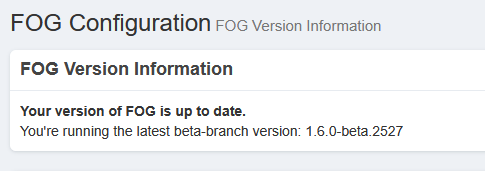
                  Also the latest working-1.6 has the Sun/Moon now and you can have dark mode (if you’re one - like me - who doesn’t want burned cornea’s 😄 )

                  Please help us build the FOG community with everyone involved. It's not just about coding - way more we need people to test things, update documentation and most importantly work on uniting the community of people enjoying and working on FOG! Get in contact with me (chat bubble in the top right corner) if you want to join in.

                  Web GUI issue? Please check apache error (debian/ubuntu: /var/log/apache2/error.log, centos/fedora/rhel: /var/log/httpd/error_log) and php-fpm log (/var/log/php*-fpm.log)

                  Please support FOG if you like it: https://wiki.fogproject.org/wiki/index.php/Support_FOG

                  K 1 Reply Last reply Reply Quote 0
                  • K
                    kratkale @Tom Elliott
                    last edited by

                    @Tom-Elliott
                    Yes—I can use the system again now.

                    1 Reply Last reply Reply Quote 0
                    • K
                      kratkale @Tom Elliott
                      last edited by

                      @Tom-Elliott
                      I do a update …
                      0553ded0-7a93-42b0-881d-5b715e5d0d16-grafik.png
                      I take the url an copy it to my browser
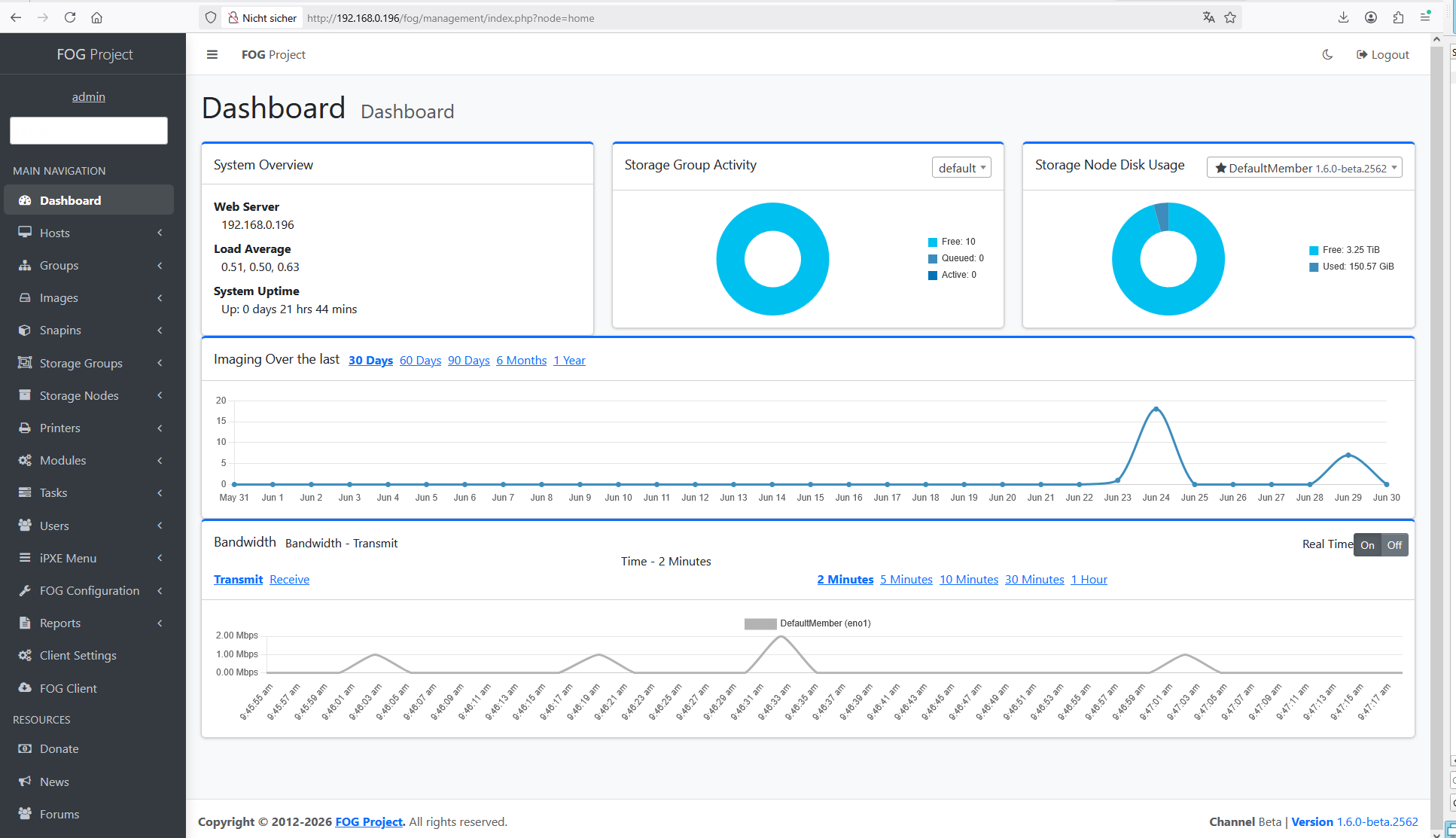
                      The url changes automatic and I get this:
                      add7d300-c1b2-43d4-abb5-29daee68a55a-grafik.png

                      What is the sense of this ???

                      Tom ElliottT 1 Reply Last reply Reply Quote 0
                      • Tom ElliottT
                        Tom Elliott @kratkale
                        last edited by

                        @kratkale what do you mean? The ui refactor is intentional. This is just progressing to make it more inline.

                        Please help us build the FOG community with everyone involved. It's not just about coding - way more we need people to test things, update documentation and most importantly work on uniting the community of people enjoying and working on FOG! Get in contact with me (chat bubble in the top right corner) if you want to join in.

                        Web GUI issue? Please check apache error (debian/ubuntu: /var/log/apache2/error.log, centos/fedora/rhel: /var/log/httpd/error_log) and php-fpm log (/var/log/php*-fpm.log)

                        Please support FOG if you like it: https://wiki.fogproject.org/wiki/index.php/Support_FOG

                        K 2 Replies Last reply Reply Quote 0
                        • K
                          kratkale @Tom Elliott
                          last edited by

                          @Tom-Elliott
                          I mean, why do I need to connect to the web interface? I don’t have to do anything there during the update, do I?

                          Tom ElliottT 1 Reply Last reply Reply Quote 0
                          • K
                            kratkale @Tom Elliott
                            last edited by

                            @Tom-Elliott
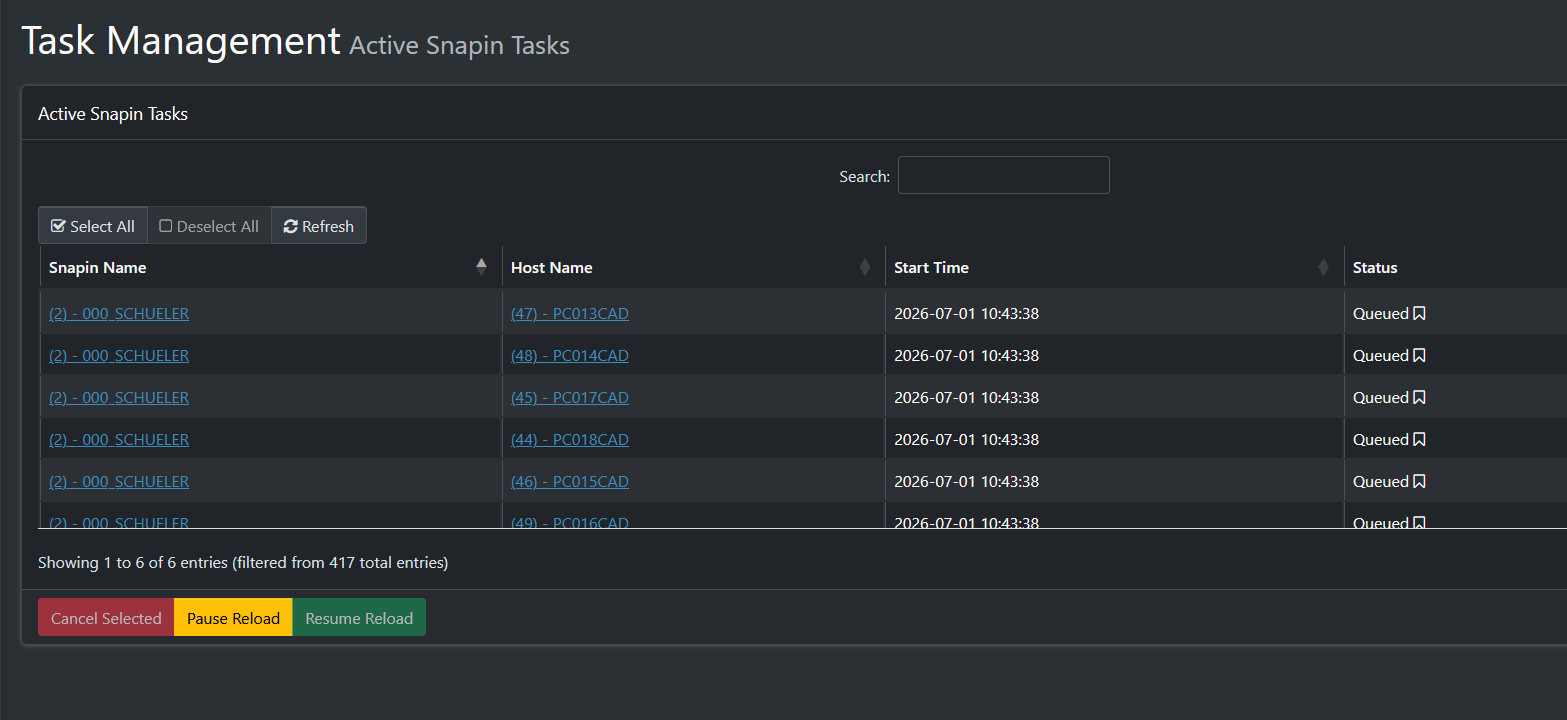
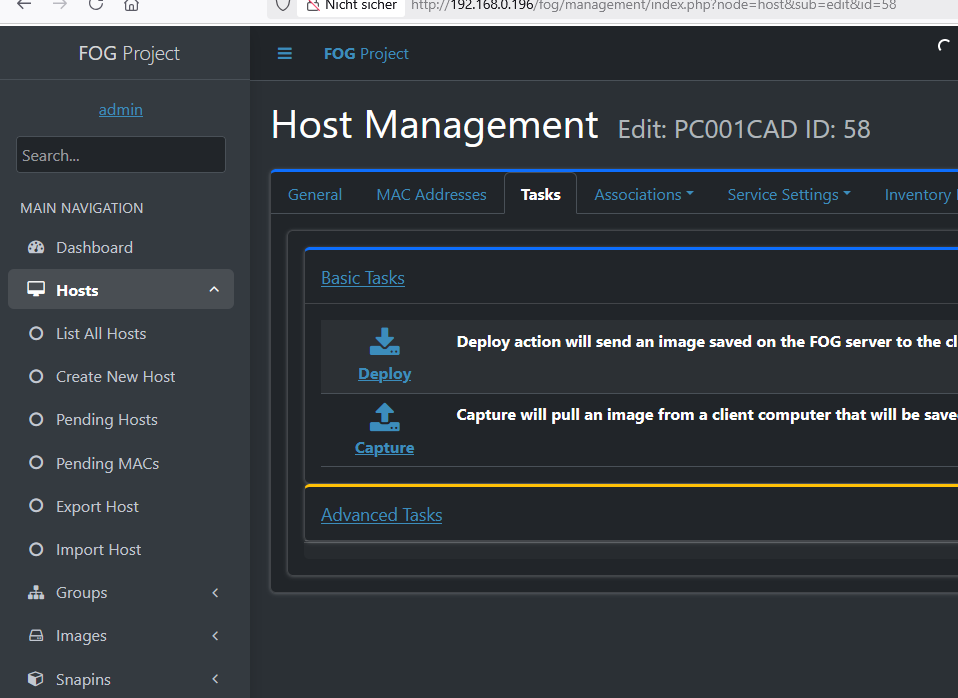
                            In my workflow, it would be really cool if I could assign a single snap-in directly from the Basic Tasks…
                            9039dfef-0d0e-4ad7-bf0b-2dffdca33b27-grafik.png

                            Tom ElliottT 1 Reply Last reply Reply Quote 0
                            • Tom ElliottT
                              Tom Elliott @kratkale
                              last edited by

                              @kratkale You can, but it falls under “Advanced Tasks”.

                              Please help us build the FOG community with everyone involved. It's not just about coding - way more we need people to test things, update documentation and most importantly work on uniting the community of people enjoying and working on FOG! Get in contact with me (chat bubble in the top right corner) if you want to join in.

                              Web GUI issue? Please check apache error (debian/ubuntu: /var/log/apache2/error.log, centos/fedora/rhel: /var/log/httpd/error_log) and php-fpm log (/var/log/php*-fpm.log)

                              Please support FOG if you like it: https://wiki.fogproject.org/wiki/index.php/Support_FOG

                              K 1 Reply Last reply Reply Quote 0
                              • K
                                kratkale @Tom Elliott
                                last edited by

                                @Tom-Elliott
                                Yeah, that’s how I do it—but it always takes so many clicks—I think it would be great as a basic feature.

                                Tom ElliottT 1 Reply Last reply Reply Quote 0
                                • Tom ElliottT
                                  Tom Elliott @kratkale
                                  last edited by

                                  @kratkale The problem is Snapins are not a basic feature:

                                  They require the FOG Client + knowledge of what a snapin is and does (at a base level)

                                  The “basic” for FOG is imaging at its core.

                                  Snapins are a way of getting the machine to do additional things: install software, run a script (or set of scripts) etc… - Please note I’m not saying it’s not a useful feature, just saying that it’s more than a “Basic” thing.

                                  You can do a curl request to schedule a snapin task which might be better, though you would need to know what MAC Address to use for the host in question.

                                  Please help us build the FOG community with everyone involved. It's not just about coding - way more we need people to test things, update documentation and most importantly work on uniting the community of people enjoying and working on FOG! Get in contact with me (chat bubble in the top right corner) if you want to join in.

                                  Web GUI issue? Please check apache error (debian/ubuntu: /var/log/apache2/error.log, centos/fedora/rhel: /var/log/httpd/error_log) and php-fpm log (/var/log/php*-fpm.log)

                                  Please support FOG if you like it: https://wiki.fogproject.org/wiki/index.php/Support_FOG

                                  K 1 Reply Last reply Reply Quote 0
                                  • Tom ElliottT
                                    Tom Elliott @kratkale
                                    last edited by Tom Elliott

                                    @kratkale said in Windows 11 | 65x HP Z2 Tower G1i | UPDATE -:

                                    I mean, why do I need to connect to the web interface? I don’t have to do anything there during the update, do I?

                                    The URL you see is because the installer doesn’t know if (or not) there’s a Schema Update.

                                    It always shows that on every install. If you don’t want to see that, now that FOG is installed, you can just run your installer with:

                                    sudo ./installfog.sh -y
                                    

                                    If there is a schema update, this will do the update for you automatically, if not, the doesn’t matter, the main update just goes through the normal process.

                                    Please help us build the FOG community with everyone involved. It's not just about coding - way more we need people to test things, update documentation and most importantly work on uniting the community of people enjoying and working on FOG! Get in contact with me (chat bubble in the top right corner) if you want to join in.

                                    Web GUI issue? Please check apache error (debian/ubuntu: /var/log/apache2/error.log, centos/fedora/rhel: /var/log/httpd/error_log) and php-fpm log (/var/log/php*-fpm.log)

                                    Please support FOG if you like it: https://wiki.fogproject.org/wiki/index.php/Support_FOG

                                    1 Reply Last reply Reply Quote 0
                                    • K
                                      kratkale @Tom Elliott
                                      last edited by

                                      @Tom-Elliott
                                      Automatic snap-ins (connected to the group or the PC) don’t always work well, e.g., when the PC is busy with itself and the Microsoft ecosystem after cloning. For example: the PC isn’t ready for the snap-in yet because it’s currently installing an update, isn’t in the domain yet, etc.
                                      That’s why, over the years, I’ve gotten into the habit of first checking whether the PC is in the domain, letting it boot up completely, and only then running my “one” snap-in per PC. In that single Snap-in, I gather everything I need to set up the PC: for example, a student PC needs a Veyon client, the student proxy server, etc. => Student Snap-in; a teacher PC needs the Veyon Master and the fast teacher proxy => a separate Snap-in for teacher PCs

                                      1 Reply Last reply Reply Quote 0
                                      • 1
                                      • 2
                                      • 3
                                      • 4
                                      • 5
                                      • 6
                                      • 2 / 6
                                      • First post
                                        Last post

                                      110

                                      Online

                                      12.7k

                                      Users

                                      17.6k

                                      Topics

                                      156.7k

                                      Posts
                                      Copyright © 2012-2026 FOG Project