• Recent
    • Unsolved
    • Tags
    • Popular
    • Users
    • Groups
    • Search
    • Register
    • Login

    Windows 11 | 65x HP Z2 Tower G1i | UPDATE -

    Scheduled Pinned Locked Moved Unsolved FOG Problems
    66 Posts 3 Posters 3.0k Views
    Loading More Posts
    • Oldest to Newest
    • Newest to Oldest
    • Most Votes
    Reply
    • Reply as topic
    Log in to reply
    This topic has been deleted. Only users with topic management privileges can see it.
    • K
      kratkale @Tom Elliott
      last edited by

      @Tom-Elliott
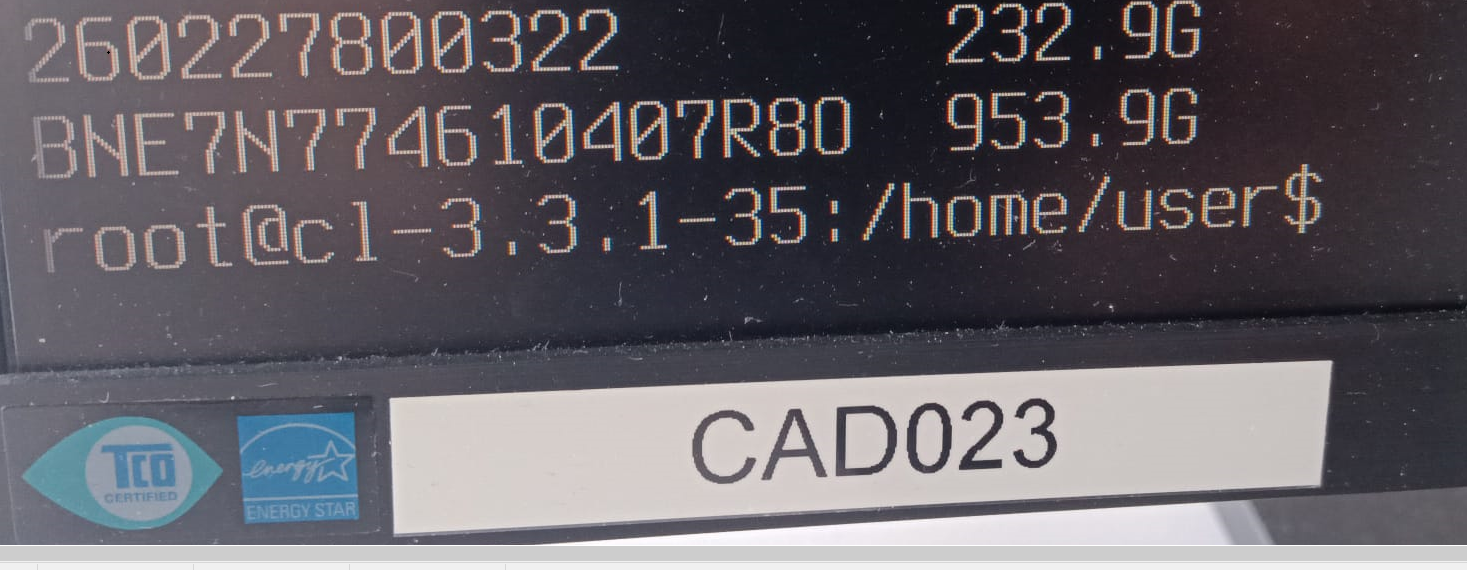
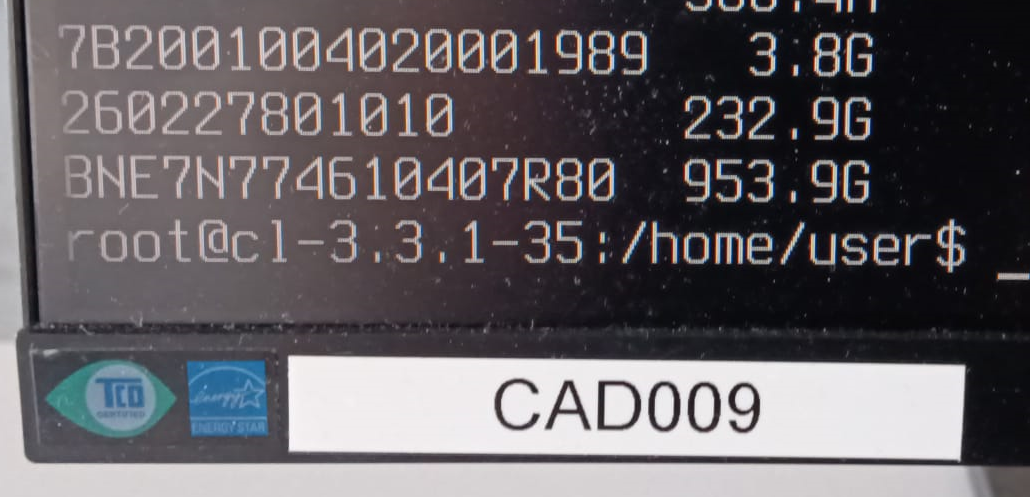
      Here’s something else funny—the serial numbers aren’t unique! I have a duplicate…
      Two differnt PC’s CAD009 and CAD023 🙂
      5e43beca-4446-409b-9356-47c18f02bfc4-grafik.png
      698a0dc5-b91c-4d0b-86d2-daf589282279-grafik.png

      1 Reply Last reply Reply Quote 0
      • K
        kratkale @Tom Elliott
        last edited by

        @Tom-Elliott
        Today again the Serial numbers of the nvme are lost in the FOG Database - I don’t know why …
        Thats why I again cloned the file system to the wrong nvme 😞

        K 1 Reply Last reply Reply Quote 0
        • K
          kratkale @Tom Elliott
          last edited by

          @Tom-Elliott
          to make a backup I use now sql in bash

          root@fog:~# mysql -u root -N -B -e “USE fog; SELECT CONCAT(‘UPDATE hosts SET hostDevice = ‘’’, hostDevice, ‘’’ WHERE hostID = ', hostID, ‘;’)FROM hosts;” > restore_hostdevice.sql

          and restore with
          root@fog:~# mysql -u root fog < restore_hostdevice.sql

          1 Reply Last reply Reply Quote 0
          • K
            kratkale @kratkale
            last edited by

            @Tom-Elliott
            Again Serial Numbers lost: checking with:

            mysql -u root fog -e “SELECT hostName FROM hosts WHERE hostDevice IS NULL OR hostDevice = ‘’;”

            root@fog:~/NVME_Problem# ./anzeigen
            ±---------+
            | hostName |
            ±---------+
            | PC116CAD |
            | PC118CAD |
            | PC121CAD |
            | PC110CAD |
            | PC112CAD |
            | PC034CAD |
            | PC026CAD |
            | PC015CAD |
            | PC016CAD |
            | pc101cad |
            | pc008cad |
            ±---------+
            root@fog:~/NVME_Problem#

            I’ve no idea what happend.

            Tom ElliottT 1 Reply Last reply Reply Quote 0
            • Tom ElliottT
              Tom Elliott @kratkale
              last edited by

              @kratkale I’m confused what you mean their serial numbers are erased?

              FOG isn’t overwriting the serial numbers on these devices.

              Furthermore, Serial numbers aren’t stored directly on the host, they’re stored on the inventory table.

              That column (hostDevice) is about storing what device a host will be using to image against.

              If somebody is updating the group, the empty hostDevice (Group device for groups) would likely be overwriting it.

              I’ve pushed a code change to hopefully address this particular issue in the latest dev-branch.

              Please help us build the FOG community with everyone involved. It's not just about coding - way more we need people to test things, update documentation and most importantly work on uniting the community of people enjoying and working on FOG! Get in contact with me (chat bubble in the top right corner) if you want to join in.

              Web GUI issue? Please check apache error (debian/ubuntu: /var/log/apache2/error.log, centos/fedora/rhel: /var/log/httpd/error_log) and php-fpm log (/var/log/php*-fpm.log)

              Please support FOG if you like it: https://wiki.fogproject.org/wiki/index.php/Support_FOG

              K 3 Replies Last reply Reply Quote 0
              • K
                kratkale @Tom Elliott
                last edited by

                @Tom-Elliott
                I need the Serial Number of the nvme to clone to the correct device. (2 nvme in every PC)
                As I had problems I now use the following command to check if all Serial Numbers are available:
                mysql -u root fog -e “SELECT hostName FROM hosts WHERE hostDevice IS NULL OR hostDevice = ‘’;”
                Yesterday finally (see previous post) there was no number missing - now one is missing again:
                ±---------+
                | hostName |
                ±---------+
                | PC002CAD |
                ±---------+
                As I can also see it in the host general:
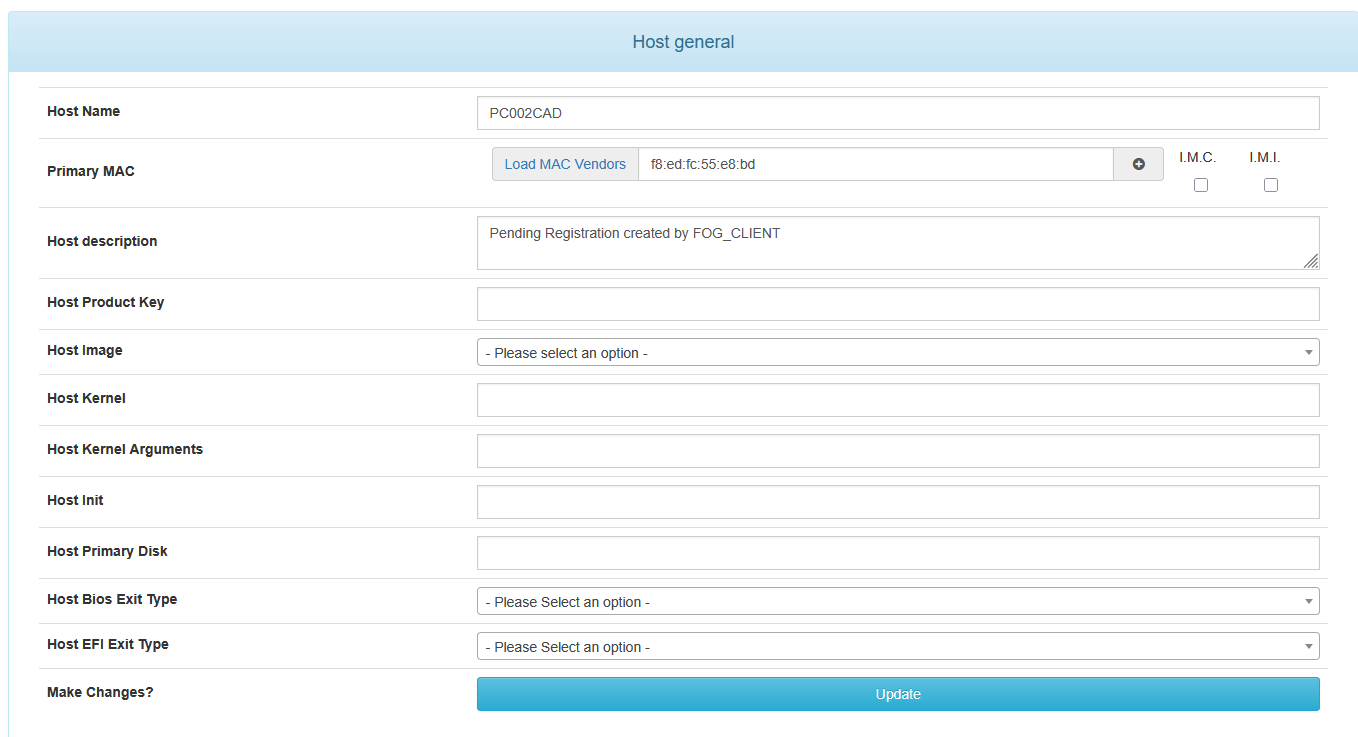
                dc21f9e4-0f6b-46c8-a90c-fcd3093006e5-grafik.png
                There was no interaction between yesterday and today on the web interface … Fog an the PC’s where on their own … Booting in the morning …
                now I replace it again with:
                UPDATE hosts SET hostDevice = ‘BNE7N774910207S3G’ WHERE hostID = 61;
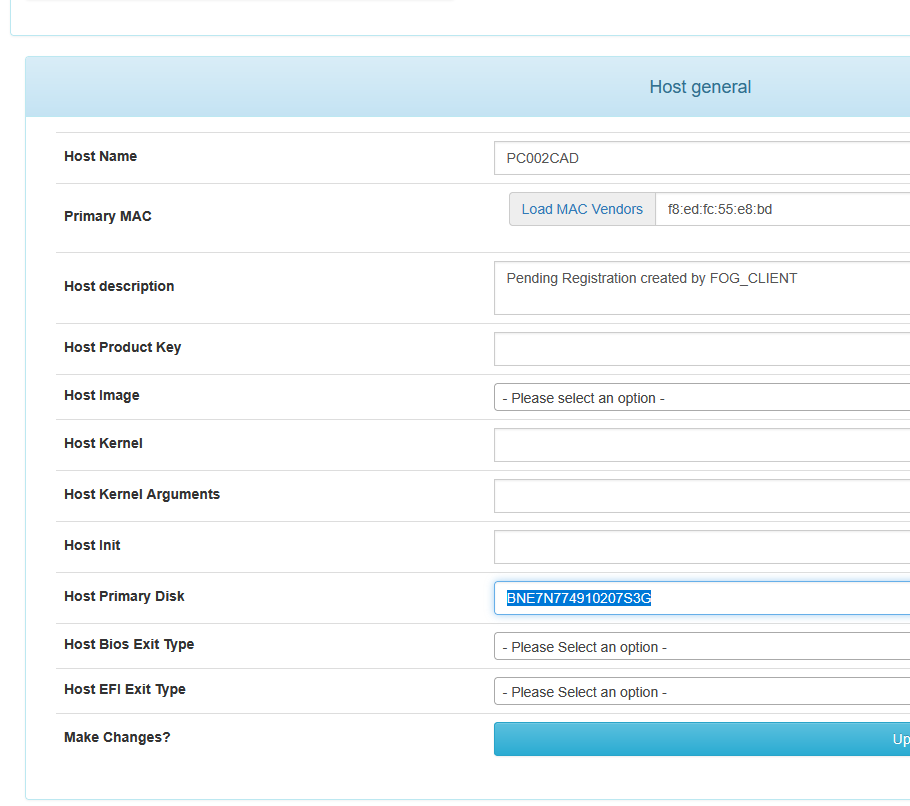
                9a2d5ab9-d0f7-4a7b-9389-7534701e641e-grafik.png

                So some update

                1 Reply Last reply Reply Quote 0
                • K
                  kratkale @Tom Elliott
                  last edited by

                  @Tom-Elliott
                  in the inventorry table mostly the other (for me wrong - secondarry Data) nvme is stored
                  Here are also some without an IHdserial
                  mysql -u root fog -e “SELECT iCASEserial FROM inventory WHERE iHdserial IS NULL OR iHdserial = ‘’;”
                  root@fog:~/NVME_Problem/inventory# ./anzeigen
                  ±------------+
                  | iCASEserial |
                  ±------------+
                  | CZC5477HVZ |
                  | CZC5477HT0 |
                  | CZC5477HTK |
                  | CZC5477JMZ |
                  ±------------+
                  The Host now lost the Serial Number is the CZC5477HSX
                  CZC5477HSX
                  WDGreenSN350250GB2G0C
                  236050WD
                  260227800933
                  so in the inventory table the Data Disk is stored

                  1 Reply Last reply Reply Quote 0
                  • K
                    kratkale @Tom Elliott
                    last edited by

                    @Tom-Elliott
                    Your version of FOG is up to date. You’re running the latest stable version: 1.5.10.1826

                    Tom ElliottT 1 Reply Last reply Reply Quote 0
                    • Tom ElliottT
                      Tom Elliott @kratkale
                      last edited by

                      @kratkale Install using dev-branch

                      Please help us build the FOG community with everyone involved. It's not just about coding - way more we need people to test things, update documentation and most importantly work on uniting the community of people enjoying and working on FOG! Get in contact with me (chat bubble in the top right corner) if you want to join in.

                      Web GUI issue? Please check apache error (debian/ubuntu: /var/log/apache2/error.log, centos/fedora/rhel: /var/log/httpd/error_log) and php-fpm log (/var/log/php*-fpm.log)

                      Please support FOG if you like it: https://wiki.fogproject.org/wiki/index.php/Support_FOG

                      K 2 Replies Last reply Reply Quote 0
                      • K
                        kratkale @Tom Elliott
                        last edited by

                        @Tom-Elliott
                        fyi:
                        again no interaction with the web interface - today another PC lost the hostDevice.
                        root@fog:~/NVME_Problem/hostDevice# ./anzeigen
                        ±---------+
                        | hostName |
                        ±---------+
                        | PC102CAD |
                        ±---------+
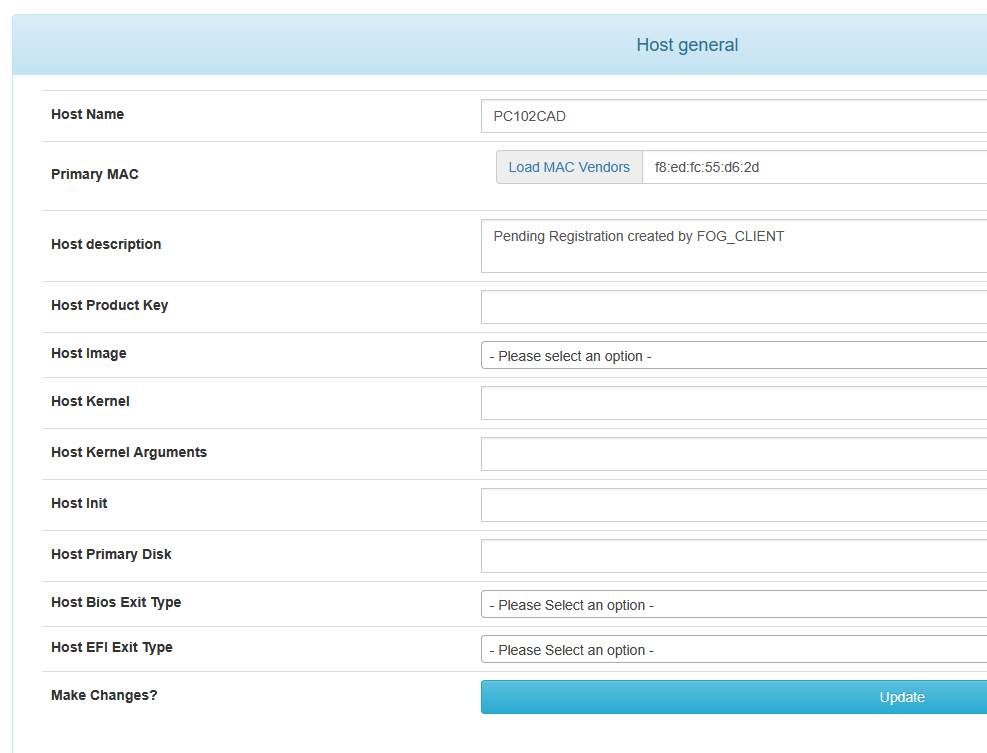
                        f48d8e63-b439-411c-8caa-e64d1764887a-grafik.png
                        Yesterday it was PC002CAD today PC102CAD.

                        @Tom-Elliott said in Windows 11 | 65x HP Z2 Tower G1i | UPDATE -:

                        dev-branch

                        ok
                        Your version of FOG is up to date.
                        You’re running the latest dev-branch version: 1.5.10.1858

                        1 Reply Last reply Reply Quote 0
                        • K
                          kratkale @Tom Elliott
                          last edited by

                          @Tom-Elliott
                          since yesterday no devices lost

                          Tom ElliottT 1 Reply Last reply Reply Quote 0
                          • Tom ElliottT
                            Tom Elliott @kratkale
                            last edited by

                            @kratkale So things are working under the latest with dev-branch?

                            Please help us build the FOG community with everyone involved. It's not just about coding - way more we need people to test things, update documentation and most importantly work on uniting the community of people enjoying and working on FOG! Get in contact with me (chat bubble in the top right corner) if you want to join in.

                            Web GUI issue? Please check apache error (debian/ubuntu: /var/log/apache2/error.log, centos/fedora/rhel: /var/log/httpd/error_log) and php-fpm log (/var/log/php*-fpm.log)

                            Please support FOG if you like it: https://wiki.fogproject.org/wiki/index.php/Support_FOG

                            K 3 Replies Last reply Reply Quote 0
                            • K
                              kratkale @Tom Elliott
                              last edited by

                              @Tom-Elliott
                              at the moment no lost devices. I did my test at the moment. But no cloning - or other tasks - next week I’ll start to test …

                              1 Reply Last reply Reply Quote 0
                              • K
                                kratkale @Tom Elliott
                                last edited by

                                @Tom-Elliott
                                Problem with upload of a snapin.
                                First a working snapin stop working:
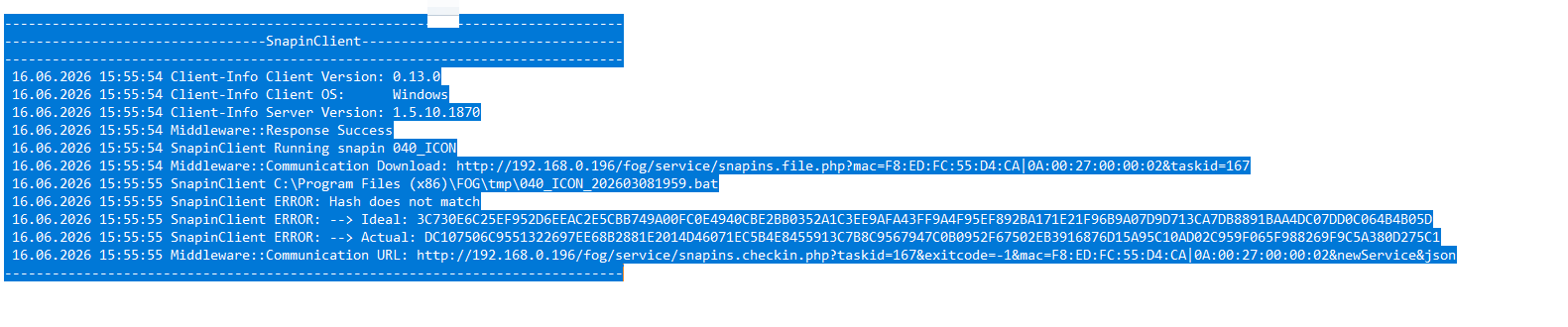
                                08.06.2026 15:13:27 Client-Info Client Version: 0.13.0
                                08.06.2026 15:13:27 Client-Info Client OS: Windows
                                08.06.2026 15:13:27 Client-Info Server Version: 1.5.10.1858
                                08.06.2026 15:13:27 Middleware::Response Success
                                08.06.2026 15:13:27 SnapinClient Running snapin 010_LEHRER_CAD2
                                08.06.2026 15:13:27 Middleware::Communication Download: http://192.168.0.196/fog/service/snapins.file.php?mac=F8:ED:FC:55:CF:93|0A:00:27:00:00:02&taskid=164
                                08.06.2026 15:13:31 SnapinClient C:\Program Files (x86)\FOG\tmp\010_LEHRER_CAD2_202404280859.bat
                                08.06.2026 15:13:31 SnapinClient ERROR: Hash does not match
                                08.06.2026 15:13:31 SnapinClient ERROR: --> Ideal: 190C52D094C5170B44F32883DEEE59FED0FD5016114B7A64A79EB614BFFBBB39D79B65DB9CE9DE3D0B35FE58AC23B59353D58F190B23CF1F797698055B7D5B44
                                08.06.2026 15:13:31 SnapinClient ERROR: --> Actual: 6B20738DF050F01FA8E2AAF43235EE959069D2E0ECEA5FE4D7141F802D4F7673E1E51A92F315AE319EC289BA3494047DD006E86371358380FED7A38A9AFB8793
                                08.06.2026 15:13:31 Middleware::Communication URL: http://192.168.0.196/fog/service/snapins.checkin.php?taskid=164&exitcode=-1&mac=F8:ED:FC:55:CF:93|0A:00:27:00:00:02&newService&json

                                try to upload a new Version in the fog gui:
                                named: 010_LEHRER_CAD2_202606081517.bat
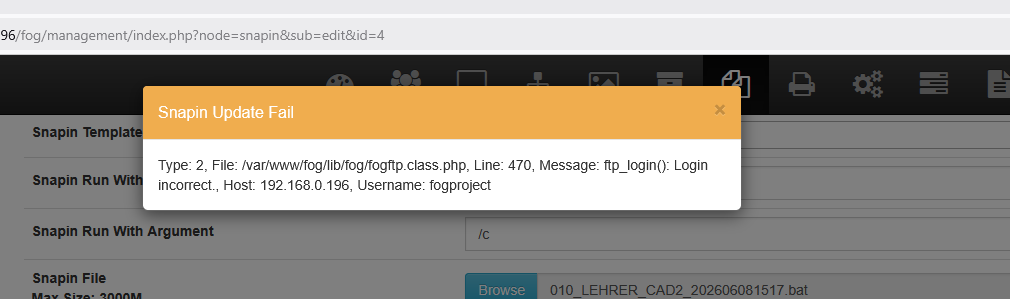
                                616fe872-20c9-467d-bc4f-003432e6b64a-image.png

                                Tom ElliottT 1 Reply Last reply Reply Quote 0
                                • K
                                  kratkale @Tom Elliott
                                  last edited by

                                  @Tom-Elliott
                                  so I cannot use fog in the development branch - I need the snap in - the old one are not working anymore - I cannot upload new one.

                                  1 Reply Last reply Reply Quote 0
                                  • Tom ElliottT
                                    Tom Elliott @kratkale
                                    last edited by

                                    @kratkale Please update the latest dev-branch. Yes I pushed something that had broken this, and then when it was brought to my attention we fixed the problem. To my knowledge this is working again.

                                    As for the actual snapin upload, I’m not aware of any issues there so you may need to look at your username/password for the storage node.

                                    I suspect there’s a special character that got encoded incorrectly, though I’m not 100% sure. This (too) could be a problem we introduced trying to fix a bunch of XSS issues (for security reasons) but you might be able to more simply fix this by just setting the value on the username/password out of the storage node’s fogsettings username/password inforrmation.

                                    Please help us build the FOG community with everyone involved. It's not just about coding - way more we need people to test things, update documentation and most importantly work on uniting the community of people enjoying and working on FOG! Get in contact with me (chat bubble in the top right corner) if you want to join in.

                                    Web GUI issue? Please check apache error (debian/ubuntu: /var/log/apache2/error.log, centos/fedora/rhel: /var/log/httpd/error_log) and php-fpm log (/var/log/php*-fpm.log)

                                    Please support FOG if you like it: https://wiki.fogproject.org/wiki/index.php/Support_FOG

                                    K 1 Reply Last reply Reply Quote 0
                                    • K
                                      kratkale @Tom Elliott
                                      last edited by

                                      @Tom-Elliott
                                      still the same problem:
                                      6583c3e7-a3c2-4323-ba0c-6bc9885b1a69-grafik.png

                                      I don’t understand what I should do:
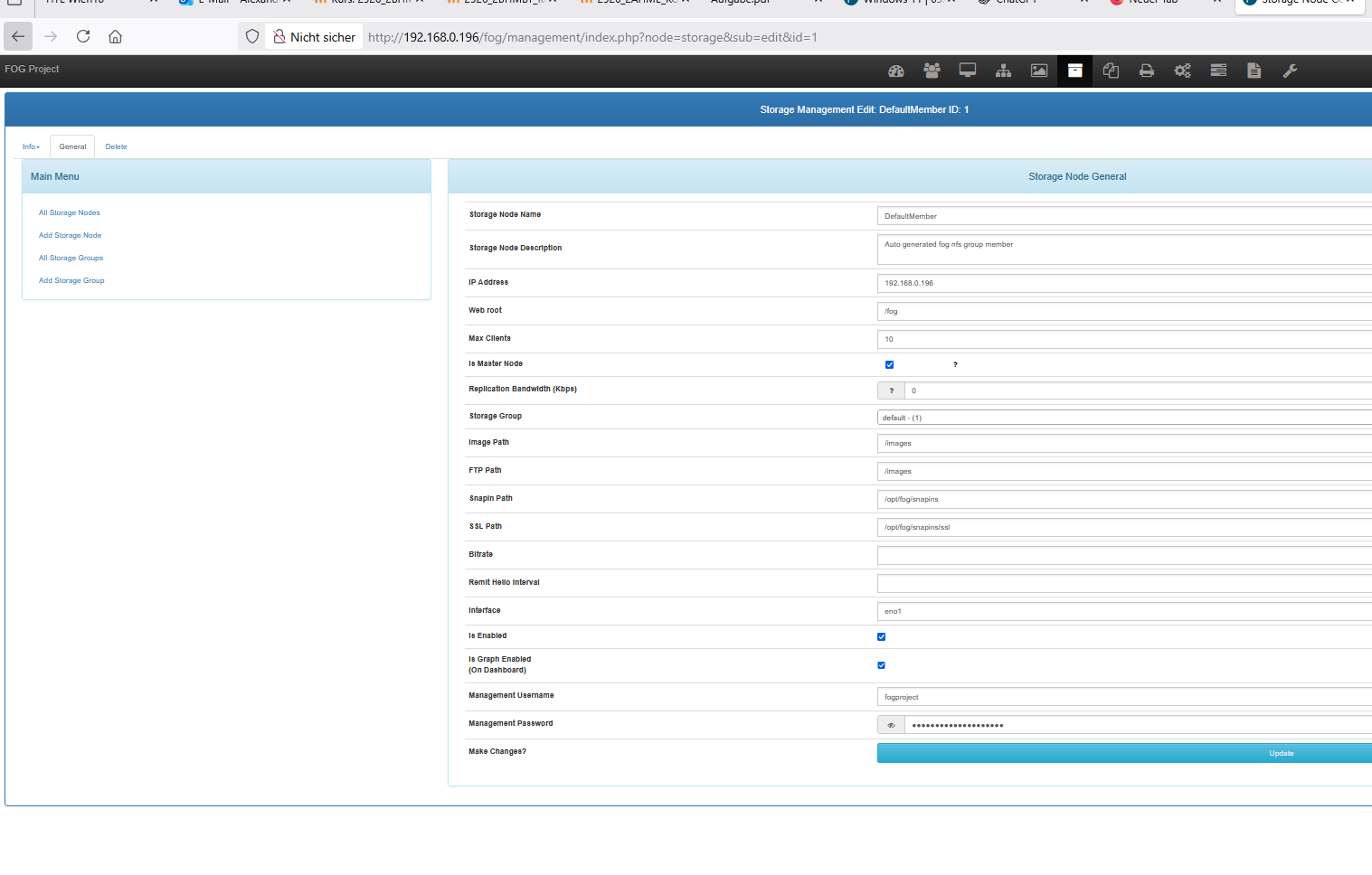
                                      “As for the actual snapin upload, … you might be able to more simply fix this by just setting the value on the username/password out of the storage node’s fogsettings username/password inforrmation.”
                                      where to change? Here?
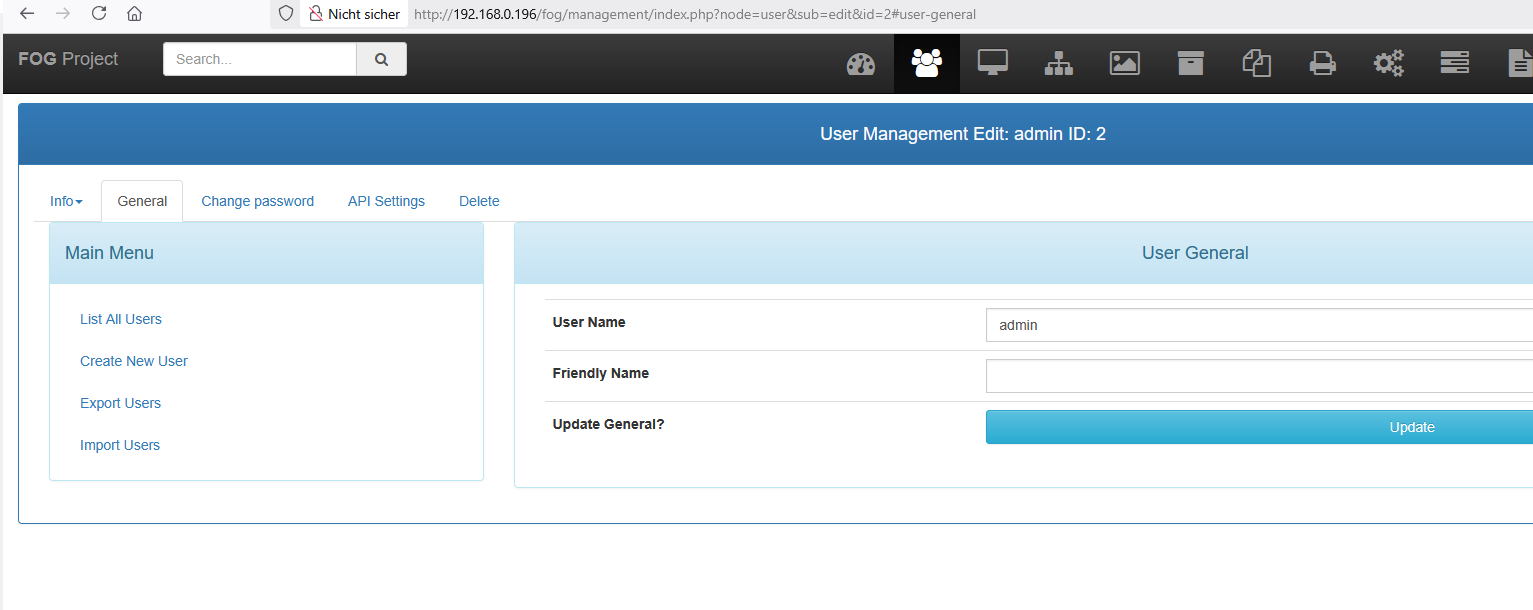
                                      f6d7cfc4-ba4e-4fc8-a614-8a8de70534a2-grafik.png
                                      or here?
                                      d242d070-1cd2-4aff-b812-1d2e7e96b45a-grafik.png
                                      I’m afraid of damaging the system.

                                      Tom ElliottT 1 Reply Last reply Reply Quote 0
                                      • Tom ElliottT
                                        Tom Elliott @kratkale
                                        last edited by

                                        @kratkale It’s already not working, so you updating the value on the Storage NOde (your second image there)

                                        Isn’t going to hurt anything.

                                        Please help us build the FOG community with everyone involved. It's not just about coding - way more we need people to test things, update documentation and most importantly work on uniting the community of people enjoying and working on FOG! Get in contact with me (chat bubble in the top right corner) if you want to join in.

                                        Web GUI issue? Please check apache error (debian/ubuntu: /var/log/apache2/error.log, centos/fedora/rhel: /var/log/httpd/error_log) and php-fpm log (/var/log/php*-fpm.log)

                                        Please support FOG if you like it: https://wiki.fogproject.org/wiki/index.php/Support_FOG

                                        K 1 Reply Last reply Reply Quote 0
                                        • K
                                          kratkale @Tom Elliott
                                          last edited by

                                          @Tom-Elliott
                                          OK I changed as root on the ssh the password of fogproject to 2FEWI65tfjFk0awFBGw - also in http://192.168.0.196/fog/management/index.php?node=storage&sub=edit&id=1

                                          it is still not working …

                                          Tom ElliottT 1 Reply Last reply Reply Quote 0
                                          • Tom ElliottT
                                            Tom Elliott @kratkale
                                            last edited by

                                            @kratkale I don’t know why you’re telling me your password. (You probably will want to change that now.) and what isn’t working?

                                            Please help us build the FOG community with everyone involved. It's not just about coding - way more we need people to test things, update documentation and most importantly work on uniting the community of people enjoying and working on FOG! Get in contact with me (chat bubble in the top right corner) if you want to join in.

                                            Web GUI issue? Please check apache error (debian/ubuntu: /var/log/apache2/error.log, centos/fedora/rhel: /var/log/httpd/error_log) and php-fpm log (/var/log/php*-fpm.log)

                                            Please support FOG if you like it: https://wiki.fogproject.org/wiki/index.php/Support_FOG

                                            K 6 Replies Last reply Reply Quote 0
                                            • 1
                                            • 2
                                            • 3
                                            • 4
                                            • 2 / 4
                                            • First post
                                              Last post

                                            123

                                            Online

                                            12.7k

                                            Users

                                            17.6k

                                            Topics

                                            156.6k

                                            Posts
                                            Copyright © 2012-2026 FOG Project