Windows 11 | 65x HP Z2 Tower G1i | UPDATE -
-
@kratkale You don’t need the clonezilla to see this information though admittedly it’s not exactly straight forward.
You can load FOG into debug mode and it will drop you to a shell where you can then run the lsblk command as well.
That said, if booting to clonezilla isn’t that difficult a thing, then it’s all good either way.
-
@Tom-Elliott
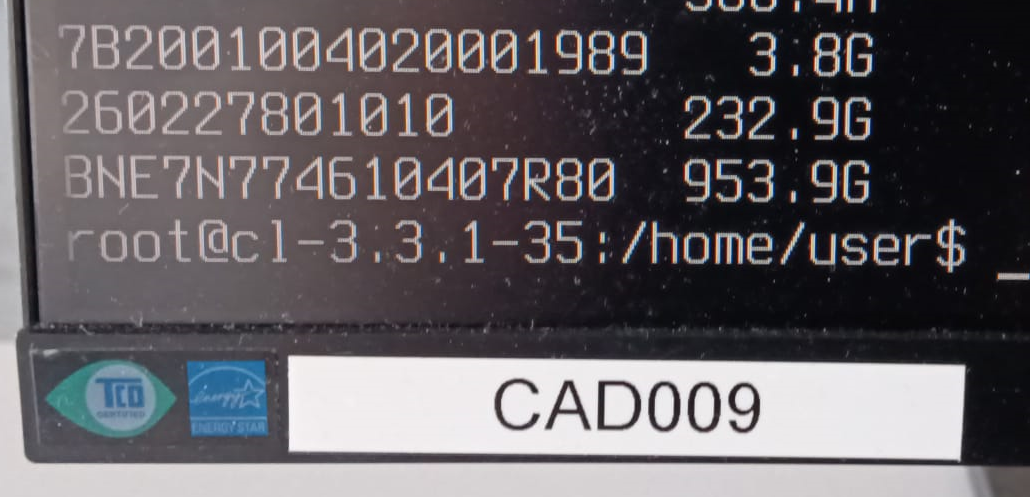
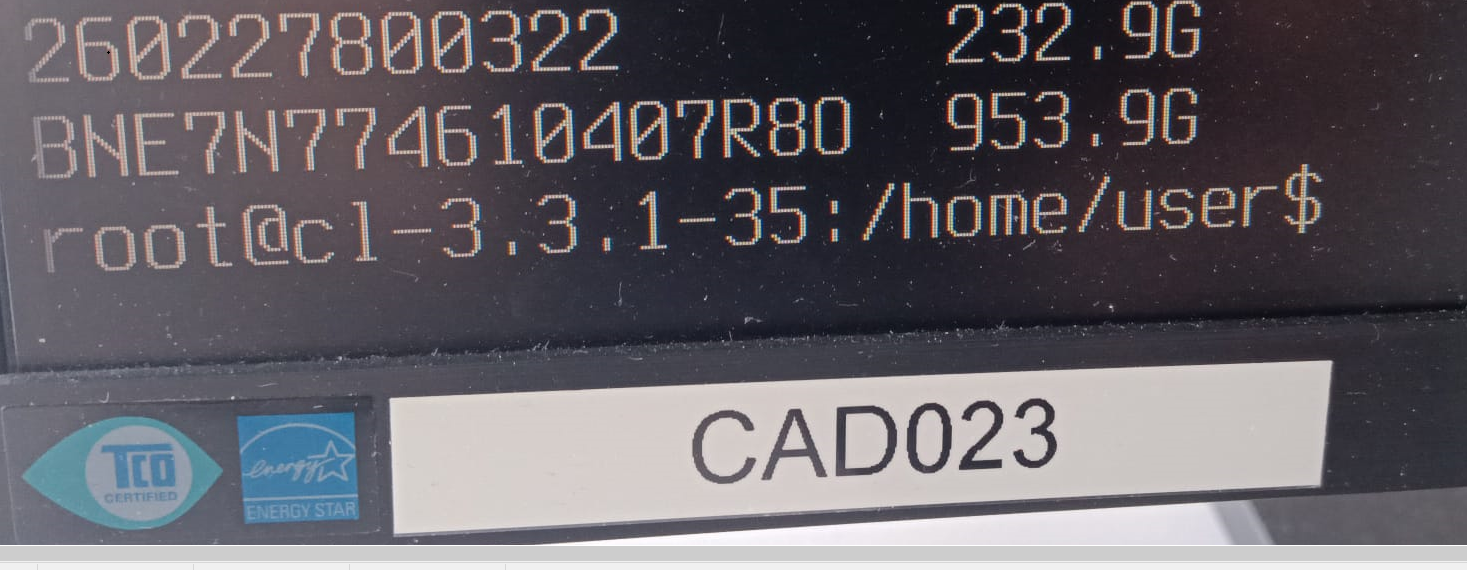
Here’s something else funny—the serial numbers aren’t unique! I have a duplicate…
Two differnt PC’s CAD009 and CAD023
-
@Tom-Elliott
Today again the Serial numbers of the nvme are lost in the FOG Database - I don’t know why …
Thats why I again cloned the file system to the wrong nvme
-
@Tom-Elliott
to make a backup I use now sql in bashroot@fog:~# mysql -u root -N -B -e “USE fog; SELECT CONCAT(‘UPDATE hosts SET hostDevice = ‘’’, hostDevice, ‘’’ WHERE hostID = ', hostID, ‘;’)FROM hosts;” > restore_hostdevice.sql
and restore with
root@fog:~# mysql -u root fog < restore_hostdevice.sql -
@Tom-Elliott
Again Serial Numbers lost: checking with:mysql -u root fog -e “SELECT hostName FROM hosts WHERE hostDevice IS NULL OR hostDevice = ‘’;”
root@fog:~/NVME_Problem# ./anzeigen
±---------+
| hostName |
±---------+
| PC116CAD |
| PC118CAD |
| PC121CAD |
| PC110CAD |
| PC112CAD |
| PC034CAD |
| PC026CAD |
| PC015CAD |
| PC016CAD |
| pc101cad |
| pc008cad |
±---------+
root@fog:~/NVME_Problem#I’ve no idea what happend.
-
@kratkale I’m confused what you mean their serial numbers are erased?
FOG isn’t overwriting the serial numbers on these devices.
Furthermore, Serial numbers aren’t stored directly on the host, they’re stored on the inventory table.
That column (hostDevice) is about storing what device a host will be using to image against.
If somebody is updating the group, the empty hostDevice (Group device for groups) would likely be overwriting it.
I’ve pushed a code change to hopefully address this particular issue in the latest dev-branch.
-
@Tom-Elliott
I need the Serial Number of the nvme to clone to the correct device. (2 nvme in every PC)
As I had problems I now use the following command to check if all Serial Numbers are available:
mysql -u root fog -e “SELECT hostName FROM hosts WHERE hostDevice IS NULL OR hostDevice = ‘’;”
Yesterday finally (see previous post) there was no number missing - now one is missing again:
±---------+
| hostName |
±---------+
| PC002CAD |
±---------+
As I can also see it in the host general:
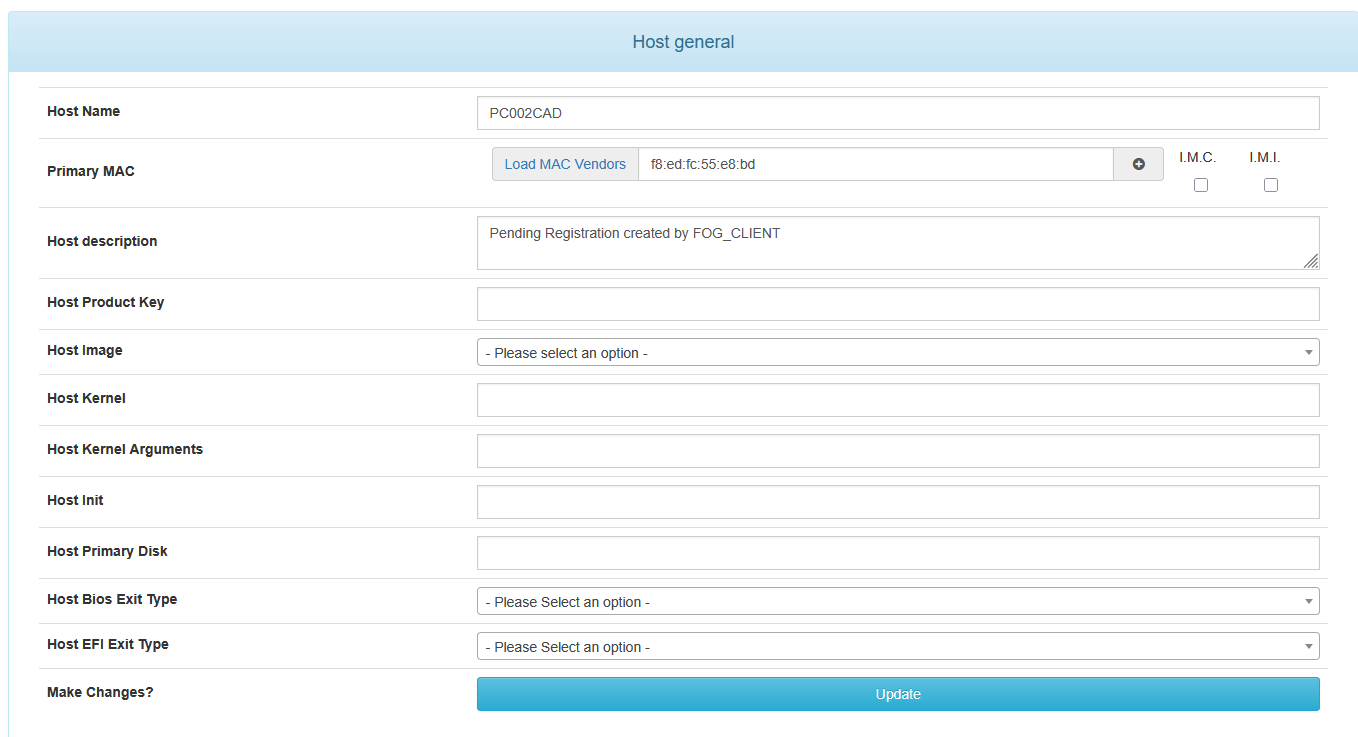
There was no interaction between yesterday and today on the web interface … Fog an the PC’s where on their own … Booting in the morning …
now I replace it again with:
UPDATE hosts SET hostDevice = ‘BNE7N774910207S3G’ WHERE hostID = 61;
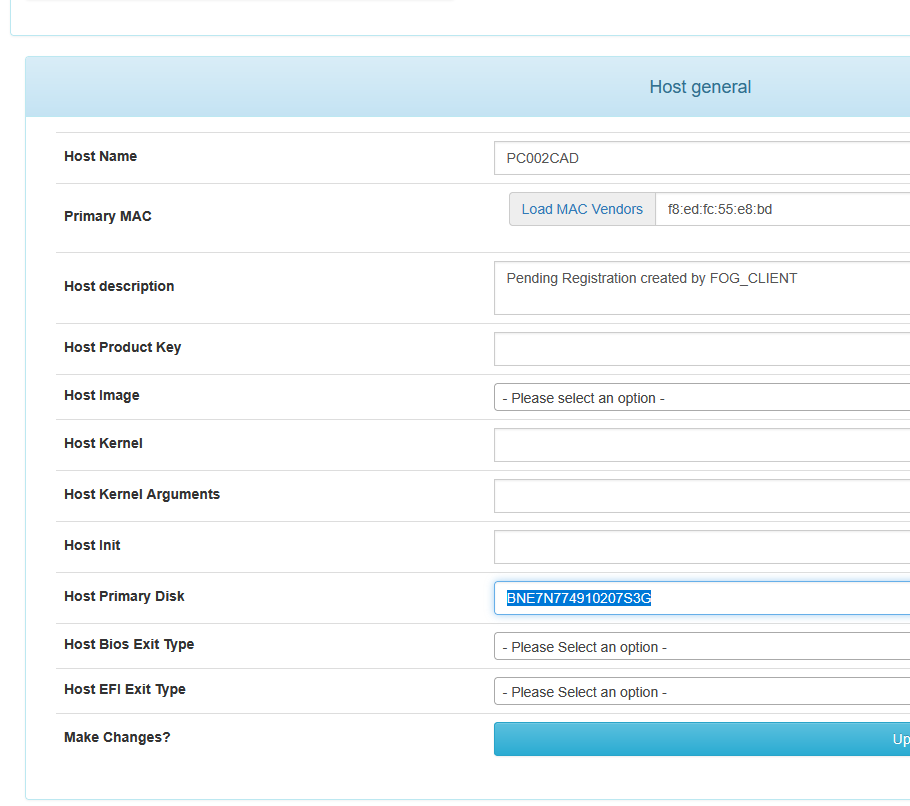
So some update
-
@Tom-Elliott
in the inventorry table mostly the other (for me wrong - secondarry Data) nvme is stored
Here are also some without an IHdserial
mysql -u root fog -e “SELECT iCASEserial FROM inventory WHERE iHdserial IS NULL OR iHdserial = ‘’;”
root@fog:~/NVME_Problem/inventory# ./anzeigen
±------------+
| iCASEserial |
±------------+
| CZC5477HVZ |
| CZC5477HT0 |
| CZC5477HTK |
| CZC5477JMZ |
±------------+
The Host now lost the Serial Number is the CZC5477HSX
CZC5477HSX
WDGreenSN350250GB2G0C
236050WD
260227800933
so in the inventory table the Data Disk is stored -
@Tom-Elliott
Your version of FOG is up to date. You’re running the latest stable version: 1.5.10.1826 -
@kratkale Install using
dev-branch -
@Tom-Elliott
fyi:
again no interaction with the web interface - today another PC lost the hostDevice.
root@fog:~/NVME_Problem/hostDevice# ./anzeigen
±---------+
| hostName |
±---------+
| PC102CAD |
±---------+
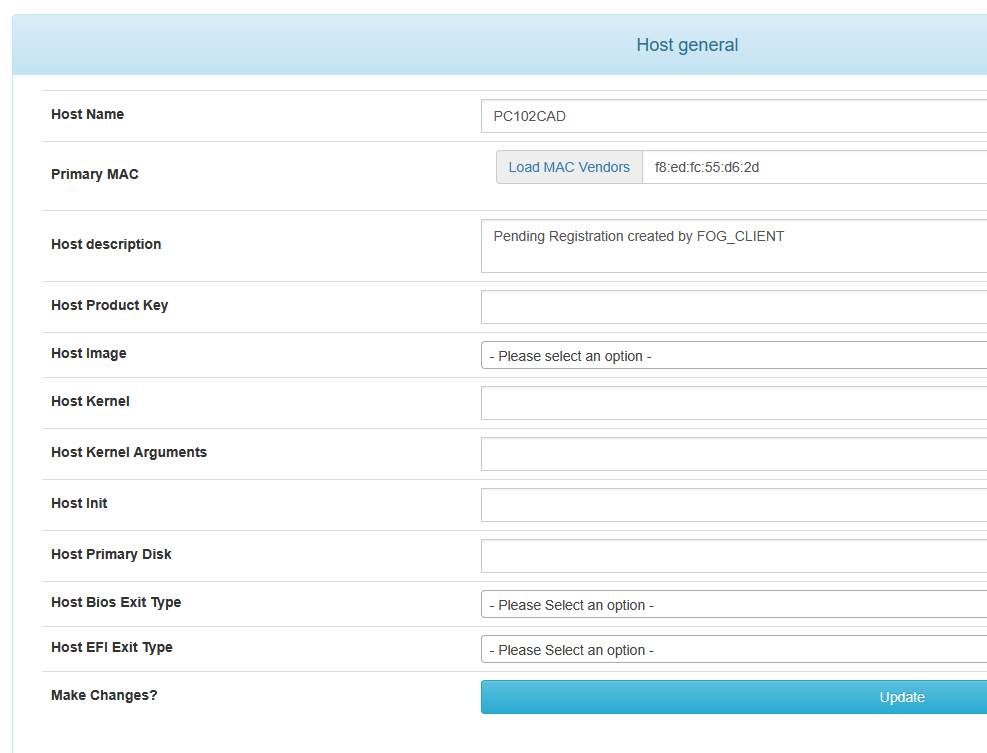
Yesterday it was PC002CAD today PC102CAD.@Tom-Elliott said in Windows 11 | 65x HP Z2 Tower G1i | UPDATE -:
dev-branch
ok
Your version of FOG is up to date.
You’re running the latest dev-branch version: 1.5.10.1858 -
@Tom-Elliott
since yesterday no devices lost -
@kratkale So things are working under the latest with dev-branch?
-
@Tom-Elliott
at the moment no lost devices. I did my test at the moment. But no cloning - or other tasks - next week I’ll start to test … -
@Tom-Elliott
Problem with upload of a snapin.
First a working snapin stop working:
08.06.2026 15:13:27 Client-Info Client Version: 0.13.0
08.06.2026 15:13:27 Client-Info Client OS: Windows
08.06.2026 15:13:27 Client-Info Server Version: 1.5.10.1858
08.06.2026 15:13:27 Middleware::Response Success
08.06.2026 15:13:27 SnapinClient Running snapin 010_LEHRER_CAD2
08.06.2026 15:13:27 Middleware::Communication Download: http://192.168.0.196/fog/service/snapins.file.php?mac=F8:ED:FC:55:CF:93|0A:00:27:00:00:02&taskid=164
08.06.2026 15:13:31 SnapinClient C:\Program Files (x86)\FOG\tmp\010_LEHRER_CAD2_202404280859.bat
08.06.2026 15:13:31 SnapinClient ERROR: Hash does not match
08.06.2026 15:13:31 SnapinClient ERROR: --> Ideal: 190C52D094C5170B44F32883DEEE59FED0FD5016114B7A64A79EB614BFFBBB39D79B65DB9CE9DE3D0B35FE58AC23B59353D58F190B23CF1F797698055B7D5B44
08.06.2026 15:13:31 SnapinClient ERROR: --> Actual: 6B20738DF050F01FA8E2AAF43235EE959069D2E0ECEA5FE4D7141F802D4F7673E1E51A92F315AE319EC289BA3494047DD006E86371358380FED7A38A9AFB8793
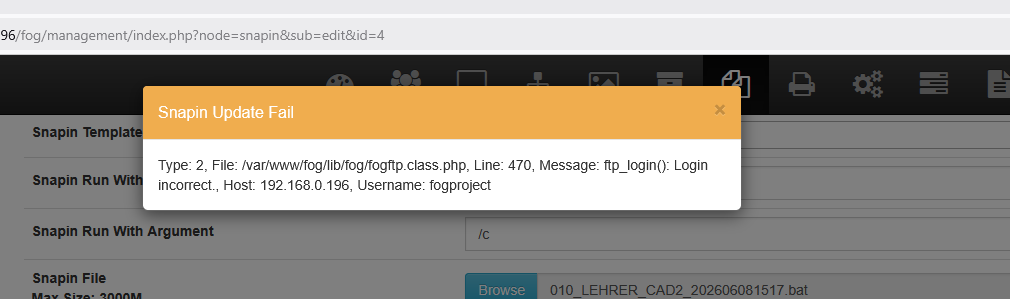
08.06.2026 15:13:31 Middleware::Communication URL: http://192.168.0.196/fog/service/snapins.checkin.php?taskid=164&exitcode=-1&mac=F8:ED:FC:55:CF:93|0A:00:27:00:00:02&newService&jsontry to upload a new Version in the fog gui:
named: 010_LEHRER_CAD2_202606081517.bat
-
@Tom-Elliott
so I cannot use fog in the development branch - I need the snap in - the old one are not working anymore - I cannot upload new one. -
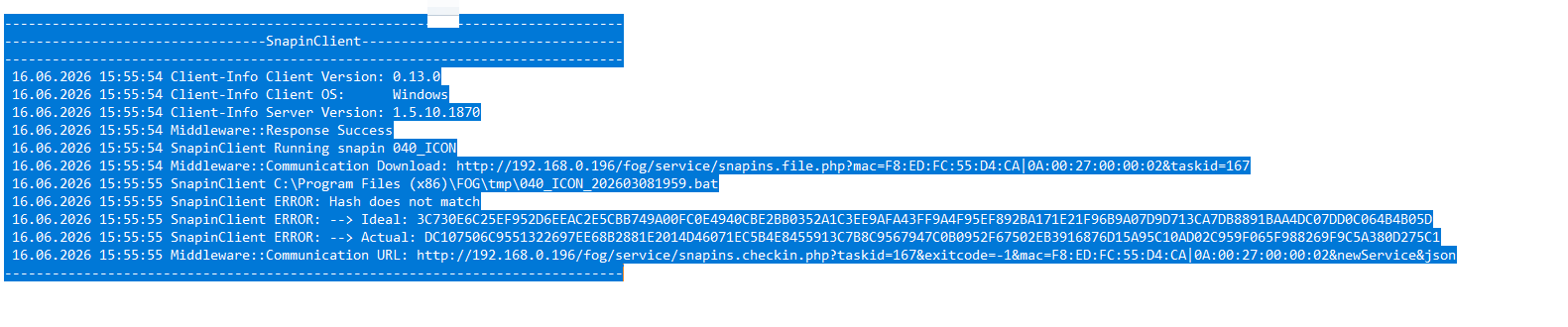
@kratkale Please update the latest dev-branch. Yes I pushed something that had broken this, and then when it was brought to my attention we fixed the problem. To my knowledge this is working again.
As for the actual snapin upload, I’m not aware of any issues there so you may need to look at your username/password for the storage node.
I suspect there’s a special character that got encoded incorrectly, though I’m not 100% sure. This (too) could be a problem we introduced trying to fix a bunch of XSS issues (for security reasons) but you might be able to more simply fix this by just setting the value on the username/password out of the storage node’s fogsettings username/password inforrmation.
-
@Tom-Elliott
still the same problem:
I don’t understand what I should do:
“As for the actual snapin upload, … you might be able to more simply fix this by just setting the value on the username/password out of the storage node’s fogsettings username/password inforrmation.”
where to change? Here?
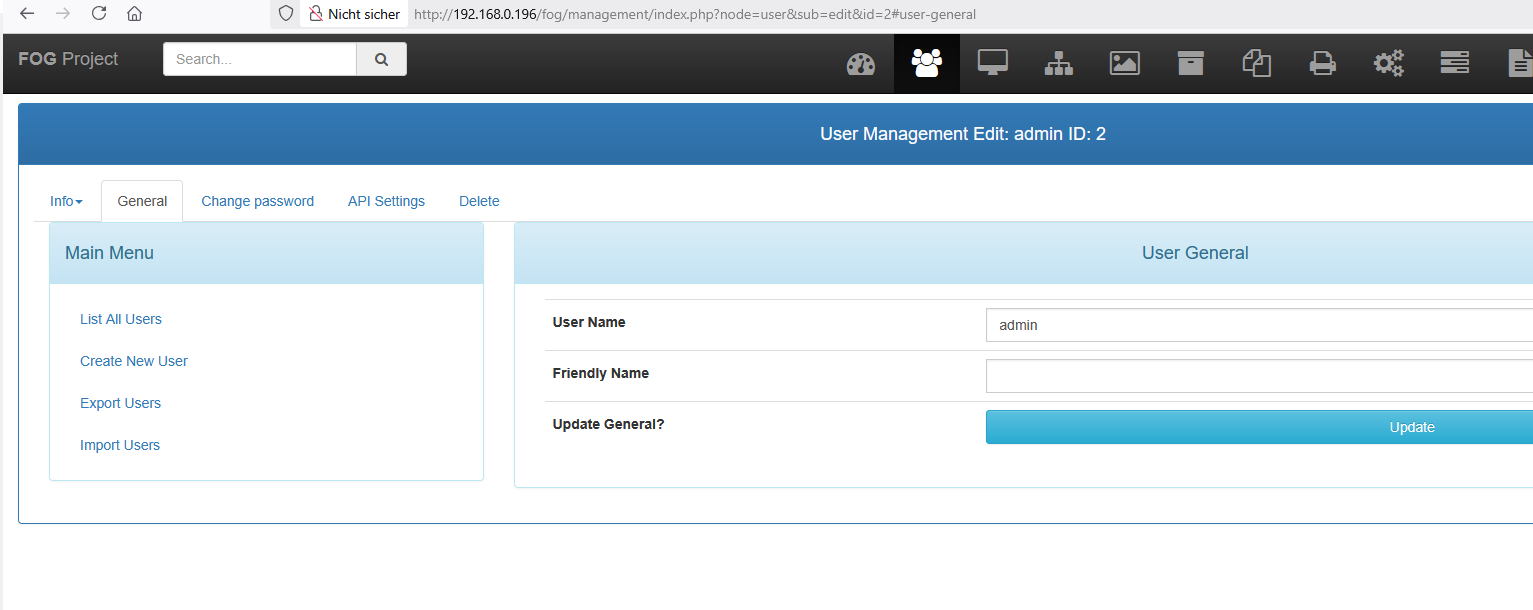
or here?
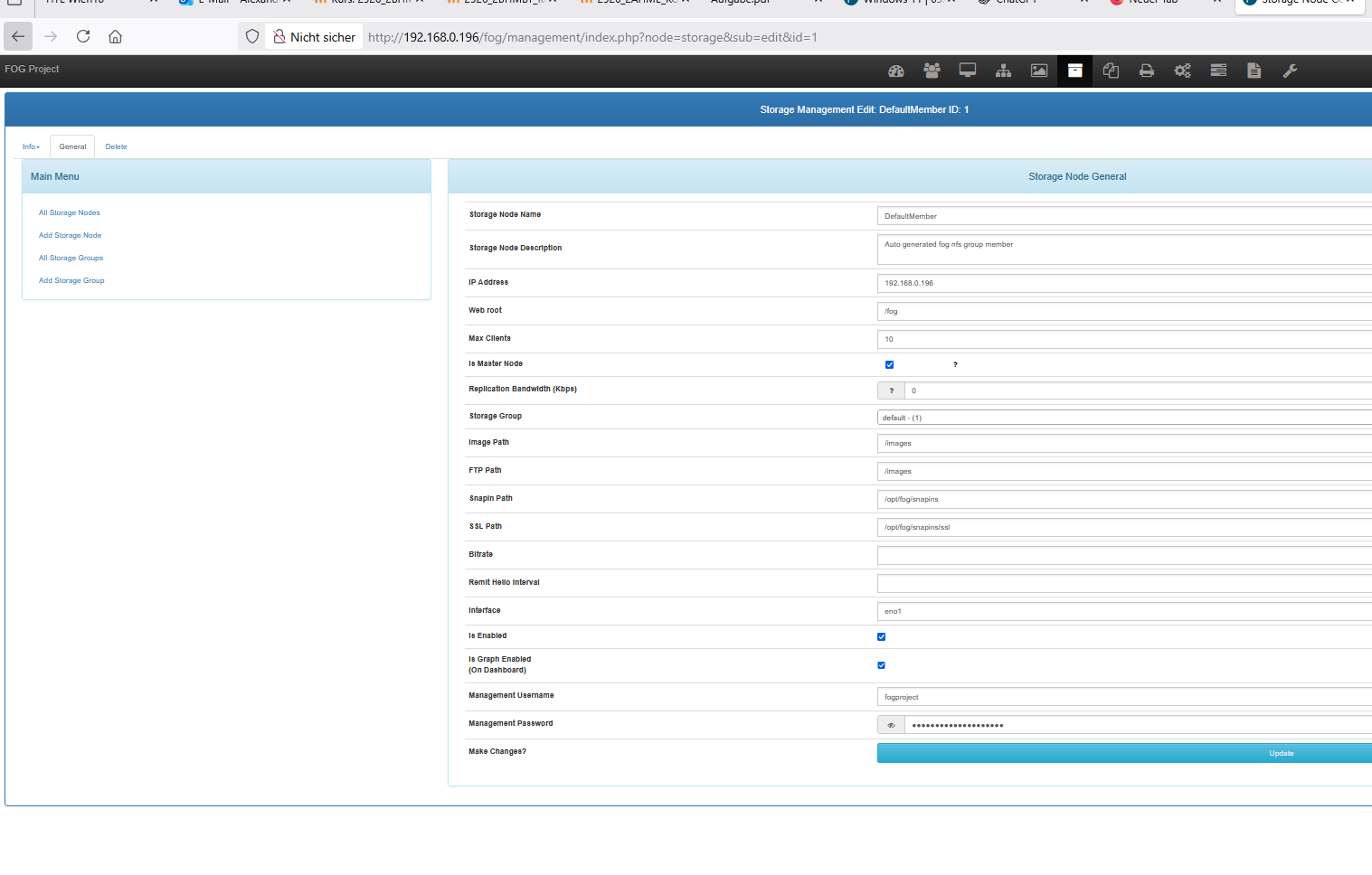
I’m afraid of damaging the system. -
@kratkale It’s already not working, so you updating the value on the Storage NOde (your second image there)
Isn’t going to hurt anything.
-
@Tom-Elliott
OK I changed as root on the ssh the password of fogproject to 2FEWI65tfjFk0awFBGw - also in http://192.168.0.196/fog/management/index.php?node=storage&sub=edit&id=1it is still not working …
