could not load the secure boot enrollment menu
-
hi all,
i get this
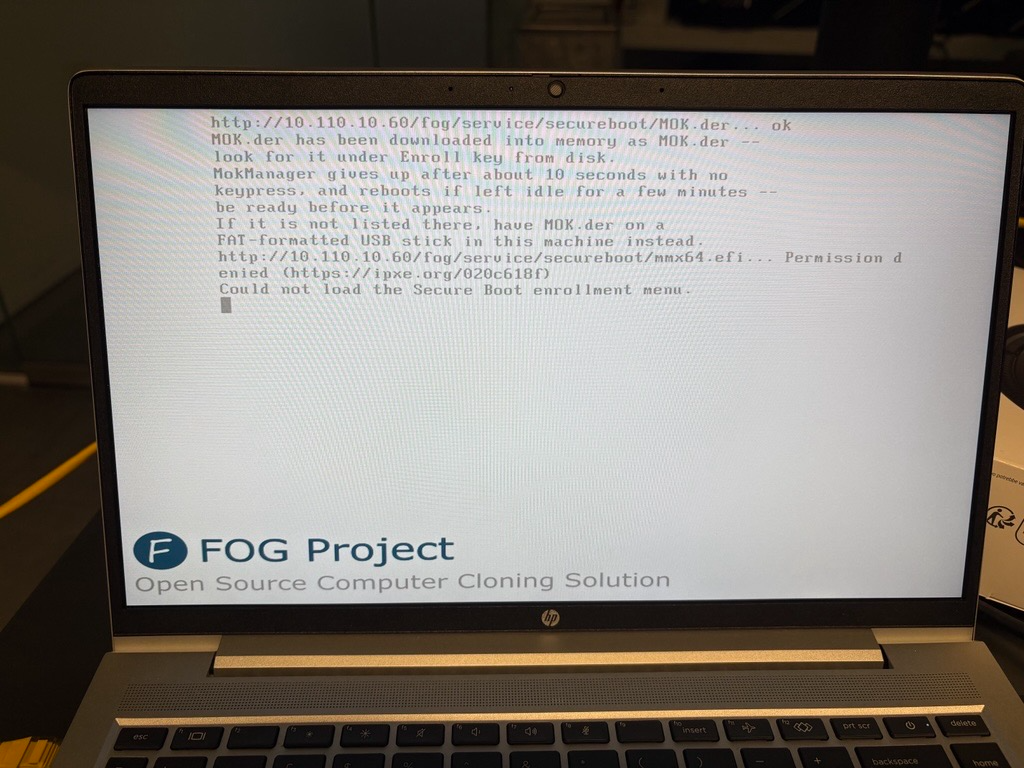
i have a windows DHCP server and ive added the right boot options

let me know
thanks,
rob -
@robertkwild Thanks for the screenshot. That error is a bug in the installer, not in your DHCP options.
020c618fmeans the FOG web server answered HTTP 401 formmx64.efi. On a fresh install, the installer copies MokManager into the web folder before it downloads the Secure Boot files, sommx64.efiis never there.To fix it now, run the installer one more time. The second run finds the downloaded file and copies it. Then pick “Enroll Secure Boot Key” again.
To confirm before you re-run, check that this file is missing:
ls -l /var/www/html/fog/service/secureboot/mmx64.efiTracked in https://github.com/FOGProject/fogproject/issues/1868.
-
@Tom-Elliott the file isnt there
ls -l /var/www/html/fog/service/secureboot/mmx64.efi
ls: cannot access '/var/www/html/fog/service/secureboot/mmx64.efi': No such file or directory
reran the install and now when i do a ls the file is there
now what please tom
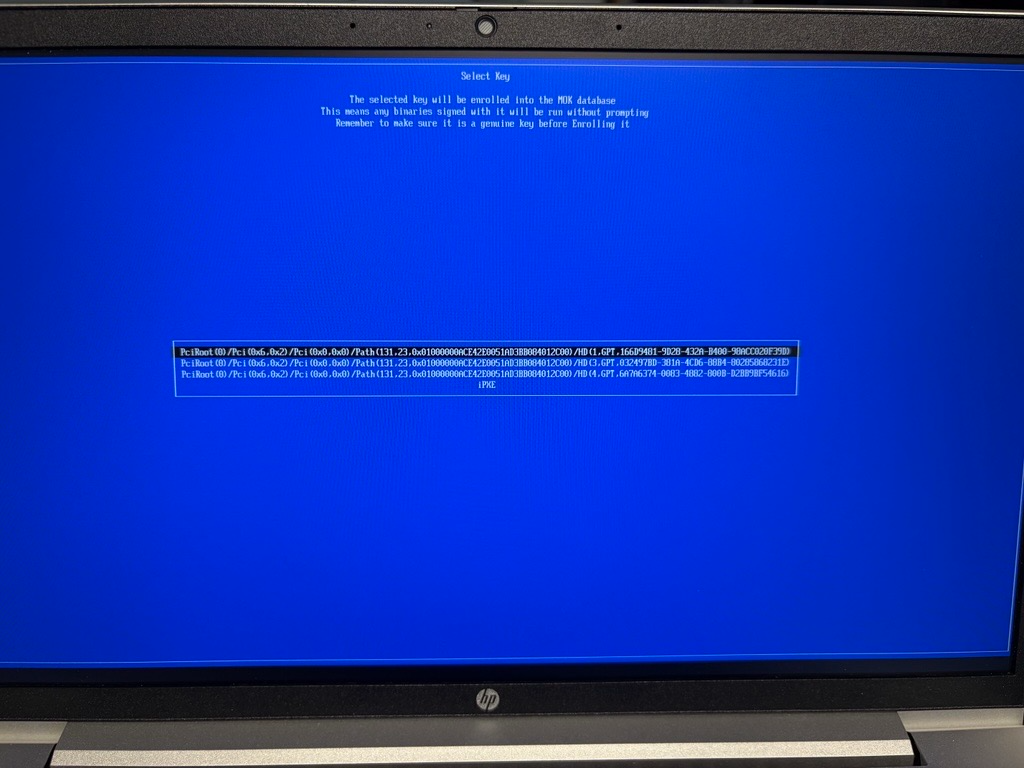
EDIT - ok ive enrolled the key, i had to select “iPXE”
how do i know its working/enrolled?
-
@robertkwild Good, that screen is MokManager, so the fix worked.
- Pick the last entry, iPXE. That is the network copy of the key.
- Pick MOK.der.
- Optional: View key 0 shows the certificate. Check it names your FOG server, then press a key.
- Pick Continue, then Yes.
- Pick Reboot.
Do not wait on these screens. MokManager reboots on its own if it sits idle.
After the reboot, PXE boot as normal. A Secure Boot task should now load the kernel.
-
R robertkwild has marked this topic as solved
-
@Tom-Elliott but do i need to enroll the machine to capture/deploy an image?
-
@robertkwild No, only need to enroll if you want to use Secureboot (after enrollment)?
-
i get this now when i do a quick enrollment
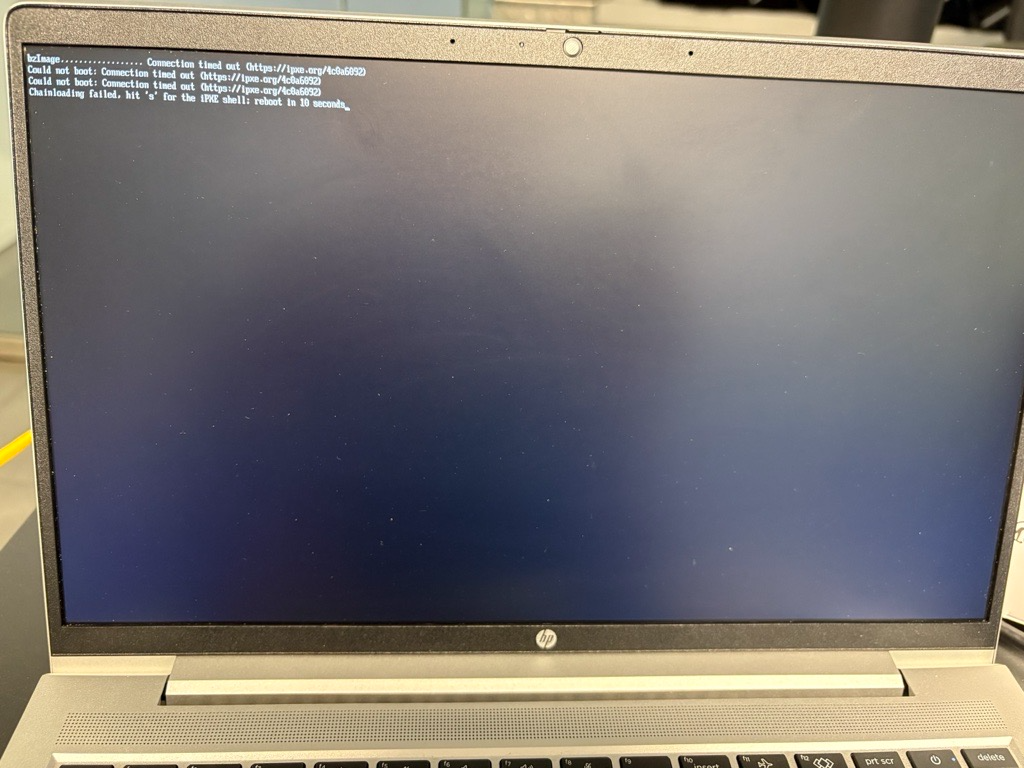
very wierd, when i pxebooted i got a black screen cli (different from the usual white gui one)
i restarted again (got the correct white screen gui), clicked on “quick enrollment”, went back to the web portal and cliked “all hosts” and i could see the host it added
-
@robertkwild The enrollment step worked. This new error is a network timeout, not Secure Boot.
4c0a6092means the server never answered the kernel (bzImage) download. iPXE checks the Secure Boot signature only after the download finishes. So this error says nothing about the key yet.Please run these two commands on the FOG server and post the output.
First, check that the server can send the kernel at all:
curl -s -o /dev/null -w '%{http_code} %{size_download}\n' http://10.110.10.60/fog/service/ipxe/bzImageThen try Quick Registration on the laptop again, and right after it fails, run:
sudo grep bzImage /var/log/apache2/access.log /var/log/nginx/access.log /var/log/httpd/access_log 2>/dev/null | tail -n 5If the log has no line from the laptop’s IP, the request never reached the web server. If it has a 200 with a small byte count, the transfer started and then dropped.
To answer your earlier question: once a Secure Boot task boots past
bzImageinto FOS, the key is enrolled. If it were not enrolled, you would get a security error after the download, not a timeout. -
@Tom-Elliott ok ive got somewhere
so i did “quick enrollment” and now i see it on the web portal
after i did “enroll secure boot key”
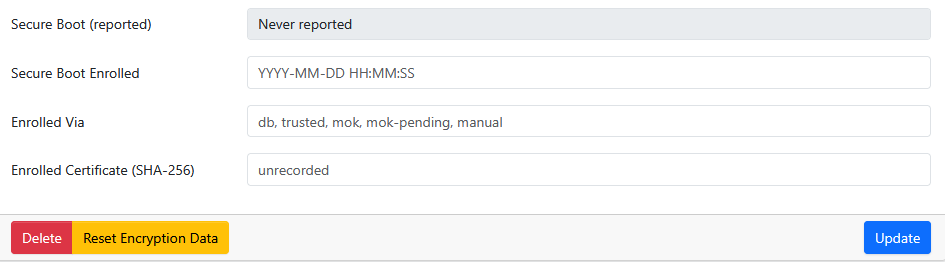
went back on the host on the web portal and i dont see the key its enrolled
answer to your questions
curl -s -o /dev/null -w '%{http_code} %{size_download}\n' http://10.110.10.60/fog/service/ipxe/bzImage
200 11063696
cant do the other one as now its registered the host on fog
-
@robertkwild Good progress. The server sends the full kernel (
200 11063696), and registration booted FOS, so the earlier timeout was a one-off. If it comes back, post the screen and the access log line from that moment.The empty Secure Boot fields on the host page are expected. The “Enroll Secure Boot Key” menu item enrolls the key in the laptop’s firmware through MokManager. FOG is not part of that step, so nothing reports back to the server.
Two ways to fill them in:
- Let FOS check and record it. On the host, create an “Enroll Secure Boot” task and PXE boot the laptop. FOS sees the key is already trusted, enrolls nothing, and records the state, the date, and the certificate fingerprint.
- Type it in. Set “Secure Boot Enrolled” to today’s date and “Enrolled Via” to
mok, then click Update.mokmeans a person confirmed the key in MokManager, which is what you did.
I’d use the task, because it checks the key instead of trusting a typed value.
-
@Tom-Elliott lovely
what i did once i registered the host i clicked on “task” and clicked “enroll secure boot”
and now i see all the info now once its enrolled secure boot, i see all the info once i refresh the host on fog web portal
so tom, tbh i dont get it, why do you have to “enroll secure boot” on a host, do i need to to capture or deploy images?
as my main goal is to capture/deploy images to hosts when “secure boot” is on/ticked in bios
-
@robertkwild Glad it’s all showing now.
You need enrollment only if Secure Boot stays ON in the machine’s firmware.
With Secure Boot on, the firmware runs only what it trusts. Out of the box that means Microsoft-signed code. The FOG kernel (FOS) is signed with your FOG server’s own key, which the machine does not know. Enrollment adds that key to the machine’s trusted list. After that, the machine boots FOS, so capture and deploy work with Secure Boot left on.
With Secure Boot off, the machine runs anything, and you can capture and deploy without enrolling.
So the choice is:
- Enroll once per machine and leave Secure Boot on. The key lives in the firmware, not on the disk, so a reimage does not remove it.
- Turn Secure Boot off for imaging and back on afterwards. That is a trip into the BIOS on every machine, every time. On a BitLocker machine, changing the Secure Boot setting can also trigger a recovery key prompt.
-
@Tom-Elliott makes sense
as going forward we do need secure boot on for sophos endpoint for bitlocker
so does that mean if i delete the host from the web portal i need to re register it if i want to deploy or capture a new image?
-
@robertkwild To be clearer on the delete case:
- The key stays. It lives in the laptop’s firmware, so deleting the host in FOG does not remove it. You do not need to enroll again.
- Deploy works without the host. “Deploy Image” on the PXE menu shows for unregistered machines. It asks for your FOG login and the image.
- Capture needs the host. You schedule a capture from the host’s page, so register the machine again first (Quick Registration, one boot).
-
ok so if I want to use fog with a host with secure boot on, I need to “enroll secure boot key” and once the keys been burnt in the FW of the host it’s good to work with fog so it’s a one off thing you do and then you don’t have to enrol that specific host anymore ie a one time thing
-
@robertkwild for that particular fog server, correct. Once enrolled it’s good.
-
@Tom-Elliott thanks Tom, you have been very helpful!!!
-
am i right in thinking i could capture the image using uefi non secure boot but i can deploy it to either uefi secure boot (need to enroll to fog) or non secure boot but then if it installs the image on secure boot on or off i then cant change the secure boot setting in bios as thats when windows will blue screen
-
@robertkwild The secureboot enable/disabled ultimately does not matter and shouldn’t.
Windows will happily boot in either scenario.
-
@Tom-Elliott tbh ive found in my own experience if you install windows with secure boot on or off and then after if you change secure boot you get the blue screen
