Could Not Mount Issue
-
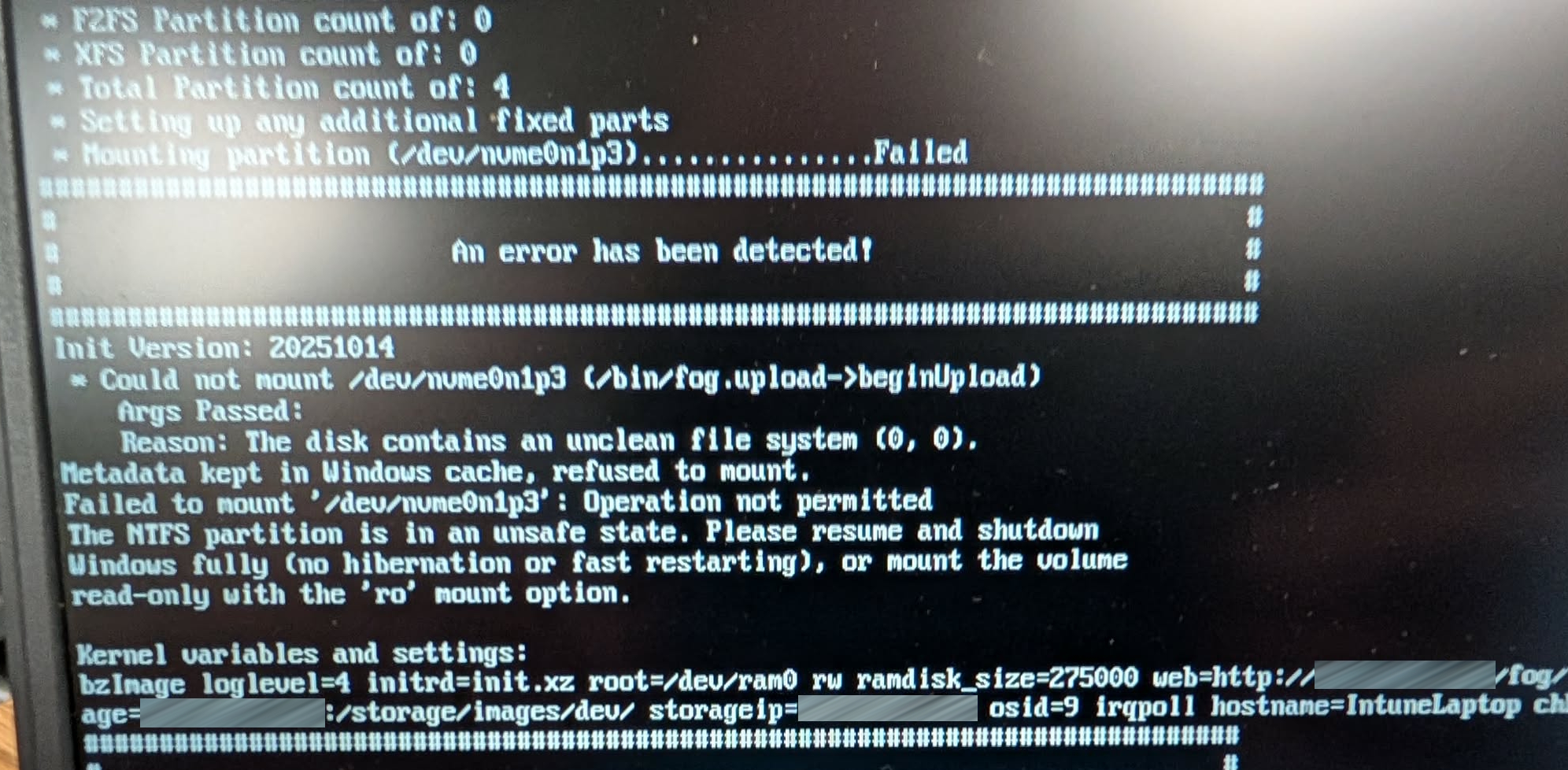
Cannot upload to FOG, error message states,
“The disk contains an unclean file system”
has anyone else gotten this error?"Metadata kept in Windows cache, refused to mount.
Failed to mount '/dev/nvme0n1p3 : Operation not permitted
The NTFS partition is in an unsafe state.Any help would be appreciated.
Thank you -
MAKE SURE FASTBOOT IS UNCHECKED!!!
Our coworker figured it out.
It’s located in additional power settings. -
Or use sysprep to power off the computer
Or run this command to properly power off the computer for cloningshutdown.exe -s -t 0You found the issue with Windows 8+ where shutdown isn’t really shutdown but an enhanced sleep mode. Disabling fast boot actually puts the computer in a powered off state too.
-
@george1421 Thank you for this suggestion. This disabling of “fastboot” worked PERFECTLY! I interrupted the OOBE with Shift + F10 and got the command line window. I shutdown using the “shutdown.exe -s -t 0” command you suggested. Then after booting up, the FOG capture task I had already started took over and it captured 100% as it should have.
Essentially, I had forgotten to disable fastboot like I normally do on EVERY computer I have. So when it “rebooted” it technically wasn’t rebooting the device since fastboot is a misguided absurd hibernation feature Microsoft developed. The error I got was nearly identical to the one in the original post.
Thanks so much for this suggestion George and all!