@sebastian-roth sorry i was to busy today, i will answer to all of this if i had the time.

Posts
-
RE: Fog Client seems to deal different since 1703posted in FOG Problems
-
RE: Fog Client seems to deal different since 1703posted in FOG Problems
@sebastian-roth i need to deploy my older image to see which fog version was inside, yes it was definitely older then the current version.
-
RE: Surface Book won't boot the kernelposted in FOG Problems
@sebastian-roth about the live system, i need to find the time today, i have the book until next friday.
-
RE: Read Windows Keys from Registry and BIOS (OEM Key) (FOG Client)posted in Feature Request
Hi,
today i was asked the following by a user in the chat.
I just paste it here because it could be useful for others:@SnufflePumpkin
Hi there. Saw your post about deploying a Windows 10 image. I am attempting to do the same and was wondering how you run the script for the oemkey part. I have an image already finished and attempted to deploy it today, but noticed that Windows would not activate as it was trying to use (I assume) the key from the computer I created the image on. I can find and enter the OEM product key manually, but I’d prefer it to take care of this during the sysprep generalize step if possible. How can I use your oemkey script in my image to help take care of this problem?
x23piracy
Hi, i have a binary that i trigger with setupcomplete that will read out the bios key and activate windows with the first logon (unattend.xml)
i described that in forums let me have a look if i will find it
look at this: https://forums.fogproject.org/topic/9694/read-windows-keys-from-registry-fog-client
I am using it with the following script to deploy it as snapin, that way all bios embedded keys will be activated after deployment@echo off for /f “tokens=*” %%i in (’%cd%\oemkey’) do set oemkey=%%i cscript %systemroot%\system32\slmgr.vbs /ipk %oemkey% >nul cscript %systemroot%\system32\slmgr.vbs /ato >nul exiti can give you the binary i found it somewhere on the net
Here is the binary: http://www.xup.in/dl,10419245/oemkey.zip/i show you a screener of what it does

i simply use the returning key to activate windows

i packed the binary and the script that is doing the action into an exe file that will be used as snapin with fog
if you like i can give you my finished package two, all you need to do is to add it as snapin and enable it for a client when you deploy.Attention: I used a bat to exe converter, you need to adjust the path’s in its config so it can find the files in your system
Here is the complete package: http://www.xup.in/dl,10862536/OEMKey.zip/
under install setkey.exe is the snapinRegards X23
-
Fog Client seems to deal different since 1703posted in FOG Problems
Server
- FOG Version: 1.4.4
- OS:
Client
- Service Version: 0.11.12
- OS: Windows 10 1703
Description
Hi,
in the past i used Windows 10 1607 and had 1 auto logon in my unattend.xml because i need Firstlogoncommands to trigger setupcomplete.cmd (Windows 10 OEM), in the past the local admin (unattend.xml) has been logged on, seconds later the FOG Client comes active and was renaming the client and joining the domain and did a reboot on it’s own (not shutdown -r -t 0 -f in setupcomplete.cmd!) after the reboot i could logon the first domain user.
Today with 1703 and maybe a newer Fog Client sometimes no reboot happens, when i then check Hostname and Domain status i can see Hostname has changed and the client belongs to the domain but it doesn’t reboot anymore.
@Joe-Schmitt did we had significant changes that doesnt require a reboot anymore? If so i need to add a shutdown in my script (wasn’t necessary before).
Regards X23
-
RE: Microsoft Surface Pro 4posted in Hardware Compatibility
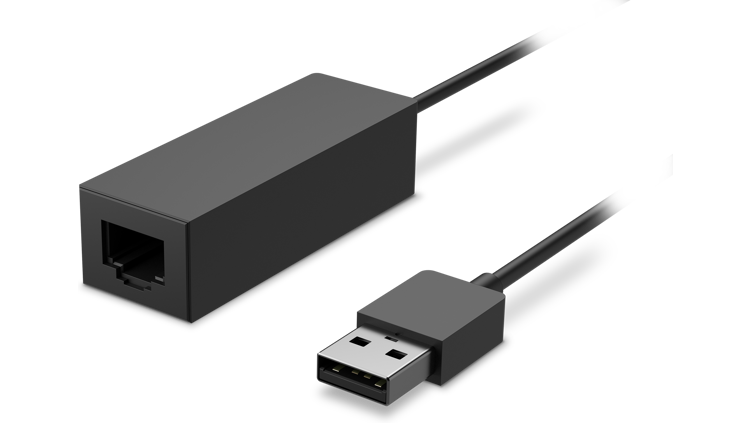
@avaryan yes with the microsoft usb nic that was available with the surce 3 pro:
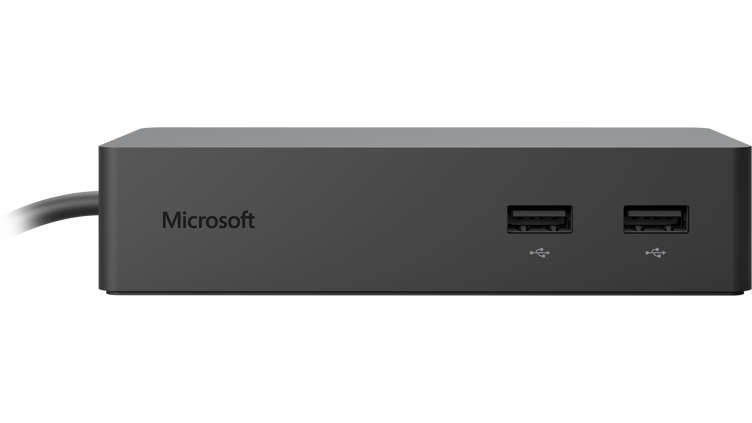
But their dock is also working:
But i won’t work with the Surface Book with FOG for me, i actually have one Probook around and cannot get it work:
https://forums.fogproject.org/topic/10375/surface-book-won-t-boot-the-kernelRegards X23
-
RE: Custom SSL Certificate with Fog Client Serviceposted in General Problems
@Sebastian-Roth interesting @hancocza could you point that out exactly please?
-
RE: Deploy Windows 10 imageposted in General
i like the idea of using /quit instead of /shutdown and getting sure the shutdown is a real one with shutdown -s -t 0 -f
I never used the chkdsk portion but it would not do any harm but wasting time :p… well i do a defrag instead.
If there is still a hdd i think it would make sense to defrag before you write cereal to it
-
RE: Windows 10 1703 - Sysprep Questionposted in Windows Problems
Hi,
i am working with windows 10 pro oem and i also use 1 autologin for a local admin user because pro don’t support setupcomplete.cmd to be executed automated like with enterprise, therefore i used firstlogoncommands in unattend.xml to execute setupcomplete.cmd that way.
For me all is working the only strange thing is that sometimes the computer doesn’t reboot when i check the hostname and domain status i can see name was changed and joined to domain without the final reboot where i would normally logon as domain administrator or final domain user.
Regards X23
-
RE: Install Google Earthposted in FOG Problems
Hi,
download the offline installer: https://support.google.com/earth/answer/168344?hl=en
and read the following: https://productforums.google.com/forum/#!topic/maps/qcdhk3Aj1CIThe important thing is OMAHA=1, but this will force auto updates.
Setting your Snapin to MSI would be wrong because it’s not an msi.
Ok i am wrong here the binary contains an msi but i cannot find the temporary path where the installer extract it to.Before trying to deploy that try this in a commandline on a local computer to see if it works.
Good luck
EDIT: I tried it for you “googleearth-win-7.1.8.3036.exe OMAHA=1” installs earth silently on my system.
The Following should work, don’t forget to add the installer binary, i don’t do this for fun

The Snapin preview should look like “cmd.exe /c googleearth-win-7.1.8.3036.exe OMAHA=1”
If you finally want to extract the msi out of the exe installer read this: http://www.itninja.com/blog/view/deploying-google-earth-through-gpo
Regards X23
-
RE: Windows 10 Default Programsposted in General Problems
Hi,
may something usefull inside:
https://forums.fogproject.org/topic/10392/audit-mode-no-changes-get-applied-to-default-profile/3Regards X23
-
RE: Surface Book won't boot the kernelposted in FOG Problems
It doesn’t work with any of the efi files.
-
RE: Surface Book won't boot the kernelposted in FOG Problems
@Tom-Elliott i was wrong with the nic
Here is a teardown: https://blogs.msdn.microsoft.com/danchar/surface-dock-teardown-brick-shaped-dock-for-sp3sp4surfacebook/It should be a Realtek RTL8153AM Ethernet:
http://www.realtek.com.tw/search/default.aspx?keyword=8153Will try the realtek efi’s tomorrow at work
Regards X23
-
RE: Surface Book won't boot the kernelposted in FOG Problems
@Tom-Elliott I found the following (filtered) in /tftpboot:
i386-7156-efi
i386-efi
intel7156.efi
intel.efi
ipxe7156.efi
ipxe.efi
realtek7156.efi
realtek.efi
snp7156.efi
snp.efi
snponly7156.efi
snponly.efi
Should i try them all or are senseless ones listed?
What about:
has_usb_nic=1
iommu=soft
should i set these values as arguments?
Afaik the nic in the dock should be from intel.
-
RE: Surface Book won't boot the kernelposted in FOG Problems
@Tom-Elliott said in Surface Book won't boot the kernel:
@x23piracy Have you tried ipxe7156.efi files?
sure, 7154 are my default files because we have a lot of surface 3/4 Pro, since 7154 isnt working i also tried ipxe.efi, same error.
If you say file(s) are there more then one ipxe7154.efi files? -
RE: Surface Book won't boot the kernelposted in FOG Problems
Hi,
has no one around the forums a Surface Book that could be tried with FOG please?
Regards X23
-
RE: Audit Mode - No changes get applied to default profileposted in Windows Problems
Hi,
you need to add copyprofile to your unattend.xml to get changes to default profile that you are doing in auditmode.
<component name="Microsoft-Windows-Shell-Setup" processorArchitecture="amd64" publicKeyToken="31bf3856ad364e35" language="neutral" versionScope="nonSxS" xmlns:wcm="http://schemas.microsoft.com/WMIConfig/2002/State" xmlns:xsi="http://www.w3.org/2001/XMLSchema-instance">
...
<CopyProfile>true</CopyProfile>
...
</component>
For Taskbar Customisations you can use powershell:
Export-StartLayout -Path "C:\Layout.xml"
Import-StartLayout -LayoutPath "C:\Layout.xml" -MountPath "C:\"
Afai remember Taskbar Icons defined by import-startlayout cannot be removed by the user, but i am not 100% sure about that fact.
@wad11656 said in Audit Mode - No changes get applied to default profile:
- Change Windows color scheme
- Change Settings app theme to dark
- Change profile picture (it wouldn’t let me. Had to manually copy over bmp’s and jpg’s within system files. Even then, the old default picture showed in the middle of the login screen, though all other instances of the profile picture were my modified version)
- Change lock screen (it wouldn’t let me. Had to copy over jpg’s within system files)
- Change wallpaper
- Change desktop icons
- Change default apps in Settings
- Profile Picture Change isn’t possible in Audit Mode without tricks
- Lockscreen picture change is also not possible in Auditmode without tricks
- Default Apps will be resetted if a new user log’s in so forget about that
For Default Apps you can try the following with dism:
https://www.tenforums.com/tutorials/8744-export-import-default-app-associations-new-users-windows.htmlBut afai remember it won’t work, but i forgot about my tests
Also, read this: https://forums.fogproject.org/topic/9877/windows-10-pro-oem-sysprep-imaging
Regards X23
-
RE: Windows 10 1703 system error on bootposted in FOG Problems
Hi,
that simply sounds like the wrong exit type for this machine. Try to use another exit type and report back.
What is it for a computer and which type of exit type do you use?Regards X23
-
RE: Surface Book won't boot the kernelposted in FOG Problems
Hi,
is there a difference between choosing system information in fog menu and do a inventory of the machine?
I only could boot once with usb nic or the dock when i add has_usb_nic=1 but i didn’t choose to image i just started the system information entry then it booted up but i don’t know if there is a difference between that and for example planing a deploy task.Regards X23
-
RE: Surface Book won't boot the kernelposted in FOG Problems
Hi,
ok it’s not working it just booted once over the surface 3 pro usb nic and the supplied dock for surface book, but just a single time. Another strange issue in my it life…