• Recent
    • Unsolved
    • Tags
    • Popular
    • Users
    • Groups
    • Search
    • Register
    • Login
    1. Home
    2. Wayne Workman
    3. Best
    • Profile
    • Following 11
    • Followers 31
    • Topics 425
    • Posts 12,326
    • Groups 2

    Posts

    Recent Best Controversial
    • RE: Fog 1.20 as 0.32

      I don’t mean to come off harsh. but the way you put it makes how FOG is designed to work unacceptable or worse than doing it manually. I assure you this is not the case.

      If you’re a used computer distributer and just want to stick a quick image onto computers for resale or shipment, then quick image is the best choice. You can do this in 1.2.0 using the Capone plugin, FYI. But you won’t see the massive speed increases that FOG Trunk has to offer.

      If you support a set of computers through their life cycle - you should be registering computers.

      And depending on how you are using FOG (virtualized, isolated, or bare metal) - then Trunk just might be good for you.

      posted in FOG Problems
      Wayne WorkmanW
      Wayne Workman
    • RE: Undionly.kpxe and ipxe.efi

      Just found an Awesome article, I’m posting all of what I found because I’d hate for the resource to go away…
      SITE: [url]http://www.syslinux.org/archives/2014-January/021404.html[/url]

      Going to try this out next week!

      -----------------------------------------------------------------------Content-----------------------------------------------------------------------

      [syslinux] Windows Server DHCP + UEFI recipe

      Alexandre Blanchetteblanalex at gmail.com
      Wed Jan 15 03:45:05 PST 2014

      A small how-to for encapsulating option 210 inside option 43 on Windows
      DHCP servers would be welcome then 🙂

      And as far as UEFI x86 system go, one would simply have to create another
      vendor class with the value PXEClient:Arch:00006

      On Wed, Jan 15, 2014 at 12:05 AM, Gene Cumm <[URL=‘http://www.zytor.com/mailman/listinfo/syslinux’]gene.cumm at gmail.com[/URL]> wrote:

      I’ve found a way to support PXE booting both UEFI and BIOS architecturesvwith Windows Server DHCP.

      This method uses a feature introduced in WinServer 2012: DHCP policies.
      First, in the the DHCP console, at the IPv4 root of the server, create a vendor class named PXEClient (UEFI x64) with the following value: PXEClient:Arch:00007 Then create your configuration for your BIOS clients in your scope or as global settings as usual by setting options 66 (IP or hostname of your > TFTP > > host) and 67 (pxelinux.0). For the UEFI clients, you must then create a policy. In the condition > page > > of the wizard, add a condition with the following settings: > > Criteria: Vendor Class > > Operator: Equals > > Value: PXEClient (UEFI x64) > > Tick Append wildcard(*) > > > > Do not configure an IP address range for the policy. > > > > Finally configure options 66 (TFTP server) and 67 (syslinux.efi). You > must > > separate TFTP servers for your BIOS and UEFI clients because Microsoft > DHCP > > server does not send option 210 (path prefix). Microsoft DHCP servers > will > > only send options listed in the Parameter Request List in the > DHCPDISCOVER > > packet. > > > > One could make a cleaner setup by creating a BIOS PXEClient vendor class > > and putting their options within a policy too. >> I haven’t tried WS2012 yet but PXELINUX will parse DHCP option 43 > (vendor-specific information) nicely and I have encapsulated 210 > inside 43 successfully (can’t recall if I tried WS2008R2 and/or > ISC-DHCPd but I did at least one). >> The one oddball missing from your recipe is the UEFI x86 systems that > are not 64 bit. They are rare but exist. >> – > -Gene > _______________________________________________ > Syslinux mailing list > Submissions to [URL=‘http://www.zytor.com/mailman/listinfo/syslinux’]Syslinux at zytor.com[/URL] > Unsubscribe or set options at: > [url]http://www.zytor.com/mailman/listinfo/syslinux[/url] > Please do not send private replies to mailing list traffic. >>

      –
      Alexandre Blanchette <[URL=‘http://www.zytor.com/mailman/listinfo/syslinux’]blanalex at gmail.com[/URL]>

      posted in General
      Wayne WorkmanW
      Wayne Workman
    • RE: [Feedback Requested] Adding kernel info to FOG Reporting

      @sebastian-roth Good points. Let me refine this a little with the DB query stuff.

      posted in General
      Wayne WorkmanW
      Wayne Workman
    • RE: Migrate PM to VM 1.2.0

      @george1421 said:

      The one thing you have to be aware of when you migrate, you have to have the same version of FOG on both sides of the migration. For example if you try to migrate from 1.2.0 stable to 1.2.0 stable, you are pretty assured that the data will migrate without issue. But if you try to migrate from 0.32 to 1.2.0 the migration will fail without question. The same holds true if you try to migrate from 1.2.0 stable to 1.2.0 trunk 5676. (understand this is only used to prove a point). The database has changed quite a bit from 1.2.0 to any one of the trunk builds.

      I know. I intend to cover this.

      In the case of the OP, I think we need to look into why the database is not exporting and importing as expected. Something is not right here. At the very least we can use the process outlined by Arrowhead-IT to migrate the data. But I have a strong belief that this should be done from within the GUI to keep people out of the underlying OS whenever possible.

      I’m talking about a total migration. Leaving one OS and going to another, and taking your data, certs, and settings with you. You can’t avoid interacting with the OS for this, if you have many hosts and rely on FOG to do many things you simply cannot abandon your certs and CA now.

      posted in FOG Problems
      Wayne WorkmanW
      Wayne Workman
    • RE: Windows 10

      [quote=“need2, post: 45182, member: 21891”]I greatly look forward to any documentation of your travels in this. It is something I have fiddled with, but have lacked the time to actually work on. I have a hunch that, if you are running a Windows Server Domain environment, you could use a WDS server to figure out the different systems, then chain it into the appropriate boot files fog FOG.[/quote]

      Follow my travels here: [url]http://fogproject.org/forum/threads/undionly-kpxe-and-ipxe-efi.12607/[/url]

      That’s the junk thread that everything I find is going into… When I’ve got it nailed down, I’ll make a wiki article.

      posted in General
      Wayne WorkmanW
      Wayne Workman
    • RE: [Feedback Requested] Adding kernel info to FOG Reporting

      @Sebastian-Roth thanks for merging.

      I’ve got the information storing pieces worked out in the server side via this PR. Next is to get the graphs created.

      posted in General
      Wayne WorkmanW
      Wayne Workman
    • RE: TFTP Problems

      @george1421 There are several threads on it (only one worth anything). The wiki article on it is incredibly dated

      posted in FOG Problems
      Wayne WorkmanW
      Wayne Workman
    • RE: Hosts and their IP

      Perhaps someone should create a plugin that communicates with Windows DHCP Server ?

      posted in General
      Wayne WorkmanW
      Wayne Workman
    • RE: [Feedback Requested] Adding kernel info to FOG Reporting

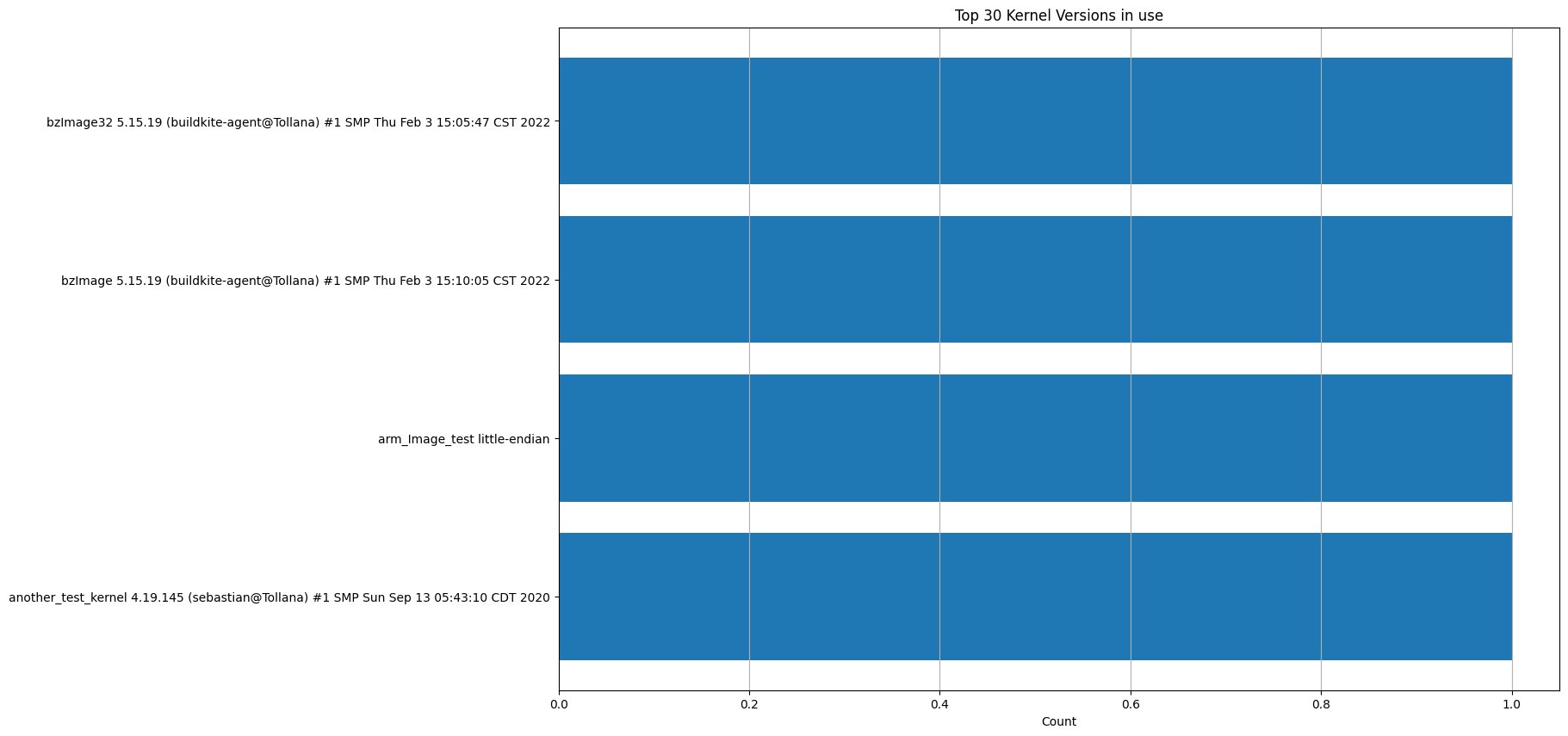
      @Sebastian-Roth I’ve added the graphing. Below is a graph generated with just 4 test entries in the DB. I’ve changed all the graphs to display 30 instead of 20, and made the images a bit bigger.

      kernels_out_there.png

      posted in General
      Wayne WorkmanW
      Wayne Workman
    • RE: Trunk 4542 403 Forbidden error Estimated FOG Sites

      Patiently waits for Tom to fix it…

      posted in FOG Problems
      Wayne WorkmanW
      Wayne Workman
    • RE: Copy an entire HDD

      @ben.walker said:

      I finally got it. I had to turn UEFI Network Boot Stack on in the BIOS. It has now imaged the drive. The only problem I have is can these images be compressed in any way?

      Thank you,
      Ben

      Yes, that is supposed to happen during image upload.
      It’s the “compression” setting when you are creating/defining a new image.

      posted in General
      Wayne WorkmanW
      Wayne Workman
    • Debian has surpassed Ubuntu

      Thought I would never see it, but it’s happened. Debian is now the most-popular Linux operating system for FOG dev-branch and working-branch.

      The figures as of today:

      "Debian": 295,
      "Ubuntu": 290,
      "CentOS": 128,
      "CentOSStream": 5,
      "Rocky": 4,
      "AlmaLinux": 3,
      "RedHatEnterpriseServer": 3,
      "Raspbian": 2,
      "LinuxMint": 2,
      "Fedora": 2,
      "OracleServer": 1
      

      These figures are from fog’s external-reporting functionality. A link to the dashboard is in my signature.

      posted in General
      Wayne WorkmanW
      Wayne Workman
    • RE: DNSMasq ProxyDHCP tries to pull ipxe.default from wrong IP

      @Quazz said:

      Is it possible to capture network information to the router itself?

      Yes, it’s possible. You’d just use Wireshark, and then just do an ipconfig /release and then ipconfig /renew in Windows to see the DHCP stuff that the router is sending. I expect you to find what @Sebastian-Roth forewarned, which is the device incorrectly sending out option 66.

      If that is indeed the case - you have maybe four options.

      • Figure out how to set DHCP properly on that device.

      • Figure out how to just turn DHCP off for that device and use ISC-DHCP only (best option).

      • Buy an inexpensive router that allows you to turn off DHCP (or be flashed with dd-wrt) from your nearest electronics store and put it directly behind the ISP router, then use that as your new gateway. Then you could use 10.0.0.0/16 or 10.0.0.0/24 for your internal network depending on the number of internet connected devices you need to support. I’d go with /16. (this option will increase your internet traffic latency a little).

      • Hope that @Sebastian-Roth 's ProxyDHCP works for you.

      posted in FOG Problems
      Wayne WorkmanW
      Wayne Workman
    • RE: Imaging transfer rates - VM vs Physical machine

      Oh, and that’s with the GREATLY improved upload/download speeds that FOG Trunk offers.

      1.2.0 is significantly slower.

      posted in General
      Wayne WorkmanW
      Wayne Workman
    • RE: Alma 9, RHEL 9, Fedora 36, Ubuntu 22.04 added to daily tests

      ah geeze, I will look into it.

      posted in General
      Wayne WorkmanW
      Wayne Workman
    • RE: FOG Service CA Certificate problem

      @Rusty said:

      Do I just add an entry like in the pic ? Is the change on the network pretty quick or do the changes need to be propagated somehow ?

      It’s hard to tell from the picture, but I can see that the .local Top Level Domain is selected. Generally it’s not good in the long run to use the generic top level domains like .local See this for more details on best practices: http://serverfault.com/questions/402580/what-is-active-directory-domain-services-and-how-does-it-work

      The entry looks right, but is you’re fog server actually named “fog-server” ? Maybe create an A record for it’s real name too?

      Also - is DHCP configured to hand out this particular DNS server? Also - are the hosts in the environment set to automatically configure DNS or is DNS statically set?

      On windows, you can use the nslookup utility to resolve IPs and names, you can also specify which DNS server to use.

      posted in FOG Problems
      Wayne WorkmanW
      Wayne Workman
    • RE: Imaging transfer rates - VM vs Physical machine

      @Neil-Underwood said:

      Hmmmm. I’ve been wondering if I should attempt to upgrade to trunk for a while now. Ever since I encountered the hostnamechanger problem in 1.2.0 months ago.

      Now that you mention it, I think my main server is only one core and like 2gb of ram. I didn’t think I would need much horsepower when I built it.

      I believe my fastest node is a recent gen i3, so technically 4 cores. I really thought the disk speed and network latency would be the main bottlenecks.

      Well, I never tired even imaging with the Hyper-V build that accidentally only had 1 core. The web UI was unacceptably slow. I just tore it down and re-built it with 4 cores like I had in the past.

      Oh, and my Hyper-V FOG server is assigned 4 GB of non-dynamic ram assigned to it, and 500GB HDD space assigned. The hard disk set that FOG uses in the server are SAS12 I think, in a RAID 1 configuration.

      You’ll get a ton of other benefits from virtualizing FOG, and it would make using FOG Trunk not so scary.

      Start off with 1.2.0. Migrate your images and DB. Get it working, test, test, test. Snapshot it.

      Then, install FOG Trunk. Get it working. Snapshot it. KEEP YOUR SNAPSHOTS.

      In the future, if a upgrade to a newer Trunk version goes wrong / doesn’t work, revert to previous snapshot. Easy.

      Personally, I take a snapshot EVERY Friday, and before EVERY upgrade and I keep several past snapshots just in case. And I also regularly export my DB and images every Friday and before every upgrade. And, I label my DB exports with Revision and Date.

      posted in General
      Wayne WorkmanW
      Wayne Workman
    • RE: Alma 9, RHEL 9, Fedora 36, Ubuntu 22.04 added to daily tests

      Fixed. Ubuntu 22 is now really Ubuntu 22.
      https://github.com/FOGProject/fogproject-aws-devops/commit/685df98250938f94b3e099df5d72f609102811fc

      posted in General
      Wayne WorkmanW
      Wayne Workman
    • RE: Latitude E5450

      Well… 2 hours isn’t acceptable when you’re using 1.2.0 with an 18GB image through a end-to-end 1Gbps connection.

      Something’s wrong. Basics first, check your connections. Make sure the laptop’s power adapter is connected and it’s properly hooked up. Trade out the patch cable. Try a different network drop. Is the laptop sitting on a microwave? Make sure the image isn’t set as RAW.

      Beyond those things, I might look at the load that your FOG server is under, you can run the top command to see what’s happening. Look at the load averages and the memory usage of the running programs.

      Do you have another Latitude E5450 you can try?

      posted in FOG Problems
      Wayne WorkmanW
      Wayne Workman
    • RE: Imaging transfer rates - VM vs Physical machine

      Unicasting to 28 machines at once…

      Untitled.png

      posted in General
      Wayne WorkmanW
      Wayne Workman
    • 1 / 1