I deploy image ubuntu 24.04 success but when phisycal PC boot OS ubuntu, PC shutdown immediately. pls helpme!
V
Posts
-
Ubuntu 24.04 shutdown immediatelyposted in FOG Problems
-
RE: Could not mount image folder (/bin/fog.upload). mounting IP:/images/dev on /images failed: connection time outposted in FOG Problems
@Tom-Elliott yes, I checked the services, they all running.
systemctl status nfs-server
● nfs-server.service - NFS server and services
Loaded: loaded (/usr/lib/systemd/system/nfs-server.service; enabled; preset: enabled)
Drop-In: /run/systemd/generator/nfs-server.service.d
└─order-with-mounts.conf
Active: active (exited) since Tue 2026-06-30 09:06:50 UTC; 17h ago
Process: 4995 ExecStartPre=/usr/sbin/exportfs -r (code=exited, status=0/SUCCESS)
Process: 4997 ExecStart=/usr/sbin/rpc.nfsd (code=exited, status=0/SUCCESS)
Main PID: 4997 (code=exited, status=0/SUCCESS)
CPU: 10msJun 30 09:06:49 fog-svr.local systemd[1]: Starting nfs-server.service - NFS server and services…
Jun 30 09:06:50 fog-svr.local systemd[1]: Finished nfs-server.service - NFS server and services.rpcinfo -p 192.168.13.99
192.168.13.99 mountd
rpcinfo -t 192.168.13.99 nfs
rpcin program vers proto port service
100000 4 tcp 111 portmapper
100000 3 tcp 111 portmapper
100000 2 tcp 111 portmapper
100000 4 udp 111 portmapper
100000 3 udp 111 portmapper
100000 2 udp 111 portmapper
100024 1 udp 50174 status
100024 1 tcp 34667 status
100005 1 tcp 20048 mountd
100005 2 tcp 20048 mountd
100005 3 tcp 20048 mountd
100003 3 tcp 2049 nfs
100227 3 tcp 2049 nfs_acl
100021 1 udp 38178 nlockmgr
100021 3 udp 38178 nlockmgr
100021 4 udp 38178 nlockmgr
100021 1 tcp 37227 nlockmgr
100021 3 tcp 37227 nlockmgr
100021 4 tcp 37227 nlockmgrI deployed the image using a VM on Proxmox and it worked, but with a phisical PC it gives the error like above. All are on the same VLAN.
-
Could not mount image folder (/bin/fog.upload). mounting IP:/images/dev on /images failed: connection time outposted in FOG Problems
I set up a FOG server on Ubuntu 24.04 (Proxmox 8.3), I have captured and deployed images on Proxmox, everything worked fine. But when I deploy the image on a physical PC, it doesn’t work. I tried capturing packets with “tcpdump -ni any port 2049 or port 111”, but no packets on port 2049 are reaching the server at all.
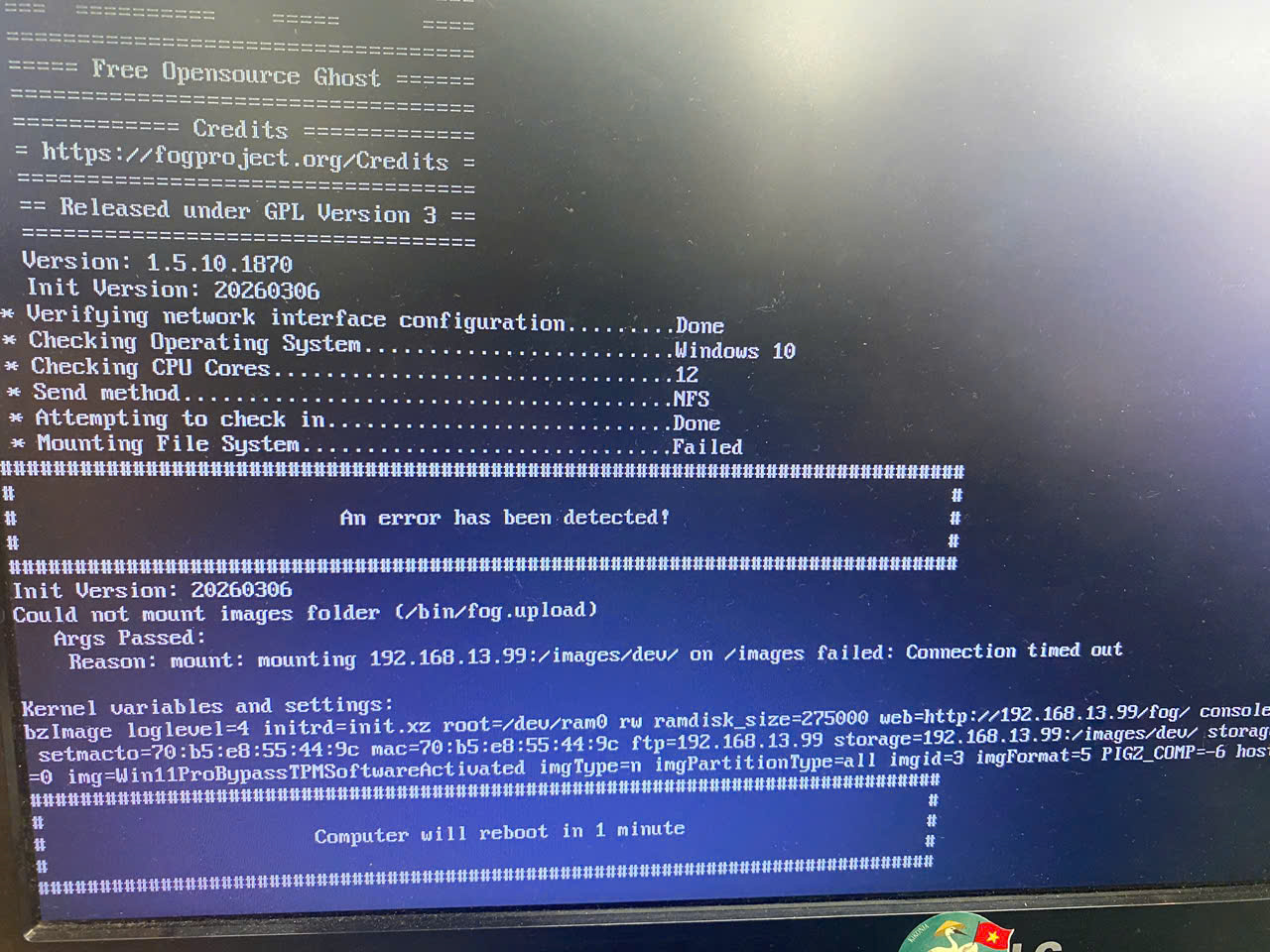
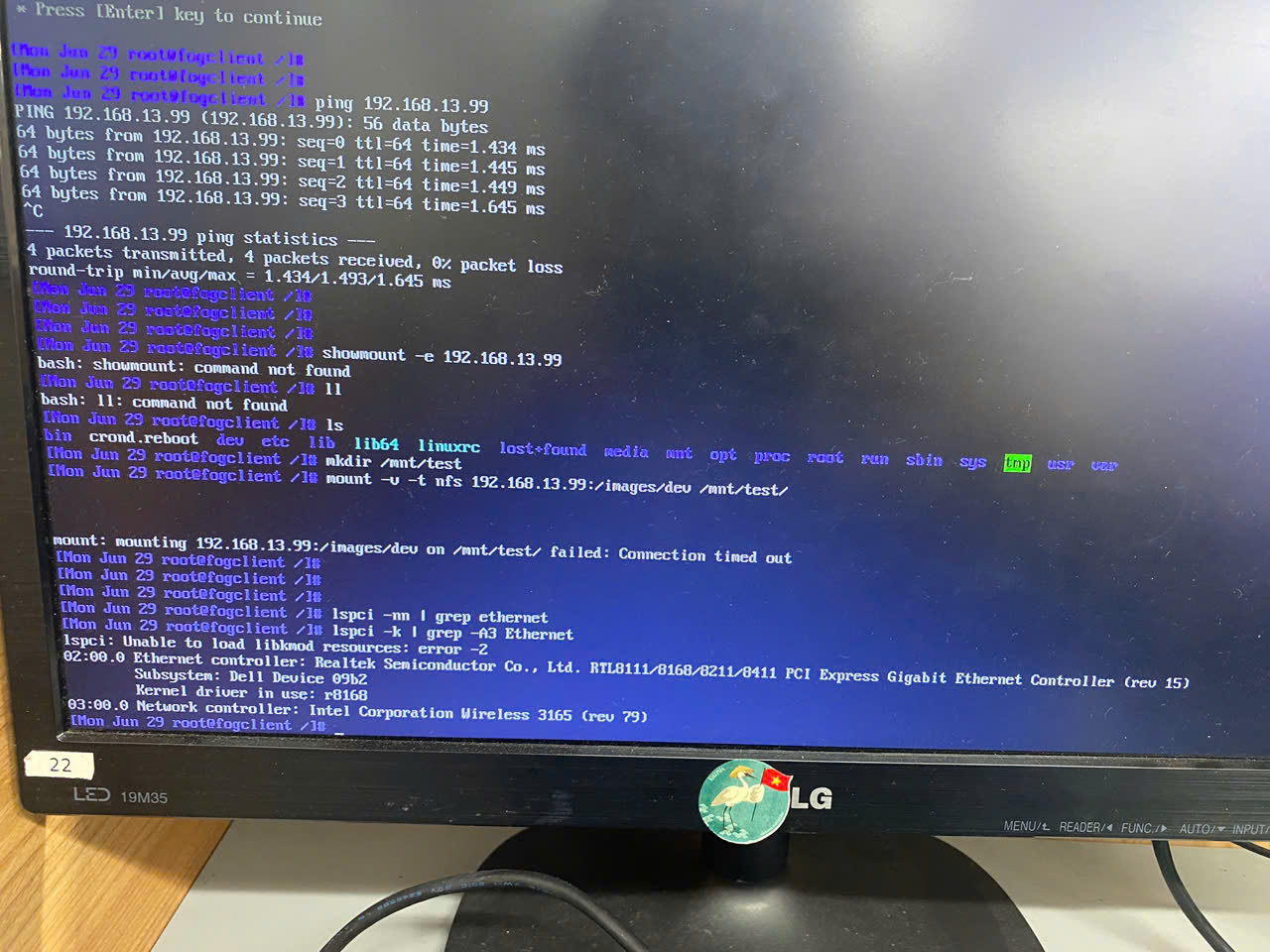
pls help me!