@Tom-Elliott The Fog server is well hidden behind a firewall
I intentionally sent the password you see there are no special characters in it, and it still doesn’t work.
The old Snap-ins don’t work, and I can’t upload new ones.
It’s all so secure that nothing works!
I’m starting to get a little desperate—I really need to clone again soon… I honestly have no idea what else to do.
K
Posts
-
RE: Windows 11 | 65x HP Z2 Tower G1i | UPDATE -posted in FOG Problems
-
RE: Windows 11 | 65x HP Z2 Tower G1i | UPDATE -posted in FOG Problems
@Tom-Elliott
OK I changed as root on the ssh the password of fogproject to 2FEWI65tfjFk0awFBGw - also in http://192.168.0.196/fog/management/index.php?node=storage&sub=edit&id=1it is still not working …
-
RE: Windows 11 | 65x HP Z2 Tower G1i | UPDATE -posted in FOG Problems
@Tom-Elliott
still the same problem:
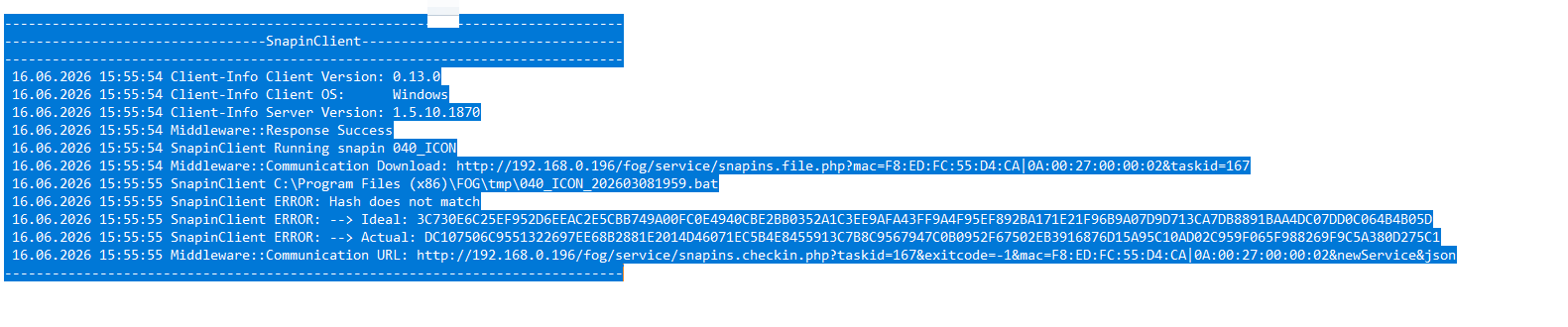
I don’t understand what I should do:
“As for the actual snapin upload, … you might be able to more simply fix this by just setting the value on the username/password out of the storage node’s fogsettings username/password inforrmation.”
where to change? Here?
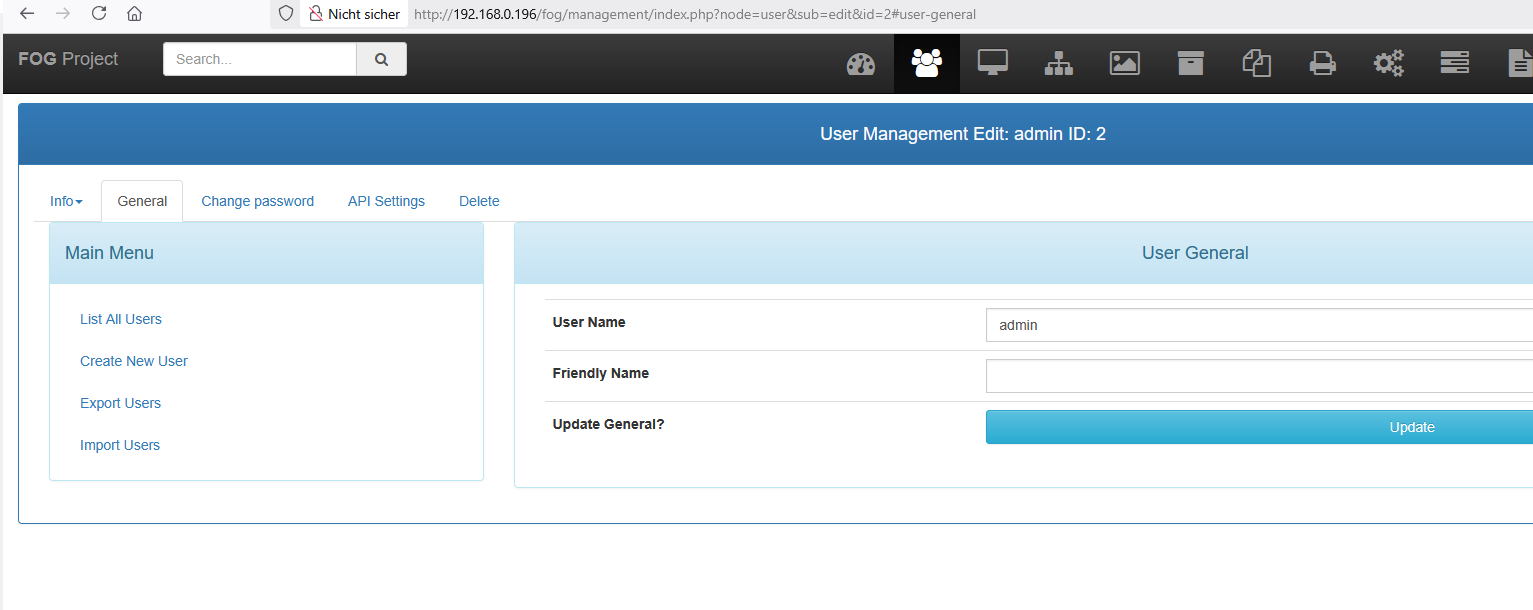
or here?
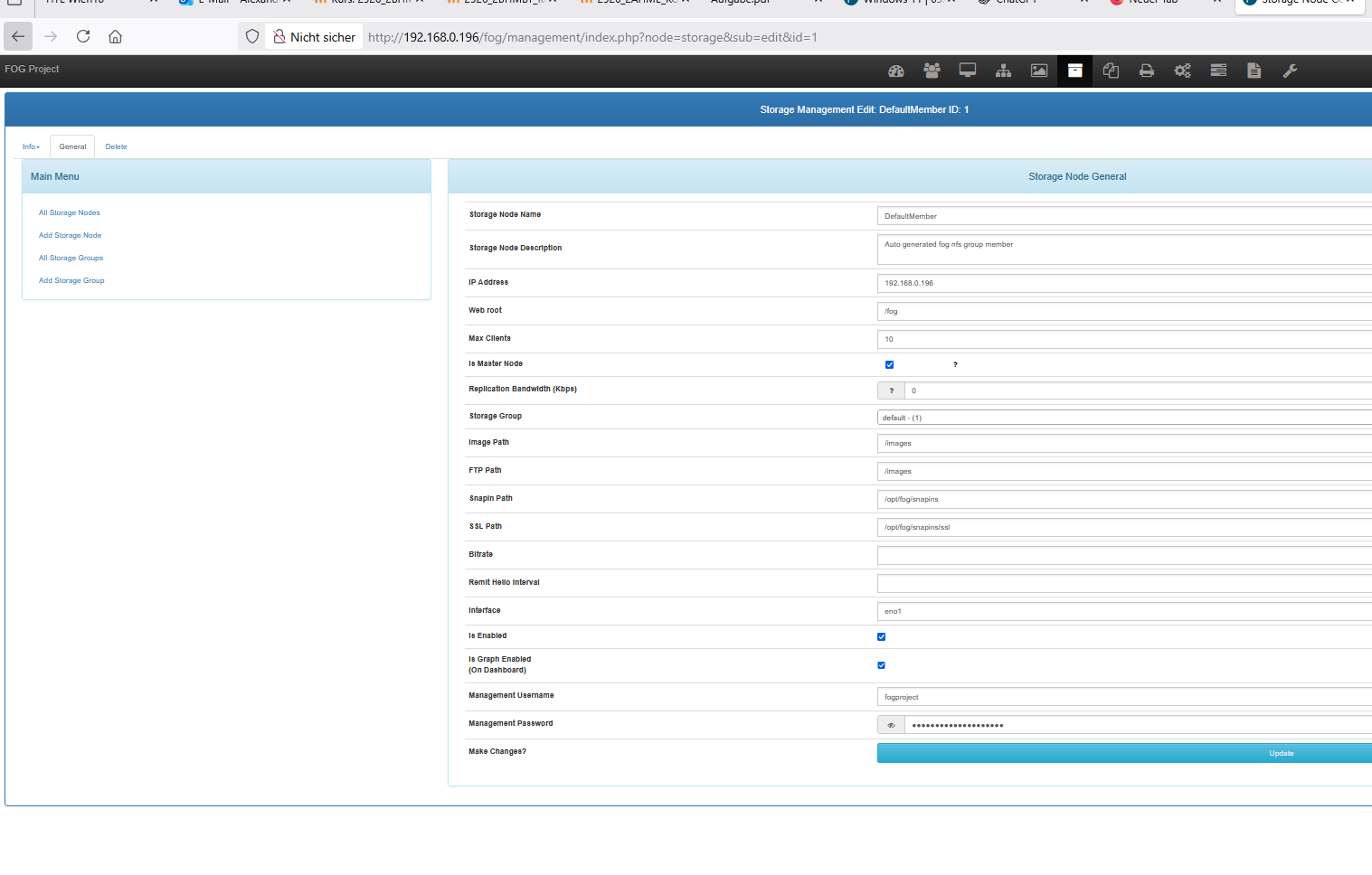
I’m afraid of damaging the system. -
RE: Windows 11 | 65x HP Z2 Tower G1i | UPDATE -posted in FOG Problems
@Tom-Elliott
so I cannot use fog in the development branch - I need the snap in - the old one are not working anymore - I cannot upload new one. -
RE: Windows 11 | 65x HP Z2 Tower G1i | UPDATE -posted in FOG Problems
@Tom-Elliott
Problem with upload of a snapin.
First a working snapin stop working:
08.06.2026 15:13:27 Client-Info Client Version: 0.13.0
08.06.2026 15:13:27 Client-Info Client OS: Windows
08.06.2026 15:13:27 Client-Info Server Version: 1.5.10.1858
08.06.2026 15:13:27 Middleware::Response Success
08.06.2026 15:13:27 SnapinClient Running snapin 010_LEHRER_CAD2
08.06.2026 15:13:27 Middleware::Communication Download: http://192.168.0.196/fog/service/snapins.file.php?mac=F8:ED:FC:55:CF:93|0A:00:27:00:00:02&taskid=164
08.06.2026 15:13:31 SnapinClient C:\Program Files (x86)\FOG\tmp\010_LEHRER_CAD2_202404280859.bat
08.06.2026 15:13:31 SnapinClient ERROR: Hash does not match
08.06.2026 15:13:31 SnapinClient ERROR: --> Ideal: 190C52D094C5170B44F32883DEEE59FED0FD5016114B7A64A79EB614BFFBBB39D79B65DB9CE9DE3D0B35FE58AC23B59353D58F190B23CF1F797698055B7D5B44
08.06.2026 15:13:31 SnapinClient ERROR: --> Actual: 6B20738DF050F01FA8E2AAF43235EE959069D2E0ECEA5FE4D7141F802D4F7673E1E51A92F315AE319EC289BA3494047DD006E86371358380FED7A38A9AFB8793
08.06.2026 15:13:31 Middleware::Communication URL: http://192.168.0.196/fog/service/snapins.checkin.php?taskid=164&exitcode=-1&mac=F8:ED:FC:55:CF:93|0A:00:27:00:00:02&newService&jsontry to upload a new Version in the fog gui:
named: 010_LEHRER_CAD2_202606081517.bat
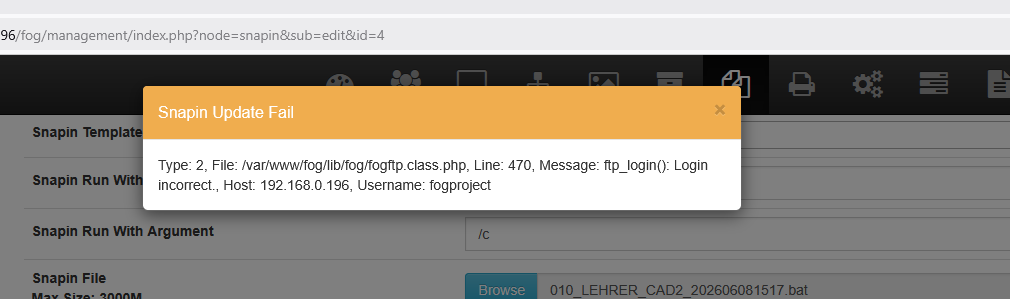
-
RE: Windows 11 | 65x HP Z2 Tower G1i | UPDATE -posted in FOG Problems
@Tom-Elliott
at the moment no lost devices. I did my test at the moment. But no cloning - or other tasks - next week I’ll start to test … -
RE: Windows 11 | 65x HP Z2 Tower G1i | UPDATE -posted in FOG Problems
@Tom-Elliott
since yesterday no devices lost -
RE: Windows 11 | 65x HP Z2 Tower G1i | UPDATE -posted in FOG Problems
@Tom-Elliott
fyi:
again no interaction with the web interface - today another PC lost the hostDevice.
root@fog:~/NVME_Problem/hostDevice# ./anzeigen
±---------+
| hostName |
±---------+
| PC102CAD |
±---------+
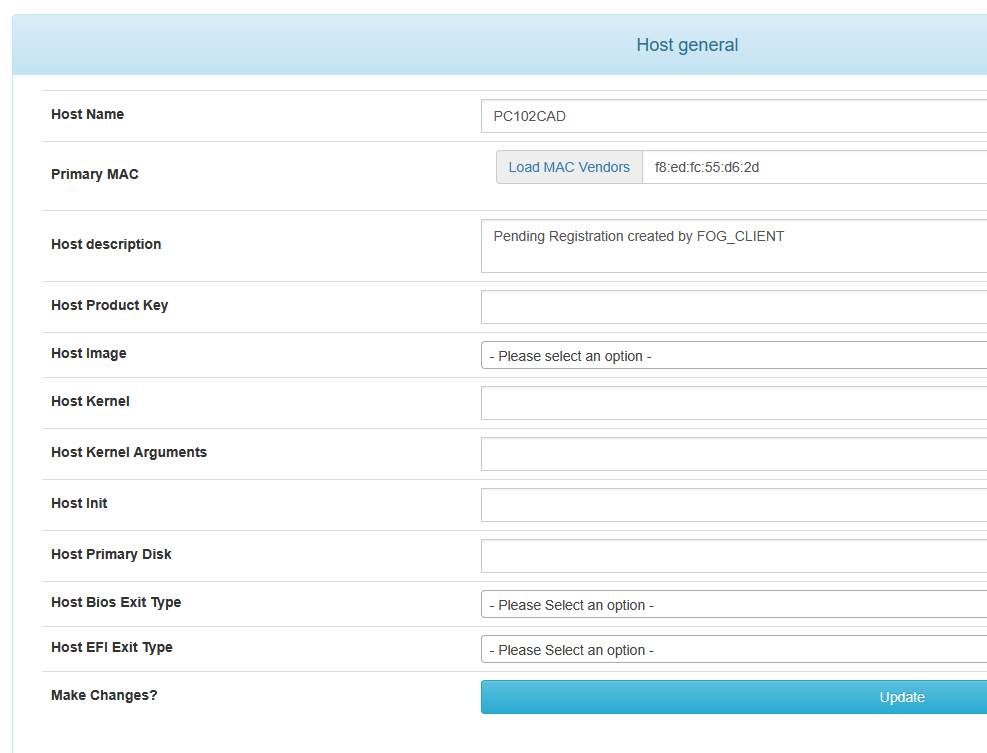
Yesterday it was PC002CAD today PC102CAD.@Tom-Elliott said in Windows 11 | 65x HP Z2 Tower G1i | UPDATE -:
dev-branch
ok
Your version of FOG is up to date.
You’re running the latest dev-branch version: 1.5.10.1858 -
RE: Windows 11 | 65x HP Z2 Tower G1i | UPDATE -posted in FOG Problems
@Tom-Elliott
Your version of FOG is up to date. You’re running the latest stable version: 1.5.10.1826 -
RE: Windows 11 | 65x HP Z2 Tower G1i | UPDATE -posted in FOG Problems
@Tom-Elliott
in the inventorry table mostly the other (for me wrong - secondarry Data) nvme is stored
Here are also some without an IHdserial
mysql -u root fog -e “SELECT iCASEserial FROM inventory WHERE iHdserial IS NULL OR iHdserial = ‘’;”
root@fog:~/NVME_Problem/inventory# ./anzeigen
±------------+
| iCASEserial |
±------------+
| CZC5477HVZ |
| CZC5477HT0 |
| CZC5477HTK |
| CZC5477JMZ |
±------------+
The Host now lost the Serial Number is the CZC5477HSX
CZC5477HSX
WDGreenSN350250GB2G0C
236050WD
260227800933
so in the inventory table the Data Disk is stored -
RE: Windows 11 | 65x HP Z2 Tower G1i | UPDATE -posted in FOG Problems
@Tom-Elliott
I need the Serial Number of the nvme to clone to the correct device. (2 nvme in every PC)
As I had problems I now use the following command to check if all Serial Numbers are available:
mysql -u root fog -e “SELECT hostName FROM hosts WHERE hostDevice IS NULL OR hostDevice = ‘’;”
Yesterday finally (see previous post) there was no number missing - now one is missing again:
±---------+
| hostName |
±---------+
| PC002CAD |
±---------+
As I can also see it in the host general:
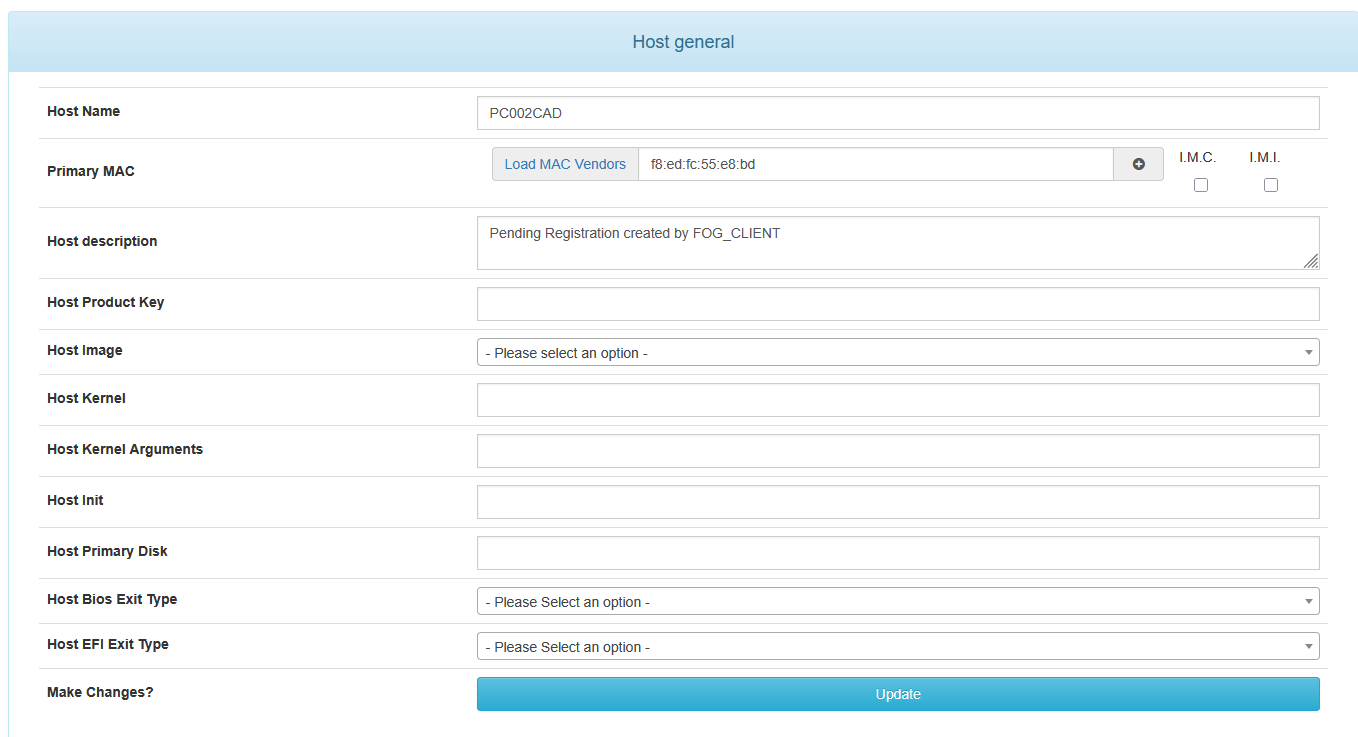
There was no interaction between yesterday and today on the web interface … Fog an the PC’s where on their own … Booting in the morning …
now I replace it again with:
UPDATE hosts SET hostDevice = ‘BNE7N774910207S3G’ WHERE hostID = 61;
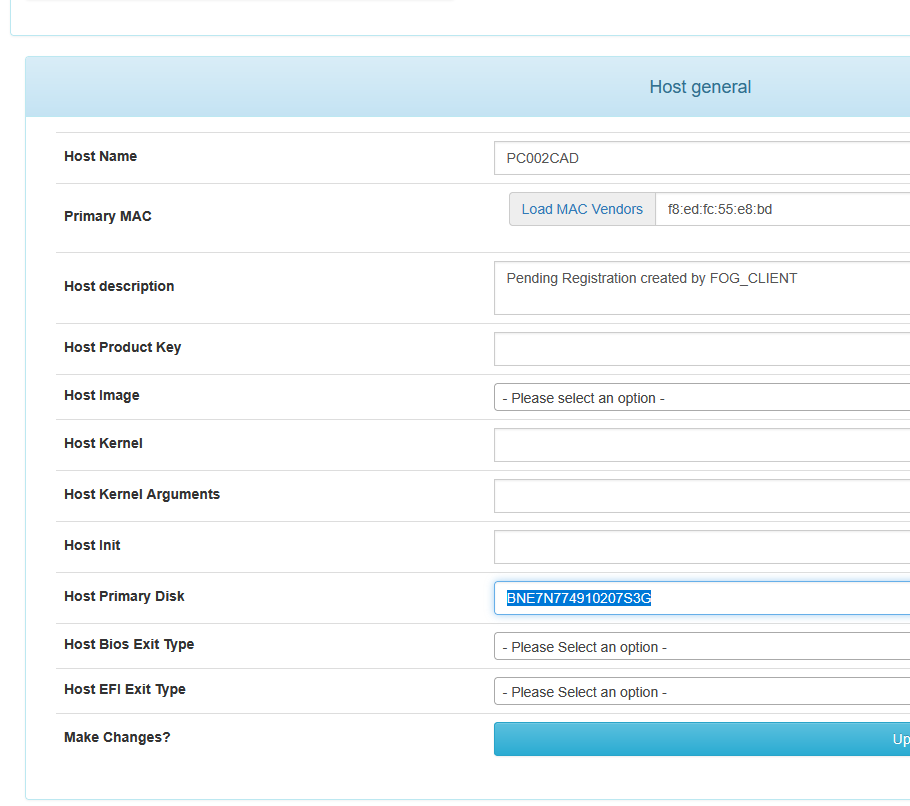
So some update
-
RE: Windows 11 | 65x HP Z2 Tower G1i | UPDATE -posted in FOG Problems
@Tom-Elliott
Again Serial Numbers lost: checking with:mysql -u root fog -e “SELECT hostName FROM hosts WHERE hostDevice IS NULL OR hostDevice = ‘’;”
root@fog:~/NVME_Problem# ./anzeigen
±---------+
| hostName |
±---------+
| PC116CAD |
| PC118CAD |
| PC121CAD |
| PC110CAD |
| PC112CAD |
| PC034CAD |
| PC026CAD |
| PC015CAD |
| PC016CAD |
| pc101cad |
| pc008cad |
±---------+
root@fog:~/NVME_Problem#I’ve no idea what happend.
-
RE: Windows 11 | 65x HP Z2 Tower G1i | UPDATE -posted in FOG Problems
@Tom-Elliott
to make a backup I use now sql in bashroot@fog:~# mysql -u root -N -B -e “USE fog; SELECT CONCAT(‘UPDATE hosts SET hostDevice = ‘’’, hostDevice, ‘’’ WHERE hostID = ', hostID, ‘;’)FROM hosts;” > restore_hostdevice.sql
and restore with
root@fog:~# mysql -u root fog < restore_hostdevice.sql -
RE: Windows 11 | 65x HP Z2 Tower G1i | UPDATE -posted in FOG Problems
@Tom-Elliott
Today again the Serial numbers of the nvme are lost in the FOG Database - I don’t know why …
Thats why I again cloned the file system to the wrong nvme
-
RE: Imaging system with two drives - Boot Errorposted in FOG Problems
@vanfifty1
I have some simelar Problems maby read the post
https://forums.fogproject.org/topic/18157/windows-11-65x-hp-z2-tower-g1i-update/2
My problem is/was that Fog uses sometimes the wrong nvme … -
RE: Windows 11 | 65x HP Z2 Tower G1i | UPDATE -posted in FOG Problems
@Tom-Elliott
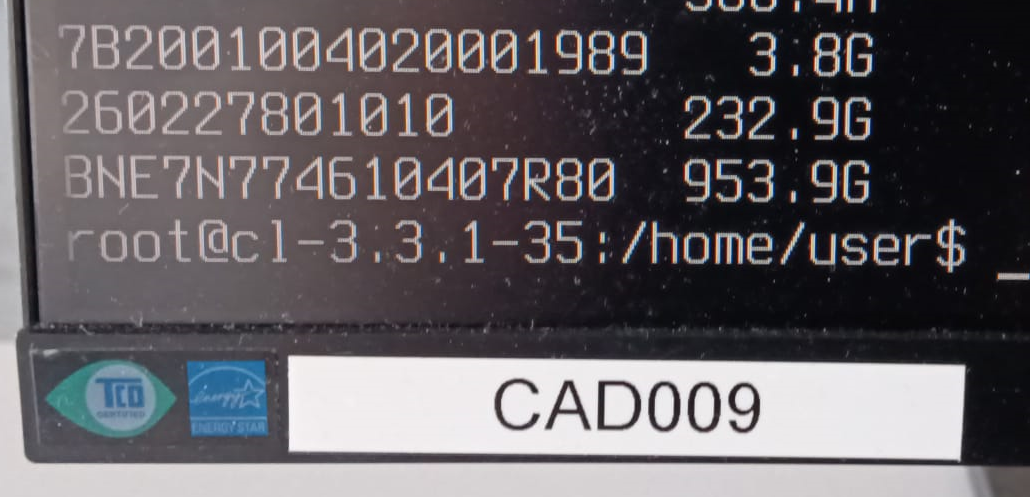
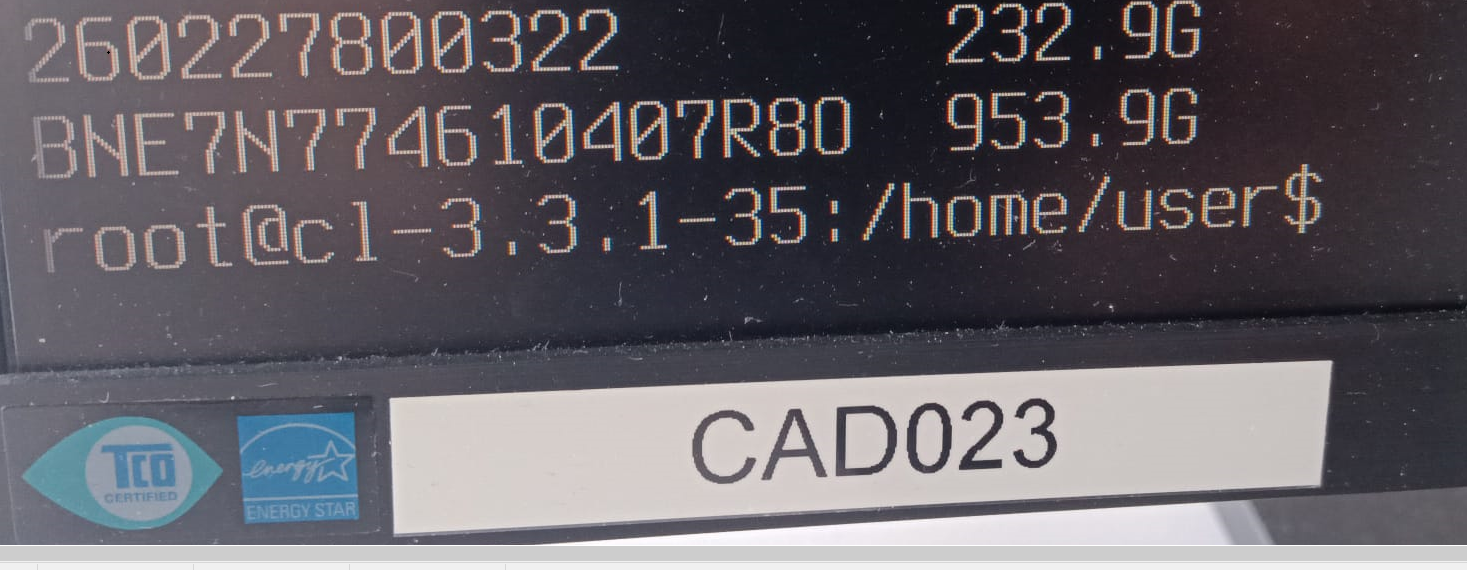
Here’s something else funny—the serial numbers aren’t unique! I have a duplicate…
Two differnt PC’s CAD009 and CAD023
-
RE: Windows 11 | 65x HP Z2 Tower G1i | UPDATE -posted in FOG Problems
@Tom-Elliott
Tom Thank you for your great support. -
RE: Windows 11 | 65x HP Z2 Tower G1i | UPDATE -posted in FOG Problems
@Tom-Elliott
I can confirm, that it works to insert the serial number in Host Management | Host gernal | Host Primary Disk. You can take the value you get from booting with a clonzilla stick (Switch to the second console) and use lsblk -pdno SERIAL,SIZE
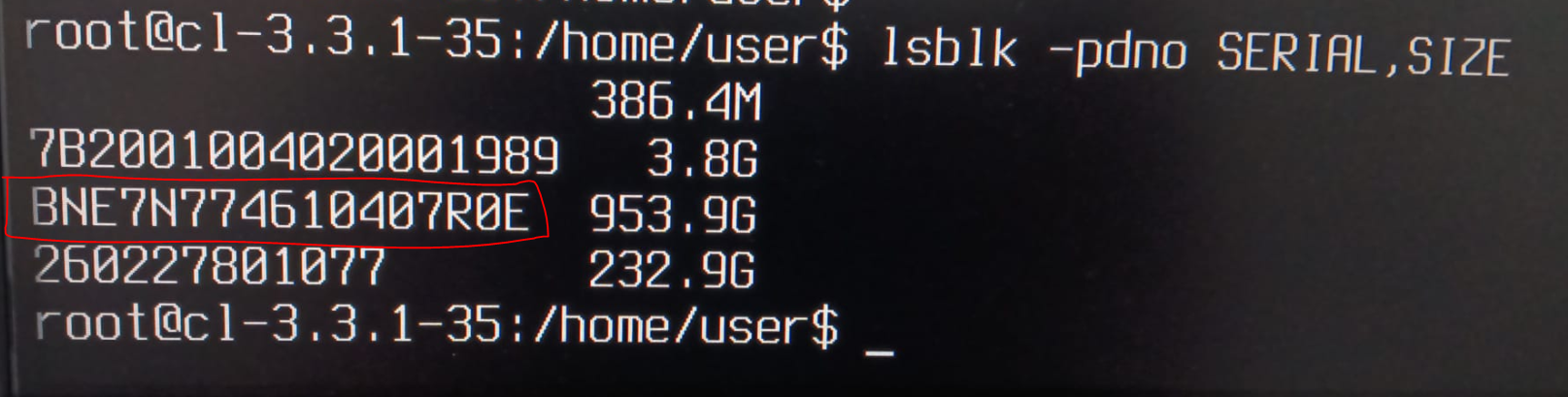

I did a test and used the wrong number in Host Primary Disk and start to clone:
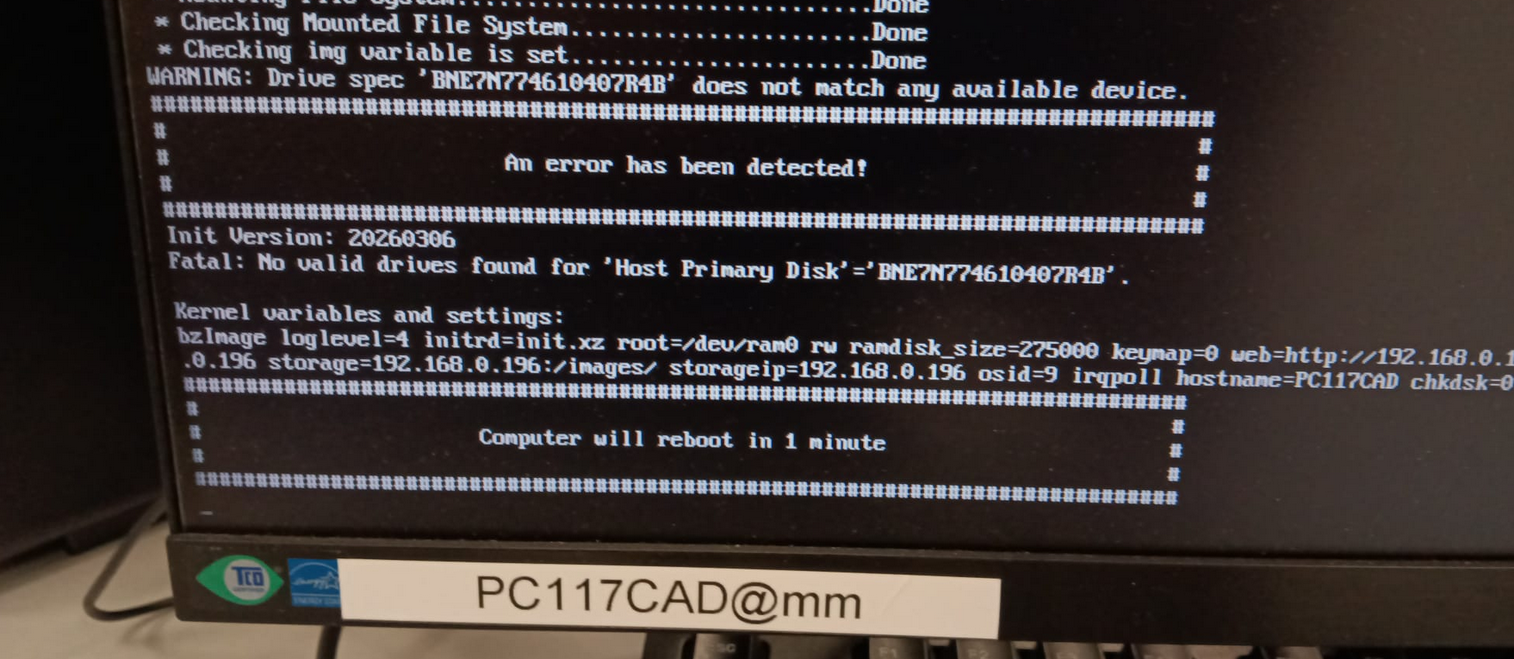
So it seems to work.
-
RE: Windows 11 | 65x HP Z2 Tower G1i | UPDATE -posted in FOG Problems
@kratkale
as a feature request I would suggest to have the possibility to fix the host primary disk like the “protected” in Image General - just to be fail safe.