• Recent
    • Unsolved
    • Tags
    • Popular
    • Users
    • Groups
    • Search
    • Register
    • Login
    1. Home
    2. Jeremy
    3. Posts
    J
    • Profile
    • Following 0
    • Followers 0
    • Topics 1
    • Posts 35
    • Groups 0

    Posts

    Recent Best Controversial
    • RE: FOG Project Image Capture on Raspberry Pi 4 (ARM64) via U-Boot

      @Tom-Elliott

      I can’t modify the company’s switches or other hardware since the system is in production. I’m currently rebuilding the FOG server on a VM on my PC and doing everything locally; it’ll be easier to troubleshoot that way. Gemini has wiped out all the previous messages and is giving me nonsense—I can’t seem to recreate the environment up to the capture stage anymore. Could you give me a rundown of everything that needs to be done—downloads, decompressing specific files in binary mode, etc.?

      Thanks.

      posted in FOG Problems
      J
      Jeremy
    • RE: FOG Project Image Capture on Raspberry Pi 4 (ARM64) via U-Boot

      @Tom-Elliott

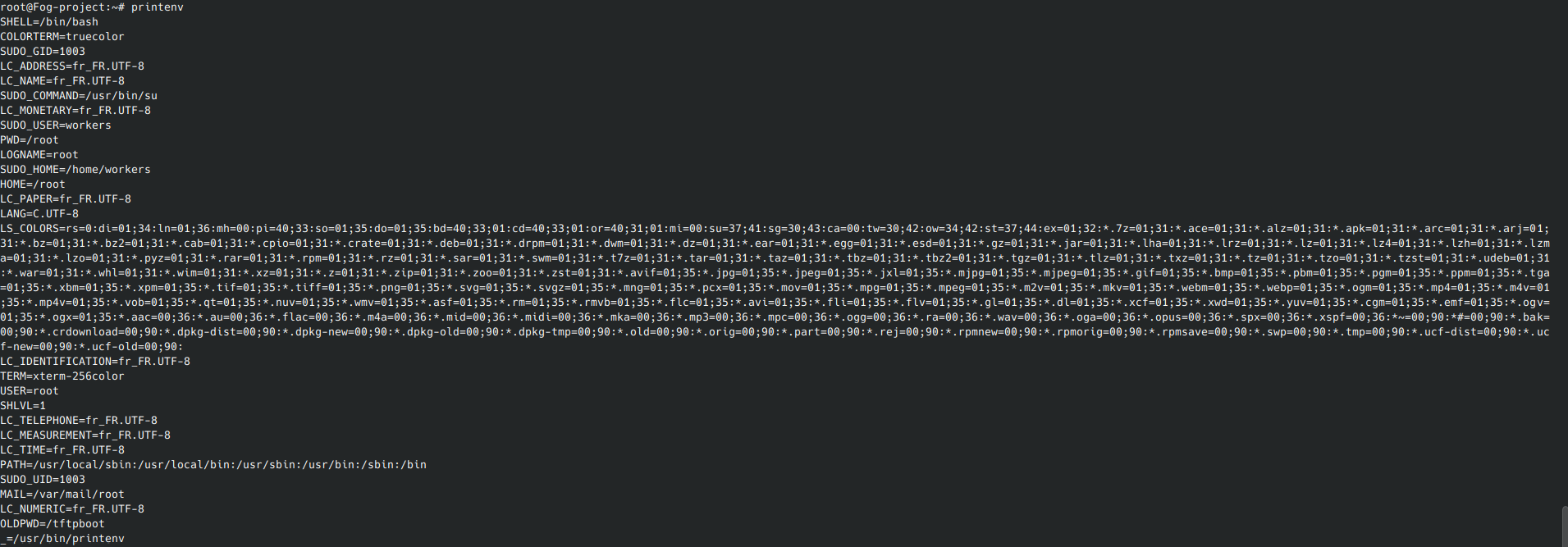
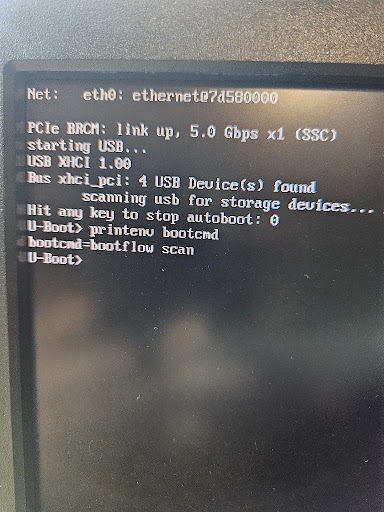
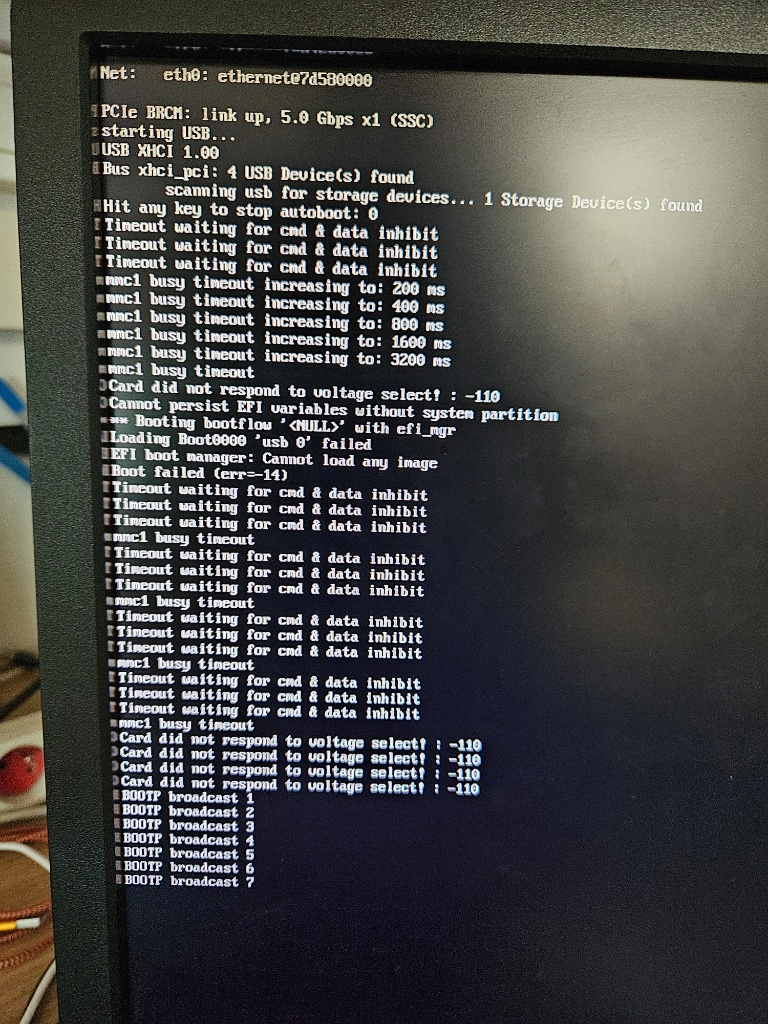
      Here are the two screenshots of the requested tests.

      3fceebbd-99d2-49e2-8cc4-c5af86242339-image.png

      feaecc83-b290-4a2d-a0ee-2ec4a5d2a6d3-image.png

      posted in FOG Problems
      J
      Jeremy
    • RE: FOG Project Image Capture on Raspberry Pi 4 (ARM64) via U-Boot

      @Tom-Elliott

      I tried your test and am sending you a screenshot; I’ll keep testing on my end, and if I have any good news, I’ll let you know.

      29ca990f-8b73-4e24-9fad-e25ea4ed933c-image.png

      posted in FOG Problems
      J
      Jeremy
    • RE: FOG Project Image Capture on Raspberry Pi 4 (ARM64) via U-Boot

      @Tom-Elliott

      My Raspeberry is :

      RaspberryPI 4 2GB Model B

      The settings might vary depending on the model?

      posted in FOG Problems
      J
      Jeremy
    • RE: FOG Project Image Capture on Raspberry Pi 4 (ARM64) via U-Boot

      @Tom-Elliott

      Okay, thanks for the reply.

      The OPNsense box does assign an IP address to the Raspberry Pi at startup—and it is always the same one, even though it is set to DHCP—but during the U-Boot boot process, it fails to find an IP address.

      posted in FOG Problems
      J
      Jeremy
    • RE: FOG Project Image Capture on Raspberry Pi 4 (ARM64) via U-Boot

      @Tom-Elliott

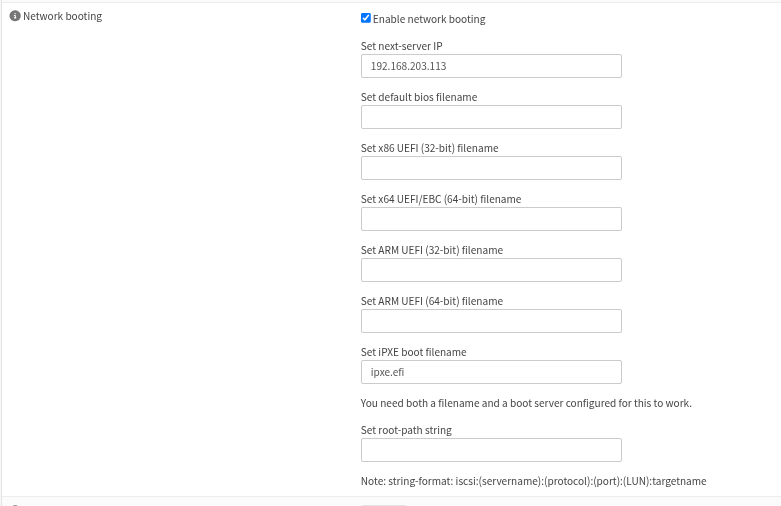
      OPNsense:

      Option 66: I correctly entered the FOG server’s IP address.

      Option 67: I entered the filename ipxe.efi.

      Do I always need to keep ipxe.efi in OPNsense?

      posted in FOG Problems
      J
      Jeremy
    • RE: FOG Project Image Capture on Raspberry Pi 4 (ARM64) via U-Boot

      @SimonGuenther

      Hi, The blockage isn’t caused by a forgotten debug command, since that isn’t present in the deployment test; we have a managed switch right before the Raspberry Pi connection—that might be the issue. I’m discussing it with my colleagues at work to see how we can handle it.

      posted in FOG Problems
      J
      Jeremy
    • RE: FOG Project Image Capture on Raspberry Pi 4 (ARM64) via U-Boot

      @Tom-Elliott

      Hi, I’m using a Proxmox bridged network interface, I can’t connect anywhere else because otherwise it wouldn’t be the same network, so we’re trying to find a solution on our end.

      posted in FOG Problems
      J
      Jeremy
    • RE: FOG Project Image Capture on Raspberry Pi 4 (ARM64) via U-Boot

      @Tom-Elliott

      Regarding OPNsense, there isn’t anyone on the infrastructure team available to look into it right now; I can probably check on that Monday morning.

      To be transparent with you, I’ve been retraining for a new career since February 2026 and only just obtained my IT diploma in July. What helps is that I’m persistent with projects and usually manage to get the job done. I’ll get back to you once I have the information regarding OPNsense.

      c7c21587-422e-4b8f-9e41-a83d1b13068a-image.png

      bb057c4c-aaeb-418a-8680-53868b66c841-image.png

      posted in FOG Problems
      J
      Jeremy
    • RE: FOG Project Image Capture on Raspberry Pi 4 (ARM64) via U-Boot

      @Tom-Elliott

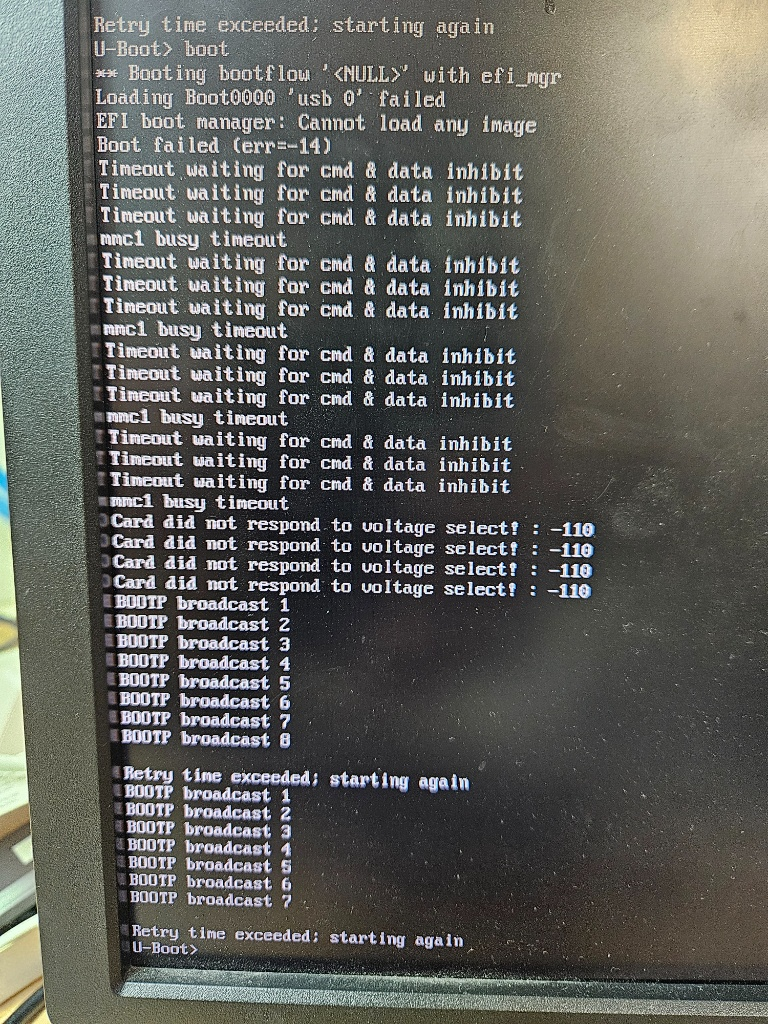
      I created a new snapshot to avoid losing data again and having to start everything from scratch; right now, I’m stuck on this page on the Raspberry Pi.

      f92b6fed-893f-4b84-8055-223df6e0998b-image.png

      posted in FOG Problems
      J
      Jeremy
    • RE: FOG Project Image Capture on Raspberry Pi 4 (ARM64) via U-Boot

      @Jeremy

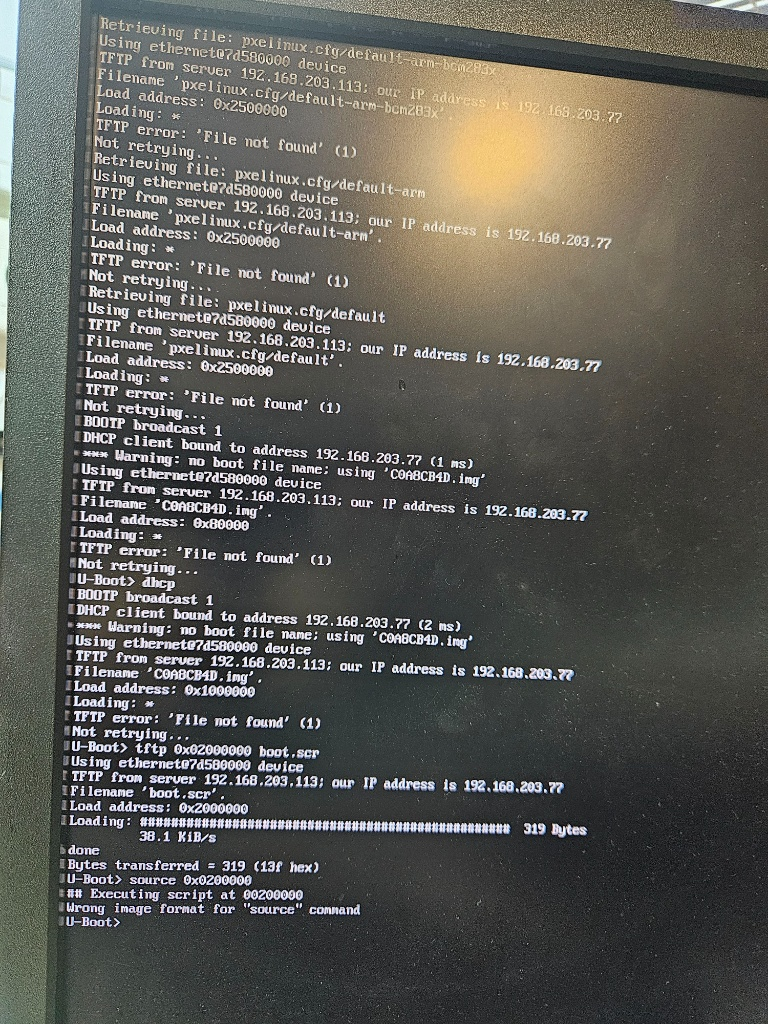
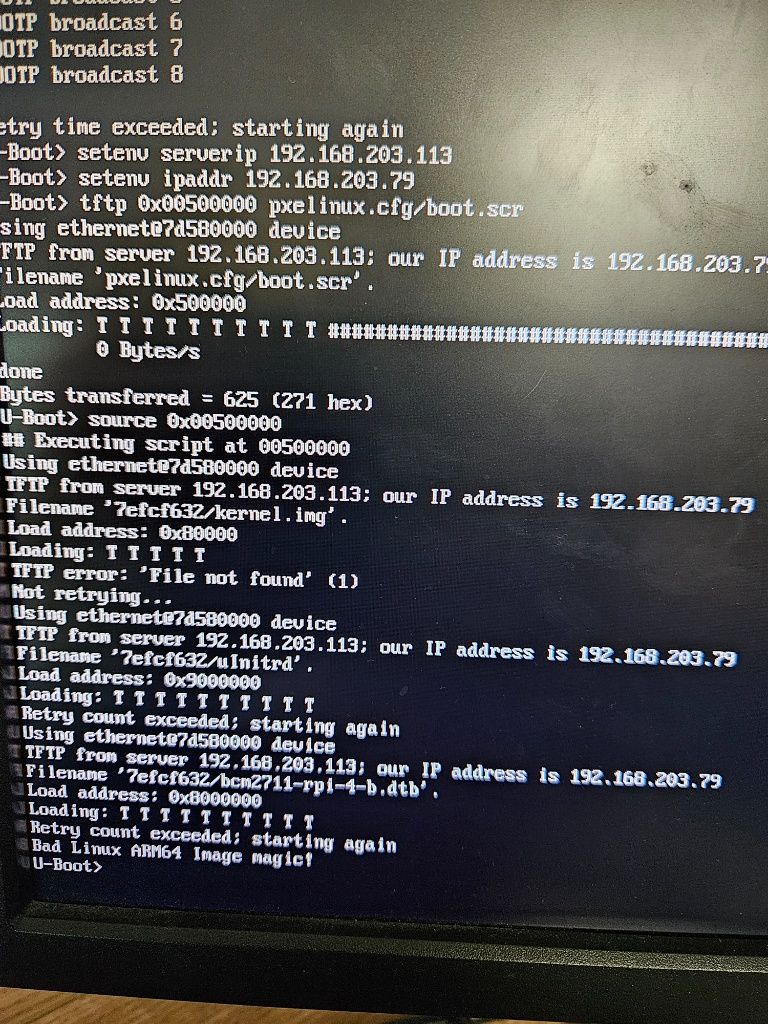
      I finally managed to configure the Raspberry Pi image capture; now I just need to fine-tune it to avoid having to enter these commands in the U-Boot terminal:

      dhcp
      tftp ${scriptaddr} boot.scr
      source ${scriptaddr}

      Now I’m back to working on the deployment, but I can’t seem to get an IP address via DHCP—I don’t understand why.

      posted in FOG Problems
      J
      Jeremy
    • RE: FOG Project Image Capture on Raspberry Pi 4 (ARM64) via U-Boot

      @Tom-Elliott

      Hi, I ran into a problem: my VM completely crashed, so I have to start over from scratch. I’m still stuck at the capture stage; Gemini can’t review the entire conversation history we had to get to this point, though I had already reached U-Boot.

      33e72c8c-f0c9-44a9-963c-5698f82a9638-image.png

      When I’ve completed this step, I’ll take a snapshot of the VM this time.

      posted in FOG Problems
      J
      Jeremy
    • RE: FOG Project Image Capture on Raspberry Pi 4 (ARM64) via U-Boot

      @Tom-Elliott

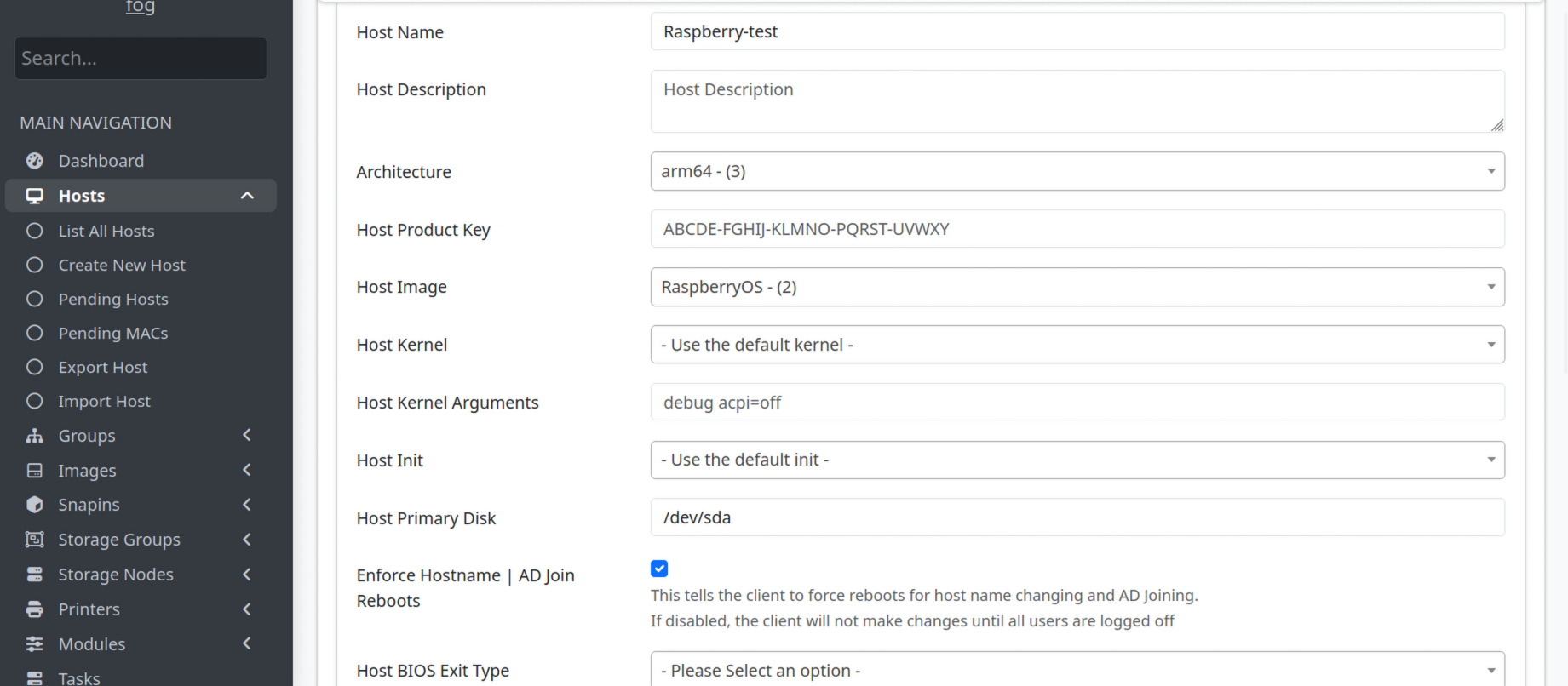
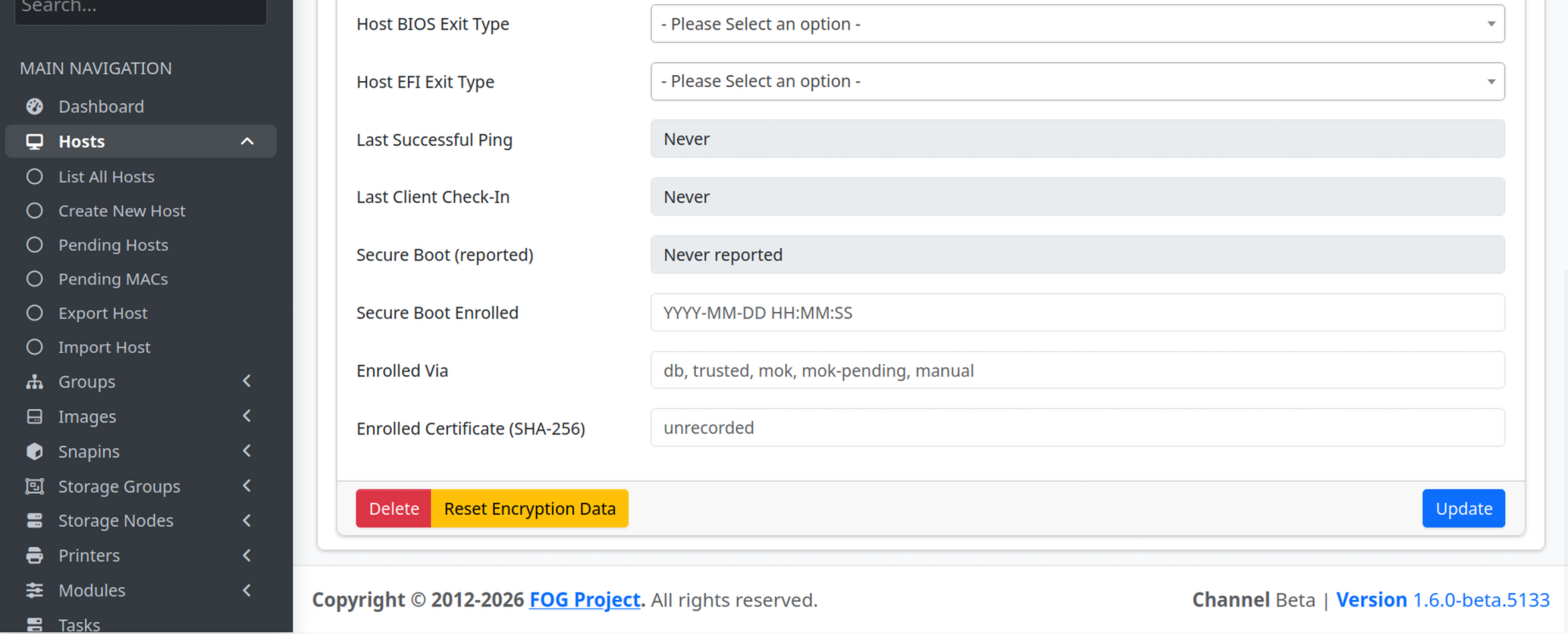
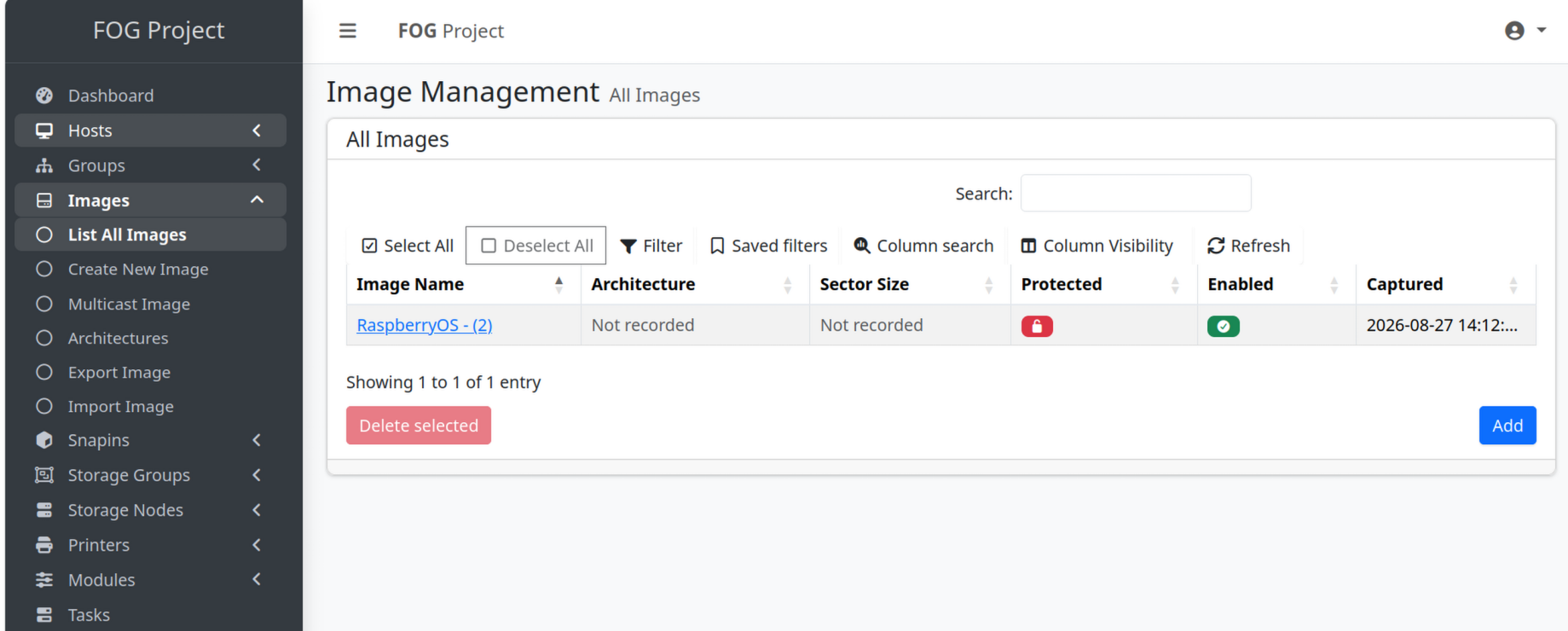
      I’m also showing you screenshots of my host and image to see if I made a mistake.

      568e80e1-055d-438d-990b-ae92d6e4a7dc-image.png

      871e1672-d4a6-4c85-a747-8e7ebdfd2adb-image.png

      8fd2cc24-2232-4c4f-beea-76e596e64173-image.png

      posted in FOG Problems
      J
      Jeremy
    • RE: FOG Project Image Capture on Raspberry Pi 4 (ARM64) via U-Boot

      @Tom-Elliott

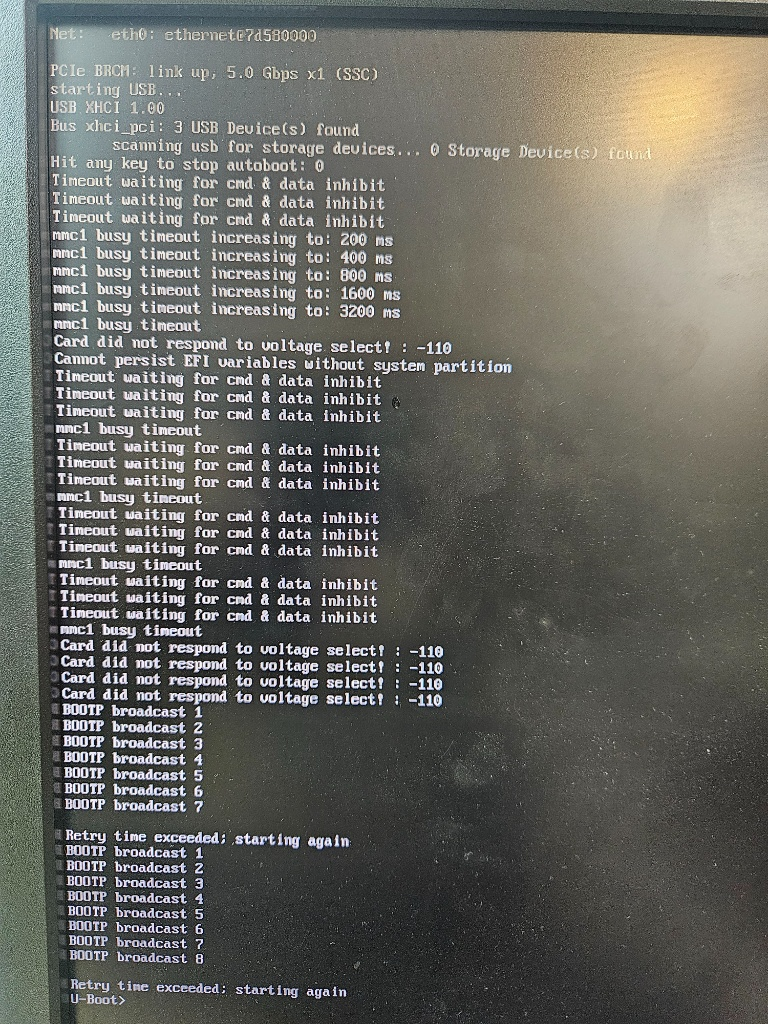
      Hey, I’m sending you the screenshot of the test.
      I’m also sending you the configs to see if I made a mistake.
      My colleague told me that STP would be enabled on the switch but not in OPNsense.

      7cfda195-79d3-4734-a441-a44c011ad099-image.png

      Config u-boot

      6e35c749-1df0-47d2-a82d-7ba3c8202418-image.png

      cat /tftpboot/pxelinux.cfg/01-88-a2-9e-53-34-c0

      6c7e53ed-8342-43a4-971a-979bc261e4cb-image.png

      cat /tftpboot/pxelinux.cfg/boot.scr

      7096f656-d2a7-479a-a454-d058979ead11-image.png

      cat /tftpboot/pxelinux.cfg/default

      6b2ef780-6739-498e-abc6-d4c0028f3723-image.png

      cat /tftpboot/pxelinux.cfg/default-arm

      b004592a-d9d1-471d-b6cb-542cd67db917-image.png

      cat /tftpboot/pxelinux.cfg/default.bak

      4ac85d4f-675f-421f-a19f-5a85449e6809-image.png

      posted in FOG Problems
      J
      Jeremy
    • RE: FOG Project Image Capture on Raspberry Pi 4 (ARM64) via U-Boot

      @Tom-Elliott

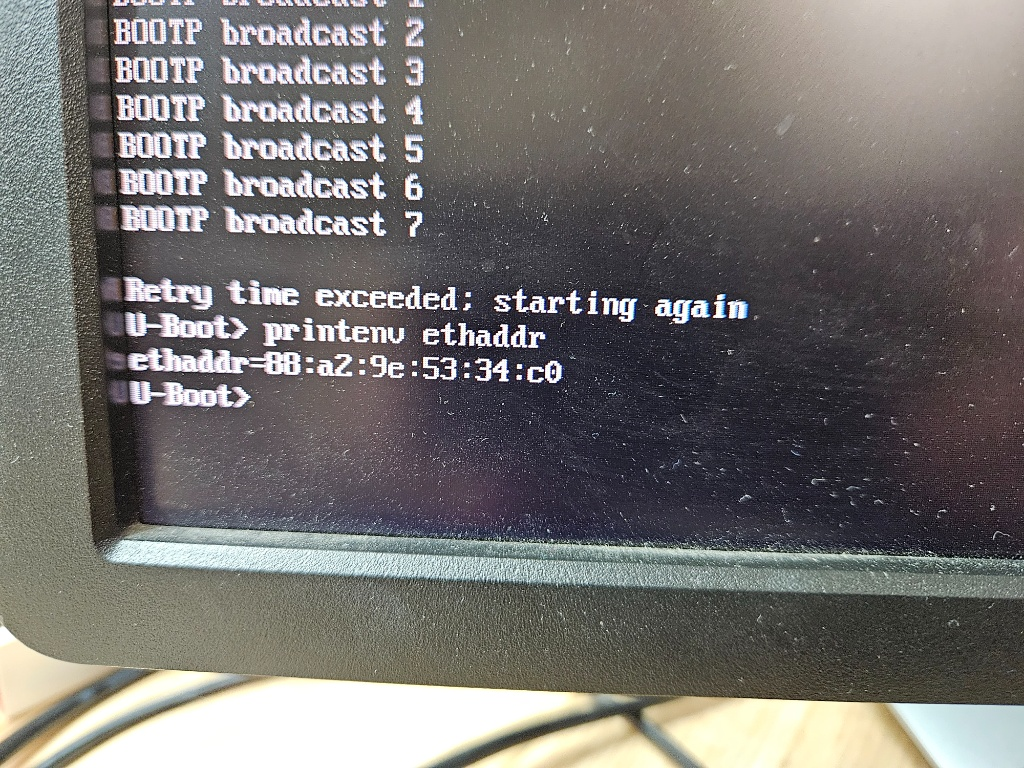
      I do have the filename you requested.

      c010fbb3-ed26-49e5-9a10-a3dc2a65bbd6-image.png

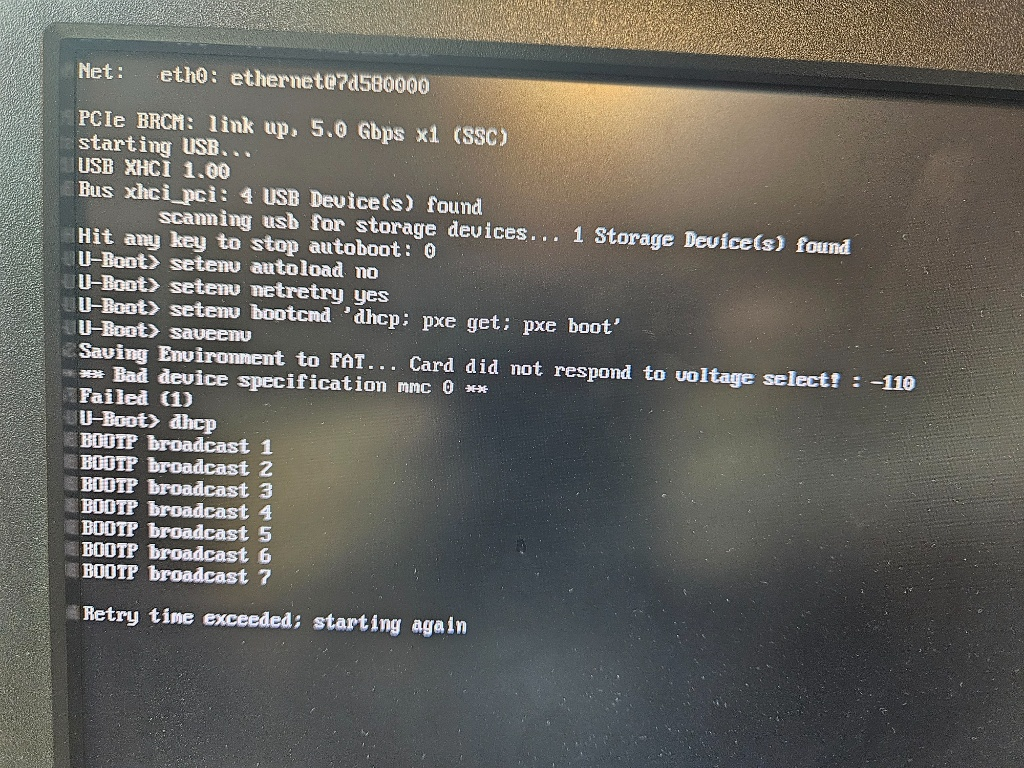
      When U-Boot starts, DHCP doesn’t work; it spends 8 seconds searching. Sometimes, when rebooting the Raspberry Pi, it manages to obtain an IP address, successfully detects the server’s IP, and downloads pxelinux, but then stops.

      b2f58c32-efc6-4017-9104-eafdf783d940-image.png

      What I don’t understand is why U-Boot sometimes manages to get an IP address and sometimes doesn’t.

      posted in FOG Problems
      J
      Jeremy
    • RE: FOG Project Image Capture on Raspberry Pi 4 (ARM64) via U-Boot

      @Tom-Elliott

      Hi, I’m sending you the two screenshots—one from OPNsense and the other from the Raspberry Pi.

      1f3ee7f3-69f9-473e-b150-4ff087aba3ba-image.png

      ec7c7fc7-dea7-4a5b-8ba0-6e22440ae87a-image.png

      posted in FOG Problems
      J
      Jeremy
    • RE: FOG Project Image Capture on Raspberry Pi 4 (ARM64) via U-Boot

      @Tom-Elliott

      Here is an update following our latest troubleshooting sessions and tests:

      The !V@JL artifact: That part was indeed a leftover artifact from editing the file manually with nano. Once cleaned up, we hit a regression: the Raspberry Pi no longer downloads the 563-byte config file at all anymore. It now loops directly on BOOTP broadcast and times out without hitting the TFTP stage (Retrieving file... doesn't trigger anymore).
      
      Goal & Architecture: The target deployment must remain 100% cardless (no local storage, no SD card, no USB drive used during boot), relying purely on the RPi 4 network boot EEPROM + OPNsense DHCP + FOG/U-Boot.
      
      Regarding your earlier notes on TFTP/Firewall:
      
          We are running UFW on the FOG server, and we verified that nf_conntrack_tftp is active (lsmod | grep tftp confirmed).
      
          BOOT_external_tftp_server is not enabled (TFTP runs locally on the FOG box).
      
          The Pi and FOG server are on the same subnet, with no intermediate restrictive ACLs on that local segment.
      
      The permission fix: We noted your mention about the file permissions fix for downloaded files not being set properly after upload in the working-1.6 branch. Could this regression (dropping back to infinite BOOTP loops instead of attempting the TFTP fetch) be tied to how the file is currently served or indexed, or is there a specific way U-Boot expects the handoff after DHCP?
      

      4052d670-f8f4-4f76-ae50-03d630c809ec-image.png

      posted in FOG Problems
      J
      Jeremy
    • 1 / 1