• Recent
    • Unsolved
    • Tags
    • Popular
    • Users
    • Groups
    • Search
    • Register
    • Login
    1. Home
    2. Jamaal
    3. Posts
    J
    • Profile
    • Following 1
    • Followers 0
    • Topics 14
    • Posts 85
    • Groups 0

    Posts

    Recent Best Controversial
    • RE: FOG Client service disconnection, pending snapins are not even being detected

      @Tom-Elliott said in FOG Client service disconnection, pending snapins are not even being detected:

      @Jamaal The client lives on the Machine itself. not on the fog server.

      Those logs live on teh Windows machine I forget the exact path but something like:

      c:\program files\fog client\fog-error.log or something like that?

      Yes, it’s c:\program files (x86)\fog\fog.log

      I figured out the issue, lol. I was having a moment, but thanks for helping me out.

      posted in General Problems
      J
      Jamaal
    • RE: FOG Client service disconnection, pending snapins are not even being detected

      @Tom-Elliott said in FOG Client service disconnection, pending snapins are not even being detected:

      @mfe Can you provide the FOG Client Logs?

      Tom,

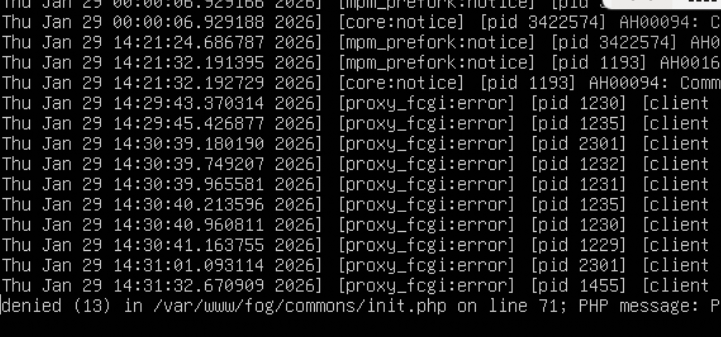
      I did a google search and it told me to run nano /var/log/apache2/error.log on the fog server.
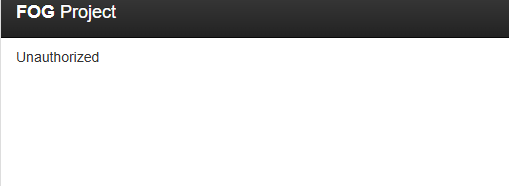
      I saw these error message which I’m thinking it has to do with the snapins, just not sure on how to fix them:

      9d24f93e-0789-43da-9688-0ea0d7d8a6ba-image.png

      68745119-044e-48a3-9ab1-76d65d95533c-image.png

      791e3270-7216-40c0-b25e-ee1878b4e729-image.png

      I have Ubuntu 24.04.3 LTS, FOG server version.

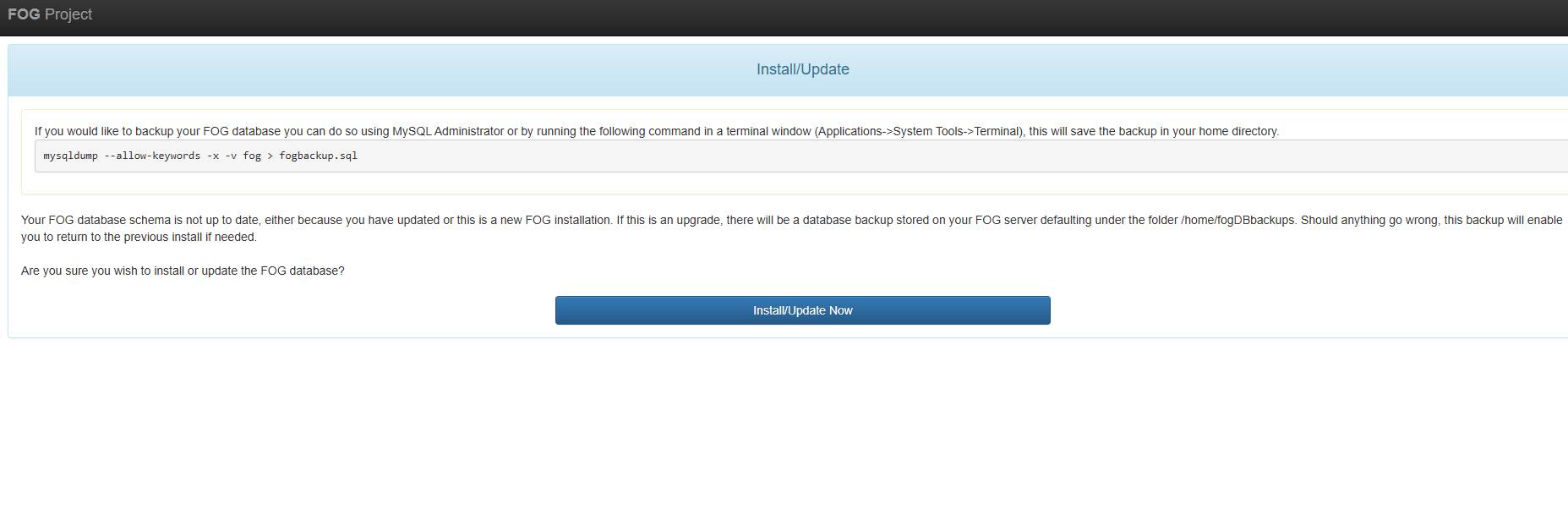
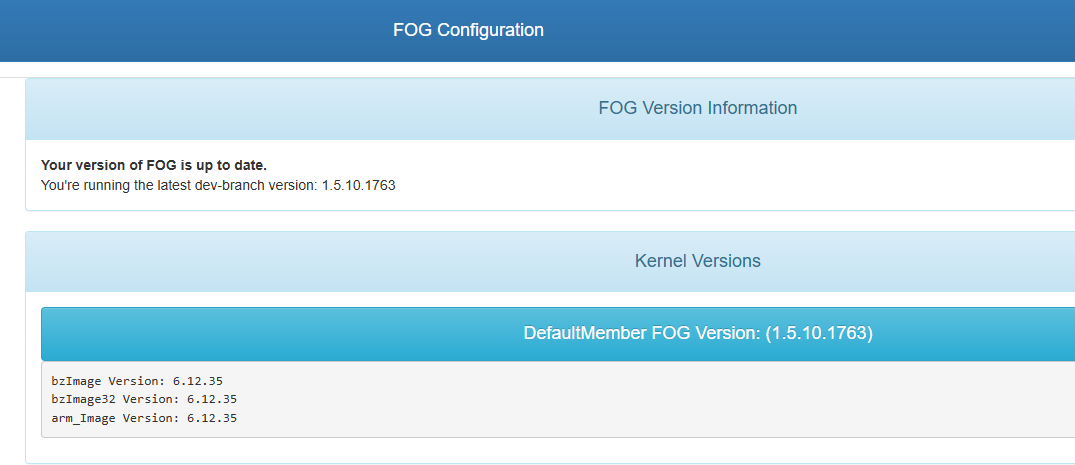
      I even upgraded to the DEV version and had the same issue:

      16f50362-aeed-42b1-afc3-6b93a34d6a3d-image.png

      posted in General Problems
      J
      Jamaal
    • RE: PXE issues

      @george1421 said in PXE issues:

      @Jamaal This problem is solvable but it make take some effort on your part.

      Lets start with the basics.

      For the DHCP IP zone where your pxe booting clients live, you need to set dhcp options 66 to the IP address of your fog server. And for dhcp options 67 that needs to be snponly.efi or snp.efi. With those settings configured on a MS Windows based dhcp server a pxe booting client should boot. Make sure on your dhcp server that is responding to bootp and dhcp requests. Its been a while since I messed with windows but on the dhcp server there should be a setting of dhcp bootp or both. Select both.

      Now lets talk about WDS for a second. A WDS server can use dhcp options 66 and 67 as above, but it can also run a proxy dhcp service that tells the client to ignore the dhcp options and come talk to it for boot information after it gets an IP address for the dhcp server. This maybe called a netboot service or something like that on your WDS server. Its not part of the main WDS service. If this service is still enabled it will override any settings you make in dhcp for pxe booting.

      So how do you figure this out to what’s wrong?

      The easiest and most complicated issue is to identify what is flying down your network during the pxe booting process. You can do this with wireshark on a witness computer (computer not part of the pxe booting process). This witness computer can either be a ms windows or linux computer, the key is to have wireshark loaded. When you start up a capture use a capture filter of port 67 or port 68 or port 4011 That will limit what wireshark sees to only the dhcp packets. Make sure the witness computer is connected to the same subnet as the pxe booting computer.

      Start the packet capture and then attempt to pxe boot the target computer. Continue to capture the packet until the pxe booting computer either reaches the fog iPXE menu or errors out. Then stop the capture.

      In the top section you should see the DORA (discover, offer, request, and finally ack/nack) process. The process goes as follows:
      Client -> Discovery
      Server-> Offer
      Client -> Request
      Server -> Ack/Nack

      In this process you are most interested in the one or more OFFER packets. In a normal network you should only see one OFFER packet. When WDS is involved you will see one OFFER packet from your main dhcp server and a second OFFER packet from your WDS server. If you are seeing the OFFER from your WDS server then you don’t have the proxy-dhcp service disabled, and that is causing your issue. If you are seeing two offer packets from two different dhcp servers, such as a primary / secondary setup make sure both dhcp server are configured to boot from FOG server.

      Now what do you do if you only have one OFFER packet and its still not working. This is where you need to select the OFFER packet and then look at the data in the parameters box. There will be the bootp fields of next-server and boot-file these need to be configured for the fog server IP and snp.efi. Then in the dhcp options section options 66 and 67 need to be set correctly. If one or the other sections are not set correctly you will get random machines not booting while others are.

      If you can’t figure it out save the packet capture file “be sure you only captured the dhcp process” and up load the file to a file share site and post the link here and one of us will take a look to see what’s wrong. But I think from what I covered here you should be able to figure out what the pxe booting client is being told to do incorrectly.

      George,

      I ran the idea with the system administrator at my job and of course he was doubtful (conceited), he turned off the server thinking that would solve the issue. I ended up looking at an older forum and made a USB with the ipce file and booted up the machines that were given me issues and that worked. You guys can close this and mark as resolved. Again, I appreciate your guidance on this.

      posted in FOG Problems
      J
      Jamaal
    • RE: FOG Client service disconnection, pending snapins are not even being detected

      @mfe said in FOG Client service disconnection, pending snapins are not even being detected:

      Hi,

      We are experiencing some issues related to snapin installation both in ubuntu and windows clients.

      FOG Server version: 1.5.10.1639
      FOG Client 0.13, both in our Windows as in our Ubuntu systems.

      We have classrooms with more than 30 computers and dual boot (Windows, Ubuntu).

      The situation is that we have (for example) the thirty computers in the classroom logged in in Windows and we want a snapin to be installed in all the 30 windows systems. It is very common that let’s say 15 computers have the snapin in the state Queued for ever.

      We then force a Reset encryption data from the server and this is not enough, they are still queued.

      It seems that the FOG Client gets disconnected (timeout?) from the server after a while and the only way we have to get the snapin Checked-In is by restarting manually the FOG Client service.

      The maintenance free gaps we have are short which makes this issue important to be resolved.

      I guess there must be some specific FOG Server configuration to avoid this problem but I don’t find it.

      Any help would be really apreciated.
      Thanks in advance,
      m.fernández

      Hello,

      I started to experience that as well with that version yesterday. When I get to work today, I’m gonna work on it. If I get it going, I’ll reply as well.

      posted in General Problems
      J
      Jamaal
    • PXE issues

      Hello all,

      I’ve been having some PXE issues at work and tried what I could, but things are not working out correctly. Here’s what going on and I searched throughout the internet and can’t get it.

      The FOG version I have is 1.5.10.1754, kernel 6.12.35 for both 32 and 64 bit.

      We have some HP desktop computers that have the generic network card (11) 1219-LM.
      A model that’s giving issues for example is a HP mini ProDesk 400 G6. Not that it matters, but it has an i5 processor.

      I finally talked some sense to our IT admin to use FOG instead of MDT (snail). Anyway,
      he has the WDS server disabled. We have a Windows Server 2022 that has DHCP server enabled.

      When I boot the mini via PXE, it flashes back to the boot menu like it doesn’t see FOG.
      If you go to the BIOS and select F6 (some PXE test mode I think), it wants to PXE from the disabled WDS server and shows the boot file it wants to boot from instead of FOG. It happens to an older HP ProDesk 400 G4 with the same 1219-lm network adapter. It shows its Ip address. As a test, I asked him to re enable the WDS server yesterday and it pxe with no issues.

      If you put a HP Mini that’s an i7 (I believe a HP Pro Mini 400 G9) that has the same 1219-LM network adapter, it sees FOG and it’s ready for registration.

      I double checked and triple checked DHCP is setup correctly on that vlan, ex; correct fog server name and file is ipxe.efi, even created the policy for the pxe arch to 0007 and 0009.

      I tried downgrading to different kernels, but didn’t fix neither.

      I’m at a loss on what else to try because WDS is very slow and I don’t want to keep using it to slow us down as we have MDT with it deploying Windows 10 and having to upgrade to Windows 11 with a PowerShell script. I was thinking about reinstalling FOG, but not sure if that would help.

      Again, thanks for your guys support for all theses years.

      posted in FOG Problems
      J
      Jamaal
    • RE: FOG API question

      Ok,

      I finally figured this out. I know it’s not the best method, but I prefer this than having the wording “plain text” Here’s what I did in case someone needs to do the same.

      I read that API tokens do not go well as a securestring. Here are some references:
      https://jamesone111.wordpress.com/2020/04/10/transformers-for-powershell-parameters-which-take-secrets/, and https://github.com/Azure/azure-powershell/issues/25533.

      So in order to get past this, I needed to create another variable as show below:

      • $testapi1 = [pscredential]::new(“token”,$yourtoken)

      You’re basically adding the pscredential above like you’re going to setup a username, but you put something like “token” or any wording as a placeholder for the username, then put the token in.

      • Then after you define the header you do something like this: $testheader.add(fog-user-token’,$testapi1.GetNetworkCredential().password)

      Again it’s not the best method, but I also read a way when you do read-host -aseecurestring and save your api there as a variable, you can dispose that variable so it doesn’t stay in memory.

      $test.disposeof

      If someone has any better ideas, please let me know as I’m always on here learning new things and want to share as well. This basically can be closed out.

      posted in FOG Problems
      J
      Jamaal
    • FOG API question

      Hello @JJ-Fullmer , hope all is well.
      First of all, thanks for creating that Powershell module for FOG to be used via Powershell.
      I have a question in regards to the script I’ve been using for a while. In it has the API for both the user and the FOG server.

      I want to be more secure in the sense of not putting the API in the script. I tried Microsoft’s module Secret Management and I can store both api keys under 2 different secrets. Here is the link from Microsoft: https://learn.microsoft.com/en-us/powershell/utility-modules/secretmanagement/get-started/using-secretstore?view=ps-modules

      But when I try to retrieve the secrets, I get the 403 forbidden message.

      Powershell variables for the both api keys for example: f8dcc28c-aef3-45c7-a765-1719c30df353-image.png

      Error message: 3cce1c57-e18b-4b3b-965b-aed75980c21c-image.png

      It will only work if I add -asplaintext for example:

      94f64f07-9835-4fac-8265-cda63d9de679-image.png

      It won’t take the System.Security.SecureString

      I double checked to make sure I’m using the correct fog and user api keys, but no dice.
      Is there a way to secure these API keys instead of putting them directly in the Powershell script and also not doing the command -asplaintext?

      If anyone has suggestions, please let me know.

      posted in FOG Problems
      J
      Jamaal
    • RE: Dell Latitude 5530 issue

      @george1421

      Ok, let me try some things this week and let you guys know. Thanks guys.

      posted in Windows Problems
      J
      Jamaal
    • Dell Latitude 5530 issue

      Hello, all,

      I haven’t posted in a while because I haven’t had any issues for a long time. So there it goes.
      We recently started purchasing Dell Latitude 5530 laptops I have an issue with them for some reason.
      First off, the version of FOG I have is 1.5.9 now, had 1.5.10 and went back down because I thought this was causing the issue.

      The problem is that FOG images the laptop fine, but when it restarts to boot into Windows and continue the step “getting devices ready”, it goes right
      to the ctrl alt delete screen and then the administrator password is not working. This is very weird.

      Before I downgraded back to 1.5.9, I reimaged a Lenovo T510 laptop (yes it’s a dinosaur, lol) to rule out anything with setupcomplete.cmd, imaged with no issues.

      I have FOG running on Ubuntu 20.04.6 on Windows Hyper-v, 2019.

      I deleted the network drivers from the Latitude 5530 folder numerous times and still after it images, the network at the ctrl alt delete is not working.
      No wireless nor network card, can’t even log onto the laptop.

      I know I have the pnp command in the setupcomplete.cmd and it works fine on Lenovo laptops, but for some reason from since yesterday, I started to run into issues.
      I looked in the forum before posting this, but can’t find any solution. If someone can give me an idea why this is happening, I appreciate it.

      posted in Windows Problems
      J
      Jamaal
    • RE: HyperV Gen1 Hangs on iPXE Initializing Devices

      @Gerrit-Anderson Thank you for this! I was battling this yesterday and this fixed the issue immediately.

      posted in Tutorials
      J
      Jamaal
    • RE: Powershell and fog

      @sebastian-roth said in Powershell and fog:

      @Jamaal Anything in the Apache error logs? Sure the API is enabled (user and global)?

      Yes, the API is enabled. I’m not sure on how to check the apache error logs.

      posted in Tutorials
      J
      Jamaal
    • RE: Powershell and fog

      @tom-elliott said in Powershell and fog:

      @jamaal What if you define fogsrv to the IP address of the fogserver?

      FQDN must be reachable by the device in question. Using the IP address is usually a more sure bet.

      I’m going to try that later & let you know. Thanks for the suggestion, Tom.

      posted in Tutorials
      J
      Jamaal
    • RE: Powershell and fog

      @tom-elliott said in Powershell and fog:

      @jamaal is fogsrv the actual fqdn of your fogserver?

      Yes, just for testing purposes. Eventually I will have a different name.

      posted in Tutorials
      J
      Jamaal
    • Powershell and fog

      Re: Powershell API Module

      Hello jj,

      I hope all is well with you. I am having fun with Powershell and the machine deployment. I
      have one question. So I’m having a little hard time with one thing. I would like to have Powershell create an image name in the images section in FOG. Now I can go in the console manually and create an image name for example Windows 10 22h2, but how would I go about creating it automatically in Powershell if it doesn’t exit?

      I tried new-fogobject -type object -coreobject image -jsondata $hostimage -verbose and got the 417 error. I had the json like this:

      VERBOSE: Building uri and api call
      VERBOSE: Pulling settings from settings file
      VERBOSE: Pulling settings from settings file
      VERBOSE: Building Headers…
      VERBOSE: Building api call URI…
      VERBOSE: POSTing System.Collections.Hashtable to/from http://fogsrv/fog/image/create
      VERBOSE: POST http://fogsrv/fog/image/create with -1-byte payload
      VERBOSE: POST http://fogsrv/fog/image/create with -1-byte payload
      Invoke-WebRequest : The remote server returned an error: (417) Expectation Failed.
      At C:\Program Files\WindowsPowerShell\Modules\FogApi\2103.2.12\FogApi.psm1:780 char:23

      •         $result = Invoke-WebRequest @apiCall;
        
      •                   ~~~~~~~~~~~~~~~~~~~~~~~~~~
        
        • CategoryInfo : InvalidOperation: (System.Net.HttpWebRequest:HttpWebRequest) [Invoke-WebR
          equest], WebException
        • FullyQualifiedErrorId : WebCmdletWebResponseException,Microsoft.PowerShell.Commands.InvokeWebRequ
          estCommand

      VERBOSE: finished api call

      I can’t do new-item because Powershell says it can’t find the path to the URL which I understand in that case you can’t use new-item, not like you’re creating a folder or file in the Windows operating system. I’ll keep trying, but that would be a good feature instead of creating it in the console. I’m trying to make the script more dynamic if something doesn’t exist in the console.

      Again, thanks to you and the other person (forgot his screen name) that helped with Powershell and FOG, makes a huge difference!

      posted in Tutorials
      J
      Jamaal
    • RE: Need help to understand host.class.php

      @jamaal said in Need help to understand host.class.php:

      Hello all,

      I’m banging my head to understand the host.class.php file.
      I have a few posts based on Powershell to add the “location” field for a computer to be created for example.

      host.PNG

      I already have the locations plug in installed and it works fine in the gui, but when I run the powershell script, location doesn’t show in Powershell, but in the gui.

      I’m not trying to image yet, but I want to be able to add on a custom website; ex; Jira ticket system, the host location. It should match up in the “location” field in Powershelll.

      I saw a post you can edit the host.class.php file.

      I did and here’s a screen shot:
      host php.PNG

      I went to create a host and it doesn’t show up, not sure what I’m doing wrong.

      Here’s when I went to see if the host got created when attempting to add it via the gui. I forgot to get the words before it, but it says hosts not found.
      attempt 2.PNG

      If I can get some guidance to what I’m donig wrong, I appreciate it.

      Here’s my version of FOG:
      version.PNG

      All,

      This can be resolved. I finally was able to add location via Powershell! I didn’t even need to mess with the host.class file in FOG. This is thanks too @JJ-Fullmer . He had a reference to a post he had about Powershell and FOG via adding groups:

      https://forums.fogproject.org/topic/12026/powershell-api-module/15?_=1648864559519

      So I ended up adding another variable called $newassocias2

      resolution.PNG

      Again thanks to everyone that contributes to this page. I’m happy & grateful to using this product.

      posted in FOG Problems
      J
      Jamaal
    • Need help to understand host.class.php

      Hello all,

      I’m banging my head to understand the host.class.php file.
      I have a few posts based on Powershell to add the “location” field for a computer to be created for example.

      host.PNG

      I already have the locations plug in installed and it works fine in the gui, but when I run the powershell script, location doesn’t show in Powershell, but in the gui.

      I’m not trying to image yet, but I want to be able to add on a custom website; ex; Jira ticket system, the host location. It should match up in the “location” field in Powershelll.

      I saw a post you can edit the host.class.php file.

      I did and here’s a screen shot:
      host php.PNG

      I went to create a host and it doesn’t show up, not sure what I’m doing wrong.

      Here’s when I went to see if the host got created when attempting to add it via the gui. I forgot to get the words before it, but it says hosts not found.
      attempt 2.PNG

      If I can get some guidance to what I’m donig wrong, I appreciate it.

      Here’s my version of FOG:
      version.PNG

      posted in FOG Problems
      J
      Jamaal
    • RE: Fog Location help via FOG API

      @jamaal said in Fog Location help via FOG API:

      @jamaal said in Fog Location help via FOG API:

      Hello, all

      I’m starting to get closer, but not sure what I’m missing. I read up on pscustomobject and I did the following in the script. So in the first screen shot, I got the member properties from get-foghost -hostname $machinename | get-member

      The screenshot called “before”, doesn’t have the location field.

      before.PNG

      What I did was created a pscustomobject by creating a variable called $member

      so $member = new-object -typename psobject
      The screenshot I did later was called “after”
      after.PNG

      I then did $member | get-member and it added location as you can see in the screen shot.
      In the parameter, I did location = Westbury for example. Here’s some screen shots of my script.

      parameters.PNG

      code that I used to add location:
      location.PNG

      So I already have the plugin Location installed with values such as Woodbury and Edison.

      I’m trying to get Powershell to just load my section from $location to location as seen below, but it’s not working despite I used the pscustomobject
      accomplish.PNG

      I also tried adding location under $hostjson to see if this helps before as well.
      hostjson.PNG

      Ok,

      This is resolved now. Here are the steps I did to fix this in case someone else needs this in their Powershell script.

      You need to go the Powershell module file in C:\Program Files\WindowsPowerShell\Modules\FogApi\2103.2.12

      Once in there, open up the FogApi.psm1 file and look for the line that says $coreObjects = @(

      add this to the line in alphabetical order:

      “location” and save the file.

      Once you did that, go to powershell and type in:

      Get-FogObject -type object -coreObject location

      If done right, you’ll see the location correspond to the location plug in you installed.
      location.PNG

      and after:

      location2.PNG

      You don’t need to mess with the pscustomobject because when you install the plugin and edit the psm1 file, it will do it automatically for you.

      pscustomobject location.PNG

      This can be closed. I’ll create a tutorial on the exact steps because you need to create storage nodes if you have multiple sites in mind.

      posted in FOG Problems
      J
      Jamaal
    • RE: Fog Location help via FOG API

      @jamaal said in Fog Location help via FOG API:

      Hello, all

      I’m starting to get closer, but not sure what I’m missing. I read up on pscustomobject and I did the following in the script. So in the first screen shot, I got the member properties from get-foghost -hostname $machinename | get-member

      The screenshot called “before”, doesn’t have the location field.

      before.PNG

      What I did was created a pscustomobject by creating a variable called $member

      so $member = new-object -typename psobject
      The screenshot I did later was called “after”
      after.PNG

      I then did $member | get-member and it added location as you can see in the screen shot.
      In the parameter, I did location = Westbury for example. Here’s some screen shots of my script.

      parameters.PNG

      code that I used to add location:
      location.PNG

      So I already have the plugin Location installed with values such as Woodbury and Edison.

      I’m trying to get Powershell to just load my section from $location to location as seen below, but it’s not working despite I used the pscustomobject
      accomplish.PNG

      I also tried adding location under $hostjson to see if this helps before as well.
      hostjson.PNG

      posted in FOG Problems
      J
      Jamaal
    • 1
    • 2
    • 3
    • 4
    • 5
    • 1 / 5