Windows 11 | 65x HP Z2 Tower G1i | UPDATE -
-
@kratkale Also just pushed code I hope should address the issue with Multicast Task race condition which I think is the problem you’re seeing.
Basically when the multicast task starts to clear out it updates the reliant tasks to complete, but it’s doing this before your machine gets to do it’s checkout process which makes it show as “complete” but then when it tries to clear itself out, it’s already clear causing it to say there is no task available to complete causing the message you’re seeing.
I’ve added code to hopefully get around that if you’re willing to test?
Also the latest working-1.6 has the Sun/Moon now and you can have dark mode (if you’re one - like me - who doesn’t want burned cornea’s
 )
) -
@Tom-Elliott
Yes—I can use the system again now. -
@Tom-Elliott
I do a update …

I take the url an copy it to my browser
The url changes automatic and I get this:
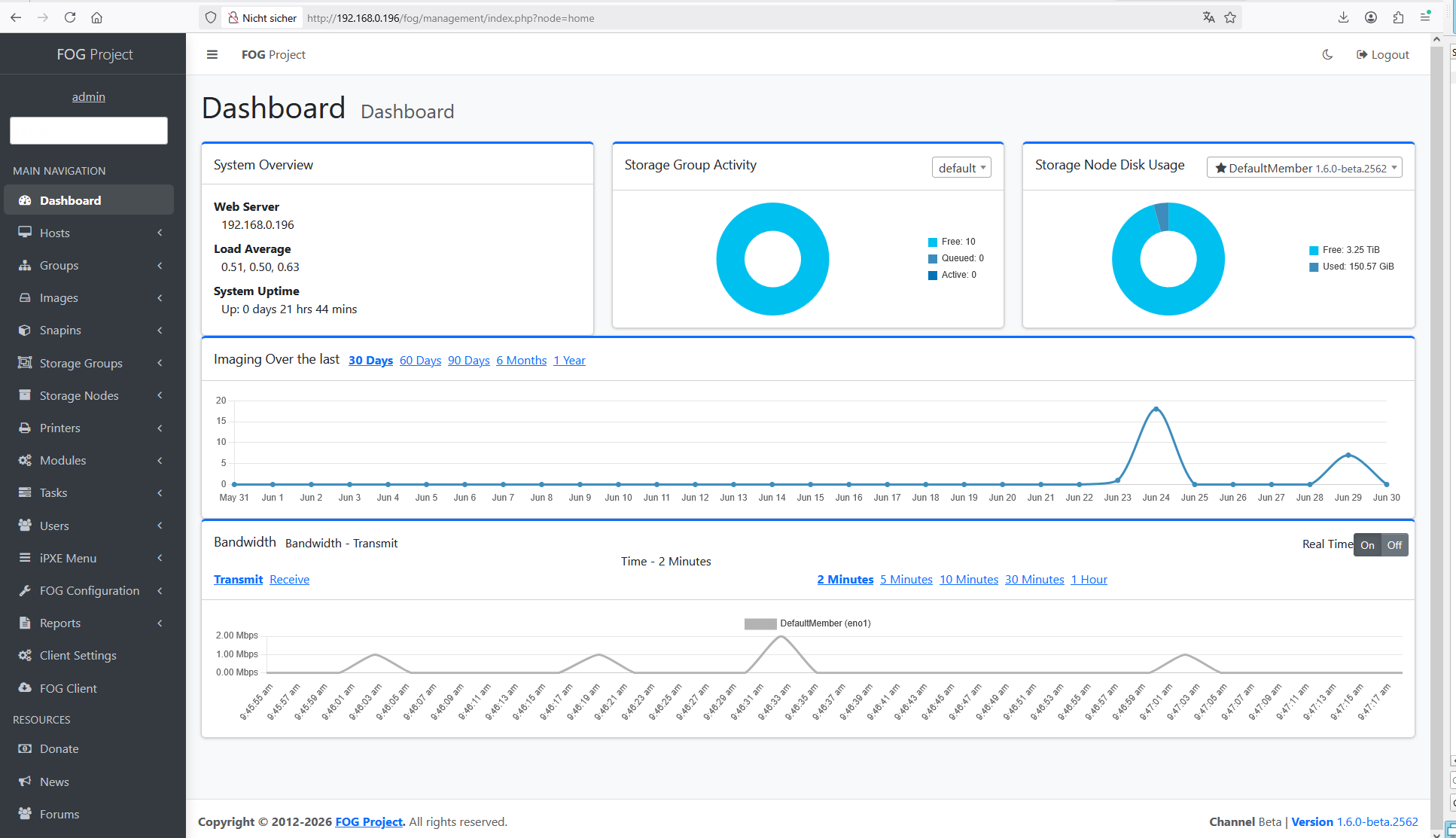
What is the sense of this ???
-
@kratkale what do you mean? The ui refactor is intentional. This is just progressing to make it more inline.
-
@Tom-Elliott
I mean, why do I need to connect to the web interface? I don’t have to do anything there during the update, do I? -
@Tom-Elliott
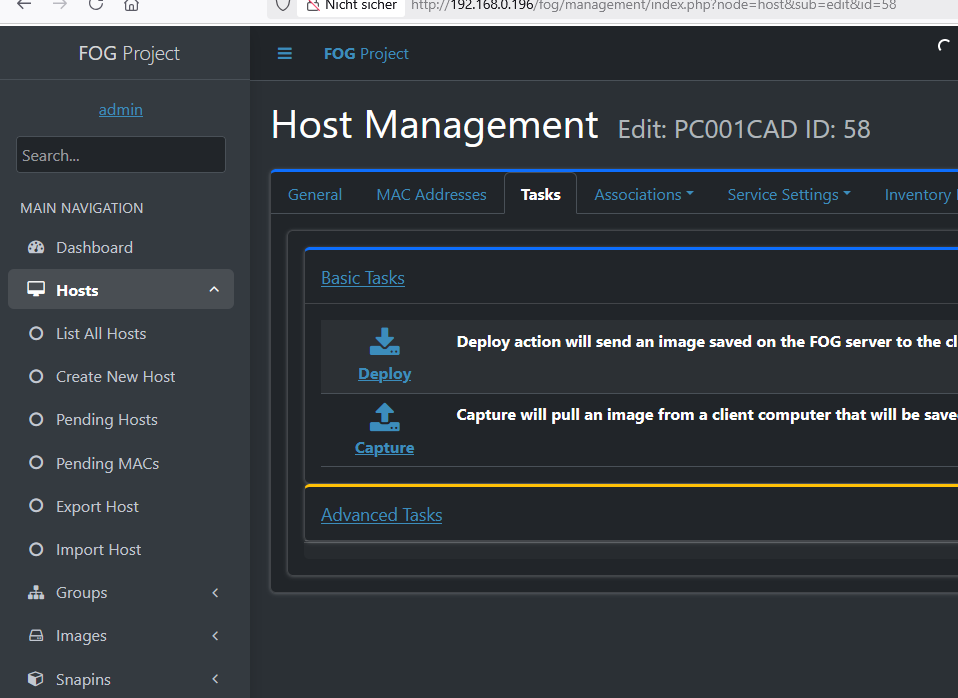
In my workflow, it would be really cool if I could assign a single snap-in directly from the Basic Tasks…
-
@kratkale You can, but it falls under “Advanced Tasks”.
-
@Tom-Elliott
Yeah, that’s how I do it—but it always takes so many clicks—I think it would be great as a basic feature. -
@kratkale The problem is Snapins are not a basic feature:
They require the FOG Client + knowledge of what a snapin is and does (at a base level)
The “basic” for FOG is imaging at its core.
Snapins are a way of getting the machine to do additional things: install software, run a script (or set of scripts) etc… - Please note I’m not saying it’s not a useful feature, just saying that it’s more than a “Basic” thing.
You can do a curl request to schedule a snapin task which might be better, though you would need to know what MAC Address to use for the host in question.
-
@kratkale said in Windows 11 | 65x HP Z2 Tower G1i | UPDATE -:
I mean, why do I need to connect to the web interface? I don’t have to do anything there during the update, do I?
The URL you see is because the installer doesn’t know if (or not) there’s a Schema Update.
It always shows that on every install. If you don’t want to see that, now that FOG is installed, you can just run your installer with:
sudo ./installfog.sh -yIf there is a schema update, this will do the update for you automatically, if not, the doesn’t matter, the main update just goes through the normal process.
-
@Tom-Elliott
Automatic snap-ins (connected to the group or the PC) don’t always work well, e.g., when the PC is busy with itself and the Microsoft ecosystem after cloning. For example: the PC isn’t ready for the snap-in yet because it’s currently installing an update, isn’t in the domain yet, etc.
That’s why, over the years, I’ve gotten into the habit of first checking whether the PC is in the domain, letting it boot up completely, and only then running my “one” snap-in per PC. In that single Snap-in, I gather everything I need to set up the PC: for example, a student PC needs a Veyon client, the student proxy server, etc. => Student Snap-in; a teacher PC needs the Veyon Master and the fast teacher proxy => a separate Snap-in for teacher PCs -
@Tom-Elliott
I think sorting by name would be better than sorting by ID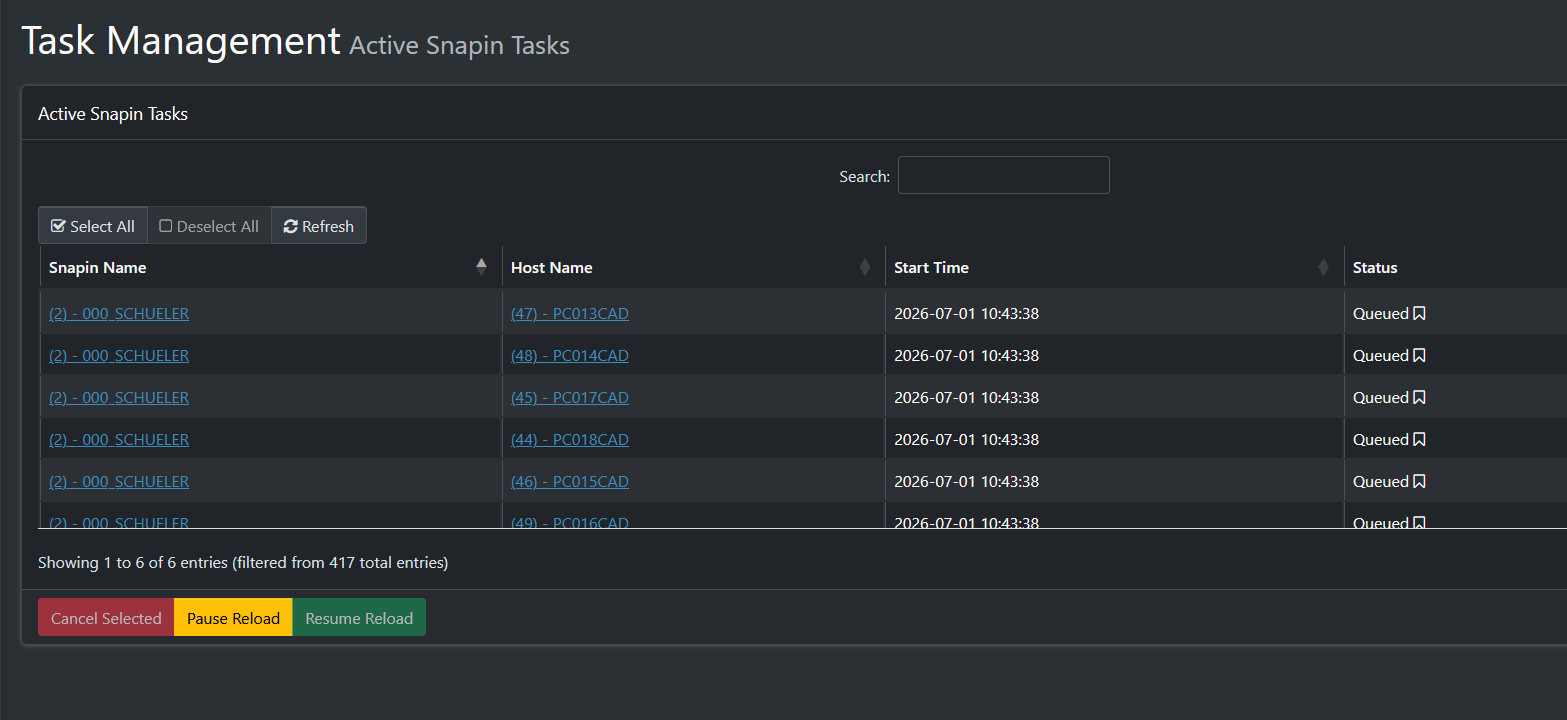
-
@kratkale I’m having it do a sort on “name” then by start time (newest first) if there’s a tie.
I think it is because the snapinLink is what you see as the name, and that link built by sorting by the IDs rather than the names.
For the active tasks table I figured sorting by the time adds a level of understanding so you always know who was the newest one to the party (so to speak).
-
@kratkale This has now been pushed.
-
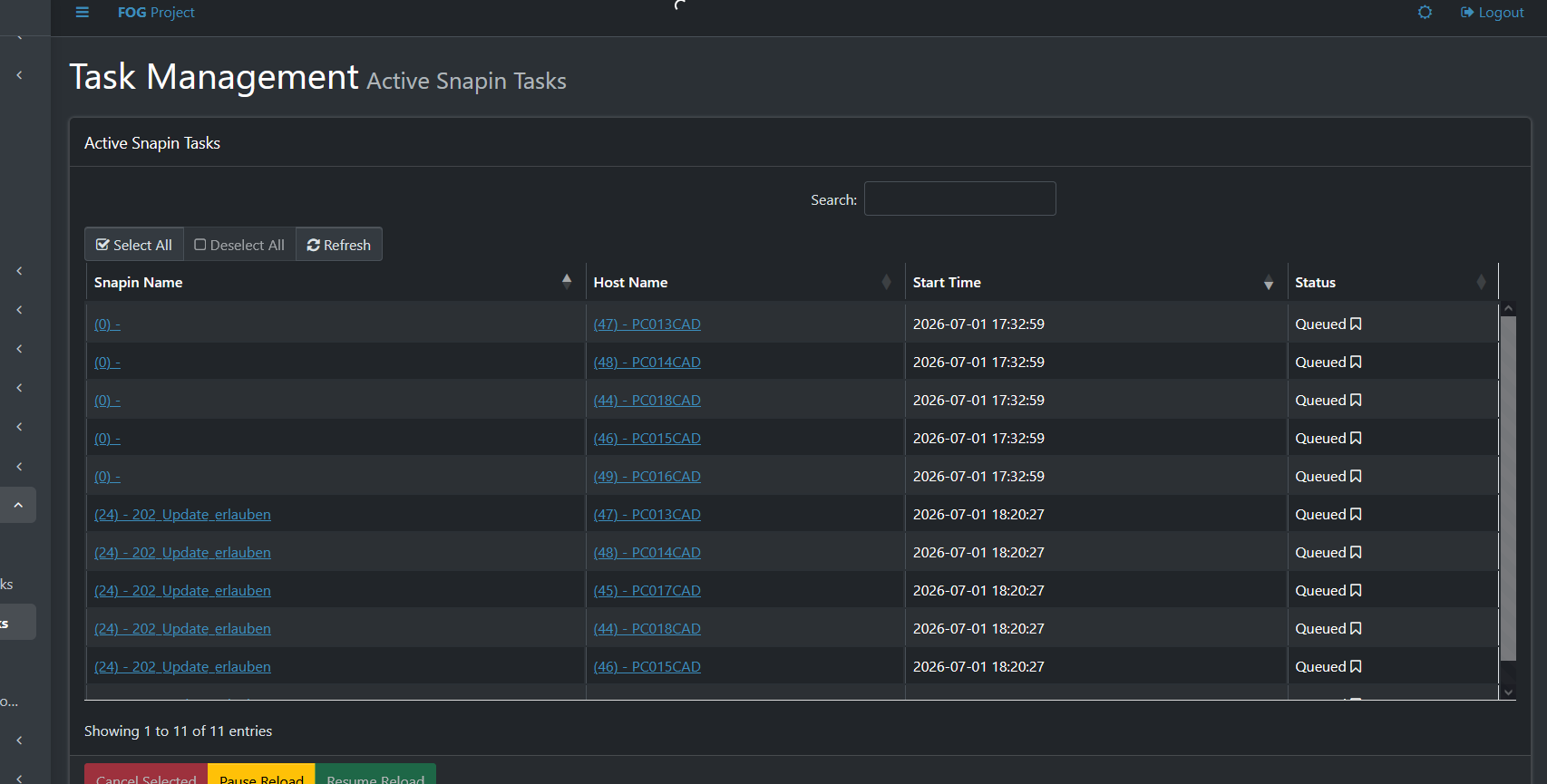
Sometimes I come across these “ghost” tasks—I have no idea how I end up with them.
-
@Tom-Elliott
Unfortunately, the “Reset Encryption Data” feature doesn’t work very well for me. Right now, it seems like I have to press the “Reset” button during the cloning process every time I clone a PC. If I don’t, the Fog Client doesn’t work, and I have to go to the PC in person.
To make sure the PCs are still usable, I’ve moved the steps for renaming the PC, connecting it to the domain, and installing the Veyon Client to c:\windows\Setup\Scripts\SetupComplete.cmd. This makes the cloning process go more smoothly for me. I also install the Fog Client at the same time.Despite all these efforts, I’m not getting anywhere:
01.07.2026 18:34:53 Middleware::Communication Download: http://192.168.0.196/fog/management/other/ssl/srvpublic.crt
01.07.2026 18:34:53 Middleware::Authentication Cert OK
01.07.2026 18:34:53 Middleware::Authentication No token found at C:\Program Files (x86)\FOG\token.dat, this is expected if the client has not authenticated before
01.07.2026 18:34:53 Middleware::Authentication ERROR: Could not get security token
01.07.2026 18:34:53 Middleware::Authentication ERROR: Die Datei “C:\Program Files (x86)\FOG\token.dat” konnte nicht gefunden werden.
01.07.2026 18:34:53 Middleware::Communication POST URL: http://192.168.0.196/fog/management/index.php?sub=requestClientInfo&authorize&newService
01.07.2026 18:34:53 Middleware::Communication ERROR: Failed to POST data
01.07.2026 18:34:53 Middleware::Communication ERROR: Der Remoteserver hat einen Fehler zurückgegeben: (401) Nicht autorisiert.
01.07.2026 18:34:53 Middleware::Response Success01.07.2026 18:34:53 Client-Info ERROR: Failed to authenticate, will not run Module Looper.
-
@Tom-Elliott
Tom—I just can’t get this to work. I’ve been trying to set up a multicast with 6 PCs here: PC013CAD through PC018CAD. They’re all identical devices, and sometimes one set works, then the other. I think the problem is somehow with the client. In this log, I automatically installed the client after cloning (c:\Windows\setup\ … ), then uninstalled it and reinstalled it—but I still can’t get a connection.
01.07.2026 23:39:12 Main Overriding exception handling
01.07.2026 23:39:12 Main Bootstrapping Zazzles
01.07.2026 23:39:12 Controller Initialize
01.07.2026 23:39:12 Controller Start01.07.2026 23:39:12 Service Starting service
01.07.2026 23:39:14 Bus Became bus server
01.07.2026 23:39:14 Bus Emmiting message on channel: Status
01.07.2026 23:39:14 Service Invoking early JIT compilation on needed binariesAuthentication--------------------------------
01.07.2026 23:39:15 Client-Info Version: 0.13.0
01.07.2026 23:39:15 Client-Info OS: Windows
01.07.2026 23:39:15 Middleware::Authentication Waiting for authentication timeout to pass
01.07.2026 23:39:15 Middleware::Communication Download: http://192.168.0.196/fog/management/other/ssl/srvpublic.crt
01.07.2026 23:39:15 Middleware::Authentication Cert OK
01.07.2026 23:39:15 Middleware::Authentication No token found at C:\Program Files (x86)\FOG\token.dat, this is expected if the client has not authenticated before
01.07.2026 23:39:15 Middleware::Authentication ERROR: Could not get security token
01.07.2026 23:39:15 Middleware::Authentication ERROR: Die Datei “C:\Program Files (x86)\FOG\token.dat” konnte nicht gefunden werden.
01.07.2026 23:39:15 Middleware::Communication POST URL: http://192.168.0.196/fog/management/index.php?sub=requestClientInfo&authorize&newService
01.07.2026 23:39:15 Middleware::Communication ERROR: Failed to POST data
01.07.2026 23:39:15 Middleware::Communication ERROR: Der Remoteserver hat einen Fehler zurückgegeben: (401) Nicht autorisiert.
01.07.2026 23:39:15 Middleware::Response SuccessAuthentication--------------------------------
01.07.2026 23:39:15 Client-Info Version: 0.13.0
01.07.2026 23:39:15 Client-Info OS: Windows
01.07.2026 23:39:15 Middleware::Authentication Waiting for authentication timeout to pass -
@kratkale I’m unsure if I follow:
So if you reset encryption data, things will start and continue to work, but fresh after imaging it does not?
-
@Tom-Elliott
I’m still testing to see if it works. I have a group of 6 PCs: PC013 through PC018.
They are all identical PCs.
I start the cloning process—reset encryption.
3 to 4 PCs work perfectly, but 1 to 2 PCs cannot connect to the FOG server.
The FOG client is now installed after cloning.
On the next attempt, the other PCs work.I don’t see any systematic pattern either
-
@kratkale Is it possible DHCP IPs are all used up and the device that fails doesn’t have a proper IP address to be able to even communicate with your FOG Server?
It is very odd that one machine works where another seems to fail.
Nope, because 401 isn’t the same as that’s a client side error saying “we failed to prove we can talk to the fog server.”
