Unable to install CA certificate
-
Hi,
When i install Fog client on windows 10 the message Unable install CA certificate and installation finished.
I install fog on centos 7 without https.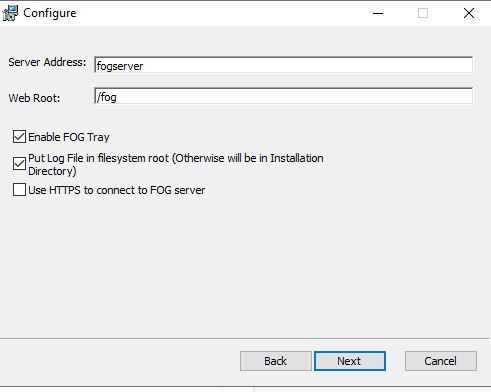
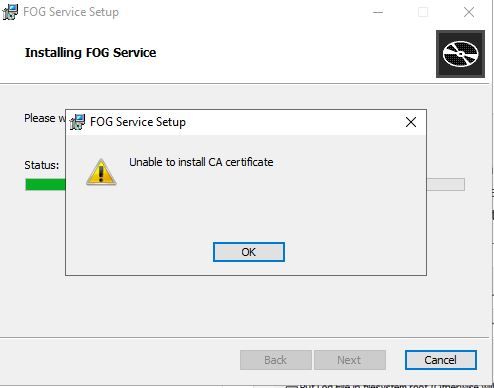
-
@Hojjati Is your server available via the DNS name
fogserverin your network? Unless it is you need to change that value in the “Server Address” field to point to your FOG server - usually using the IP address. -
@Hojjati I’ve found a solution for this issue that worked for me.
You need to manually edit the Windows hosts file at C:\Windows\System32\drivers\etc\hosts and add an entry with your FOG server’s IP address followed by the name “fogserver”.This is necessary because SmartInstaller.exe performs a pinning process during installation, if you notice the installer hangs or fails exactly at that pinning stage, it is definitely due to this resolution issue.
Adding the entry ensures the installer recognizes the server and can download the certificate properly.