1.5.10.2328 - Failed to check in. Going back to 2294, all good.
-
I captured from both of my PC’s on 8/19 dev version 2294. Tonight, early am, I updated to 2328, the update appeared to go fine. I set a task to capture from my laptop, (not sure if this is important) before I rebooted the laptop I checked the Tasks list in the web UI from another PC and saw a bunch of other tasks labelled ‘fog’ with parentheses along with the capture task for the laptop. I should have taken a pick. I removed the other tasks leaving only the one for the laptop then rebooted the laptop. Laptop would not check in. Over and over it tried.
I deleted the task for the laptop, rebooted the FOG server and set up a capture for the laptop again. Rebooted the laptop, still the laptop was unable to check in and kept trying over and over.
went back to 2294 all good.
I suspect something is borked in this version. Feel like a POS for not gathering logs but it is late.
-
@Tom-Elliott Thanks Tom. 1.5.10.2344 seems to be capturing fine. No additional null tasks were created and the PC had no problem checking in and starting the capture.
I’d swear, not only with this version but the earlier ones that were malfunctioning during check in and creating additional tasks, I had to create the task twice. Like I went through the process of setting up a capture but nothing showed up under tasks then had to do it again.
I can’t seem to duplicate it though. Setting up a 2nd capture for the laptop, I only had to do it once (and no additional null tasks were created).
PC finished the capture no problem and laptop checked in and is capturing now. Looks like 2344 did it!
Thanks again.
-
@Fog_Newb I suspect this was the same issue another user saw, please pull and update and hopefully it will be better.
Working to try to get system logs from the fos side of things to the fog server so we have a kind of trail we can troubleshoot from.
-
@Tom-Elliott Hi Tom, Unfortunately, updating to the latest 1.5.10.2340 gave me the same problem. This time, I tried capturing an image from the PC. I managed to take a screenshot of the strange other Tasks added.
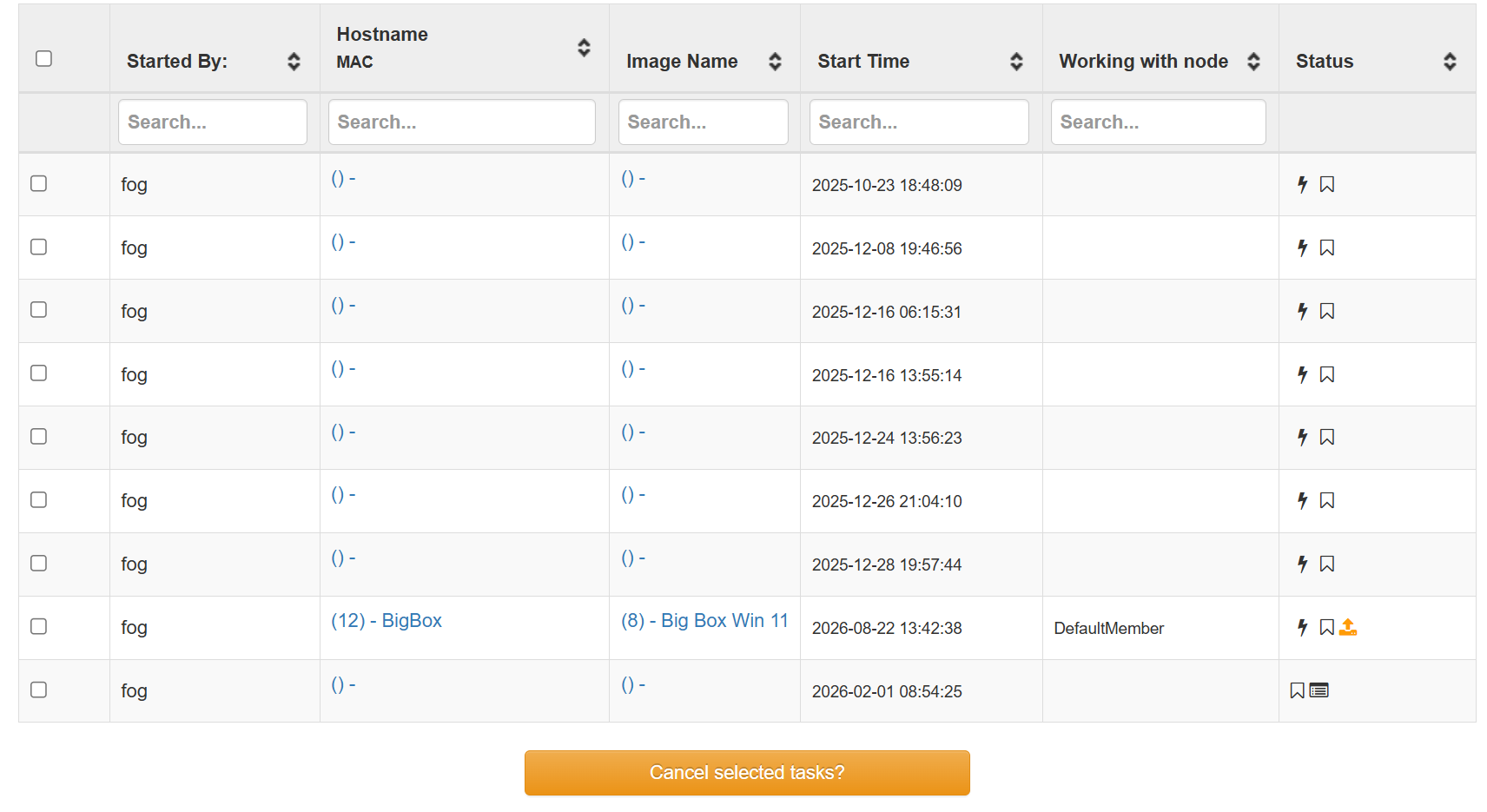
The PC is refusing to check in. LMK if you need any logs and which logs. IIRC, do a debug task. If you can point me to any documentation on where the logs are and how to get the logs you want, that would be great.
-
@Fog_Newb Can you please pull/install and try again?
I’m trying to make things proper, and in doing so I well Claude and I made a mistake lol:
Hopefully this helps?
Here’s claude’s synopsis:
What bit: tasks.taskCheckIn became nullable (GH-1245 / schema 284) and save() started writing a real SQL NULL, so a task that hadn't checked in yet read back as null instead of '0000-00-00 00:00:00'. dev-branch's get() returns null for an unset key (1.6's returns ''), and Task::taskCheckIn() passed that straight into isAlmostExpired(string $checkInTime) — PHP rejects null for a typed scalar param, so: uncaught TypeError → bodyless 500 → FOS never gets ##@GO → "failed to check in", forever, on the first check-in of every task, capture and deploy. Fix: one ?? '' at the call site in Task::taskCheckIn() — PR #1283, merged, dev-branch now 1.5.10.2344. Not in get(): it's returned null since 2018 and save() now relies on null meaning "truly unset". The empty() - tasks were unrelated — leftovers from the topic-18081 bug fixed back in January. -
@Tom-Elliott Thanks Tom. 1.5.10.2344 seems to be capturing fine. No additional null tasks were created and the PC had no problem checking in and starting the capture.
I’d swear, not only with this version but the earlier ones that were malfunctioning during check in and creating additional tasks, I had to create the task twice. Like I went through the process of setting up a capture but nothing showed up under tasks then had to do it again.
I can’t seem to duplicate it though. Setting up a 2nd capture for the laptop, I only had to do it once (and no additional null tasks were created).
PC finished the capture no problem and laptop checked in and is capturing now. Looks like 2344 did it!
Thanks again.
-
 T Tom Elliott has marked this topic as solved on