• Recent
    • Unsolved
    • Tags
    • Popular
    • Users
    • Groups
    • Search
    • Register
    • Login

    Snapin Log showing warning

    Scheduled Pinned Locked Moved Solved FOG Problems
    5 Posts 2 Posters 76 Views
    Loading More Posts
    • Oldest to Newest
    • Newest to Oldest
    • Most Votes
    Reply
    • Reply as topic
    Log in to reply
    This topic has been deleted. Only users with topic management privileges can see it.
    • C
      Chandlerbing
      last edited by Chandlerbing

      Hello,

      I have a bug when I try to show the snapin log.
      I can choose the snapin I want to show or the hostname, but when I click on search button. My page is filled with warning :
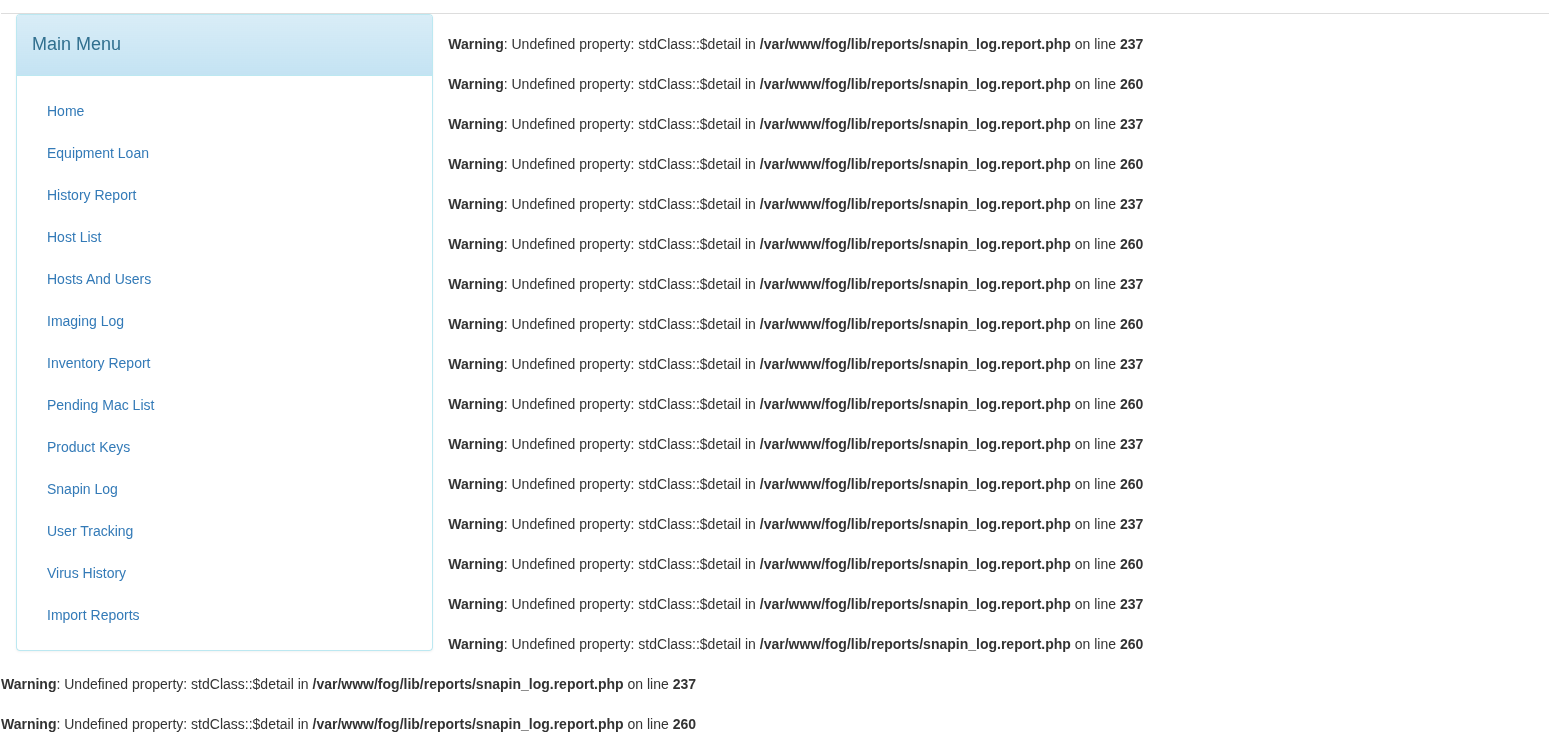
      07e49d6c-f442-496c-ae1c-4860b6765505-Capture d’écran du 2026-05-29 10-41-17.png /home/rservent/Images/Captures d’écran/Capture d’écran du 2026-05-29 10-41-17.png
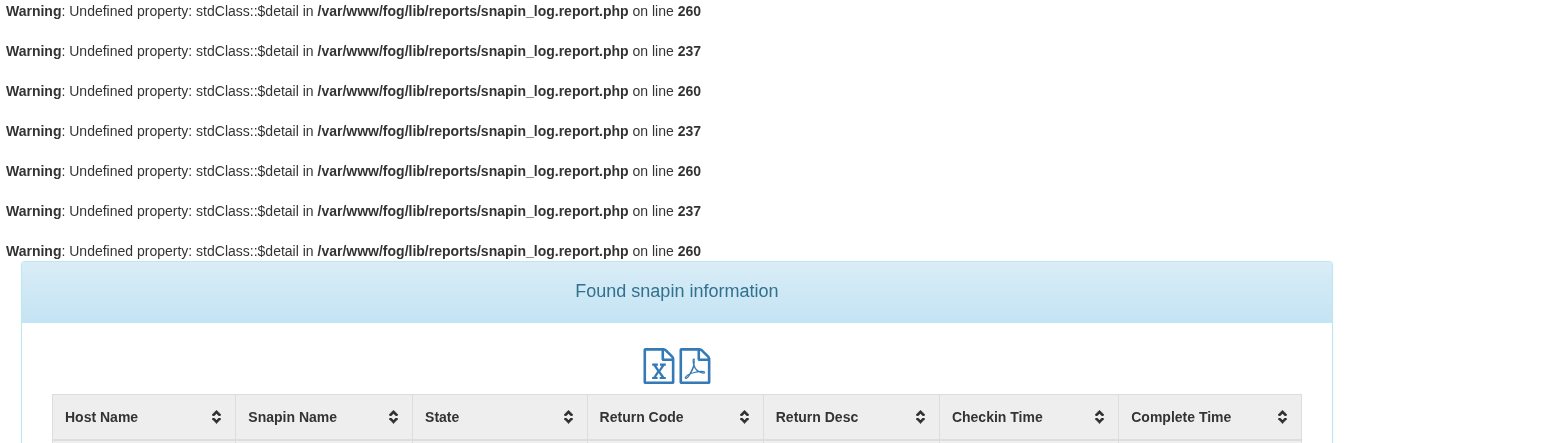
      5e947a2f-faf1-4ea4-88ec-b3661b0932df-Capture d’écran du 2026-05-29 10-41-41.png /home/rservent/Images/Captures d’écran/Capture d’écran du 2026-05-29 10-41-41.png

      I can see my array after all this warnings so it is not a huge bug. It is just a bit annoying.

      I just update fog to the latest patch : 1.5.10.1826
      Server Debian 13 full updated to latest stable release.

      Thank you.

      Tom ElliottT 1 Reply Last reply Reply Quote 0
      • Tom ElliottT
        Tom Elliott @Chandlerbing
        last edited by

        @Chandlerbing Can you do a look for all files that contain:

        grep -r 'display_errors' /etc | grep -v '#'
        

        This should only display things where display_errors is defined directly.

        I suspect there’s one that is doing this for you natively.

        Please help us build the FOG community with everyone involved. It's not just about coding - way more we need people to test things, update documentation and most importantly work on uniting the community of people enjoying and working on FOG! Get in contact with me (chat bubble in the top right corner) if you want to join in.

        Web GUI issue? Please check apache error (debian/ubuntu: /var/log/apache2/error.log, centos/fedora/rhel: /var/log/httpd/error_log) and php-fpm log (/var/log/php*-fpm.log)

        Please support FOG if you like it: https://wiki.fogproject.org/wiki/index.php/Support_FOG

        C 1 Reply Last reply Reply Quote 0
        • Tom ElliottT
          Tom Elliott @Chandlerbing
          last edited by

          @Chandlerbing

          This appears like you have your php file setup to output errors to the display.

          If you look at your /etc/php.ini (I don’t know os you’re running so you may have to find this file in your /etc folder (find /etc -type f -name php.ini)

          Look in this file for display_errors = On

          You should look for one where it doesn’t look similar to # display_errors = On

          if you don’t find one that isn’t already commented (that’s what the # means) then by default display_errors is on so in that stanza after the comments create a new line that is:

          display_errors = Off
          

          Once done, save the file and restart php-fpm and I like to restart html just in case:

          sudo systemctl restart php-fpm httpd # for redhat based OS's
          
          sudo systemctl restart php-fpm apache2 # for debian based OS's
          

          Please help us build the FOG community with everyone involved. It's not just about coding - way more we need people to test things, update documentation and most importantly work on uniting the community of people enjoying and working on FOG! Get in contact with me (chat bubble in the top right corner) if you want to join in.

          Web GUI issue? Please check apache error (debian/ubuntu: /var/log/apache2/error.log, centos/fedora/rhel: /var/log/httpd/error_log) and php-fpm log (/var/log/php*-fpm.log)

          Please support FOG if you like it: https://wiki.fogproject.org/wiki/index.php/Support_FOG

          1 Reply Last reply Reply Quote 0
          • C
            Chandlerbing
            last edited by

            Hello @Tom-Elliott

            This is weird I had the “display_errors = On” in /etc/php/8.4/fpm/php.ini.
            I set it to off. I restart php-fpm and apache2 and I still got the warnings.

            I restart the server and the warning still there.

            I have Debian 13 with apache2 installed.

            I looked for every php.ini I can find and none of them have display_errors = On. They all have display_errors = Off

            Tom ElliottT 1 Reply Last reply Reply Quote 0
            • Tom ElliottT
              Tom Elliott @Chandlerbing
              last edited by

              @Chandlerbing Can you do a look for all files that contain:

              grep -r 'display_errors' /etc | grep -v '#'
              

              This should only display things where display_errors is defined directly.

              I suspect there’s one that is doing this for you natively.

              Please help us build the FOG community with everyone involved. It's not just about coding - way more we need people to test things, update documentation and most importantly work on uniting the community of people enjoying and working on FOG! Get in contact with me (chat bubble in the top right corner) if you want to join in.

              Web GUI issue? Please check apache error (debian/ubuntu: /var/log/apache2/error.log, centos/fedora/rhel: /var/log/httpd/error_log) and php-fpm log (/var/log/php*-fpm.log)

              Please support FOG if you like it: https://wiki.fogproject.org/wiki/index.php/Support_FOG

              C 1 Reply Last reply Reply Quote 0
              • C
                Chandlerbing @Tom Elliott
                last edited by

                Hello @Tom-Elliott

                Sorry for the delay 😞

                I checked what you told me to do. It appears I have a file that I didn’t check : /etc/php/8.4/fpm/pool.d/www.conf
                I set display_error=off and now I don’t have all those warnings.

                Thank you for your help.

                This is perfect 🙂

                1 Reply Last reply Reply Quote 0
                • C Chandlerbing has marked this topic as solved
                • C Chandlerbing has marked this topic as solved
                • 1 / 1
                • First post
                  Last post

                123

                Online

                12.7k

                Users

                17.6k

                Topics

                156.5k

                Posts
                Copyright © 2012-2026 FOG Project
