@george1421 Don’t know how to solve it? 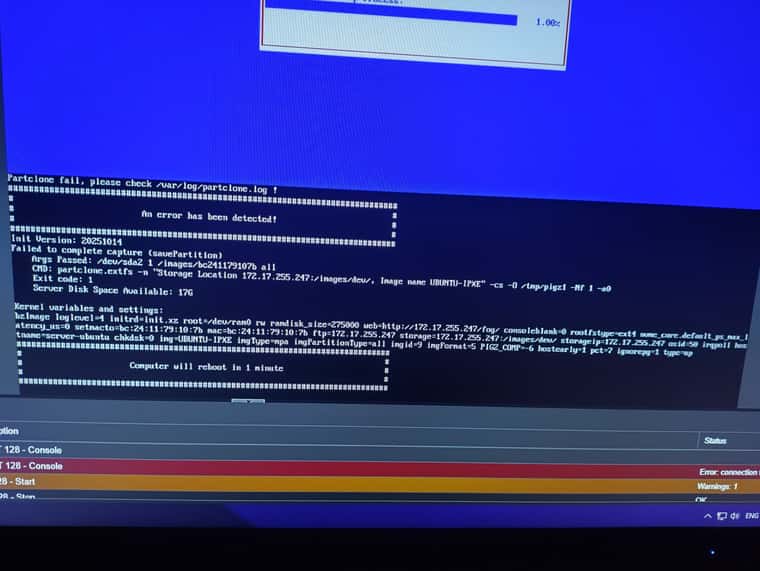
https://askubuntu.com/questions/895492/kernel-panic-vfs-cannot-open-root-device-or-unknown-block-error-6 this is not a solution
@george1421 Don’t know how to solve it?
https://askubuntu.com/questions/895492/kernel-panic-vfs-cannot-open-root-device-or-unknown-block-error-6 this is not a solution
@george1421 Could you tell me how to make it work in Windows? bcdedit doesn’t help — bootsequence nominally changes the order, but after reboot, it still boots from the hard drive.
@george1421 I came to this a day ago, but efibootmgr doesn’t really want to change the boot priority — maybe there are some tricks or specific moments when the script needs to be used. Could you tell me the best way to do this?
And through FOG, it is possible to change the Boot Order? During deployment, the Boot Order switches to Windows/Debian/Ubuntu. But suppose I want to change it again automatically when creating an OS Task, so that the machine boots via iPXE again and installs the OS I need. If this is possible, please clarify how to do it.
@Tom-Elliott That’s right, in the UI I check the box, but in the POST request this flag is missing, or maybe I’m not naming it correctly?
Hi everyone, I ran into an issue: I’m trying to perform a one-time system reboot in Power Management via Python requests. However, the problem is that after this command, the computer creates a Cron Schedule, causing it to reboot continuously. Is there any way to avoid this? In the GUI, there is a “Perform Immediately” flag that sends a one-time reboot request.
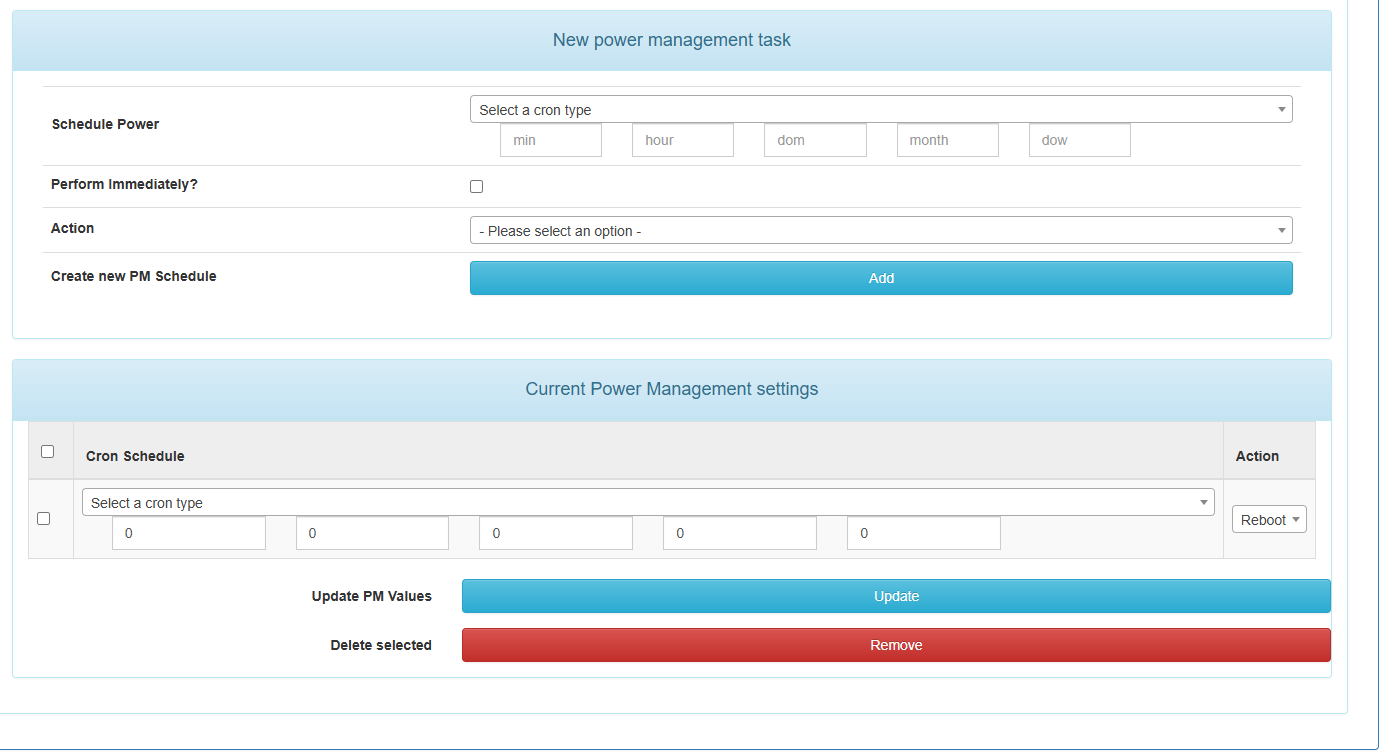
def reboot(self):
        REBOOT_URL = "http://IP/fog/powermanagement"
        payload = {
            "performImmediately": 1, # doesn't work
            "hostID": 13,
            "min": 0,
            "hour": 0,
            "dom": 0,
            "month": 0,
            "dow": 0,
            "action": "reboot"
        }

        r = requests.post(
            REBOOT_URL,
            headers=self.headers,
            json=payload,
            verify=False
        )

        print(r.status_code, r.text)
