Task 0
-
@kratkale That’s not a bug and it’s not stopping you — press Enter and the upgrade will finish.
What it’s telling you: your server presents a certificate that FOG didn’t issue (a real one for
fog.mm.htlwien10.at, from acme.sh/certbot or your school’s CA). During an upgrade the installer makes a few HTTPS calls to itself, and it verifies those against FOG’s own CA. Your certificate doesn’t chain to FOG’s CA, so those calls fail. The only thing you actually lose is the automatic pre-upgrade database dump.So take a dump of the
fogdatabase yourself first, with mysqldump or from phpMyAdmin — whichever you normally use. Then press Enter and let the installer run.To stop this happening on every upgrade, point FOG at the certificate you are actually serving. Symlink both halves of your ACME pair into FOG’s leaf directory:
/opt/fog/pki/web/leaf/.webLeaf.pem  ->  your fullchain file
/opt/fog/pki/web/leaf/.webLeaf.key  ->  its matching private file
FOG checks whether those resolve outside its own PKI directory. Once they do, it treats the certificate as externally managed: it stops regenerating it, and it stops replacing your system trust store when it calls itself — so verification just works. Running the installer with
--public-web-certdeclares the same thing up front.Once you are through you will be on
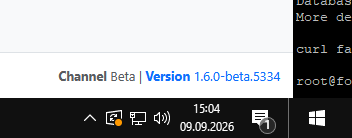
1.6.0-beta.5332or newer, which carries the multicast, snapin-labeling and State column fixes. Let me know whether multicast starts for you. -
multicast ist not working …
-
@Tom-Elliott said in Task 0:
Running the installer with --public-web-cert declares the same thing up front.Feature does not work:


-
@Tom-Elliott
Scheduled Power Management Task is not working
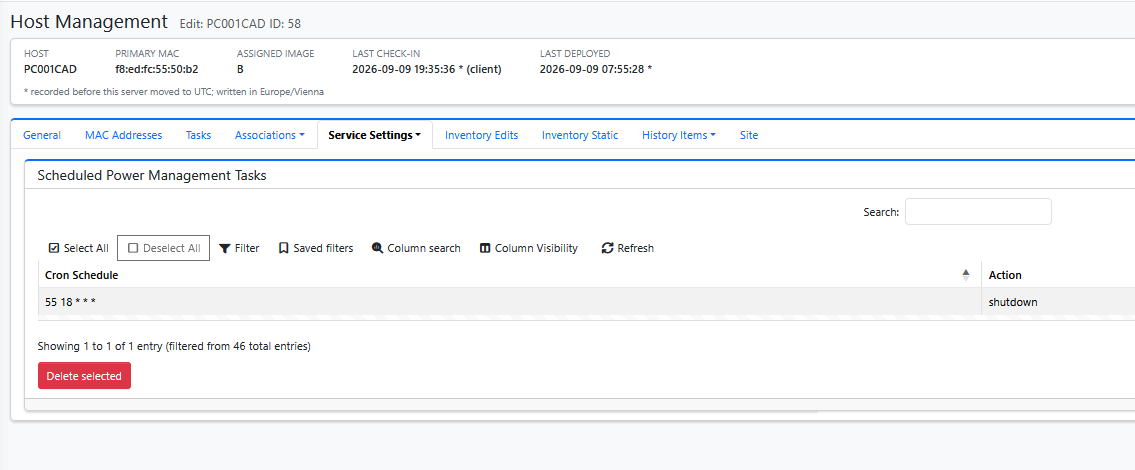
Maybe it’s a Windows bug; I’ve often had to shut down not just once, but two or three times with 24H2 LTS.
But none of the 36 + 25 student computers are shutting down.
-
@Tom-Elliott Manually deploying a Snapin after cloning does not work—you must first manually restart the system. There is no Fog log even before the restart. The Fog Client was run using C:\Windows\Setup\Scripts\SetupComplete.cmd
-
@Tom-Elliott
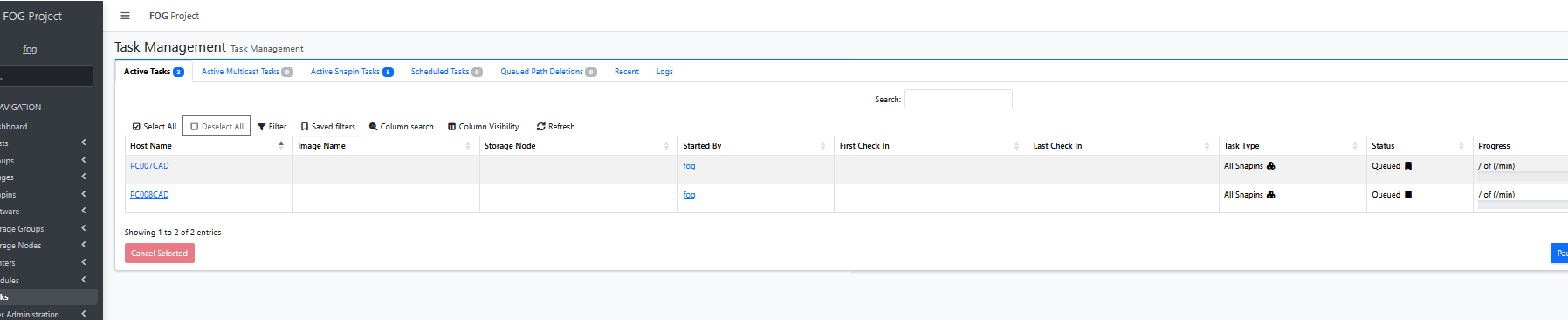
Here, too, I’m just launching a simple snap-in—it would be cool if it also showed which snap-in it is. As I mentioned before, due to timing issues, I stopped automatically deploying snap-ins—they often didn’t work properly, even though they worked in the Command Prompt. From this, I concluded that there’s a timing issue between Windows Update… and the snap-ins. That’s why I’ve always preferred to do this manually. -
Multicast. The version number does not show what fails. Queue a multicast task, start the clients, then post:
- the output of
tail -n 40 /opt/fog/log/multicast.log - a photo of one client screen
–public-web-cert. Correction to my last reply: this flag helps only when your web server sends a complete, publicly trusted chain. The flag removes FOG’s own CA from the check, and curl then uses the system trust store. That check also failed. So the system store cannot verify the chain your web server sends. Run this on the FOG server and post the output:
openssl s_client -connect fog.mm.htlwien10.at:443 -servername fog.mm.htlwien10.at </dev/null 2>/dev/null | grep -E '^ *[0-9]+ s:|^ +i:'It shows who issued the certificate and which certificates the server sends.
Power management. The server sends the schedule in the same format as 1.5. The FOG Client runs it on the PC, at 18:55 PC time. Check that Power Management is enabled in FOG Configuration > Service Configuration and on the host. Then post
C:\fog.logfrom one PC. The lines that start withPowerManagementshow whether the client got the schedule.Snapin after cloning. No
C:\fog.logmeans the FOG Client service has not run yet. The server only queues the snapin. The client starts it. Addnet start FOGServiceafter the client install line inSetupComplete.cmd.All Snapins. FOG shows All Snapins when a host has more than one snapin queued. The Active Snapin Tasks tab lists each snapin by name. The “/ of (/min)” text in the Progress column is a display bug. It is fixed in 1.6.0-beta.5346.
- the output of
-
@Tom-Elliot
Unfortunately, I had to get the PCs up and running right away, so I wasn’t able to work through everything on the list. For now, I’ve cloned them without multicast. Next week, I’ll get back to you—I’ll test the rest then.
–public-web-cert.
root@fog:~# openssl s_client -connect fog.mm.htlwien10.at:443 -servername fog.mm .htlwien10.at </dev/null 2>/dev/null | grep -E ‘^ *[0-9]+ s:|^ +i:’0 s:CN=fog.mm.htlwien10.at, O=FOG Project, OU=FOG Web UI
i:CN=FOG Web CA, O=FOG Project, OU=FOG Web UI
root@fog:~#Power management.

SERIAL Number from SSD
I had another PC that wouldn’t clone because of an error when entering the SSD’s serial number…
The number BNE7N774610407R8O ends with an “O” and contains a “0” in the number. Unfortunately, the second SSD was listed in Inventory Static, and I had determined the number of the relevant ssd usinglsblk -o SERIAL. There my mistake happend


-
@Tom-Elliott
Hi
I don’t know enough about certificates. I tried to use ChatGPT to implement your answer—and this is what came out:This is important The original instructions you received essentially say: “Your server is using a certificate that was not issued by FOG.” That doesn’t match your current configuration. Your current web certificate was clearly issued by the FOG Web CA. Therefore, I wouldn’t create a symlink to any `fullchain.pem` file right now. We also have no indication so far that you’re using an external ACME certificate at all. What’s likely happening I suspect that the message you’re getting during the upgrade is related to the FOG PKI or the internal trust chain, and not to the fact that you’re using a Let’s Encrypt certificate. It’s interesting to note that your current Apache configuration uses: SSLCertificateFile /opt/fog/pki/web/leaf/.webLeaf.pem SSLCertificateKeyFile /opt/fog/pki/web/leaf/.webLeaf.key . The older configuration also included: SSLCertificateChainFile /opt/fog/snapins/ssl/CA/.fogCA.pem The current configuration does not have an SSLCertificateChainFile line. That might be relevant.That’s where I stopped…
-
@Tom-Elliott
Multicast
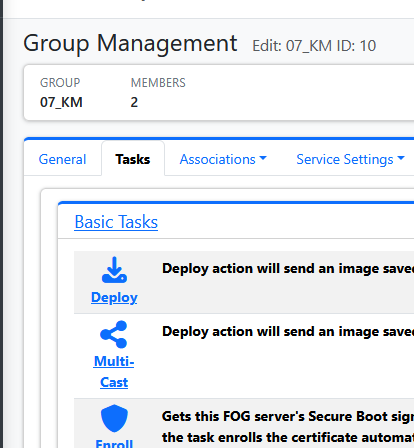
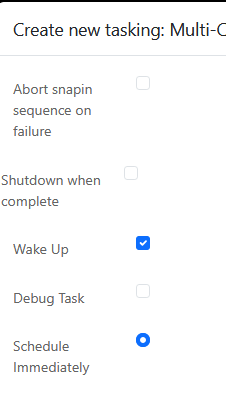
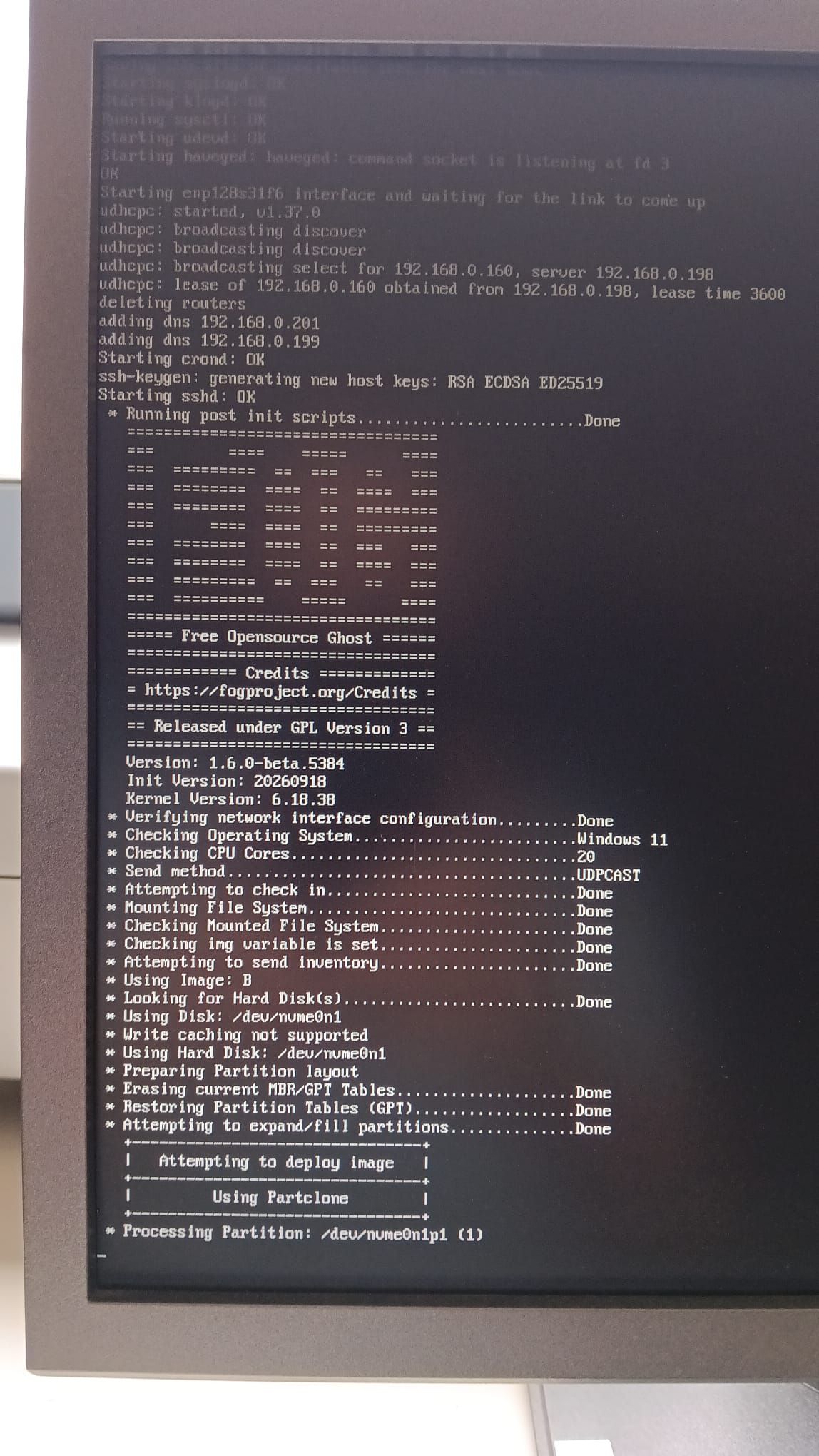
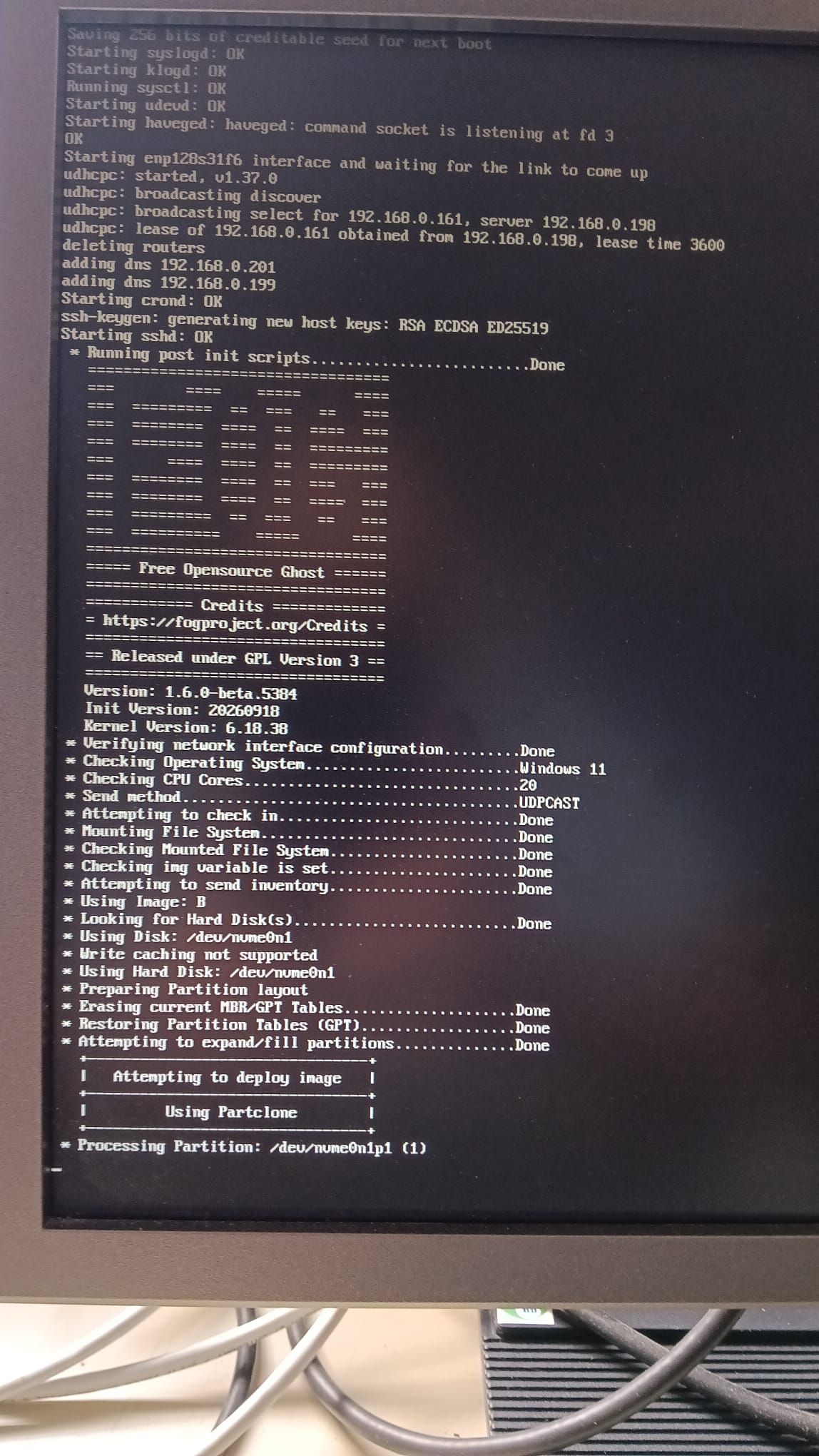
root@fog:~/FOG_SERVER_Updates_durchführen# tail -n 40 /opt/fog/log/multicast.log
[09-08-26 9:49:42 pm]  * No new tasks found
[09-08-26 9:49:52 pm]  * No new tasks found
[09-08-26 9:50:02 pm]  * No new tasks found
[09-08-26 9:50:12 pm]  * No new tasks found
[09-08-26 9:50:22 pm]  * No new tasks found
[09-08-26 9:50:32 pm]  * No new tasks found
[09-08-26 9:50:42 pm]  * No new tasks found
[09-08-26 9:50:52 pm]  * No new tasks found
[09-08-26 9:51:02 pm]  * No new tasks found
[09-08-26 9:51:12 pm]  * No new tasks found
[09-08-26 9:51:22 pm]  * No new tasks found
[09-08-26 9:51:32 pm]  * No new tasks found
[09-08-26 9:51:42 pm]  * No new tasks found
[09-08-26 9:51:52 pm]  * No new tasks found
[09-08-26 9:52:02 pm]  * No new tasks found
[09-08-26 9:52:12 pm]  * No new tasks found
[09-08-26 9:56:33 pm] ===== FOG 1.5.10.2473 -- MulticastManager starting =====
[09-08-26 9:56:33 pm] Interface Ready with IP Address: 10.10.3.196
[09-08-26 9:56:33 pm] Interface Ready with IP Address: 127.0.0.1
[09-08-26 9:56:33 pm] Interface Ready with IP Address: 127.0.1.1
[09-08-26 9:56:33 pm] Interface Ready with IP Address: 192.168.0.196
[09-08-26 9:56:33 pm]  * Starting MulticastManager Service
[09-08-26 9:56:33 pm]  * Checking for new items every 10 seconds
[09-08-26 9:56:33 pm]  * Starting service loop
[09-08-26 10:00:14 pm] ===== FOG 1.5.10.2473 -- MulticastManager starting =====
[09-08-26 10:00:14 pm] Interface Ready with IP Address: 10.10.3.196
[09-08-26 10:00:14 pm] Interface Ready with IP Address: 127.0.0.1
[09-08-26 10:00:14 pm] Interface Ready with IP Address: 127.0.1.1
[09-08-26 10:00:14 pm] Interface Ready with IP Address: 192.168.0.196
[09-08-26 10:00:14 pm]  * Starting MulticastManager Service
[09-08-26 10:00:14 pm]  * Checking for new items every 10 seconds
[09-08-26 10:00:14 pm]  * Starting service loop
[09-08-26 10:08:36 pm] ===== FOG 1.5.10.2473 -- MulticastManager starting =====
[09-08-26 10:08:36 pm] Interface Ready with IP Address: 10.10.3.196
[09-08-26 10:08:36 pm] Interface Ready with IP Address: 127.0.0.1
[09-08-26 10:08:36 pm] Interface Ready with IP Address: 127.0.1.1
[09-08-26 10:08:36 pm] Interface Ready with IP Address: 192.168.0.196
[09-08-26 10:08:36 pm]  * Starting MulticastManager Service
[09-08-26 10:08:36 pm]  * Checking for new items every 10 seconds
[09-08-26 10:08:36 pm]  * Starting service loop
root@fog:~/FOG_SERVER_Updates_durchführen#
I use two network cards—the “192” network is the one with the PCs, and the “10” network contains only servers and my backup servers …
