• Recent
    • Unsolved
    • Tags
    • Popular
    • Users
    • Groups
    • Search
    • Register
    • Login

    Windows 11 | 65x HP Z2 Tower G1i | UPDATE -

    Scheduled Pinned Locked Moved Unsolved FOG Problems
    136 Posts 3 Posters 30.1k Views
    Loading More Posts
    • Oldest to Newest
    • Newest to Oldest
    • Most Votes
    Reply
    • Reply as topic
    Log in to reply
    This topic has been deleted. Only users with topic management privileges can see it.
    • K
      kratkale @Tom Elliott
      last edited by

      @Tom-Elliott
      so I cannot use fog in the development branch - I need the snap in - the old one are not working anymore - I cannot upload new one.

      1 Reply Last reply Reply Quote 0
      • Tom ElliottT
        Tom Elliott @kratkale
        last edited by

        @kratkale Please update the latest dev-branch. Yes I pushed something that had broken this, and then when it was brought to my attention we fixed the problem. To my knowledge this is working again.

        As for the actual snapin upload, I’m not aware of any issues there so you may need to look at your username/password for the storage node.

        I suspect there’s a special character that got encoded incorrectly, though I’m not 100% sure. This (too) could be a problem we introduced trying to fix a bunch of XSS issues (for security reasons) but you might be able to more simply fix this by just setting the value on the username/password out of the storage node’s fogsettings username/password inforrmation.

        Please help us build the FOG community with everyone involved. It's not just about coding - way more we need people to test things, update documentation and most importantly work on uniting the community of people enjoying and working on FOG! Get in contact with me (chat bubble in the top right corner) if you want to join in.

        Web GUI issue? Please check apache error (debian/ubuntu: /var/log/apache2/error.log, centos/fedora/rhel: /var/log/httpd/error_log) and php-fpm log (/var/log/php*-fpm.log)

        Please support FOG if you like it: https://wiki.fogproject.org/wiki/index.php/Support_FOG

        K 1 Reply Last reply Reply Quote 0
        • K
          kratkale @Tom Elliott
          last edited by

          @Tom-Elliott
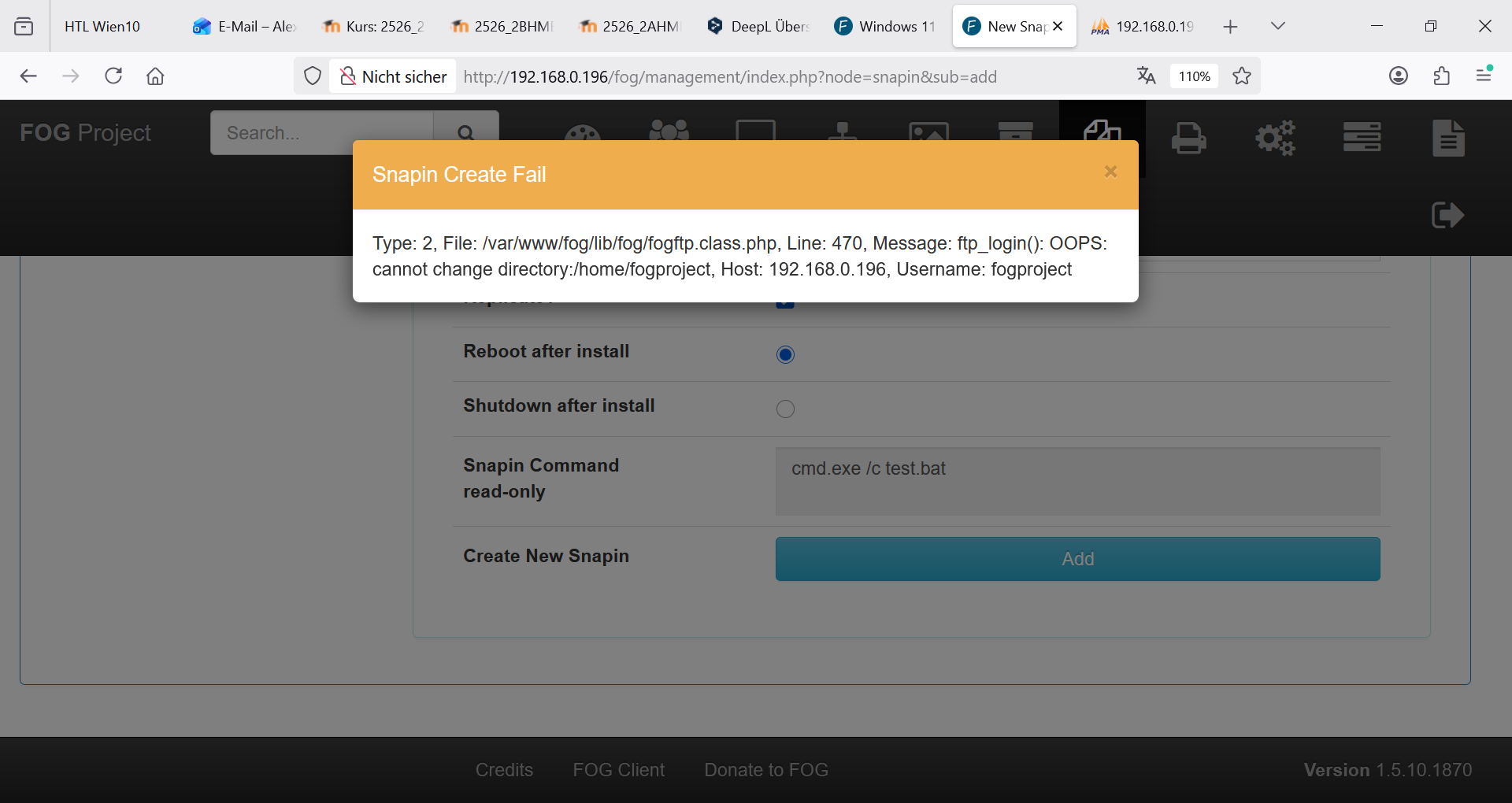
          still the same problem:
          6583c3e7-a3c2-4323-ba0c-6bc9885b1a69-grafik.png

          I don’t understand what I should do:
          “As for the actual snapin upload, … you might be able to more simply fix this by just setting the value on the username/password out of the storage node’s fogsettings username/password inforrmation.”
          where to change? Here?
          f6d7cfc4-ba4e-4fc8-a614-8a8de70534a2-grafik.png
          or here?
          d242d070-1cd2-4aff-b812-1d2e7e96b45a-grafik.png
          I’m afraid of damaging the system.

          Tom ElliottT 1 Reply Last reply Reply Quote 0
          • Tom ElliottT
            Tom Elliott @kratkale
            last edited by

            @kratkale It’s already not working, so you updating the value on the Storage NOde (your second image there)

            Isn’t going to hurt anything.

            Please help us build the FOG community with everyone involved. It's not just about coding - way more we need people to test things, update documentation and most importantly work on uniting the community of people enjoying and working on FOG! Get in contact with me (chat bubble in the top right corner) if you want to join in.

            Web GUI issue? Please check apache error (debian/ubuntu: /var/log/apache2/error.log, centos/fedora/rhel: /var/log/httpd/error_log) and php-fpm log (/var/log/php*-fpm.log)

            Please support FOG if you like it: https://wiki.fogproject.org/wiki/index.php/Support_FOG

            K 1 Reply Last reply Reply Quote 0
            • K
              kratkale @Tom Elliott
              last edited by

              @Tom-Elliott
              OK I changed as root on the ssh the password of fogproject to 2FEWI65tfjFk0awFBGw - also in http://192.168.0.196/fog/management/index.php?node=storage&sub=edit&id=1

              it is still not working …

              Tom ElliottT 1 Reply Last reply Reply Quote 0
              • Tom ElliottT
                Tom Elliott @kratkale
                last edited by

                @kratkale I don’t know why you’re telling me your password. (You probably will want to change that now.) and what isn’t working?

                Please help us build the FOG community with everyone involved. It's not just about coding - way more we need people to test things, update documentation and most importantly work on uniting the community of people enjoying and working on FOG! Get in contact with me (chat bubble in the top right corner) if you want to join in.

                Web GUI issue? Please check apache error (debian/ubuntu: /var/log/apache2/error.log, centos/fedora/rhel: /var/log/httpd/error_log) and php-fpm log (/var/log/php*-fpm.log)

                Please support FOG if you like it: https://wiki.fogproject.org/wiki/index.php/Support_FOG

                K 6 Replies Last reply Reply Quote 0
                • K
                  kratkale @Tom Elliott
                  last edited by

                  This post is deleted!
                  1 Reply Last reply Reply Quote 0
                  • K
                    kratkale @Tom Elliott
                    last edited by

                    @Tom-Elliott The Fog server is well hidden behind a firewall
                    I intentionally sent the password you see there are no special characters in it, and it still doesn’t work.
                    The old Snap-ins don’t work, and I can’t upload new ones.
                    It’s all so secure that nothing works!
                    I’m starting to get a little desperate—I really need to clone again soon… I honestly have no idea what else to do.

                    1 Reply Last reply Reply Quote 0
                    • K
                      kratkale @Tom Elliott
                      last edited by

                      @Tom-Elliott

                      The FOG Password is stored on two places:
                      Tabelle: globalSettings -> this is unchanged
                      Tabelle: nfsGroupMembers -> changed …

                      I try now to change in globalSettings by sql and test it again …

                      1 Reply Last reply Reply Quote 0
                      • K
                        kratkale @Tom Elliott
                        last edited by

                        @Tom-Elliott
                        3e017aab-b8bf-469d-8048-0f5b774284c2-grafik.png
                        Still the same problem:

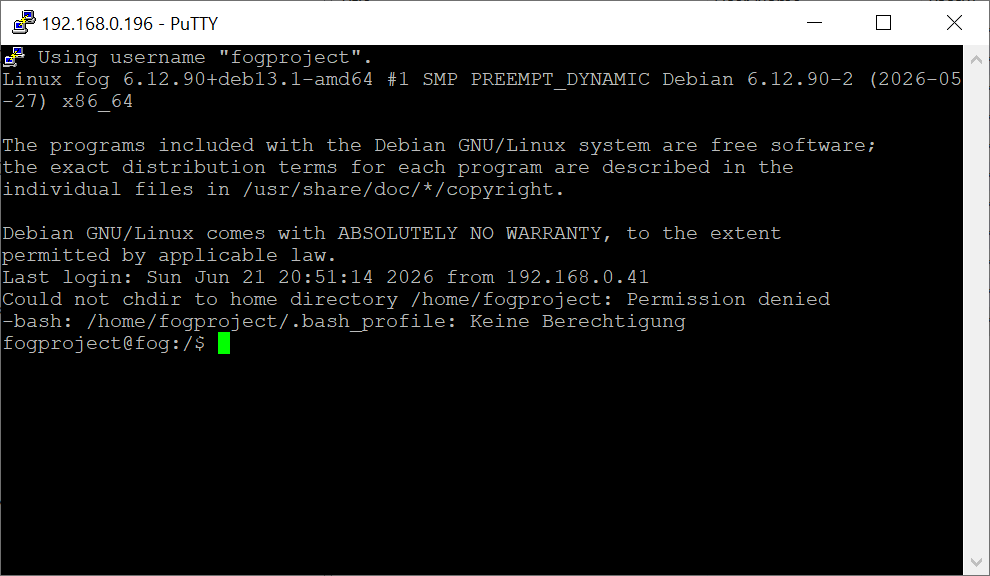
                        login with ssh works with the user/password

                        dbcea739-f56c-4719-bc58-69c644525d50-grafik.png

                        Tom ElliottT 1 Reply Last reply Reply Quote 0
                        • K
                          kratkale @Tom Elliott
                          last edited by

                          @Tom-Elliott
                          6938312c-b41e-47ac-b01a-aabb421361ba-grafik.png

                          oh I was back again on the stable version

                          1 Reply Last reply Reply Quote 0
                          • K
                            kratkale @Tom Elliott
                            last edited by

                            @Tom-Elliott
                            7235162b-eda8-47df-b113-bd1505596541-grafik.png

                            now I’m again on the dev-branch:
                            a84b5d10-e1aa-4b4a-9bf3-670fd371fd4d-grafik.png

                            no working upload of a snapin, no working old snapin
                            bf6f0393-cd39-4542-8251-370d621ec4c5-grafik.png

                            1 Reply Last reply Reply Quote 0
                            • Tom ElliottT
                              Tom Elliott @kratkale
                              last edited by

                              @kratkale I want to fully understand:

                              this is after a fresh install/fresh update from the installer and your’e having all these issues?

                              it seems (at least at first glance) ftp isn’t liked very much.

                              As for the snapins I’m at a loss. If you’d be daring can you install the branch working-1.6?

                              This shifts from FTP in preference of actual SSH and might be better. Of course working-1.6 is more or less in “beta” so this is understandable to be hesitant, but at the same time, without enough testing and feedback, little can move the needle closer and closer to RC -> Master.

                              Even in the age of AI, there’s not enough data (for me at least) to feel comfortable moving it toward master/stable yet so if you’re daring please upgrade to working-1.6

                              I will highly recommend making a backup or snapshot pre-upgrade to it just in case something is significantly worse.

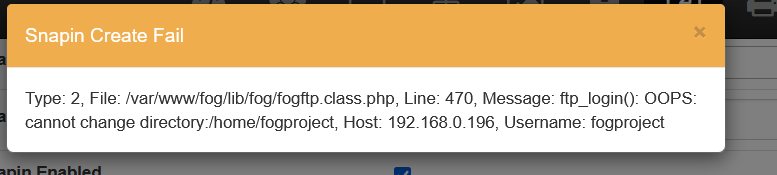
                              The error message you got (OOPS: cannot change directory) seems to indicate authentication is now working but ftp is failing because it cannot drop you to the users’ home directory. The why of that I do not know but I do believe this would be fixed in working-1.6 (or at least I’ll have more assistance to troubleshoot things with you as I’m generally working from that branch).

                              Please help us build the FOG community with everyone involved. It's not just about coding - way more we need people to test things, update documentation and most importantly work on uniting the community of people enjoying and working on FOG! Get in contact with me (chat bubble in the top right corner) if you want to join in.

                              Web GUI issue? Please check apache error (debian/ubuntu: /var/log/apache2/error.log, centos/fedora/rhel: /var/log/httpd/error_log) and php-fpm log (/var/log/php*-fpm.log)

                              Please support FOG if you like it: https://wiki.fogproject.org/wiki/index.php/Support_FOG

                              K 2 Replies Last reply Reply Quote 0
                              • K
                                kratkale @Tom Elliott
                                last edited by

                                @Tom-Elliott
                                I’ve been using FOG myself for well over 10 years now. With each new generation of PCs (this is now the third), I’ve completely rebuilt the FOG server and then simply used it throughout the PCs’ lifespan. Without any major updates… (never change a running system). The PCs and the FOG server are separated from the rest of the school network by an IPFire firewall. No unknown devices can connect to my network. All allowed MAC addresses are registered on the switch. Access from unknown MAC addresses is not possible.

                                Yes, I’ve been having all these problems ever since switching to the new PCs. First, the NVMe issues (deleting my second hard drive in the system), …

                                I need to figure something out: school lets out here in a week. At the start of the semester, I’ll have to deploy a new image to the PCs. Right now, nothing is working at all! As things stand, I’ll have to deploy the new image via Clonzilla again and manually install the “necessary snap-ins” on the PCs.

                                Here’s the process so far:
                                -) Initial installation on the newly set up Debian system:
                                git clone https://github.com/fogproject/fogproject.git
                                -) No snap-ins were directly transferred from the old system; instead, they were re-uploaded, all PCs were re-added, and all groups were reinstalled. In other words, nothing was directly transferred from the old FOG. After encountering problems with the first FOG server (hardware issues—the whole process was repeated with different hardware)
                                -) After the NVMe issues, I updated the download and reinstalled it:
                                cd fogproject
                                git checkout dev-branch
                                git pull

                                So yeah, right now I’m trying everything—I’ve got nothing to lose.

                                I work in a secure environment—FTP and TFTP are old, proven concepts. I’m not really a big fan of making things “even more secure,” and that’s not the point here… I find even the whole thing with the snap-ins’ hash values tedious. Why can’t I just log in to the Fog server via SSH, fix the snap-in, and be done with it? No, I have to upload it again via the web interface… The filename can’t be the same…

                                The database is now backed up using phpMyAdmin.

                                cd fogproject
                                git checkout working-1.6
                                git pull
                                userdel fogproject
                                fogproject/bin/installfog.sh
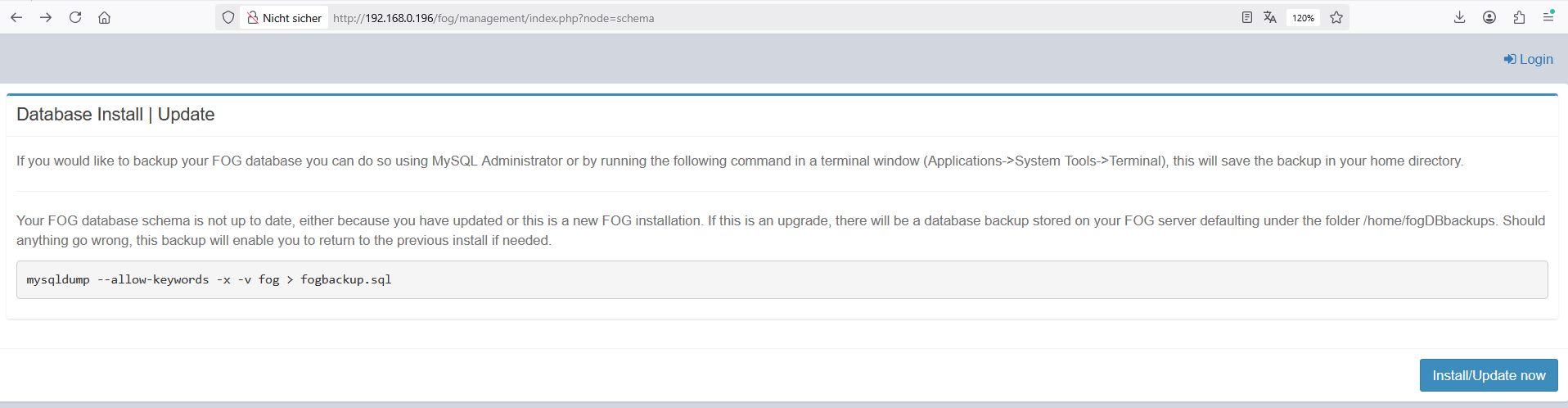
                                c144ed44-e0e8-4787-8988-30ba240a4052-grafik.png

                                • Press [Enter] key when database is updated/installed.

                                • Update fogstorage database password…OK

                                • Granting access to fogstorage database user…Skipped

                                • Setting up storage…OK

                                • Setting up and starting DHCP Server…Skipped

                                • Configuring default iPXE file…OK

                                • Setting up and starting TFTP Server…OK

                                • Setting up and starting VSFTP Server…OK

                                • Setting up FOG Snapins…OK

                                • Setting up UDPCast…OK

                                • Configuring UDPCast…OK

                                • Building UDPCast…OK

                                • Installing UDPCast…OK

                                • Installing FOG System Scripts…OK

                                • Configuring FOG System Services

                                • Setting permissions on FOGMulticastManager.service script…OK

                                • Enabling FOGMulticastManager.service Service…OK

                                • Setting permissions on FOGImageReplicator.service script…OK

                                • Enabling FOGImageReplicator.service Service…OK

                                • Setting permissions on FOGSnapinReplicator.service script…OK

                                • Enabling FOGSnapinReplicator.service Service…OK

                                • Setting permissions on FOGScheduler.service script…OK

                                • Enabling FOGScheduler.service Service…OK

                                • Setting permissions on FOGPingHosts.service script…OK

                                • Enabling FOGPingHosts.service Service…OK

                                • Setting permissions on FOGSnapinHash.service script…OK

                                • Enabling FOGSnapinHash.service Service…OK

                                • Setting permissions on FOGImageSize.service script…OK

                                • Enabling FOGImageSize.service Service…OK

                                • Setting permissions on FOGFileDeleter.service script…OK

                                • Enabling FOGFileDeleter.service Service…OK

                                • Setting up FOG Services…OK

                                • Creating FOG cache directory…OK

                                • Starting FOGMulticastManager.service Service…OK

                                • Starting FOGImageReplicator.service Service…OK

                                • Starting FOGSnapinReplicator.service Service…OK

                                • Starting FOGScheduler.service Service…OK

                                • Starting FOGPingHosts.service Service…OK

                                • Starting FOGSnapinHash.service Service…OK

                                • Starting FOGImageSize.service Service…OK

                                • Starting FOGFileDeleter.service Service…OK

                                • Setting up NFS configuration file…OK

                                • Setting up exports file…OK

                                • Setting up and starting RPCBind…OK

                                • Setting up and starting NFS Server…OK

                                • Ensuring node username and passwords match…Done

                                • Setting up FOG External Reporting…Done

                                • Setup complete

                                  You can now login to the FOG Management Portal using
                                  the information listed below. The login information
                                  is only if this is the first install.

                                  This can be done by opening a web browser and going to:

                                  http://192.168.0.196/fog/management

                                  Default User Information
                                  Username: fog
                                  Password: password

                                • Changed configurations:

                                  The FOG installer changed configuration files and created the
                                  following backup files from your original files:

                                  • /etc/exports <=> /etc/exports.1782208473
                                  • /opt/fog/reporting/report.sh <=> /opt/fog/reporting/report.sh.1782208473
                                1 Reply Last reply Reply Quote 0
                                • K
                                  kratkale @Tom Elliott
                                  last edited by

                                  @Tom-Elliott
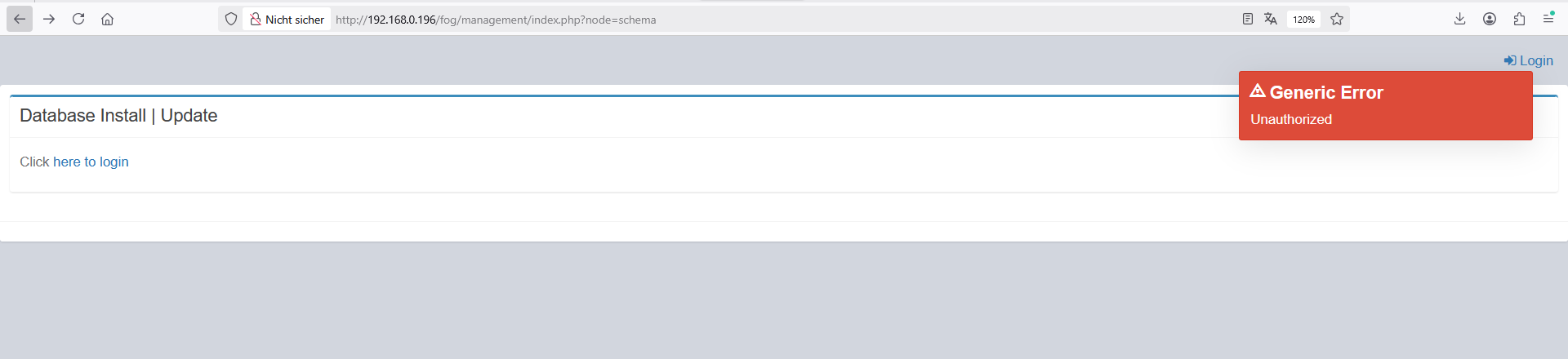
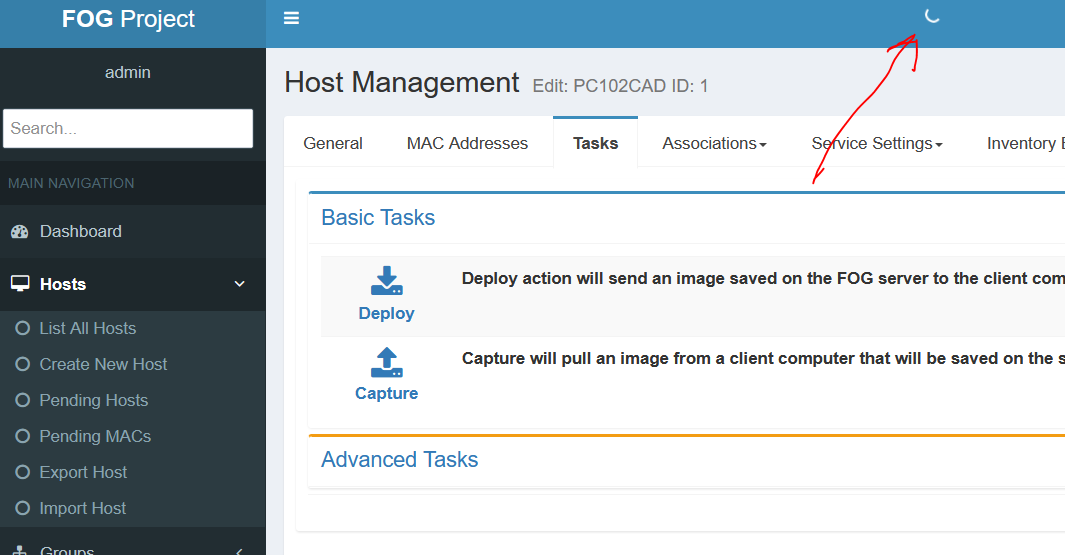
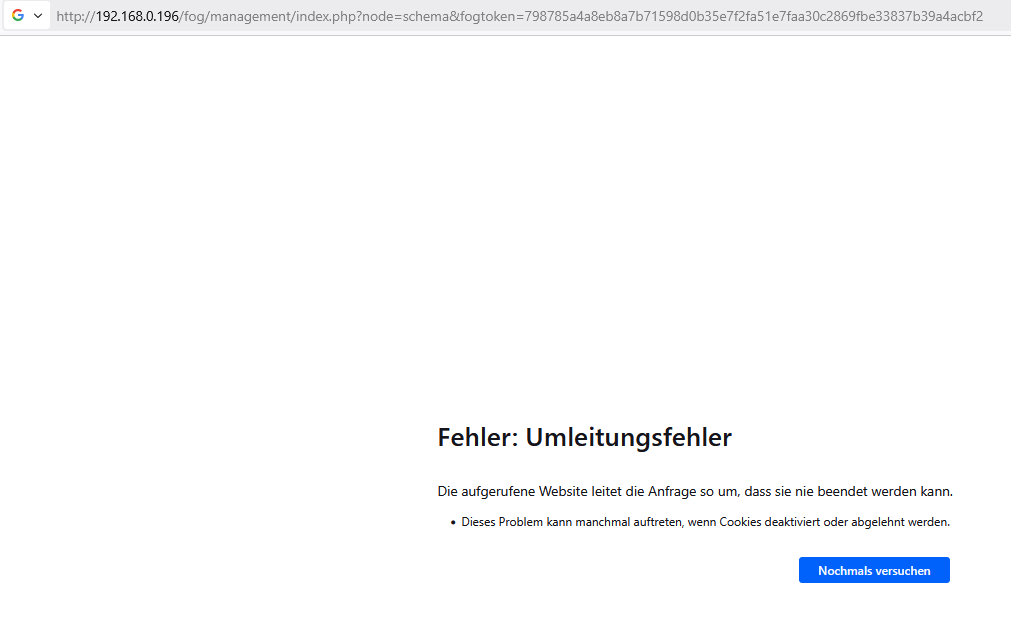
                                  Deleting the website’s cookies
                                  37d61e0e-31ab-4b3a-b182-301fd7d710f3-grafik.png
                                  521a5dbc-4677-4ca4-9a86-8a336c60b580-grafik.png
                                  I cannot login!!!

                                  I’m stuck in a loop

                                  Tom ElliottT 1 Reply Last reply Reply Quote 0
                                  • Tom ElliottT
                                    Tom Elliott @kratkale
                                    last edited by

                                    @kratkale You’re not stuck in a loop

                                    You didn’t follow the installer instructions and use the link the installer provided you for the database.

                                    There’s a different url because to you security doesn’t matter, but to many others, it most certainly does.

                                    As for the userdel fogproject, don’t do that, please:

                                    That’s actually more likely why you were having ftp issues in the first place. In 1.5.10.x the installer tried to prevent anyone from ever using the fogproject user, but many did. If the account had been used, the only fix was to delete the user. Deleting that user could change the password for the account (and thus the password used on the storage node causing the likely first problem you had encounted).

                                    In either case, this is not a loop, this is a URL on the display where you’re used to just doing it one way. That way changed (in an effort of security). It’s not hidden though, so please use that whole link for this stage or better yet, use the -y option.

                                    Please help us build the FOG community with everyone involved. It's not just about coding - way more we need people to test things, update documentation and most importantly work on uniting the community of people enjoying and working on FOG! Get in contact with me (chat bubble in the top right corner) if you want to join in.

                                    Web GUI issue? Please check apache error (debian/ubuntu: /var/log/apache2/error.log, centos/fedora/rhel: /var/log/httpd/error_log) and php-fpm log (/var/log/php*-fpm.log)

                                    Please support FOG if you like it: https://wiki.fogproject.org/wiki/index.php/Support_FOG

                                    K 2 Replies Last reply Reply Quote 0
                                    • K
                                      kratkale @Tom Elliott
                                      last edited by

                                      @Tom-Elliott
                                      bei älteren installation ist die installation abgebrochen, wenn man den Foguser nicht entfernt hatte …
                                      Jetzt ohne userdel habe ich wieder ein Web GUI
                                      ich muss auf den client PC wieder einen neuen FOG Client installieren - sehe ich das richtig?

                                      Tom ElliottT 1 Reply Last reply Reply Quote 0
                                      • Tom ElliottT
                                        Tom Elliott @kratkale
                                        last edited by

                                        @kratkale said in Windows 11 | 65x HP Z2 Tower G1i | UPDATE -:

                                        bei älteren installation ist die installation abgebrochen, wenn man den Foguser nicht entfernt hatte …
                                        Jetzt ohne userdel habe ich wieder ein Web GUI
                                        ich muss auf den client PC wieder einen neuen FOG Client installieren - sehe ich das richtig?

                                        Possibly yes, if the fog server is brand new (had to create the CA SSL certificates and all).

                                        Möglicherweise ja, wenn der Fog-Server brandneu ist (musste also die CA-SSL-Zertifikate und alles andere erst erstellen).

                                        (Via google translate, I know not great but better than nothing 🦆 )

                                        Please help us build the FOG community with everyone involved. It's not just about coding - way more we need people to test things, update documentation and most importantly work on uniting the community of people enjoying and working on FOG! Get in contact with me (chat bubble in the top right corner) if you want to join in.

                                        Web GUI issue? Please check apache error (debian/ubuntu: /var/log/apache2/error.log, centos/fedora/rhel: /var/log/httpd/error_log) and php-fpm log (/var/log/php*-fpm.log)

                                        Please support FOG if you like it: https://wiki.fogproject.org/wiki/index.php/Support_FOG

                                        K 1 Reply Last reply Reply Quote 1
                                        • K
                                          kratkale @Tom Elliott
                                          last edited by

                                          @Tom-Elliott
                                          In older installations, the installation would fail if the FOG user hadn’t been removed…
                                          Now, without userdel, I have a Web GUI again.
                                          I need to install a new FOG client on the client PC again—am I understanding this correctly?

                                          1 Reply Last reply Reply Quote 0
                                          • K
                                            kratkale @Tom Elliott
                                            last edited by

                                            @Tom-Elliott
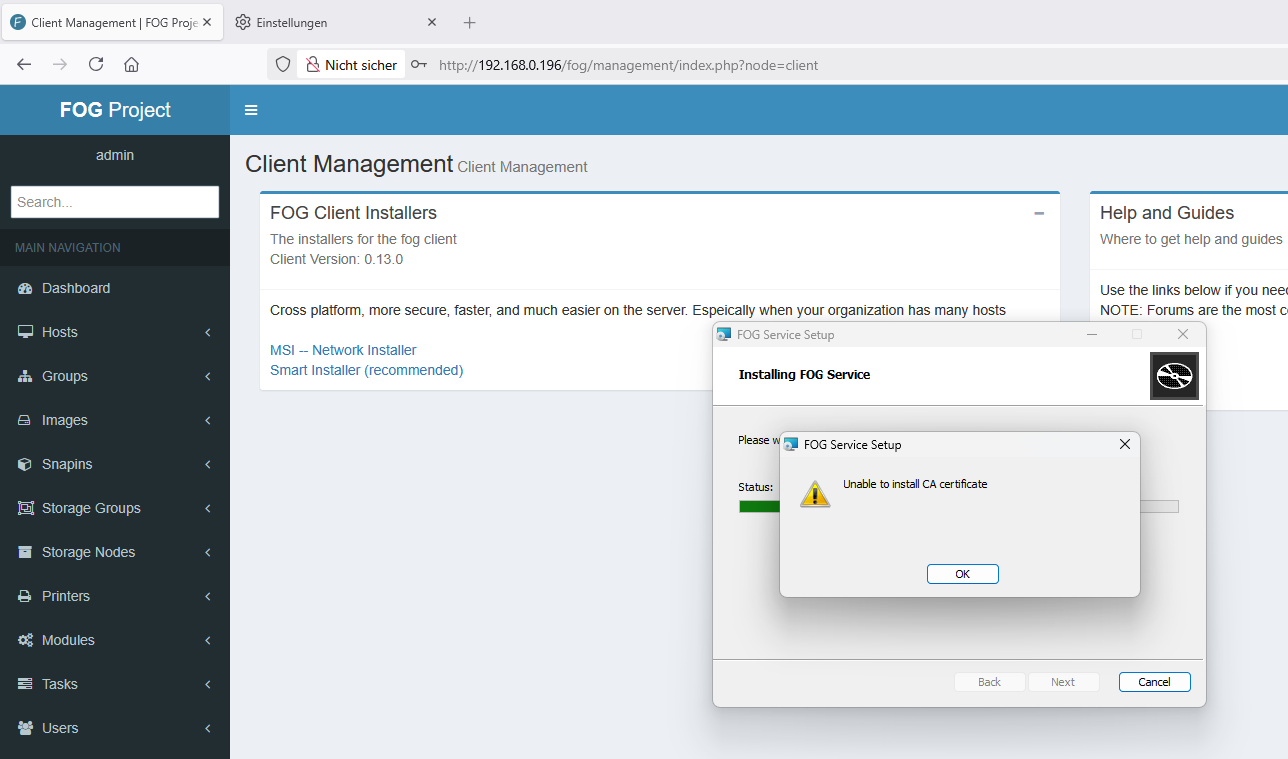
                                            20260623_FOG_Client_unable_to_install_CA_certificate.PNG

                                            removed old fog client - cannot install new one

                                            everything looks quite good - nice GUI

                                            Tom ElliottT 2 Replies Last reply Reply Quote 0
                                            • 1
                                            • 2
                                            • 3
                                            • 4
                                            • 5
                                            • 6
                                            • 7
                                            • 3 / 7
                                            • First post
                                              Last post

                                            61

                                            Online

                                            12.7k

                                            Users

                                            17.6k

                                            Topics

                                            156.8k

                                            Posts
                                            Copyright © 2012-2026 FOG Project