Windows 11 | 65x HP Z2 Tower G1i
-
Hello dear reader,
I’m having a problem with Windows 11, 65x HP Z2 Tower G1i Workstation desktop PC, and FOG: 1.5.10.1763.
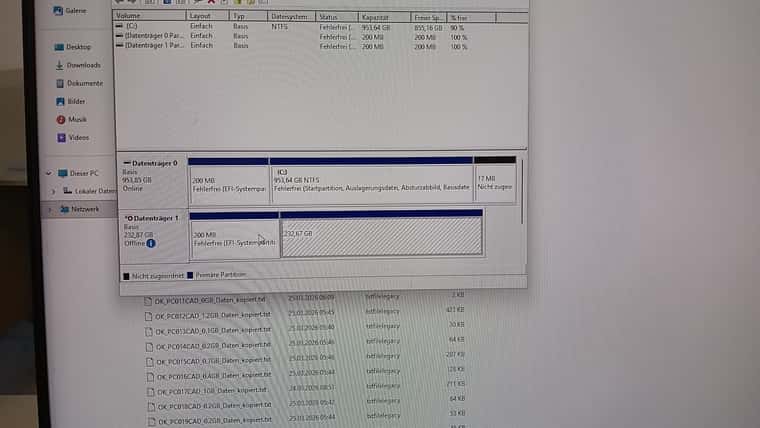
Images that were just working a moment ago simply won’t work anymore. Errors occur during multicast cloning… Sometimes the second hard drive is being used as the system drive during cloning. Windows apparently switches the boot order – instead of PXE boot, the NVMe is suddenly the first boot device again…
Unfortunately, the whole system is terribly unstable. I’m really at my wits’ end now.
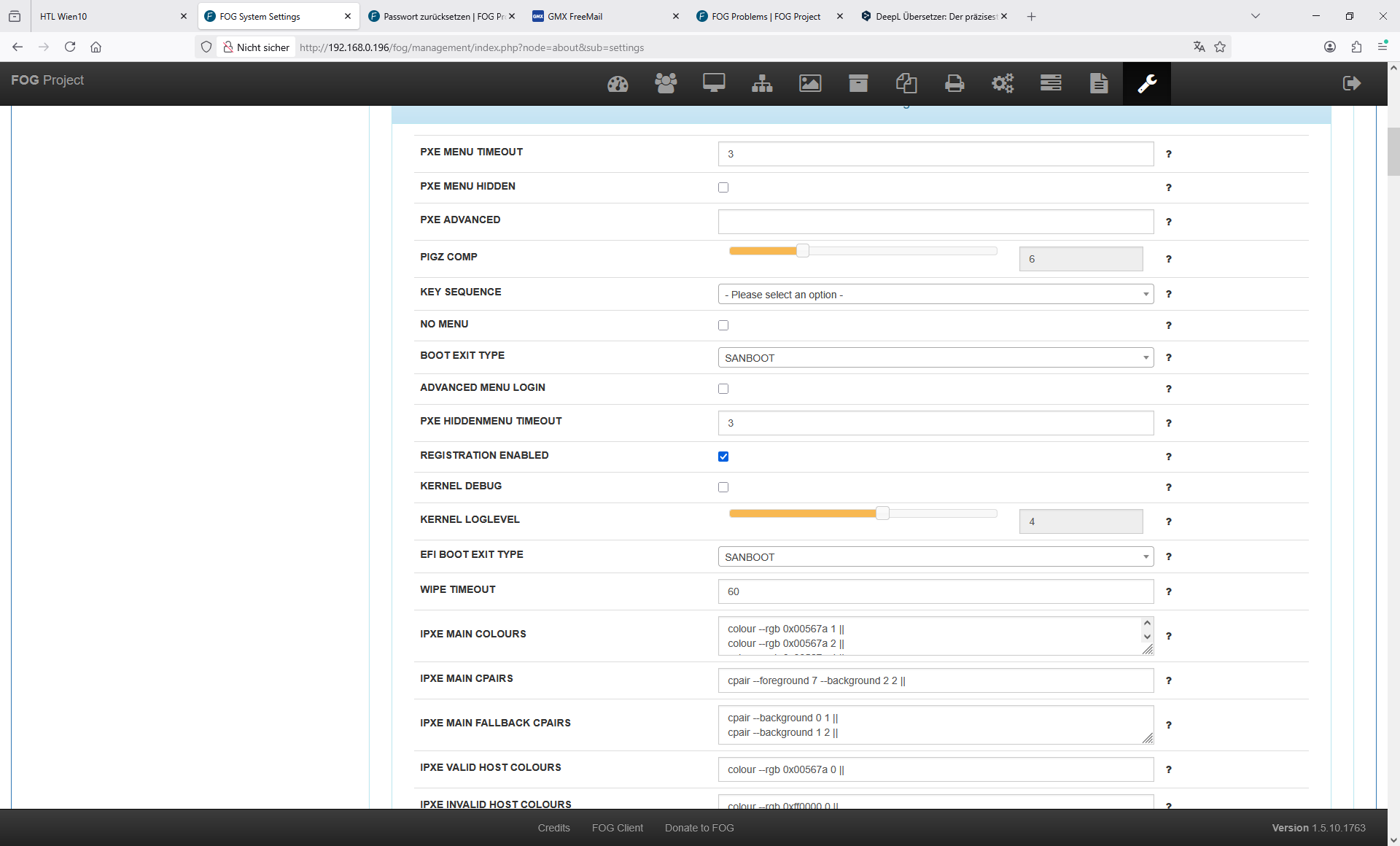
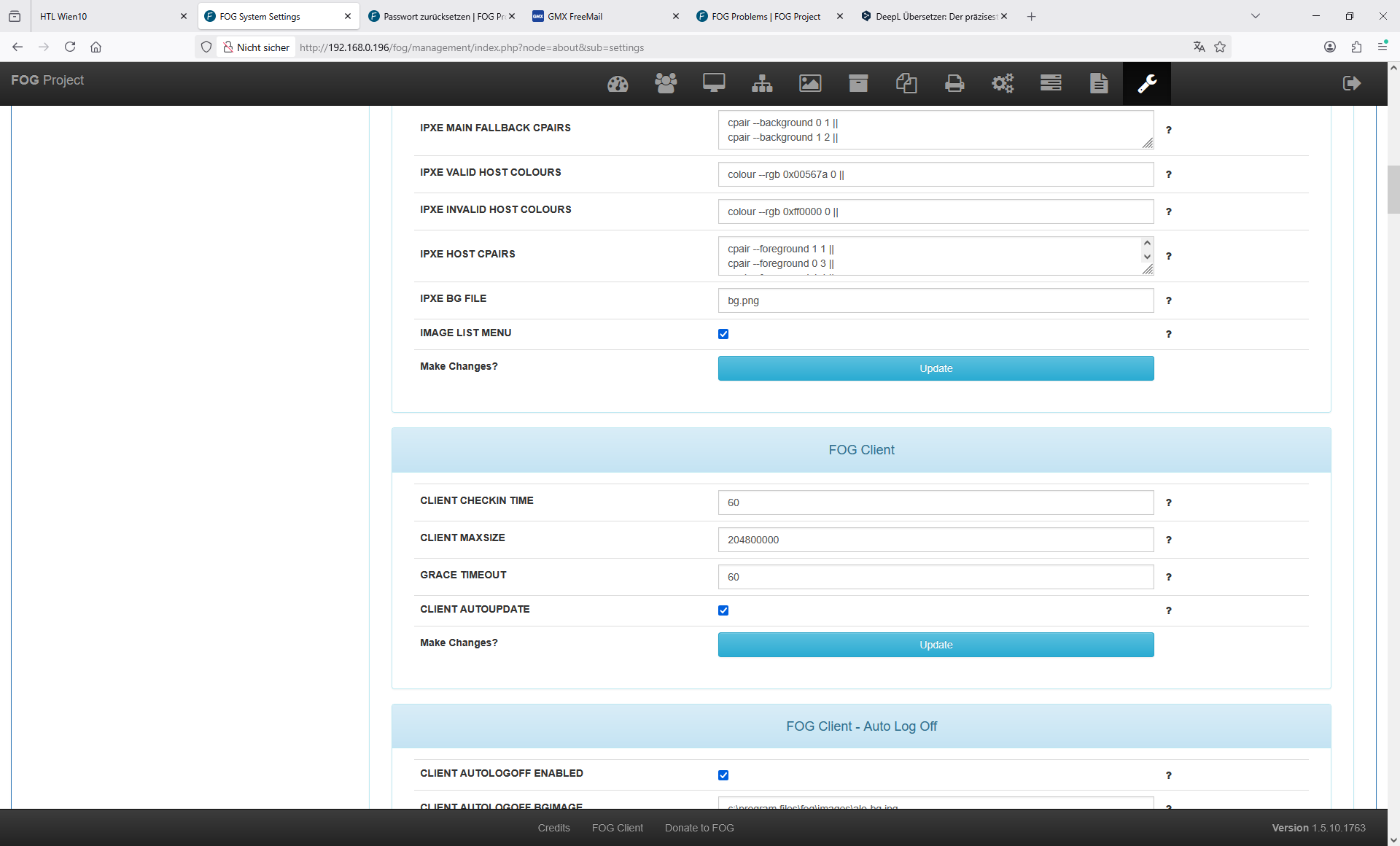
My old FOG system worked wonderfully for 7 years – new PCs – new FOG – but unfortunately it’s not reliable. I have completely reinstalled the FOG server.
Approaches I’ve tried so far: numerous settings in the BIOS
Different images – all created with Sysprep.
Bios PasswordThis morning I thought everything was working now – Windows was completely messed up – I had to set up every computer individually again. Some of the PC lost the second Disk
I’m looking for a strategy to get back to a stable system.
Alexander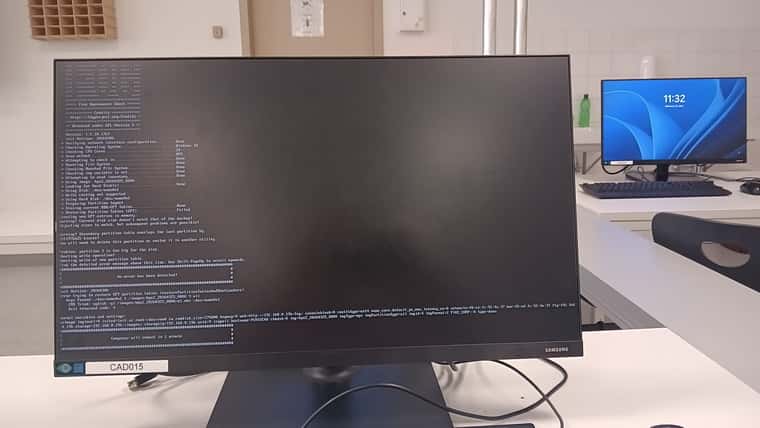
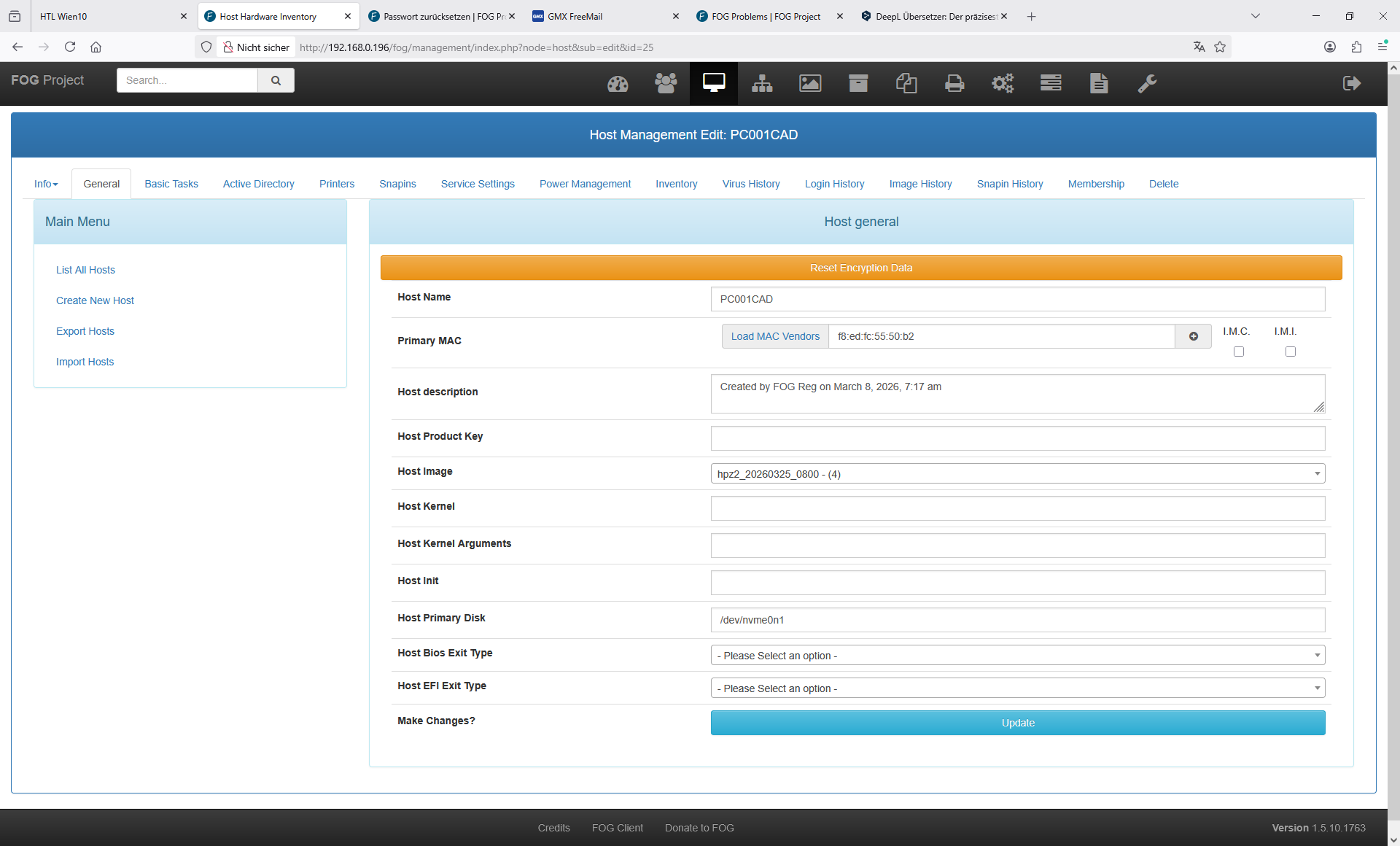
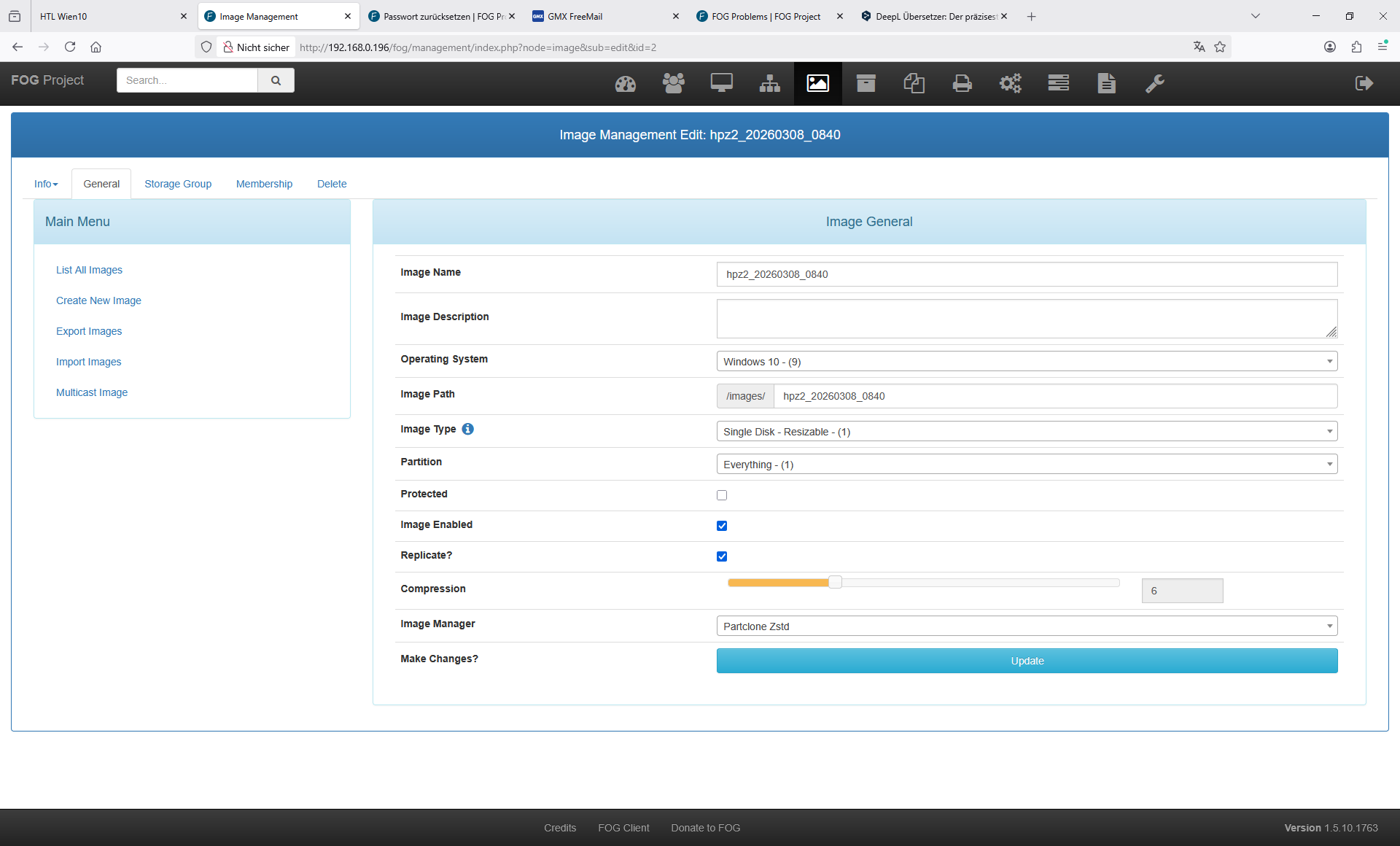
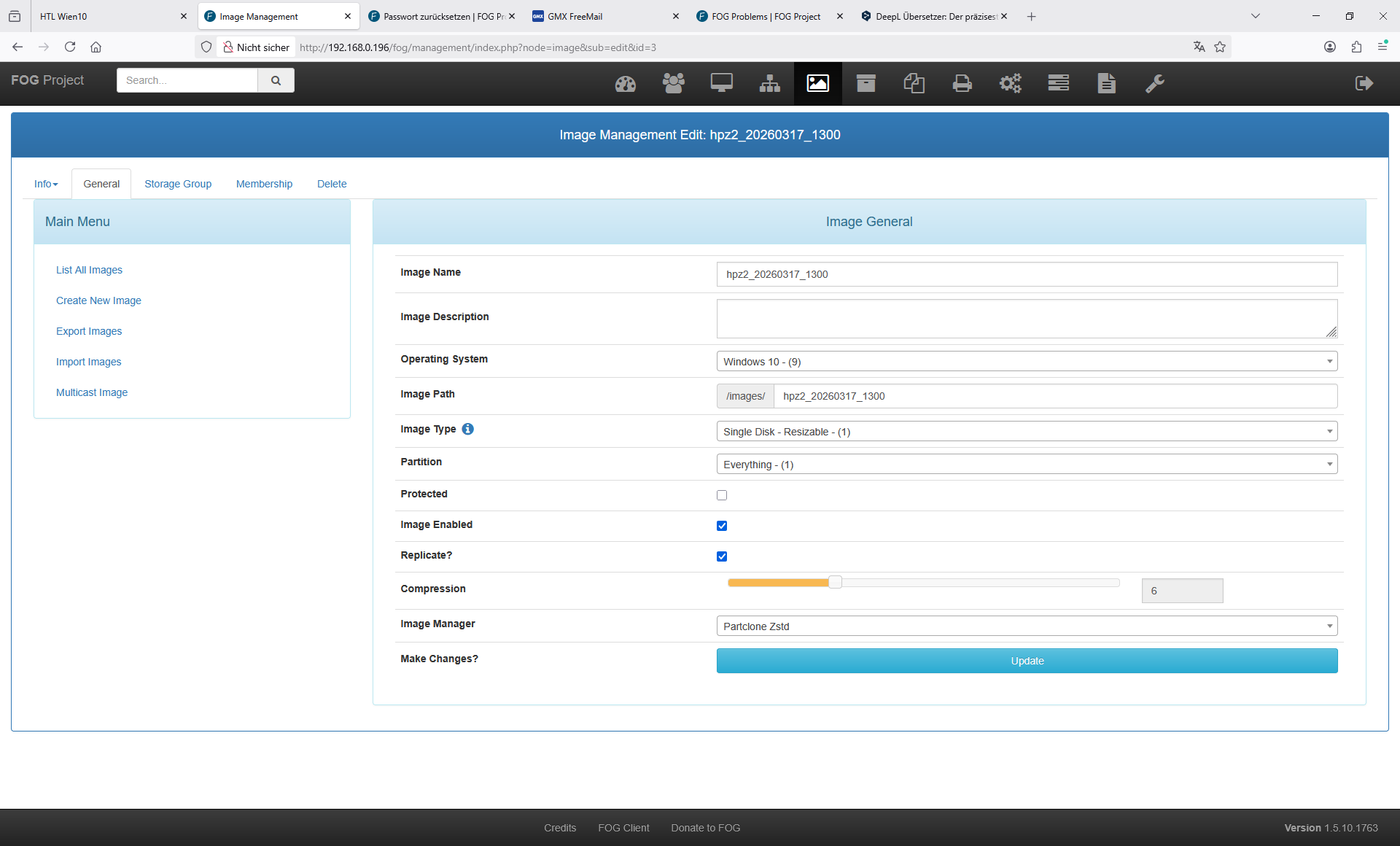
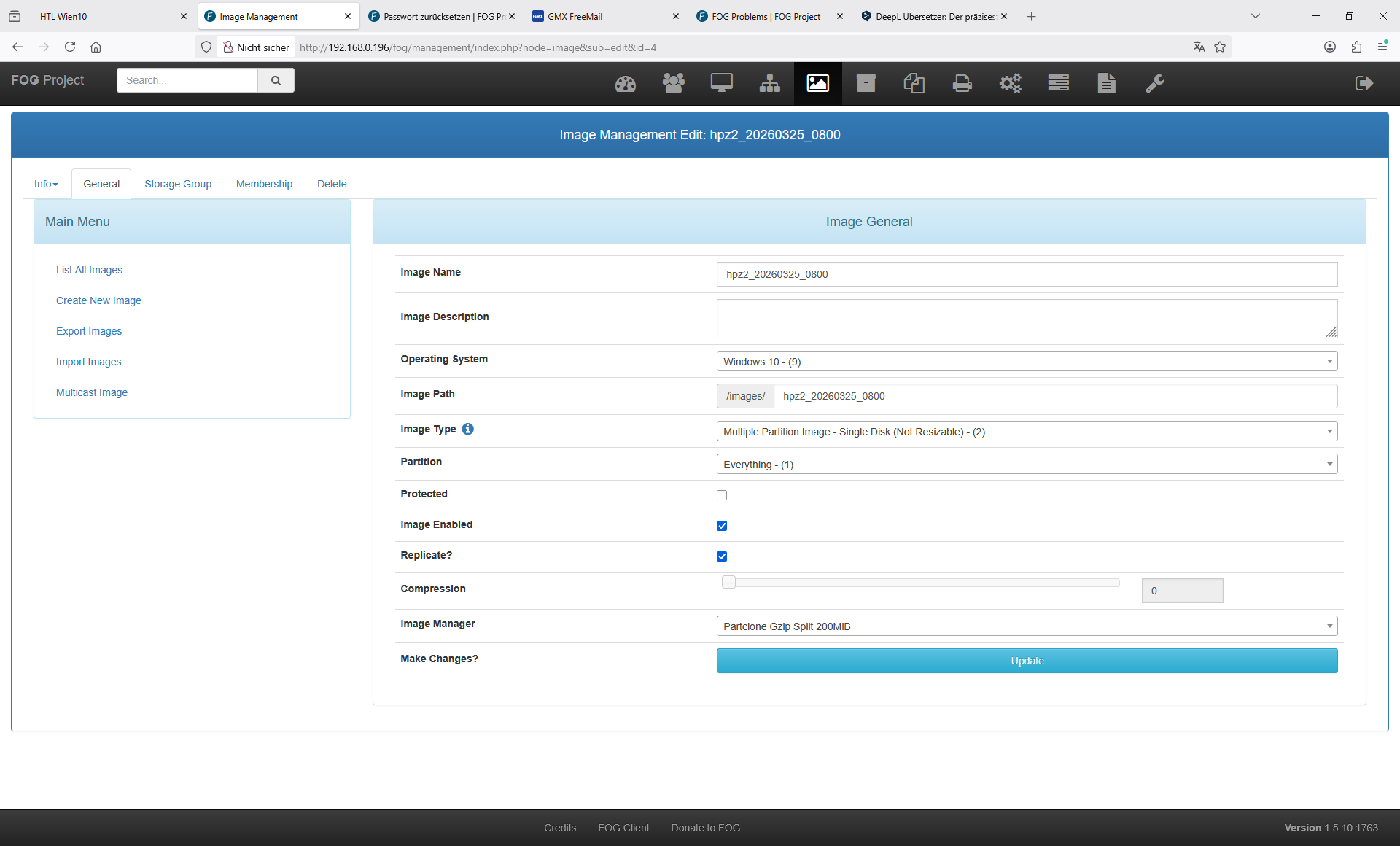
Bios Settings:
Product Name
HP Z2 Tower G1i Workstation Desktop PC
Processor 1 Type
Intel Core
Core Ultra 7 265K
Processor 1 Speed
5200 MHz
Processor 1 Cores
20
Processor 1 Cache Size (L1/L2/L3)
2 MB / 36 MB / 30 MB
Processor 1 MicroCode Revision
11A
Processor 1 Stepping
B-0
Processor 1 DIMM1
16 GB Samsung
Processor 1 DIMM2
Empty
Processor 1 DIMM3
16 GB Samsung
Processor 1 DIMM4
Empty
Serial Number
CZC60172LM
SKU Number
A40MKET#ABD
Universally Unique Identifier (UUID)
33796EEA1308044DB6CA8CFBAD0A1208
UUID (standard format)
EA6E7933-0813-4D04-B6CA-8CFBAD0A1208
Memory Size
32768 MB DDR5 @ 5600 MHz
Storage Devices
PSEMN01TA87NC0-0525476001807 (931.51 GB)
WD Green SN350 250GB 2G0C-260227800520 (232.89 GB)
System Board CT Number
PVCMN0ACYLF31F
Product Family
103C_53335X HP Workstation
System BIOS Version
X51 Ver. 01.08.03 12/12/2025
BIOS Build Version
0000
ME Firmware Version
19.0.5.1992
ME Firmware Mode
ME Disabled
Audio Controller
Realtek ALC3205
Video BIOS Version
Intel GOP Driver [22.0.1064]
Reference Code Revision
0D.00.E3.20
USB Type-C Controller(s) Firmware Version:
Onboard PD Front 1 : 2.3.0
Onboard PD Front 2 : 2.3.0
Super I/O Firmware Version
14.22.0
System Board ID
8D3C
Integrated MAC Address 1
4C-CF-7C-33-5C-A9
HP Remote System Controller Mainboard Connection Detected
No
HP Remote System Controller USB Connection Detected
No
HP Remote System Controller vDisplay Connection Detected
No
HP Remote System Controller microSD Card Detected
No
HP Remote System Controller microSD Card Mounted
No
HP EpSC GUID
XmHXVlmGjCKQgxKH3s+y3iKr3BwOx1gDVRn1KN89OZo=
Custom Logo
*Not Present
Present
BIOS Event LogCritical BIOS Event Log
03/08/2026 12:02 A physical presence check to modify Laufzeit-Eindringnachweis was approved.
03/08/2026 12:02 A physical presence check to modify Physische Anwesenheitsschnittstelle was approved.
03/08/2026 12:02 A physical presence check to modify Schutz der Secure Boot Keys von Sure Start was approve
03/08/2026 12:02 A physical presence check to modify Deaktivierungsanforderung der Sicherheitsfunktion was
03/08/2026 12:02 A physical presence check to modify Sicheres Booten was approved.Asset Tracking Number
CZC60172LM
Ownership TagFeature Byte
476J6S6b7N7Q7T7U7W7m8HaUaXapaqbhedfJfPguhKhZjhk8n7nVngpDpVpnpqprrNsZtGua.2y
Build ID
25WWTMFZ602#SABD#DABD
BIOS Update Credential Policy
Never Require Credentials
*Require Credentials on Downgrade Only
Always Require Credentials
Lock BIOS Version
*Disable
Enable
Native OS Firmware Update Service
Disable
*Enable
BIOS Rollback Policy
*Unrestricted Rollback to older BIOS
Restricted Rollback to older BIOS
Minimum BIOS Version
00.00.00
Clear BIOS Event Log
*Don’t Clear
Clear
Enable BIOS Event Log
Disable
*Enable
Require Admin Password to View BIOS Event Log from Startup Menu
*Disable
Enable
Overwrite Critical Event Log When Full
Disable
*Enable
Password Minimum Length
8
At least one symbol is required in Administrator and User passwords
*No
Yes
At least one number is required in Administrator and User passwords
*No
Yes
At least one upper case character is required in Administrator and User passwords
*No
Yes
At least one lower case character is required in Administrator and User passwords
*No
Yes
Are spaces allowed in Administrator and User passwords?
*No
Yes
Allow User to Modify Power-on Password
No
Change Only
*Change or Delete
Wake on LAN Power-on Password Policy
Bypass Password
*Require Password
Prompt for Admin authentication on F9 (Boot Menu)
*Disable
Enable
Prompt for Admin authentication on F11 (System Recovery)
*Disable
Enable
Prompt for Admin authentication on F12 (Network Boot)
*Disable
Enable
BIOS Administrator visible at Power-on Authentication
Disable
*Enable
Prompt for Power-on Password on OS Restart
Disable
*Enable
TPM Specification Version
2.0
TPM Device
Hidden
*Available
TPM State
Disable
*Enable
Clear TPM
*No
On next boot
TPM Activation Policy
F1 to Boot
*Allow user to reject
No prompts
Verify Boot Block on every boot
*Disable
Enable
Prompt on Network Controller Configuration Change
*Disable
Enable
Dynamic Runtime Scanning of Boot Block
*Disable
Enable
Sure Start BIOS Settings Protection
*Disable
Enable
Sure Start Secure Boot Keys Protection
*Disable
Enable
Enhanced HP Firmware Runtime Intrusion Prevention and Detection
*Disable
Enable
Sure Start Security Event Boot Notification
Time out after 15 seconds
*Require Acknowledgment
Sure Start Security Event Policy
Log Event Only
*Log Event and notify user
Log Event and power off system
Secure Boot
*Disable
Enable
Import Custom Secure Boot keys
*Do Nothing
On next boot
Clear Secure Boot keys
*Disable
Enable
Reset Secure Boot keys to factory defaults
*Disable
Enable
Enable MS UEFI CA key
*No
Yes
Ready to disable MS UEFI CA Key
Not Ready
*Ready
Custom Keys Image Verification State
*No Custom Keys
Fail
Success
Ready BIOS for Device Guard Use
*Do Nothing
Configure on Next Boot
Clear Configuration on Next Boot
Secure Boot Platform Key
HP
Remote Device Management Status
Disabled
Remote Device Management
*Disable
Enable
Permanently Disable Remote Device Management (Set Once)
*No
Yes
Secure Platform Management Key Endorsement CertificateSecure Platform Management Signing Key
Secure Platform Management Current State
Not provisioned
Secure Platform Management Version
1.00
Secure Platform Management Usage Bitmask
0x0000
Secure Platform Management Counter
0
Secure Platform Management Key Endorsement KeyHP Sure Run Current State
Inactive
Permanently Disable HP Sure Run (Set Once)
*No
Yes
HP Cloud Managed
*Disable
Enable
Permanently Disable HP Cloud Management (Set Once)
*No
Yes
HP Cloud Managed State
Disabled
Enhanced BIOS Authentication Mode
*Disable
Enable
Enhanced BIOS Authentication Mode Version
1.01
Enhanced BIOS Authentication Mode Local Access Key 1Enhanced BIOS Authentication Mode Settings Anti-Replay Counter
0
Enhanced BIOS Authentication Mode Actions Anti-Replay Counter
0
Physical Presence Interface
*Disable
Enable
DriveLock Enabled DrivesPrompt for DriveLock Password on OS Restart
Disable
*Enable
Secure Erase Hard Disk Serial NumberSecure Erase Hard Disk Model Number
Secure Erase Completion Date
Secure Erase Completion Status
Secure Erase Drive Info
PSEMN01TA87NC0;0525476001807;NVMe;User Data Erase
WDGreenSN350250GB2G0C;260227800520;NVMe;User Data Erase
Allow OPAL Hard Drive SID Authentication
*Disable
Enable
Permanent Disable Absolute Persistence Module Set Once
*No
Yes
Absolute Persistence Module Current State
*Inactive
Active
System Management Command
Disable
*Enable
Boot Sector (MBR/GPT) Recovery Policy
*Local user control
Recover in event of corruption
Clear BIOS Passwords on RTC Battery Removal
*Disable
Enable
Select Language
English
*Deutsch
Espanol
Italiano
Francais
Japanese
Portugues
Dansk
Svenska
Nederlands
Norsk
Suomi
Simplified Chinese
Traditional Chinese
Russian
Select Keyboard Layout
English
*Deutsch
Espanol
Italiano
Francais
Japanese
Portugues
Dansk
Svenska
Nederlands
Norsk
Suomi
Simplified Chinese
Traditional Chinese
Russian
Sunday
*Disable
Enable
Monday
Disable
*Enable
Tuesday
Disable
*Enable
Wednesday
Disable
*Enable
Thursday
Disable
*Enable
Friday
Disable
*Enable
Saturday
*Disable
Enable
BIOS Power-On Hour
7
BIOS Power-On Minute
30
Startup Delay (sec.)
*0
5
10
15
20
25
30
35
40
45
50
55
60
Fast Boot
Disable
*Enable
Audio Alerts During Boot
*Disable
Enable
NumLock on at boot
Disable
*Enable
CD-ROM Boot
*Disable
Enable
USB Storage Boot
*Disable
Enable
Network (PXE) Boot
Disable
*Enable
IPv6 during UEFI Boot
*Disable
Enable
Network Boot TFTP Window Size
4
UEFI Boot Order
NETWORK IPV4:EMBEDDED:1
HDD:M.2 SSD1:1(Disabled)
HDD:USB:1(Disabled)
CDROM:SATA:1(Disabled)
HDD:M.2 SSD2:1(Disabled)
HP_Disk0MapForUefiBootOrder
PciRoot(0x80)/Pci(0x1F,0x6)/MAC(4CCF7C335CA9,0x0)/IPv4(0.0.0.0,0x0,DHCP,0.0.0.0,0.0.0.0,0.0.0.0)
PciRoot(0x0)/Pci(0x1,0x0)/Pci(0x0,0x0)/NVMe(0x1,0C-12-00-1F-B4-A7-79-64)/HD(1,GPT,39072AFC-66AA-4F27-83BB-D5ADA1DF46E6,0x800,0x64000)/\EFI\Microsoft\Boot\bootmgfw.efi
PciRoot(0x0)/Pci(0x0,0x0)
PciRoot(0x80)/Pci(0x17,0x0)/Sata(0x4,0xFFFF,0x0)
PciRoot(0x80)/Pci(0x1B,0x0)/Pci(0x0,0x0)/NVMe(0x1,3A-92-DE-4F-8B-44-1B-00)
Force Cold Boot
*Disable
Enable
Once
Prompt on Memory Size Change
*Disable
Enable
Prompt on Fixed Storage Change
*Disable
Enable
After Power Loss
Power Off
*Power On
Previous State
After Boot Device Not Found
Stop
UEFI Diagnostics
*Restart
Network (PXE) Boot Priority
Last
*First
Configure Storage Controller for VMD
*Disable
Enable
Active All Efficient-cores
Disable
*Enable
Mix DIMM Alert POST Message
Disable
*Enable
Performance Control
*High Performance Mode
Performance Mode
Quiet Mode
Rack Mode
Accelerate USB Enumeration
*Disable
Enable
Early PCIe Delay
*Disable
Enable
NVMe Write Endurance Masking
*Disable
Enable
Reset Factory Defaults on Battery Loss
*Apply Default Settings
Do Not Apply Default Settings
WMI Events
*Disable
Enable
HP Application Driver
Disable
*Enable
Sanitization Mode Countdown Timer
15
30
45
60
75
90
105
*120
135
150
165
180
195
210
225
240
255
Full encryption of main memory (DRAM)
*Disable
Enable
USB Type-C Connector System Software Interface (UCSI)
Disable
*Enable
Power Button Override
Disable
*10 sec
15 sec
30 sec
Embedded LAN controller
Disable
*Enable
Wake On LAN
Disabled
Boot to Network
*Boot to Hard Drive
Boot to Normal Boot Order
M.2 USB / Bluetooth
Disable
*Enable
Dust Filter
*Disable
Enable
Dust Filter Reminder (Days)
15
30
*60
90
120
180
Preboot Display Clone Mode
*Disable
Enable
Integrated Video
Disable
*Enable
VGA Boot Device
*Intel VGA Device (Integrated)
NVIDIA VGA Device (Slot 1)
Audio Device
*Disable
Enable
Microphone
Disable
*Enable
Disable and Lock
Internal Speakers
Disable
*Enable
Increase Idle Fan Speed(%)
0
HP EpSC Device ID Certificate
MIICZjCCAeugAwIBAgIBADAKBggqhkjOPQQDAzBWMTUwMwYDVQQDDCxIUCBFcFNDIDI0IFJPTSB2MjEuMjIuMDAuMDMsIEwwIHYyMS4yMS4wMS44MDEdMBsGA1UEBQwUMHgwMTEzNjBGOEYzQjlERThGOEIwIhgPMjAyMjAxMDEwMDAwMDBaGA85OTk5MTIzMTIzNTk1OVowVjE1MDMGA1UEAwwsSFAgRXBTQyAyNCBST00gdjIxLjIyLjAwLjAzLCBMMCB2MjEuMjEuMDEuODAxHTAbBgNVBAUMFDB4MDExMzYwRjhGM0I5REU4RjhCMHYwEAYHKoZIzj0CAQYFK4EEACIDYgAEsJBm8bmlY+0z7GZ8G9h3KXP1mJaChFJTkG7oL4ESAyhLluoHytaIFfJA8XFNeOTN04H84//6qgcgKcKGlb1n4GSsuZU7xSauiqmq4Escm1LUku6mf2BVgEW0xa+t8jVoo4GIMIGFMBIGA1UdEwEB/wQIMAYBAf8CAQEwCwYDVR0PBAQDAgIEMBIGA1UdJQQLMAkGB2eBBQUEZAwwTgYGZ4EFBQQBBEQwQgxAU3Nwa0RzQXdFMFFMaXpZWkpUQjJqQ0lBdkdLMlUrU252ZEdoOUJtcWNWaldaSWJVWTdoNE92d3dhZW1nY05BcTAKBggqhkjOPQQDAwNpADBmAjEA00GB2Ov8ZelkmE1oFAO8dOAmFCkSPybqrqIfkb7wSRtURQijZGrbE3KOFTCRMzqCAjEA80236ZMU4pfG/bJt1DSUFG/7eB4bleExk76lXoz6yHwWCgRb8pPwLiGTPhyKyhXw
HP EpSC Device Authentication Certificate
MIICMDCCAbegAwIBAgIFAVepWA8wCgYIKoZIzj0EAwMwVjE1MDMGA1UEAwwsSFAgRXBTQyAyNCBST00gdjIxLjIyLjAwLjAzLCBMMCB2MjEuMjEuMDEuODAxHTAbBgNVBAUMFDB4MDExMzYwRjhGM0I5REU4RjhCMCIYDzIwMjIwMTAxMDAwMDAwWhgPOTk5OTEyMzEyMzU5NTlaMCgxJjAkBgNVBAMMHUhQIEVwU0MgMjQgTDEgRlcgdjAwLjE0LjIyLjAwMHYwEAYHKoZIzj0CAQYFK4EEACIDYgAEwozuevqbAQW8NzGaAtntbQZjAhmyRizB34prYxFHKRqRAtEaOALsBifYDhImk0Xcs7BeGLrqmdUlNojZaORgI/kzb3w0fxrTrToSJMXywF16emSCP8EA2bAfhJ8Q9N+7o4F+MHwwCQYDVR0TBAIwADALBgNVHQ8EBAMCB4AwEgYDVR0lBAswCQYHZ4EFBQRkBzBOBgZngQUFBAEERDBCDEBiYmV3aTFubHVTUzVTdDJSY29MeWhMZjc2clVtb0FuYzBORkZ4OEppR1A2eFpLaUc1SnRDY1czS20yM3Ntb2owMAoGCCqGSM49BAMDA2cAMGQCMEIvA63FIF6QqjtqbQbCFLF9S/YzwBS3LETC1154UARjjLN2wCA87Unj361M8rUSeAIwKJOPlgbbGM1d/yzdO7uISCTE6g0vWuqp1sDdDbdYIDiaHInT2J1VFP6juE7CT3k+
HP EpSC Attestation Certificate
MIICRjCCAcygAwIBAgIFAUJ2GSUwCgYIKoZIzj0EAwMwVjE1MDMGA1UEAwwsSFAgRXBTQyAyNCBST00gdjIxLjIyLjAwLjAzLCBMMCB2MjEuMjEuMDEuODAxHTAbBgNVBAUMFDB4MDExMzYwRjhGM0I5REU4RjhCMCIYDzIwMjIwMTAxMDAwMDAwWhgPOTk5OTEyMzEyMzU5NTlaMCgxJjAkBgNVBAMMHUhQIEVwU0MgMjQgTDEgRlcgdjAwLjE0LjIyLjAwMHYwEAYHKoZIzj0CAQYFK4EEACIDYgAEHwHsjFeOUgMKP2yTbAvfLA8AZw4bGzL/1x4m1ncb0SXgrHHdlR29Clc6/dbnUK1akYzSeXxJVvLbpqrtITkARF2yO6527rcHzYLWKanB9mbavBJ16Jyzb0y89+k5oacRo4GTMIGQMBIGA1UdEwEB/wQIMAYBAf8CAQAwCwYDVR0PBAQDAgKEMB0GA1UdJQQWMAkGB2eBBQUEZAwwCQYHZ4EFBQRkCTBOBgZngQUFBAEERDBCDEBiYmV3aTFubHVTUzVTdDJSY29MeWhMZjc2clVtb0FuYzBORkZ4OEppR1A2eFpLaUc1SnRDY1czS20yM3Ntb2owMAoGCCqGSM49BAMDA2gAMGUCMB2eY2RKKSz/G4Dj+QLBleGu75MDGoC0CvkWyyMZmpFOuLQPoyEoohM7ZBCZKF9zTgIxANqqfxrDxv8sytTt8yH3OhFH7I8shmpkPsvujVv/pPhV+8r1kQr5/gXcEFxWyqamAw==
Restrict USB Devices
*Allow all USB Devices
Allow only keyboard and mouse
Allow all but storage devices and hubs
Front USB Ports
Disable
*Enable
Front USB Port 1
Disable
*Enable
Front USB Port 2
Disable
*Enable
Front USB Port 3
Disable
*Enable
Front USB Port 4
Disable
*Enable
Front USB Port 5
Disable
*Enable
Front USB Port 6
Disable
*Enable
Rear USB Ports
Disable
*Enable
Rear USB Port 1
Disable
*Enable
Rear USB Port 2
Disable
*Enable
Rear USB Port 3
Disable
*Enable
Rear USB Port 4
Disable
*Enable
Rear USB Port 5
Disable
*Enable
Front USB Type-C Downstream Charging
Disable
*Enable
SATA 0
Disable
*Enable
SATA 2
Disable
*Enable
SATA 1
Disable
*Enable
Runtime Power Management
Disable
*Enable
Extended Idle Power States
Disable
*Enable
PCI Express Power Management
Disable
*Enable
Unique Sleep State Blink Rates
*Disable
Enable
SATA Power Management
Disable
*Enable
Power On from Keyboard Ports
*Disable
Enable
S4/S5 Maximum Power Savings
*Disable
Enable
Turbo-boost
Disable
*Enable
Virtualization Technology (VTx)
Disable
*Enable
Virtualization Technology for Directed I/O (VTd)
Disable
*Enable
Trusted Execution Technology (TXT)
*Disable
Enable
Intel Management Engine (ME)
*Disable
Enable
USB Key Provisioning Support
*Disable
Enable
Unconfigure AMT on next boot
*Do Not Apply
Apply
SOL Terminal Emulation Mode
*ANSI
VT100
Verbose Boot Messages
*Disable
Enable
Watchdog Timer
*Disable
Enable
OS Watchdog Timer (min.)
*5
10
15
20
25
DMA Protection
Disable
*Enable
BIOS Watchdog Timer (min.)
*5
10
15
20
25
Pre-boot DMA protection
Disable
*All PCIe Devices
USB Redirection Support
Disable
*Enable
Measure Additional DMA Settings
Disable
*PCR1
PCR7
Show Unconfigure ME Confirmation Prompt
Disable
*Enable
CIRA Timeout (min.)
*1 min
2 mins
3 mins
4 mins
Never
OS Recovery
*Disable
Enable
Recover OS from Network
Disable
*Enable
Recover OS after Boot Failure
*Disable
Enable
Prompt before Boot Failure Recovery
Disable
*Enable
OS Recovery Agent URL
https://ftp.hp.com/pub/pcbios/CPR
OS Recovery Agent UsernameOS Recovery Agent Provisioning Version
0
OS Recovery Agent Public Key
v02IkAmb7qkyNbIVBvaz/UfnocR4c37F5wV5eTIODxqML61JVP6YRJ/yWRV/I5VqqWvyaRvR2Eip22LGkJX4SjR3HladKeiAGFzKIUxLGQk3t4zPqCn2bR7CP3kjC4NZj3l+DK5sMGGNxa+1D0wE8J++ma+5I7VcLHBdffjRw9LeCoiwL11cC2ud4JfAPV90QWbOvOmYq11WSRcyNb36zv9mtCflBNn4fYTppwuQzlfVBZaZIDSLXugPP6PKc+sxnGDKwAxaRd+Kj2Aw0tLY9IpeapJzJa4Gpdbi2Y1PLskFtxex7X8bjjVBF/0dqRs48FGF0bVqeRyhT1ExoHGPuw==
OS Recovery Image URLOS Recovery Image Username
OS Recovery Image Provisioning Version
0
OS Recovery Image Public Key
v02IkAmb7qkyNbIVBvaz/UfnocR4c37F5wV5eTIODxqML61JVP6YRJ/yWRV/I5VqqWvyaRvR2Eip22LGkJX4SjR3HladKeiAGFzKIUxLGQk3t4zPqCn2bR7CP3kjC4NZj3l+DK5sMGGNxa+1D0wE8J++ma+5I7VcLHBdffjRw9LeCoiwL11cC2ud4JfAPV90QWbOvOmYq11WSRcyNb36zv9mtCflBNn4fYTppwuQzlfVBZaZIDSLXugPP6PKc+sxnGDKwAxaRd+Kj2Aw0tLY9IpeapJzJa4Gpdbi2Y1PLskFtxex7X8bjjVBF/0dqRs48FGF0bVqeRyhT1ExoHGPuw==
Update Source
*HP
Custom
Automatically Check for Updates
Daily
Weekly
*Monthly
Automatic BIOS Update Setting
*Disable
Let user decide whether to install updates
Install all updates automatically
Install only important updates automatically
Download and install normal BIOS updates automatically without prompts
Download and install important BIOS updates automatically without prompts
Update AddressForce Check on Reboot
*Disable
Enable
Update BIOS via Network
Disable
*Enable
DNS Configuration
*Automatic
Manual
DNS AddressesData transfer timeout
100
IPv4 Configuration
*Automatic
Manual
IPv4 AddressIPv4 Subnet Mask
IPv4 Gateway
Force Default IP Configuration
*Disable
Enable
Remote HP PC Hardware Diagnostics Custom Client Upload UrlRemote HP PC Hardware Diagnostics Use Custom Download Url
*Disable
Enable
Remote HP PC Hardware Diagnostics Custom Client Download UrlRemote HP PC Hardware Diagnostics Scheduled Execution Enabled
*Disable
Enable
Remote HP PC Hardware Diagnostics Scheduled Execution Frequency
Daily
*Weekly
Monthly
Remote HP PC Hardware Diagnostics Last Execution Status
0
Remote HP PC Hardware Diagnostics Last Execution Time StampRemote HP PC Hardware Diagnostics Upload Server Username
Remote HP PC Hardware Diagnostics Upload Server Password
Remote HP PC Hardware Diagnostics Execute On Next Boot
*Disable
Enable
Extended DHCP Timeout
Disable
*Enable
Network TCP Buffer Size
32768
*65536
2097152
SLOT1 PCIe5 x16 75W
Disable
*Enable
SLOT1 PCIe5 x16 75W - Current PCIe Speed
Gen4 (16Gbps)
SLOT1 PCIe5 x16 75W - Option ROM Download
Disable
*Enable
SLOT1 PCIe5 x16 75W - Limit PCIe Speed
*Auto
Gen1 (2.5Gbps)
Gen2 (5Gbps)
Gen3 (8Gbps)
Gen4 (16Gbps)
Gen5 (32Gbps)
SLOT1 PCIe5 x16 75W - Resizable BARs
Disable
*Enable
SLOT2 PCIe4 x4(1)
Disable
*Enable
SLOT2 PCIe4 x4(1) - Current PCIe Speed
Not Present
SLOT2 PCIe4 x4(1) - Option ROM Download
Disable
*Enable
SLOT2 PCIe4 x4(1) - Limit PCIe Speed
*Auto
Gen1 (2.5Gbps)
Gen2 (5Gbps)
Gen3 (8Gbps)
Gen4 (16Gbps)
SLOT2 PCIe4 x4(1) - Resizable BARs
Disable
*Enable
SLOT3 PCIe4 x16(4)
Disable
*Enable
SLOT3 PCIe4 x16(4) - Current PCIe Speed
Not Present
SLOT3 PCIe4 x16(4) - Option ROM Download
Disable
*Enable
SLOT3 PCIe4 x16(4) - Limit PCIe Speed
*Auto
Gen1 (2.5Gbps)
Gen2 (5Gbps)
Gen3 (8Gbps)
Gen4 (16Gbps)
SLOT3 PCIe4 x16(4) - Resizable BARs
Disable
*Enable
SLOT4 PCIe4 x4
Disable
*Enable
SLOT4 PCIe4 x4 - Current PCIe Speed
Not Present
SLOT4 PCIe4 x4 - Option ROM Download
Disable
*Enable
SLOT4 PCIe4 x4 - Limit PCIe Speed
*Auto
Gen1 (2.5Gbps)
Gen2 (5Gbps)
Gen3 (8Gbps)
Gen4 (16Gbps)
SLOT4 PCIe4 x4 - Resizable BARs
Disable
*Enable
WIRELESS
*Disable
Enable
WIRELESS - Current PCIe Speed
Not Present
WIRELESS - Option ROM Download
Disable
*Enable
WIRELESS - Limit PCIe Speed
*Auto
Gen1 (2.5Gbps)
Gen2 (5Gbps)
Gen3 (8Gbps)
Gen4 (16Gbps)
WIRELESS - Resizable BARs
Disable
*Enable
SSD1
Disable
*Enable
SSD1 - Current PCIe Speed
Gen5 (32Gbps)
SSD1 - Option ROM Download
Disable
*Enable
SSD1 - Limit PCIe Speed
*Auto
Gen1 (2.5Gbps)
Gen2 (5Gbps)
Gen3 (8Gbps)
Gen4 (16Gbps)
Gen5 (32Gbps)
SSD1 - Resizable BARs
Disable
*Enable
SSD2
Disable
*Enable
SSD2 - Current PCIe Speed
Gen3 (8Gbps)
SSD2 - Option ROM Download
Disable
*Enable
SSD2 - Limit PCIe Speed
*Auto
Gen1 (2.5Gbps)
Gen2 (5Gbps)
Gen3 (8Gbps)
Gen4 (16Gbps)
SSD2 - Resizable BARs
Disable
*Enable
SSD3
Disable
*Enable
SSD3 - Current PCIe Speed
Not Present
SSD3 - Option ROM Download
Disable
*Enable
SSD3 - Limit PCIe Speed
*Auto
Gen1 (2.5Gbps)
Gen2 (5Gbps)
Gen3 (8Gbps)
Gen4 (16Gbps)
SSD3 - Resizable BARs
Disable
*Enable