Quick Registration and Invenotry not working
-
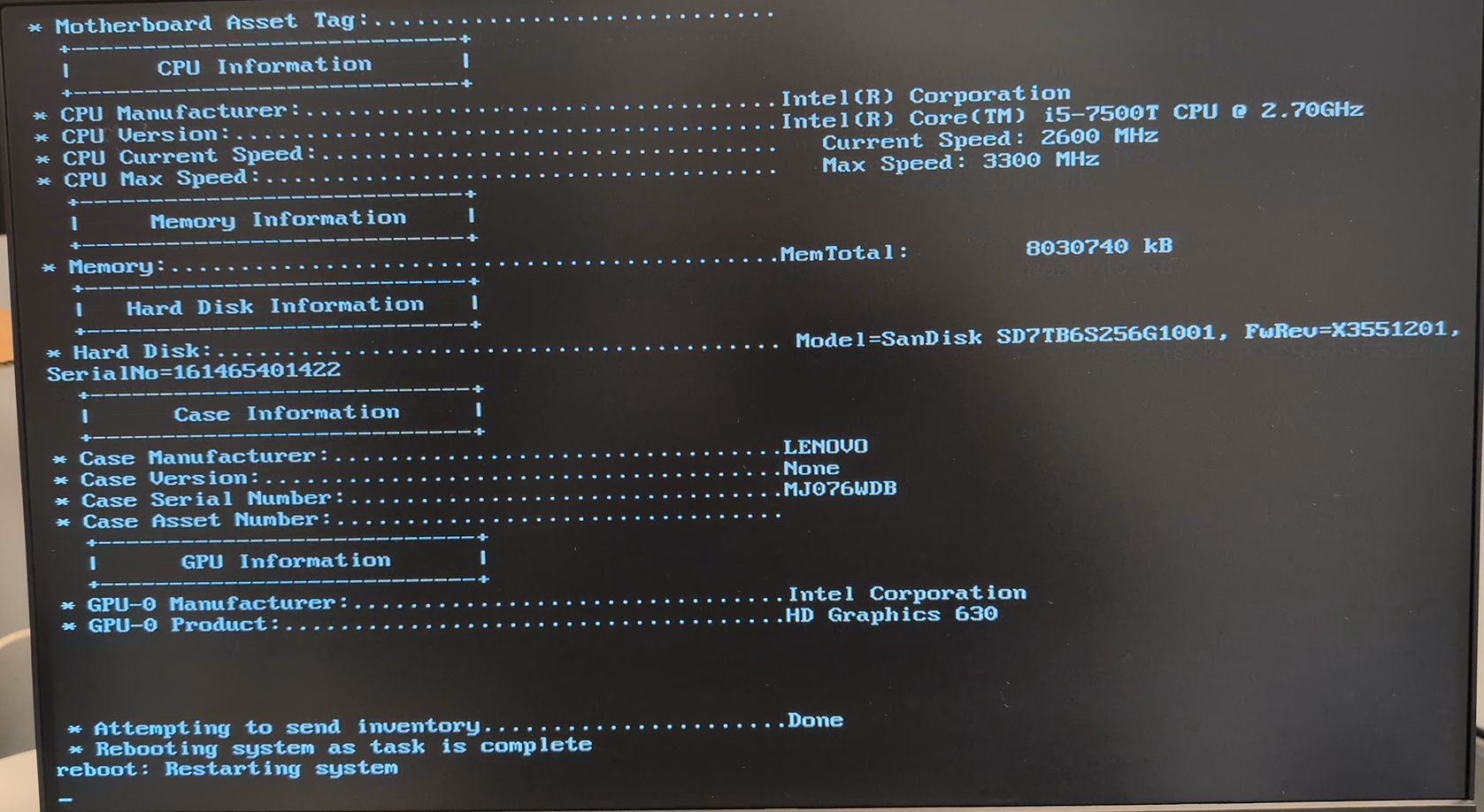
So quick registration is not working on latest 1.5.10.1754 version. Everything looks good and process completes fine, but host is not added into inventory. Adding host trough “Perform Full Host Registration and Inventory” menu or manually trough web GUI both work fine.
-
@SotY Can you get into your mariadb/mysql and run:
select * from history;I suspect there’s some inventory item expected thati"M just missing.
-
@Tom-Elliott said in Quick Registration and Invenotry not working:
@SotY Can you get into your mariadb/mysql and run:
select * from history;I suspect there’s some inventory item expected thati"M just missing.
| 223 | [2026-02-04 17:38:37] HookEvent ID: 170 NAME: USER_FIELDS has been successfully updated.                                 | admin | 2026-02-04 17:38:37 | 172.22.4.10   |
| 224 | [2026-02-04 17:38:37] HookEvent ID: 171 NAME: USER_EDIT has been successfully updated.                                   | admin | 2026-02-04 17:38:37 | 172.22.4.10   |
| 225 | [2026-02-04 17:38:37] HookEvent ID: 172 NAME: USER_PW_EDIT has been successfully updated.                                | admin | 2026-02-04 17:38:37 | 172.22.4.10   |
| 226 | [2026-02-04 17:38:37] HookEvent ID: 173 NAME: USER_API_EDIT has been successfully updated.                               | admin | 2026-02-04 17:38:37 | 172.22.4.10   |
| 227 | [2026-02-04 17:38:37] HookEvent ID: 174 NAME: USER_EDIT_EXTRA has been successfully updated.                             | admin | 2026-02-04 17:38:37 | 172.22.4.10   |
| 228 | [2026-02-04 18:11:15] Host ID: 8 NAME: TEST has been successfully updated.                                               | admin | 2026-02-04 18:11:15 | 172.22.4.10   |
| 229 | [2026-02-04 18:11:15] MACAddressAssociation ID: 24 has been successfully updated.                                        | admin | 2026-02-04 18:11:15 | 172.22.4.10
That’s all there is from today when I noticed this problem. I rolled back to version 1.5.10.1660 that I had before and quick registration of the same PC works fine on it.
-
It’s definitely something with new FOG’s version code itself. I started update from 1.5.10.1660 to 1.5.10.1754 and tried to register host before installation script started ipxe compilation, when it asks to update database schema and waiting for enter, it failed. I also tried to use old fos by replacing all files in service/ipxe from version 1.5.10.1660 and it also failed to register new host.
-
I don’t have any recommendations for a fix but wanted to note that I have a site running: 1.5.10.1754 and quick registration is working as intended. So could be something else at play here besides the version.
-
@christop I will try to test each version since 1.5.10.1660 to see when problem starts for me
btw. newerssl.com is down now so scripts hangs at “Testing internet connection”. Easiest to fix for now is to remove this site from functions.sh
edit: so I was able to test 1.5.10.1667 and 1.5.10.1673 so far and both work correctly. I will test more tomorrow and update.
-
@SotY I know roughly when the error was introduced (1.5.10.1748) and I even know where it’s happening, what I don’t always know is the why.
It seems like the host anmed TEST was created/updated? I don’t see history showing it as successfully created, but maybe there’s just no history log of new host creation.
(Sorry there’s a lot of code and while I know a lot of it, it’s not all fully committed to memory lol)
-
@Tom-Elliott said in Quick Registration and Invenotry not working:
@SotY I know roughly when the error was introduced (1.5.10.1748) and I even know where it’s happening, what I don’t always know is the why.
You are right. Last one working correctly that is available at github is 1.5.10.1734. 1.5.10.1751 doesn’t work.
It seems like the host nmed TEST was created/updated? I don’t see history showing it as successfully created, but maybe there’s just no history log of new host creation.
TEST was created manually from web GUI just to check if it’s working that way. It seems that history does not contain anything related to hosts registrations from ipxe, only from web. I tested this on both working and not working versions and neither have anything in history.
-
So f144ad5 is the last working commit. In case anyone else have the same problem, this is my script to grab it and modify so it works fine with EFI keyboard in some PCs as discussed here: https://forums.fogproject.org/topic/17870/fog-ipxe-menu-no-input. It also removes neverssl.com site because it’s down now so script hangs on checking internet connection. Don’t mind main sed part, it’s probably overcomplicated since I used ChatGPT for it, but it works fine so who cares

#!/bin/bash # Checkout last working FOG project commit cd git git clone https://github.com/FOGProject/fogproject.git cd fogproject git checkout f144ad5a30bdab23be4d207b471ca80057e367fd # Modify functions.sh to remove non working neverssl.com site cd ~/git/fogproject/lib/common sed -i 's+http_sites=("neverssl.com" "httpbin.org")+http_sites=("httpbin.org")+g' functions.sh # Modify buildipxe.sh to grab last working ipxe commit and fix EFI USB drivers cd ~/git/fogproject/utils/FOGiPXE cat > transform_buildipxe.sed <<'SED' /^[[:space:]]*git pull$/a\ git checkout 6cccb3bdc00359068c07125258d71ce24db5118a /^ cd \${BASE}\/ipxe\/src\/$/c\ cd \${BASE}/ipxe/\ git checkout 6cccb3bdc00359068c07125258d71ce24db5118a\ cd \${BASE}/ipxe/src/ /^ cd \${BASE}\/ipxe-efi\/src\/$/c\ cd \${BASE}/ipxe-efi/\ git checkout 6cccb3bdc00359068c07125258d71ce24db5118a\ cd \${BASE}/ipxe-efi/src/ /^sed -i 's+#define[[:space:]]*USB_HCD_USBIO+\/\/\#define[[:space:]]*USB_HCD_USBIO+g' config\/usb\.h$/c\ sed -i 's+#define<----->USB_HCD_USBIO+//#define>USB_HCD_USBIO+g' config/usb.h /^sed -i 's+\/\/\#define[[:space:]]*USB_HCD_USBIO+\#define[[:space:]]*USB_HCD_USBIO+g' config\/usb\.h$/, /^sed -i 's+\/\/\#undef[[:space:]]*USB_EFI+\#undef[[:space:]]*USB_EFI+g' config\/usb\.h$ #sed -i 's+//#define\tUSB_HCD_USBIO+#define\tUSB_HCD_USBIO+g' config/usb.h\ #sed -i 's+//#undef\tUSB_KEYBOARD+#define\tUSB_KEYBOARD+g' config/usb.h\ #sed -i 's+//#undef\tUSB_EFI+#undef\tUSB_EFI+g' config/usb.h\ sed -i 's+//#define+#define+g' config/usb.h\ sed -i 's+#define USB_CMD+//#define USB_CMD+g' config/general.h SED sed -i -f transform_buildipxe.sed buildipxe.sh rm -f transform_buildipxe.sed # Start FOG install/update cd ~/git/fogproject/bin ./installfog.sh -
So I tested current release, and it seems you were able to fix it. It registers new hosts correctly now. However, you still have errors in sed used to enable USB_HCD_USBIO in iPXE compilation to fix non-working keyboard mentioned here: https://forums.fogproject.org/topic/17870/fog-ipxe-menu-no-input/
You have TAB in your sed, but it doesn’t work correctly. So lines number 80-82:
sed -i 's+//#define     USB_HCD_USBIO+#define   USB_HCD_USBIO+g' config/usb.h
sed -i 's+//#undef      USB_KEYBOARD+#define    USB_KEYBOARD+g' config/usb.h
sed -i 's+//#undef      USB_EFI+#undef  USB_EFI+g' config/usb.h
should be:
sed -i 's+//#define USB_HCD_USBIO+#define   USB_HCD_USBIO+g' config/usb.h
sed -i 's+#undef USB_KEYBOARD+#define    USB_KEYBOARD+g' config/usb.h
sed -i 's+#define USB_EFI+#undef USB_EFI+g' config/usb.h
TAB after define and undef makes difference and current iPXE release have different syntax. They have:
  #define USB_EFI
  //#define USB_HCD_USBIO
  #undef USB_KEYBOARD
So we need to uncomment define USB_HCD_USBIO, switch undef USB_KEYBOARD to define and switch define USB_EFI to undef.
