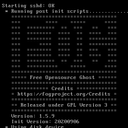
Automating FOG installfog.sh – setting interface, IP, and hostname
-
I’m using Ansible to provision a machine and fully configure and install a FOG server automatically.
I’m looking for a way to automate installfog.sh, because so far I haven’t found a way to do it other than manually. The only way I’ve seen to run it automatically is with the -Y / --autoaccept option, which just auto-accepts defaults.
I’ve checked the ‘FOG installer command line options’, but none seem to allow setting the network interface, IP, or hostname directly.
The goal is to provide these three values (interface, IP, and hostname) as parameters so the IPXE server is fully set up automatically.
Any suggestions or possible solutions would be greatly appreciated.
-
@raul You can set all the variables before you call the installfog.sh file
for example if you need to set the IP/Interface you can run:
ipaddress="10.255.20.1" interface="eno2" ./installfog.sh -yI would take a look at the .fogsettings file to know what variables are checked during install.
There’s likely more that could be set as well, but this is one method you can perform what you want automatedly.
-
@raul I have an Ansible role which does something akin to what you’re trying to do here:
https://forgejo.cwavs.xyz/Cwavs/ansible-role-fog it might be worth taking a look and seeing if it helps give you any ideas on how to solve your problem. Happy to answer questions about it.