Windows 11 | 65x HP Z2 Tower G1i | UPDATE -
-
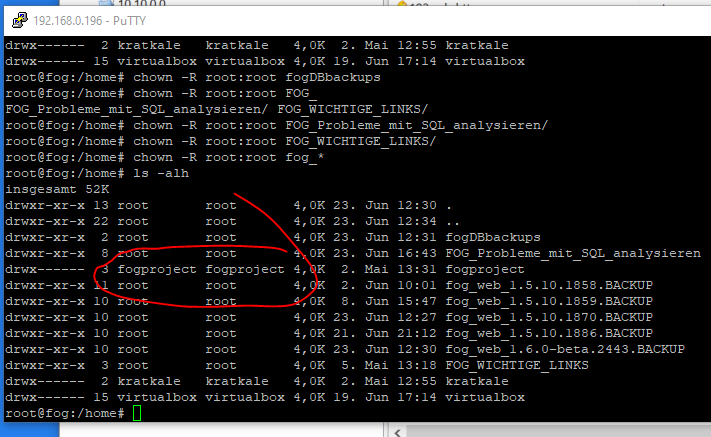
@kratkale that would make sense if the ids don’t match the actual user, apologies on not having you check this part sooner, and I never thought to check the directory permissions, so thank you for that.
-
Here we go …
You just saved my life—I was really about to give up on everything before that…
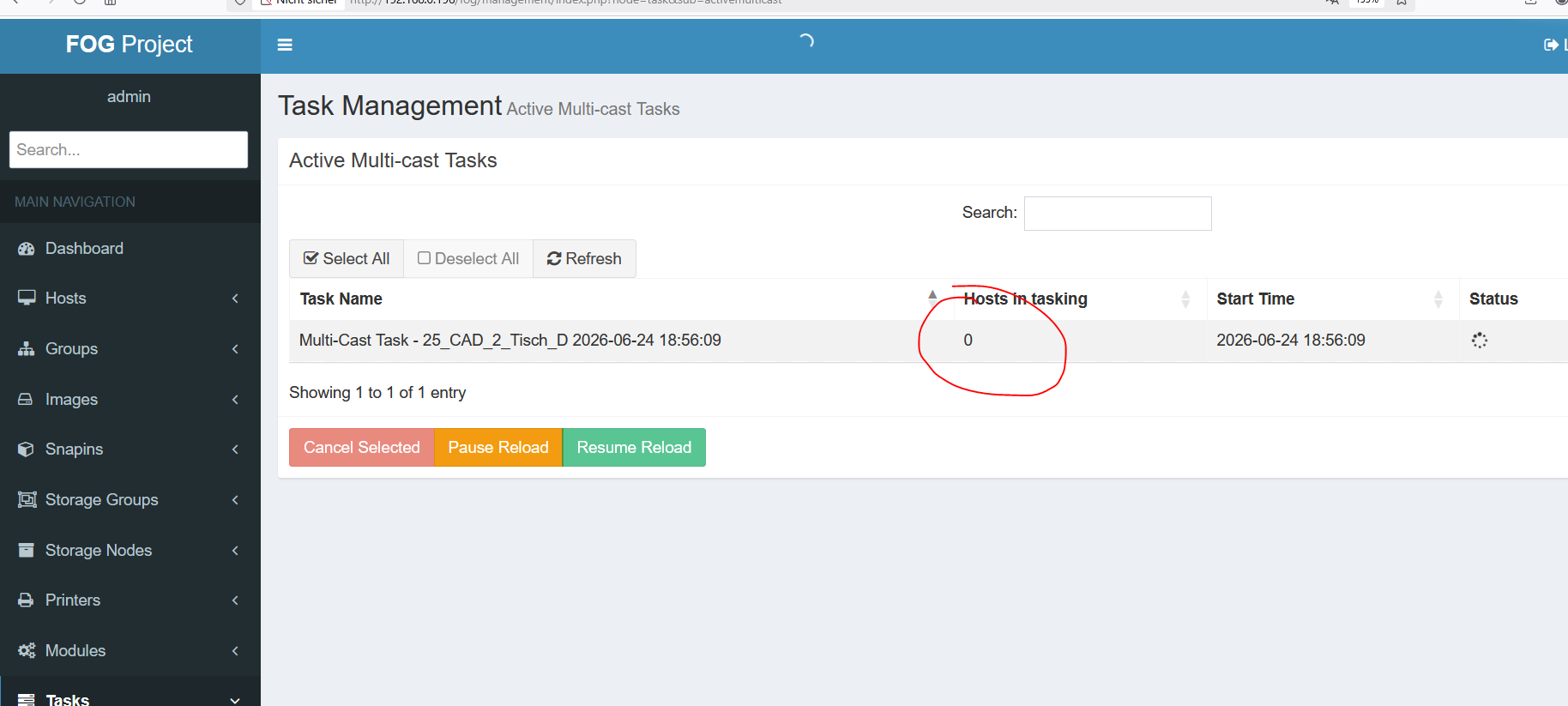
I’m going to start testing the system now. I find the hourglass a bit odd.
Are there any test tasks? -
@Tom-Elliott
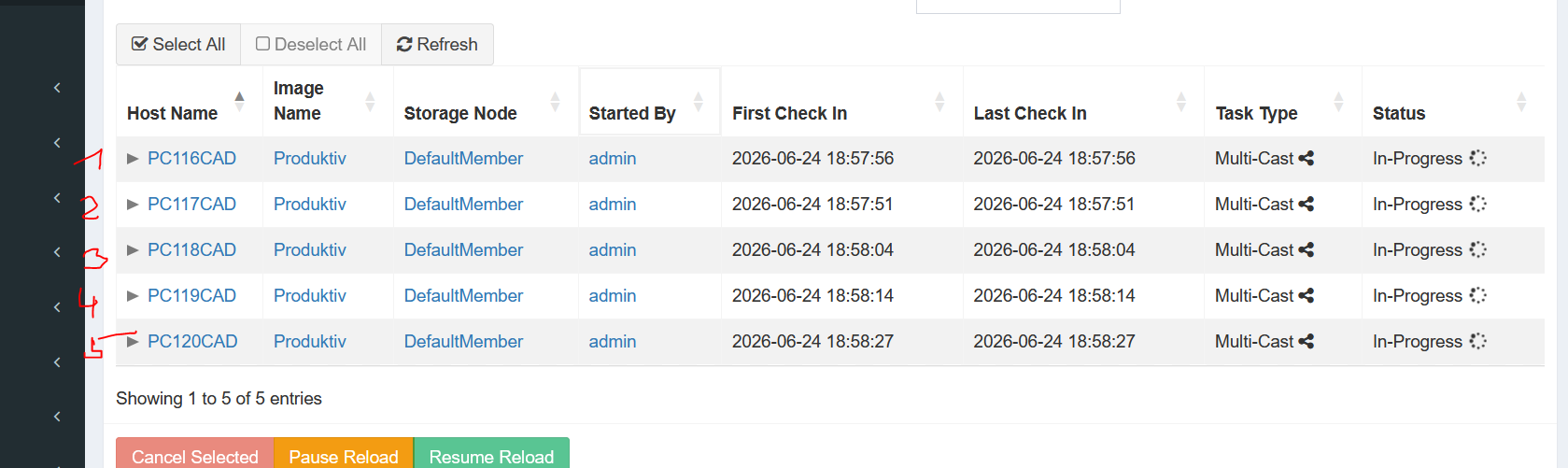
multicast with 5 PC worked
joining Domain did not work with 4 PC one was joining:
Here relevant parts of the log?!
----------------------------------UserTracker---------------------------------
02.05.2026 19:58:33 Client-Info Client Version: 0.13.0
02.05.2026 19:58:33 Client-Info Client OS: Windows
02.05.2026 19:58:33 Client-Info Server Version: 1.5.10.1826
02.05.2026 19:58:33 Middleware::Response Success02.05.2026 19:58:33 Service Sleeping for 103 seconds
24.06.2026 09:29:11 Main Overriding exception handling
24.06.2026 09:29:12 Main Bootstrapping Zazzles
24.06.2026 09:29:12 Controller Initialize
24.06.2026 09:29:12 Controller Start24.06.2026 09:29:12 Service Starting service
24.06.2026 09:29:14 Bus Became bus server
24.06.2026 09:29:14 Bus Emmiting message on channel: Status
24.06.2026 09:29:14 Service Invoking early JIT compilation on needed binaries--------------------------------Authentication--------------------------------
24.06.2026 09:33:14 Client-Info Version: 0.13.0
24.06.2026 09:33:14 Client-Info OS: Windows
24.06.2026 09:33:14 Middleware::Authentication Waiting for authentication timeout to pass
24.06.2026 09:35:14 Middleware::Communication Download: http://192.168.0.196/fog/management/other/ssl/srvpublic.crt
24.06.2026 09:35:14 Middleware::Authentication Cert OK
24.06.2026 09:35:14 Middleware::Communication POST URL: http://192.168.0.196/fog/management/index.php?sub=requestClientInfo&authorize&newService
24.06.2026 09:35:14 Middleware::Response Invalid security token--------------------------------Authentication--------------------------------
24.06.2026 09:35:14 Client-Info Version: 0.13.0
24.06.2026 09:35:14 Client-Info OS: Windows
24.06.2026 09:35:14 Middleware::Authentication Waiting for authentication timeout to pass
24.06.2026 09:37:14 Middleware::Communication Download: http://192.168.0.196/fog/management/other/ssl/srvpublic.crt
24.06.2026 09:37:14 Middleware::Authentication Cert OK
24.06.2026 09:37:14 Middleware::Communication POST URL: http://192.168.0.196/fog/management/index.php?sub=requestClientInfo&authorize&newService
24.06.2026 09:37:14 Middleware::Response Invalid security token24.06.2026 09:37:14 Client-Info ERROR: Failed to authenticate, will not run Module Looper.
-
@kratkale
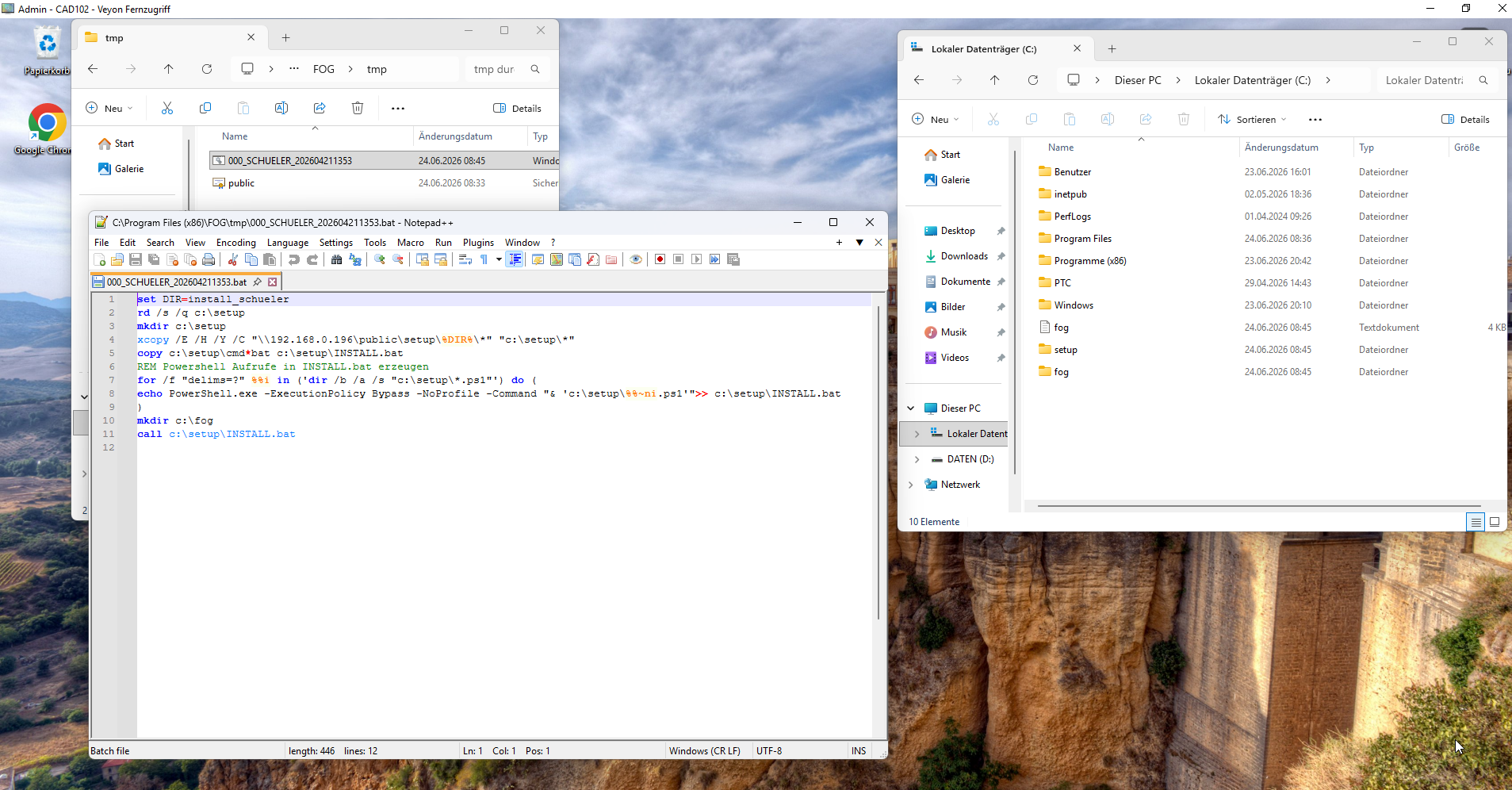
Renaming and Joining the domain as local PC admin localy worked withAktuellen Computernamen holen
$currentName = $env:COMPUTERNAME
IPv4-Adresse ermitteln, bei der das 3. Oktett = 0 ist
$ip = Get-NetIPAddress -AddressFamily IPv4 |
Where-Object {
$.IPAddress -notlike “127.*” -and
$.PrefixOrigin -ne “WellKnown” -and
($_.IPAddress.Split(‘.’)[2] -eq ‘0’)
} |
Select-Object -First 1 -ExpandProperty IPAddressif (-not $ip) {
Write-Host “Keine gültige IPv4-Adresse mit drittem Oktett = 0 gefunden!” -ForegroundColor Red
exit
}Letztes Oktett extrahieren
$lastOctet = $ip.Split(‘.’)[-1]
Dreistellig formatieren
$number = “{0:D3}” -f [int]$lastOctet
Neuer Name
$newName = “PC${number}CAD”
Anzeige
Write-Host “Aktueller Name: $currentName”
Write-Host “Gefundene IP: $ip”
Write-Host “Neuer Name: $newName”
Write-Host “”$domain = “MM.HTLWIEN10.AT”
$username = “MM.HTLWIEN10.AT\adminfog”
$password = “xxxxxxxxxxxxxxxxxxxxx” | ConvertTo-SecureString -AsPlainText -Force
$credential = New-Object System.Management.Automation.PSCredential($username, $password)Add-Computer -DomainName $domain -Credential $credential -Restart
so there seems to be no problem with the domain …
-
@kratkale The issue isn’t domain join but rather that machine (or those machines?) security tokens no longer match the security token they were initially given, most likely because the machine you cloned had a security token it passed in?
From the host(s) in question in the uI you can reset the security token:
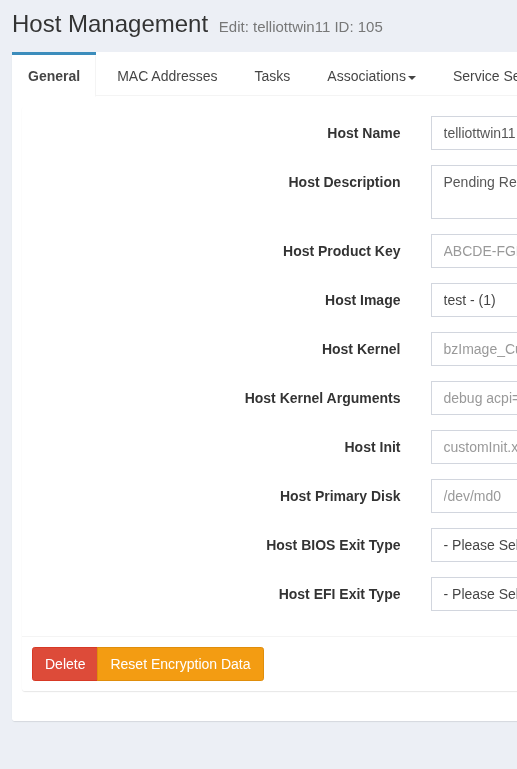
I believe it’s similar for groups (if you wanted to put the 5 having issues into the same group and click reset encryption data.)
-
did not help …
still aktive snapin - did not join the domain
next step to remove the client and reinstall.
I think with the next image I’ll try to install the client after cloning
-
@Tom-Elliott
cloned again
during cloning the Reset Encryption Data done
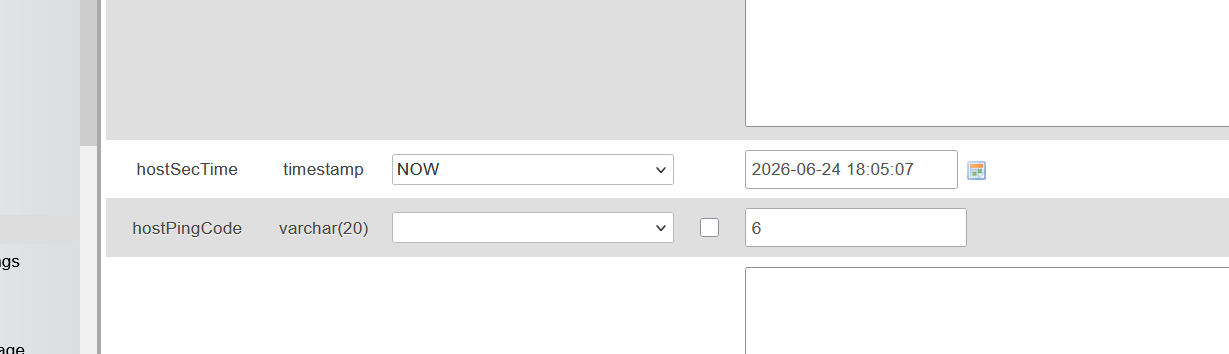
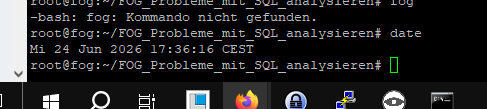
joining domain workedIntresting: have a look at time in the maria database and the system time …
-
multicast wit 22 PC
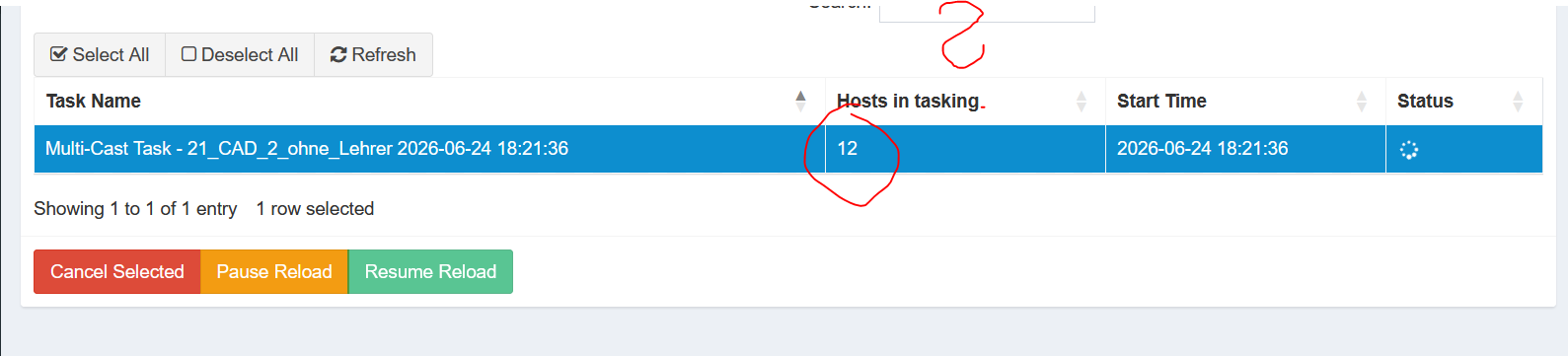
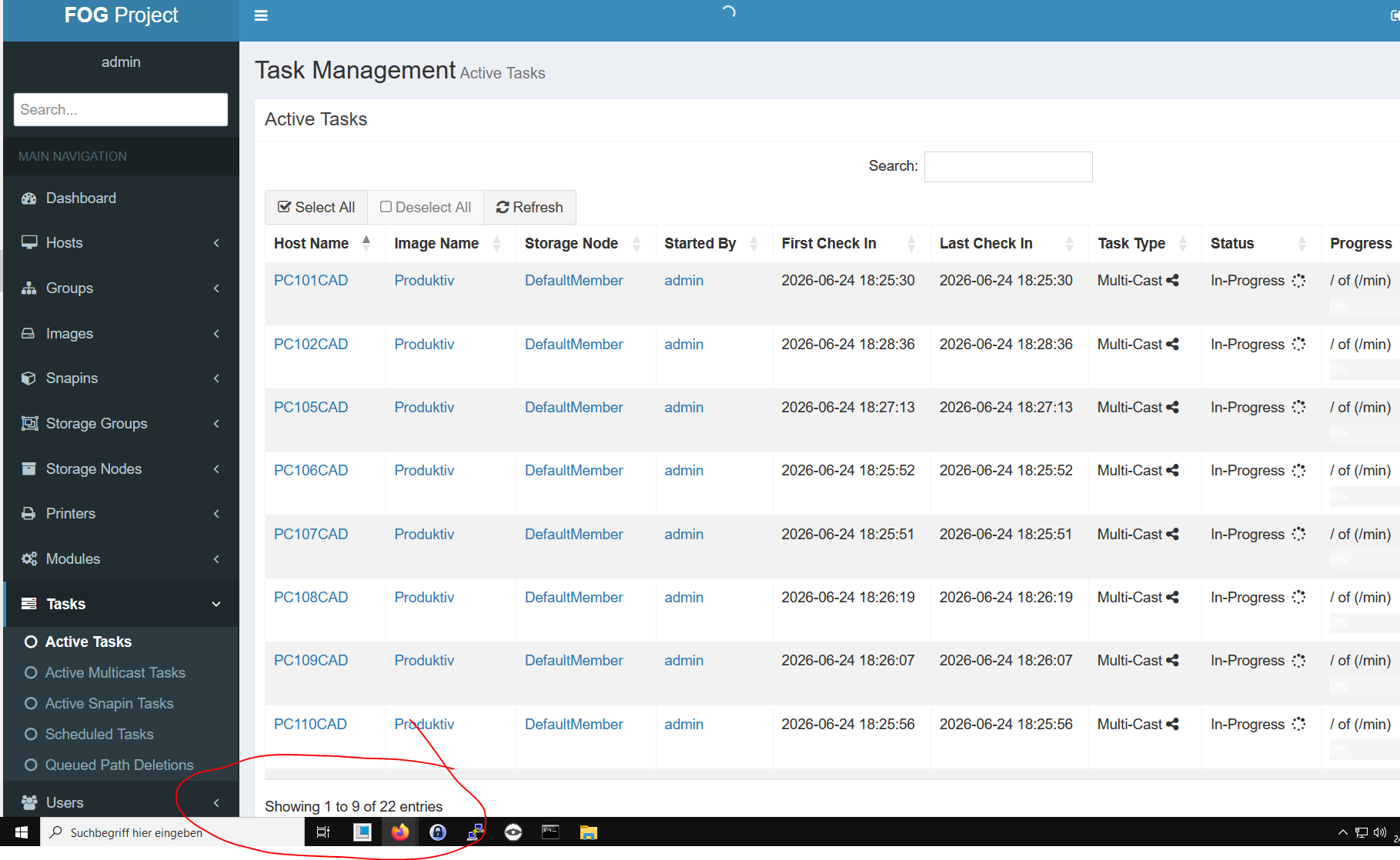
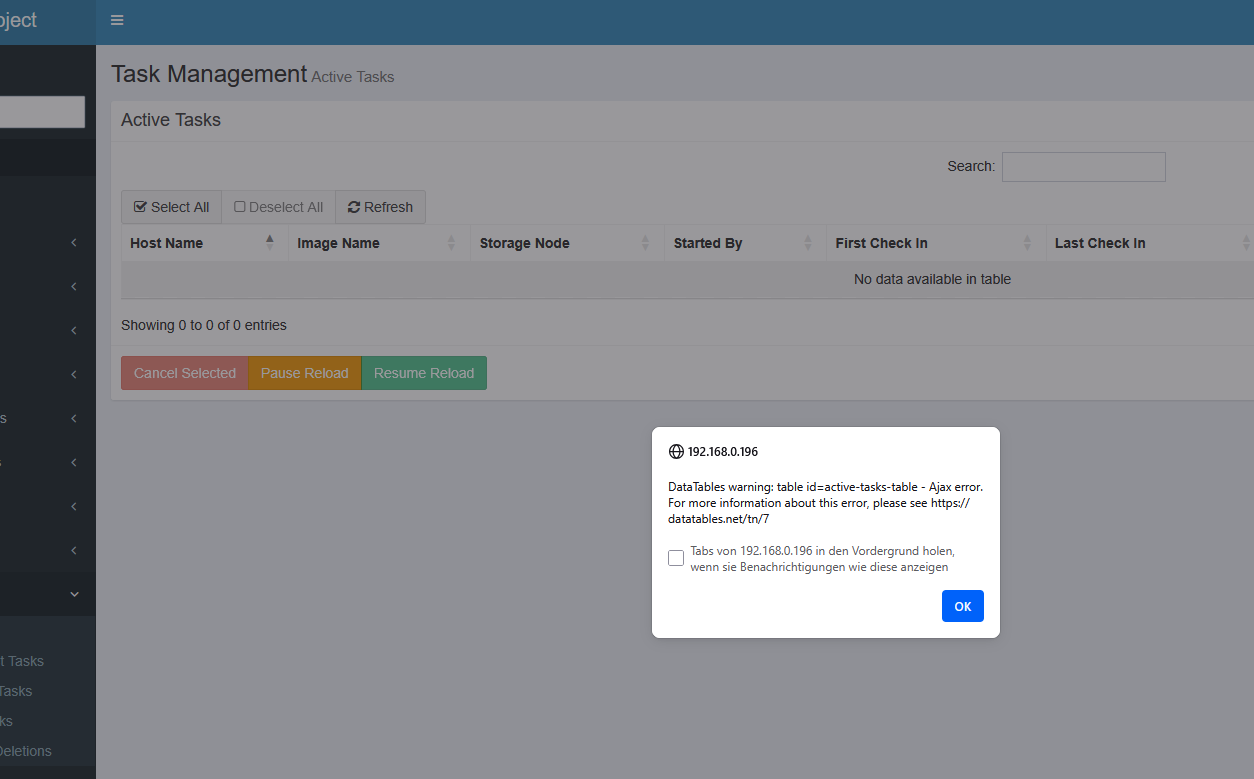
one show 12 Host in tasking
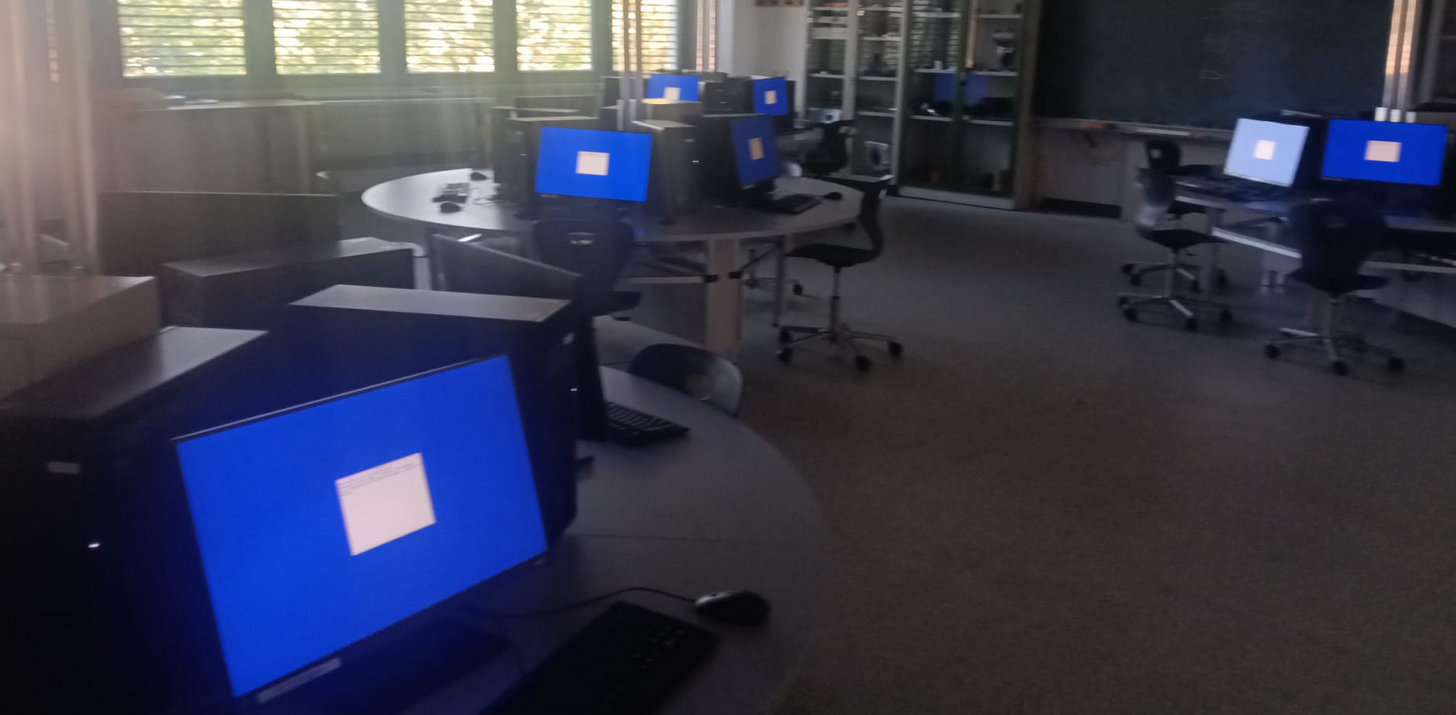
the other 2222 are waiting - but the do not start?
in the Task Management Active Tasks are all “In-Progress”
-
-
@Tom-Elliott
cloning stops with an error - but the new image is working on the pc’s
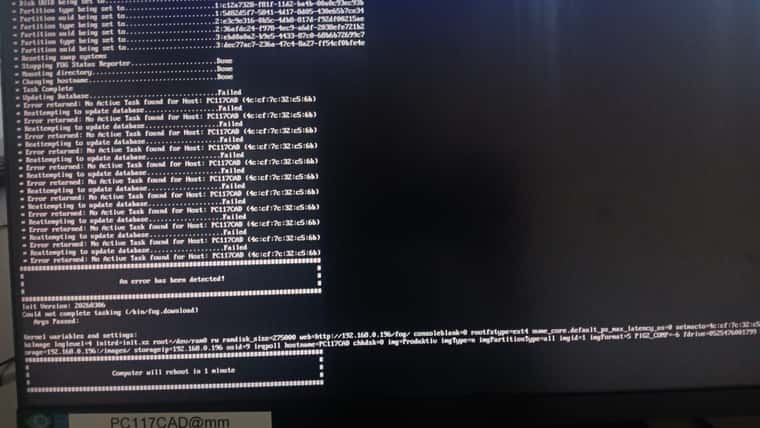
it seems some problem with the Database.
Same situation with the next Group of 5 PC
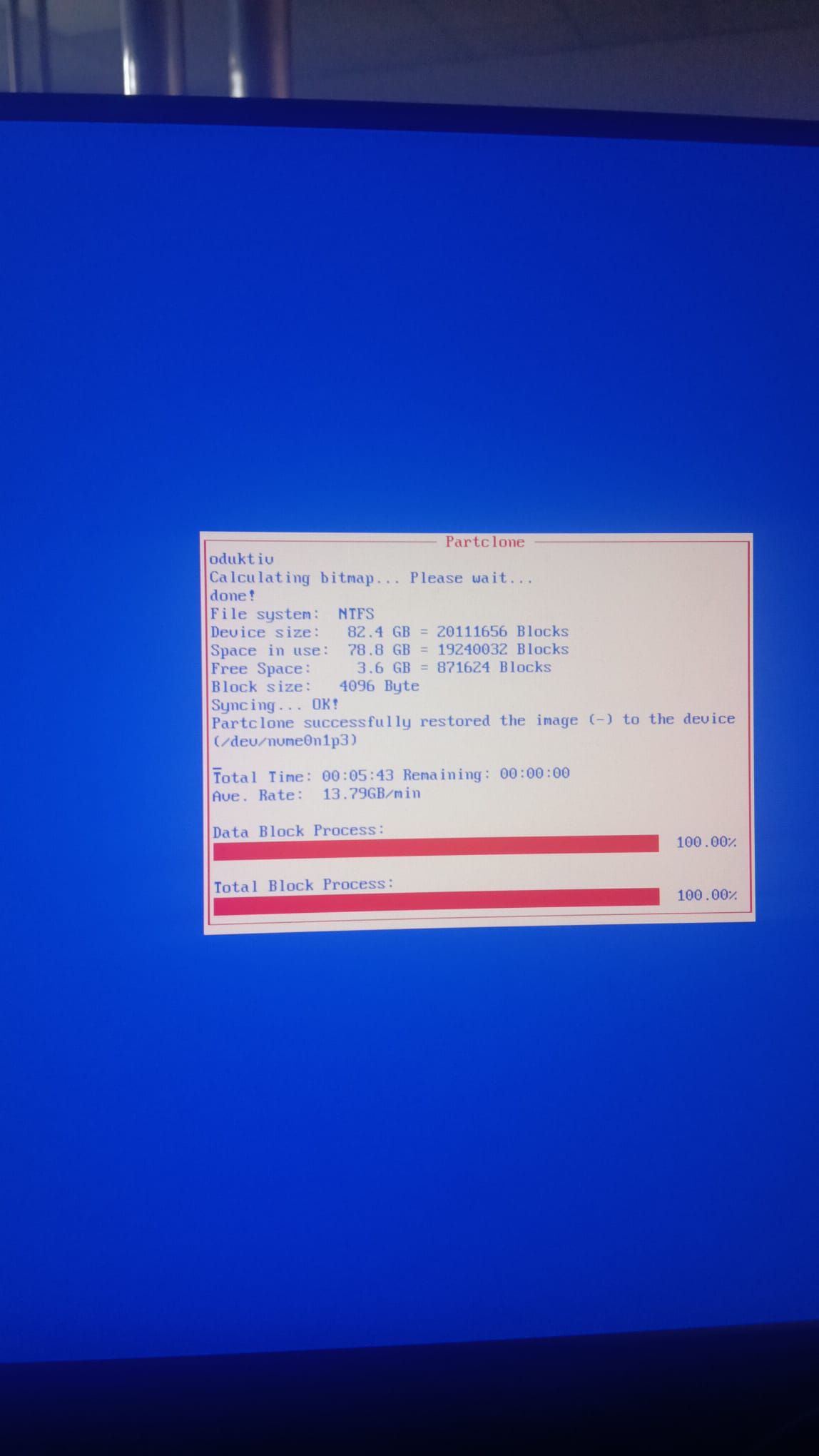
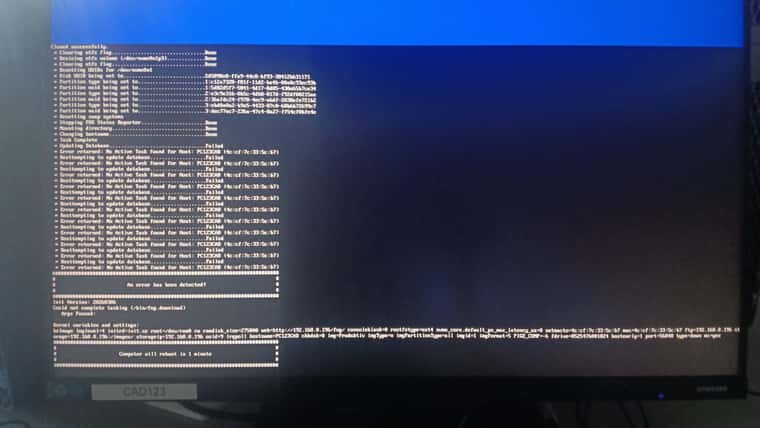
-
@kratkale one special problem
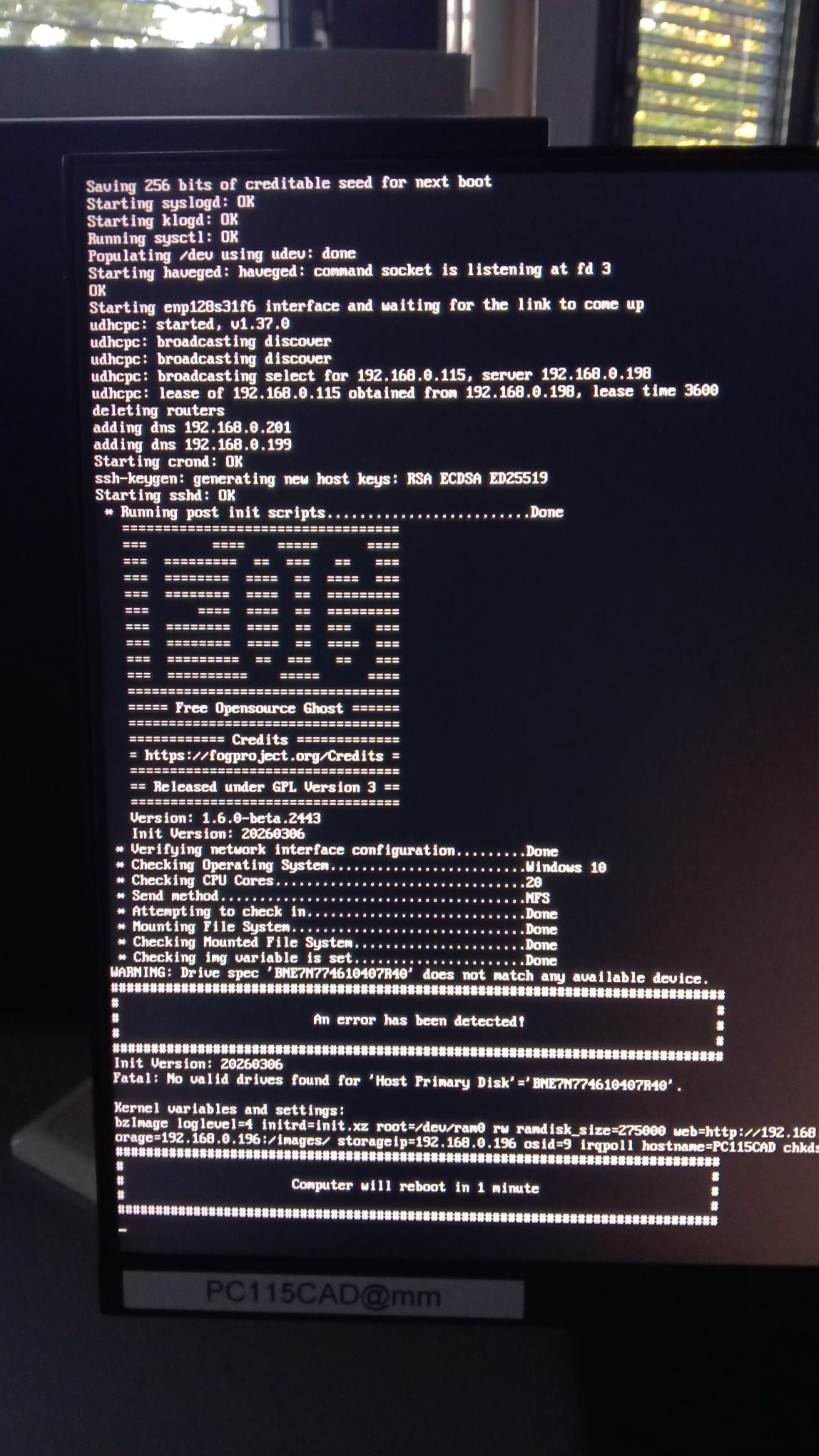
This host is not willing to work witch the host Device entry BNE7N774610407R40 - I removed the host - performed a Full registration - filled out the host Device - same problem again.
Double check the blkid value … ???
-
@kratkale It’s likely looking at UTC time?
-
@kratkale The error I’ll have to look as it might come from the UI side but also ties in with how things occur on the FOS side (different repo.)
The task completed and marked the db, but apparently seems to be doing so in one swoop.
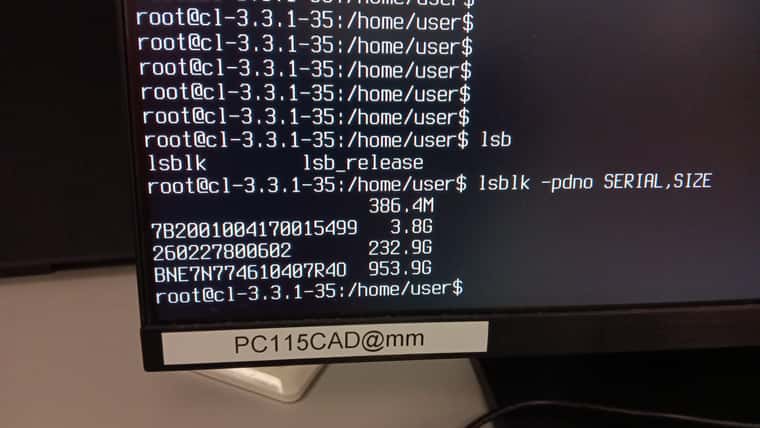
As for why it’s not seeing the same serial, that I don’t know how you’re getting the serial/size of the disks? that’s the same for that specific machine saying that serial doesn’t exist?
I mean the same serial should not exist for different machines. (Plain and simple)
You can boot the issue machine into debug mode (cancel the existing tasking, then redo the same tasking but check the “Debug” checkbox before you submit it.
Then run that same
lsblk -pdno SERIAL,SIZEafter pressing enter and getting dropped into the console to type commands.My guess is the serial for that machine is NOT BNE7n774610407R40, otherwise there’d be huge issues in shipping equipment and inventory management.
-
@Tom-Elliott
no the difference is not one hour - it is something in between -
This post is deleted! -
@Tom-Elliott
clonzilla started
Gained “root” privileges using sudo su
Ran lsblk -pdno => BNE7N774610407R40 identified as the system disk.
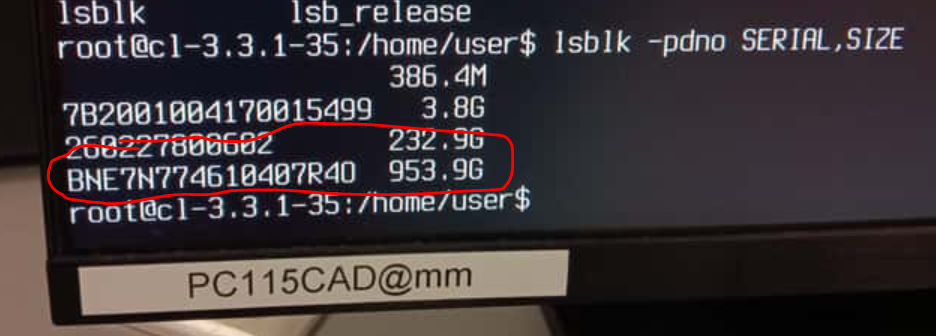
Entered into the FOG GUI
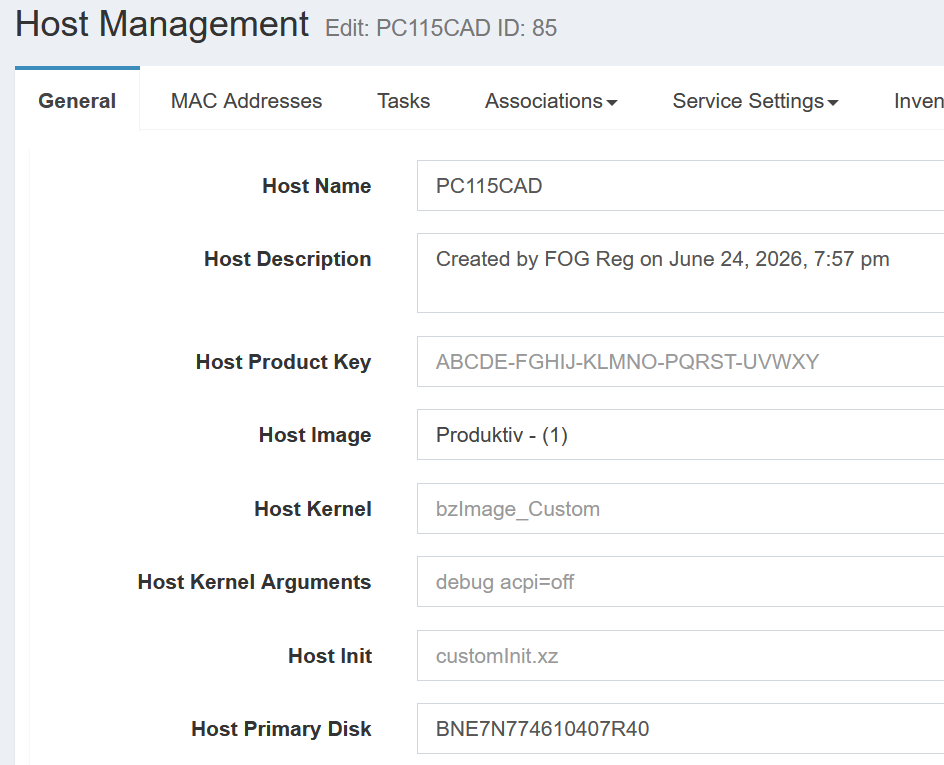
An attempt to clone the device results in the following error
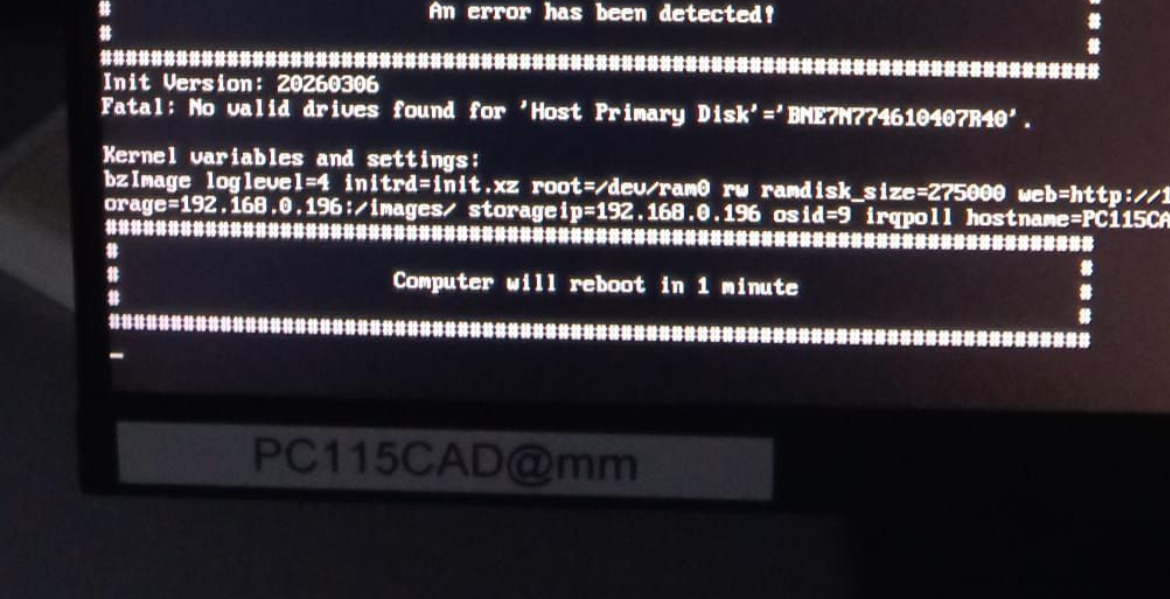
Even deleting the PC from the database and adding it again did not solve the problem.
I’m not in the office right now or tomorrow, so I won’t be able to check the debug mode until Monday.
So far, this has happened with exactly one PC (I haven’t tried cloning the other 38 PCs yet). I followed the exact same procedure for the 23 devices I’ve already cloned, and everything works fine on those. This error has only occurred with PC115CAD so far. -
@kratkale the last 0 is an O (ohhhhh) not a 0 (zero)
-
yes - you are right …

-
@kratkale Did changing the serial on the host in question get it imaging to the right drive?
-
@Tom-Elliott
I was for a coffy - when I came back …