Snapin Pack Arguments double-quotes problem
-
Hello everyone !
When snapin pack management page is loaded, double quotes in snapin arguments are not well escaped and only ‘/c’ remains (batch script) instead of ‘/c “[FOG_SNAPIN_PATH]\drivers.cmd”’. It looks like this :

In page code, it looks like this :
<input type=“text” class=“snapinrwa-input cmdlet2 form-control” name=“rwa” id=“snaprwa” value=“/c " [fog_snapin_path]=”" drivers.cmd"“=”">If I update snapin without full putting the whole again code, only “/c” remains.
Am I the only one with this problem ?
Thank you for the great job on this software anyway

-
The same thing is happening on my end as well.
steps to reproduce:
- create new snap pack
- select powershell script template
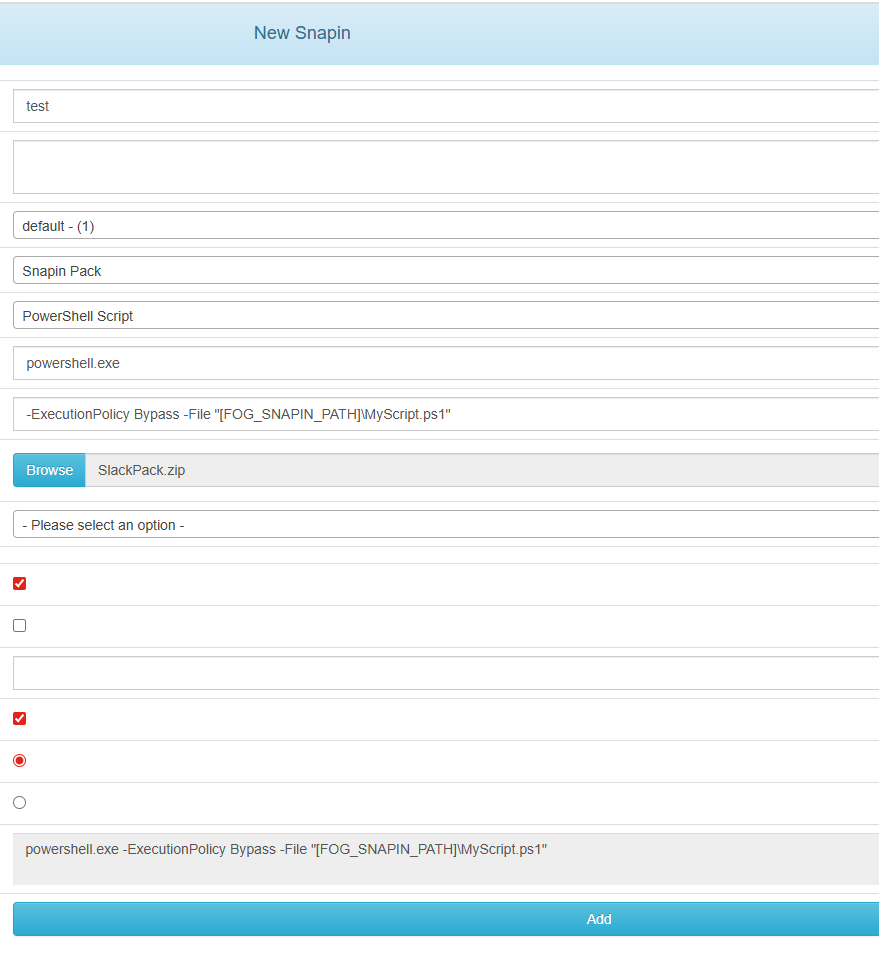
- notice the string in
Snapin Pack Argumentsthat includes quotes
**-ExecutionPolicy Bypass -File "[FOG_SNAPIN_PATH]\MyScript.ps1" - attach zip file
- click add and wait for the snap pack tosave
- go back to view the snap pack and see that anything including and after the first double quote vanishes.
**powershell.exe -ExecutionPolicy Bypass -File
Fog server OS is Alma 9.7
Fog == 1.5.10.1733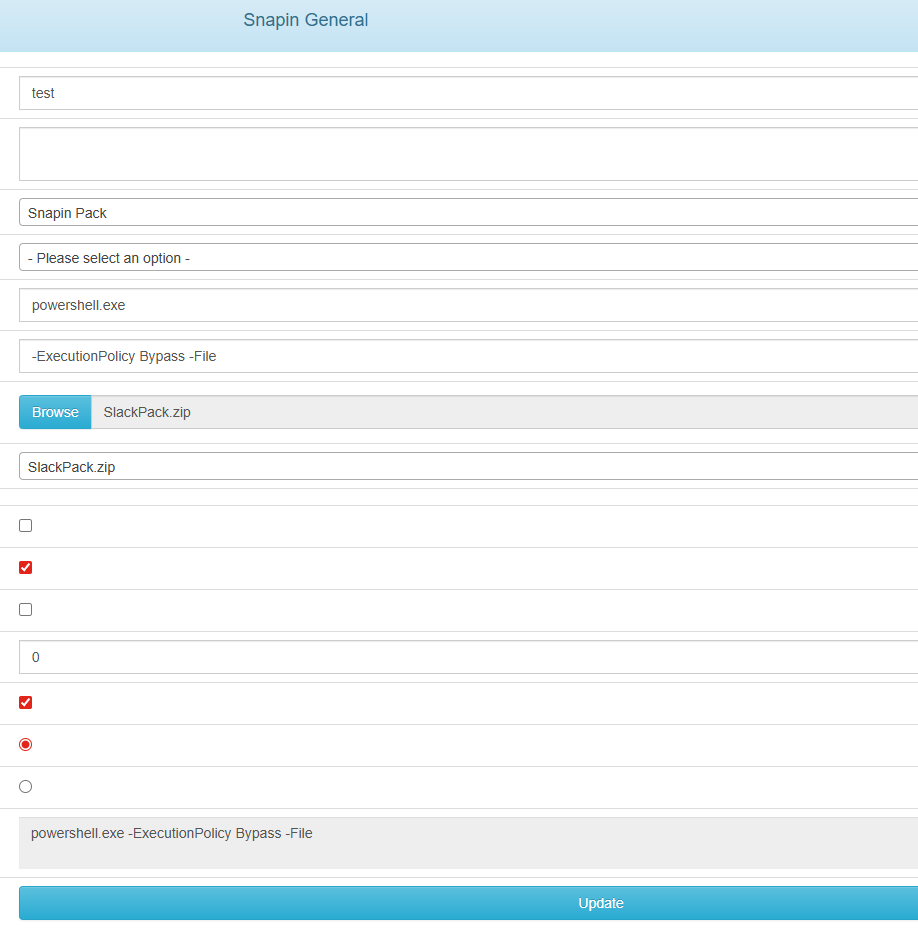
-
Looking at my other Fog server at home, it does not appear to have the same issue. I can dig deeper here but on the surface, the major difference is that the home machine is Ubuntu 24.04 with fog version 1.5.10.1650
-
This post is deleted! -
This post is deleted! -
My Fog version : 1.5.10.1734 over Ubuntu 22.
It just looks like double-quotes escaping problem… -
@Infojoe I tried escaping the quotes but that didn’t change anything on my side. And it’s odd that the template form in the snap pack does not include escapes if they are required.
-
This post is deleted! -
@slackenberg
New version 1.5.10.1742, same problem.
It’s very dangerous ! In fact, if you update a snapin without writing whole arguments with double-quotes again, they’re lost and snapin is not executed. -
@Infojoe Please try the latest dev branch. this should be fixed.
The issue was simple:
Basically the arguments are stored and from what I could tell, work, but when the HTML side would go to re-display it it would make an input value of:
value=" -Execution -File "[FOG_SNAPIN].PS1""Do you see the problem?
From HTML side, it would think the string ended at the first double quote.
This has been found and should be fixed in the latest dev-branch.
-
This post is deleted! -
@Tom-Elliott
Corrected in 1.5.10.1744 !
Thank you mastacontrola and Tom

-
@Infojoe They are one in the same lol and you’re welcome.
-
 T Tom Elliott has marked this topic as solved on