• Recent
    • Unsolved
    • Tags
    • Popular
    • Users
    • Groups
    • Search
    • Register
    • Login
    1. Home
    2. lucamathuse
    L
    • Profile
    • Following 0
    • Followers 0
    • Topics 1
    • Posts 3
    • Groups 0

    lucamathuse

    @lucamathuse

    0
    Reputation
    1
    Profile views
    3
    Posts
    0
    Followers
    0
    Following
    Joined
    Last Online

    lucamathuse Unfollow Follow

    Latest posts made by lucamathuse

    • RE: Trying to deploy Windows 11 25H2 using FOG always leads to the Windows recovery screen

      @Florent okay and what exactly does it do? I mean that can’t really work, can it? I capture it one way and deploy it another.

      I just tried it again with Single Disk for both capturing and deployment on a clean Win 11 install. I ran these commands:
      reagentc /disable (I removed the recovery partition because I read somewhere that it can cause troubles when capturing), powercfg -h off and C:\Windows\System32\Sysprep\sysprep.exe /oobe /generalize /shutdown.

      The captured image looked like this:

      -rw-r--r-- 1 fogproject fogproject    4 Apr  7 08:18 d1.fixed_size_partitions
      -rw-r--r-- 1 fogproject fogproject 1.0M Apr  7 08:18 d1.mbr
      -rw-r--r-- 1 fogproject fogproject  697 Apr  7 08:18 d1.minimum.partitions
      -rw-r--r-- 1 fogproject fogproject   20 Apr  7 08:18 d1.original.fstypes
      -rw-r--r-- 1 fogproject fogproject    0 Apr  7 08:18 d1.original.swapuuids
      -rw-r--r-- 1 fogproject fogproject  697 Apr  7 08:18 d1.partitions
      -rw-r--r-- 1 fogproject fogproject  697 Apr  7 08:18 d1.shrunken.partitions
      -rw-r--r-- 1 fogproject fogproject  15M Apr  7 08:18 d1p1.img
      -rw-r--r-- 1 fogproject fogproject  767 Apr  7 08:18 d1p2.img
      -rw-r--r-- 1 fogproject fogproject 3.3G Apr  7 08:23 d1p3.img.000
      

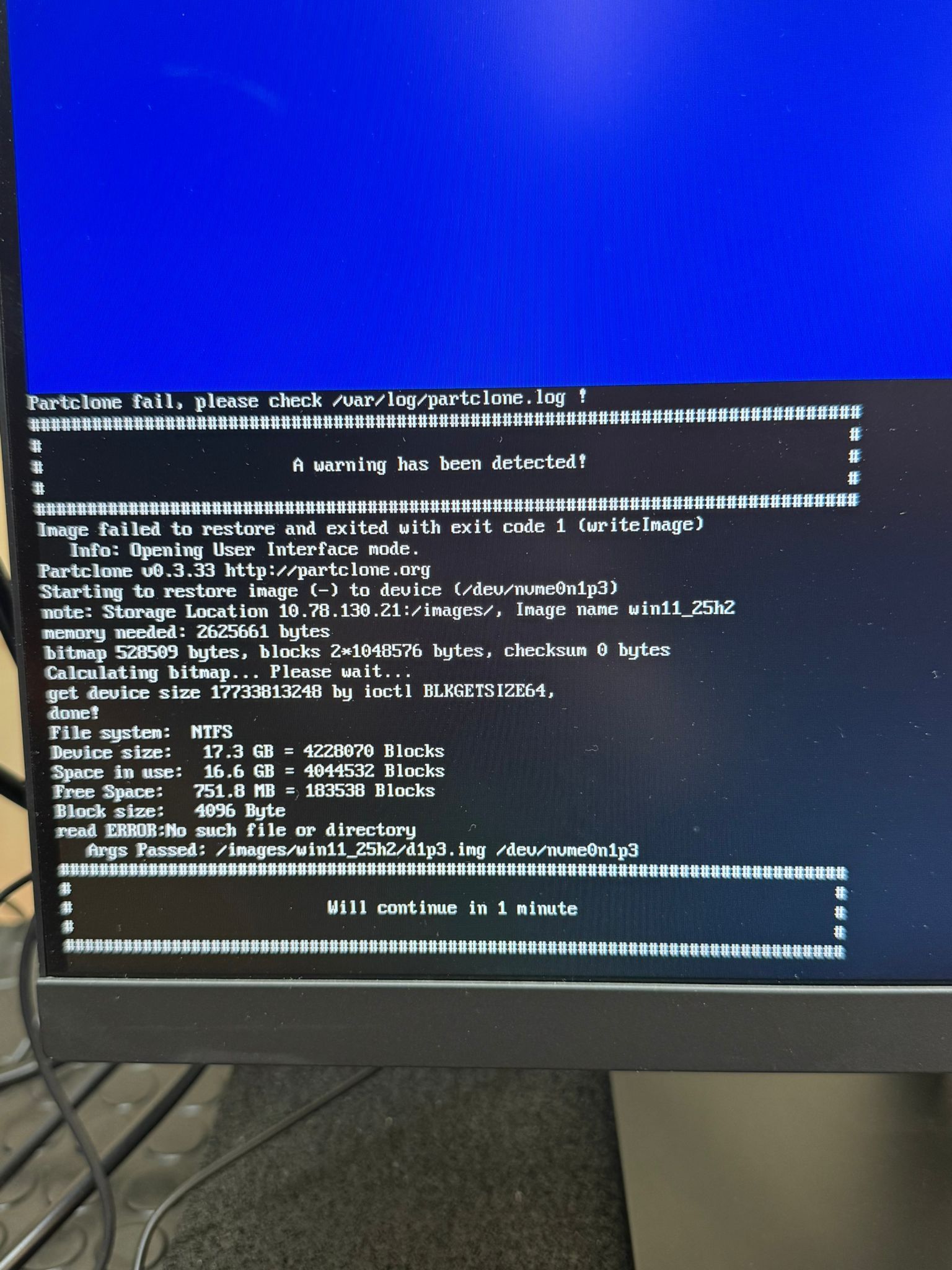
      I don’t know why it’s so hard for me to capture an image of Windows 11. I just need to do it once and then never again.

      posted in Windows Problems
      L
      lucamathuse
    • RE: Trying to deploy Windows 11 25H2 using FOG always leads to the Windows recovery screen

      @Florent I do sysprep before capture but I used the GUI version of it that Windows offers me in the admin login. I click on “generalize” and “shutdown” and wait for it to do it’s thing but I’ll do the CLI version of it the next time. And did I understand that right, you use “Multiple Partition Image - All Disks” and before deploying you set it to “Single Disk - Resizable”?

      posted in Windows Problems
      L
      lucamathuse
    • Trying to deploy Windows 11 25H2 using FOG always leads to the Windows recovery screen

      Hey guys, sysadmin and FOG newbie in need of help.

      To preface this post I have never done any sysadmin work professionally and I’m just a mere software developer that’s trying his best. We just got 550 PCs at work and they all need to be wiped and get a new Windows 11 install.

      I followed the instructions of the FOG install tutorial and it all worked and have added dnsmasq as a proxy to be able to use option 66 and 67 on my DHCP for PxE. So far so good.

      I’m able to capture images from registered machines but I assume this is where things go wrong. Either the capturing has some issues or the deployment. When I capture a golden image I use these settings: default storage group, Windows 10 operating system (according to other forum articles Win 10 and Win 11 are quite similar in how the image is made up), single disk resizable image type, every partition, image enabled check, replicate check, compression level 6 and partclone zstd as my image manager.

      After that I create a task, boot into network on my target machine and let it capture the image. That takes about ten minutes and I get an image that’s circa 20GB in size on host and maybe half on my server. It’s there and all the files necessary seem to exist.

      I then create a task for the machines that I want the images to be deployed to (all target machines are wiped using nwipe with the PRNG method) and boot them up and wait. It takes around 10 minutes for a PC to be done. They tell me it’s done, they reboot and I get the following error every time: “Recovery. Your PC / Device needs to be repaired…” and I have no clue why. They golden image comes from a fresh Windows 11 install where I installed some device specific drivers using the administrator shortcut in the OOBE screen.

      I’ve read through a bunch of articles but can’t seem to find anything that fixes it. Does anyone have an idea? I’m not looking for a full on solution but maybe a nudge in the right direction because it’s driving me nuts. If you need any more information on anything I’d be happy to provide it.

      My FOG server has more than enough space to capture an image. I’ve allocated 250GB for /images alone.

      Captured image in my filesystem:

      luca@luca:/images/windows11_25h2_hp$ ls -lh
      total 6.0G
      -rwxrwxrwx 1 fogproject root    6 Apr  2 10:09 d1.fixed_size_partitions
      -rwxrwxrwx 1 fogproject root 1.0M Apr  2 10:09 d1.mbr
      -rwxrwxrwx 1 fogproject root  873 Apr  2 10:09 d1.minimum.partitions
      -rwxrwxrwx 1 fogproject root   20 Apr  2 10:09 d1.original.fstypes
      -rwxrwxrwx 1 fogproject root    0 Apr  2 10:09 d1.original.swapuuids
      -rwxrwxrwx 1 fogproject root  873 Apr  2 10:09 d1.partitions
      -rwxrwxrwx 1 fogproject root  873 Apr  2 10:09 d1.shrunken.partitions
      -rwxrwxrwx 1 fogproject root  15M Apr  2 10:09 d1p1.img
      -rwxrwxrwx 1 fogproject root  767 Apr  2 10:09 d1p2.img
      -rwxrwxrwx 1 fogproject root 6.0G Apr  2 10:19 d1p3.img.000
      
      posted in Windows Problems
      L
      lucamathuse