• Recent
    • Unsolved
    • Tags
    • Popular
    • Users
    • Groups
    • Search
    • Register
    • Login

    Windows 11 | 65x HP Z2 Tower G1i | UPDATE -

    Scheduled Pinned Locked Moved Unsolved FOG Problems
    136 Posts 3 Posters 30.1k Views
    Loading More Posts
    • Oldest to Newest
    • Newest to Oldest
    • Most Votes
    Reply
    • Reply as topic
    Log in to reply
    This topic has been deleted. Only users with topic management privileges can see it.
    • K
      kratkale @Tom Elliott
      last edited by

      @Tom-Elliott
      sftp needs also a pw …

      Tom ElliottT 1 Reply Last reply Reply Quote 0
      • Tom ElliottT
        Tom Elliott @kratkale
        last edited by

        @kratkale Did updating the password on the global settings piece fix things? We know the storage node seems to be working (theoretically)

        Please help us build the FOG community with everyone involved. It's not just about coding - way more we need people to test things, update documentation and most importantly work on uniting the community of people enjoying and working on FOG! Get in contact with me (chat bubble in the top right corner) if you want to join in.

        Web GUI issue? Please check apache error (debian/ubuntu: /var/log/apache2/error.log, centos/fedora/rhel: /var/log/httpd/error_log) and php-fpm log (/var/log/php*-fpm.log)

        Please support FOG if you like it: https://wiki.fogproject.org/wiki/index.php/Support_FOG

        K 3 Replies Last reply Reply Quote 0
        • K
          kratkale @Tom Elliott
          last edited by

          @Tom-Elliott
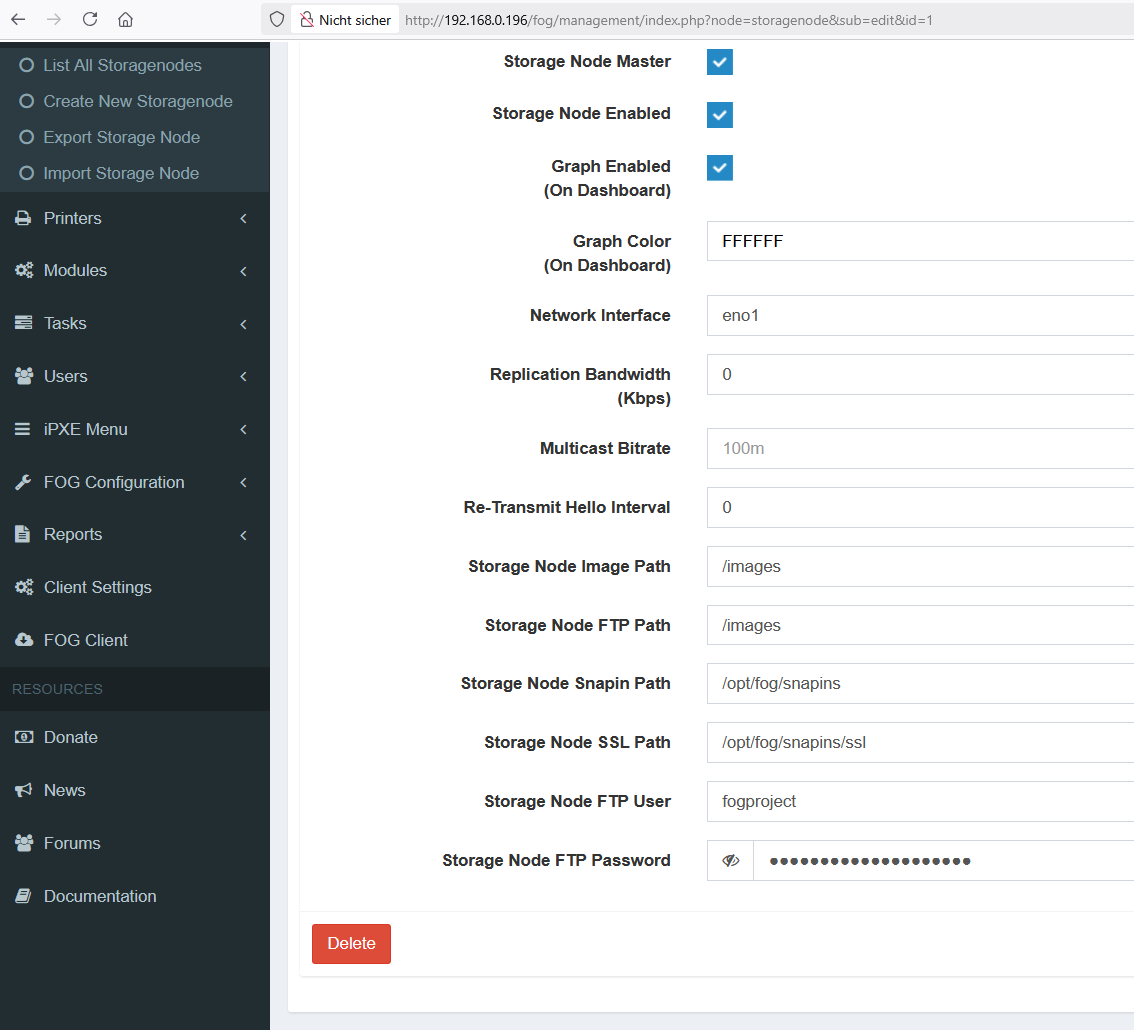
          do you mean here:
          ac0719eb-6d88-4d0d-9e61-6c29d098b82f-grafik.png
          this did not help - same error

          1 Reply Last reply Reply Quote 0
          • K
            kratkale @Tom Elliott
            last edited by

            @Tom-Elliott
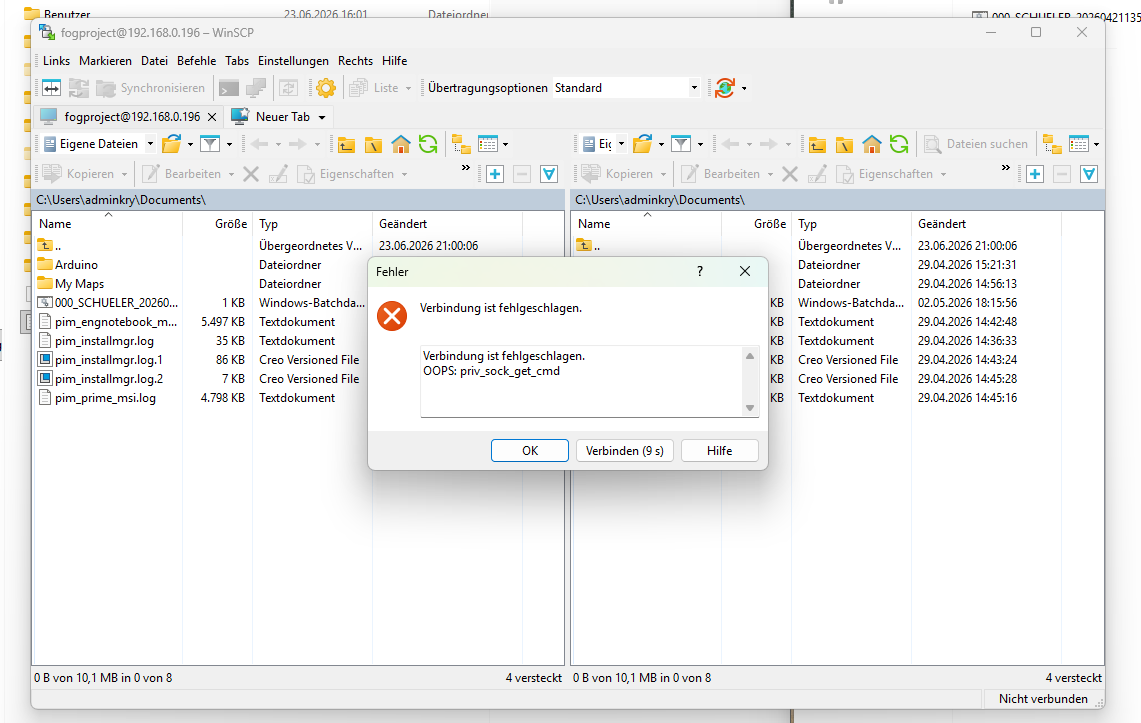
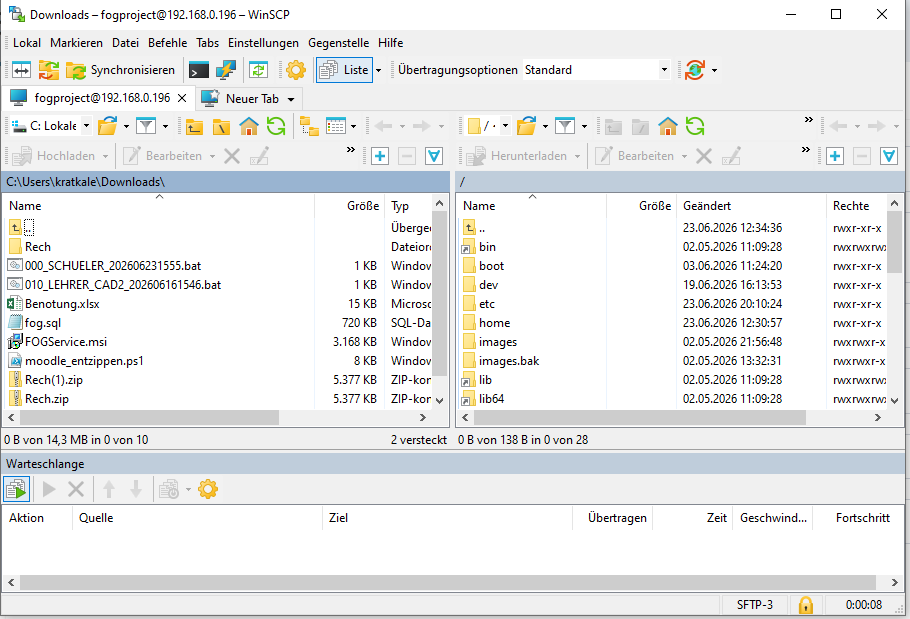
            winscp works …
            I changed the password:

            1. root@fog:~# passwd fogproject
            2. mysql in the table globalSettings and globalSettings
            88bb47b7-a06c-4ade-bc3d-a6b89aa6577c-grafik.png

            still the same problem

            1 Reply Last reply Reply Quote 0
            • K
              kratkale @Tom Elliott
              last edited by

              @Tom-Elliott
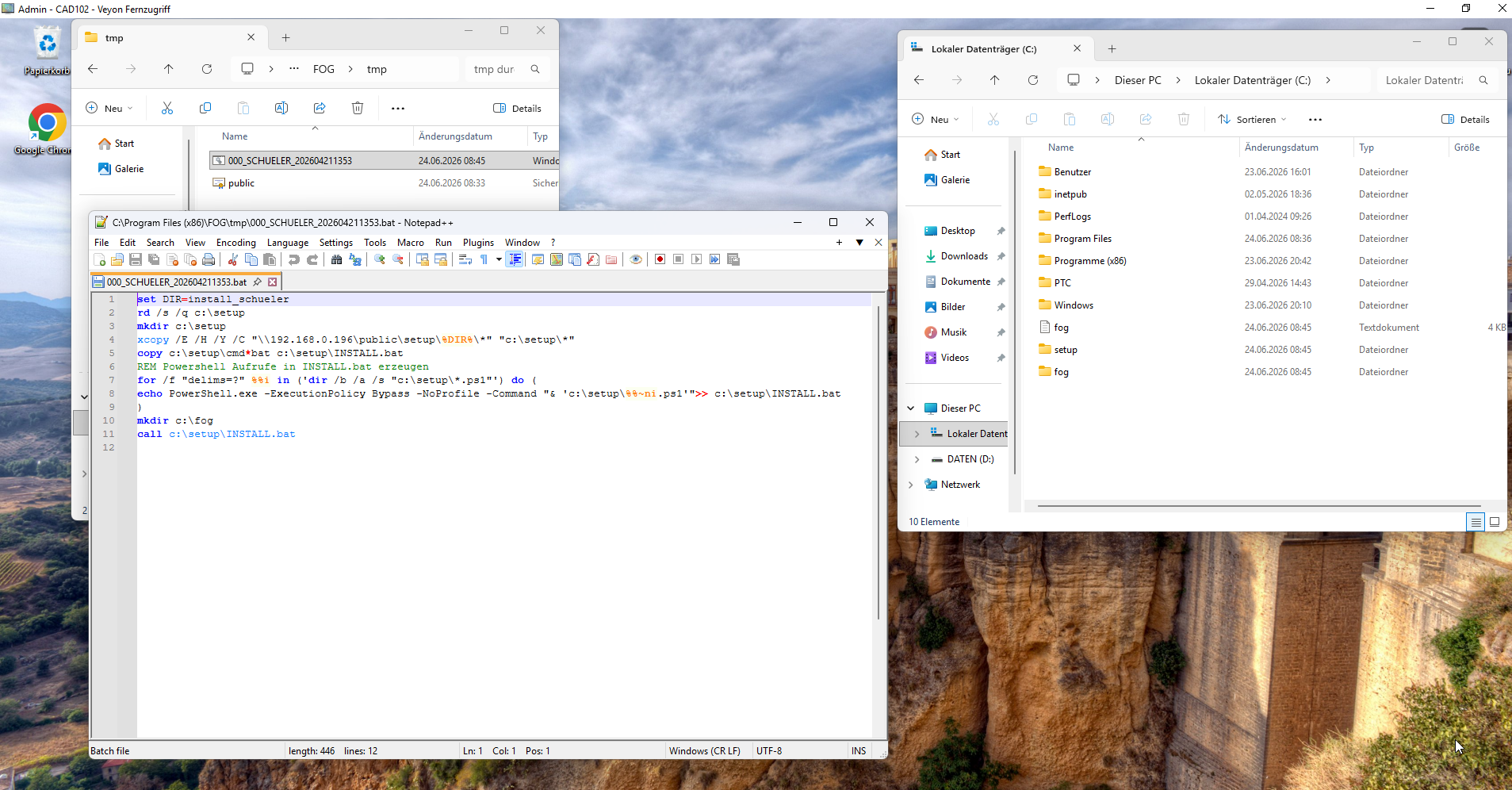
              Test from the Client PC102CAD:
              Could the Key be the problem?
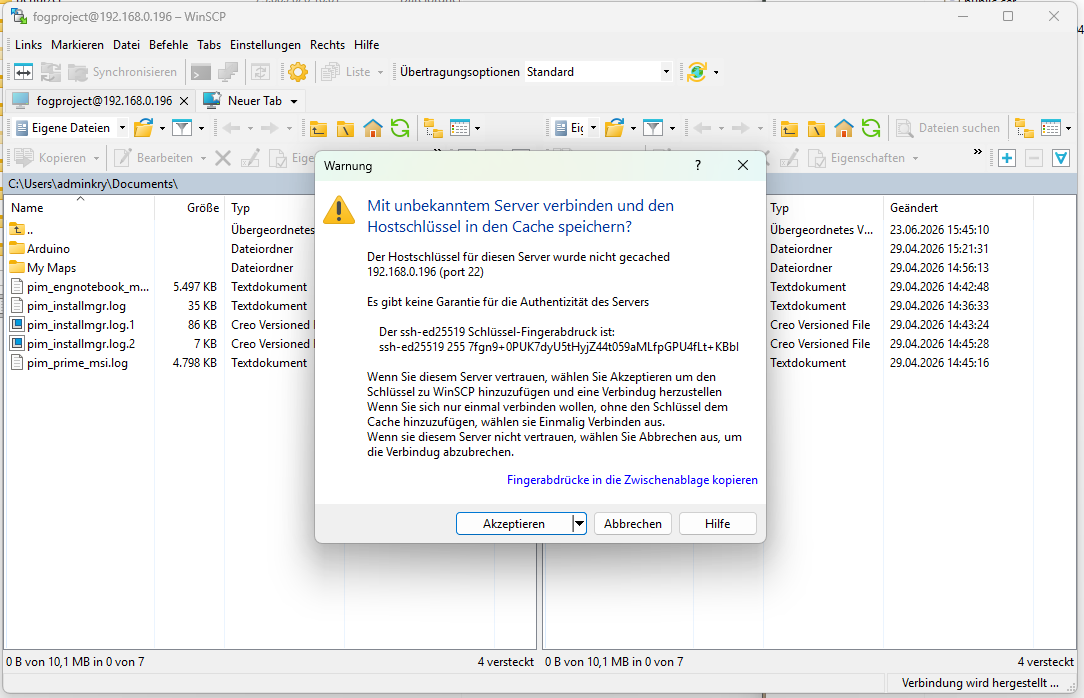
              FOG_SERVER_KEY_Question.PNG
              I can download as user fogproject with winscp the file …FOG_Server_from_Client.PNG
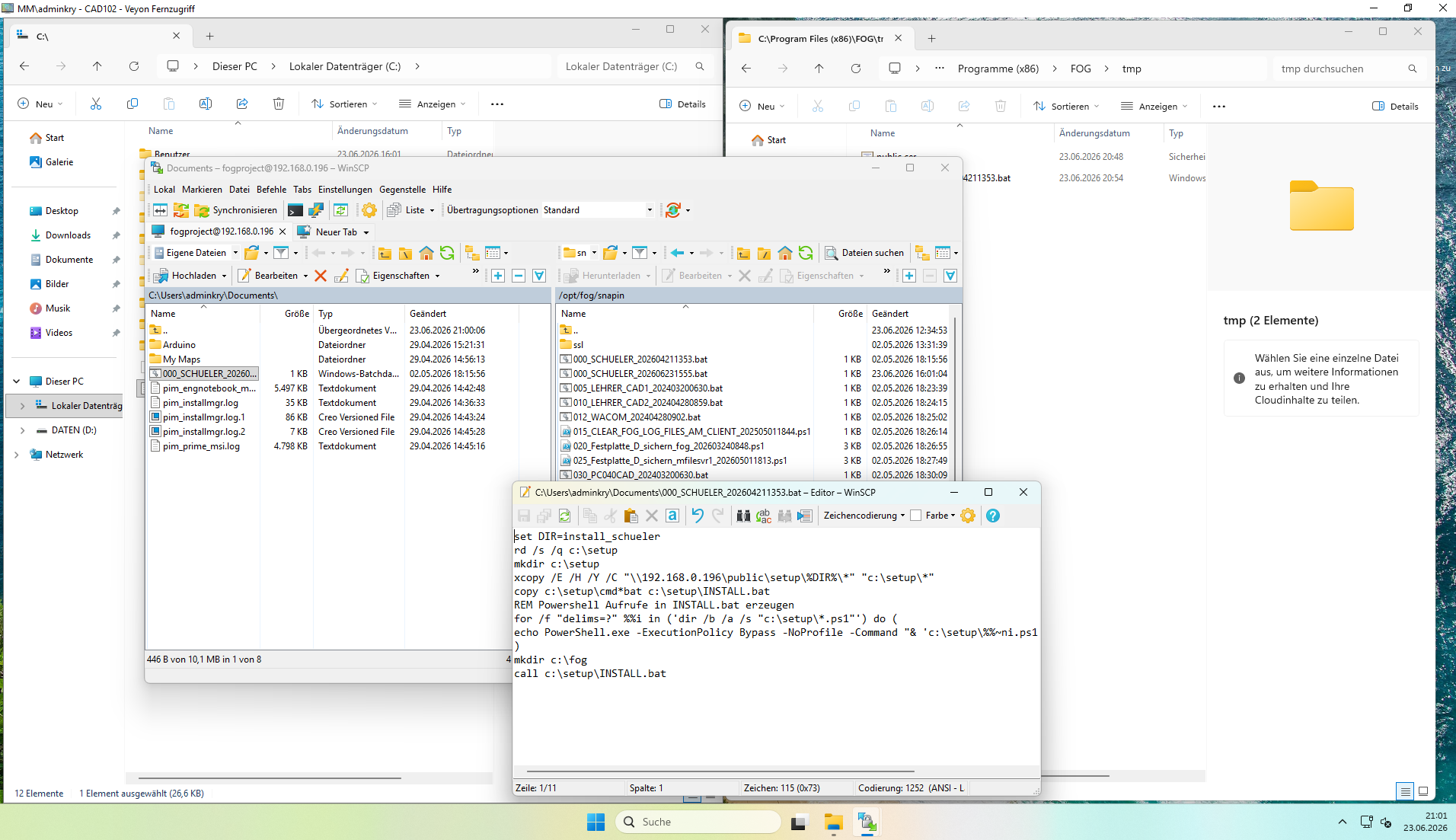
              Tom ElliottT 2 Replies Last reply Reply Quote 0
              • Tom ElliottT
                Tom Elliott @kratkale
                last edited by

                @kratkale It’s possible but I doubt it.

                Please help us build the FOG community with everyone involved. It's not just about coding - way more we need people to test things, update documentation and most importantly work on uniting the community of people enjoying and working on FOG! Get in contact with me (chat bubble in the top right corner) if you want to join in.

                Web GUI issue? Please check apache error (debian/ubuntu: /var/log/apache2/error.log, centos/fedora/rhel: /var/log/httpd/error_log) and php-fpm log (/var/log/php*-fpm.log)

                Please support FOG if you like it: https://wiki.fogproject.org/wiki/index.php/Support_FOG

                1 Reply Last reply Reply Quote 0
                • Tom ElliottT
                  Tom Elliott @kratkale
                  last edited by

                  @kratkale In fact, I believe it’s using ftp from the client -> fog server to download the file because the client is coded separately and I don’t know any C# unfortunately.

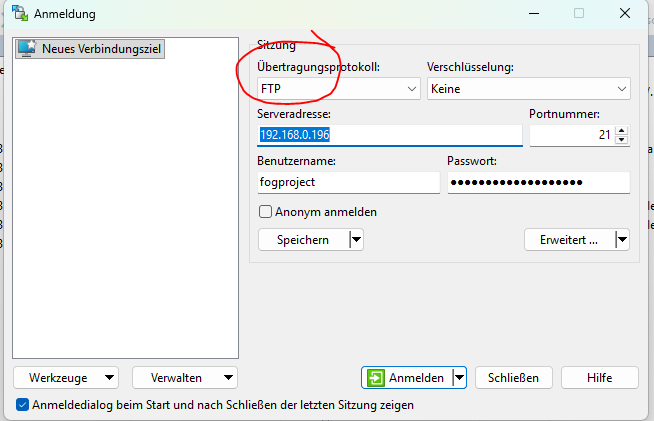
                  Can you try simple FTP -> FOG SErver, with the same username/password pair?

                  Please help us build the FOG community with everyone involved. It's not just about coding - way more we need people to test things, update documentation and most importantly work on uniting the community of people enjoying and working on FOG! Get in contact with me (chat bubble in the top right corner) if you want to join in.

                  Web GUI issue? Please check apache error (debian/ubuntu: /var/log/apache2/error.log, centos/fedora/rhel: /var/log/httpd/error_log) and php-fpm log (/var/log/php*-fpm.log)

                  Please support FOG if you like it: https://wiki.fogproject.org/wiki/index.php/Support_FOG

                  K 2 Replies Last reply Reply Quote 0
                  • K
                    kratkale @Tom Elliott
                    last edited by

                    @Tom-Elliott
                    8c27d021-33ba-4921-9d55-4aa49c67bc5f-grafik.png
                    1c1cef17-60c2-420d-88d1-351bff8b5114-grafik.png
                    2d6e0485-89a4-4e0d-ac5c-56fbe5f01389-grafik.png

                    1 Reply Last reply Reply Quote 0
                    • K
                      kratkale @Tom Elliott
                      last edited by

                      @Tom-Elliott
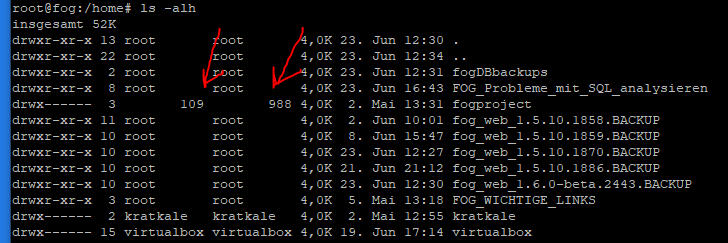
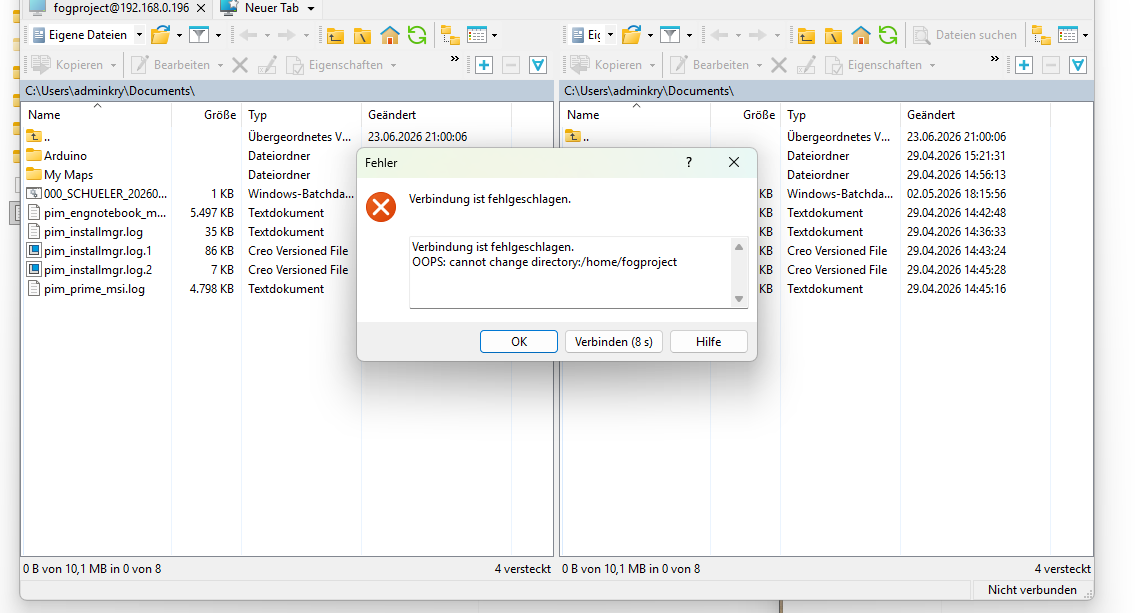
                      here is a mistake …
                      d74b07de-4aa6-4437-bb89-fb69d0a3a6cb-grafik.png
                      I change and check it then tomorrow …

                      Tom ElliottT 1 Reply Last reply Reply Quote 1
                      • Tom ElliottT
                        Tom Elliott @kratkale
                        last edited by

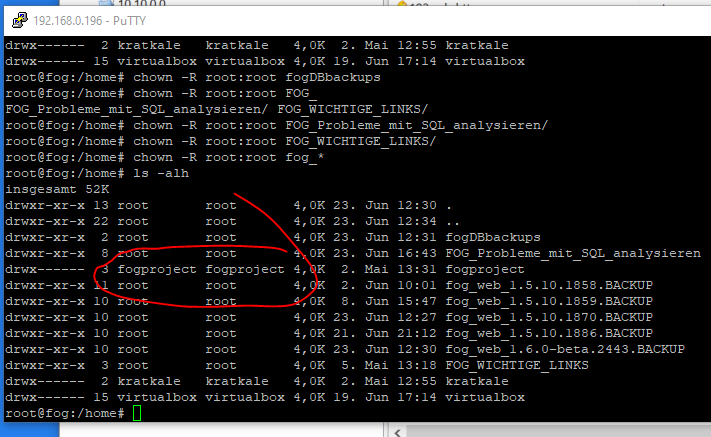
                        @kratkale that would make sense if the ids don’t match the actual user, apologies on not having you check this part sooner, and I never thought to check the directory permissions, so thank you for that.

                        Please help us build the FOG community with everyone involved. It's not just about coding - way more we need people to test things, update documentation and most importantly work on uniting the community of people enjoying and working on FOG! Get in contact with me (chat bubble in the top right corner) if you want to join in.

                        Web GUI issue? Please check apache error (debian/ubuntu: /var/log/apache2/error.log, centos/fedora/rhel: /var/log/httpd/error_log) and php-fpm log (/var/log/php*-fpm.log)

                        Please support FOG if you like it: https://wiki.fogproject.org/wiki/index.php/Support_FOG

                        K 2 Replies Last reply Reply Quote 0
                        • K
                          kratkale @Tom Elliott
                          last edited by

                          @Tom-Elliott

                          Here we go …
                          24914f92-d349-47c9-aca3-62c734ebd896-grafik.png
                          ad421682-7cc6-4462-8849-2fa245b33b73-grafik.png

                          You just saved my life—I was really about to give up on everything before that…

                          I’m going to start testing the system now. I find the hourglass a bit odd.
                          Are there any test tasks?

                          K 1 Reply Last reply Reply Quote 0
                          • K
                            kratkale @Tom Elliott
                            last edited by

                            @Tom-Elliott
                            multicast with 5 PC worked
                            joining Domain did not work with 4 PC one was joining:
                            Here relevant parts of the log?!


                            ----------------------------------UserTracker---------------------------------

                            02.05.2026 19:58:33 Client-Info Client Version: 0.13.0
                            02.05.2026 19:58:33 Client-Info Client OS: Windows
                            02.05.2026 19:58:33 Client-Info Server Version: 1.5.10.1826
                            02.05.2026 19:58:33 Middleware::Response Success

                            02.05.2026 19:58:33 Service Sleeping for 103 seconds
                            24.06.2026 09:29:11 Main Overriding exception handling
                            24.06.2026 09:29:12 Main Bootstrapping Zazzles
                            24.06.2026 09:29:12 Controller Initialize
                            24.06.2026 09:29:12 Controller Start

                            24.06.2026 09:29:12 Service Starting service
                            24.06.2026 09:29:14 Bus Became bus server
                            24.06.2026 09:29:14 Bus Emmiting message on channel: Status
                            24.06.2026 09:29:14 Service Invoking early JIT compilation on needed binaries

                            --------------------------------Authentication--------------------------------

                            24.06.2026 09:33:14 Client-Info Version: 0.13.0
                            24.06.2026 09:33:14 Client-Info OS: Windows
                            24.06.2026 09:33:14 Middleware::Authentication Waiting for authentication timeout to pass
                            24.06.2026 09:35:14 Middleware::Communication Download: http://192.168.0.196/fog/management/other/ssl/srvpublic.crt
                            24.06.2026 09:35:14 Middleware::Authentication Cert OK
                            24.06.2026 09:35:14 Middleware::Communication POST URL: http://192.168.0.196/fog/management/index.php?sub=requestClientInfo&authorize&newService
                            24.06.2026 09:35:14 Middleware::Response Invalid security token

                            --------------------------------Authentication--------------------------------

                            24.06.2026 09:35:14 Client-Info Version: 0.13.0
                            24.06.2026 09:35:14 Client-Info OS: Windows
                            24.06.2026 09:35:14 Middleware::Authentication Waiting for authentication timeout to pass
                            24.06.2026 09:37:14 Middleware::Communication Download: http://192.168.0.196/fog/management/other/ssl/srvpublic.crt
                            24.06.2026 09:37:14 Middleware::Authentication Cert OK
                            24.06.2026 09:37:14 Middleware::Communication POST URL: http://192.168.0.196/fog/management/index.php?sub=requestClientInfo&authorize&newService
                            24.06.2026 09:37:14 Middleware::Response Invalid security token

                            24.06.2026 09:37:14 Client-Info ERROR: Failed to authenticate, will not run Module Looper.

                            Tom ElliottT 1 Reply Last reply Reply Quote 0
                            • K
                              kratkale @kratkale
                              last edited by

                              @kratkale
                              Renaming and Joining the domain as local PC admin localy worked with

                              Aktuellen Computernamen holen

                              $currentName = $env:COMPUTERNAME

                              IPv4-Adresse ermitteln, bei der das 3. Oktett = 0 ist

                              $ip = Get-NetIPAddress -AddressFamily IPv4 |
                              Where-Object {
                              $.IPAddress -notlike “127.*” -and
                              $
                              .PrefixOrigin -ne “WellKnown” -and
                              ($_.IPAddress.Split(‘.’)[2] -eq ‘0’)
                              } |
                              Select-Object -First 1 -ExpandProperty IPAddress

                              if (-not $ip) {
                              Write-Host “Keine gültige IPv4-Adresse mit drittem Oktett = 0 gefunden!” -ForegroundColor Red
                              exit
                              }

                              Letztes Oktett extrahieren

                              $lastOctet = $ip.Split(‘.’)[-1]

                              Dreistellig formatieren

                              $number = “{0:D3}” -f [int]$lastOctet

                              Neuer Name

                              $newName = “PC${number}CAD”

                              Anzeige

                              Write-Host “Aktueller Name: $currentName”
                              Write-Host “Gefundene IP: $ip”
                              Write-Host “Neuer Name: $newName”
                              Write-Host “”

                              $domain = “MM.HTLWIEN10.AT”
                              $username = “MM.HTLWIEN10.AT\adminfog”
                              $password = “xxxxxxxxxxxxxxxxxxxxx” | ConvertTo-SecureString -AsPlainText -Force
                              $credential = New-Object System.Management.Automation.PSCredential($username, $password)

                              Add-Computer -DomainName $domain -Credential $credential -Restart

                              so there seems to be no problem with the domain …

                              1 Reply Last reply Reply Quote 0
                              • Tom ElliottT
                                Tom Elliott @kratkale
                                last edited by

                                @kratkale The issue isn’t domain join but rather that machine (or those machines?) security tokens no longer match the security token they were initially given, most likely because the machine you cloned had a security token it passed in?

                                From the host(s) in question in the uI you can reset the security token:
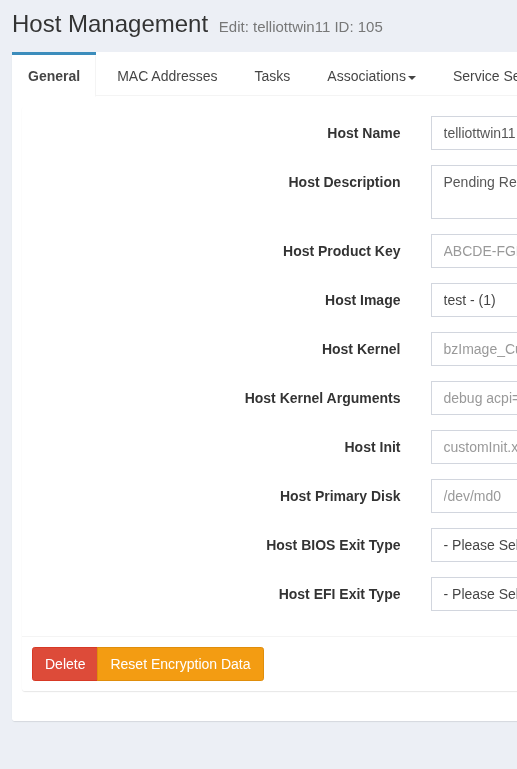
                                b8102a2d-7604-4272-9975-3d6ad0211b17-image.png

                                I believe it’s similar for groups (if you wanted to put the 5 having issues into the same group and click reset encryption data.)

                                Please help us build the FOG community with everyone involved. It's not just about coding - way more we need people to test things, update documentation and most importantly work on uniting the community of people enjoying and working on FOG! Get in contact with me (chat bubble in the top right corner) if you want to join in.

                                Web GUI issue? Please check apache error (debian/ubuntu: /var/log/apache2/error.log, centos/fedora/rhel: /var/log/httpd/error_log) and php-fpm log (/var/log/php*-fpm.log)

                                Please support FOG if you like it: https://wiki.fogproject.org/wiki/index.php/Support_FOG

                                K 5 Replies Last reply Reply Quote 0
                                • K
                                  kratkale @Tom Elliott
                                  last edited by

                                  @Tom-Elliott

                                  did not help …

                                  still aktive snapin - did not join the domain

                                  next step to remove the client and reinstall.

                                  I think with the next image I’ll try to install the client after cloning

                                  K 1 Reply Last reply Reply Quote 0
                                  • K
                                    kratkale @Tom Elliott
                                    last edited by

                                    @Tom-Elliott
                                    cloned again
                                    during cloning the Reset Encryption Data done
                                    joining domain worked

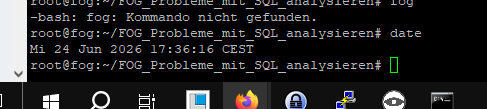
                                    Intresting: have a look at time in the maria database and the system time …
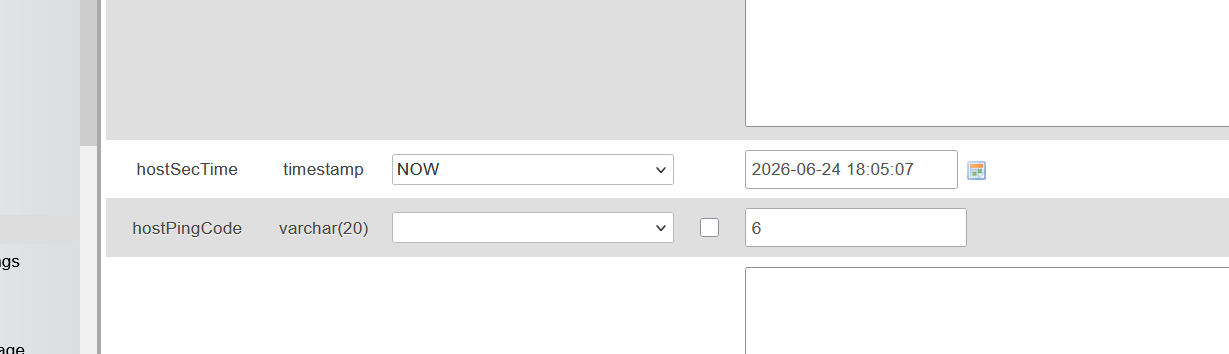
                                    97b34388-1275-42b1-8594-c773678b4b0e-grafik.png

                                    70ca09fe-42a0-49ec-9a8f-545fa5d869c4-grafik.png

                                    Tom ElliottT 1 Reply Last reply Reply Quote 0
                                    • K
                                      kratkale @Tom Elliott
                                      last edited by

                                      @Tom-Elliott

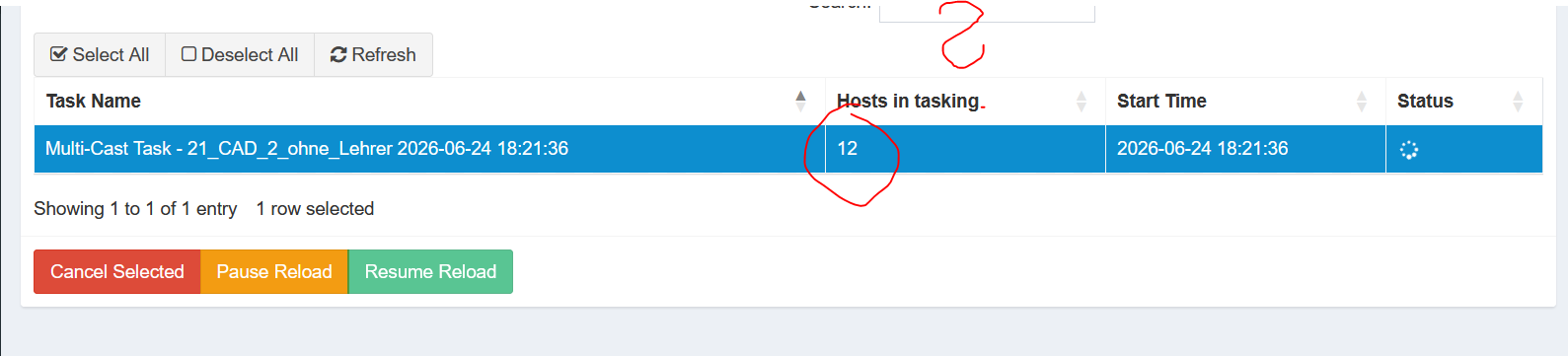
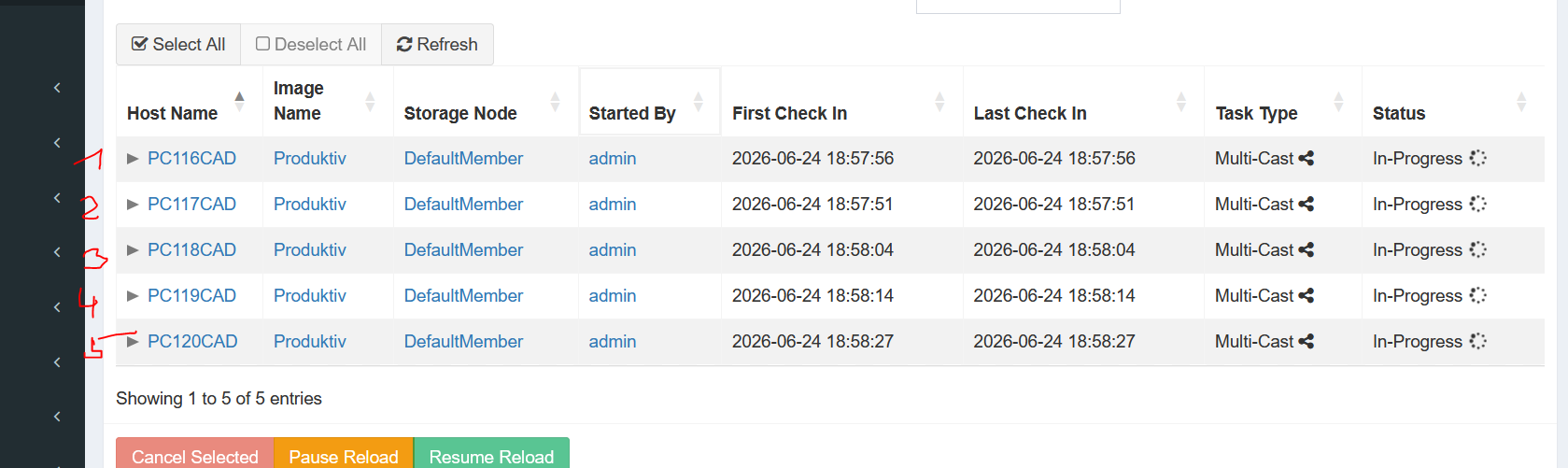
                                      multicast wit 22 PC

                                      ea82e457-e631-4439-b86d-bfbc44112948-grafik.png

                                      df60c613-4144-4ebe-8e7b-eb07b6efa9bd-grafik.png

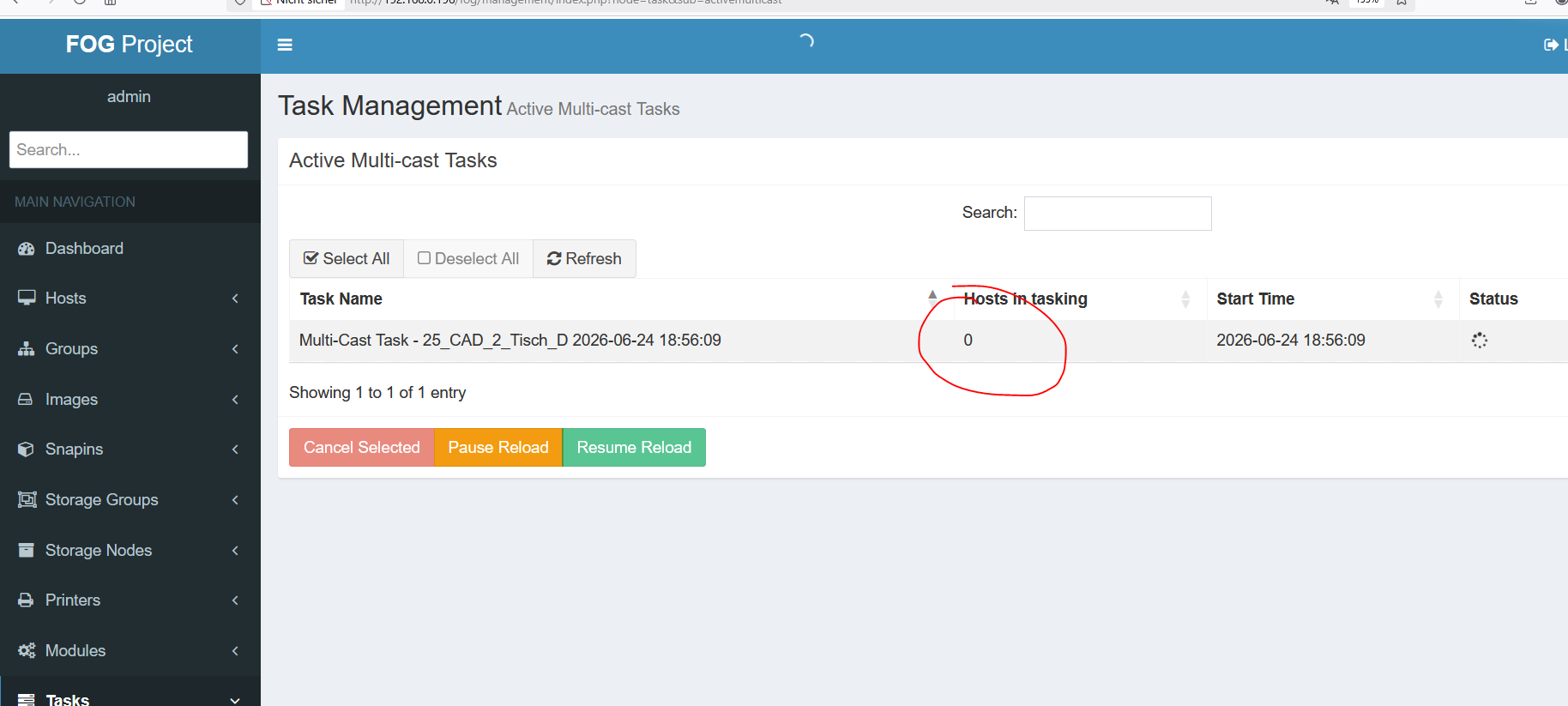
                                      one show 12 Host in tasking
                                      the other 22

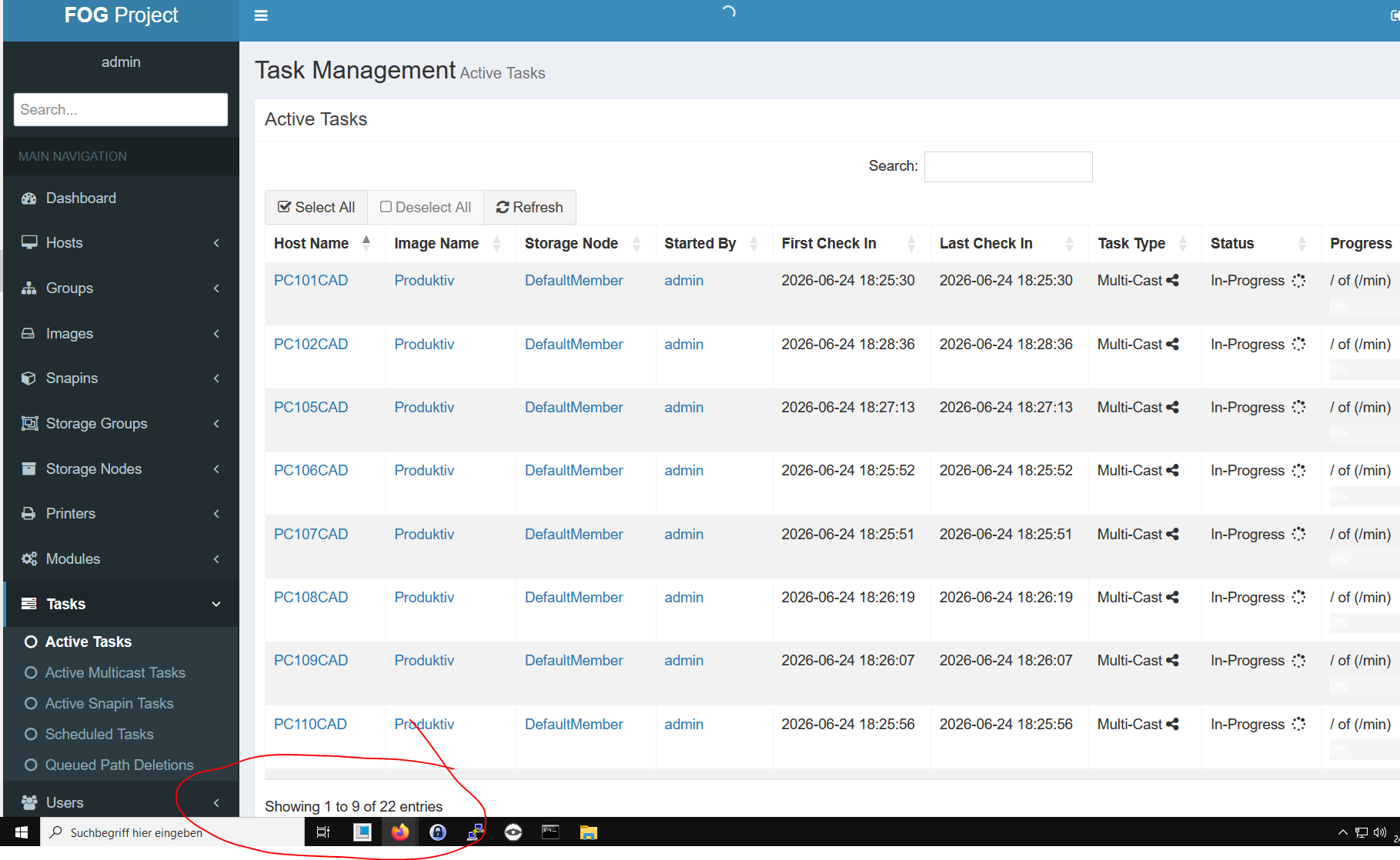
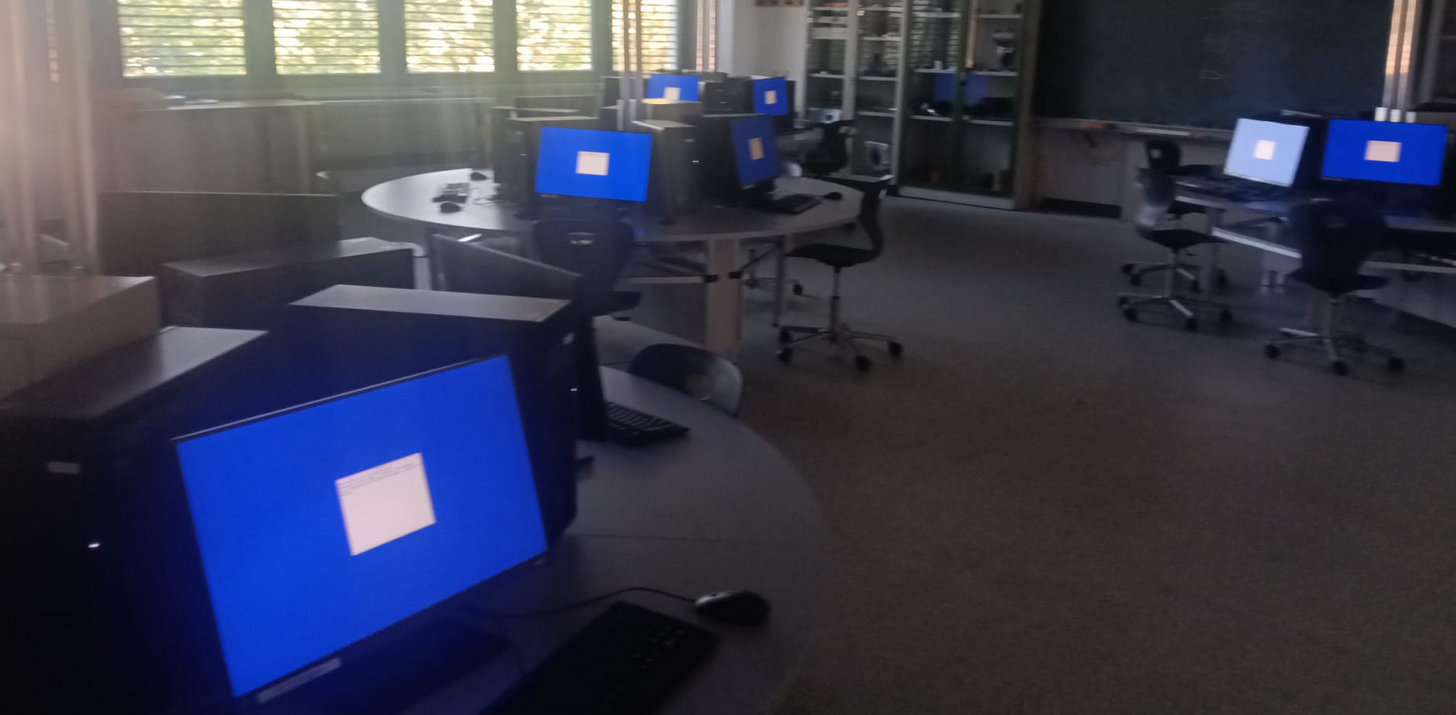
                                      22 are waiting - but the do not start?

                                      d780ac77-f146-48d8-853b-d94cd464c368-grafik.png

                                      in the Task Management Active Tasks are all “In-Progress”

                                      1 Reply Last reply Reply Quote 0
                                      • K
                                        kratkale @Tom Elliott
                                        last edited by

                                        @Tom-Elliott
                                        next test …

                                        5 PC in multicast
                                        f51924b9-7aa9-4fec-b086-2678dc21220b-grafik.png

                                        79b04ee2-58aa-4e7f-a6fc-73272dffde6d-grafik.png

                                        I’m missing the status om much percentage is cloned …

                                        1 Reply Last reply Reply Quote 0
                                        • K
                                          kratkale @Tom Elliott
                                          last edited by kratkale

                                          @Tom-Elliott
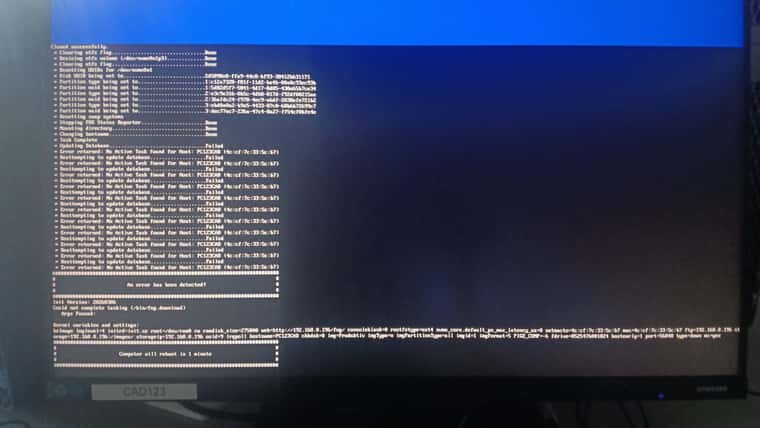
                                          cloning stops with an error - but the new image is working on the pc’s
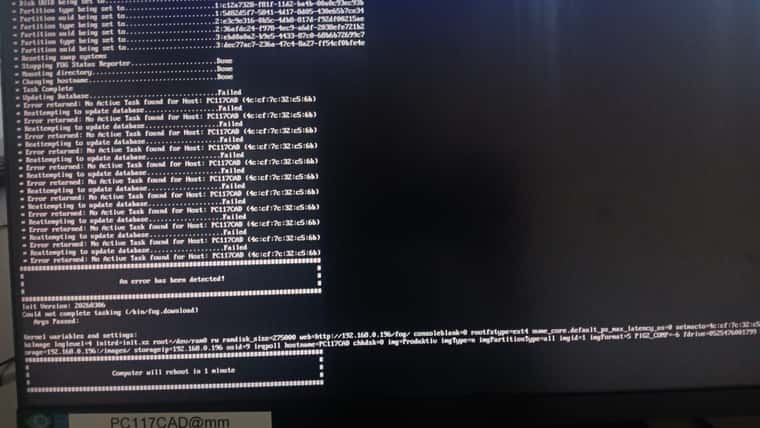
                                          WhatsApp Image 2026-06-24 at 19.05.26(1).jpeg
                                          it seems some problem with the Database.
                                          Same situation with the next Group of 5 PC
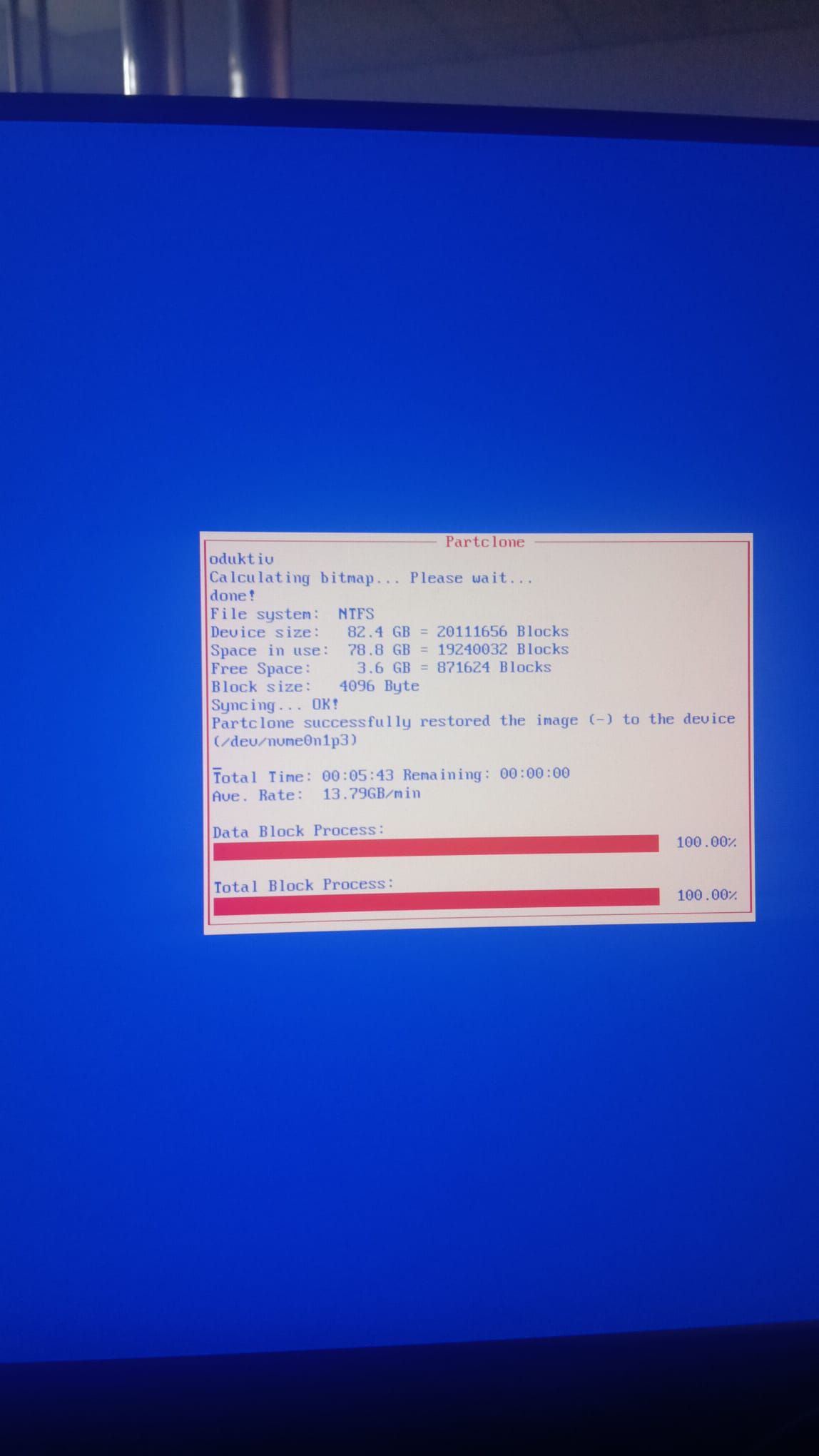
                                          WhatsApp Image 2026-06-24 at 19.20.52.jpeg
                                          WhatsApp Image 2026-06-24 at 19.21.26.jpeg

                                          Tom ElliottT 1 Reply Last reply Reply Quote 0
                                          • K
                                            kratkale @kratkale
                                            last edited by

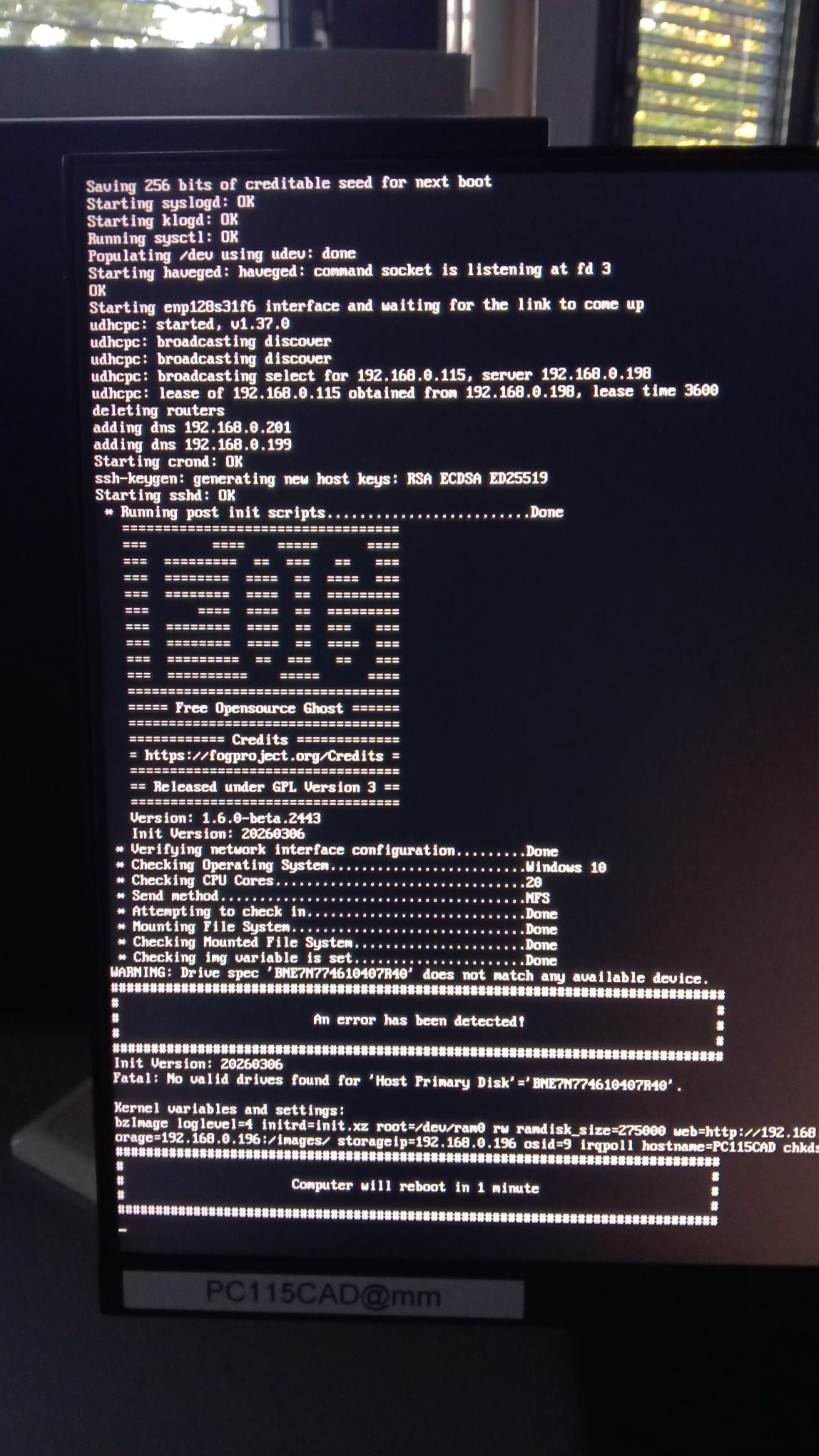
                                            @kratkale one special problem
                                            WhatsApp Image 2026-06-24 at 20.09.07.jpeg

                                            This host is not willing to work witch the host Device entry BNE7N774610407R40 - I removed the host - performed a Full registration - filled out the host Device - same problem again.
                                            Double check the blkid value … ???
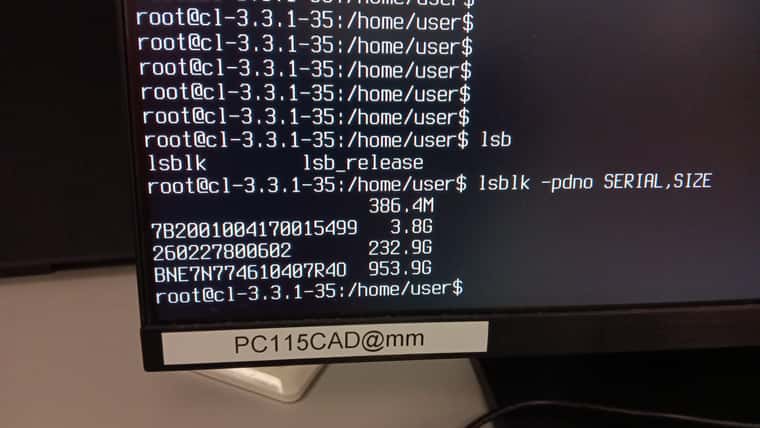
                                            115.jpeg

                                            K 1 Reply Last reply Reply Quote 0
                                            • 1
                                            • 2
                                            • 3
                                            • 4
                                            • 5
                                            • 6
                                            • 7
                                            • 5 / 7
                                            • First post
                                              Last post

                                            68

                                            Online

                                            12.7k

                                            Users

                                            17.6k

                                            Topics

                                            156.8k

                                            Posts
                                            Copyright © 2012-2026 FOG Project