Windows 11 | 65x HP Z2 Tower G1i | UPDATE -
-
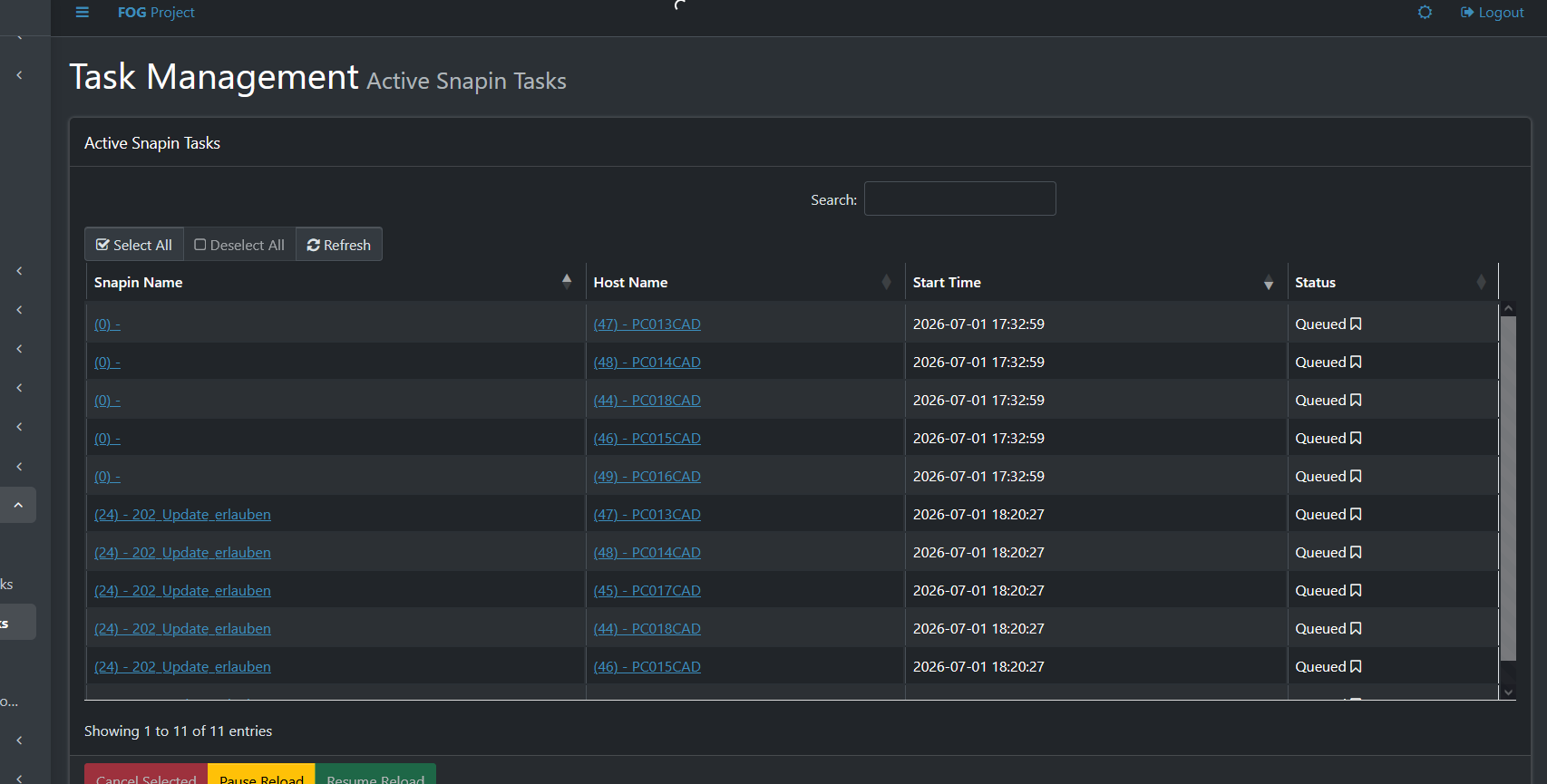
Sometimes I come across these “ghost” tasks—I have no idea how I end up with them.
-
@Tom-Elliott
Unfortunately, the “Reset Encryption Data” feature doesn’t work very well for me. Right now, it seems like I have to press the “Reset” button during the cloning process every time I clone a PC. If I don’t, the Fog Client doesn’t work, and I have to go to the PC in person.
To make sure the PCs are still usable, I’ve moved the steps for renaming the PC, connecting it to the domain, and installing the Veyon Client to c:\windows\Setup\Scripts\SetupComplete.cmd. This makes the cloning process go more smoothly for me. I also install the Fog Client at the same time.Despite all these efforts, I’m not getting anywhere:
01.07.2026 18:34:53 Middleware::Communication Download: http://192.168.0.196/fog/management/other/ssl/srvpublic.crt
01.07.2026 18:34:53 Middleware::Authentication Cert OK
01.07.2026 18:34:53 Middleware::Authentication No token found at C:\Program Files (x86)\FOG\token.dat, this is expected if the client has not authenticated before
01.07.2026 18:34:53 Middleware::Authentication ERROR: Could not get security token
01.07.2026 18:34:53 Middleware::Authentication ERROR: Die Datei “C:\Program Files (x86)\FOG\token.dat” konnte nicht gefunden werden.
01.07.2026 18:34:53 Middleware::Communication POST URL: http://192.168.0.196/fog/management/index.php?sub=requestClientInfo&authorize&newService
01.07.2026 18:34:53 Middleware::Communication ERROR: Failed to POST data
01.07.2026 18:34:53 Middleware::Communication ERROR: Der Remoteserver hat einen Fehler zurückgegeben: (401) Nicht autorisiert.
01.07.2026 18:34:53 Middleware::Response Success01.07.2026 18:34:53 Client-Info ERROR: Failed to authenticate, will not run Module Looper.
-
@Tom-Elliott
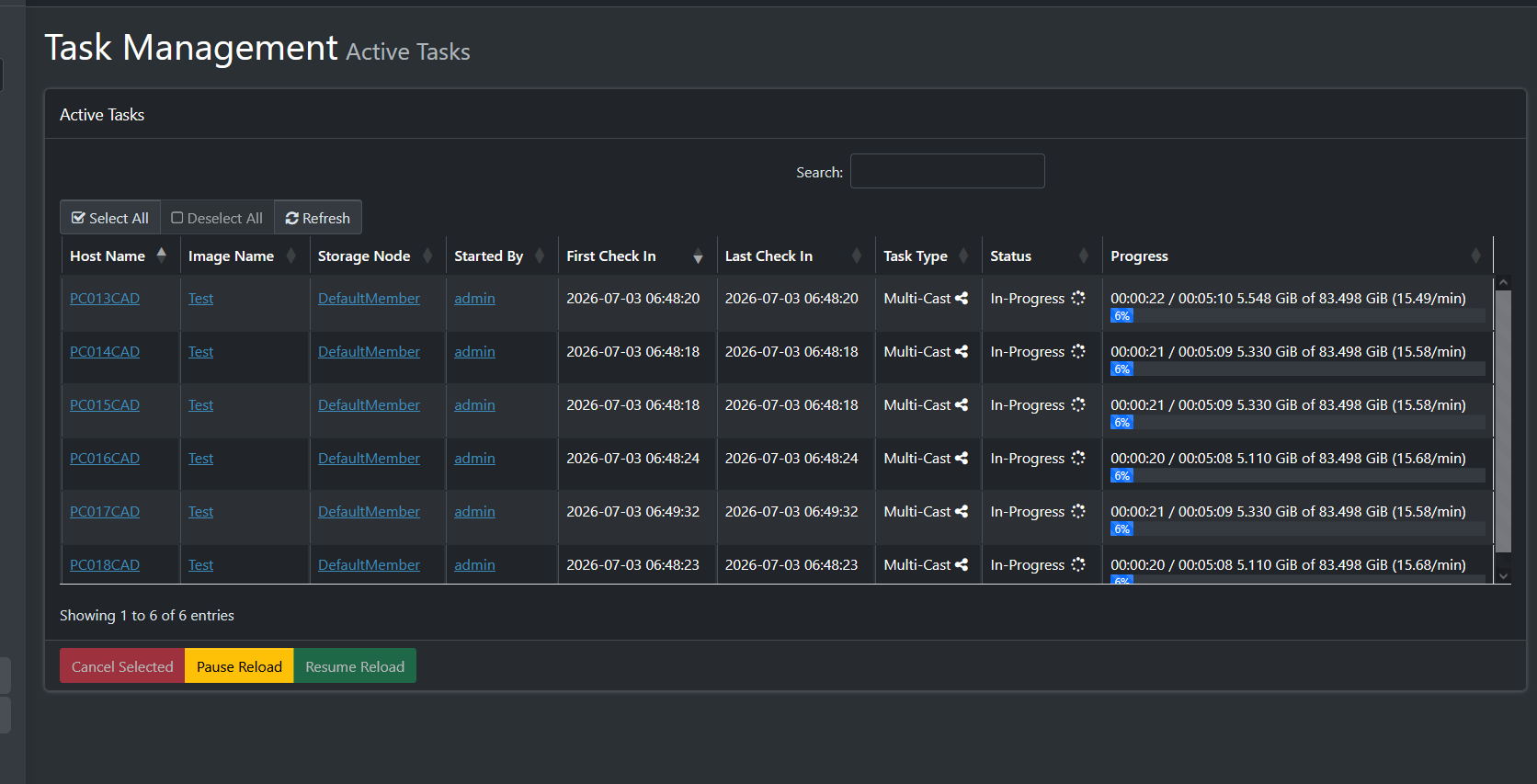
Tom—I just can’t get this to work. I’ve been trying to set up a multicast with 6 PCs here: PC013CAD through PC018CAD. They’re all identical devices, and sometimes one set works, then the other. I think the problem is somehow with the client. In this log, I automatically installed the client after cloning (c:\Windows\setup\ … ), then uninstalled it and reinstalled it—but I still can’t get a connection.
01.07.2026 23:39:12 Main Overriding exception handling
01.07.2026 23:39:12 Main Bootstrapping Zazzles
01.07.2026 23:39:12 Controller Initialize
01.07.2026 23:39:12 Controller Start01.07.2026 23:39:12 Service Starting service
01.07.2026 23:39:14 Bus Became bus server
01.07.2026 23:39:14 Bus Emmiting message on channel: Status
01.07.2026 23:39:14 Service Invoking early JIT compilation on needed binariesAuthentication--------------------------------
01.07.2026 23:39:15 Client-Info Version: 0.13.0
01.07.2026 23:39:15 Client-Info OS: Windows
01.07.2026 23:39:15 Middleware::Authentication Waiting for authentication timeout to pass
01.07.2026 23:39:15 Middleware::Communication Download: http://192.168.0.196/fog/management/other/ssl/srvpublic.crt
01.07.2026 23:39:15 Middleware::Authentication Cert OK
01.07.2026 23:39:15 Middleware::Authentication No token found at C:\Program Files (x86)\FOG\token.dat, this is expected if the client has not authenticated before
01.07.2026 23:39:15 Middleware::Authentication ERROR: Could not get security token
01.07.2026 23:39:15 Middleware::Authentication ERROR: Die Datei “C:\Program Files (x86)\FOG\token.dat” konnte nicht gefunden werden.
01.07.2026 23:39:15 Middleware::Communication POST URL: http://192.168.0.196/fog/management/index.php?sub=requestClientInfo&authorize&newService
01.07.2026 23:39:15 Middleware::Communication ERROR: Failed to POST data
01.07.2026 23:39:15 Middleware::Communication ERROR: Der Remoteserver hat einen Fehler zurückgegeben: (401) Nicht autorisiert.
01.07.2026 23:39:15 Middleware::Response SuccessAuthentication--------------------------------
01.07.2026 23:39:15 Client-Info Version: 0.13.0
01.07.2026 23:39:15 Client-Info OS: Windows
01.07.2026 23:39:15 Middleware::Authentication Waiting for authentication timeout to pass -
@kratkale I’m unsure if I follow:
So if you reset encryption data, things will start and continue to work, but fresh after imaging it does not?
-
@Tom-Elliott
I’m still testing to see if it works. I have a group of 6 PCs: PC013 through PC018.
They are all identical PCs.
I start the cloning process—reset encryption.
3 to 4 PCs work perfectly, but 1 to 2 PCs cannot connect to the FOG server.
The FOG client is now installed after cloning.
On the next attempt, the other PCs work.I don’t see any systematic pattern either
-
@kratkale Is it possible DHCP IPs are all used up and the device that fails doesn’t have a proper IP address to be able to even communicate with your FOG Server?
It is very odd that one machine works where another seems to fail.
Nope, because 401 isn’t the same as that’s a client side error saying “we failed to prove we can talk to the fog server.”
-
@Tom-Elliott
DHCP works perfectly—it runs on IP Fire—and this system has proven itself.OK—I have a proxy server running. I’ve only specified my IT students’ HTTP server as a proxy exception. All HTTP pages running on the network are inaccessible to the students in their browsers because “the proxy is configured incorrectly”… Of course, this isn’t foolproof—but most students can’t access HTTP pages from IP Fire, Shellies, AP etc., this way. After all, they’re mechanical engineers, not computer scientists. I then set the proxy exceptions correctly in my browser on my computer and can work.
I’ll go ahead and add the Fog Server to the proxy exceptions.If the website stays open for a while, there should be some way to tell that you need to log in again.
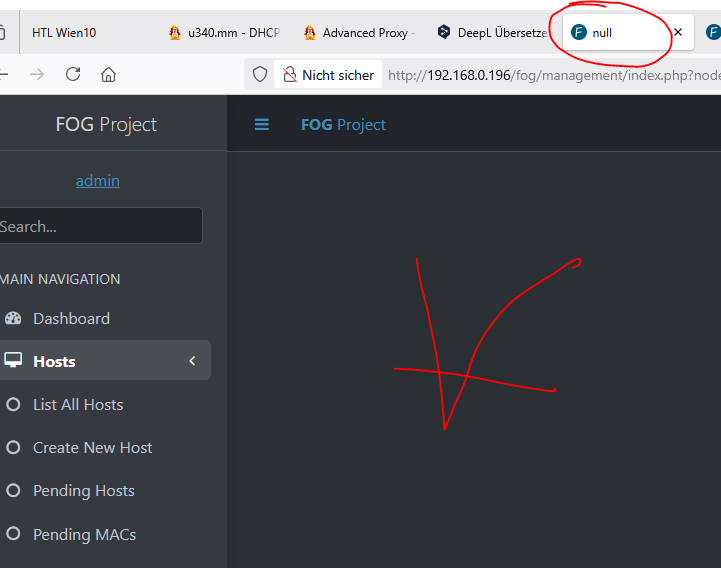
The tab at the top says “Zero”—the image below doesn’t load. Now you have to change the URL to the base URL, and then the login page will appear. -
@kratkale
After cloning, all IP addresses are OK.
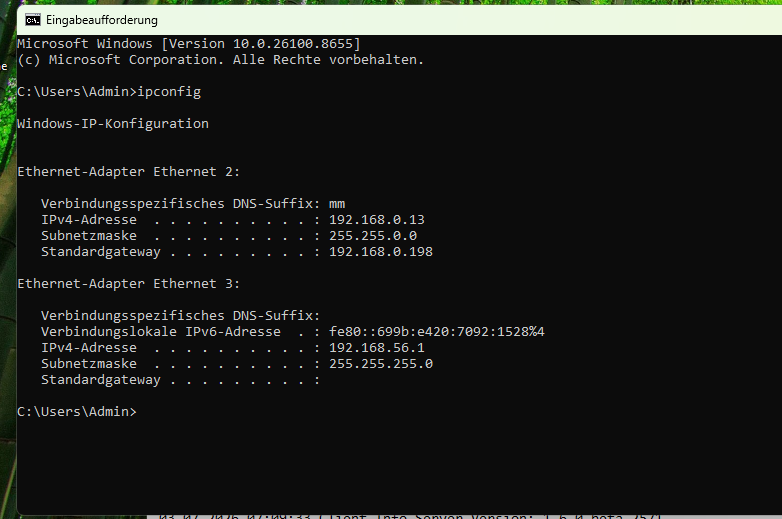
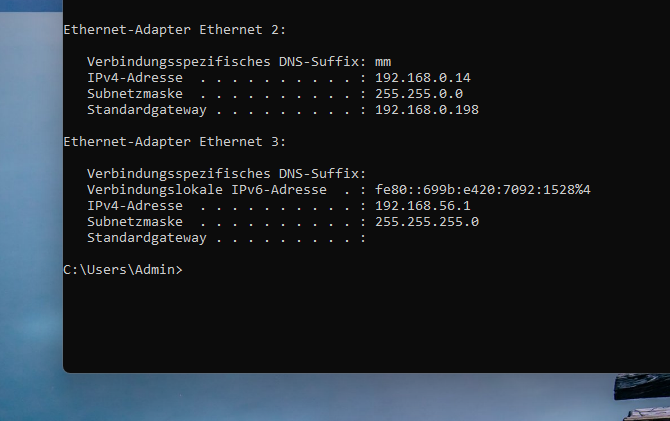
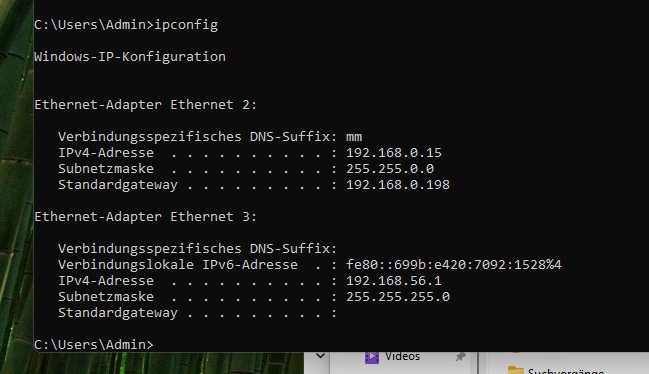
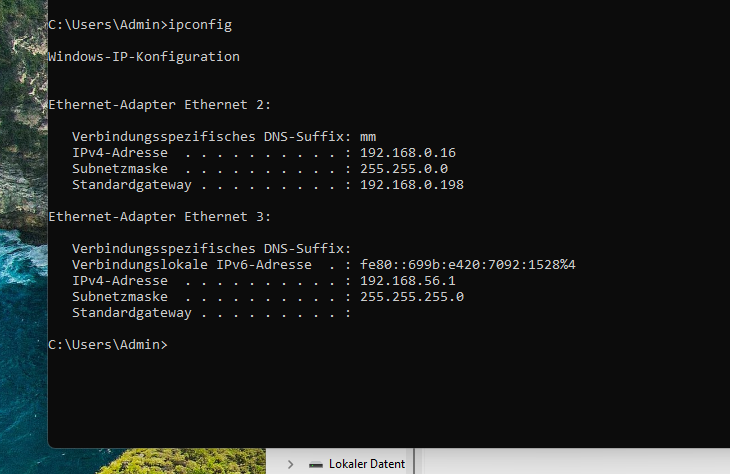
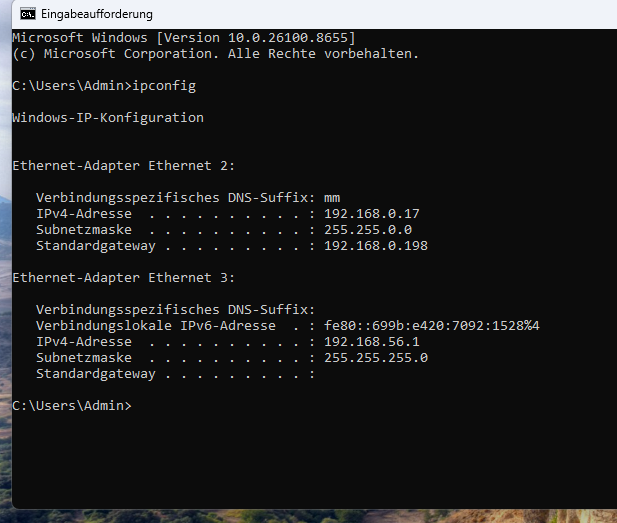
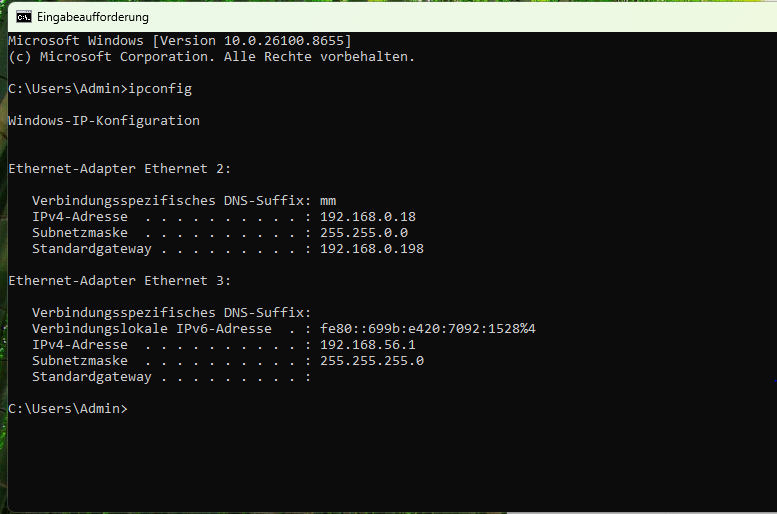 The Fog Logs are quite different, after all
Where can I upload the logs? -
@Tom-Elliott
I’m finding all this back-and-forth here pretty confusing—can we structure our communication differently? I think there was a new message from you for a moment—but I don’t see it right now. -
@kratkale
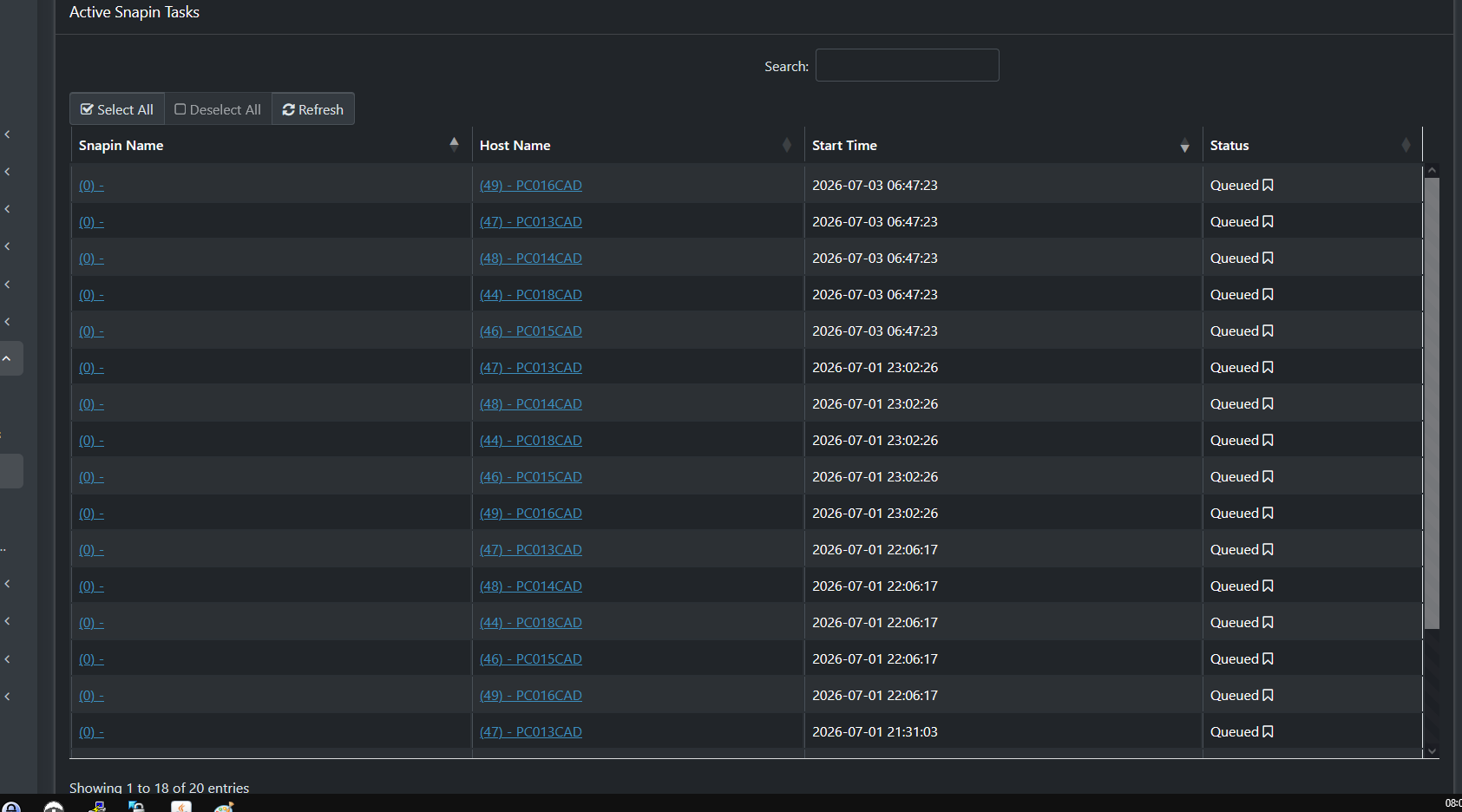
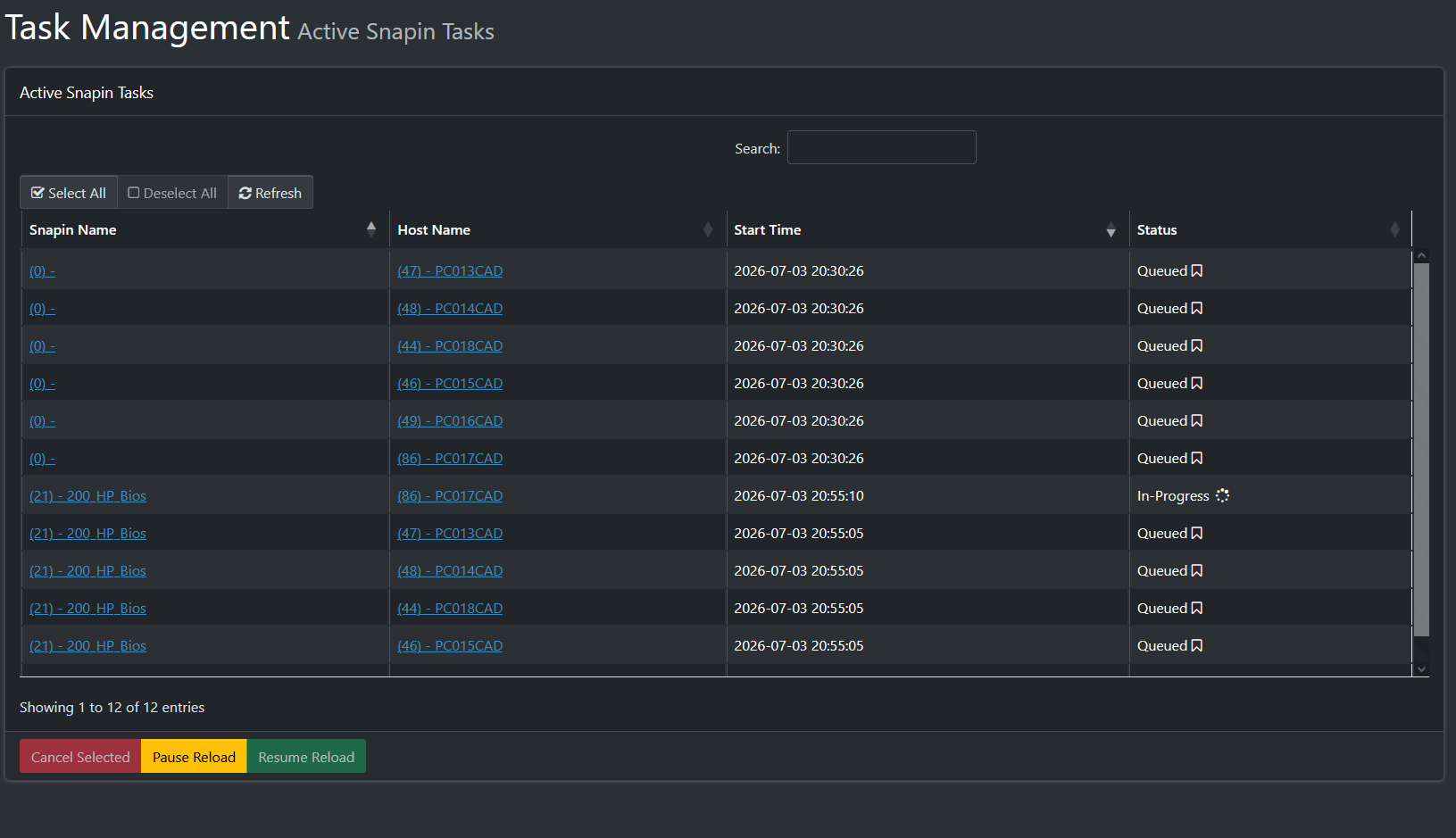
Here in the Tasks, there are those weird snap-ins again—I have no idea where they’re coming from -
@Tom-Elliott
It seems that Machine 17 is the one having the problem with the FOG client—I can’t fix the issue there even by reinstalling it.Why does the PC have so many network cards?
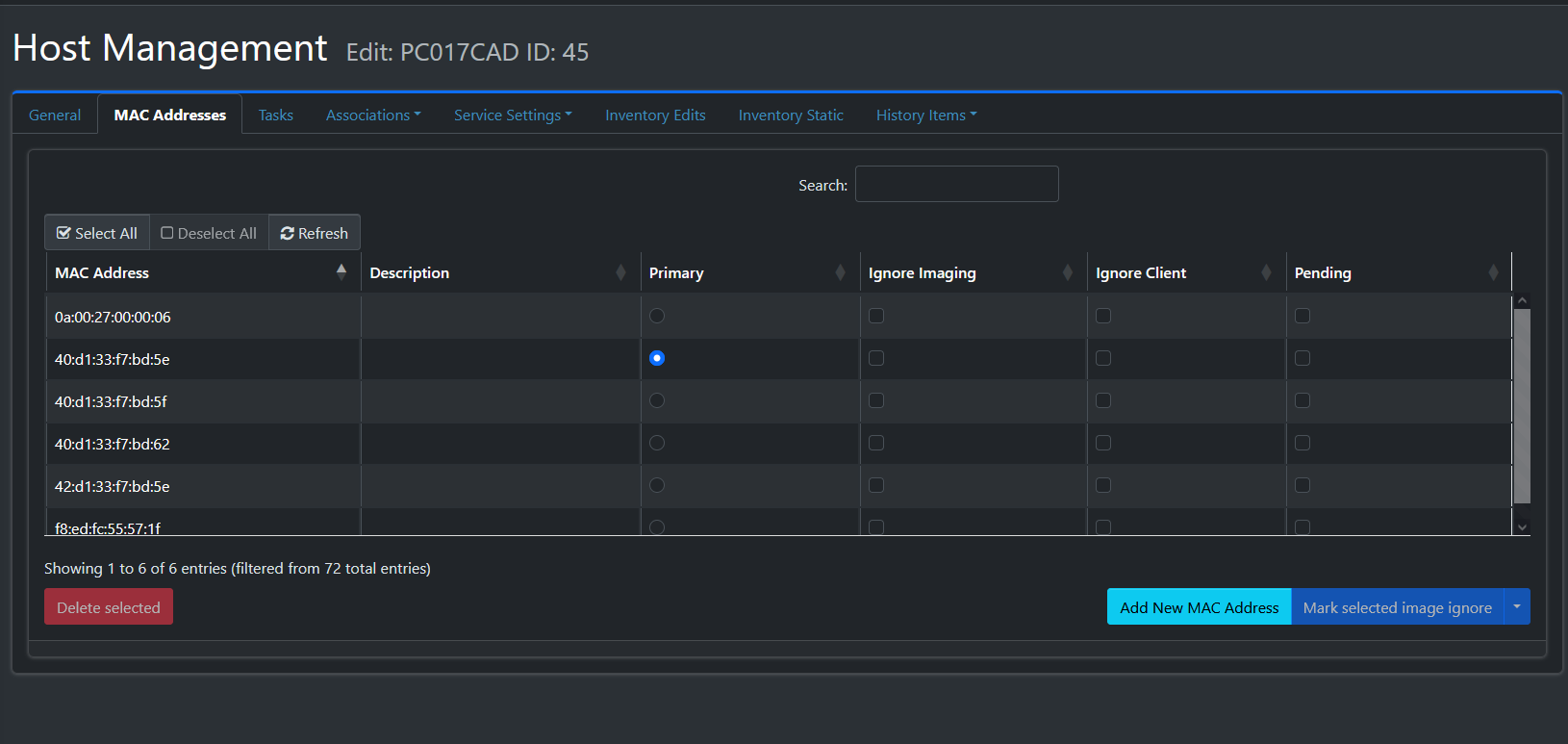
I’m having Samba problems with the others
-
@Tom-Elliott
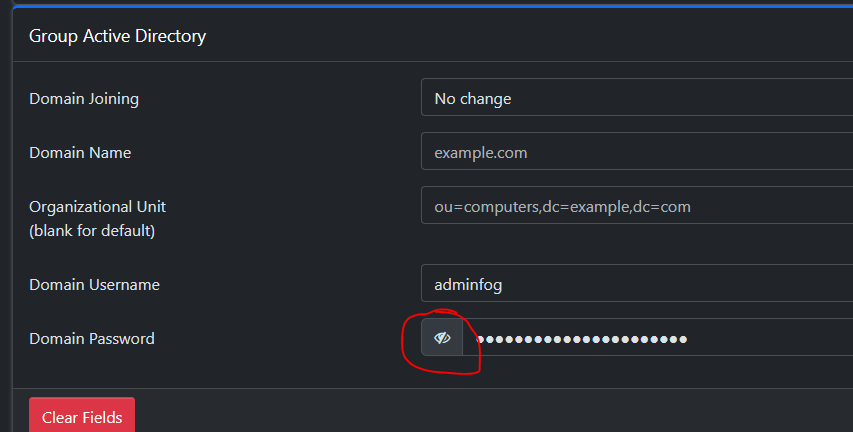
The button does not reveal the password. -
@Tom-Elliott
Conclusion:- It’s unclear why the malfunctioning PC had multiple network cards.
- Domain Join does not work in this version.
(Note: This applies only if the PCs are not present in the domain—that is, if they have been deleted or have never been joined to the domain. Another group of PCs, PC001CAD through PC006CAD, were known to the DC and have joined the domain.)
The experiments leading to this conclusion are as follows:
OK, PC017CAD has been deleted and recreated. I searched for any other “duplicate” PCs using the following SQL queries.
mysql -u root fog -e “SELECT hmHostID, h.hostName, hm.hmMAC FROM hosts h JOIN hostMAC hm ON hm.hmHostID = h.hostID ORDER BY h.hostName ASC;”
mysql -u root fog -e " SELECT hmMAC, COUNT() AS anzahl FROM hostMAC GROUP BY hmMAC HAVING COUNT() > 1; "
mysql -u root fog -e " SELECT h.hostID, h.hostName, hm.hmMAC FROM hosts h JOIN hostMAC hm ON hm.hmHostID = h.hostID WHERE h.hostID IN ( SELECT hmHostID FROM hostMAC GROUP BY hmHostID HAVING COUNT(*) > 1) ORDER BY h.hostName, hm.hmMAC; "Trying again
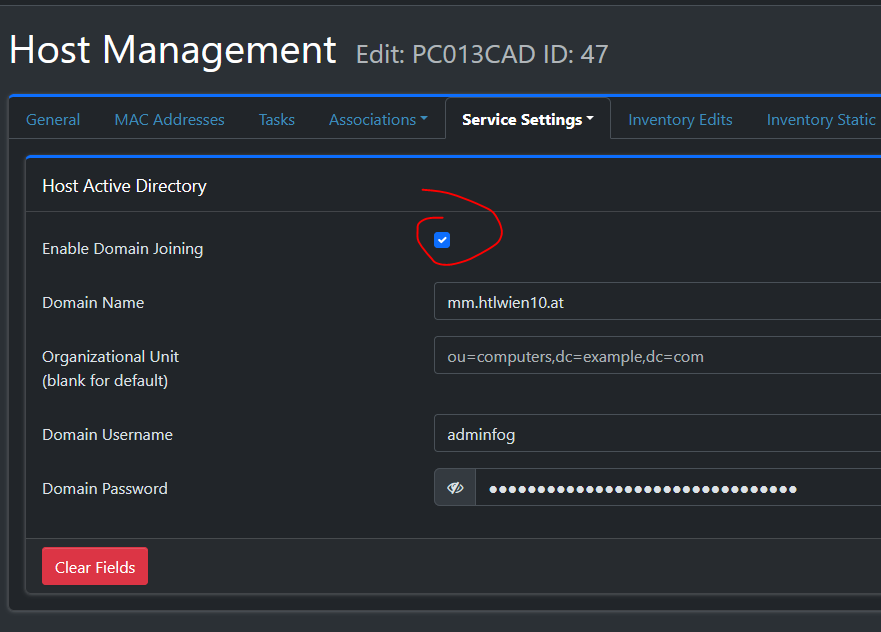
Of course, I forgot to select “Reset Encryption Data” again!!! Couldn’t that be set automatically when cloning??? It’s annoying me a little. But it’s probably the same as with the single snap-in—there must be a reason behind it that I just don’t understand

03.07.2026 20:49:54 Main Overriding exception handling
 03.07.2026 20:49:55 Main Bootstrapping Zazzles
 03.07.2026 20:49:55 Controller Initialize
 03.07.2026 20:49:55 Controller Start

 03.07.2026 20:49:55 Service Starting service
 03.07.2026 20:50:02 Bus Became bus server
 03.07.2026 20:50:02 Bus Emmiting message on channel: Status
 03.07.2026 20:50:02 Service Invoking early JIT compilation on needed binaries

------------------------------------------------------------------------------
--------------------------------Authentication--------------------------------
------------------------------------------------------------------------------
 03.07.2026 20:50:02 Client-Info Version: 0.13.0
 03.07.2026 20:50:02 Client-Info OS:      Windows
 03.07.2026 20:50:02 Middleware::Authentication Waiting for authentication timeout to pass
 03.07.2026 20:50:02 Middleware::Communication Download: http://192.168.0.196/fog/management/other/ssl/srvpublic.crt
 03.07.2026 20:50:02 Middleware::Authentication Cert OK
 03.07.2026 20:50:02 Middleware::Authentication No token found at C:\Program Files (x86)\FOG\token.dat, this is expected if the client has not authenticated before
 03.07.2026 20:50:02 Middleware::Authentication ERROR: Could not get security token
 03.07.2026 20:50:02 Middleware::Authentication ERROR: Die Datei "C:\Program Files (x86)\FOG\token.dat" konnte nicht gefunden werden.
 03.07.2026 20:50:02 Middleware::Communication POST URL: http://192.168.0.196/fog/management/index.php?sub=requestClientInfo&authorize&newService
 03.07.2026 20:50:02 Middleware::Communication ERROR: Failed to POST data
 03.07.2026 20:50:02 Middleware::Communication ERROR: Der Remoteserver hat einen Fehler zurückgegeben: (401) Nicht autorisiert.
 03.07.2026 20:50:02 Middleware::Response Success
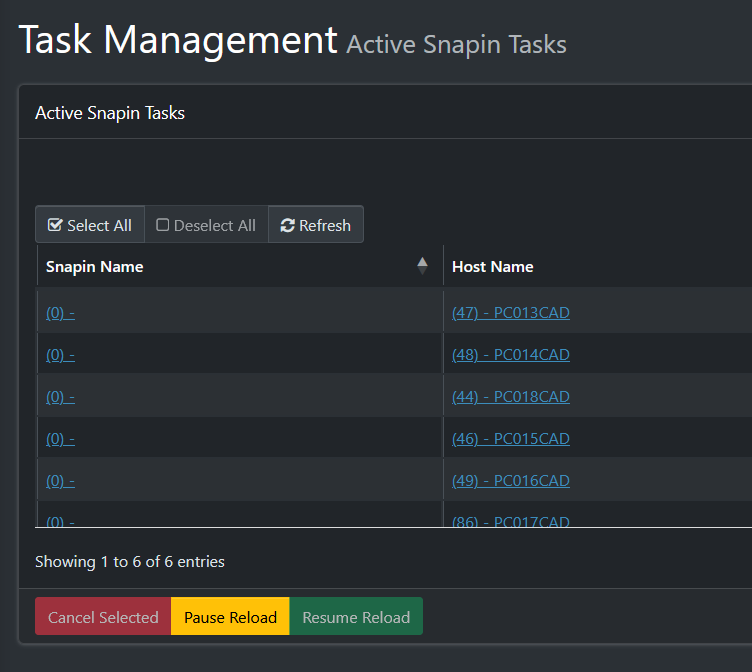
More ghost tasks again… ?
The workstations were not created on the DC.
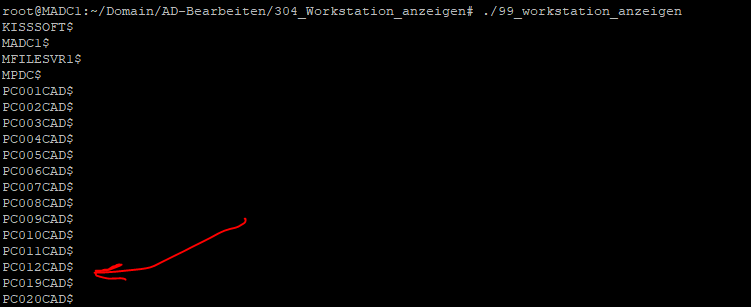
even though required
------------------------------------------------------------------------------
--------------------------------HostnameChanger-------------------------------
------------------------------------------------------------------------------
 03.07.2026 20:52:03 Client-Info Client Version: 0.13.0
 03.07.2026 20:52:03 Client-Info Client OS:      Windows
 03.07.2026 20:52:03 Client-Info Server Version: 1.6.0-beta.2571
 03.07.2026 20:52:03 Middleware::Response Success
 03.07.2026 20:52:03 HostnameChanger Checking Hostname
 03.07.2026 20:52:03 HostnameChanger Renaming host to PC018CAD
 03.07.2026 20:52:03 HostnameChanger Joining domain
 03.07.2026 20:52:20 HostnameChanger The parameter is incorrect, code =  87
 03.07.2026 20:52:20 Power Creating shutdown command in 60 seconds
 03.07.2026 20:52:20 Bus Emmiting message on channel: Power
------------------------------------------------------------------------------
Check in the database whether the username and, most importantly, the password were entered correctly
mysql -u root fog -e " SELECT DISTINCT HostUseAD, hostADDomain, hostADUser, hostADPass FROM hosts; "

Joining the domain in PowerShell as a local administrator works
$domain = "MM.HTLWIEN10.AT"
$username = "MM.HTLWIEN10.AT\adminfog"
$password = "xxxxx" | ConvertTo-SecureString -AsPlainText -Force
$credential = New-Object System.Management.Automation.PSCredential($username, $password)

Add-Computer -DomainName $domain -Credential $credential -Restart
Ghost Snapins are still there…
I’m going to delete them now
Created a PowerShell script for domain joining and released it as a snap-in.
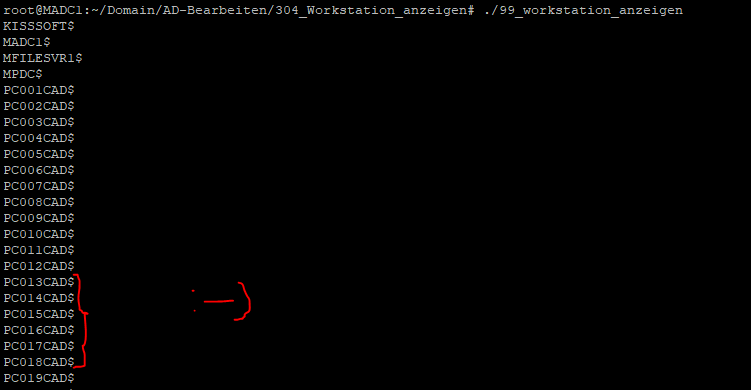
samba-tool computer list | sort
Hooray—the PCs are back online!
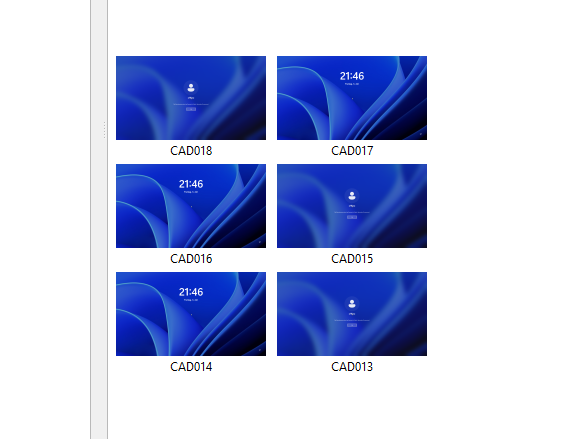
Hooray—all 6 PCs are now set up in Veyon—so they’ve all successfully joined the domain, and the “Student” snap-in for the Veyon client was also successful…
-
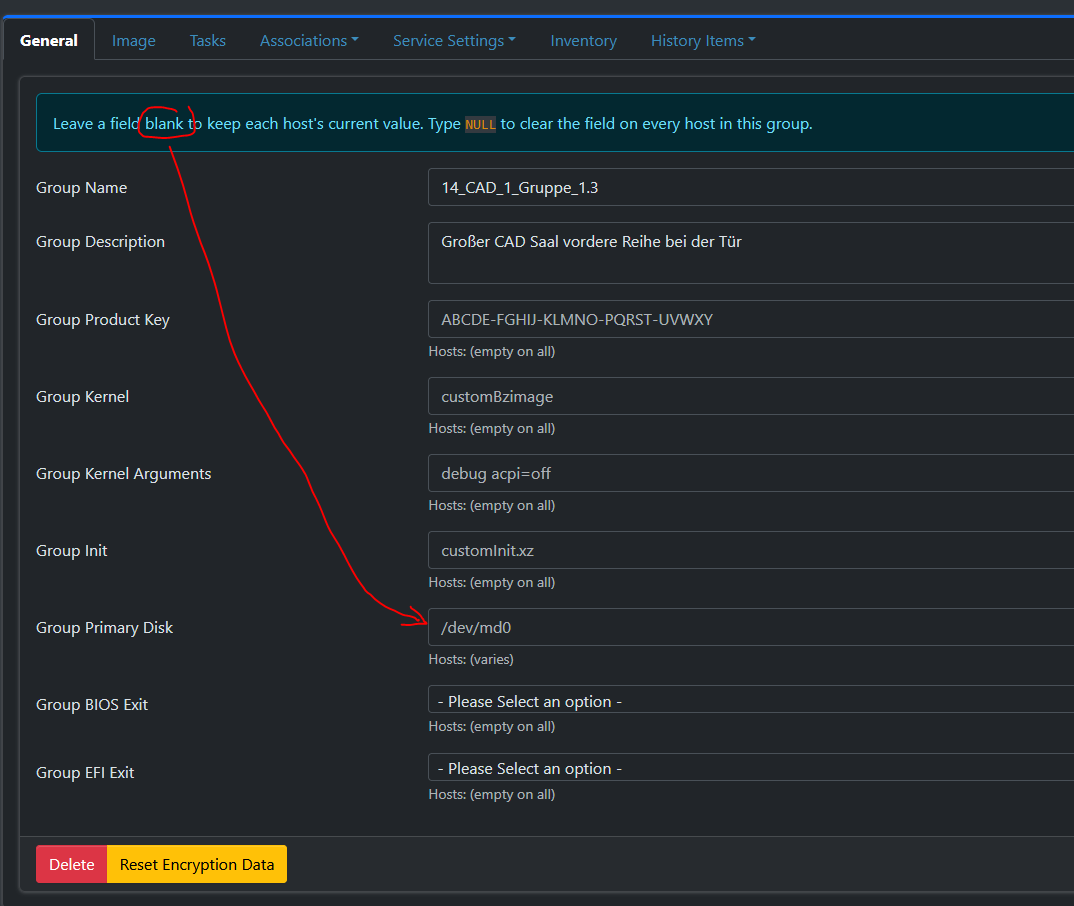
I actually think that’s a bit of a contradiction—or rather, the header isn’t worded very well…
The fields are “pre-filled,” so you might not be familiar with them…
Perhaps a good solution would be: Hosts: (varies) e.g. /dev/md0
Everything below the text box, and the text box itself remains empty -
@kratkale What you see in the text field are place holders, just example views, if you were to hit update/save, those things aren’t what will be set.
THe reason you see “(varies)” is because the hosts in the group have some things where their host Primary Disk is set, but not all hosts have the same values.
As for your odd snapin issues please try these commands on the Database:
delete from snapinAssoc where saSnapinID <= 0;
delete from snapinTasks where stSnapinID <= 0;
As for the domain join issue:
The “captured” host should not be joined to the domain until after the image has been captured.
The error you were seeing was joining domain “Code = 87”
That is not FOG writing an erroneous error, but rather the error from the Domain controller directly.
This may mean your environment is expecting to be set to a specific OU within the domain?
https://forums.fogproject.org/topic/11971/unable-to-join-domain-error-87
This is an old (albeit similar) topic with the same type of error you had seen so maybe it’s fix may help your fog client as well?
This, of course, isn’t strictly necessary, since your snapin method appears to be working anyway.
As always, please update to the latest and greatest as it should help with the prevention of odd jobs just getting created as well. After you clean up things of course.
Thank you!
-
@Tom-Elliott
Hi Tom,
We’re on school holidays in Austria at the moment – I’m not at school right now. At the end of August, I’ll have to install the new image on all the pupils’ PCs. Once that’s done, I’ll be able to start trying things out again. Have a lovely summer, Alexander