• Recent
    • Unsolved
    • Tags
    • Popular
    • Users
    • Groups
    • Search
    • Register
    • Login
    1. Home
    2. Bristow 0
    B
    • Profile
    • Following 0
    • Followers 0
    • Topics 18
    • Posts 69
    • Groups 0

    Bristow 0

    @Bristow 0

    Teacher and FOSS addict

    8
    Reputation
    1
    Profile views
    69
    Posts
    0
    Followers
    0
    Following
    Joined
    Last Online
    Location Lyon - France

    Bristow 0 Unfollow Follow

    Best posts made by Bristow 0

    • RE: Script for a backup ?

      Thanks a lot @rodluz !

      I took your script and adapted it. I use it directly on my FOG server, which simplifies things a bit. I also changed the mail to a notification sent to my smartphone with ntfy, which I find easy to use.

      I also mounted my NAS share in NFS directly on /mnt/FOGBackups.

      Here’s my script:

      #!/bin/bash
      
      fogServerAddress="172.X.Y.Z"  # Change to actual FOG server address
      
      backupDate=$(date +"%Y%m%d")
      
      backupDir="/mnt/FOGBackups/$backupDate"
      backupDirImages="/mnt/FOGBackups/images"
      
      snapinLocation="/opt/fog/snapins"
      reportLocation="/var/www/fog/lib/reports"
      imageLocation="/images"
      
      failedBackupDB=0
      failedBackupSnapins=0
      failedBackupReports=0
      failedBackupImages=0
      
      [[ ! -d $backupDir ]] && mkdir -p $backupDir/{mysql,snapins,reports,logs} >/dev/null 2>&1
      [[ ! -d $backupDir/mysql || $backupDir/snapins || $backupDir/reports || $backupDir/logs ]] && mkdir -p $backupDir/{mysql,snapins,reports,logs} >/dev/null 2>&1
      
      backupDB() {
          wget --no-check-certificate --post-data="nojson=1" -O $backupDir/mysql/fog.sql "http://$fogServerAddress/fog/management/export.php?type=sql" 2>>$backupDir/logs/error.log 1>>$backupDir/logs/progress.log 2>&1
          stat=$?
          if [[ ! $stat -eq 0 ]]; then
              echo "Failed to backup database!"
              failedBackupDB=1
          else
              echo "Database backed up."
          fi
      }
      
      backupSnapins() {
          cp -r $snapinLocation $backupDir/snapins/ 2>>$backupDir/logs/error.log 1>>$backupDir/logs/progress.log 2>&1
          stat=$?
          if [[ ! $stat -eq 0 ]]; then
              echo "Failed to backup snapins!"
              failedBackupSnapins=1
          else
              echo "Snapins backed up."
          fi
      }
      
      backupReports() {
          cp -r $reportLocation $backupDir/reports/ 2>>$backupDir/logs/error.log 1>>$backupDir/logs/progress.log 2>&1
          stat=$?
          if [[ ! $stat -eq 0 ]]; then
              echo "Failed to backup reports!"
              failedBackupReports=1
          else
              echo "Reports backed up."
          fi
      }
      
      backupImages() {
          rsync -auv $imageLocation $backupDirImages 2>>$backupDir/logs/error.log 1>>$backupDir/logs/progress.log 2>&1
          stat=$?
          if [[ ! $stat -eq 0 ]]; then
              echo "Failed to backup images!"
              failedBackupImages=1
          else
              echo "Images backed up."
          fi
      }
      
      checkForFailures() {
          echo "Running checkForFailures()"
          if [[ $failedBackupDB -eq 1 ]]; then
              message="$message \nFailed to backup database."
          fi
      
          if [[ $failedBackupSnapins -eq 1 ]]; then
              message="$message \nFailed to backup snapins."
          fi
      
          if [[ $failedBackupReports -eq 1 ]]; then
              message="$message \nFailed to backup reports."
          fi
          if [[ $failedBackupImages -eq 1 ]]; then
              message="$message \nFailed to backup images."
          fi
      }
      
      sendNotif() {
      	echo "Running sendNotif()"
          if [[ ! -z $message ]]; then
              {
                  curl -d "FOG Backup Failed\n $message" ntfy.sh/XYZATEHFJICH
      		}
      	else
      		curl -d "FOG Backup Successful!" ntfy.sh/XYZATEHFJICH
      	fi
      }
      
      backupDB
      backupSnapins
      backupReports
      backupImages
      
      checkForFailures
      sendNotif
      
      
      posted in General Problems
      B
      Bristow 0
    • Small errors in migration commands

      I have just migrated a Fog from one server to another and I noticed 2 small problems on this page: https://wiki.fogproject.org/wiki/index.php?title=Migrate_FOG#Arranging_Images

      The following command generates 2 messages :

      root@fogserver:~# mv /images/dev/* /images
      mv: Cannot move '/images/dev/dev' to '/images/dev': The folder is not empty.
      mv: Cannot move '/images/dev/postdownloadscripts' to '/images/postdownloadscripts': The folder is not empty.
      

      I don’t think it’s serious, is it?

      But this one is more annoying:

      root@fogserver:~# chown -R fog:root /images
      chown: incorrect user: " fog:root ".
      

      The fog user does not exist, it is fogproject. So I replaced by this command:

      chown -R fogproject:root /images
      

      Thanks for this amazing project !

      posted in General
      B
      Bristow 0
    • RE: [Solved] Grub rescue after deploy task

      @Sebastian-Roth you put me on the track!

      The bios was configured in legacy bios first, I switched to uefi first and it works!

      Thank you!

      posted in Linux Problems
      B
      Bristow 0
    • RE: Migrating FOG from a Optiplex 7010 to a dedicated server?

      @tesparza

      I made the same thing with this doc : https://wiki.fogproject.org/wiki/index.php?title=Migrate_FOG

      posted in General Problems
      B
      Bristow 0
    • RE: FOG Project call for engagement

      @lemeunier said in FOG Project call for engagement:

      PS: j’ai la flemme de traduire ça en anglais…

      Pourtant, cela prend 3 s avec https://www.deepl.com/translator

      Hello Sebastian, Hello Tom

      First of all, I would like to salute your work which is very helpful for us on a regional scale (Hauts-de-France, France).
      The development of FogProject systems is unquestionably irreproachable and indispensable for large structures such as ours.

      Have you thought about switching to a business model geared towards professionals, like WAPT?
      We would be delighted to collaborate with you in this context, and this would allow you to recruit developers in a paid way.

      Best regards.

      (Ne compliquons pas la vie des développeurs)

      posted in Announcements
      B
      Bristow 0
    • RE: Update french translation for Fog 1.5.9

      I have made good progress on the translation of FOG into French.

      There was a lot of work. Currently, I’m trying to translate directly in PoEdit but is there a solution to see my work in FOG, knowing that I installed FOG (dev-branch) on a VM…

      Thanks !

      PS : I should be able to push my file this week…

      posted in General
      B
      Bristow 0
    • RE: Translate the FOG project website

      @wayne-workman The Google translation of technical project is just awful. Deepl gives much better results.

      Besides, I hardly ever use Google and even less Google Chrome 😉

      I’m waiting for Tom’s answer 🙂

      posted in General
      B
      Bristow 0

    Latest posts made by Bristow 0

    • RE: Following a migration, character encoding issue

      @Tom-Elliott

      I’m on Debian Bullseye.

      I can’t install php-gettext, and i installed php-php-gettext (not installed), restart php7.4 but no better.

      posted in FOG Problems
      B
      Bristow 0
    • RE: Following a migration, character encoding issue

      Arghh 😞

      I tried to apply this command without any conclusive results:

      msgfmt -o /var/www/html/fog/management/languages/fr_FR.UTF-8/LC_MESSAGES/messages.mo /var/www/html/fog/management/languages/fr_FR.UTF-8/LC_MESSAGES/messages.po
      

      I did see the accents once or twice (after msgfmt command), but they disappeared after two clicks or connecting to Fog. Very strange…

      posted in FOG Problems
      B
      Bristow 0
    • RE: Following a migration, character encoding issue

      Maybe this is my translation file submitted a few years ago?

      https://github.com/FOGProject/fogproject/pull/431

      posted in FOG Problems
      B
      Bristow 0
    • RE: Following a migration, character encoding issue

      @Tom-Elliott

      Indeed, it worked before the migration.

      Accented characters work on the terminal connected to my server.

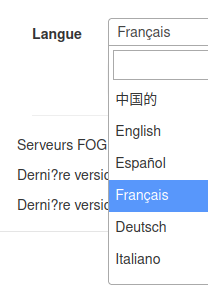
      However, it is strange that it displays the ç and the spanish ñ correctly on the home page. It seems that only the é and è are not working…

      Look :
      Capture d’écran du 2026-01-05 12-00-35.png

      posted in FOG Problems
      B
      Bristow 0
    • Following a migration, character encoding issue

      Hello everyone,

      Following the migration of my server to Debian Bullseye and Fog 1.5.10.1734, I have noticed problems with characters that contain accents.
      Is this a bug in this version, or have I forgotten something?

      Thanks!

      Example :

      Capture du 2026-01-05 11-02-51.png

      posted in FOG Problems
      B
      Bristow 0
    • RE: Updating Fog without knowing how I installed it?

      Finally, I did my update.

      The problem was that I was running Debian Buster, so I first had to upgrade to Debian Bullseye so that the installer could install the new packages.

      Then, I made a copy of the fogproject/ folder, deleted the folder to initiate a git clone
      Next, I followed the tutorial and restarted the installer, which restored my old settings. The web interface is working, so I assume my clones will work as well.
      Thank you.

      posted in General
      B
      Bristow 0
    • RE: Updating Fog without knowing how I installed it?

      @lukebarone Thanks, i will try !

      posted in General
      B
      Bristow 0
    • Updating Fog without knowing how I installed it?

      Hello everyone and the Fog team, I love your software!

      I installed Fog several years ago, I am using version 1.5.9, but I don’t know if I installed it via git or the installer?

      How can I find out and what procedure should I follow to update to the stable version 1.5.10?

      Thank you for your help!

      posted in General
      B
      Bristow 0
    • RE: Booting UEFI only devices with USB network adapters - problem and solution

      I think I have the same problem and I want to be sure of exactly what I need to do (I don’t know if there is a step-by-step tutorial…).

      I boot with a USB-C network adapter on an HP Elitebook. It finds FOG, I have the menu, I choose to deploy an image, and then I get this error message:

      IMG_20251106_162705.jpg

      Is this the problem in question?
      If so, what exactly should I do? I see (link @FlorianLenz ) that I need to replace two files with the new ones, then run the .sh. But isn’t that dangerous for other network boots?

      Thank you in advance for your help.

      posted in Hardware Compatibility
      B
      Bristow 0
    • Boot PXE on iMac 14.3 (catalina)

      Hello everyone,

      As I work at a secondary school, I was able to get hold of some Catalina iMacs (iMac 14.3).
      I already use FOG to deploy Windows and Linux images on PCs.

      I would like to deploy a LinuxMint image on these iMacs.

      However, I am unable to boot into PXE on them with FOG, and I do not know what is wrong.

      I modified my DHCP server as follows:

      ## FOG
      class "UEFI-32-1" {
      match if substring(option vendor-class-identifier, 0, 20) = "PXEClient:Arch:00006";
      filename "i386-efi/ipxe.efi";
      }
      
      class "UEFI-32-2" {
      match if substring(option vendor-class-identifier, 0, 20) = "PXEClient:Arch:00002";
      filename "i386-efi/ipxe.efi";
      }
      
      class "UEFI-64-1" {
      match if substring(option vendor-class-identifier, 0, 20) = "PXEClient:Arch:00007";
      filename "ipxe.efi";
      }
      
      class "UEFI-64-2" {
      match if substring(option vendor-class-identifier, 0, 20) = "PXEClient:Arch:00008";
      filename "ipxe.efi";
      }
      
      class "UEFI-64-3" {
      match if substring(option vendor-class-identifier, 0, 20) = "PXEClient:Arch:00009";
      filename "ipxe.efi";
      }
      
      class "Apple-Intel-Netboot" {
          match if substring (option vendor-class-identifier, 0, 14) = "AAPLBSDPC/i386";
          option dhcp-parameter-request-list 1,3,17,43,60;
          if (option dhcp-message-type = 8) {
                  option vendor-class-identifier "AAPLBSDPC";
                  if (substring(option vendor-encapsulated-options, 0, 3) = 01:01:01) {
                      # BSDP List
                      option vendor-encapsulated-options 01:01:01:04:02:80:00:07:04:81:00:05:2a:09:0D:81:00:05:2a:08:69:50:58:45:2d:46:4f:47;
                      }
                  elsif (substring(option vendor-encapsulated-options, 0, 3) = 01:01:02) {
                      #BSDP Select
                      option vendor-encapsulated-options 01:01:02:08:04:81:00:05:2a:82:0a:4e:65:74:42:6f:6f:74:30:30:31;
                      # filename "i386-efi/ipxe.efi";
                      filename "snp.efi";
                      }
                  }
              }
      
      class "Legacy" {
      match if substring(option vendor-class-identifier, 0, 20) = "PXEClient:Arch:00000";
      filename "undionly.kkpxe";
      }
      
      ### END FOG


      I tested ipxe.efi in 64-bit and 32-bit, as well as snp.efi, but it still doesn’t work. I get some kind of spinning planet when I try to boot.

      I admit I don’t fully understand the documentation page: https://wiki.fogproject.org/wiki/index.php/FOG_on_a_MAC

      Thanks in advance!

      posted in Mac Problems
      B
      Bristow 0