• Recent
    • Unsolved
    • Tags
    • Popular
    • Users
    • Groups
    • Search
    • Register
    • Login
    1. Home
    2. MarkG
    M
    • Profile
    • Following 0
    • Followers 0
    • Topics 11
    • Posts 58
    • Groups 0

    MarkG

    @MarkG

    2
    Reputation
    125
    Profile views
    58
    Posts
    0
    Followers
    0
    Following
    Joined
    Last Online

    MarkG Unfollow Follow

    Best posts made by MarkG

    • RE: Secure Boot Support for Windows 11

      I’ve just tried an Insider build from the Dev channel, Secure Boot was not required - though is supported by this hardware (Intel NUC). MS are saying that the requirement is actually a TPM - they’re saying ‘Secure Boot Capable’ because that’s more consumer-friendly than talking about TPMs.

      The image type in FOG can be set to Windows 10, and I was able to capture and deploy

      posted in Feature Request
      M
      MarkG

    Latest posts made by MarkG

    • RE: iPXE boot doing nothing after update to 1.6.0.158

      @Tom-Elliott Oh thank you, yes I edited the new file and didn’t notice that typo. Sorry for the confusion.

      posted in FOG Problems
      M
      MarkG
    • RE: iPXE boot doing nothing after update to 1.6.0.158

      Further to the previous reply, I edited my old dhcpd.conf with the new filenames, and this is still working. I’m at a loss to explain this.

      # DHCP Server Configuration file\n#see /usr/share/doc/dhcp*/dhcpd.conf.sample
      # This file was created by FOG
      #Definition of PXE-specific options
      # Code 1: Multicast IP Address of bootfile
      # Code 2: UDP Port that client should monitor for MTFTP Responses
      # Code 3: UDP Port that MTFTP servers are using to listen for MTFTP requests
      # Code 4: Number of seconds a client must listen for activity before trying
      #         to start a new MTFTP transfer
      # Code 5: Number of seconds a client must listen before trying to restart
      #         a MTFTP transfer
      option space PXE;
      option PXE.mtftp-ip code 1 = ip-address;
      option PXE.mtftp-cport code 2 = unsigned integer 16;
      option PXE.mtftp-sport code 3 = unsigned integer 16;
      option PXE.mtftp-tmout code 4 = unsigned integer 8;
      option PXE.mtftp-delay code 5 = unsigned integer 8;
      option arch code 93 = unsigned integer 16;
      use-host-decl-names on;
      ddns-update-style interim;
      ignore client-updates;
      # Specify subnet of ether device you do NOT want service.
      # For systems with two or more ethernet devices.
      # subnet 136.165.0.0 netmask 255.255.0.0 {}
      subnet 195.168.0.0 netmask 255.255.255.0{
          authoritative;
          option subnet-mask 255.255.255.0;
          range dynamic-bootp 195.168.0.10 195.168.0.252;
          default-lease-time 5000000;
          max-lease-time 5000000;
          option routers 195.168.0.1;
          option domain-name-servers 8.8.8.8,8.8.4.4;
          option domain-search "local";
          option domain-name "local";
          next-server 195.168.0.1;
      
          # To make a specific rule based on a MAC address follow this pattern
          class "AlanPartridge" {
             match if binary-to-ascii(16,8,":",substring(hardware, 1, 6)) = "50:eb:f6:b7:8a:b0";
             filename "snp.efi";
          }
       
      
          class "Legacy" {
              match if substring(option vendor-class-identifier, 0, 20) = "PXEClient:Arch:00000";
              filename "undionly.kkpxe";
          }
          # To make a specific rule based on a MAC address follow this pattern
          # class "ThunderAMD" {
          #    match if binary-to-ascii(16,8,":",substring(hardware, 1, 6)) = "a8:a1:59:42:15:08";
          #    filename "snp.efi";
          #}
          class "UEFI-32-2" {
              match if substring(option vendor-class-identifier, 0, 20) = "PXEClient:Arch:00002";
              filename "i386-efi/ipxe.efi";
          }
          class "UEFI-32-1" {
              match if substring(option vendor-class-identifier, 0, 20) = "PXEClient:Arch:00006";
              filename "i386-efi/ipxe.efi";
          }
          class "UEFI-64-1" {
              match if substring(option vendor-class-identifier, 0, 20) = "PXEClient:Arch:00007";
      #        filename "snp.efi";
      	filename "secureboot/snponly-shimx64.efi"; 
         }
          class "UEFI-64-2" {
              match if substring(option vendor-class-identifier, 0, 20) = "PXEClient:Arch:00008";
      #        filename "snp.efi";
              filename "secureboot/snponly-shimx64.efi";
      
          }
          class "UEFI-64-3" {
              match if substring(option vendor-class-identifier, 0, 20) = "PXEClient:Arch:00009";
      #        filename "snp.efi";
               filename "secureboot/snponly-shimx64.efi";
          }
          class "UEFI-ARM64" {
              match if substring(option vendor-class-identifier, 0, 20) = "PXEClient:Arch:00011";
      #        filename "arm64-efi/snponly.efi";
              filename "secureboot/arm64-efi/snponly-shimaa64.efi";
          }
          class "SURFACE-PRO-4" {
              match if substring(option vendor-class-identifier, 0, 32) = "PXEClient:Arch:00007:UNDI:003016";
      #        filename "ipxe.efi";
              filename "secureboot/snponly-shimx64.efi";
         }
          class "Apple-Intel-Netboot" {
              match if substring(option vendor-class-identifier, 0, 14) = "AAPLBSDPC/i386";
              option dhcp-parameter-request-list 1,3,17,43,60;
              if (option dhcp-message-type = 8) {
                  option vendor-class-identifier "AAPLBSDPC";
                  if (substring(option vendor-encapsulated-options, 0, 3) = 01:01:01) {
                      # BSDP List
                      option vendor-encapsulated-options 01:01:01:04:02:80:00:07:04:81:00:05:2a:09:0D:81:00:05:2a:08:69:50:58:45:2d:46:4f:47;
                      filename "snponly.efi";
                  }
              }
          }
      }
      
      posted in FOG Problems
      M
      MarkG
    • RE: iPXE boot doing nothing after update to 1.6.0.158

      @Tom-Elliott Thanks. Actually the update complete rewrote my dhcpd.conf (I know it backed the old one up) and that seems to be the problem. The dhcp server won’t start with that config, but it won’t tell me what the problem is. I replaced it with my old file and that works.

      # DHCP Server Configuration file\n#see /usr/share/doc/dhcp*/dhcpd.conf.sample
      # This file was created by FOG
      #Definition of PXE-specific options
      # Code 1: Multicast IP Address of bootfile
      # Code 2: UDP Port that client should monitor for MTFTP Responses
      # Code 3: UDP Port that MTFTP servers are using to listen for MTFTP requests
      # Code 4: Number of seconds a client must listen for activity before trying
      #         to start a new MTFTP transfer
      # Code 5: Number of seconds a client must listen before trying to restart
      #         a MTFTP transfer
      option space PXE;
      option PXE.mtftp-ip code 1 = ip-address;
      option PXE.mtftp-cport code 2 = unsigned integer 16;
      option PXE.mtftp-sport code 3 = unsigned integer 16;
      option PXE.mtftp-tmout code 4 = unsigned integer 8;
      option PXE.mtftp-delay code 5 = unsigned integer 8;
      option arch code 93 = unsigned integer 16;
      use-host-decl-names on;
      ddns-update-style interim;
      ignore client-updates;
      # Specify subnet of ether device you do NOT want service.
      # For systems with two or more ethernet devices.
      # subnet 136.165.0.0 netmask 255.255.0.0 {}
      subnet 195.168.0.0 netmask 255.255.255.0{
          option subnet-mask 255.255.255.0;
          range dynamic-bootp 195.168.0.10 195.168.0.254;
          default-lease-time 5000000;
          max-lease-time 5000000;
          option routers 195.168.0.1;
          option domain-name-servers 8.8.8.8,8.8.4.4;
          option domain-search "local";
          option domain_name "local";
          next-server 195.168.0.1;
      }
      class "Legacy" {
          match if substring(option vendor-class-identifier, 0, 20) = "PXEClient:Arch:00000";
          filename "undionly.kkpxe";
      }
      class "UEFI-32-2" {
          match if substring(option vendor-class-identifier, 0, 20) = "PXEClient:Arch:00002";
          filename "i386-efi/snponly.efi";
      }
      class "UEFI-32-1" {
          match if substring(option vendor-class-identifier, 0, 20) = "PXEClient:Arch:00006";
          filename "i386-efi/snponly.efi";
      }
      class "UEFI-64-1" {
          match if substring(option vendor-class-identifier, 0, 20) = "PXEClient:Arch:00007";
          filename "secureboot/snponly-shimx64.efi";
      }
      class "UEFI-64-2" {
          match if substring(option vendor-class-identifier, 0, 20) = "PXEClient:Arch:00008";
          filename "secureboot/snponly-shimx64.efi";
      }
      class "UEFI-64-3" {
          match if substring(option vendor-class-identifier, 0, 20) = "PXEClient:Arch:00009";
          filename "secureboot/snponly-shimx64.efi";
      }
      class "UEFI-ARM64" {
          match if substring(option vendor-class-identifier, 0, 20) = "PXEClient:Arch:00011";
          filename "secureboot/arm64-efi/snponly-shimaa64.efi";
      }
      class "SURFACE-PRO-4" {
          match if substring(option vendor-class-identifier, 0, 32) = "PXEClient:Arch:00007:UNDI:003016";
          filename "secureboot/snponly-shimx64.efi";
      }
      class "Apple-Intel-Netboot" {
          match if substring(option vendor-class-identifier, 0, 14) = "AAPLBSDPC/i386";
          option dhcp-parameter-request-list 1,3,17,43,60;
          if (option dhcp-message-type = 8) {
              option vendor-class-identifier "AAPLBSDPC";
              if (substring(option vendor-encapsulated-options, 0, 3) = 01:01:01) {
                  # BSDP List
                  option vendor-encapsulated-options 01:01:01:04:02:80:00:07:04:81:00:05:2a:09:0D:81:00:05:2a:08:69:50:58:45:2d:46:4f:47;
                  filename "snponly.efi";
              }
          }
      }
      # Two alternatives to the UEFI boot file above, if you need them.
      # Uncomment one and narrow the match to the affected machines. Both are
      # DHCP-only changes -- nothing is renamed on this server.
      #
      # This file is regenerated by every install and upgrade, so an edit here
      # does not survive the next one. To change the boot file for every UEFI
      # client, re-run the installer with --uefi-bootfile ipxe (or snponly).
      #
      # 1. The chain loads but the network never comes up, or the FOS kernel
      #    hangs at the handoff: that is the firmware's own UEFI SNP driver,
      #    so use iPXE's built-in drivers instead.
      #    On arm64, secureboot/arm64-efi/ipxe-shimaa64.efi.
      #class "FOG-UEFI-64-IpxeDrivers" {
      #    match if substring(option vendor-class-identifier, 0, 20) = "PXEClient:Arch:00007";
      #    filename "secureboot/ipxe-shimx64.efi";
      #}
      #
      # 2. You want FOG's own builds rather than upstream's signed pair. They
      #    are in the TFTP root; on arm64, arm64-efi/snponly.efi. They carry
      #    this server's own signature, so a Secure Boot client refuses them
      #    until that certificate is enrolled on it.
      #class "FOG-UEFI-64-FogBuild" {
      #    match if substring(option vendor-class-identifier, 0, 20) = "PXEClient:Arch:00007";
      #    filename "snponly.efi";
      #}
      
      posted in FOG Problems
      M
      MarkG
    • iPXE boot doing nothing after update to 1.6.0.158

      Apologies for the flurry of questions. I don’t know which version of FOG I was running before the upgrade, but it’s been several months, maybe even a year. Everything’s changed and I’m lost 🙂

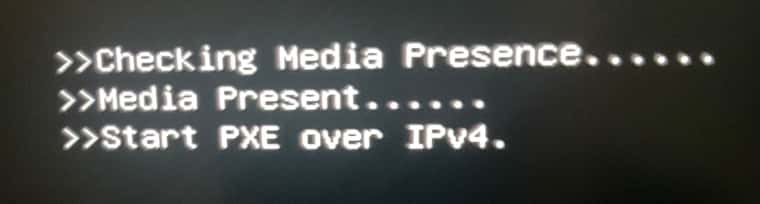
      Having done the upgrade, my PC now simply fails to PXE boot, there’s no error message, it’s as if it’s not getting any reply from the server.

      DHCP is working, since when it boots to WIndows it gets an IP address. But on boot it does this , sits for a while, then boots to Windows. Secure boot is disabled.

      image0.jpeg

      posted in FOG Problems
      M
      MarkG
    • RE: Upgrade to 1.6.0.158 fails with mysql 8.4.13

      @Tom-Elliott Thanks for the detailed reply. That does seem overkill for my needs but I’ll bookmark this for later reading.

      posted in FOG Problems
      M
      MarkG
    • RE: Upgrade to 1.6.0.158 fails with mysql 8.4.13

      @Tom-Elliott Thanks for that reply. I understand why it’s failing now. The link you sent to use a CA I control has broken my brain 🙂 Is there any documentation on what ACME is? I’ve only ever heard it in reference to Wile E Coyote, and I’m assuming it’s not that. Google has not helped.

      posted in FOG Problems
      M
      MarkG
    • RE: Upgrade to 1.6.0.158 fails with mysql 8.4.13

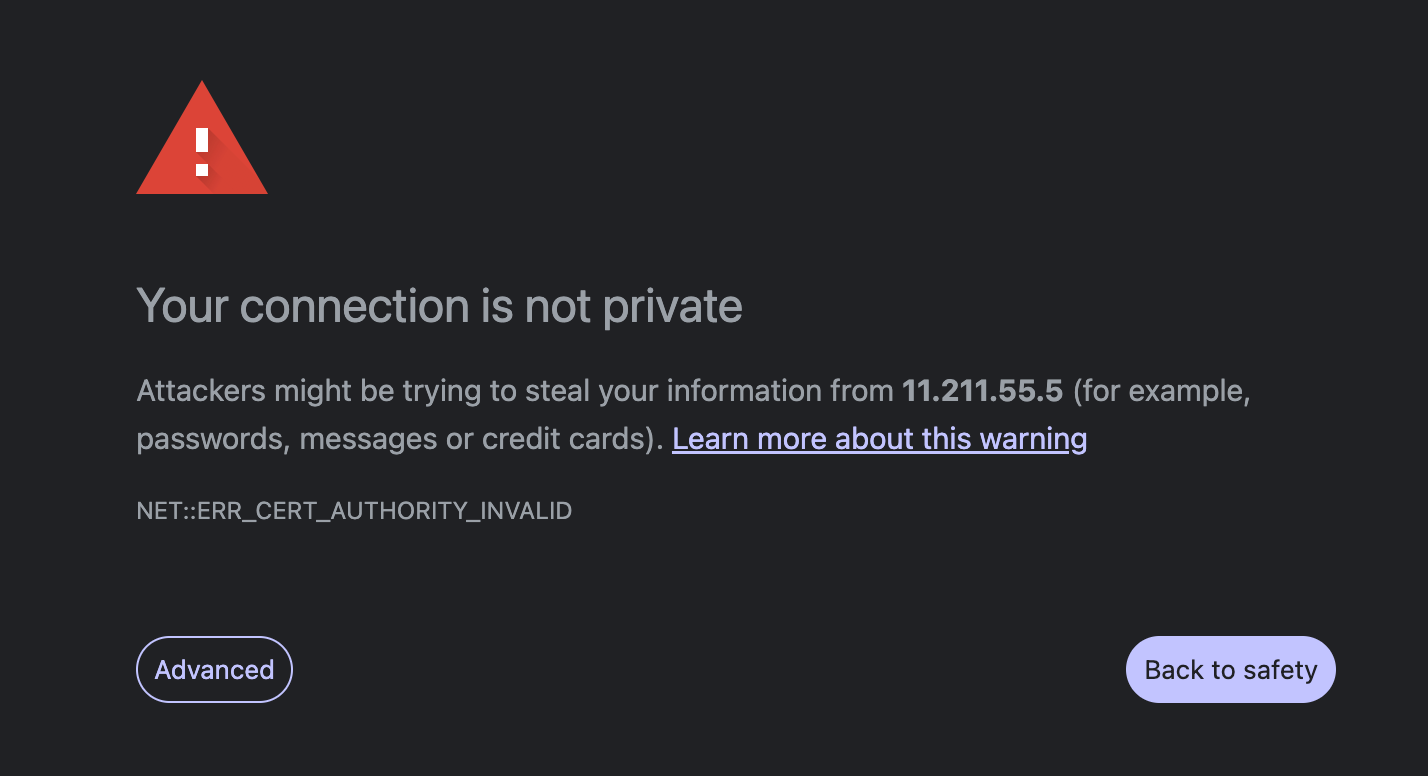
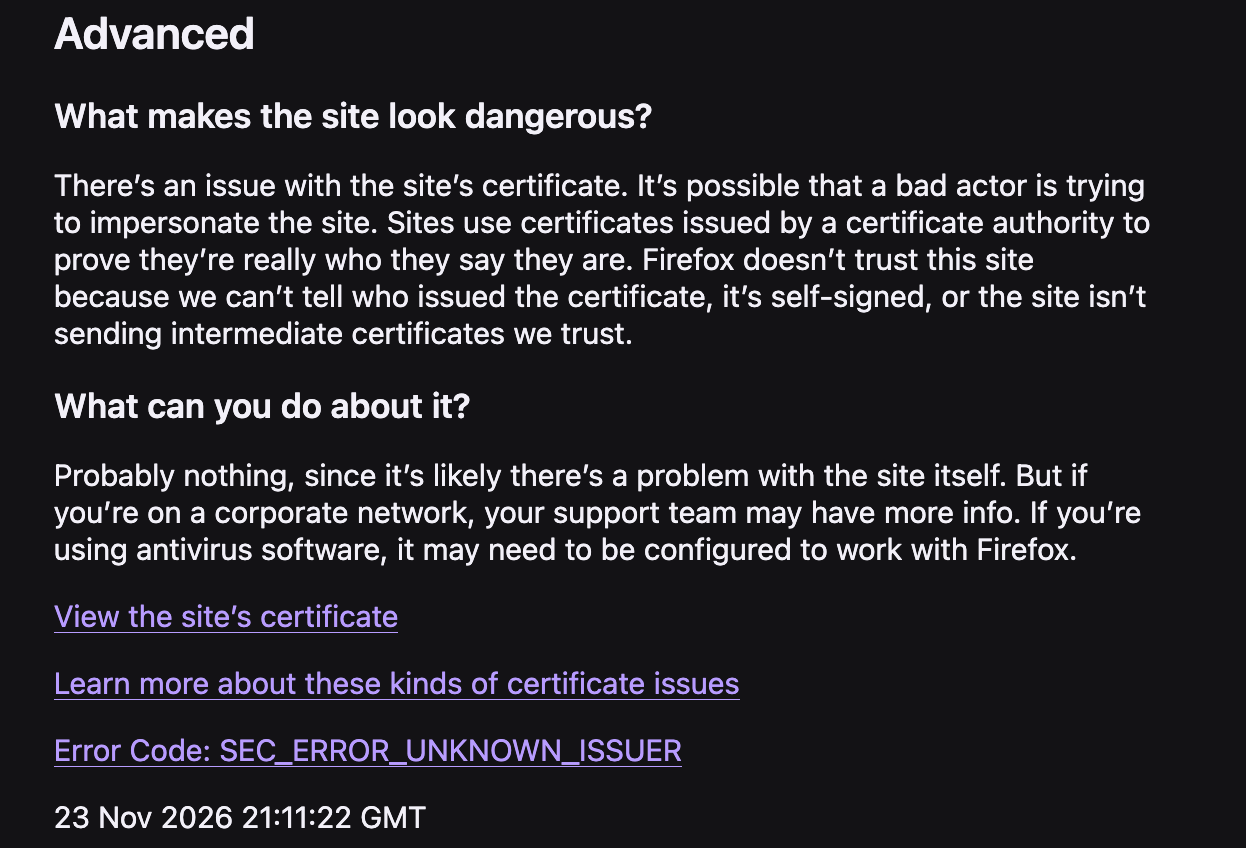
      @Tom-Elliott Thanks, that has worked. It has raised another question though - I notice that https is now supported, which is great. But browsers are giving me a security warning when I use https, and even if I hit the right buttons to get through that, the address bar still says ‘not secure’.

      Screenshot 2026-11-23 at 20.59.53.png

      Screenshot 2026-11-23 at 21.12.32.png

      posted in FOG Problems
      M
      MarkG
    • Upgrade to 1.6.0.158 fails with mysql 8.4.13

      Ubuntu 26.04.1 has updated to mysql 8.4.13, where certain long data types cannot have default values.

      Having updated my server to this release, upgrading FOG fails

      mysql> ALTER TABLE `hosts` ADD COLUMN `hostSecTokenPrev` longtext NOT NULL DEFAULT '' AFTER `hostInfoLock`;
      ERROR 1101 (42000): BLOB, TEXT, GEOMETRY or JSON column 'hostSecTokenPrev' can't have a default value
      

      It’s impossible to continue with the installation after this error

      posted in FOG Problems
      M
      MarkG
    • RE: Windows on ARM

      @Tom-Elliott just bumping this. Is there anything I can do to help? I have some experience building Linux kernels from a few years ago.

      posted in Hardware Compatibility
      M
      MarkG
    • RE: Windows on ARM

      I don’t know whether this is relevant, but I’ve just noticed in my PHP error log the following error after I tried doing a System Compatability check with the Dell XPS:

      PHP Warning:  ftp_mkdir(): Create directory operation failed. in /var/www/fog/lib/fog/fogftp.class.php on line 499', referer: http://11.211.55.5/fog/management/index.php?node=about&sub=kernel&file=aHR0cHM6Ly9naXRodWIuY29tL0ZPR1Byb2plY3QvZm9zL3JlbGVhc2VzL2Rvd25sb2FkLzIwMjYwMzA2L2FybV9JbWFnZQ===&arch=arm64
      
      posted in Hardware Compatibility
      M
      MarkG