@rodluz Good it’s working. Can we left this option like that and all the previous machine will works too of we need to switch this option just for new HP and came back up ipxe.efi after that?
G
Latest posts made by gchartrandCRL
-
RE: FOG boot issue after BIOS update on HP ZBook Fury 16 G11 – iPXE autoexec.ipxe not foundposted in FOG Problems
-
RE: FOG boot issue after BIOS update on HP ZBook Fury 16 G11 – iPXE autoexec.ipxe not foundposted in FOG Problems
Hi, to get more details, we run fog version 1.5.10.1733 and the kernel version 6.12.35.
Should we try the experimental kernel version 6.12.35 from 21 december?
For this post, admin can move it to hardware compatibility if you want.
-
RE: Multicast deploying shutdown pcposted in FOG Problems
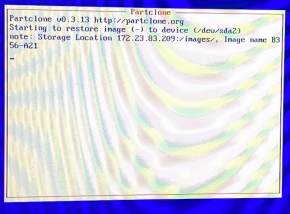
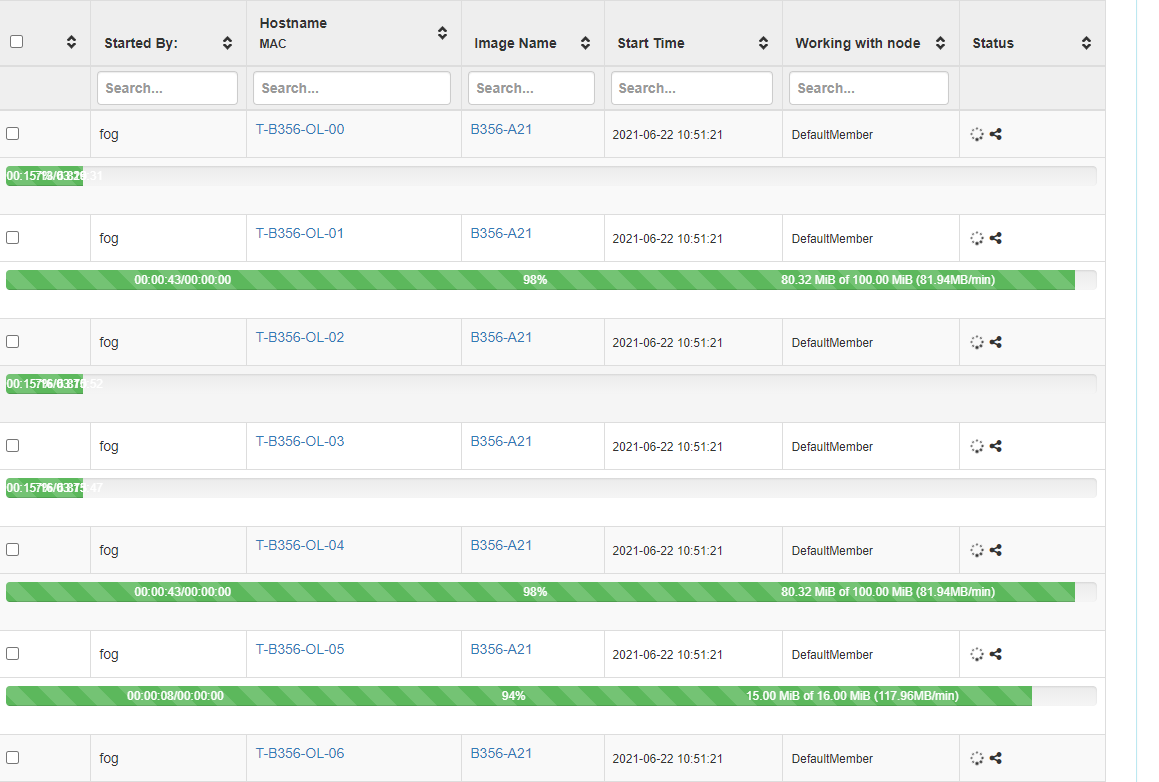
We try to monitor the multicast. After a moment, some machine freeze and screen didn’t update. The related machine in the active task is show 100% of deploy.
The other machine we cancel the task to make it as unicast to continue our works.
-
Multicast deploying shutdown pcposted in FOG Problems
Hi, I have a strange problem that is appears in last few days. When I try to deploy a image using multicast, after a randomly time, it can be 75% or 60% the PC shutdown completly. I try to explore log in fog but I can’t see anything.
I have FOG 1.5.9 and try kernel 5.10.19 and 5.10.34 but nothing change.I try to deploy image on a HP Prodesk G4. I didn’t have time to deploy on another models.
It’s work in unicast but it’s long to make all the lab in unicast instead of multicast.
About 2 week ago I deploy in multicast without problem and we didn’t change any network configuration.
-
RE: Client hostname changerposted in FOG Problems
@Tom-Elliott
i’ts working with the fog server 1.4.4 SVN 6077.Thanks a lot.
-
RE: Client hostname changerposted in FOG Problems
I’ve just made it but now I got
2017-06-27 12:53 Middleware::Communication URL: http://r-fogserver/fog/management/index.php?sub=requestClientInfo&configure&newService&json
2017-06-27 12:53 Middleware::Response Success
2017-06-27 12:53 Middleware::Communication URL: http://r-fogserver/fog/management/index.php?sub=requestClientInfo&mac=C8:D3:FF:A6:8B:2F||00:00:00:00:00:00:00:E0&newService&json
2017-06-27 12:53 Middleware::Authentication Waiting for authentication timeout to pass
2017-06-27 12:53 Middleware::Communication Download: http://r-fogserver/fog/management/other/ssl/srvpublic.crt
2017-06-27 12:53 Middleware::Authentication ERROR: Could not authenticate
2017-06-27 12:53 Middleware::Authentication ERROR: La valeur ne peut pas être null.
Nom du paramètre : authority
2017-06-27 12:53 Middleware::Response Success
2017-06-27 12:53 Middleware::Communication URL: http://r-fogserver/fog/service/getversion.php?clientver&newService&json
2017-06-27 12:53 Middleware::Communication URL: http://r-fogserver/fog/service/getversion.php?newService&json2017-06-27 12:53 Service Creating user agent cache
2017-06-27 12:53 Middleware::Response ERROR: Unable to get subsection
2017-06-27 12:53 Middleware::Response ERROR: La référence d’objet n’est pas définie à une instance d’un objet.
2017-06-27 12:53 Middleware::Response ERROR: Unable to get subsection
2017-06-27 12:53 Middleware::Response ERROR: La référence d’objet n’est pas définie à une instance d’un objet.
2017-06-27 12:53 Middleware::Response ERROR: Unable to get subsection
2017-06-27 12:53 Middleware::Response ERROR: La référence d’objet n’est pas définie à une instance d’un objet.
---------------------------------ClientUpdater--------------------------------
2017-06-27 12:53 Client-Info Client Version: 0.11.12
2017-06-27 12:53 Client-Info Client OS: Windows
2017-06-27 12:53 Client-Info Server Version: 1.4.0-RC-7
2017-06-27 12:53 Middleware::Response Success
----------------------------------TaskReboot----------------------------------
2017-06-27 12:53 Client-Info Client Version: 0.11.12
2017-06-27 12:53 Client-Info Client OS: Windows
2017-06-27 12:53 Client-Info Server Version: 1.4.0-RC-7
2017-06-27 12:53 Middleware::Response ERROR: Unable to get subsection
2017-06-27 12:53 Middleware::Response ERROR: La référence d’objet n’est pas définie à une instance d’un objet.
--------------------------------HostnameChanger-------------------------------
2017-06-27 12:53 Client-Info Client Version: 0.11.12
2017-06-27 12:53 Client-Info Client OS: Windows
2017-06-27 12:53 Client-Info Server Version: 1.4.0-RC-7
2017-06-27 12:53 Middleware::Response ERROR: Unable to get subsection
2017-06-27 12:53 Middleware::Response ERROR: La référence d’objet n’est pas définie à une instance d’un objet. -
Client hostname changerposted in FOG Problems
Server
- FOG Version: 1.4.0-RC-7 SVN 6069
- OS: CentoS
Client
- Service Version:
- OS: Windows 7
Description
The client can’t reboot or change hostname
2017-06-27 11:29 Client-Info Version: 0.11.12
2017-06-27 11:29 Client-Info OS: Windows
2017-06-27 11:29 Middleware::Authentication Waiting for authentication timeout to pass
2017-06-27 11:31 Middleware::Communication Download: http://r-fogserver/fog/management/other/ssl/srvpublic.crt
2017-06-27 11:31 Data::RSA FOG Server CA cert found
2017-06-27 11:31 Middleware::Authentication Cert OK
2017-06-27 11:31 Middleware::Authentication ERROR: Could not get security token
2017-06-27 11:31 Middleware::Authentication ERROR: Le fichier ‘C:\Program Files (x86)\FOG\token.dat’ est introuvable.
2017-06-27 11:31 Middleware::Communication POST URL: http://r-fogserver/fog/management/index.php?sub=requestClientInfo&authorize&newService
2017-06-27 11:31 Middleware::Response Invalid security tokenWhat can I do to correct that?
-
RE: Capture failed with step clearing ntfs flag failedposted in FOG Problems
@Tom-Elliott Thanks Tom, the update resolved the issue. I upgraded to 1.4.0-RC7.
-
RE: Capture failed with step clearing ntfs flag failedposted in FOG Problems
@Quazz
it’s a brand new machine with SSD drive. I didn’t have problem when I deploy an image on it, it’s work fine. I try to run a chkdsk on both partition, the reserved one and the OS, no error at all. But when I try to capture it to another image, it’s failed and leave the reserved partition in RaW mode and shrink the partition to less possible. -
RE: Capture failed with step clearing ntfs flag failedposted in FOG Problems
Hi, I try the wiki, but the way 1 didn’t work, the system said is already off, the way 2, I always reboot the Pc for capture and try the way 3 didn’t help.
Here is the 2 screen capture
 !
!
